OpenClaw for Locksmiths: Automate Dispatch, Quotes, and Follow-Up
How locksmiths can use OpenClaw to automate emergency dispatch, quote generation, and customer follow-up.
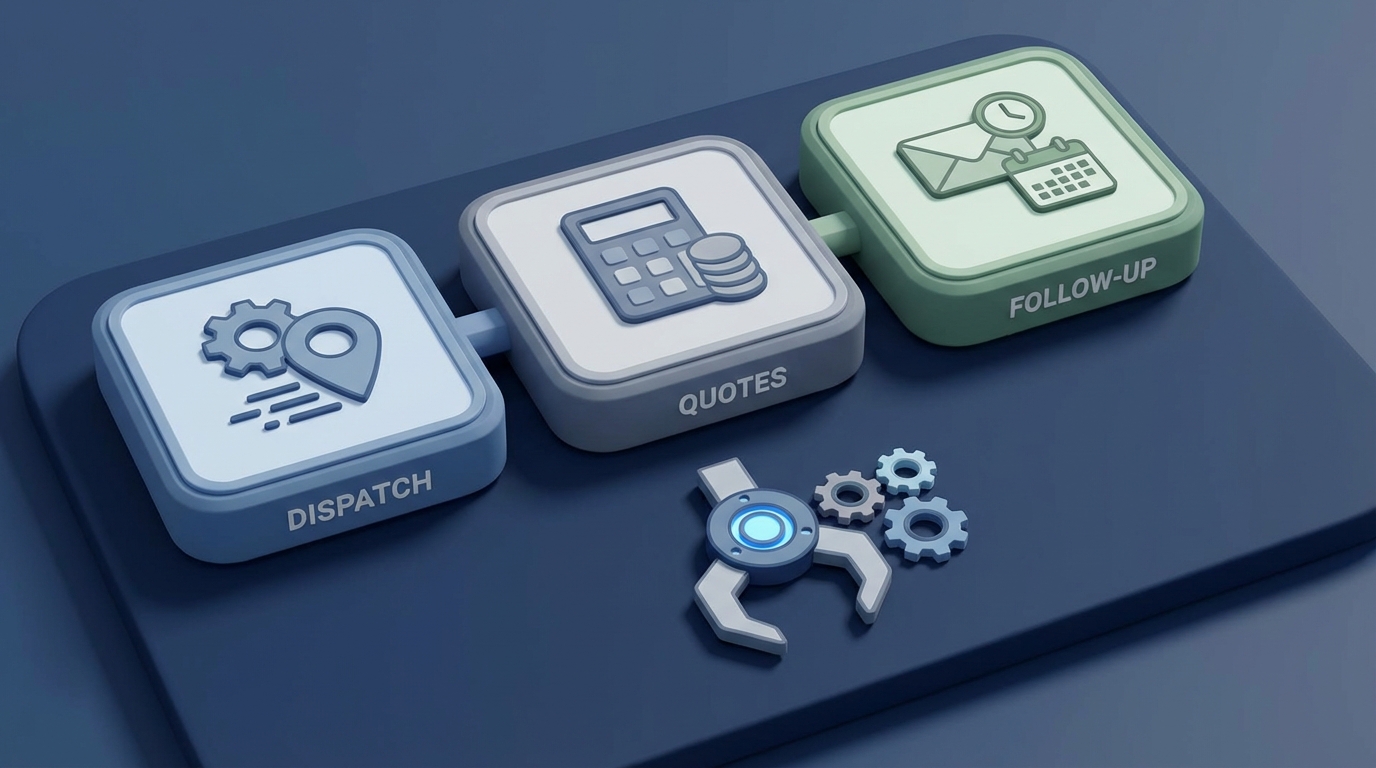
Most locksmiths I've talked to didn't get into this business to spend half their day on the phone. You got into it because you're good with locks. You like solving problems with your hands. You like the independence.
But then reality hits: you're juggling emergency calls at 2 AM, texting quotes while driving between jobs, forgetting to follow up with that apartment complex about their quarterly rekey, and watching your Google reviews stagnate at 4.2 stars because you never remember to ask. Meanwhile, some franchise operation with a call center is eating your leads because they respond in 30 seconds and you respond in 30 minutes.
Here's the thing—you don't need a call center. You don't need to hire a dispatcher or a virtual assistant in the Philippines. You need a system that handles the predictable stuff automatically so you can focus on the work that actually requires a human being standing in front of a lock.
That's what OpenClaw does. And in this post, I'm going to walk you through exactly how to set it up for a locksmith business—dispatch, quotes, follow-up, the works.
The Real Problem: You're Losing Money While You're Working
Let me throw some numbers at you that should make you uncomfortable.
Industry data suggests 30-40% of locksmith leads are lost due to slow response times. Not because the locksmith is bad at their job. Because they were doing their job—hands busy, phone buzzing in their pocket, another potential customer giving up and calling the next number on Google.
About 60% of locksmith jobs come in during evenings and weekends. If you're a one-person or small shop, you're missing 30-50% of those after-hours calls. At an average job value of $150, that's potentially $500-1,000 per night walking out the door.
And then there's the review problem. Most locksmiths have a review response rate under 10%. Not because customers hated the service, but because nobody asked. Your Google ranking suffers, which means fewer calls, which means fewer jobs, which means less revenue. It's a death spiral driven entirely by admin tasks you don't have time for.
The solution isn't working harder. It's automating everything that doesn't require your physical presence and your expertise.
What OpenClaw Actually Does for a Locksmith Business
OpenClaw is an AI platform that lets you build autonomous agents—basically, digital workers that handle specific tasks in your business without you babysitting them. Think of each agent as a hyper-focused employee who never sleeps, never forgets, and never complains about working holidays.
Here's how I'd structure it for a locksmith operation. You're going to build several agents, each handling one workflow.
Agent 1: The Emergency Dispatcher
This is your highest-ROI agent because emergency lockouts are 80% of your call volume, and speed is everything.
What it does:
When a call or message comes in, this agent answers immediately, asks the right qualifying questions, determines urgency, and routes the job to the nearest available technician. No hold music. No voicemail. No "I'll call you back."
How to build it in OpenClaw:
You're going to create a dispatch agent with the following logic:
-
Intake: The agent picks up inbound calls or messages (integrate with your business phone via Twilio) and asks: "Is this a lockout, rekey, or installation? Is it residential, commercial, or automotive? What's your address?"
-
Triage: Based on the answers, the agent scores urgency. "Locked out of car with baby inside" gets flagged as critical. "Want to rekey my back door sometime this week" gets scheduled normally.
-
Routing: The agent checks your technician availability (pulled from a shared calendar or simple status sheet) and GPS proximity, then sends the job details via SMS to the right tech.
-
Confirmation: The agent texts the customer with the tech's name, photo, ETA, and a tracking link if you want to get fancy.
Here's a simplified example of the dispatch logic you'd configure in OpenClaw:
agent: emergency_dispatcher
trigger: inbound_call OR inbound_message
steps:
  - classify_service:
      prompt: "Determine service type from customer message: lockout, rekey, installation, or other"
      output: service_type
  - classify_urgency:
      prompt: "Rate urgency 1-5 based on: time of day, keywords (stuck, emergency, baby, stranded), and service type"
      output: urgency_score
  - find_technician:
      source: technician_availability_sheet
      sort_by: proximity_to_customer_address
      filter: status = available
      output: assigned_tech
  - notify_technician:
      channel: sms
      message: "New {{service_type}} job. {{customer_address}}. Urgency: {{urgency_score}}. Reply YES to accept."
  - confirm_customer:
      channel: sms
      message: "{{assigned_tech.name}} is on the way. ETA: {{eta}}. They drive a {{assigned_tech.vehicle}}."
The beauty of OpenClaw is that this entire flow runs autonomously. You configure it once, test it with a few fake calls, tweak the prompts, and let it run. Locksmiths using similar automated dispatch setups report 40% faster response times. In an industry where the first responder wins the job, that's a massive edge.
Agent 2: The Instant Quote Generator
Here's a scenario that plays out dozens of times a day across the industry: someone texts "how much to rekey 3 locks?" and the locksmith sees it 45 minutes later while finishing another job. By then, the customer has already booked someone else.
What it does:
This agent responds to quote requests instantly—via text, Google Business Messages, website chat, whatever channel—with an accurate price range based on the service type, location, and your pricing structure.
How to build it in OpenClaw:
Create a pricing knowledge base that the agent references. This doesn't need to be complicated. It's essentially a table:
| Service              | Base Price | Travel Fee (per mile zone) | After-Hours Surcharge |
|----------------------|-----------|---------------------------|----------------------|
| Residential Lockout  | $75       | $15-35                    | +$25                 |
| Car Lockout          | $65       | $15-35                    | +$25                 |
| Rekey (per lock)     | $25       | $15-35                    | +$15                 |
| Deadbolt Install     | $95       | $15-35                    | +$30                 |
| Smart Lock Install   | $125      | $15-35                    | +$40                 |
| Commercial Rekey     | $35       | $20-50                    | +$25                 |
Your OpenClaw agent parses the customer's message using natural language processing—it doesn't need the customer to fill out a form. Someone texts "I need to get into my Honda Civic, I'm at the Target on Main St," and the agent extracts: automotive lockout + location → calculates zone-based travel fee → checks time of day for surcharge → responds:
"Car lockout in your area runs $65 + $20 travel fee. Since it's after 8 PM, there's a $25 after-hours fee. Total estimate: $110. Want me to send someone now? Average arrival time is 20 minutes."
That response goes out in under 10 seconds. The customer hasn't even put their phone down yet.
You can also set confidence thresholds—if the agent is less than 80% sure about the service type, it asks a clarifying question instead of guessing wrong. This prevents the awkward "I quoted $75 but it's actually a high-security Medeco that's going to be $200" situation.
Agent 3: The After-Hours Handler
This one's dead simple but incredibly high-value. Your after-hours agent is essentially Agent 1 + Agent 2 combined, with one key addition: escalation logic.
The escalation flow:
- True emergency (lockout, stranded, security breach): Agent dispatches immediately to the on-call tech.
- Urgent but not critical (lost keys, want rekey soon): Agent books for first available slot next morning, sends confirmation.
- Non-urgent (quote requests, general questions): Agent responds with information, schedules a callback during business hours.
The key insight here is that you don't need a human to make these triage decisions. The patterns are consistent. A lockout is always urgent. A "how much do you charge" at 11 PM is never urgent. OpenClaw's agent handles the decision tree, and your on-call tech only gets woken up when it actually matters.
Locksmiths who implement 24/7 AI answering report capturing 25% more bookings. At $150 average job value, even five extra jobs per week is $3,000+ per month.
Agent 4: The Follow-Up Machine
This agent activates after a job is marked complete. Its job is threefold:
-
Send a review request within 2 hours of job completion. Timing matters—customers are most likely to leave a review when the relief of getting back into their house is still fresh.
-
Upsell related services. "We noticed you had a standard deadbolt. Want a quote on upgrading to a smart lock? Here's a quick estimate: [price]." Or for a residential lockout: "Want us to rekey while we're thinking about it? We can schedule for this week at [price]."
-
Handle negative sentiment. If a customer responds to the follow-up with anything that sounds unhappy, the agent flags it immediately and routes it to you personally. You handle the complaint before it becomes a 1-star review.
Here's the follow-up sequence:
Trigger: Job status → Complete

+2 hours: "Hi {{customer_name}}, glad we could help today! If you have 30 seconds, a Google review helps us a lot: {{review_link}} —{{tech_name}} and the team"

+24 hours (if no review): "Quick reminder — your feedback means a lot to small businesses like ours: {{review_link}}"

+48 hours: "BTW — since we worked on your {{service_type}}, you might want to consider {{upsell_service}}. Want a quick quote? Just reply YES."
Locksmiths using automated review sequences see response rates jump from under 10% to 30%+. That's the difference between a 4.2-star listing that bleeds leads and a 4.8-star listing that dominates local search.
Agent 5: Commercial Client Manager
If you do any commercial work—apartment complexes, property management companies, hotels, offices—this agent tracks contract schedules, sends renewal reminders, and handles routine requests.
What it does:
- Monitors contract dates and auto-sends reminders: "Hi {{manager_name}}, your quarterly rekey for {{property}} is due in 2 weeks. Want to schedule for {{suggested_dates}}?"
- Handles inbound requests from property managers: "Tenant in 4B lost their key" → Agent creates a work order, checks tech availability, confirms appointment.
- Sends invoices automatically post-completion via your billing integration (Stripe, QuickBooks, whatever you use).
Missing commercial renewals costs $5,000+ per client per year. This agent makes sure you never forget.
What NOT to Automate
This is the part most "AI will change everything" articles skip. Here's what should stay human:
- Actual locksmithing. Obviously.
- Complex commercial bids. A 200-unit apartment complex rekey needs a site visit and a conversation. The agent can schedule that conversation, but it shouldn't generate the bid.
- Angry customer resolution. The agent flags it; you handle it. Humans need humans when they're upset.
- High-security consultations. Access control systems, master key planning, safe work—these need expertise and trust-building that AI can't replicate.
- Pricing for unusual jobs. Antique locks, exotic cars, safes with unknown specs. If the agent can't match it to your pricing table with high confidence, it should say "Let me have our specialist call you" instead of guessing.
The rule is simple: automate the predictable, keep the human for the complex.
Getting Started: Your First Week with OpenClaw
Don't try to build all five agents at once. Here's the practical rollout:
Days 1-2: Quote Agent. This is the easiest to build and test. Load your pricing table, connect it to your SMS number and Google Business Messages, and run test queries. Tweak the prompts until the quotes are accurate.
Days 3-4: Follow-Up Agent. Set up the review request sequence. Connect it to your job management system (even if that's just a Google Sheet where you log completed jobs). This starts generating ROI immediately.
Days 5-7: Dispatch Agent. This is the most complex, so give it time. Start by having it handle text/message inquiries only (easier than voice). Once you trust the routing logic, add voice handling.
Week 2+: After-Hours and Commercial agents. Layer these on once the core agents are running smoothly.
Total cost for this setup through OpenClaw is dramatically less than a part-time dispatcher ($15-20/hour × 20+ hours/week = $1,200-1,600/month). And unlike a human dispatcher, these agents handle unlimited concurrent conversations at 3 AM on a holiday weekend.
Where to Go From Here
If you're a locksmith running a small operation and you're still manually answering every call, texting every quote, and forgetting to ask for reviews—you're leaving real money on the table. Not theoretical money. Actual jobs that go to your competitor because they responded faster.
Head to Claw Mart and check out OpenClaw. You can browse pre-built agent templates, and there are setups specifically designed for service businesses like locksmithing. The platform is built so you don't need to be a developer—if you can fill out a form and write a clear instruction, you can build an agent.
Start with one agent. Get it right. Watch what happens to your response time and your booking rate. Then build the next one.
The locks aren't going to pick themselves. But everything around that work? That can run itself.