Florists + AI: What's Possible Right Now
How OpenClaw automates scheduling, client communication, and daily operations for florists.
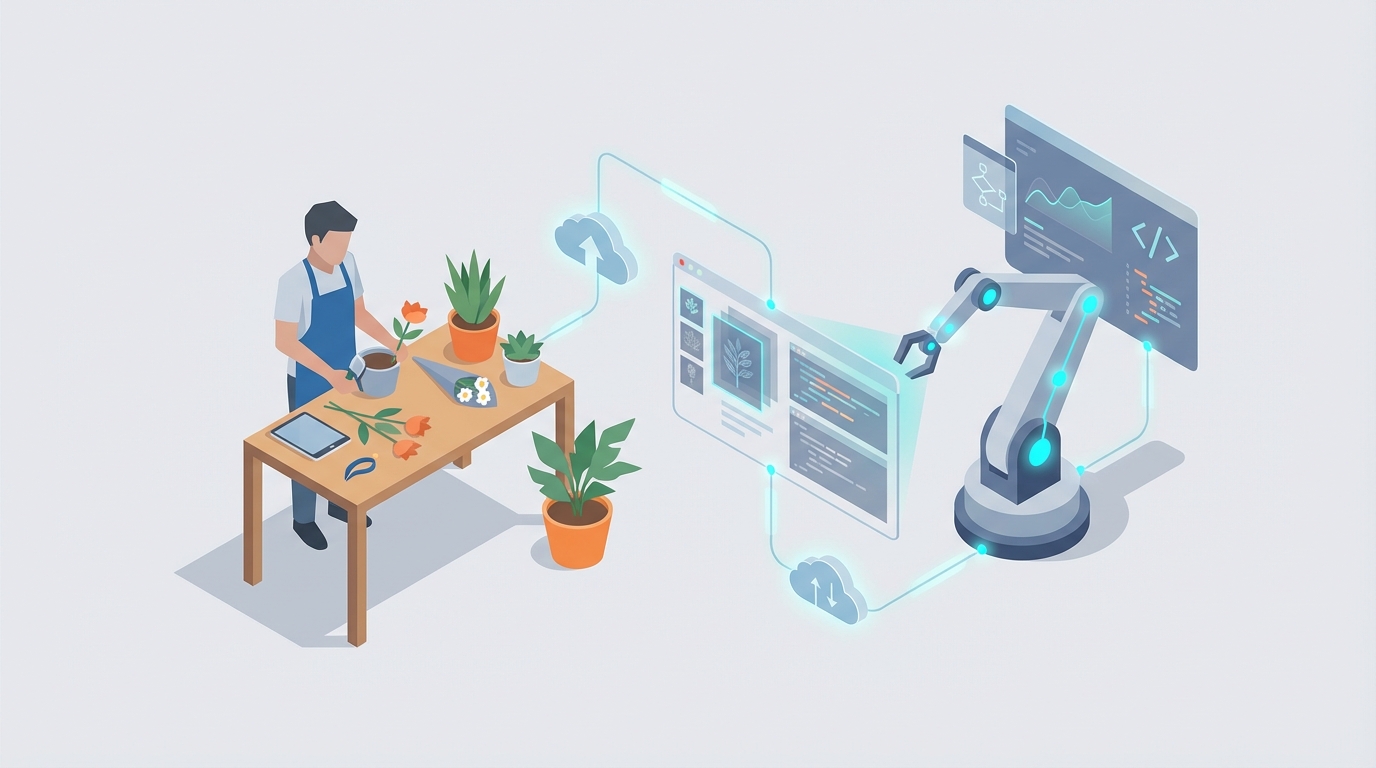
Most florists got into this business because they love flowers, not because they dreamed of spending four hours a day answering the same questions about delivery zones or chasing down late invoice payments. But that's exactly where the time goes. And it's killing their margins.
Here's the reality: the average small florist operates on 5-15% profit margins. They're managing perishable inventory that spoils within two weeks, fielding 50+ calls a day during peak season, manually coordinating deliveries, and somehow still expected to be the creative genius behind every arrangement. Something has to give, and usually it's either the owner's sanity or the quality of the customer experience.
The good news? Most of the work that's drowning florists isn't creative work. It's repetitive, predictable, and follows clear patterns. Which means it's exactly the kind of work AI agents were built to handle.
I'm going to walk you through five specific ways florists can deploy OpenClaw agents to reclaim hours every single day — not in some theoretical future, but right now, with tools and configurations you can set up this week.
The Florist Time Problem, Quantified
Before we get into solutions, let's be honest about where the time actually goes. Based on industry data from the Society of American Florists and what florists themselves report on forums like FlowerChat:
- Order taking and confirmation: 4-8 hours/day (for ~50 orders)
- Inventory checks and updates: 1-2 hours/day
- Delivery scheduling and driver coordination: 1-3 hours/day
- Follow-up communications: 1 hour/day
- Invoicing and payment chasing: 1 hour/day
- Social media posting: 1 hour/day
That's potentially 16 hours of work crammed into a business day, and none of it involves actually designing a single arrangement. During Valentine's Day or Mother's Day — which account for 30-50% of annual revenue — these numbers double while response times jump from 30 minutes to four-plus hours.
The typical florist tech stack doesn't help. Sixty percent are still using paper or Excel. The ones who've adopted software are usually running a Frankenstein setup: Square for POS, Google Calendar for scheduling, Gmail and Facebook Messenger for communications, QuickBooks for accounting, none of it talking to each other. Orders fall through cracks. Messages get missed. Money walks out the door.
This is where OpenClaw changes the equation.
Use Case 1: Client Communication That Actually Scales
The problem: Florists are drowning in repetitive inquiries across four or five different channels — phone, email, Instagram DMs, Facebook Messenger, website forms. "Do you deliver to my ZIP code?" "What's available for under $50?" "Can I get same-day delivery?" The same 15-20 questions, asked dozens of times a day, each requiring a manual response.
During holidays, voicemails pile up. Response times crater. And every unanswered inquiry is a lost sale — studies show 50% of website inquiries get ignored entirely by small florists, which is revenue just evaporating.
The OpenClaw solution: Build a multi-channel communication agent that handles the first 70-80% of all customer interactions automatically.
Here's how to configure it in OpenClaw:
Agent Role: Customer Communication Specialist Connected Channels: SMS (via Twilio integration), Facebook Messenger, Instagram DMs, website chat widget Knowledge Base: Your delivery zones and fees, current inventory with photos and pricing, store hours, policies (same-day cutoff times, substitution policy), FAQ answers
Core Skills to Install from Claw Mart:
- Inquiry Qualification — The agent asks clarifying questions to understand what the customer actually needs: occasion, budget, preferred colors, delivery date and address. No more back-and-forth with vague "something pretty for an anniversary" requests. The agent walks them through it conversationally.
- Product Recommendation — Connected to your inventory, the agent suggests 2-3 specific arrangements that match the customer's criteria, complete with photos and prices. This isn't a generic chatbot spitting out your menu. It's filtering based on what you actually have in stock today.
- Order Capture & Payment — When the customer says yes, the agent generates a Stripe payment link, processes the order, and sends an instant confirmation with delivery details and a tracking link.
- Escalation Routing — Complex requests (large events, custom designs, complaints) get flagged and routed to you with full context. The agent doesn't try to handle what it shouldn't.
What this looks like in practice:
A message comes in on Instagram at 9 PM: "Hey, I need roses for Valentine's Day, budget around $50, delivering to 90210."
The agent responds within seconds: confirms you deliver to that ZIP, notes the delivery fee, and presents three rose arrangement options currently in inventory with photos and prices. Customer picks one, gets a payment link, pays, and receives a confirmation — all without you lifting a finger.
You wake up to a completed order instead of a message you would have gotten to "eventually."
Expected impact: 3-5 hours saved per day. During peak holidays, this is the difference between capturing revenue and losing it to the florist who responds faster.
Use Case 2: Smart Scheduling That Eliminates the Back-and-Forth
The problem: Booking consultations — especially for weddings and events — is a nightmare of calendar ping-pong. Client texts asking for availability. You check your calendar, your designer's calendar, text back three options. They respond six hours later. One slot is taken. Start over. Double-bookings happen at a 10% rate. No-shows waste designer time because there were no automated reminders.
The OpenClaw solution: Deploy a scheduling agent that handles the entire booking flow autonomously.
Agent Role: Scheduling Coordinator Connected Systems: Google Calendar (or Calendly), your POS system, SMS/email
Core Skills from Claw Mart:
- Availability Matching — The agent checks real-time availability across multiple team members' calendars, matches the right designer to the request type (e.g., Sarah handles weddings, Mike handles corporate), and presents available slots.
- Intake Collection — Before the consultation, the agent sends a brief intake form: budget range, color preferences, event date, venue details, inspiration photos. Your designer walks into the meeting already prepared.
- Reminder Sequences — Automated reminders at 24 hours and 2 hours before the appointment. This alone cuts no-shows by 30%.
- Rescheduling Handler — Client needs to move the appointment? The agent handles it without involving you. New slot, updated calendar, confirmation sent.
Sample agent flow:
- Client texts: "I'm getting married in June and need a florist consultation."
- Agent responds: "Congratulations! I'd love to set that up. Our wedding specialist Sarah is available Tuesday at 2 PM, Wednesday at 10 AM, or Thursday at 3 PM next week. Which works best?"
- Client picks Tuesday.
- Agent books it, sends a calendar invite, and follows up: "To make the most of your time with Sarah, could you share your approximate budget, preferred color palette, and venue? Any Pinterest boards or inspiration photos are super helpful too."
- Client responds with details. Agent logs everything and attaches it to the appointment.
- Monday evening: "Reminder: Your wedding consultation with Sarah is tomorrow at 2 PM at [address]. See you then!"
Expected impact: 2-4 hours saved daily. Conversion from inquiry to booked consultation increases because the friction is gone. Your designers spend their consultation time designing, not doing intake.
Use Case 3: Post-Delivery Follow-Up and Repeat Business Engine
The problem: This one hurts because it's so simple and so neglected. Florists lose an estimated 20% of potential repeat business simply because they never follow up after delivery. No thank-you, no feedback request, no reminder when the next relevant occasion rolls around. The customer had a great experience... and then completely forgets you exist until they Google "florist near me" again next year.
The OpenClaw solution: An automated follow-up and retention agent that turns every delivery into a relationship.
Agent Role: Customer Retention Specialist Trigger: Delivery confirmation from POS/delivery system
Core Skills from Claw Mart:
- Feedback Collection — 2 hours after delivery, the agent sends a text: "Hi [Name]! Your arrangement was delivered. How did it turn out? Rate 1-5 and let us know!" High ratings trigger a thank-you and a discount code for next purchase. Low ratings immediately escalate to you with full order details so you can make it right before it becomes a Google review.
- Review Solicitation — For 4-5 star ratings, the agent follows up: "So glad you loved it! Would you mind leaving us a quick Google review? It means the world to us: [link]." This is how you build a review moat against competitors.
- Occasion Memory — The agent logs the occasion type and date. Ordered anniversary flowers on March 15? Eleven months later: "Hi [Name], your anniversary is coming up! Want us to recreate last year's arrangement or try something new?" This is absurdly effective and almost no small florist does it.
- Win-Back Campaigns — Customer hasn't ordered in 90 days? Gentle nudge with a seasonal offer. "Spring peonies just arrived and they're gorgeous. 15% off this week for returning customers: [link]."
Expected impact: 1 hour saved daily on manual follow-ups. But the real ROI is in revenue: automated retention sequences typically increase repeat purchase rates by 20-30%. For a florist doing $300K annually, that's $60-90K in additional revenue from customers you already have.
Use Case 4: Document Generation and Invoice Automation
The problem: Florists create the same documents over and over — invoices, wedding contracts, event proposals — manually, usually in Word or by hand. Payment chasing is awkward and inconsistent. Contracts for events are often informal, leading to disputes about substitutions or scope.
The OpenClaw solution: A document automation agent that generates, sends, tracks, and follows up on all business paperwork.
Agent Role: Business Document Manager Connected Systems: POS/order data, QuickBooks, DocuSign or HelloSign, Google Drive
Core Skills from Claw Mart:
- Invoice Generation — Order completes? Agent pulls line items, quantities, prices, and tax from your POS, generates a professional invoice from your template, and emails it with a payment link. No manual data entry.
- Contract Drafting — For events and weddings, the agent takes the consultation notes and generates a contract: "Event: June 15, 50 centerpieces at $20 each, 10 bridesmaid bouquets at $35 each. Total: $1,350. 50% deposit due upon signing. Substitution policy: [your standard terms]." Sent via DocuSign for e-signature.
- Payment Follow-Up — Invoice overdue by 3 days? Polite automated reminder. 7 days? Slightly firmer. 14 days? Escalated to you with a suggested call script. No more uncomfortable payment conversations — the system handles the first two rounds.
- Filing and Organization — Every document auto-filed to Google Drive in organized folders by client and date. Need to reference Jane's wedding contract from last month? It's right there.
Expected impact: 1 hour saved daily. Faster payment collection (automated reminders reduce average days-to-payment by 40%). Fewer disputes because contracts are clear and professional.
Use Case 5: Lead Management That Stops the Bleeding
The problem: When a potential corporate client fills out your website contact form or a bride-to-be emails asking about wedding packages, what happens? Usually... nothing for 24-48 hours while you're busy filling orders. By then, they've contacted three other florists. The 50% inquiry drop-off rate isn't because your flowers aren't good enough. It's because someone else responded first.
The OpenClaw solution: A lead management agent that responds instantly, qualifies, nurtures, and surfaces hot leads for your personal attention.
Agent Role: Lead Manager Connected Systems: Website forms, email, CRM (HubSpot free tier works fine)
Core Skills from Claw Mart:
- Instant Response — Within 60 seconds of a form submission, the lead gets a personalized response. Not a generic "we'll get back to you" autoresponder — an actual conversational message that acknowledges their specific request and asks qualifying questions.
- Lead Scoring — The agent evaluates: What's the budget? Is it a one-time order or recurring (corporate)? What's the timeline? High-value leads (recurring corporate accounts, large weddings) get flagged immediately with a "call now" alert to your phone.
- Nurture Sequences — Lead not ready to commit? The agent runs a simple drip: Day 1 welcome with portfolio highlights, Day 3 relevant arrangement examples based on their stated needs, Day 7 limited-time offer or testimonial. All personalized based on what the lead actually told you.
- Pipeline Visibility — Weekly summary pushed to you: "3 hot leads ready for personal outreach, 5 leads warming up, 2 went cold." You spend your limited outreach time on the leads most likely to convert.
Expected impact: 20-30% improvement in lead-to-customer conversion. For wedding leads especially — where a single booking might be worth $2,000-10,000 — even one additional conversion per month dramatically changes your bottom line.
Implementation: How to Actually Do This
Here's the practical roadmap for getting started with OpenClaw:
Week 1: Communication Agent Start here because it has the highest immediate impact. Set up your OpenClaw agent with the Inquiry Qualification and Product Recommendation skills. Connect it to your highest-volume channel (usually SMS or Facebook Messenger). Load your inventory, delivery zones, pricing, and FAQs into the knowledge base. This alone saves 3-5 hours on day one.
Week 2: Scheduling + Follow-Up Add the scheduling skills and connect your calendar. Set up the post-delivery feedback trigger from your POS. These are low-complexity additions that compound over time — the scheduling agent saves time immediately, while the follow-up agent builds long-term revenue.
Week 3-4: Documents + Lead Management Connect QuickBooks and your e-signature tool. Set up invoice templates and contract templates. Configure lead scoring criteria based on your actual business priorities (recurring > one-time, events > single bouquets, etc.).
Total estimated cost: $100-300/month depending on message volume and integrations. Compare that to the $3,000-5,000/month it would cost to hire someone to do all of this manually — and they'd still be slower and less consistent than the agent.
One critical note: Always configure human handoff for complex situations. The agent shouldn't try to handle an upset customer or negotiate a $15,000 wedding contract. It should handle the 80% that's predictable so you can focus your expertise on the 20% that actually needs you.
The Bottom Line
Florists don't have a creativity problem. They have an operations problem. And that operations problem is solvable right now — not with some vaporware future tech, but with AI agents you can deploy this week on OpenClaw.
The shops that figure this out first get a compounding advantage: faster response times, higher conversion rates, better customer retention, and owners who actually get to do the work they love instead of drowning in admin.
The flowers are your art. Everything else is just process. Let OpenClaw handle the process.
Next steps: Head to Claw Mart and browse the skills library for client communication, scheduling, and document automation agents. Start with one agent, one channel, one workflow. Get it running. Then expand. You'll wonder how you ever ran your shop without it.