How Event Planners Are Using AI to Run Their Business
How OpenClaw automates scheduling, client communication, and daily operations for event planners.
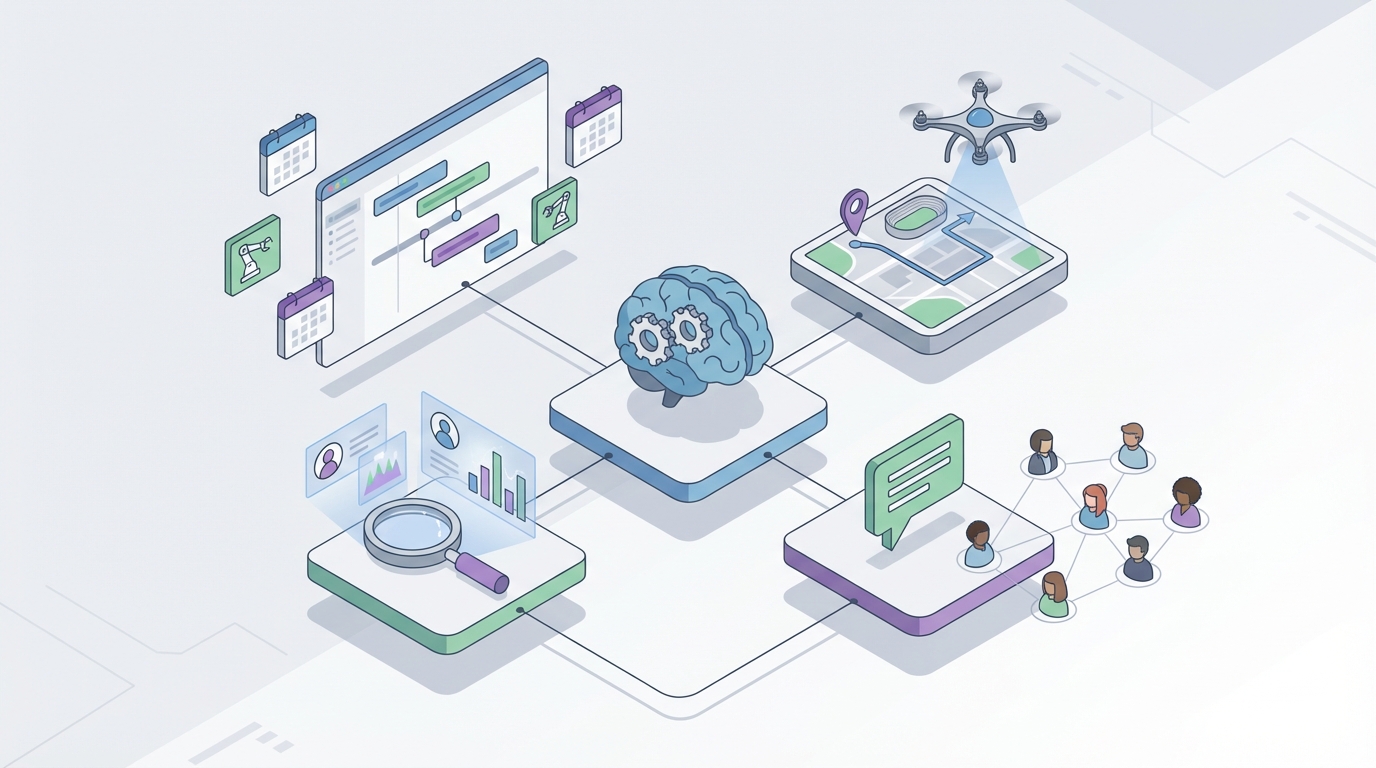
Most event planners I've talked to describe their job the same way: "I spend 80% of my time on stuff that isn't actually planning events."
That tracks. When you break down the average day of a wedding planner, corporate event coordinator, or social event specialist, the picture is grim. You're drowning in emails, chasing vendors who won't respond, manually copying information between six different apps, and sending the same templated proposal for the fifteenth time this week. The actual creative, high-value work — designing experiences, building relationships, making on-site magic happen — gets squeezed into whatever scraps of time are left.
Here's the thing: almost all of that busywork is automatable now. Not with another SaaS subscription you'll forget to cancel. Not with a Zapier chain that breaks every third Tuesday. With AI agents that actually understand context, handle conversations, and execute multi-step workflows without you babysitting them.
I'm going to walk you through exactly how event planners are using OpenClaw to build AI agents that handle the painful 80% — and how you can set this up for your own business this week.
The Real Problem: Death by a Thousand Tools
Before we get into solutions, let's be honest about the current state of event planning tech.
The average event planner uses five to eight different tools. HoneyBook or Dubsado for CRM and contracts. Calendly for scheduling. Trello or Asana for project management. Gmail for client communication. QuickBooks for invoicing. Google Docs for proposals. Canva for mood boards. WhatsApp for vendor coordination.
Each of these tools does its one thing reasonably well. None of them talk to each other in any meaningful way. So you end up being the human middleware — copying guest counts from emails into HoneyBook, updating Trello boards after every client call, manually syncing your calendar across platforms, and forwarding vendor quotes into spreadsheets.
You're paying $100 to $500 per month for the privilege of doing data entry.
OpenClaw replaces this entire fragmented mess with AI agents that can plug into your existing tools, understand what's happening across all of them, and actually take action. Not "here's a summary" action. Real action — sending emails, booking meetings, generating documents, following up with leads.
Let me show you what this looks like in practice.
Use Case 1: Lead Qualification and Intake (Kill the Back-and-Forth)
The pain: A new inquiry comes in through your website form, Instagram DM, or a referral email. You read it, assess whether they're a real lead, send a templated response asking for budget, guest count, date, and event type. They respond two days later with half the information. You follow up. They respond again. Three to five emails later, you finally have enough to decide whether to book a consultation. Multiply this by ten new leads per week.
This is 40-50% of most planners' time. It's insane.
The OpenClaw agent setup:
Build an agent in OpenClaw with the Conversational Intake skill that monitors all your lead sources — website form submissions, email inbox, social media DMs — and handles the entire qualification conversation autonomously.
Here's how to configure it:
Agent name: Lead Qualifier
Skills to install from Claw Mart:
- Email Reader / Sender
- Form Webhook Listener
- Lead Scoring
- CRM Connector (HoneyBook, Dubsado, or HubSpot)
- Smart Reply Composer
Knowledge base: Upload your FAQ document, your pricing packages, your service descriptions, and examples of past client briefs. The agent uses this to answer questions intelligently without making things up.
Workflow:
- Lead submits inquiry through any channel.
- Agent parses the message, extracts whatever information is present (name, event type, date, approximate budget).
- Agent sends a personalized response filling in what it knows and asking for what's missing: "Hi Sarah — thanks for reaching out about your June wedding! Sounds like you're looking at around 150 guests. A couple quick questions so I can put together the right proposal: What's your approximate budget range? And do you have a venue in mind or need help finding one?"
- Agent continues the conversation until it has all qualifying information.
- Agent scores the lead (hot, warm, cold) based on criteria you define — budget threshold, timeline, event size.
- Hot leads get auto-booked for a consultation (more on that in the next section). Warm leads get a proposal sent. Cold leads enter a nurture sequence.
- All data is pushed to your CRM automatically.
The result: Instead of spending 10-15 hours per week on lead qualification emails, you spend zero. You open your CRM in the morning and see a prioritized list of qualified leads, complete with all their details, ready for you to have a real conversation.
One planner I know went from converting about 20% of inquiries to converting 35% after implementing this, simply because the speed of response went from "24-48 hours" to "under 5 minutes." Leads don't go cold when an agent replies instantly.
Use Case 2: Scheduling Coordination (The Calendar Tetris Solver)
The pain: You need to schedule a consultation with a client. You also need to coordinate a venue walkthrough with the client, the venue manager, and the florist. You're checking four different people's availability across three time zones, going back and forth in email, and by the time everyone agrees on a time, the original slot is taken.
This is especially brutal during wedding season when you're managing 15 to 20 active events and every week has three to five scheduling conflicts.
The OpenClaw agent setup:
Agent name: Schedule Coordinator
Skills from Claw Mart:
- Calendar Sync (Google Calendar, Outlook)
- Multi-Party Availability Checker
- Email/SMS Sender (via Twilio integration)
- Meeting Booker
- Conflict Resolver
Workflow:
- You (or the Lead Qualifier agent) triggers a scheduling request: "Book a consultation with Sarah Chen, 30 minutes, sometime next week."
- Agent checks your calendar, identifies open slots, and sends Sarah an email or text: "Here are three times that work for a consultation: Thursday at 2pm, Friday at 10am, or Monday at 3pm EST. Reply with your preference or suggest an alternative!"
- Sarah replies "Friday works." Agent books it, sends calendar invites to both parties, adds it to your project board, and sends a confirmation with any prep materials.
For multi-party scheduling (vendor meetings, walkthroughs), it gets more powerful:
- You say: "Schedule a venue walkthrough at The Grand Ballroom with Sarah Chen, the venue coordinator Mike, and florist Lisa. Needs to be before March 15, 60 minutes."
- Agent checks all connected calendars (yours, and any shared vendor calendars), cross-references availability, and proposes options to all parties simultaneously.
- As replies come in, agent narrows options and confirms the winning slot.
- If someone's calendar changes and creates a conflict, agent automatically proposes alternatives and handles the rescheduling cascade.
The result: What used to take 20-30 minutes of back-and-forth per meeting (and you're scheduling dozens per week) now takes you about ten seconds — the time it takes to type the request. The agent handles everything else.
Smart buffering is the hidden gem here. Configure the agent to never book you back-to-back, always leave 30 minutes of travel time between off-site meetings, and block your mornings for deep work. It enforces your scheduling boundaries better than you ever did yourself.
Use Case 3: Automated Follow-Up Sequences (Stop Losing Money to Ghosting)
The pain: You had a great consultation. The client seemed excited. You sent the proposal. Then... silence. A week goes by. You mean to follow up but you're slammed with an event this weekend. Two weeks pass. The lead is dead.
This happens with 20-30% of consultations. At an average deal size of $5,000 to $10,000, that's tens of thousands of dollars walking out the door because you forgot to send an email.
The OpenClaw agent setup:
Agent name: Follow-Up Engine
Skills from Claw Mart:
- Sequence Builder
- Email Tracker (opens/clicks)
- Smart Reply Composer
- CRM Updater
- Escalation Trigger
Workflow:
- Consultation completed → Agent automatically triggers a follow-up sequence.
- Day 0 (same day): Personalized thank-you email with a recap of what was discussed: "Great chatting today, Sarah! Here's a summary of what we covered: 150-guest wedding at The Grand Ballroom, June 15, garden ceremony + indoor reception, budget around $45K. Proposal attached — take a look and let me know if anything needs adjusting."
- Day 3: If proposal hasn't been opened: "Just floating this back to the top of your inbox — let me know if you have any questions about the proposal!" If opened but not signed: "Saw you had a chance to look at the proposal. Any questions I can answer?"
- Day 7: Urgency nudge: "Quick heads up — The Grand Ballroom only has two June dates left. Want me to put a soft hold on the 15th while you decide?"
- Day 14: Final follow-up or alternative offer.
- Throughout: Agent monitors for replies, handles simple questions autonomously (pulling from your knowledge base), and escalates anything complex to you with a notification: "Sarah asked about changing the venue to a beach location. Here are two options in her budget range — want me to send these or do you want to handle it?"
The result: No lead falls through the cracks. Ever. The agent is relentless (in a professional, non-annoying way) and responsive. Planners using automated follow-up sequences typically see a 15-25% increase in close rates. On a pipeline of 100 leads per year, that's an extra 15-25 booked events. Do the math on what that means for your revenue.
Use Case 4: Document Generation (Stop Customizing Templates by Hand)
The pain: Every proposal, contract, and invoice requires you to manually swap out client names, dates, guest counts, venue details, pricing breakdowns, and special clauses. You're doing this 5-10 times per day. It takes 30-60 minutes per document. You occasionally make errors (wrong name, wrong date, missing clause) that make you look unprofessional.
The OpenClaw agent setup:
Agent name: Doc Generator
Skills from Claw Mart:
- Template Engine
- CRM Data Puller
- PDF Generator
- E-Signature Connector (DocuSign, PandaDoc)
- Clause Library
Workflow:
- Lead is qualified and all details are in your CRM (put there by your Lead Qualifier agent).
- You trigger document generation: "Create a full-service wedding proposal for Sarah Chen."
- Agent pulls all client data from CRM, selects the appropriate proposal template based on event type and package tier, populates every field, calculates pricing based on your rate card, inserts relevant clauses (rain contingency for outdoor events, overtime fees for events past midnight, etc.), and generates a polished PDF.
- Proposal is sent to the client with embedded e-signature fields. One click to sign.
- Upon signing, agent auto-generates the corresponding contract, sends an invoice for the deposit, and updates your accounting tool.
Bonus: Feed the agent your past mood boards and event photos. It can generate a visual proposal section that matches the client's stated theme and color preferences, pulling from your portfolio. Not generic stock photos — your actual work, curated to match what the client described.
The result: Document creation goes from 30-60 minutes to under 5. You review and hit send. The agent handles the rest. Over the course of a year, this alone saves you 200-400 hours. That's 5-10 full work weeks you get back.
Use Case 5: Vendor Coordination (Herd the Cats Automatically)
The pain: A typical event involves 5-10 vendors — caterer, florist, DJ, photographer, venue, rentals, baker, officiant. You're the central hub. Every confirmation, every timeline update, every change in plans requires you to individually notify and coordinate with each vendor. When a client changes the reception start time by one hour, you're sending eight separate emails and chasing confirmations.
The OpenClaw agent setup:
Agent name: Vendor Coordinator
Skills from Claw Mart:
- Multi-Channel Messenger (Email, SMS, WhatsApp)
- Timeline Manager
- Change Propagation Engine
- Confirmation Tracker
- Vendor Database
Workflow:
- Your master event timeline lives in the agent's system. Every vendor is linked to their relevant timeline blocks.
- Client requests a change (or you make one): "Push reception start from 6pm to 7pm."
- Agent identifies all affected vendors (caterer, DJ, venue, bartender), calculates the cascading timeline changes, and sends each vendor a personalized notification: "Hi Mike — the Chen wedding reception start has moved to 7pm (was 6pm). Your setup window is now 5:00-6:45pm. Please confirm by replying YES or call [planner] with questions."
- Agent tracks confirmations. If a vendor hasn't confirmed within 24 hours, it sends a follow-up. If a vendor flags a conflict, it alerts you immediately.
- Once all vendors confirm, agent updates the master timeline and notifies the client.
The result: A change that used to take you 45 minutes and two days of chasing confirmations now takes you 30 seconds to initiate. The agent handles the cascade. You're notified when it's done or when there's an actual problem that requires your judgment.
Setting This Up in OpenClaw: The Practical Steps
Here's what makes OpenClaw different from cobbling together Zapier chains or hiring a developer to build custom integrations: you're building agents that understand context across your entire operation, not just triggering "if this then that" rules.
Step 1: Sign up for OpenClaw and create your first agent. Start with the Lead Qualifier — it has the fastest ROI.
Step 2: Browse Claw Mart and install the skills your agent needs. Each skill is a modular capability (email reading, calendar syncing, document generation) that you plug into your agent. No code required.
Step 3: Connect your existing tools. OpenClaw integrates with the platforms you already use — Google Calendar, HoneyBook, Gmail, QuickBooks, DocuSign. You're not replacing your stack overnight. You're putting an intelligent layer on top that makes everything work together.
Step 4: Upload your knowledge base. Your FAQs, pricing, packages, past proposals, vendor list, event templates. This is what makes the agent actually sound like you and give accurate information.
Step 5: Set your escalation rules. Define what the agent handles autonomously and what gets routed to you. Start conservative (agent handles scheduling and follow-ups, escalates everything else). Expand as you build trust.
Step 6: Let it run. Monitor for a week, tweak the responses, adjust the workflows. Within two to three weeks, you'll wonder how you ever operated without it.
The Bottom Line
Event planners who implement AI agents through OpenClaw are consistently reporting they can handle 2-3x the number of events with the same team size. That's not a marginal improvement. That's the difference between a $150K year and a $400K year.
The planners who are going to thrive aren't the ones who are best at sending emails, chasing vendors, and filling out templates. Those tasks are solved problems now. The winners are the ones who free themselves to do the things AI can't — building genuine client relationships, designing unforgettable experiences, and being the calm, creative force on event day.
Stop being your own secretary. Start building your first agent on OpenClaw.