OpenClaw for Chiropractors: Automate Patient Scheduling and Care Plans
How chiropractic practices can use OpenClaw to automate appointment scheduling, care plan reminders, patient education, and reactivation campaigns.
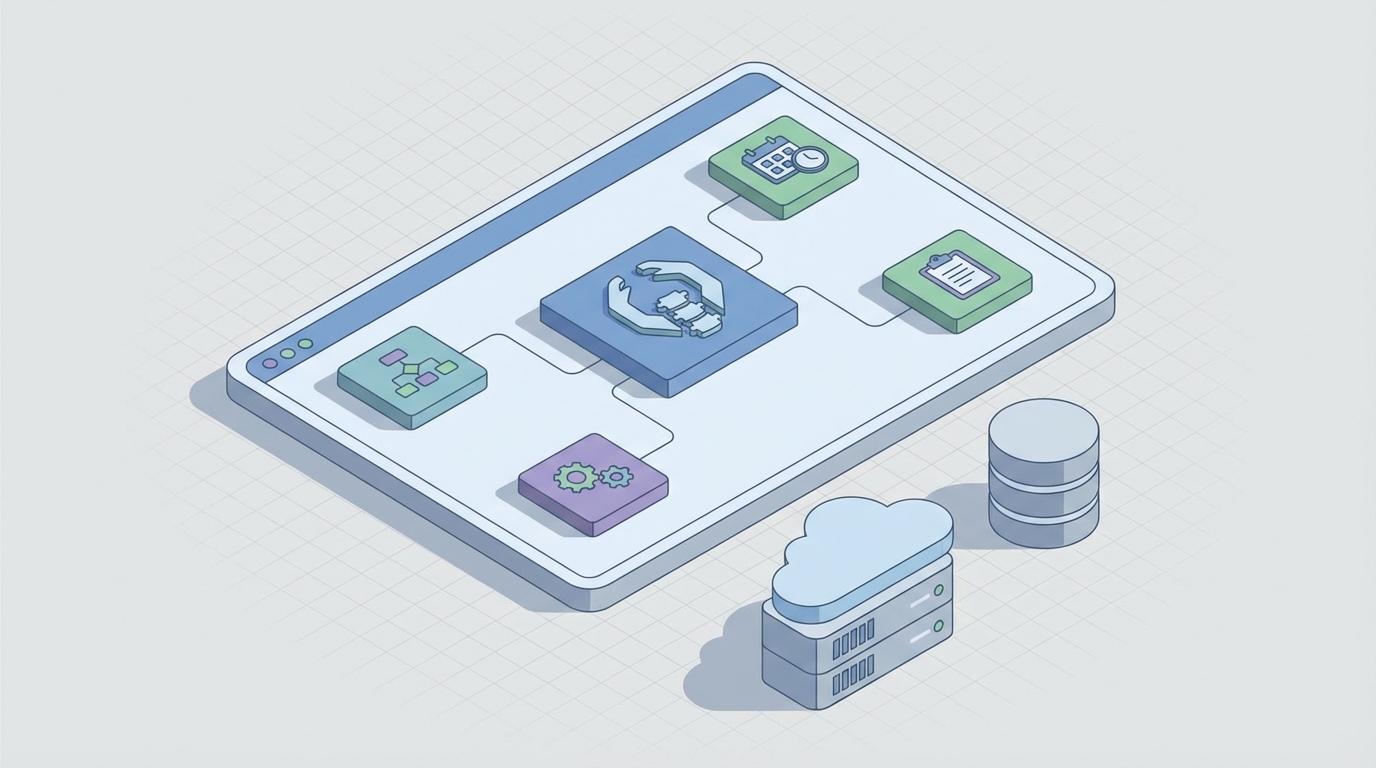
Most chiropractors didn't get into this profession to spend their evenings chasing down patients who ghosted after visit four. You got into it because you're good at fixing people. But somewhere along the way, "running a practice" turned into "running a call center that also does adjustments."
Here's the ugly math. The average chiropractic practice loses somewhere between 50 and 70 percent of patients mid-care plan. They just stop showing up. Not because the treatment wasn't working, but because life got in the way, they forgot, they lost motivation, or nobody followed up. Meanwhile, your front desk is buried under a pile of reminder calls, intake forms, insurance follow-ups, and reactivation attempts that never actually happen because there's no time.
You're leaking patients and revenue from every crack in the operation, and the answer isn't "hire another front desk person." The answer is to stop doing manually what a machine can do better, faster, and at 2 AM on a Sunday.
That's where OpenClaw comes in. And no, this isn't another "AI will change everything" hand-wave. This is a practical, here's-exactly-what-to-build guide for chiropractors who want to reclaim their time, keep more patients on plan, and stop leaving money on the table.
The Chiropractic Practice Time Problem
Let's name the actual problems before we start solving them.
Patient drop-off is your biggest revenue killer. A patient comes in with lower back pain. You design a 12-visit care plan. They feel better after visit four and disappear. You never hear from them again. Multiply this by dozens of patients per month and you're looking at tens of thousands in lost revenue annually. Not because your care was bad, but because nobody nudged them at the right moment.
Manual follow-up doesn't scale. Your front desk person is simultaneously answering phones, checking patients in, verifying insurance, sending reminder texts, processing payments, and trying to remember which patients haven't been in for three months. That's not a job description. That's a hostage situation. Something always falls through the cracks, and it's usually the follow-up that would have kept a patient on plan.
Reactivation is an afterthought. You know those patients who came in six months ago and never returned? Reactivating them has 5 to 10 times higher ROI than acquiring a new patient. But who has time to segment a list, write personalized messages, and run a campaign? So those patients sit in your EHR collecting dust.
No-shows eat your schedule alive. Industry data puts chiropractic no-show rates at 20 to 30 percent. Every empty slot is lost revenue you can't recover. Basic text reminders help, but they're not intelligent. They don't know that Patient X has a history of no-showing on Mondays and needs a reminder 48 hours out instead of 24.
These aren't clinical problems. They're operational problems. And operational problems are exactly what AI agents are built to solve.
What to Automate First
If you try to automate everything at once, you'll automate nothing. Here's the priority stack, ordered by impact and ease of implementation:
1. Appointment reminders and no-show prevention. This is the lowest-hanging fruit with the highest immediate payoff. Intelligent, multi-channel reminders that adapt based on patient behavior can cut no-shows by 50 to 70 percent. That's not a typo.
2. Care plan adherence nudges. Automated check-ins that go out between visits. "How's your lower back feeling today?" followed by motivational content or a rebooking prompt. This is where you stop the mid-plan bleed.
3. Patient reactivation campaigns. Automated outreach to patients who haven't been in for 60, 90, or 120-plus days. Segmented by their last complaint, their care plan status, and their likelihood of returning.
4. New patient intake. Pre-visit forms delivered via text link, with intelligent follow-up questions that prepare your SOAP notes before the patient walks in the door.
5. Review and referral requests. Timed post-visit triggers that ask happy patients to leave a Google review or refer a friend. Consistent, automated, and way more effective than asking at the front desk when they're trying to pay their copay.
6. Billing and payment follow-up. Automated payment reminders, balance notifications, and copay collection links sent via text.
Each of these can be built as an OpenClaw agent. Let's get into the specifics.
OpenClaw Workflows for Chiropractic Practices
Here's how to set up each workflow using OpenClaw. These are real, buildable agents, not theoretical concepts.
Agent 1: The Smart Scheduler and Reminder Bot
This agent handles inbound booking requests and outbound reminders. It connects to your practice management system (ChiroTouch, Jane App, or whatever you're using) and manages the calendar.
What it does:
- Responds to patient texts and web chat messages like "Can I get in Thursday afternoon?" using natural language processing
- Checks availability and books the slot
- Sends confirmation immediately
- Triggers a reminder sequence: 48 hours before, 24 hours before, and 2 hours before
- Adapts reminder timing based on patient history (if a patient has no-showed twice, it adds a 72-hour reminder and requests confirmation)
OpenClaw setup:
In your OpenClaw workspace, create a new agent with the following structure:
Agent: ChiroScheduler
Trigger: Inbound SMS or web chat message containing scheduling intent
Action 1: Query practice calendar API for available slots
Action 2: Present options to patient via conversational response
Action 3: On confirmation, book appointment via API
Action 4: Enqueue reminder sequence (48h, 24h, 2h)
Condition: If patient.no_show_count >= 2, add 72h reminder + require confirmation reply
Integration: ChiroTouch API / Jane App API + Twilio SMS
The key here is the conditional logic. OpenClaw lets you build branching workflows so the agent treats a first-time patient differently from a chronic no-shower. That's intelligence your front desk can't replicate at scale.
Agent 2: The Care Plan Adherence Coach
This is the agent that saves you from the 50-to-70-percent drop-off problem. It monitors where each patient is in their care plan and intervenes before they ghost.
What it does:
- Tracks completed visits against the prescribed care plan
- Sends check-in messages between visits ("How's your neck feeling after Wednesday's adjustment?")
- Delivers relevant home exercise reminders with video links
- Flags at-risk patients (missed a visit, declining symptom reports, longer gaps between appointments)
- Escalates to staff when a patient hits high drop-off risk
OpenClaw setup:
Agent: CareCoach
Trigger: Post-visit webhook from EHR (fires after each completed appointment)
Action 1: Update patient.care_plan_progress
Action 2: Send check-in SMS at Day +1 post-visit
Action 3: Send exercise reminder with video link at Day +2
Action 4: If next appointment not booked within care plan interval, send rebooking prompt
Condition: If patient.missed_visits >= 1 AND patient.visit_progress < 50%, flag as HIGH_RISK
Action 5: On HIGH_RISK flag, notify staff via Slack/email with patient details
Integration: EHR webhook + Twilio SMS + staff notification channel
The magic here is the risk scoring. Instead of reacting after a patient disappears, you're getting ahead of it. When your front desk sees a "High Risk" alert for a patient who's only completed three of twelve visits and just missed their Tuesday appointment, they can make one targeted call that actually matters, instead of blindly dialing through a list.
Agent 3: The Reactivation Engine
This is your revenue recovery machine. It works the list of lapsed patients so your staff doesn't have to.
What it does:
- Identifies patients inactive for 60-plus days
- Segments by last complaint, care plan completion status, and visit history
- Sends personalized reactivation sequences over 2 to 3 weeks
- Offers incentives when appropriate (discounted reactivation visit, free consultation)
- Books directly from the text conversation
OpenClaw setup:
Agent: Reactivator
Trigger: Daily cron job scanning patient database for last_visit_date > 60 days
Action 1: Segment patients into buckets:
  - Incomplete care plan (high priority)
  - Completed care plan, maintenance candidate
  - One-time visitor
Action 2: Send personalized SMS sequence based on segment:
  - Incomplete: "Hi {name}, you had {X} visits left on your {complaint} plan. Ready to finish what we started?"
  - Maintenance: "Hi {name}, it's been a while since your last adjustment. Time for a tune-up?"
  - One-time: "Hi {name}, we'd love to see you again. Here's 20% off your next visit."
Action 3: If patient responds with booking intent, hand off to ChiroScheduler agent
Action 4: Log all interactions and outcomes for ROI tracking
Integration: EHR database + Twilio SMS + ChiroScheduler agent
Practices running campaigns like this report converting 10 to 20 percent of lapsed patients. Do the math on your own inactive list. If you have 500 lapsed patients and you reactivate even 50, at an average case value of $500 to $1,500, that's serious money recovered from people who were already your patients.
Agent 4: The Intake Accelerator
Nobody wants to show up 15 minutes early to fill out forms on a clipboard. This agent handles it before they walk in.
What it does:
- Sends a pre-visit intake link via text 24 hours before first appointment
- Uses conversational forms that adapt based on responses (if they say "lower back pain," it asks about sciatica symptoms; if they say "headaches," it asks about neck tension)
- Pre-populates SOAP note templates for the provider
- Flags clinical red flags for review
Agent: IntakeBot
Trigger: New patient appointment booked
Action 1: Send SMS with intake form link at T-24 hours
Action 2: Conversational form with branching logic based on chief complaint
Action 3: On completion, generate SOAP note draft and push to EHR
Action 4: If red flags detected (recent trauma, neurological symptoms), alert provider
Integration: Typeform/Jotform + EHR API + Twilio SMS
This cuts front desk intake time by up to 80 percent and means patients spend less time in the waiting room, which directly improves satisfaction scores.
Agent 5: The Review and Referral Generator
You need Google reviews. You need patient referrals. You don't need your front desk awkwardly asking for them.
Agent: ReviewReferral
Trigger: Patient completes visit #{threshold} (e.g., 5th visit)
Condition: If patient.satisfaction_score >= 8 (from check-in responses)
Action 1: Send SMS: "We're glad you're feeling better! Would you mind leaving us a quick Google review? {link}"
Action 2: 48 hours later: "Know someone who could use the same relief? Refer them and you both get {incentive}."
Action 3: Track review submissions and referral conversions
Integration: Google Business API + Twilio SMS + referral tracking
Timing matters here. You're asking after enough visits that they've experienced real results, and only when their self-reported satisfaction is high. That's the difference between a 5 percent response rate and a 25 percent one.
Setting Up OpenClaw: Practical Steps
Here's your implementation roadmap. Don't skip ahead.
Step 1: Get your data house in order. Make sure your EHR (ChiroTouch, Jane App, whatever) has an API or can export data. You need patient records, appointment history, care plans, and contact info. If your system doesn't have an API, OpenClaw can work with webhook triggers or scheduled data exports.
Step 2: Start with one agent. Build the Smart Scheduler and Reminder Bot first. It has the fastest time-to-value and the most measurable impact (no-show rate reduction). Get it running. Measure for two to four weeks. Then move to the next.
Step 3: Set up your messaging channel. You'll need a Twilio account (or equivalent HIPAA-compliant SMS provider like Paubox) connected to OpenClaw. HIPAA compliance is non-negotiable here. Make sure your messaging platform has a signed BAA. OpenClaw supports HIPAA-compliant integrations, so use them.
Step 4: Build your agent workflows in OpenClaw. Use the workflow structures above as starting points. OpenClaw's visual builder lets you map out triggers, conditions, actions, and integrations without writing code from scratch. If you want to get more advanced, you can drop into the code layer for custom logic.
Step 5: Test with a small patient cohort. Don't blast your entire patient list on day one. Pick 50 patients. Run the workflows. Check for message delivery, response handling, and booking accuracy. Iron out the kinks.
Step 6: Roll out and add agents sequentially. Once scheduling is solid, add the Care Plan Adherence Coach. Then the Reactivation Engine. Layer them on. Each one compounds the value of the others.
Step 7: Track everything. OpenClaw gives you dashboards to monitor agent performance. Key metrics to watch: no-show rate, care plan completion rate, reactivation conversion rate, review generation rate, and front desk hours saved. If you're not measuring, you're guessing.
For agent templates and pre-built chiropractic workflows, check out Claw Mart, the marketplace for OpenClaw agents. There are ready-to-deploy templates for healthcare scheduling, patient follow-up, and reactivation campaigns that you can customize for your practice instead of building from zero.
What NOT to Automate
This is the section most AI articles skip, and it's the most important one.
Do not automate clinical assessment. AI can flag red flags in intake data. It cannot diagnose. It cannot determine whether a patient needs an adjustment, an X-ray, or a referral to a neurologist. That's your job. That's why you have a license.
Do not automate the adjustment itself. This should be obvious, but in the interest of being thorough: no robot is replacing your hands. The manual skill, the palpation, the clinical intuition you bring to each adjustment is the entire value proposition of your practice.
Do not automate patient rapport. The moment a patient is in your office, they need to feel heard by a human. AI handles the operational scaffolding around the visit. The visit itself is yours. The conversation where a patient tells you about the stress that's causing their tension headaches, that's not something you hand to a chatbot.
Do not automate clinical decision-making in care plans. AI can track adherence and flag risks. It should not be deciding whether to modify a care plan, extend treatment, or discharge a patient. Clinical judgment is irreplaceable.
Do not automate sensitive communications. Bad news, complex billing disputes, clinical concerns, anything emotionally charged needs a human voice. Use AI for the routine so your humans have time for the moments that actually require empathy.
The rule is simple: automate the operational, keep the clinical and relational human. AI handles the scheduling, the reminders, the follow-ups, the nudges, the campaigns. You handle the care.
The Bottom Line
Your chiropractic practice doesn't have a care quality problem. It has an operations problem. Patients drop off not because your adjustments aren't working, but because nobody followed up at the right time with the right message. Revenue leaks not because you don't have enough patients, but because you can't retain and reactivate the ones you already have. Your front desk is overwhelmed not because they're bad at their jobs, but because you're asking humans to do machine work.
OpenClaw gives you the agents to fix all of this. Start with scheduling. Add care plan adherence. Layer on reactivation. Automate intake and reviews. Each agent you deploy buys back hours of staff time and recovers revenue you were leaving on the table.
Head to Claw Mart to grab pre-built chiropractic workflow templates for OpenClaw, or start from scratch in the OpenClaw workspace. Either way, your first agent can be live this week. Your front desk will thank you. Your patients will actually finish their care plans. And you can go back to doing what you're actually good at: fixing people.