The Case for AI-Powered Appraiser Workflows
How OpenClaw automates scheduling, client communication, and daily operations for appraisers.
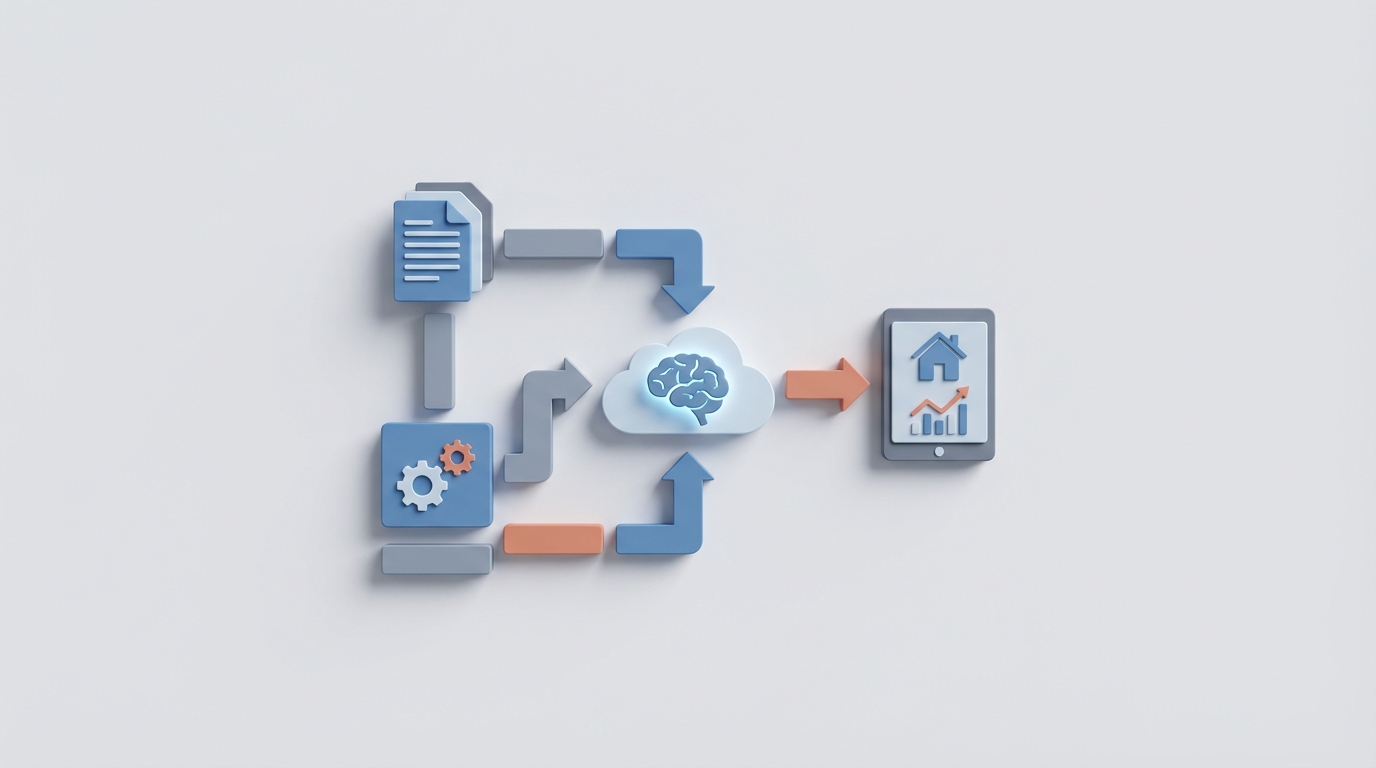
Most appraisers I talk to are drowning in the same way. Not in complex valuation theory or difficult market analysis — in email. In scheduling. In chasing lenders for approvals. In copying data from one system into another system that should already have it.
The average residential appraiser handles 5-15 assignments per week, spends 30-40% of their time driving, another 25-35% writing reports, and somehow still has to squeeze in client communication, invoicing, follow-ups, and lead nurturing. That's a 50+ hour week before anything goes sideways — and things always go sideways. No-shows, revision requests, missing comps, lender portals that feel like they were designed in 2004.
Here's the thing: at least half of that work isn't appraisal work. It's admin work wearing an appraisal costume. And it's exactly the kind of work that AI agents handle better than humans.
I'm not talking about ChatGPT summarizing an article for you. I'm talking about autonomous agents that parse incoming orders, schedule inspections based on drive time, auto-respond to lender emails, trigger follow-up sequences, and populate your report forms — all without you touching a keyboard.
That's what OpenClaw does. And if you're an appraiser still duct-taping together Gmail, Google Calendar, Calendly, QuickBooks, and a la mode TOTAL with nothing connecting them, you need to pay attention.
The Real Problem: Too Many Logins, Zero Integration
A 2023 survey from Appraisal Buzz found that 70% of appraisers report "too many logins" as a top frustration. That tracks. Look at the typical appraiser's software stack:
- Report writing: a la mode TOTAL or WinTOTAL (50% market share), Bradford Technologies, CoreLogic ACI
- Data/Comps: MLS Matrix, CoreLogic Spark, county records
- Delivery: AppraisalPort, Solidifi, Class Valuation
- Scheduling: Google Calendar or Calendly
- CRM: Excel spreadsheet (let's be honest)
- Accounting: QuickBooks
- Communication: Gmail, phone, lender portals
That's eight categories of tools with zero connective tissue between them. Every time you switch from your email to your calendar to your lender portal to your report software, you're burning cognitive energy and clock time on work that produces zero revenue.
OpenClaw replaces the connective tissue. Instead of manually being the router between all these systems, you deploy AI agents that sit on top of your existing tools and handle the routing for you. You don't rip and replace your stack. You make it actually work together.
Let me walk through the five workflows where this matters most.
1. Automated Order Intake and Scheduling
The pain: A lender emails you a new order. You read it, check the address, estimate drive time, look at your calendar, find a slot, email the listing agent or homeowner to confirm access, wait for a reply, update your calendar, and log the assignment. This takes 15-30 minutes per order. Multiply that by 10 orders a week, and you're spending 2-5 hours just on intake.
The OpenClaw solution: Build an agent with an email parsing skill that monitors your inbox (or lender portal notifications) for new orders. When one arrives, the agent:
- Extracts key details — property address, lender name, urgency level, property type, special instructions.
- Queries a mapping API to calculate drive time from your current location or home office, factoring in time of day and typical traffic patterns.
- Checks your calendar for available slots that align with efficient route planning. If you have an inspection at 10 AM on the east side of town, it won't schedule a 1 PM on the west side — it'll find a nearby slot or suggest batching.
- Sends a confirmation to the contact (agent, homeowner, or occupant) via SMS or email: "Inspection confirmed for Thursday at 2:00 PM at 123 Main St. Reply RESCHEDULE if you need to adjust."
- Logs the assignment in your tracking system with all parsed details.
From the Claw Mart skill library, you'd want to configure this agent with:
- Email Monitor & Parser — watches for incoming orders and extracts structured data from unstructured emails
- Calendar Manager — reads and writes to Google Calendar or Outlook with conflict detection
- Route Optimizer — integrates with mapping services to calculate drive times and suggest efficient scheduling
- SMS/Email Notifier — sends templated confirmations and handles reschedule requests
The entire flow from "order received" to "inspection scheduled and confirmed" happens in under five minutes with zero human intervention. You just get a notification: "New order from First National. Scheduled Thursday 2 PM. 22-minute drive. Confirmed with listing agent."
That alone saves you 3-4 hours a week. But it gets better when you layer on the next workflow.
2. Client Communication Autopilot
The pain: Appraisers spend 15-20% of their working hours on communication that is almost entirely predictable. Status update requests from lenders. "When will the report be ready?" emails. Revision requests that say the same thing every time: "Need additional comps," "Verify basement square footage," "Adjust for market conditions."
You know what's coming. You know the response. But you still have to type it, every single time, across email, portal messages, phone calls, and texts. No-show rates on inspections run 10-15%, which means another round of rescheduling communications.
The OpenClaw solution: Deploy a communication agent that acts as your unified inbox and first responder.
This agent connects to your email, lender portal notifications, and SMS channels. It classifies every incoming message into categories: status inquiry, revision request, scheduling change, payment question, new lead, or escalation-required.
For routine messages — which make up 70-80% of all communication — the agent responds immediately:
- Status inquiry: "Report for 123 Main St is 80% complete. Estimated delivery: tomorrow by 3 PM."
- Revision request: "Received. Pulling three additional comps within 0.5 miles. Updated report will be delivered by end of day."
- Scheduling change: "Rescheduled inspection for Friday at 10 AM. Confirmation sent to homeowner."
For anything that requires your actual judgment — a value dispute, a complex scope question, a hostile lender — the agent flags it with context and puts it at the top of your queue.
From Claw Mart, the skills that make this work:
- Unified Inbox Connector — aggregates messages from email, portal APIs, and SMS into a single stream
- Message Classifier — uses natural language understanding to categorize and prioritize incoming communications
- Template Responder — matches classified messages to appropriate response templates with dynamic data insertion
- Escalation Router — identifies complex or sensitive messages and routes them to you with full context
The result: you stop being a full-time email operator who occasionally appraises properties. Your clients get faster responses (minutes instead of hours), and you only deal with the 20-30% of communications that actually need a human brain.
3. Automated Follow-Up and Payment Collection
The pain: You submit a report. Then you wait. Did the lender review it? Do they have revisions? When are you getting paid? You send a follow-up email on day two. Another on day four. You log into their portal to check status. You send an invoice. You chase the invoice. This cycle repeats for every single assignment.
Multiply 10 assignments per week by 3-5 follow-up touchpoints each, and you're managing 30-50 follow-up actions per week. Most appraisers either do this manually (painful) or don't do it consistently (costly — slow payments, missed revision windows).
The OpenClaw solution: A follow-up agent that triggers automated sequences the moment you submit a report.
Here's the sequence:
- Day 0 (submission): Agent sends delivery confirmation with report attached. "Report for 123 Main St delivered. Please review and approve in your portal."
- Day 1: Agent checks lender portal (or email) for acknowledgment. If opened but not approved, no action. If unopened, sends a gentle nudge.
- Day 3: If no response, agent sends follow-up: "Checking in on the report for 123 Main St. Any revisions needed?"
- Day 5: Agent generates and sends invoice via QuickBooks integration. "Invoice #1047 for $450 — due upon receipt."
- Day 10: If unpaid, agent sends payment reminder with a direct payment link.
- Day 15+: Agent escalates to you: "Invoice #1047 is 15 days overdue. Here's the full communication history. Want me to send a final notice?"
Every step is logged. Every email is tracked for opens and clicks. If a lender responds at any point with a revision request, the agent classifies it and either handles it (simple requests) or routes it to you (complex ones).
The Claw Mart skills for this workflow:
- Sequence Trigger — initiates multi-step follow-up workflows based on events (report submission, invoice creation)
- Engagement Tracker — monitors email opens, clicks, and portal status changes
- Invoicing Connector — generates and sends invoices through QuickBooks or Xero
- Escalation Timer — automatically escalates unresolved items after configurable time periods
This isn't just about saving time. It's about getting paid faster. Appraisers who follow up consistently and promptly get paid 30-40% faster than those who don't. An AI agent follows up every single time, without fail, without you remembering to do it.
4. Comp Selection and Report Pre-Population
The pain: Pulling comparable sales is the most tedious part of report writing. You log into MLS, search by area, filter by property type, bedrooms, bathrooms, square footage, and sale date. You review 20-40 listings, narrow to 6-8 candidates, then manually enter them into your URAR form in TOTAL. Then you calculate adjustments. Then you write narrative explanations for your selections.
This process takes 1-3 hours per report. It's the single biggest chunk of your report-writing time, and 80% of it is mechanical — searching, filtering, comparing, copying data between systems.
The OpenClaw solution: A data agent that pre-selects comps and drafts your adjustment grid before you even open your report software.
When you complete an inspection (or when the scheduling agent logs it as complete), the data agent:
- Pulls the subject property details from your inspection notes or the order intake data.
- Searches MLS data for comparable sales within configurable parameters — distance, sale date, property characteristics.
- Ranks candidates using a similarity scoring model — weighting factors like square footage difference, bedroom/bathroom match, lot size, age, condition, and proximity.
- Generates a draft adjustment grid with preliminary adjustments based on market-derived factors.
- Pre-populates your report template with the top 6 comps, subject details, photos, and draft narrative sections.
- Flags potential issues — "Comp #3 is a foreclosure sale, may need justification" or "No sales within 0.5 miles in last 6 months, expanded to 1 mile."
You still review everything. You still make the final call on value. But instead of starting from a blank form, you're starting from a 70% complete draft. Your job shifts from data entry to quality control — which is what your expertise is actually worth.
Relevant Claw Mart skills:
- MLS Data Connector — searches and retrieves comparable sales data with configurable filters
- Similarity Scorer — ranks potential comps using weighted property characteristics
- Form Auto-Filler — maps extracted data to URAR/Fannie Mae form fields
- Compliance Checker — scans populated forms for UAD errors, missing fields, and data inconsistencies
This is where the ROI gets absurd. If you save 1.5 hours per report on comp selection and form population, and you do 10 reports a week, that's 15 hours saved weekly. At $100/hour effective rate, that's $1,500 per week — $78,000 per year in recaptured productive capacity. Even if you only use half of that to take on more assignments, you're looking at a massive revenue increase.
5. Lead Nurturing and Referral Management
The pain: Most appraisers get work through lender panels and agent referrals. The referral relationships require maintenance — staying top of mind, following up on past work, sending market updates, responding quickly to inquiries. But when you're buried in reports and inspections, lead nurturing is the first thing that falls off the plate.
The OpenClaw solution: A lead management agent that handles inbound inquiries and keeps your referral pipeline warm.
For inbound leads:
- Agent receives inquiry (email, web form, SMS): "Need an appraisal for 456 Oak St, 3BR ranch."
- Agent responds within minutes: "Thanks for reaching out. Quote: $450, 48-hour turnaround. Recent sales in that area show 5% YoY appreciation. Want me to schedule the inspection?"
- If the lead doesn't respond, agent follows up on day 2 and day 5.
- If the lead converts, agent hands off to the scheduling workflow automatically.
For referral nurturing:
- Agent maintains a contact database of agents and lenders you've worked with.
- Sends periodic value-adds: monthly market snapshots for their area, relevant regulatory updates, or a simple "Thanks for the referral last month — here's a summary of recent activity in your market."
- Scores contacts by engagement and referral volume, so you know who your top sources are and who's going cold.
Claw Mart skills for this:
- Lead Qualifier — parses incoming inquiries, extracts property details, and generates instant quotes based on your pricing rules
- Nurture Sequencer — sends automated, personalized touchpoints to referral contacts on a configurable schedule
- Contact Scorer — tracks engagement metrics and referral history to prioritize relationships
- Handoff Trigger — automatically transitions qualified leads into your scheduling workflow
Most appraisers don't do any systematic lead nurturing. Having an agent that does it for you — consistently, every week, without fail — puts you ahead of 90% of your competition.
Why OpenClaw and Not Just a Bunch of Zapier Automations
You could hack some of this together with Zapier, Make, and a handful of API connections. I've seen appraisers try. Here's what happens: you build 15 Zaps that kind of work, they break when Gmail changes its API, nobody can debug them, and you end up back where you started within three months.
OpenClaw is different because the agents are intelligent, not just automated. They don't just follow rigid if-then rules. They understand context. When a lender email says "Can you take another look at the comps?" the agent knows that's a revision request, not a status inquiry, not a new order. When an inspection gets rescheduled, the agent doesn't just update the calendar — it recalculates your route for the day and adjusts downstream appointments if needed.
The Claw Mart marketplace gives you pre-built skills you can snap together like building blocks. You don't need to write code. You don't need to hire a developer. You configure your agent with the skills that match your workflow, connect your existing tools (Gmail, Google Calendar, QuickBooks, your lender portals), and let it run.
Most appraisers can get a basic scheduling + communication agent running in an afternoon. Add comp selection and follow-up sequences within a week. Full workflow automation within a month.
The Bottom Line
The appraisal industry is under pressure. Fees haven't kept pace with inflation. Hybrid and desktop appraisals are compressing margins. The appraisers who thrive over the next five years won't be the ones who work more hours — they'll be the ones who eliminate the 50-60% of their workday that isn't actually appraisal work.
OpenClaw gives you that leverage. Not by replacing your judgment or expertise, but by handling everything around it — the scheduling, the emails, the follow-ups, the data entry, the invoicing — so you can focus on the work that actually requires a licensed appraiser.
Next Steps
- Go to Claw Mart and browse the skill library. Look at Email Monitor & Parser, Calendar Manager, and Sequence Trigger as your starting trio.
- Map your current workflow — write down every step from order receipt to payment collection. Circle the ones that don't require your brain. Those are your automation targets.
- Start with scheduling and communication. These two workflows alone will save you 5-8 hours per week and pay for themselves immediately.
- Add comp selection and follow-up automation once the basics are running. This is where the compounding really kicks in.
- Track your numbers. Hours saved, reports completed, average turnaround time, payment speed. Let the data tell you where to automate next.
You became an appraiser because you're good at valuation, not at inbox management. It's time your tools reflected that.