How to Run OpenClaw on Fly.io — Edge Deployment for Always-On Agents
Fly.io offers edge deployment with persistent VMs. Good for always-on with global presence. Here's how to deploy OpenClaw on Fly.io.
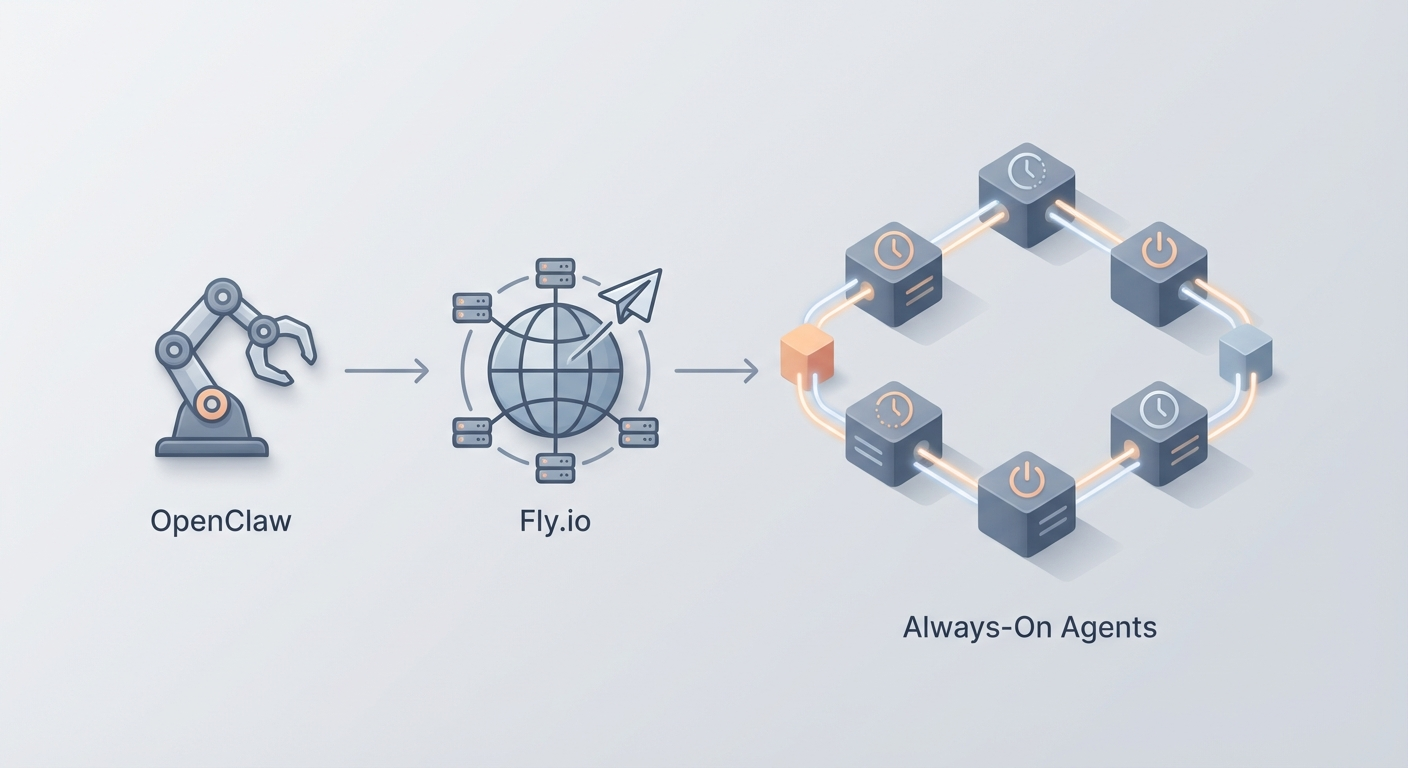
Most guides about deploying AI agents read like they were written by someone who's never actually kept one running overnight. They'll tell you to spin up a container, give you a cute "Hello World" example, and then vanish right before the part where everything falls apart at 3 AM because your VM went to sleep or your cloud provider decided to recycle your instance.
This isn't that guide.
We're going to deploy an OpenClaw agent on Fly.io — a platform that runs Docker containers on edge servers around the world — and we're going to make it actually stay online. Always-on, globally distributed, reachable from anywhere, with a Telegram bot as the interface so you can talk to your agent from your phone while standing in line at the grocery store.
If you've been building agents in OpenClaw and running them locally, this is the natural next step. Local is great for development. But an agent that dies when you close your laptop isn't an agent — it's a demo. Let's fix that.
Why Fly.io (and Not the Twelve Other Options)
I've deployed containers on Railway, Render, DigitalOcean, AWS ECS, and a handful of others. Each has trade-offs. Here's why Fly.io is the right call for always-on AI agents specifically:
Persistent VMs, not serverless functions. Your OpenClaw agent needs to maintain state — conversation history, tool connections, long-running processes. Serverless platforms spin down between requests, which kills anything that needs persistence. Fly.io runs actual VMs (they call them "Machines") that stay alive.
Edge deployment by default. When you deploy on Fly.io, your container runs on servers distributed across 30+ regions globally. Your agent responds from whichever node is closest to the user. For a Telegram bot, this means sub-100ms response times from almost anywhere.
No Kubernetes. I cannot overstate how much this matters. You don't need to understand pods, services, ingresses, helm charts, or any of the other Kubernetes machinery that makes simple deployments feel like filing your taxes. Fly.io is CLI-driven. You type fly deploy and your thing goes live.
Cheap for always-on. A basic always-on VM with 512MB of RAM costs roughly $4-6/month. That's less than your Netflix subscription for a globally-distributed AI agent that never sleeps.
Free TLS and custom domains. HTTPS just works. No certificate management. No Let's Encrypt cron jobs.
The bottom line: Fly.io is the simplest path from "I have a Docker container" to "I have a production service running on the internet." And since OpenClaw packages everything into Docker containers, the fit is almost suspiciously perfect.
What We're Building
Here's the architecture in plain English:
- OpenClaw handles the agent logic — your workflows, tool integrations, LLM routing, and everything else that makes your agent actually useful.
- A lightweight server (Node.js) wraps the agent and exposes it via a Telegram bot webhook.
- Fly.io runs the whole thing in a Docker container, keeps it alive 24/7, and handles HTTPS/routing.
By the end, you'll have a Telegram bot powered by your OpenClaw agent that you can message anytime, from anywhere, and get an intelligent response in seconds.
Total time: about 20 minutes if you type at a normal speed.
Prerequisites
Before we start, make sure you have:
- An OpenClaw account and a configured agent. If you haven't built your agent yet, do that first. OpenClaw gives you the whole toolkit — workflow builder, tool integrations, API access. This guide assumes you have an agent ready and an API key to call it.
- Node.js 20+ installed locally.
- Docker installed and running.
- A Telegram account (for the bot interface).
- Git (obviously).
If you're missing any of these, go install them. I'll wait.
Step 1: Create Your Telegram Bot (2 Minutes)
Open Telegram and search for @BotFather. Send /newbot and follow the prompts:
- Give it a name (e.g., "My OpenClaw Agent")
- Give it a username (e.g.,
openclaw_agent_bot) - Copy the HTTP API token BotFather gives you. It looks like
7123456789:AAF1234abcd5678efgh.
Save that token. We'll need it in a minute.
Step 2: Build the Agent Server (10 Minutes)
Create a new project directory:
mkdir openclaw-flyio && cd openclaw-flyio
npm init -y
npm install express node-telegram-bot-api axios dotenv
Now create server.js:
require('dotenv').config();
const express = require('express');
const TelegramBot = require('node-telegram-bot-api');
const axios = require('axios');

const app = express();
app.use(express.json());

// Environment variables (set via Fly.io secrets)
const TELEGRAM_TOKEN = process.env.TELEGRAM_TOKEN;
const OPENCLAW_API_KEY = process.env.OPENCLAW_API_KEY;
const OPENCLAW_AGENT_URL = process.env.OPENCLAW_AGENT_URL;
const WEBHOOK_URL = process.env.WEBHOOK_URL;
const PORT = process.env.PORT || 3000;

// Initialize Telegram bot in webhook mode (not polling — polling is for local dev)
const bot = new TelegramBot(TELEGRAM_TOKEN);

// Set webhook on startup
bot.setWebHook(`${WEBHOOK_URL}/bot${TELEGRAM_TOKEN}`);

// Handle incoming Telegram messages
app.post(`/bot${TELEGRAM_TOKEN}`, async (req, res) => {
  const msg = req.body.message;
  if (!msg || !msg.text) return res.sendStatus(200);

  const chatId = msg.chat.id;
  const userMessage = msg.text;

  try {
    // Send message to OpenClaw agent
    const response = await axios.post(
      OPENCLAW_AGENT_URL,
      {
        message: userMessage,
        session_id: `telegram_${chatId}`, // Maintain conversation per chat
      },
      {
        headers: {
          'Authorization': `Bearer ${OPENCLAW_API_KEY}`,
          'Content-Type': 'application/json',
        },
        timeout: 30000, // 30s timeout for LLM responses
      }
    );

    const agentReply = response.data.response || 'No response from agent.';
    await bot.sendMessage(chatId, agentReply, { parse_mode: 'Markdown' });
  } catch (error) {
    console.error('Agent error:', error.message);
    await bot.sendMessage(chatId, '⚠️ Agent is thinking too hard. Try again in a moment.');
  }

  res.sendStatus(200);
});

// Health check endpoint (Fly.io uses this)
app.get('/health', (req, res) => {
  res.json({ status: 'alive', timestamp: new Date().toISOString() });
});

// Root endpoint
app.get('/', (req, res) => {
  res.json({
    service: 'OpenClaw Telegram Agent',
    status: 'running',
    uptime: process.uptime(),
  });
});

app.listen(PORT, '0.0.0.0', () => {
  console.log(`OpenClaw agent server running on port ${PORT}`);
  console.log(`Webhook configured at ${WEBHOOK_URL}/bot${TELEGRAM_TOKEN.slice(0, 5)}...`);
});
Create a .env file for local testing (don't commit this):
TELEGRAM_TOKEN=your-telegram-bot-token
OPENCLAW_API_KEY=your-openclaw-api-key
OPENCLAW_AGENT_URL=https://api.openclaw.dev/v1/agent/your-agent-id/chat
WEBHOOK_URL=https://your-app-name.fly.dev
PORT=3000
Important note on the OpenClaw URL: Replace your-agent-id with your actual agent's ID from the OpenClaw dashboard. The exact endpoint format depends on your OpenClaw setup — check your agent's API tab for the correct URL and any required parameters. If you're self-hosting OpenClaw, this will point to your own instance.
Now create the Dockerfile:
FROM node:20-alpine

WORKDIR /app

# Copy package files first (better Docker layer caching)
COPY package*.json ./
RUN npm ci --only=production

# Copy application code
COPY server.js ./

EXPOSE 3000

# Use node directly, not npm start (cleaner signal handling in containers)
CMD ["node", "server.js"]
Test locally:
docker build -t openclaw-agent .
docker run -p 3000:3000 --env-file .env openclaw-agent
Hit http://localhost:3000/health in your browser. If you get {"status":"alive"}, you're good.
Step 3: Install Fly.io CLI and Authenticate (2 Minutes)
# macOS
brew install flyctl

# Linux
curl -L https://fly.io/install.sh | sh

# Windows (PowerShell)
pwsh -Command "iwr https://fly.io/install.ps1 -useb | iex"
Then authenticate:
fly auth signup   # New account (free, no credit card required initially)
# OR
fly auth login    # Existing account
Fly.io gives you $5 in free credits on signup, which is enough to run a basic agent for about a month while you test everything.
Step 4: Launch on Fly.io (5 Minutes)
From your project directory:
fly launch
This kicks off an interactive setup. Here's what to pick:
| Prompt | What to Choose |
|---|---|
| App name | openclaw-agent (or whatever you want) |
| Organization | Your default org (personal) |
| Region | Pick the closest to you. iad (Virginia) is solid for US East. lhr for Europe. nrt for Asia. |
| Use existing Dockerfile? | Yes |
| Set up a PostgreSQL database? | No (we don't need one) |
| Set up Redis? | No |
| Deploy now? | No — we need to configure secrets first |
This generates a fly.toml file. Open it and make sure it looks something like this:
app = "openclaw-agent"
primary_region = "iad"

[build]

[env]
  PORT = "3000"

[http_service]
  internal_port = 3000
  force_https = true
  auto_stop_machines = false    # CRITICAL: Keep this false for always-on
  auto_start_machines = true
  min_machines_running = 1      # CRITICAL: Always keep 1 machine running

  [http_service.concurrency]
    type = "connections"
    hard_limit = 50
    soft_limit = 25

[[vm]]
  memory = "512mb"
  cpu_kind = "shared"
  cpus = 1
The two critical settings are auto_stop_machines = false and min_machines_running = 1. Without these, Fly.io will scale your machine to zero when there's no traffic, which means your Telegram webhook has no server to hit and messages get dropped. This is the number one mistake people make.
Now set your secrets (these are encrypted, never stored in config files):
fly secrets set TELEGRAM_TOKEN="7123456789:AAF1234abcd5678efgh"
fly secrets set OPENCLAW_API_KEY="your-openclaw-api-key"
fly secrets set OPENCLAW_AGENT_URL="https://api.openclaw.dev/v1/agent/your-agent-id/chat"
fly secrets set WEBHOOK_URL="https://openclaw-agent.fly.dev"
Deploy:
fly deploy
First deploy takes 2-5 minutes as it builds and pushes the Docker image. Subsequent deploys are faster due to layer caching.
Once it's done:
fly open
Your browser should open to https://openclaw-agent.fly.dev and show the status JSON. Now open Telegram, find your bot, and send it a message.
If everything's wired correctly, your OpenClaw agent responds through Telegram. From a server running on the edge. That you deployed in 20 minutes.
Step 5: Verify It's Actually Always-On
Don't trust it until you've verified it. Run these checks:
# Check machine status
fly status

# Should show 1 machine in "started" state
# If it shows "stopped", your auto_stop config is wrong

# Stream logs in real-time
fly logs

# Check from outside
curl https://openclaw-agent.fly.dev/health
Send your bot a few messages over the next hour. Check logs for consistent response times. If you see cold start delays (responses taking 5+ seconds after idle periods), your machine is getting stopped. Double-check those fly.toml settings.
Cost Breakdown
Let's talk money, because "edge deployment" sounds expensive and it really isn't.
| Resource | What You're Using | Monthly Cost |
|---|---|---|
| VM (shared-cpu-1x, 512MB) | Always-on agent server | ~$4.04 |
| Bandwidth (outbound) | Telegram webhook responses | Free (well under 160GB free tier) |
| TLS/HTTPS | Auto-managed certificates | Free |
| Custom domain (optional) | Your own domain | Free |
| Total | ~$4-6/month |
That's for a single-region deployment. If you want multi-region (your agent responds from the nearest edge node globally):
fly scale count 2 --region iad,lhr
That doubles your VM cost to ~$8-10/month for US + Europe coverage. Still cheaper than a lunch.
If your agent needs more resources (processing large documents, handling many concurrent users):
| Config | Monthly Cost |
|---|---|
| shared-cpu-1x, 1GB RAM | ~$8/month |
| dedicated-cpu-1x, 2GB RAM | ~$16/month |
| dedicated-cpu-2x, 4GB RAM | ~$47/month |
| GPU (A10G) for local inference | ~$1.57/hour (use sparingly) |
Scale your VM:
fly scale vm shared-cpu-1x --memory 1024   # Upgrade to 1GB RAM
fly scale vm dedicated-cpu-1x --memory 2048  # Dedicated CPU, 2GB RAM
For most OpenClaw agents that are calling external LLM APIs (which is the typical setup), the shared-cpu-1x with 512MB is more than enough. You're basically running a Node.js server that makes HTTP calls — it's not compute-intensive.
Adding Persistent Storage (Optional)
If your agent needs to store files, conversation logs, or cached data between deploys:
# Create a 1GB volume in your region
fly volumes create agent_data --size 1 --region iad
Add to fly.toml:
[mounts]
  source = "agent_data"
  destination = "/data"
Then in your code, read/write to /data/ for anything that needs to persist across deploys. Volumes cost $0.15/GB per month, so 1GB is fifteen cents.
Adding a Custom Domain
If openclaw-agent.fly.dev feels too informal:
fly certs create agent.yourdomain.com
Then add a CNAME record in your DNS pointing agent.yourdomain.com to openclaw-agent.fly.dev. Fly.io handles the SSL certificate automatically. Free.
Update your webhook URL secret:
fly secrets set WEBHOOK_URL="https://agent.yourdomain.com"
Monitoring and Maintenance
A few commands you'll use regularly:
# Live logs
fly logs

# Dashboard (opens browser)
fly dashboard

# SSH into your running container (for debugging)
fly ssh console

# Check resource usage
fly platform usage

# Redeploy after code changes
fly deploy

# Restart without redeploying
fly machines restart
Set up basic monitoring by hitting your /health endpoint with an uptime checker like UptimeRobot (free tier). If your agent goes down, you'll get an email/SMS within minutes.
Common Issues and Fixes
"My bot doesn't respond to messages"
- Check that
WEBHOOK_URLmatches your actual Fly.io URL exactly. - Run
fly logsand look for incoming POST requests. - Verify the webhook is set:
curl https://api.telegram.org/bot<TOKEN>/getWebhookInfo
"Responses are slow (5+ seconds)"
- If you see cold starts, the machine is stopping. Set
auto_stop_machines = falseandmin_machines_running = 1. - If the LLM itself is slow, that's on the API provider, not your deployment. Check your OpenClaw agent's timeout settings.
"Deploy fails with OOM (out of memory)"
- Increase RAM:
fly scale vm shared-cpu-1x --memory 1024 - Check for memory leaks in your code. Node.js apps with unbounded arrays or conversation history that never gets pruned are the usual culprit.
"I need to run multiple agents"
- Deploy each as a separate Fly.io app. They're isolated, independently scalable, and the naming is clean:
agent-support.fly.dev,agent-sales.fly.dev, etc.
What You've Built
Let's take stock. You now have:
- An OpenClaw-powered AI agent running on Fly.io's edge network
- A Telegram bot interface accessible from any device, anywhere
- Always-on deployment that doesn't sleep, doesn't cold-start, and doesn't require you to keep a terminal window open
- HTTPS by default, custom domain support, and encrypted secrets
- Total cost under $6/month
This is what production-grade agent deployment looks like without the production-grade complexity. No Kubernetes clusters. No Terraform files. No 47-page architecture documents. Just a Docker container, a config file, and a CLI command.
What to Do Next
If you're just getting started with OpenClaw, head to Claw Mart and browse the marketplace. There are pre-built agent templates, tool integrations, and workflow components that'll save you from reinventing the wheel. Find an agent template that's close to what you need, customize it, then deploy it with the exact process above.
If you want more deployment options, we've covered DigitalOcean and other platforms in previous posts. Fly.io is the best fit for always-on agents with global reach, but every use case is slightly different.
If you want to go deeper with Fly.io specifically:
- Add a second region for redundancy:
fly scale count 2 --region iad,lhr - Set up a persistent database with Fly Postgres for conversation history
- Explore Fly.io's built-in metrics and Grafana integration for usage analytics
- Connect additional channels beyond Telegram (Slack, Discord, webhook endpoints)
The hardest part of running AI agents isn't making them smart — it's keeping them alive and accessible. You've solved that problem in 20 minutes. Now go build something useful with it.
Recommended for this post

X/Twitter Agent
Skill
Your AI runs its own Twitter account — posting, replying, and engaging with guardrails.
 Felix Craft
Executive OS
Persona
Your AI Chief of Staff — manages email, calendars, meetings, and daily ops so you don't have to
 Bungee