How to Automate SOP Creation and Updates with AI
How to Automate SOP Creation and Updates with AI
Most companies treat SOP creation like a homework assignment nobody wants to do. Someone gets tagged in Slack, groans, opens a blank Google Doc, and spends the next two weeks chasing down the one person who actually knows how the process works. The result? A half-finished document that's outdated before it's even published.
This is a solvable problem. Not with another template library or another wiki tool, but with an AI agent that does the heavy lifting — capturing processes, drafting documentation, flagging when things go stale, and keeping everything consistent without requiring a full-time technical writer on staff.
Here's how to build that system using OpenClaw, step by step, without the hype.
The Manual Workflow Today (And Why It Takes Forever)
Let's be honest about what SOP creation actually looks like in most organizations. It's not a clean, linear process. It's a slow grind through these stages:
1. Process Discovery (4–10 hours per SOP) Someone — usually an ops manager or team lead — has to interview the people who actually do the work. They schedule calls, shadow employees, take notes, and try to extract "tribal knowledge" from people who've been doing the job so long they can't articulate their own steps anymore. Half the knowledge lives in someone's head. The other half is scattered across Loom videos, Slack threads, and sticky notes on a monitor.
2. Content Capture (2–6 hours) Now you need to organize those notes into something usable. Screenshots need to be taken. Decision points need to be mapped. Exception cases need to be documented. This is tedious, detail-oriented work that most people rush through.
3. Drafting (4–12 hours) Writing clear, sequential instructions that someone unfamiliar with the process can actually follow. Defining roles, prerequisites, success criteria, and warnings. Most drafts are either too vague to be useful or so detailed they're unreadable.
4. Formatting and Visuals (2–4 hours) Applying templates, adding screenshots, creating flowcharts, ensuring brand consistency, setting up version control. This is where people start cutting corners because they're already exhausted.
5. Review and Approval (3–20+ hours of elapsed time) The bottleneck from hell. You send the draft to two SMEs, a compliance person, and a manager. One is on PTO. Another takes two weeks to respond with "looks good" and no actual review. The compliance person redlines half of it. You go back and forth three times.
6. Publishing and Training (2–4 hours) Upload to the knowledge base, notify the team, maybe do a quick walkthrough. Most people skim it once and never look at it again.
7. Maintenance (perpetually neglected) Processes change. Tools get swapped. Team structures shift. The SOP sits untouched for 18 months until someone realizes it references a software tool the company stopped using a year ago.
Total time per SOP: 10–40 hours for standard processes. 50–100+ hours for complex ones. And that's if everything goes smoothly, which it doesn't.
What Makes This Painful (Beyond Just Time)
The time investment is bad, but the downstream effects are worse.
Knowledge walks out the door. When your best operations person leaves and their processes aren't documented, you're starting from scratch. IDC estimates poor knowledge management costs U.S. businesses $37–47 billion annually. That's not a typo.
Inconsistency creates confusion. When different teams write SOPs in completely different formats, levels of detail, and terminology, employees stop trusting the documentation entirely. Gartner and McKinsey data show 60–70% of employees have repeated work because they couldn't find or trust the existing process documentation.
Outdated SOPs are a liability. In regulated industries — healthcare, finance, manufacturing — an outdated SOP isn't just inefficient. It's a compliance risk with real legal exposure. Most organizations update fewer than 30% of their SOPs annually.
Review cycles kill momentum. The gap between "draft complete" and "approved and published" is where SOPs go to die. Busy stakeholders deprioritize reviews, and by the time the SOP is approved, the process may have already changed.
The math doesn't work at scale. A company with 200 processes that each need documentation and annual review is looking at thousands of hours of work. Most teams don't have the bandwidth, so they triage — and the majority of processes remain undocumented or outdated.
Only 35–40% of companies report having well-documented processes. Everyone knows documentation matters. Almost nobody has the resources to do it properly the manual way.
What AI Can Handle Right Now
Here's where people either overpromise or underpromise. AI isn't going to replace your operations team. But it can eliminate roughly 70–85% of the drafting and maintenance work. Here's what's realistic:
Process capture from recordings and transcripts. Feed an AI agent a Loom video, a Zoom transcript, or a screen recording, and it can extract sequential steps, identify decision points, and generate a structured first draft. What used to take 6–12 hours of interviewing and writing becomes a 15-minute recording plus 2 minutes of processing.
Standardization across your entire library. AI can take SOPs written by ten different people in ten different styles and reformat them to a single template with consistent tone, structure, and terminology. This alone saves weeks of manual cleanup.
Multi-format generation. From a single detailed SOP, AI can generate a quick-reference checklist, a training script, an onboarding walkthrough, and a compliance-ready version. Different audiences need different formats — AI makes this trivial.
Staleness detection. An AI agent can compare existing SOPs against recent process recordings, tool change logs, or team updates and flag documents that are likely outdated. Instead of reviewing everything on a calendar cycle, you review what's actually changed.
Translation and localization. For companies with international teams, AI can produce accurate translations of SOPs, maintaining technical accuracy while adapting to local context.
What AI cannot do (and this matters — more on this below): validate accuracy in edge cases, make compliance judgments, decide what the process should be versus what it currently is, or take accountability for the final output.
Step by Step: Building the SOP Automation Agent on OpenClaw
Here's a concrete implementation. This isn't theoretical — it's a workflow you can build on OpenClaw and start using within a week.
Step 1: Define Your Input Sources
Before building anything, decide where your process knowledge currently lives. Common sources include:
- Loom or screen recordings of employees performing tasks
- Zoom/Teams meeting transcripts where processes are explained
- Existing SOPs in Google Docs, Confluence, or Notion (even outdated ones)
- Slack threads where process questions get answered repeatedly
- Email chains describing workflows
In OpenClaw, you'll configure these as input connectors. The agent needs to know where to pull raw material from.
Step 2: Build the Capture Agent
Create an OpenClaw agent specifically for process extraction. This agent's job is to take unstructured input — a rambling 20-minute Loom video, a disorganized Confluence page, a Slack thread — and output a structured process skeleton.
The agent should be prompted to extract:
- Sequential steps (numbered, in order)
- Decision points (if/then branches)
- Roles involved at each step
- Tools or systems referenced
- Exceptions and edge cases mentioned
- Approximate time per step
Configure the agent to output in a consistent JSON or Markdown structure that feeds into the next step. This is where OpenClaw's ability to chain agent actions becomes critical — you're not just generating text, you're building a pipeline.
Step 3: Build the Drafting Agent
This second agent takes the structured skeleton and generates a full SOP document. It should be configured with:
Your SOP template. Feed it your company's standard format — header fields, section order, required elements (purpose, scope, prerequisites, steps, exceptions, revision history). The agent should produce output that matches your template exactly.
Your style guide. Tone, reading level, terminology preferences. If your team uses "client" instead of "customer," the agent should know that. If your SOPs need to be written at an 8th-grade reading level for frontline staff, specify that.
Your role definitions. So the agent can correctly assign ownership and responsibility in each step.
The drafting agent should also be configured to flag gaps — if the source material doesn't mention exception handling, or if a step references a tool without specifying which screen or feature, the agent should mark those as "[NEEDS SME INPUT]" rather than guessing.
Step 4: Build the Review Routing Workflow
This is where most SOP processes break down, and where automation adds real leverage. Configure an OpenClaw workflow that:
- Takes the completed draft and routes it to the appropriate SME(s) based on the process category
- Sends a notification with a direct link and a clear ask: "Review these 12 steps. Flag anything inaccurate. Estimated time: 10 minutes."
- Sets a follow-up reminder if no response within 48 hours
- Collects feedback and routes it back to the drafting agent for revision
- Sends the revised version for final approval
The key insight: SMEs are far more willing to review and correct a 90%-done draft than they are to create from scratch. You're converting a 4-hour creation task into a 10-minute review task. That's why response times drop dramatically.
Step 5: Build the Maintenance Agent
This is the agent most teams skip, and it's arguably the most valuable. Configure it to:
- Run weekly or monthly scans of your SOP library
- Compare document content against recent activity logs, tool update announcements, and new process recordings
- Flag SOPs where referenced tools have been updated, team members have changed, or process steps no longer match recent recordings
- Generate a "maintenance queue" prioritized by staleness risk and business criticality
- Auto-draft updates for simple changes (e.g., updating a tool name or screenshot) and flag complex changes for human review
This turns SOP maintenance from a neglected annual chore into an ongoing, mostly-automated hygiene process.
Step 6: Connect the Full Pipeline
In OpenClaw, wire these agents together into a single workflow:
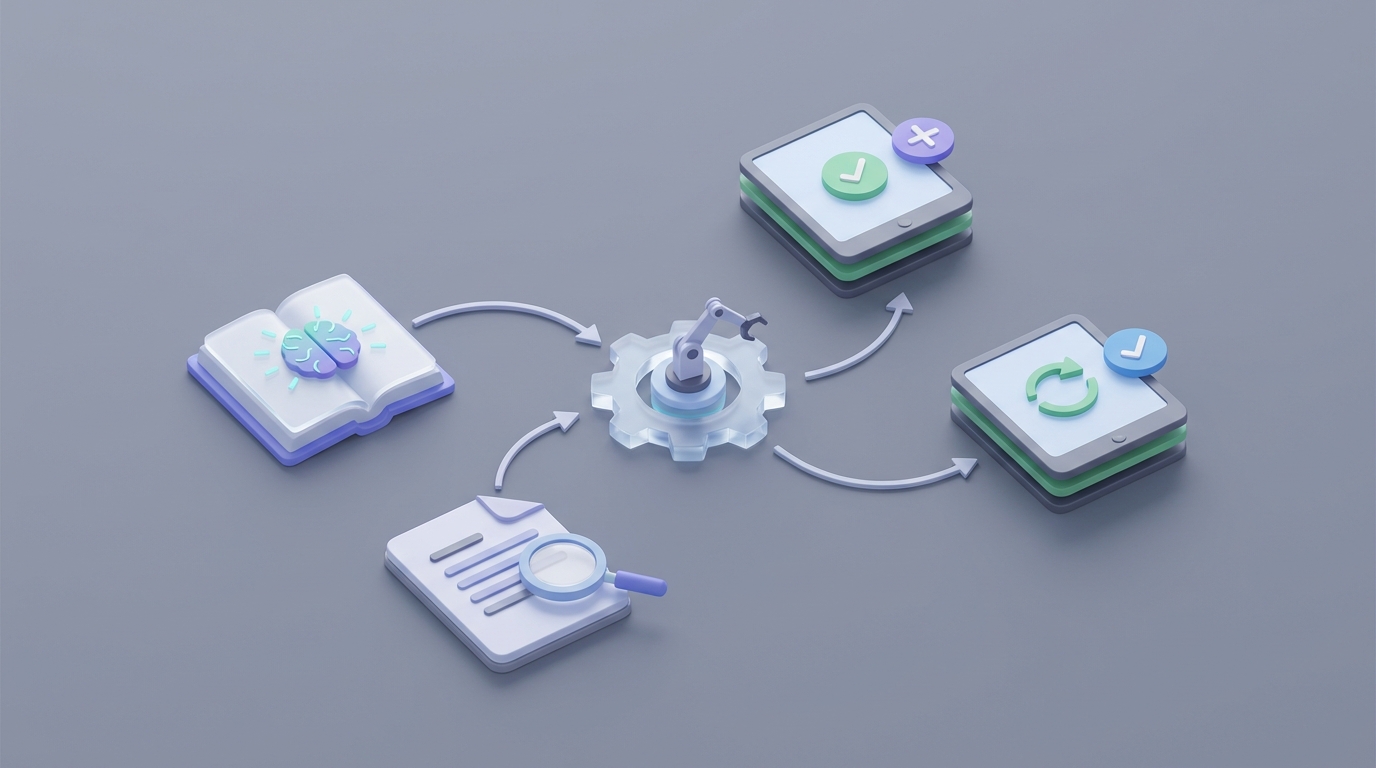
Input → Capture Agent → Drafting Agent → Review Routing → Approval → Publishing → Maintenance Agent (loop)
Each stage feeds the next. When someone records a new Loom walkthrough and tags it as a process, the pipeline kicks off automatically. When the maintenance agent detects a change, it triggers a targeted update cycle — not a full rewrite.
You can browse pre-built agent templates and components for workflows like this on Claw Mart, which saves significant setup time. Rather than configuring every prompt and connection from scratch, you can start with proven configurations and customize them for your specific needs.
What Still Needs a Human
Being honest about AI's limitations is what separates a useful implementation from a liability. Here's what you should never fully automate:
Accuracy validation on critical processes. AI will miss edge cases, oversimplify decision trees, and occasionally hallucinate steps that sound plausible but are wrong. Every SOP needs a human who actually does the work to confirm accuracy. The difference is they're reviewing a draft, not creating from zero.
Compliance and risk assessment. In regulated industries, a human with domain expertise must sign off. AI can draft the content, but it cannot take legal responsibility for it. Audit trails need to show human review and approval.
Process optimization decisions. AI documents what is. Humans decide what should be. If a process has unnecessary steps, bottlenecks, or better alternatives, that judgment call requires business context AI doesn't have.
Handling ambiguity. Some processes involve "read the room" judgment — escalation decisions, negotiation tactics, customer de-escalation. These can be partially documented but require nuance that AI handles poorly.
Ownership and accountability. Every SOP needs a named owner. AI can suggest owners based on roles, but a human must accept that responsibility.
The model that works: AI handles 70–85% of the creation and maintenance work. Humans handle the critical 15–30% that requires judgment, accountability, and domain expertise.
Expected Time and Cost Savings
Based on real-world data from companies using AI-assisted SOP workflows:
Creation time per SOP: Drops from 10–40 hours to 1–4 hours. The bulk of remaining time is human review, not drafting.
Maintenance coverage: Goes from updating <30% of SOPs annually to reviewing 80–100%, because the maintenance agent handles detection and drafts automatically.
Onboarding time reduction: Companies with comprehensive, current SOPs consistently report 40–60% faster onboarding for new hires.
Knowledge loss prevention: When process capture becomes a lightweight, routine action (record a Loom, tag it, let the pipeline run), institutional knowledge gets documented as a byproduct of normal work rather than a special project.
Consistency improvement: When every SOP goes through the same AI drafting agent with the same template and style guide, the entire library becomes uniform. No more guessing which document to trust.
Realistic ROI for a 100-person company: If you have 150 processes that each take 20 hours to document manually, that's 3,000 hours of work. At an average loaded cost of $50/hour, that's $150,000 worth of labor. Cut that by 75% with AI-assisted creation, and you're saving roughly $112,000 in initial documentation alone — before counting ongoing maintenance savings and reduced error costs.
These aren't fantasy numbers. They're consistent with what companies using tools like Scribe report — but instead of paying per-seat fees for multiple point solutions, you're building a unified pipeline in OpenClaw that you own and control.
Getting Started
You don't need to automate everything at once. Start with the highest-pain process category — usually onboarding, customer-facing workflows, or compliance procedures — and build the pipeline for that first.
- Pick 5–10 processes to document
- Record Loom walkthroughs of each one
- Set up the capture and drafting agents in OpenClaw
- Run the drafts through SME review
- Measure the time saved versus your previous method
- Expand from there
If you want to skip the setup and get a running start, check out Claw Mart for pre-built SOP automation agents and workflow templates. You can customize them for your specific use case and have a working pipeline in days instead of weeks.
And if you'd rather have someone build this for you — an OpenClaw expert who's done it before — head to Clawsourcing and post the project. You'll get matched with builders who specialize in exactly this kind of operational automation. Describe the workflow, set your budget, and let someone who's already solved this problem handle the implementation while you focus on running your business.
The documentation problem isn't going away. But the days of spending 40 hours on a single SOP should be behind you.