How to Automate Sales Tax Calculation and Remittance with AI
How to Automate Sales Tax Calculation and Remittance with AI
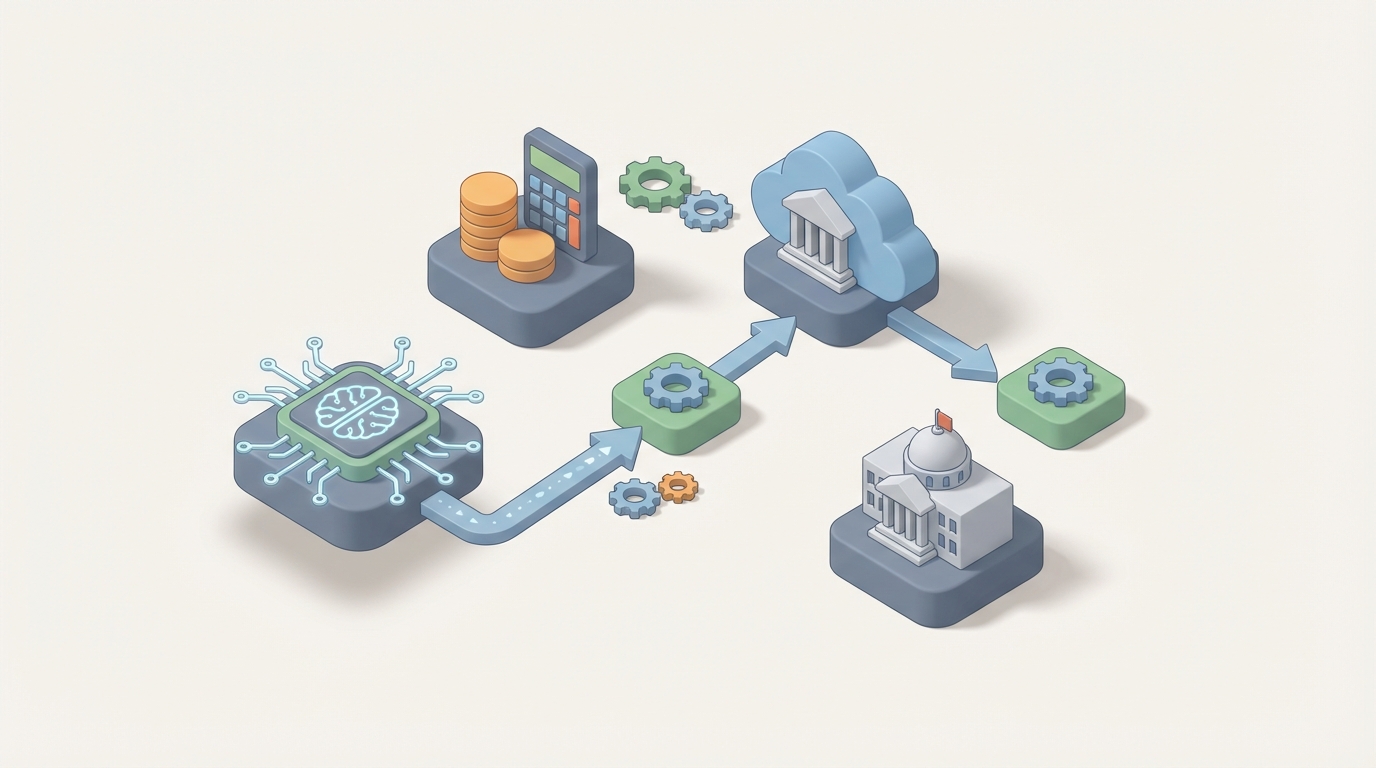
If you're a business owner filing sales tax in more than a couple of states, you already know: the process is a black hole for time. You're pulling transaction data from Shopify, Amazon, maybe a wholesale channel, reconciling it in spreadsheets, double-checking rates across a patchwork of 12,000+ taxing jurisdictions, and then logging into a half-dozen state portals to file returns. It's tedious, error-prone, and—critically—it doesn't need to be this manual anymore.
This post walks through exactly how to automate sales tax calculation and remittance using an AI agent built on OpenClaw. Not the vague "AI will transform everything" version. The specific, practical, here's-what-you-actually-build version.
Let's get into it.
The Manual Workflow Today (And Why It Eats Your Week)
Before we automate anything, let's be honest about what the current process looks like for a typical multi-channel seller doing, say, $2M–$15M in annual revenue across a handful of states.
Step 1: Data Aggregation (2–4 hours/month)
You pull transaction data from every sales channel. Shopify exports. Amazon seller reports. eBay transaction CSVs. Maybe a POS system for in-store. Maybe a wholesale channel running through QuickBooks or a custom invoicing system. None of these formats match each other. You normalize them in a spreadsheet or dump them into your accounting software and pray the import works cleanly.
Step 2: Nexus Monitoring (1–2 hours/month)
Since South Dakota v. Wayfair (2018), 45+ states have economic nexus rules. You need to track whether your sales volume or transaction count in a given state has crossed the threshold—usually $100K in sales or 200 transactions. This means running state-by-state reports and comparing against each state's specific thresholds. Miss one, and you're accumulating liability you don't know about.
Step 3: Product Taxability Classification (1–3 hours/month, more with new SKUs)
Not everything is taxable everywhere. Clothing is exempt in some states. Digital goods are taxable in some and not others. Shipping charges? Depends on the state. You're cross-referencing each SKU against taxability rules for every jurisdiction where you have nexus. New products mean new research.
Step 4: Exemption Certificate Management (1–2 hours/month)
Wholesale customers hand you resale certificates. Some are valid. Some are expired. Some are for the wrong state. You need to validate them, store them, and make sure they're applied correctly to the right transactions.
Step 5: Return Preparation and Review (2–5 hours per return)
You calculate what you owe per jurisdiction, handle adjustments for refunds and credits, and populate the return. A 2022 Avalara study found businesses using manual or semi-automated processes spent approximately 14 hours per return. Even with tax software, you're still reviewing output, catching edge cases, and making corrections.
Step 6: Filing and Remittance (1–3 hours/month)
Log into each state portal. Upload or manually enter data. Submit payment. Some states have decent e-filing. Others feel like they were designed in 2003 (because they were).
Step 7: Record Retention (Ongoing)
You need to keep detailed records for 3–7 years depending on the jurisdiction. That means organized, retrievable documentation for every transaction, every exemption certificate, and every return filed.
Total time for a business filing in 10–15 states: 15–25 hours per month. That's a part-time job. For a small team, it often falls on a founder or a bookkeeper who has better things to do.
What Makes This Painful Beyond Just the Hours
Time isn't the only cost. The real damage comes from:
Errors and penalties. 73% of businesses have paid sales tax penalties in the past three years, according to Avalara's research. The average penalty runs $1,500–$5,000 per incident. When you're manually managing rates across thousands of jurisdictions that change 800–1,000 times per year, mistakes are inevitable.
Compliance cost per transaction. Manual processes cost $0.17–$0.40 per transaction. Automated processes drop that below $0.05. At scale, that difference is significant.
Opportunity cost. A Thomson Reuters report found tax teams spend roughly 40% of their time on manual data entry and validation. That's not strategic work. That's copy-paste work. Every hour spent on it is an hour not spent on growth.
Scaling triggers new complexity. Post-Wayfair, businesses routinely go from filing in 3–5 states to 30–45. Your spreadsheet process doesn't scale linearly—it breaks exponentially.
What AI Can Handle Right Now
Here's where most "AI for tax" articles get hand-wavy. Let's be specific about what's actually automatable today with an agent built on OpenClaw, and what still needs a human.
Fully automatable with an OpenClaw agent:
-
Multi-channel data aggregation and normalization. An AI agent can pull data from Shopify, Amazon, WooCommerce, QuickBooks, and POS APIs, normalize transaction formats, reconcile discrepancies, and produce a clean, unified dataset. This alone eliminates 2–4 hours of monthly grunt work.
-
Product taxability classification. This is where AI shines. Instead of manually researching whether a "wireless phone charging pad" is classified as taxable consumer electronics or tax-exempt in certain jurisdictions, an OpenClaw agent can classify SKUs from product descriptions using trained models. Accuracy reaches 90%+ with good training data, and the agent improves over time as you correct edge cases.
-
Nexus threshold monitoring. An agent can continuously track your sales volume and transaction counts per state against each state's economic nexus thresholds and alert you before you cross them—not after.
-
Exemption certificate processing. Using document processing capabilities, an OpenClaw agent can extract data from PDF certificates, validate state, expiration dates, and tax ID numbers, and flag anything that doesn't check out.
-
Anomaly detection. The agent can flag unusual transactions—sudden spikes in exempt sales, rate application mismatches, transactions that don't match expected patterns—before they become audit triggers.
-
Return generation and pre-filing. Where state APIs exist, the agent can auto-populate return data and stage it for filing. Where APIs don't exist, it can generate the completed forms ready for manual submission.
Step-by-Step: Building the Automation on OpenClaw
Here's how to actually build this. We'll walk through a practical implementation for a multi-channel e-commerce business.
Step 1: Define Your Data Sources and Connect Them
Start by mapping every channel where transactions occur. For most businesses, this looks like:
- Shopify (REST API or GraphQL)
- Amazon Seller Central (SP-API)
- QuickBooks Online (API)
- Any additional marketplaces or POS systems
In OpenClaw, you'll set up your agent with connectors for each source. The agent's first job is a scheduled data pull—daily or weekly depending on your volume.
Agent: SalesTaxAggregator
Schedule: Daily at 2:00 AM UTC
Sources:
  - Shopify Orders API → normalize to standard schema
  - Amazon SP-API Settlement Reports → normalize to standard schema
  - QuickBooks Online Sales Receipts → normalize to standard schema
Output: Unified transaction ledger (JSON/CSV) → stored in connected data warehouse
The key here is the normalization step. Each platform reports transactions differently—different field names, different handling of refunds, different tax line items. Your OpenClaw agent handles the mapping so you're working with one clean dataset.
Step 2: Build the Nexus Monitor
Create a sub-agent (or a module within your main agent) that runs against your unified ledger and tracks cumulative sales and transaction counts per state.
Agent: NexusMonitor
Trigger: After SalesTaxAggregator completes
Logic:
  - Aggregate YTD sales by ship-to state
  - Compare against nexus threshold table (maintained as a reference dataset)
  - If any state is within 80% of threshold → send alert
  - If any state has crossed threshold → flag for registration action
Output: Nexus status dashboard + email/Slack alerts
The threshold table should be a reference dataset you maintain (or pull from a tax data provider's API). Most thresholds are $100K/200 transactions, but there are exceptions. Update this quarterly—or better, have your agent check for published threshold changes.
Step 3: Automate Product Classification
This is where OpenClaw's AI capabilities matter most. Product taxability is the messiest part of sales tax, and it's where rule-based systems fall short. A new product hits your catalog—is a "bamboo phone case with built-in wallet" taxable as an accessory, a case, or something else? The answer varies by state.
Set up a classification agent that processes new SKUs:
Agent: TaxabilityClassifier
Trigger: New SKU added to any sales channel OR on-demand
Input: Product name, description, category, material, price
Process:
  - Match against known product tax codes (e.g., Avalara tax code database or custom taxonomy)
  - For ambiguous products, use AI reasoning to suggest classification with confidence score
  - If confidence < 85% → flag for human review
  - Store classification with audit trail
Output: Tax code assignment per SKU per jurisdiction
In OpenClaw, you can train this classifier on your existing product catalog and past tax code assignments. Over time, as you confirm or correct its suggestions, it gets sharper. For most standard products, it handles classification automatically. For weird edge cases—and there are always weird edge cases—it flags them for you instead of guessing wrong.
Step 4: Process Exemption Certificates
Build a document processing workflow for incoming exemption certificates:
Agent: ExemptionProcessor
Trigger: New document uploaded to exemption inbox (email or shared folder)
Process:
  - Extract certificate data (state, tax ID, expiration date, purchaser info)
  - Validate tax ID format against state requirements
  - Check expiration date
  - Match to customer record in your system
  - If valid → apply exemption to customer profile
  - If issues found → flag for human review with specific problem identified
Output: Updated customer exemption status + validation log
This eliminates the back-and-forth of manually reviewing PDFs and typing data into your tax system. The agent does the extraction and validation; you only deal with the ones that have problems.
Step 5: Generate Returns
With clean data, correct classifications, and properly applied exemptions, return generation becomes straightforward:
Agent: ReturnGenerator
Schedule: Monthly (or per filing frequency per state)
Process:
  - Pull all transactions for the filing period from unified ledger
  - Apply jurisdiction-specific rates and rules
  - Calculate tax collected vs tax owed
  - Account for refunds, adjustments, and credits
  - Generate return data in each state's required format
  - Where e-filing API exists → stage for submission (with human approval gate)
  - Where no API → generate completed PDF/form for manual upload
Output: Filing-ready returns + summary dashboard + variance report
The variance report is critical. It shows you where calculated amounts differ from what was actually collected—so you can catch over-collections, under-collections, or data issues before you file.
Step 6: Add the Human Approval Gate
This is non-negotiable. Before any return is filed, a human reviews the summary. Your OpenClaw agent should present:
- Total liability per state
- Any flagged anomalies
- Variance from prior periods
- Any new nexus triggers
- Any exemptions applied that are approaching expiration
The human approves, the agent files (where possible) or hands off the prepared return for manual submission.
What Still Needs a Human
Let's be clear about the boundaries. AI is not replacing your tax advisor. It's replacing your data entry.
Human judgment required for:
- Legal interpretation of ambiguous statutes. When a state passes a new law about taxability of digital goods, someone needs to read it and decide what it means for your business.
- Voluntary Disclosure Agreements. If you discover you should have been collecting tax in a state and weren't, the decision to come forward (and how) is strategic and legal.
- Audit defense. If a state auditor comes knocking, you need a human—ideally a tax professional—handling the response.
- Policy decisions on gray areas. When a product could reasonably be classified two ways, someone with authority needs to make the call and document the reasoning.
- High-value exemption approvals. A $500K wholesale order with a questionable exemption certificate? Don't let the robot approve that.
The right mental model: AI handles the 85% of work that's repetitive and data-driven. Humans handle the 15% that's ambiguous, high-stakes, or requires legal judgment. The result is you spend 3 hours a month on sales tax instead of 20.
Expected Time and Cost Savings
Based on real-world benchmarks from businesses that have moved from manual to automated processes:
| Metric | Before Automation | After OpenClaw Agent | Improvement |
|---|---|---|---|
| Monthly time spent | 15–25 hours | 3–5 hours | 75–80% reduction |
| Cost per transaction | $0.17–$0.40 | Under $0.05 | 70–85% reduction |
| Time per return | ~14 hours | ~2 hours | 85% reduction |
| Penalty frequency | Regular (73% of businesses) | Rare | Significant reduction |
| Nexus monitoring | Reactive (after threshold crossed) | Proactive (alerts at 80%) | Eliminates surprise liability |
For a business filing in 15 states, that's roughly 150–200 hours per year freed up. At a blended cost of $50–$75/hour for the person doing this work, you're looking at $7,500–$15,000 in annual savings on labor alone—before you factor in avoided penalties and reduced audit risk.
What to Do Next
If you're spending more than a few hours a month on sales tax, most of that time is automatable today. Not in some hypothetical future—right now, with the right agent architecture.
The fastest path: browse the agent marketplace on Claw Mart and look for pre-built sales tax automation agents you can configure for your stack. If your setup is more custom, you can build your own on OpenClaw using the framework above.
Either way, stop doing data entry that a machine should be doing. Your time is better spent on the judgment calls—the parts of tax compliance that actually require a brain.
Ready to stop filing sales tax by hand? Head to Claw Mart and find the agent that fits your workflow. Or, if you want a custom build, Clawsource it—post your sales tax automation project and let an OpenClaw builder handle the implementation for you.
Recommended for this post

Your orchestrator that coordinates agent swarms with task decomposition and consensus protocols -- agents working together.
 SpookyJuice.ai
Your agent builder that designs self-healing autonomous systems with perception-action loops -- agents that run themselves.
SpookyJuice.ai
Your memory engineer that builds persistent context, tiered storage, and retrieval systems -- agents that remember.
SpookyJuice.ai