How to Automate Offboarding and Exit Interviews with AI
How to Automate Offboarding and Exit Interviews with AI
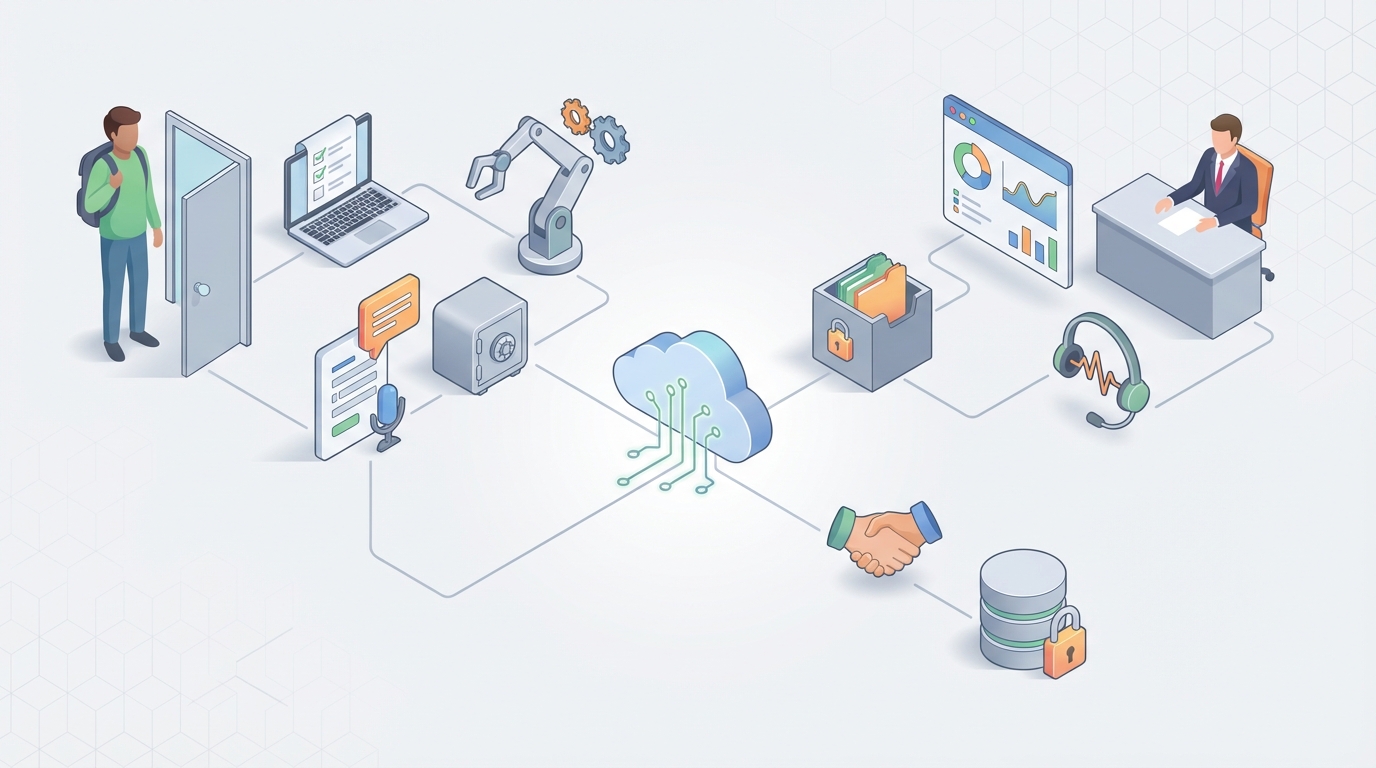
Most companies treat offboarding like an afterthought. Someone puts in their two weeks, and suddenly HR is scrambling through a mental checklist, IT is trying to remember which of the 47 SaaS tools this person had access to, and the manager is hoping the departing employee documented something—anything—before walking out the door.
Meanwhile, onboarding gets the red carpet treatment. Automated welcome sequences, pre-provisioned laptops, Slack channels ready to go. The asymmetry is wild when you think about it, because a botched offboarding carries significantly more risk than a slow onboarding. We're talking orphaned accounts, security breaches, compliance violations, and lost institutional knowledge.
Here's the thing: most of the offboarding workflow is automatable right now. Not in a theoretical "someday the robots will handle it" sense. Right now, today, with an AI agent built on OpenClaw. Let me walk through exactly how.
The Manual Offboarding Workflow (And Why It Takes 15–40 Hours)
Let's map out what actually happens when someone leaves a company. Not the idealized version—the real one, the one where three people are cc'd on an email chain trying to figure out if anyone remembered to revoke the Salesforce license.
Step 1: Notification (30 min – 2 hours) Manager tells HR. HR opens a ticket or sends an email. Sometimes it's a form in BambooHR or Workday. Sometimes it's a Slack message that reads "hey, Jake's last day is Friday." There's no standard trigger, and there's definitely no standard timeline.
Step 2: Access Revocation (3–12 hours) IT has to disable accounts across email, Slack, VPN, cloud services, CRM, project management tools, internal wikis, code repositories, and whatever shadow IT the employee signed up for on their own. In companies without proper IAM, this is someone manually logging into each service and clicking "deactivate." For an engineer at a mid-size company, that could be 30+ systems.
Step 3: Asset Recovery (1–4 hours) Laptops, phones, badges, keys, corporate credit cards. If the employee is remote, someone has to generate a shipping label, send instructions, and follow up when the box doesn't arrive. If they're in-office, someone has to physically collect everything and check it against an inventory list.
Step 4: Knowledge Transfer (2–8 hours) This one's highly variable and usually the most neglected. Projects need to be handed off. Client relationships need warm introductions. Documentation needs to be reviewed or created from scratch. Passwords for shared accounts need to be rotated. In practice, most of this doesn't happen, and the team spends the next month figuring out where things are.
Step 5: Final Payroll and Benefits (1–3 hours) Processing the final paycheck, prorating PTO, handling COBRA notifications, dealing with equity vesting, 401k rollovers, and severance if applicable. Mistakes here create legal exposure and terrible employee experience.
Step 6: Exit Interview (1–2 hours) HR schedules a meeting, conducts the interview, takes notes, and files them somewhere they'll probably never be reviewed again.
Step 7: Compliance and Legal (1–3 hours) NDA reminders, non-compete acknowledgments, data retention policies, industry-specific requirements (HIPAA, GDPR, SOC 2). Missing any of these isn't just sloppy—it's potentially expensive.
Step 8: System Cleanup (1–3 hours) Removing the person from distribution lists, updating org charts, archiving files, reclaiming licenses, updating documentation.
Add it up and you're looking at 15–40 hours of total effort spread across HR, IT, the departing employee's manager, and sometimes legal. HR alone burns 4–8 hours per departure. IT burns 3–12. And that's for a single, routine departure. Now imagine a layoff affecting 50 people.
What Makes This Painful (Beyond the Time)
The hours are bad enough. But the real pain is in the consequences of doing it poorly.
Security risk is the big one. A 2023 BeyondTrust report found that 42% of organizations have experienced a data breach from a former employee's account. Not a theoretical risk—an actual breach. The Ponemon Institute pegs the average cost of an insider threat incident at $4.99 million. Orphaned accounts—active credentials belonging to people who no longer work at the company—are one of the most common attack vectors, and they exist because someone forgot to check one box on a spreadsheet.
Compliance risk compounds the security risk. In regulated industries, a missed offboarding step can trigger GDPR fines, HIPAA violations, or SOC 2 audit failures. These aren't hypothetical. They show up in audit reports and they cost real money.
Human error is essentially guaranteed at scale. When your offboarding process is a 30-item checklist managed by a human, things get missed. That one Notion workspace nobody knew about. The shared Figma account. The AWS IAM role from a project three months ago. Every missed item is a dangling thread.
Knowledge loss is permanent and expensive. When the departing employee walks out with undocumented processes, client context, and institutional memory, the cost doesn't show up on a balance sheet. It shows up six weeks later when the team can't find the vendor contract or figure out why the build pipeline has that weird workaround.
The employee experience suffers too. Delayed final paychecks, confusing benefits information, and a generally chaotic departure process leave a bad taste. These people talk to their networks. They leave Glassdoor reviews. Some of them come back as boomerang hires—or don't, because of how their exit was handled.
Only 29% of companies have what Deloitte would call a "mature" offboarding process. The rest are duct-taping it together with spreadsheets and good intentions.
What AI Can Handle Right Now (With OpenClaw)
Here's where it gets practical. An AI agent built on OpenClaw can handle a substantial portion of this workflow—not by replacing human judgment, but by eliminating the mechanical grunt work that makes offboarding slow and error-prone.
Workflow Triggering and Orchestration An OpenClaw agent can monitor for offboarding triggers—a status change in your HRIS, a Slack message from a manager, a form submission—and immediately spin up the full offboarding workflow. No waiting for someone to manually create tickets. No hoping that the right people get notified. The agent kicks off every downstream task in parallel the moment the trigger fires.
Intelligent Access Discovery and Revocation This is the highest-ROI automation. The agent integrates with your IAM platform (Okta, Azure AD/Entra ID, etc.) and your SaaS management tools to discover every account and permission the departing employee has. Not just the obvious ones—the shadow IT signups, the shared service accounts, the guest access to a client's workspace. Then it revokes access across all of them simultaneously, or queues the ones that need human approval.
Automated Task Routing The agent knows that an engineer's offboarding looks different from a sales rep's offboarding. It routes the right tasks to the right people based on role, department, and access patterns. The engineering manager gets a knowledge transfer prompt. The security team gets flagged on anyone with production database access. Finance gets notified about any outstanding expense reports.
Document Generation Final paycheck summaries, COBRA notices, NDA reminders, benefits information packets, knowledge transfer templates—all generated automatically and personalized to the departing employee's specific situation. The agent pulls data from your HRIS, benefits platform, and legal templates to produce accurate documents without anyone manually filling in fields.
Asset Tracking and Recovery The agent generates shipping labels, sends return instructions with tracking, follows up on unreturned items, and updates your asset inventory. For in-office employees, it creates a collection checklist tied to the employee's assigned equipment.
License Reclamation After access is revoked, the agent audits SaaS licenses and flags the ones that can be reclaimed or downgraded. This is money back in the budget that most companies leave on the table for weeks or months.
Anomaly Detection Before and during the offboarding period, the agent monitors for unusual access patterns—large file downloads, accessing systems outside normal patterns, forwarding emails to personal accounts. This isn't about assuming bad intent. It's about having visibility during a high-risk window.
AI-Assisted Exit Interviews This is a newer capability, and it's worth discussing carefully. An OpenClaw agent can conduct structured exit interviews asynchronously—via chat or a guided form—collecting feedback against a consistent framework. It can ask follow-up questions based on responses, categorize feedback by theme, and surface patterns across multiple departures. This doesn't replace the human conversation for sensitive situations, but it dramatically increases the completion rate for exit interviews (most companies get below 50% participation) and creates structured data you can actually analyze.
Step by Step: Building the Automation on OpenClaw
Here's a practical blueprint for building an offboarding agent on OpenClaw. This isn't a weekend project, but it's not a six-month enterprise deployment either. A competent team can have a working v1 in two to four weeks.
Phase 1: Define the Trigger and Core Workflow
Start by mapping your current offboarding steps into OpenClaw as a structured workflow. Define the trigger event—typically a termination or resignation status change in your HRIS.
In OpenClaw, you'll configure the agent to listen for this trigger and execute a task graph: a series of parallel and sequential steps, each with defined inputs, outputs, and escalation rules.
Your core task graph looks something like this:
Trigger: Employee status → "Departing" in HRIS
├── Notify manager, HR, IT (parallel)
├── Begin access discovery (query IAM + SaaS management)
├── Generate document package (final pay, benefits, NDA)
├── Create asset recovery task
├── Schedule exit interview
├── Flag compliance requirements based on role/department
└── Set timeline checkpoints (Day 1, Day 7, Day 14)
Phase 2: Integrate Your Systems
Connect OpenClaw to your core platforms. The most critical integrations, in priority order:
- HRIS (Workday, BambooHR, Gusto, etc.) — the source of truth for employee data and the trigger source.
- IAM (Okta, Azure AD/Entra ID) — for access discovery and revocation.
- Communication (Slack, Teams, Email) — for notifications and the exit interview interface.
- ITSM (ServiceNow, Jira Service Management) — for creating and tracking tasks that require human action.
- SaaS Management (Zylo, Productiv, or direct API connections) — for license reclamation.
- Asset Management (your inventory system, shipping provider APIs) — for device recovery.
OpenClaw's integration layer handles the API connections. You're configuring data mappings and auth, not writing custom middleware.
Phase 3: Build the Exit Interview Agent
This is where OpenClaw's AI capabilities really shine. Configure a conversational agent with your exit interview framework—the questions you want asked, the follow-up logic, and the categorization taxonomy.
A solid exit interview agent includes:
- Structured questions covering job satisfaction, management, culture, reasons for leaving, and suggestions.
- Dynamic follow-ups — if someone mentions "management" as a factor, the agent probes deeper with specifics.
- Sentiment analysis — flagging responses that indicate potential legal or retaliation concerns for immediate human review.
- Anonymization options — letting the employee choose whether their feedback is attributed or anonymous.
- Summary generation — producing both an individual report and contributing to aggregate trend data.
The key design decision: make the interview available asynchronously. Departing employees can complete it on their own time via chat, which removes the scheduling friction that kills participation rates.
Phase 4: Set Up Escalation and Exception Handling
Not everything can be automated. Your agent needs clear escalation paths:
- High-risk departures (executives, anyone with access to sensitive IP, anyone in a regulated role) get routed to a human-managed workflow with the AI handling the mechanical steps.
- Unusual access patterns trigger immediate security team notification.
- Exit interview red flags (mentions of harassment, discrimination, safety concerns) route to HR leadership immediately.
- Asset recovery failures (no return after 14 days) escalate through a defined chain.
Configure these as rules in OpenClaw with clear ownership assignments. The agent handles the routing and tracking; humans handle the judgment calls.
Phase 5: Test, Deploy, Iterate
Run the agent through simulated offboardings before going live. Create test employee records in a sandbox environment and walk through the full workflow. Check that every system gets the right signal, every document generates correctly, and every escalation fires when it should.
Deploy with a small group first—maybe the next five departures—and collect feedback from HR, IT, and the departing employees. Then iterate.
What Still Needs a Human
Let me be direct about the boundaries. AI agents, even good ones built on a capable platform like OpenClaw, are not appropriate for everything in the offboarding process.
Severance negotiations and legal discussions. These require empathy, legal expertise, and the ability to read a room. An AI agent should never be the one delivering severance terms or negotiating agreements.
Sensitive exit conversations. When someone is being terminated for cause, or when there are allegations of misconduct, or when the departure is contentious in any way—a human needs to be in the room. The AI can handle the logistics before and after, but the conversation itself is a human responsibility.
Knowledge transfer quality. The agent can prompt, organize, and create templates for knowledge transfer. But a human needs to validate that the transferred knowledge is actually useful and complete. AI can tell you that documentation was created; it can't tell you whether it's good.
Exception handling for complex situations. Executive departures, employees with unusual contractual arrangements, cross-border compliance issues, co-founder separations—these are judgment-intensive and context-dependent.
Maintaining the human relationship. Offboarding is the last impression your company makes. The logistics should be seamless and automated. The human connection—the genuine "we valued your work here"—should be real.
The goal isn't to remove humans from offboarding. It's to remove humans from the mechanical parts so they can focus on the parts that actually require human judgment and empathy.
Expected Time and Cost Savings
Let's be concrete about the math.
A manual offboarding averaging 25 hours of total effort across HR, IT, and management, at a blended cost of $60/hour, costs $1,500 per departure.
With an OpenClaw-powered offboarding agent handling workflow orchestration, access revocation, document generation, asset tracking, license reclamation, and exit interviews, you can realistically reduce that to 5–8 hours of human effort per departure—focused on knowledge transfer validation, sensitive conversations, and exception handling.
That's a reduction to roughly $300–$480 per departure. For a company with 500 employees and 15% annual turnover (75 departures per year), that's savings of roughly $75,000–$90,000 annually in direct labor costs alone.
But the bigger number is risk reduction. Companies with automated offboarding see 60–75% fewer security incidents related to former employee access (per Gartner research). One prevented breach is worth more than years of offboarding automation costs.
And then there's the license reclamation. Most companies are paying for SaaS licenses for former employees for weeks or months after departure. At $50–200 per license per month across a portfolio of tools, automated reclamation pays for itself almost immediately.
Next Steps
If your offboarding process currently lives in a spreadsheet, a shared doc, or someone's head, you've got a clear opportunity to eliminate a lot of unnecessary risk and labor cost.
Here's what I'd do:
- Audit your current process. Map every step, every system, every person involved. Time it. You need a baseline.
- Identify your highest-risk gaps. Usually it's access revocation and compliance documentation. Start there.
- Build the agent. Head to OpenClaw and start with the core workflow—HRIS trigger to access revocation to document generation. Expand from there.
If building AI agents isn't your team's core competency—and honestly, for most HR and IT teams, it shouldn't have to be—check out Claw Mart for pre-built agent templates and workflows you can customize, or explore Clawsourcing to get an OpenClaw expert to build and deploy the entire offboarding agent for you. You describe the workflow, they build it, and you get a working system without diverting your team from their actual jobs.
Offboarding doesn't have to be the mess it currently is. The technology exists. The ROI is clear. The only question is whether you keep paying the cost of doing it manually.