How to Automate Employee Satisfaction Surveys and Sentiment Analysis with AI
How to Automate Employee Satisfaction Surveys and Sentiment Analysis with AI
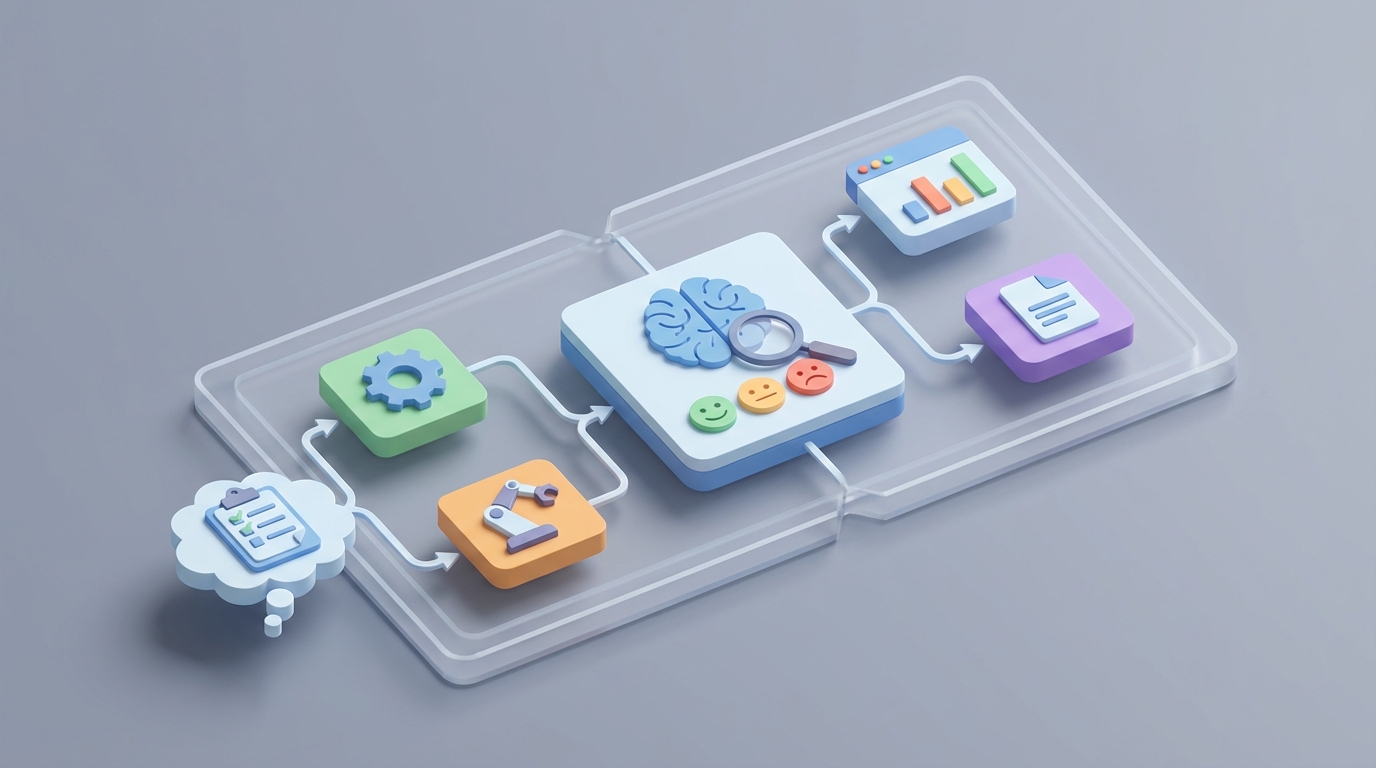
Most HR teams will tell you their employee survey process is "pretty automated." What they mean is they use SurveyMonkey instead of paper forms. The survey still takes three months from design to action plan. The open-ended responses still get read by one exhausted HR generalist who highlights things in yellow. And the final report still lands on a VP's desk six weeks after anyone cared.
That's not automation. That's digitized manual labor.
The actual opportunity here is massive: take a process that currently eats 120–300 hours per cycle for a 1,000-person company, and compress it to a fraction of that while getting better insights. Not by replacing HR teams, but by letting an AI agent handle the parts that don't require human judgment — distribution, reminders, sentiment analysis, theme extraction, initial reporting — so humans can focus on the parts that actually matter, like deciding what to do with the results.
Here's exactly how to build that with OpenClaw.
The Manual Workflow Today (And Why It Takes Forever)
Let's be honest about what a typical annual engagement survey cycle actually looks like. I'm pulling from SHRM benchmarks and real case studies, not vendor marketing.
Phase 1: Survey Design — 15–40 hours
Someone on the HR team opens last year's survey, tweaks a few questions, adds something about remote work because leadership asked, runs it by legal, gets feedback from three directors who each want their pet topic included, and eventually locks it down. This takes two to four weeks of elapsed time even though the actual work is maybe a week.
Phase 2: Distribution & Segmentation — 4–12 hours
Export employee lists from your HRIS (Workday, BambooHR, ADP, whatever). Segment by department, location, tenure. Upload to your survey tool. Write the launch email. Get the launch email approved. Send it. Realize you forgot the contractor team. Fix it. Send again.
Phase 3: Collection & Reminders — 8–20 hours
Send reminder one. Wait. Send reminder two. Have managers personally pester their teams. Send reminder three. Watch the response rate crawl from 45% to maybe 65%. For a 1,000-person company, this is two to three weeks of nagging.
Phase 4: Analysis — 30–120+ hours
This is where it all falls apart. The quantitative data is straightforward — average scores, breakdowns by team, comparisons to last year. Any decent survey tool handles that. But the open-ended responses? A company with 1,000 employees at 65% response rate generates somewhere between 2,000 and 8,000 free-text comments. Someone has to read them. Categorize them. Identify themes. A Fortune 500 consumer goods company documented spending nine weeks on this step alone for 18,000 employees.
Phase 5: Reporting — 15–50 hours
Build the executive summary. Build the department-level reports. Build the manager-specific reports. Put it all in PowerPoint because that's what leadership wants. Present it to the executive team. Answer questions. Revise. Present again.
Phase 6: Action Planning — 40–200+ hours
Facilitate workshops with managers. Help them create action plans. Track follow-through. (Spoiler: only 14% of organizations say they're "very effective" at this part, according to Gallup's 2023 data.)
Total: 120–300+ hours per cycle. And by the time you're done, the data is already stale.
What Makes This Painful (Beyond the Time)
The time cost alone is bad enough. But there are compounding problems:
The insight-to-action gap kills the whole point. If it takes six weeks to analyze and report, the organizational context has already shifted. The manager who was causing problems transferred. The project that was stressing everyone out shipped. You're making decisions based on a photograph of a situation that no longer exists.
Manual theme coding is inconsistent and biased. When one person reads 5,000 comments, they develop pattern fatigue. The themes they identify in comment #4,500 are different from what they'd tag in comment #50. They also bring their own biases — if HR is already worried about compensation, they'll see compensation themes everywhere.
Survey fatigue is real and getting worse. Deloitte's 2026 data shows 42% of employees feel over-surveyed. If your survey process is so slow that you can only do it annually, you miss everything that happens between surveys. If you try to increase frequency without better automation, you burn out your people and your response rates crater.
The cost isn't just HR time. It's manager time in action-planning workshops. It's leadership time in review meetings. It's the opportunity cost of not knowing that your engineering team's morale dropped 30% three months ago, before half of them updated their LinkedIn profiles.
What AI Can Handle Now
Let's be specific. AI in 2026 is genuinely good at some parts of this workflow and genuinely bad at others. Here's what falls on the "good" side:
Sentiment analysis and theme detection on open-ended text. Modern NLP models hit 85–93% accuracy on well-structured employee feedback. That's not perfect, but it's more consistent than a tired human on their third day of manual coding, and it takes minutes instead of weeks.
Generating initial reports and executive summaries. Given structured data and extracted themes, an AI agent can produce a first-draft report that's 80% of the way there. A human still needs to add context and strategic interpretation, but the grunt work of assembling the narrative is handled.
Smart survey design recommendations. Based on last year's results, an AI can suggest which questions to keep, drop, or add. "Career growth scored lowest last quarter — here are eight validated questions to dig deeper."
Automated distribution, reminders, and nudges. Personalized by department, response status, and manager. "Your team's response rate is 42% — here's a suggested message to send."
Trend analysis across multiple data points. Correlating survey results with HRIS data like turnover, promotion rates, and tenure to surface patterns no human would catch by eyeballing spreadsheets.
Red-flag detection. Sudden drops in psychological safety language, spikes in negative sentiment about specific managers or policies, emerging themes that weren't present last quarter.
This is where OpenClaw comes in.
Step-by-Step: Building the Automation with OpenClaw
OpenClaw lets you build AI agents that handle multi-step workflows — exactly what this process requires. You're not just running a one-off sentiment analysis; you're orchestrating a pipeline from survey design through reporting. Here's how to set it up.
Step 1: Connect Your Data Sources
Your OpenClaw agent needs access to three things:
- Your HRIS (Workday, BambooHR, ADP, etc.) for employee data, org structure, and demographic segmentation.
- Your survey platform (Qualtrics, SurveyMonkey, Microsoft Forms, or even a custom form) for response collection.
- Your communication tools (Slack, Teams, email) for distribution and reminders.
OpenClaw supports API integrations for all of these. You configure the connections once, and the agent can pull and push data across them.
# Example: OpenClaw agent configuration for HRIS integration
agent:
  name: "employee-survey-automation"
  connections:
    - type: hris
      provider: bamboohr
      auth: oauth2
      sync_fields: [employee_id, department, location, tenure, manager]
    - type: survey
      provider: qualtrics
      auth: api_key
      survey_id: "SV_annual_engagement_2025"
    - type: communication
      provider: slack
      channels: ["#hr-surveys", "#managers"]
Step 2: Automate Survey Design Recommendations
Before you even launch a survey, have your OpenClaw agent analyze last cycle's results and generate design recommendations.
# Trigger: 30 days before scheduled survey launch
workflow:
  - step: analyze_previous_results
    action: pull survey_id="SV_annual_engagement_2024"
    analyze:
      - lowest_scoring_categories
      - themes_with_highest_negative_sentiment
      - questions_with_lowest_variance (candidates for removal)

  - step: generate_recommendations
    action: create_report
    output:
      - suggested_new_questions (mapped to low-scoring areas)
      - suggested_removals (low-signal questions)
      - benchmark_comparisons (industry norms from public datasets)
    deliver_to: hr_team_channel
The agent surfaces recommendations. A human reviews, edits, and approves. This cuts the design phase from 15–40 hours to maybe 4–6 hours of focused human decision-making.
Step 3: Smart Distribution and Adaptive Reminders
Instead of blasting the entire company with the same email and the same three reminders, let the agent personalize.
workflow:
  - step: segment_and_distribute
    action: pull employee_list from hris
    segment_by: [department, location, shift_schedule]
    personalize:
      - greeting (manager name, team name)
      - send_time (optimized by historical open rates per segment)

  - step: adaptive_reminders
    trigger: response_rate < target (70%)
    frequency: every 3 days
    actions:
      - to_non_respondents: personalized_reminder_email
      - to_managers: team_response_rate_update + suggested_nudge_message
      - escalation: if department_rate < 40% after reminder_2, notify hr_business_partner
This alone saves 8–20 hours of manual reminder management and typically boosts response rates by 10–15 percentage points because the nudges are timely and personalized rather than generic.
Step 4: Real-Time Sentiment Analysis on Open-Ended Responses
This is the big one. As responses come in, the OpenClaw agent processes open-ended comments in near real-time instead of waiting until the survey closes.
workflow:
  - step: process_open_text
    trigger: new_response_received
    action:
      - sentiment_analysis (positive / negative / neutral / mixed)
      - theme_extraction (map to predefined categories + discover new themes)
      - urgency_flagging (keywords/patterns indicating harassment, safety, flight risk)

  - step: aggregate_themes
    frequency: daily
    action:
      - update_theme_dashboard
      - compare_to_previous_cycle
      - flag_emerging_themes (new this cycle, >5% of responses)

  - step: red_flag_alert
    trigger: urgency_score > threshold
    action: immediate_notification to hr_business_partner
    include: anonymized_context, suggested_response_protocol
A couple of critical notes here. The sentiment analysis runs on the comment text but the agent should never surface individual identifiable responses to managers. Anonymity is non-negotiable. The agent aggregates to team-level minimums (typically five or more responses per group) before generating any segmented insights.
The red-flag detection is particularly valuable. If someone writes something that indicates a serious safety concern or harassment situation, waiting six weeks for the analysis cycle is unacceptable. The agent can flag these immediately (still anonymized) to the appropriate HR partner.
Step 5: Auto-Generate Reports and Manager Dashboards
Once the survey closes (or on a rolling basis for pulse surveys), the agent compiles everything.
workflow:
  - step: generate_executive_summary
    action:
      - compile: overall_scores, trend_vs_previous, top_5_themes, top_5_concerns
      - format: executive_brief (1-2 pages)
      - include: ai_confidence_scores for each theme
      - deliver_to: chro, hr_leadership

  - step: generate_manager_reports
    action:
      - for_each: manager where team_size >= 5
      - compile: team_scores, team_themes, comparison_to_org_average
      - include: suggested_conversation_starters based on themes
      - include: recommended_actions from action_library
      - deliver_to: each_manager via secure_link
The "suggested conversation starters" piece is borrowed from what companies like Leapsome have shown works — when you give managers specific talking points based on their team's feedback, action plan adoption jumps dramatically. One Leapsome case study showed manager adoption going from 31% to 67%.
Step 6: Track Action Plans and Close the Loop
The insight-to-action gap is where most survey programs die. The agent can help by keeping the pressure on.
workflow:
  - step: action_plan_tracking
    trigger: 14 days after manager_report_delivery
    action:
      - check: has_manager_created_action_plan (integration with project tool)
      - if_no: send_reminder with simplified_action_plan_template
      - if_yes: schedule_check_in at 30, 60, 90 days

  - step: pulse_check
    trigger: 90 days after survey_close
    action:
      - deploy mini_survey (3-5 questions) targeting lowest_scoring_areas
      - compare_to_baseline
      - report_to: manager + hr_business_partner
What Still Needs a Human
I want to be clear about this because the fastest way to screw up an AI implementation is to automate things that require judgment.
Humans must own:
- Strategic prioritization. The AI will surface 15 themes. Humans decide which three matter most given the business context, budget, and timing.
- Organizational context. An AI doesn't know you just went through layoffs, or that the low score in engineering is because one toxic VP left and things are actually improving. Context changes everything.
- Communication strategy. How you share results matters as much as the results themselves. The tone, the framing, the acknowledgment of past failures to act — this is human work.
- Intervention design. Deciding to invest in manager training versus compensation adjustments versus flexible work policies requires business judgment, empathy, and political awareness.
- Sensitive issues. Anything involving harassment, discrimination, mental health, or legal risk needs human eyes and judgment. The AI flags; humans respond.
- Validation. When the AI's findings contradict leadership's intuition, someone needs to dig in and figure out who's right. Sometimes the AI missed context. Sometimes leadership is in denial. A human determines which.
Think of the OpenClaw agent as an extremely fast, extremely consistent analyst who never gets tired of reading comments but has zero understanding of why things are the way they are.
Expected Time and Cost Savings
Based on the case studies and benchmarks available:
| Phase | Before Automation | With OpenClaw Agent | Savings |
|---|---|---|---|
| Survey Design | 15–40 hrs | 4–6 hrs | ~80% |
| Distribution & Reminders | 8–20 hrs | 1–2 hrs | ~90% |
| Analysis (Quantitative) | 10–20 hrs | <1 hr | ~95% |
| Analysis (Open-Ended Text) | 30–100+ hrs | 2–4 hrs (review) | ~95% |
| Report Generation | 15–50 hrs | 3–5 hrs (review + edit) | ~85% |
| Action Plan Tracking | 40–200 hrs | 10–30 hrs | ~75% |
| Total | 120–430 hrs | 20–48 hrs | ~75–90% |
The Intuit case study showed a reduction from six weeks to four days for time-to-insight. The Fortune 500 consumer goods company cut nine weeks of text analysis to 11 days (and that was with older tools, pre-2026 models). With a purpose-built OpenClaw agent, these numbers are realistic and possibly conservative.
The dollar math depends on your team's loaded cost, but for a mid-size company spending 200 hours per survey cycle at a blended rate of $75/hour, that's $15,000 per cycle. Cut it to 40 hours and you're at $3,000. Scale that to two surveys per year and you're saving $24,000 annually in direct labor — before you count the value of faster insights, better response rates, and managers who actually follow through on action plans.
Getting Started
You don't have to automate everything at once. The highest-ROI starting point is almost always open-ended text analysis — it's the biggest time sink, it's where AI is most reliably better than manual processes, and it's where the delay in the current workflow is most painful.
Build that first. Get your team comfortable with AI-generated theme reports. Then layer in automated distribution, then reporting, then action-plan tracking.
If you want to skip the build-from-scratch phase, check out Claw Mart — it's the marketplace for pre-built OpenClaw agents, and there are workforce analytics and survey automation agents already available that you can deploy and customize rather than configuring every workflow step yourself.
Ready to stop spending three months on a process that should take three days? Head to Claw Mart, search for employee survey or sentiment analysis agents, and start your Clawsourcing journey. Let the AI handle the reading, counting, and reporting. You handle the leading.