How to Automate Customer Renewal Reminders and Processing
How to Automate Customer Renewal Reminders and Processing
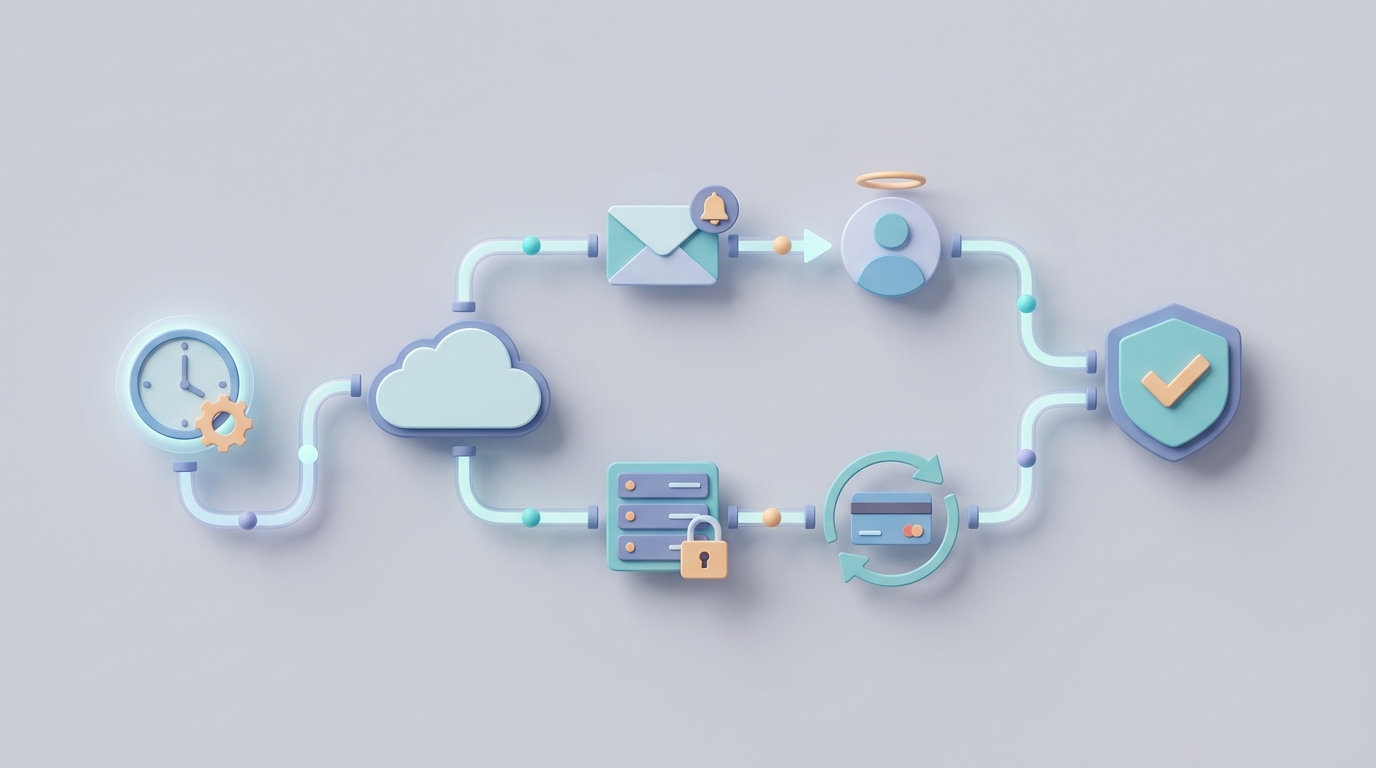
Most companies treat customer renewals like a game of calendar roulette. Somebody sets a reminder in a spreadsheet, somebody else sends a templated email sixty days out, and then the whole team acts surprised when a $50K account quietly lapses because nobody followed up after the first email bounced.
The math on this is brutal. The average B2B SaaS company with $10M ARR loses somewhere between $400K and $900K annually from preventable churn tied to weak renewal processes. Not churn from bad product or bad pricing — churn from simply not running a tight renewal operation. Emails that never got sent. Follow-ups that fell through the cracks. Accounts that nobody realized were coming due until the customer had already signed with a competitor.
This is an automation problem. And it's one that an AI agent can solve almost entirely — with the right architecture.
Let me walk you through exactly how to build it.
The Manual Renewal Workflow (And Why It's Bleeding You Dry)
Here's what a typical renewal process looks like in most mid-market companies today, step by step:
Step 1: Identify upcoming renewals. Someone — usually a CS ops person or a renewals specialist — pulls a report from the CRM every week. Sometimes this involves cross-referencing Salesforce with a billing system like Stripe or Zuora. Sometimes it involves opening a Google Sheet that someone manually updates. This takes 2–4 hours per week depending on portfolio size.
Step 2: Review account health. For each upcoming renewal, someone reviews usage data, open support tickets, NPS scores, and recent interactions. They're trying to figure out: is this customer happy? Are they likely to renew? Do they need a discount or a conversation? For a portfolio of 40–60 upcoming renewals, this takes 8–12 hours per week.
Step 3: Draft and send reminder emails. A template gets pulled up. Someone edits it with the customer's name, their plan details, the renewal date, and maybe a line about a feature they use heavily. For low-value accounts, the template goes out mostly untouched. For anything over $10K–$25K ARR, a CSM personally reviews and edits. Figure 4–6 hours per week across the team.
Step 4: Manage the follow-up cadence. First email goes out at 90 days. No response? Follow up at 60 days. Still nothing? Escalate to a phone call at 45 days. Then maybe a manager email at 30 days. Tracking who's at what stage, across dozens of accounts, across multiple channels — this is where things fall apart. Another 3–5 hours per week in coordination overhead.
Step 5: Handle negotiations. Some customers want a discount. Some want different terms. Some want to downgrade. Some want to talk to someone senior before re-signing. This is inherently human work, but it gets bottlenecked because CSMs are spending so much time on steps 1–4 that they don't have bandwidth to actually have strategic conversations.
Step 6: Process the renewal. Contract gets signed. Billing gets updated. CRM gets updated. Sometimes the billing system auto-renews but the CRM doesn't reflect it, or vice versa. Someone has to reconcile.
Add it all up and CSMs are spending 18–25 hours per month on renewal-related administrative work. Companies with manual processes spend 4–6x more time managing renewals than highly automated ones. And here's the kicker: even with all that time spent, 20–30% of B2B renewals are still a "surprise" to the customer because they never actually saw or registered the reminder.
The work gets done poorly and it takes forever. Classic automation candidate.
What Makes This So Painful
Three things compound to make manual renewal management a slow-motion disaster:
Data fragmentation. Renewal dates live in contracts (often as PDFs buried in email threads), billing systems, CRM records, and spreadsheets. These systems don't talk to each other natively. When someone signs a contract with a January 15 start date and annual terms, that renewal date needs to propagate to at least three systems — and in most companies, someone has to do that manually. When it doesn't happen, renewals get missed entirely.
Resource misallocation. Your CSMs are spending hours writing emails and pulling reports when they should be having strategic conversations with at-risk accounts. The highest-value activity in a renewal workflow is the human judgment call — understanding why a customer is unhappy, crafting a retention offer, building executive relationships. But that work gets crowded out by the administrative grind.
Compounding errors. Miss one renewal window and the customer auto-cancels or switches to month-to-month (which dramatically increases churn risk). Send a generic email to a frustrated customer and you've made things worse. Forget to update the CRM after a renewal closes and now your forecasting is wrong, which messes up next quarter's planning. Each small error creates downstream problems.
The industry benchmarks back this up. Companies lose 9–15% additional revenue from poor renewal processes alone. That's not product churn — that's operational churn. Revenue you earned that walked out the door because of sloppy process execution.
What AI Can Handle Right Now
Not in some speculative future. Today. With tools that exist and work.
An AI agent built on OpenClaw can automate roughly 70–80% of the renewal workflow. Here's what falls cleanly into the "let the machine do it" bucket:
Contract intelligence and date extraction. NLP can parse contracts — even messy PDFs — and extract renewal dates, auto-renew clauses, price escalation terms, and notice periods with 85–95% accuracy. No more manually reading contracts and typing dates into spreadsheets.
Reminder generation with real personalization. Not "Hi {first_name}, your subscription is coming up." Actual personalization. An AI agent can pull usage data, recent support interactions, feature adoption metrics, and health scores, then generate a reminder email that references what the customer actually uses and values. "Your team logged 2,400 sessions in the reporting module last quarter" hits differently than "your renewal is approaching."
Multi-channel follow-up orchestration. The agent manages the entire cadence — email at 90 days, follow-up at 60, escalation trigger at 45 — and adapts based on engagement. If the customer opened the first email but didn't respond, the second email takes a different angle. If they haven't opened any emails, it flags the account for a phone call. No human needs to track what stage each account is in.
Churn prediction and risk scoring. ML models can predict renewal likelihood with 75–85% accuracy based on usage patterns, support ticket volume, engagement trends, and payment history. This means your human team focuses their limited time on accounts that are actually at risk, not distributing effort evenly across the portfolio.
Cross-system data reconciliation. The agent can monitor your CRM, billing system, and contract repository, flag mismatches in renewal dates or terms, and either fix them automatically or surface them for human review.
How to Build This with OpenClaw: Step by Step
Here's the practical implementation path. This isn't theoretical — it's how you'd actually set this up.
Step 1: Define Your Data Sources and Connect Them
Your agent needs access to:
- Your CRM (Salesforce, HubSpot, etc.) for account records and contact info
- Your billing system (Stripe, Zuora, Recurly) for subscription status and payment data
- Your support platform (Zendesk, Intercom) for ticket history
- Your product analytics (Mixpanel, Amplitude, Pendo) for usage data
- Your contract repository (Google Drive, DocuSign, Ironclad) for contract terms
In OpenClaw, you configure these as data connectors. The agent gets read access (and selective write access for things like CRM updates) to each system.
Step 2: Build the Renewal Detection Logic
The agent needs to know when a renewal is approaching. Configure it to:
- Scan all active contracts and subscriptions daily
- Identify accounts with renewal dates within your trigger windows (180, 90, 60, 30, 14 days out — adjust based on your sales cycle)
- Cross-reference dates across systems and flag discrepancies
- Create a prioritized renewal queue based on account value, health score, and churn risk
This runs as a scheduled workflow in OpenClaw. Every morning, the agent produces an updated renewal pipeline with risk-scored accounts.
Step 3: Configure the Communication Sequences
For each renewal tier, build a sequence:
Low-touch (accounts under $10K ARR):
- 90 days: Automated personalized email with usage summary and renewal details
- 60 days: Follow-up with product value highlights relevant to their usage
- 30 days: Urgency-based reminder with clear CTA to renew
- 14 days: Final reminder + escalation flag if no engagement
Mid-touch ($10K–$50K ARR):
- 120 days: AI-generated account health summary sent to assigned CSM for review
- 90 days: Personalized email drafted by agent, reviewed and sent by CSM
- 60 days: Follow-up + meeting scheduling link
- 45 days: If no engagement, auto-escalate to CSM manager
- 30 days: Executive sponsor notification if still unresponsive
High-touch ($50K+ ARR):
- 180 days: Agent generates comprehensive renewal brief (usage data, health score, expansion opportunities, risk factors) for CSM and AE
- 120 days: Agent drafts initial outreach, human sends after review
- Subsequent steps managed by humans with agent providing data support
The OpenClaw agent drafts every email using the customer's actual data. It doesn't just fill in template variables — it constructs contextually relevant messages that reference specific usage patterns, recent support interactions, and product milestones.
Step 4: Set Up the Escalation and Exception Handling
This is where the agent earns its keep on the operational side. Configure rules for:
- Non-engagement escalation: If a customer hasn't responded after two touchpoints, escalate to a human with full context (what was sent, what data suggests about account health)
- Risk flag triggers: If usage drops more than 30% in the last quarter, skip the standard sequence and immediately flag for human outreach
- Auto-renewal processing: For accounts with auto-renew terms and no issues flagged, the agent confirms the renewal, updates all systems, and sends a confirmation email. No human touch needed.
- Payment failure handling: If a renewal payment fails, the agent initiates a dunning sequence with escalating urgency
Step 5: Close the Loop with System Updates
After a renewal is processed — whether automatically or by a human — the agent:
- Updates the CRM with the new renewal date, contract value, and any term changes
- Updates the billing system if needed
- Logs the interaction history
- Resets the renewal clock for the next cycle
- Generates a renewal summary for reporting
This eliminates the "someone forgot to update Salesforce" problem that plagues every sales and CS org on the planet.
Step 6: Reporting and Optimization
The agent tracks everything: email open rates, response rates, renewal rates by segment, average time-to-renew, escalation frequency, and churn reasons. Over time, it learns which email angles work best for which customer segments and optimizes accordingly.
You can find pre-built components for several of these steps on Claw Mart, the marketplace for OpenClaw agents and workflows. Rather than building every connector and sequence from scratch, check Claw Mart for existing renewal management templates, CRM integration modules, and communication sequence builders that you can customize to your specific stack.
What Still Needs a Human
Automation isn't the answer to everything in the renewal cycle. Here's where you should intentionally keep humans in the loop:
Strategic offer construction. When an at-risk $200K account needs a custom retention offer, a human needs to decide: do we discount? Bundle additional features? Extend payment terms? Offer a shorter commitment? The agent can provide the data and even suggest options based on what's worked before, but a human should make the call.
Relationship repair. If a customer is unhappy because of a product outage, a failed implementation, or a broken promise, no AI email is going to fix that. Executive-to-executive outreach, genuine accountability, and creative problem-solving require human empathy and authority.
Complex negotiations. Multi-year term changes, significant scope modifications, legal redlines on contract terms — these are conversations, not automations. The agent should surface all relevant context so the human walks in fully prepared, but the human runs the negotiation.
Churn decisions. Sometimes the right business decision is to let a customer go — they're unprofitable, abusive to support staff, or fundamentally misaligned with your product direction. That's a judgment call with strategic implications. A human makes it.
The principle is straightforward: automate the gathering, drafting, tracking, and updating. Keep humans for the thinking, relating, negotiating, and deciding.
Expected Time and Cost Savings
Based on the benchmarks and the automation scope described above, here's what a realistic implementation looks like:
Time savings:
- CSM administrative work drops from 18–25 hours/month to 4–6 hours/month per person. That's roughly a 75% reduction in renewal admin time.
- Renewals specialists or ops teams reclaim 10–15 hours/week that were spent on report pulling, data reconciliation, and basic email sends.
- For a team of 5 CSMs, that's approximately 350–475 hours per quarter redirected from admin to strategic customer work.
Revenue impact:
- Reducing "missed renewal" events from 20–30% to under 5% (the agent never forgets, never goes on vacation, never has a busy week)
- Improving gross retention by 5–12 percentage points based on industry benchmarks for companies that move from manual to automated renewal processes
- For a $10M ARR company, even a 5% retention improvement is $500K in preserved revenue annually
Operational improvements:
- Data consistency across CRM, billing, and contract systems goes from "we hope it's right" to "it's always right"
- Escalation response time drops from "whenever someone checks the spreadsheet" to immediate
- Renewal forecasting accuracy improves because the data is clean and current
The ROI on this is not subtle. You're replacing tens of thousands of dollars in labor costs and hundreds of thousands of dollars in churn leakage with an automated system that costs a fraction of a single headcount.
Where to Start
Don't try to automate everything in week one. Here's the sequence I'd recommend:
-
Start with detection and reminders for low-touch accounts. This is the highest-volume, lowest-risk segment. Build the agent, connect your data sources, and let it run the full sequence for accounts under $10K. Monitor for two months.
-
Add mid-touch drafting and escalation. Once you trust the agent's email quality and data accuracy, expand to mid-tier accounts where it drafts and humans review before sending.
-
Layer in churn prediction and smart routing. With a few months of data flowing through the system, the agent starts getting good at predicting which accounts need attention and routing them appropriately.
-
Expand to auto-renewal processing and system reconciliation. Once the agent has proven reliable, let it handle end-to-end processing for clean, low-risk renewals.
Browse Claw Mart for pre-built renewal automation components that accelerate this timeline. Several sellers offer plug-and-play modules for common CRM and billing system integrations that can cut your setup time significantly.
Next Steps
If you're currently running renewals off spreadsheets and templated emails, you're leaving money on the table every single month. This isn't a "nice to have" automation — it's a direct plug on revenue leakage.
Head to Claw Mart and explore the renewal automation agents and workflow components available. Whether you want to build from scratch on OpenClaw or assemble from pre-built modules, the marketplace has what you need to get started this week — not this quarter.
Stop losing renewals to bad process. Automate the machine work. Free your humans for the human work. The math on this one isn't even close.