How to Automate Budget vs Actual Variance Reporting with AI
How to Automate Budget vs Actual Variance Reporting with AI
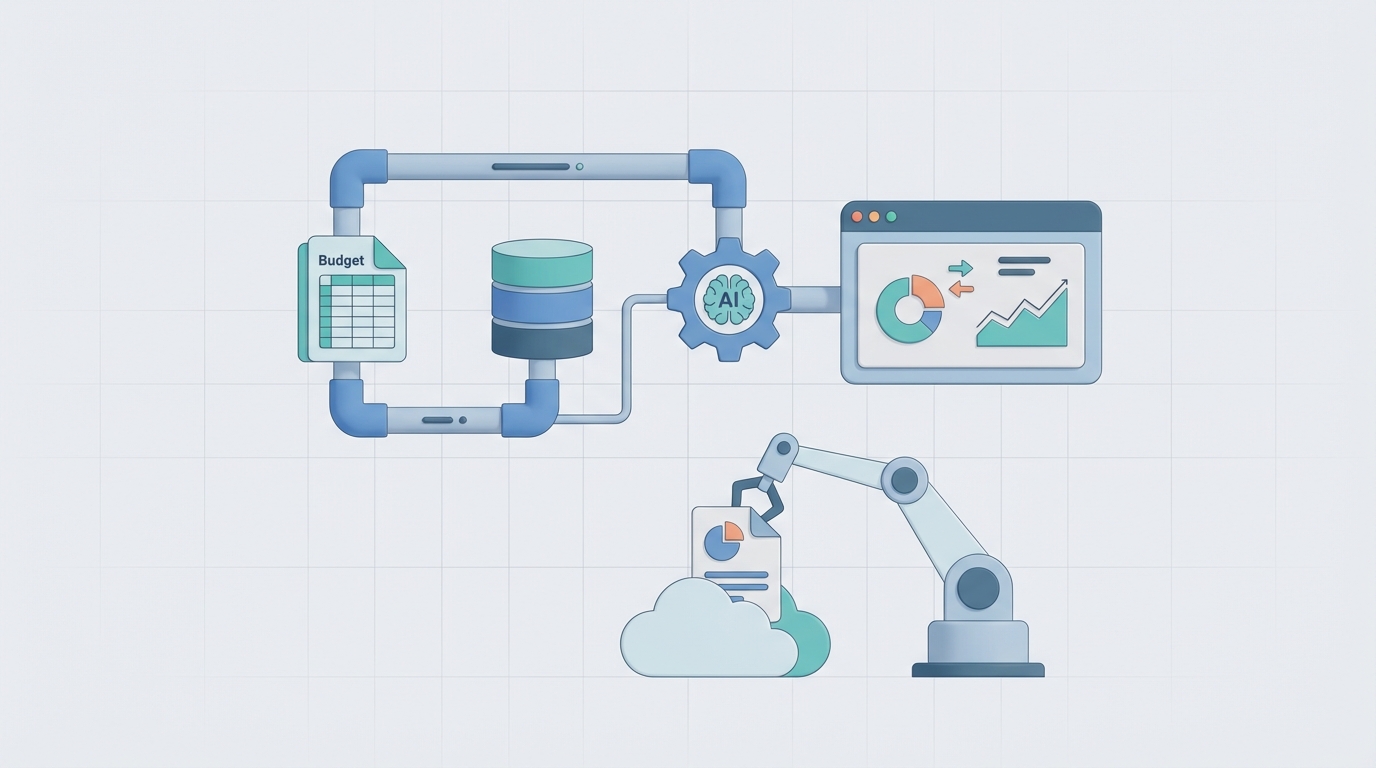
Every month, your finance team pulls data from three or four systems, pastes it into a master spreadsheet, calculates variances, chases down department heads for explanations, writes commentary, reformats everything into a deck, and sends it off — usually 10 to 15 days after month-end. By the time leadership sees the numbers, the insights are stale and the team is already starting the next cycle.
This is the reality of budget vs. actual variance reporting at most companies. Not because the people are slow, but because the process is fundamentally broken. It's a pipeline of manual, repetitive tasks held together by Excel formulas and institutional memory.
Here's the thing: about 60 to 70 percent of this workflow is mechanical. It's data plumbing, arithmetic, and template-filling. That's exactly the kind of work an AI agent can take off your plate — not in some theoretical future, but right now, using OpenClaw.
Let me walk you through how.
The Manual Workflow (And Why It Eats Your Month)
Let's be specific about what actually happens during a typical variance reporting cycle. I've talked to enough finance teams to know the pattern is remarkably consistent:
Step 1: Data Collection (2–4 hours) Someone exports actuals from the ERP or general ledger — SAP, NetSuite, Dynamics, whatever you're running. Then they pull budget figures, which are often stored in a completely separate system (Adaptive Planning, Anaplan, or worse, a standalone spreadsheet that Karen from FP&A maintains). Payroll data comes from yet another source. Revenue figures might live in the CRM.
Step 2: Data Reconciliation and Cleansing (3–6 hours) This is where the real pain starts. Account codes don't map cleanly between systems. Someone changed a cost center mid-quarter. There's a currency conversion issue in the European subsidiary. One-time items need to be identified and either flagged or adjusted. Most of this happens in Excel, manually, with a lot of VLOOKUP and prayer.
Step 3: Variance Calculation (1–2 hours) The actual math is the easy part. Dollar variances, percentage variances, actual vs. budget, actual vs. prior year, maybe forecast vs. budget. But even here, people make mistakes. A misplaced formula, a broken cell reference, a row that got accidentally deleted.
Step 4: Segmentation and Flagging (1–2 hours) Breaking everything down by department, region, product line, cost category. Flagging material variances — anything over 5 percent or $10K, or whatever your thresholds are. This is tedious but straightforward.
Step 5: Investigation and Root Cause Analysis (4–8 hours) This is where the calendar invites start flying. You email the VP of Sales asking why travel expenses are 30 percent over budget. They take two days to respond. You ping the engineering lead about the contractor spend spike. They forward you to someone else. You chase, you wait, you follow up. This step alone can consume more time than all the others combined — not because the analysis is hard, but because the communication overhead is massive.
Step 6: Narrative and Commentary (2–4 hours) Writing explanations for each material variance. "SG&A exceeded budget by $140K (8.2%) primarily driven by unplanned headcount additions in the customer success team and higher-than-expected software licensing costs." You write dozens of these. They need to be accurate, concise, and consistent in tone.
Step 7: Report Compilation, Review, and Distribution (2–4 hours) Building the deck or updating the dashboard. Management review. Revisions. More revisions. Final sign-off. Distribution.
Total: 15–30 hours per cycle for a mid-sized company. For larger organizations with multiple business units, double or triple that. And this happens every single month.
What Makes This Painful (Beyond the Obvious)
The time cost is bad enough. But the real damage is more insidious:
Error rates are significant. Research from the University of Hawaii (frequently cited in finance automation literature) estimates that spreadsheet errors cost organizations over $10 billion annually across the economy. When your variance report is built on eight interconnected spreadsheets maintained by three different people, the odds of a material error aren't trivial.
Your analysts are wasted on data janitoring. McKinsey's 2022 research found that finance teams spend up to 80 percent of their time on low-value manual tasks. Workday's 2023 CFO survey found 67 percent of CFOs say their teams spend too much time reporting and not enough time analyzing. You hired smart people to provide business insight, and they're spending their weeks copying and pasting between tabs.
The reports arrive too late to matter. If your variance report lands 10 to 15 days after month-end, you've already lost the window for corrective action on most operational issues. The numbers become a historical record, not a decision-making tool.
Commentary is inconsistent and subjective. One analyst writes three paragraphs for a $20K variance. Another writes one sentence for a $200K swing. The tone shifts between sections. The level of detail varies wildly. Leadership reads the same report and comes away with different interpretations.
It doesn't scale. Add a new business unit, a new region, or a new product line, and the entire process gets proportionally harder. There's no leverage built into manual workflows.
What AI Can Actually Handle Right Now
I want to be precise here because the AI hype cycle has made people either wildly optimistic or deeply skeptical. Neither extreme is useful.
Here's what an AI agent built on OpenClaw can reliably do today for variance reporting:
Data integration and reconciliation. An OpenClaw agent can connect to your ERP, GL, CPM platform, payroll system, and CRM. It can pull the relevant data on a schedule, map accounts across systems, handle currency conversions, and flag reconciliation issues — all without someone manually exporting CSVs and running VLOOKUP formulas.
Automated variance calculation with intelligent flagging. Beyond simple threshold-based flagging (over 5 percent, over $10K), an OpenClaw agent can use statistical methods to identify genuinely unusual variances. A 15 percent variance in a line item that's inherently volatile (like travel) might not be worth investigating, while a 3 percent variance in a historically stable line item (like rent) might signal a real issue. The agent can learn these patterns over time.
Driver decomposition. For revenue and COGS variances especially, the agent can automatically break down variances into price, volume, and mix components. Instead of telling you "revenue was $500K under budget," it can tell you "revenue missed budget by $500K: $320K from lower volume in the enterprise segment, partially offset by $80K from higher average deal size in mid-market, and $260K from unfavorable product mix shift away from premium SKUs."
First-draft narrative generation. This is where OpenClaw's capabilities really shine. The agent can generate commentary for each material variance based on the data patterns it sees, historical context, and any additional information fed to it (like headcount changes, known one-time events, or market data). These won't be final drafts — but they're solid starting points that an analyst can review and refine in minutes instead of writing from scratch over hours.
Automated report assembly. The agent can populate your standard report templates — whether that's a PowerPoint deck, a PDF, or a dashboard — with the calculated variances, charts, and draft commentary. Every month, same format, same level of detail, zero manual formatting.
Trend analysis and pattern recognition. Over multiple periods, the agent can identify trends that humans might miss: a department that consistently overspends in Q3, a product line where margins are gradually eroding, or a region where actuals consistently beat budget (suggesting the budget itself needs recalibrating).
Step-by-Step: Building the Automation with OpenClaw
Here's how to actually build this. I'm going to be practical about it.
Step 1: Define Your Data Sources and Connections
Start by mapping every system that feeds your variance report. Typical setup:
- General Ledger / ERP: NetSuite, SAP, QuickBooks, Dynamics — this is your source of truth for actuals
- Budget/Forecast System: Adaptive Planning, Anaplan, or (let's be honest) an Excel file on SharePoint
- Payroll: ADP, Gusto, Workday HCM
- Revenue/CRM: Salesforce, HubSpot
- Other: expense management (Brex, Ramp), project systems, etc.
In OpenClaw, you'll configure connectors for each of these. The platform supports API integrations, database connections, and file ingestion (for those inevitable Excel-based budgets). Set these up once and they persist.
Step 2: Build the Account Mapping and Data Model
This is the foundational step most people underestimate. Your GL has 500 accounts. Your budget might be structured at a higher level — 50 line items. You need a mapping layer.
In OpenClaw, you can define this mapping as a structured reference that the agent uses:
Account Mapping:
  GL Accounts 6000-6099 → "Salaries & Wages"
  GL Accounts 6100-6149 → "Employee Benefits"
  GL Accounts 6200-6299 → "Contractor & Consulting"
  GL Accounts 7000-7099 → "Software & Subscriptions"
  GL Accounts 7100-7199 → "Travel & Entertainment"
  ...

Segmentation Dimensions:
  - Department (mapped from cost center)
  - Region (mapped from entity code)
  - Product Line (mapped from revenue account + project code)
You also define your variance thresholds and materiality rules here:
Flagging Rules:
  - Flag if |dollar variance| > $10,000 AND |percentage variance| > 5%
  - Always flag: headcount-related variances, capital expenditure variances
  - Statistical flagging: flag if variance exceeds 2 standard deviations from trailing 12-month pattern
Step 3: Configure the Agent's Workflow
This is where you define what the agent does and in what order. In OpenClaw, you're essentially building an automated workflow with decision logic:
Phase 1 — Data Pull (automated, scheduled) The agent pulls actuals from GL and budget figures from your planning system on a trigger — either a date-based schedule (e.g., business day 3 after month-end) or an event trigger (e.g., when the close is marked complete in your close management tool).
Phase 2 — Reconciliation and Validation The agent reconciles totals, checks for missing departments or accounts, validates that the budget version is the approved one, and flags any data quality issues for human review before proceeding.
Phase 3 — Variance Calculation and Analysis Calculates all variances (dollar, percentage, vs. budget, vs. prior year, vs. forecast). Performs driver decomposition where applicable. Runs statistical anomaly detection. Segments by all defined dimensions.
Phase 4 — Commentary Generation For each flagged variance, the agent generates draft commentary. You can give it context to improve quality:
Agent Context:
  - Q2 headcount plan: 12 new hires in Engineering, 5 in Sales
  - Known one-time items: $45K office buildout in Austin, $28K annual conference sponsorship
  - Market context: industry-wide SaaS price increases averaging 8-12% in 2026
  - Strategic initiatives: Expansion into APAC region launched in March
The agent uses this context to generate explanations like: "Software & Subscriptions exceeded budget by $67K (11.3%). Approximately $40K is attributable to vendor price increases across the SaaS portfolio, consistent with industry-wide pricing trends of 8–12%. The remaining $27K relates to three unbudgeted tools onboarded to support the APAC expansion initiative."
That's a solid first draft. An analyst can review it, adjust the nuance, and approve it in two minutes instead of writing it from scratch.
Phase 5 — Report Assembly The agent populates your report template with all calculated figures, charts, and draft commentary. It outputs in whatever format you need — a structured dashboard update, a slide deck, or a formatted PDF.
Phase 6 — Distribution and Routing The completed draft report is routed to the appropriate reviewer(s). Variances that need business owner input are automatically flagged and sent to the relevant department heads with specific questions, reducing the back-and-forth chase.
Step 4: Iterate and Improve
After the first cycle, review the agent's output. Where was the commentary off? Where did the data mapping break? What additional context would have helped? Feed this back into the agent's configuration. OpenClaw agents get better as you refine their context and rules.
Within two to three cycles, you should have a process that's running at 70 to 80 percent automation with human review and refinement on top.
What Still Needs a Human
I promised no hype, so here's where the automation stops and human judgment begins:
Complex root cause investigation. The agent can tell you that contractor spend in engineering is $200K over budget. It can even hypothesize that it's related to the delayed product launch. But understanding why the launch was delayed, whether the contractor spending was justified, and what it means for next quarter — that requires a human who understands the business context.
Materiality judgment in gray areas. Is a $15K variance in a $2M line item worth discussing with the board? Depends on what caused it. An AI can flag it; a human decides whether it matters.
Tone and political sensitivity. Some variance explanations are politically loaded. "Marketing overspent because the CMO approved an unbudgeted campaign without finance sign-off" might be factually accurate but diplomatically disastrous in a board deck. Humans navigate organizational dynamics. AI doesn't.
Forward-looking recommendations. "Given the Q2 overrun in engineering contractors, we recommend either adjusting the full-year forecast by $400K or converting two contractor roles to FTE to reduce the run rate." That kind of strategic recommendation requires judgment that AI can support but not replace.
Final approval and accountability. Someone still needs to sign off and be accountable for the numbers. That's not automatable, nor should it be.
Expected Time and Cost Savings
Let's be conservative. Based on the workflow we mapped above:
| Step | Manual Time | With OpenClaw Agent | Savings |
|---|---|---|---|
| Data Collection | 2–4 hrs | ~0 (automated) | 2–4 hrs |
| Reconciliation & Cleansing | 3–6 hrs | 0.5–1 hr (review flags) | 2.5–5 hrs |
| Variance Calculation | 1–2 hrs | ~0 (automated) | 1–2 hrs |
| Segmentation & Flagging | 1–2 hrs | ~0 (automated) | 1–2 hrs |
| Investigation & Root Cause | 4–8 hrs | 2–4 hrs (AI pre-populates, humans validate) | 2–4 hrs |
| Narrative & Commentary | 2–4 hrs | 0.5–1 hr (review/edit drafts) | 1.5–3 hrs |
| Report Compilation | 2–4 hrs | ~0 (automated) | 2–4 hrs |
| Total | 15–30 hrs | 3–6 hrs | 12–24 hrs/month |
That's a 75 to 80 percent reduction in time spent. For a team of three FP&A analysts, that's roughly 36 to 72 hours per month freed up — hours that can go toward actual analysis, scenario planning, and business partnership.
In dollar terms: if your blended FP&A analyst cost is $75/hour fully loaded, you're saving $2,700 to $5,400 per month, or $32K to $65K per year. For larger organizations with more complex reporting, multiply accordingly.
But the bigger win isn't the cost savings — it's the speed. Instead of delivering variance reports on day 10 or 15, you're delivering them on day 3 or 4. Leadership gets actionable information while it's still actionable. That's the real ROI, and it's hard to put a precise dollar figure on because it compounds through better decisions.
The Bottom Line
Variance reporting is a perfect candidate for AI augmentation because it's a well-structured process where most of the time goes to mechanical tasks and communication overhead, not actual analysis. You're not replacing your finance team — you're giving them leverage.
The best finance teams in 2026 aren't the ones with the most analysts. They're the ones where analysts spend their time on insight and action instead of data plumbing and formatting.
Ready to build this? You can find pre-built variance reporting agent templates and the components to customize your own on Claw Mart. If you'd rather have someone build and configure the whole thing for you — data connections, account mapping, commentary logic, report templates, the works — check out our Clawsourcing service. We'll pair you with an OpenClaw specialist who can get your automated variance workflow running within a few weeks. Learn more about Clawsourcing here.