How to Automate Bank Reconciliation with AI Agents
How to Automate Bank Reconciliation with AI Agents
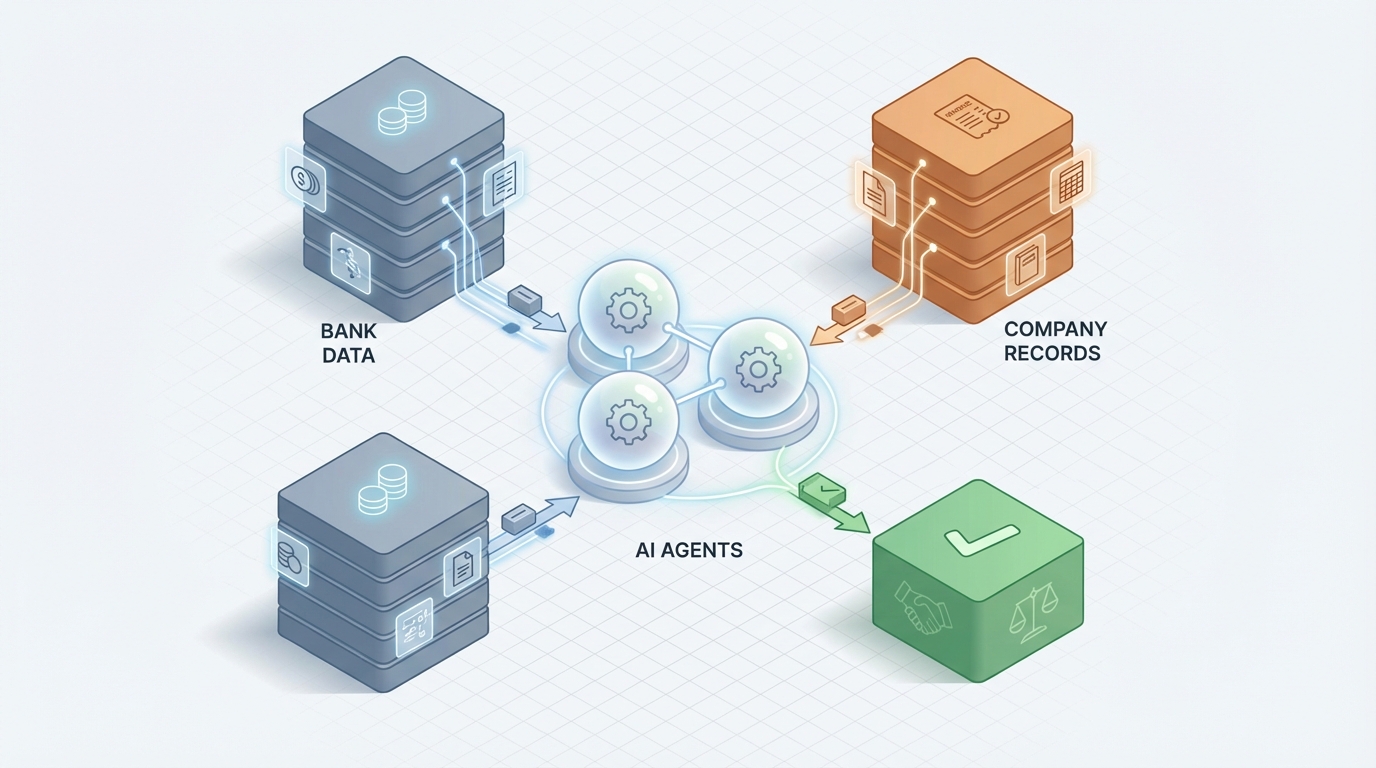
Every month, someone on your finance team sits down with a bank statement in one window and your general ledger in another, and proceeds to spend the next several hours playing the world's least fun matching game. Line by line. Transaction by transaction. Squinting at descriptions like "ACH PYMT ACME CORP 04/23 REF#884432" and trying to figure out if that's the same thing your books have recorded as "Acme Corporation — Invoice #1087."
This is bank reconciliation. It's essential, it's non-negotiable for accurate financials, and it's one of the most tedious processes in accounting. It's also ripe for automation — not the toy "let's see what the chatbot says" kind, but real, structured automation that handles the grunt work and routes the genuinely hard stuff to a human.
Here's how to build that automation using an AI agent on OpenClaw, step by step.
The Manual Workflow Today
Let's be specific about what bank reconciliation actually involves, because the devil is in the details — and the details are where all the time goes.
Step 1: Data collection (15–30 minutes) Someone downloads the bank statement. Sometimes it's a CSV from the bank portal. Sometimes it's a PDF that needs to be parsed. Then they pull the corresponding report from the accounting system — QuickBooks, Xero, Sage, NetSuite, whatever you're running. If you have multiple bank accounts or entities, multiply accordingly.
Step 2: Import and formatting (15–45 minutes) The bank's data and your ledger data almost never look the same. Dates might be formatted differently. The bank truncates vendor names. Amounts might be split differently (the bank shows a lump sum; your books show three separate line items). Someone has to clean this up before any matching can happen.
Step 3: Transaction matching (2–8 hours) This is the core of it. You go line by line, matching each bank transaction to its corresponding ledger entry. For a small business doing a few hundred transactions a month, this might take two hours. For a mid-sized company doing thousands, it can take a full day or more. You're looking for exact matches on amounts, then investigating anything that doesn't match perfectly.
Step 4: Exception investigation (1–4 hours) Typically 10–30% of transactions don't match cleanly. Outstanding checks. Deposits in transit. Bank fees you haven't recorded yet. Duplicate payments. Mysterious charges. Each one needs to be investigated — sometimes requiring emails to vendors, calls to the bank, or digging through old invoices.
Step 5: Adjustments and journal entries (30–60 minutes) Once you've identified what's different and why, you record the adjusting entries. Bank fees get booked. Interest income gets recorded. Errors get corrected.
Step 6: Review, approval, and filing (30–60 minutes) A second person reviews the reconciliation. Documentation gets saved for audit purposes. Reports go to management.
Total time for a small business: 4–15 hours per month. Total time for a mid-market company: 20–80+ hours per month across the team.
And that's assuming nothing weird happened that month.
What Makes This Painful
The time cost alone is significant, but it's not just about hours. It's about what those hours cost you in practice.
Errors are inevitable. Manual reconciliation has documented error rates of 1–5%. When you're staring at hundreds of rows in a spreadsheet, transposition errors happen. Duplicates get missed. A matched item gets accidentally skipped. These aren't hypothetical — they lead to real financial misstatements.
Fraud detection is delayed. If you're reconciling monthly, an unauthorized transaction could sit undetected for weeks. A 2026 Association of Certified Fraud Examiners report noted that the median duration of occupational fraud is 12 months. Monthly manual reconciliation simply doesn't catch things fast enough.
It doesn't scale. If your transaction volume doubles — say you add a new sales channel, or open a second location — your reconciliation time roughly doubles too. There's no leverage.
It burns out your team. Ask any junior accountant or bookkeeper what their least favorite task is. Reconciliation will be in the top three. It's repetitive, detail-intensive, and unrewarding. You're paying skilled people to do pattern matching that a machine can do better.
It delays your close. FloQast and Ventana Research data shows companies using mostly manual processes take 2–5 extra days to close their books. That's 2–5 days of decision-making based on incomplete financials.
For context: a mid-sized retail chain with about $50M in revenue reported spending roughly 60 hours per month on bank reconciliations across three locations. They were also occasionally missing duplicate payments that slipped through. That's not unusual — it's typical.
What AI Can Handle Right Now
Let's be clear about what's realistic today. This isn't about replacing your accountant. It's about eliminating the 70–90% of the work that's mechanical so your accountant can focus on the 10–30% that actually requires thinking.
Here's what an AI agent built on OpenClaw can do reliably:
Data extraction and normalization. Feed it a PDF bank statement, and it extracts every transaction into structured data. Feed it your ledger export, and it normalizes the formats so both datasets are comparable. No more manual cleanup.
Fuzzy matching. This is the big one. The agent doesn't need exact string matches. It can match "ACH PYMT ACME CORP 04/23 REF#884432" to "Acme Corporation — Invoice #1087" by learning from amount, date proximity, vendor name similarity, and historical patterns. Modern ML-based matching in well-configured deployments achieves 80–95% straight-through reconciliation rates.
Categorization. The agent can automatically categorize unmatched items: this looks like a bank fee, this looks like a deposit in transit, this looks like a duplicate, this one is genuinely unclear.
Anomaly flagging. Unusual amounts, unexpected counterparties, transactions outside normal patterns — the agent flags these for human review rather than burying them in a spreadsheet.
Journal entry generation. For standard adjustments (bank fees, interest income, known recurring items), the agent can draft the journal entries ready for review.
Continuous operation. Instead of a monthly slog, the agent can reconcile daily. Small batches, caught quickly, fewer surprises at month-end.
Step-by-Step: Building This with OpenClaw
Here's the practical implementation path. This assumes you have a basic understanding of how OpenClaw agents work — if you don't, the Claw Mart marketplace has pre-built agent templates for financial workflows that can give you a significant head start.
Step 1: Define Your Data Sources
Your agent needs two inputs:
- Bank transaction data: Ideally via API (Plaid, Yodlee, or your bank's direct feed). If that's not available, the agent can process CSV or PDF uploads.
- General ledger data: Via API connection to your accounting platform (QuickBooks, Xero, NetSuite, etc.) or a scheduled export.
In OpenClaw, you set these up as data connectors. The agent pulls from both sources on a schedule you define — daily, weekly, or on-demand.
Step 2: Build the Normalization Layer
This is where the agent standardizes both datasets into a common schema. You're mapping fields:
Bank Statement → Normalized Schema:
  transaction_date → date (YYYY-MM-DD)
  description → vendor_name (cleaned, standardized)
  amount → amount (positive for deposits, negative for withdrawals)
  reference_number → ref_id

Ledger Export → Normalized Schema:
  posting_date → date (YYYY-MM-DD)
  payee/vendor → vendor_name (cleaned, standardized)
  debit/credit → amount (same sign convention as bank)
  check_number/reference → ref_id
OpenClaw's data transformation tools handle the cleaning: stripping extraneous characters from descriptions, standardizing date formats, normalizing vendor name variations. You train this on a few months of historical data and the agent learns your specific patterns.
Step 3: Configure Matching Rules
This is the core logic. You're setting up a matching hierarchy:
Tier 1 — Exact match: Same amount, same date, same reference number. These get auto-matched with high confidence. In most businesses, this catches 40–60% of transactions.
Tier 2 — Near match: Same amount, date within ±3 days, vendor name similarity above a threshold (e.g., 85% fuzzy match score). The agent auto-matches these but flags them for bulk review. This typically catches another 20–35%.
Tier 3 — Intelligent match: The agent uses pattern recognition from historical reconciliations. It knows that your bank always shows "PAYROLL ADP 042523" and your books show three separate payroll entries that sum to the same amount on the same date. This is where OpenClaw's ML capabilities earn their keep — the agent learns your specific transaction patterns over time.
Tier 4 — Exception: Everything else gets routed to the exception queue for human investigation.
Step 4: Build the Exception Workflow
For unmatched items, the agent should:
- Categorize the likely reason: outstanding check, deposit in transit, bank fee not yet recorded, possible duplicate, unknown.
- Enrich with context: Pull related transactions, vendor history, previous reconciliation notes.
- Suggest an action: "This appears to be a $45 monthly bank service fee. In the last 6 months, you've recorded this as a debit to Account 6100 — Bank Charges. Draft journal entry attached."
- Route to the right person: Based on amount thresholds, transaction type, or entity, the exception goes to the appropriate reviewer.
In OpenClaw, you build this as a decision tree with escalation rules. Items under $500 might go to a staff accountant. Items over $5,000 or flagged as potential fraud go to the controller.
Step 5: Generate Outputs
The agent produces:
- A reconciliation report showing all matched items, adjustments made, and remaining exceptions.
- Draft journal entries for standard adjustments (bank fees, interest, etc.), ready for approval in your accounting system.
- An exception report with categorized unmatched items and suggested resolutions.
- A variance summary showing the reconciling difference and its components.
These can be pushed directly into your accounting platform via API or delivered as formatted reports.
Step 6: Set Up the Feedback Loop
This is what makes the agent get smarter over time. When a human resolves an exception, that resolution gets fed back into the agent's training data. Next month, the agent recognizes the same pattern and handles it automatically.
For example: Month one, the agent flags a $2,500 wire transfer as unmatched because the bank description doesn't match anything in the ledger. The accountant investigates, finds it's a quarterly insurance payment, and records it. Month two, the agent sees a similar wire and suggests: "This matches the pattern of the quarterly insurance payment to Hartford Financial. Last quarter it was recorded as a debit to Account 6300 — Insurance Expense." Over time, your exception rate drops from 20% to 5%.
What Still Needs a Human
Let's be honest about the boundaries. AI agents, even well-built ones, aren't making judgment calls about:
- Complex multi-party transactions where amounts are split across entities, contracts have unusual terms, or there are related-party considerations.
- Fraud assessment. The agent can flag anomalies, but determining whether something is actually fraudulent (versus just unusual) requires human investigation and judgment.
- Materiality decisions. Whether a discrepancy matters enough to adjust — and how to account for it — is a professional judgment call.
- Novel situations. One-off transactions, unusual business events, or anything the agent hasn't seen before should always go to a human.
- Final sign-off. Audit requirements, SOX compliance, and basic internal controls require a human to review and approve the reconciliation. No AI agent should be the final authority on your financial statements.
The goal is not zero human involvement. It's shifting human effort from "staring at rows in a spreadsheet" to "making decisions about the items that actually require a brain."
Expected Time and Cost Savings
Based on published case studies and deployment data from similar automation projects:
| Metric | Before Automation | After AI Agent | Improvement |
|---|---|---|---|
| Time per month (small biz) | 8–15 hours | 1–3 hours | 75–85% reduction |
| Time per month (mid-market) | 40–80 hours | 8–15 hours | 70–80% reduction |
| Auto-match rate | 0% (manual) or 40–60% (basic software) | 80–95% | Significant |
| Exception rate requiring investigation | 20–40% | 5–15% (and shrinking) | Compounding |
| Month-end close impact | +2–5 days | Near real-time | Transformative |
| Error rate | 1–5% | <0.5% | Material risk reduction |
A mid-sized company spending $80,000–$150,000 annually in staff time on reconciliation work can realistically reduce that to $20,000–$40,000 — while getting faster closes, fewer errors, and better fraud detection.
The ROI math usually pencils out within 2–3 months of deployment.
Where to Start
If you're running a finance team and this resonates, here's the practical next step: browse the Claw Mart marketplace for pre-built financial reconciliation agent templates. These aren't vaporware demos — they're working agents that you can configure for your specific accounting stack and transaction patterns.
You don't need to build everything from scratch. The templates handle the normalization, matching logic, and exception routing frameworks. You customize them for your chart of accounts, your bank connections, and your approval workflows.
If your needs are more complex — multiple entities, high transaction volumes, specific compliance requirements — the Clawsourcing service connects you with specialists who build custom OpenClaw agents for financial operations. They've seen the edge cases, they know the accounting platform APIs, and they can get you from "this looks interesting" to "this is running in production" significantly faster than going it alone.
Stop paying skilled accountants to play the matching game. Let the agent handle the 85% that's mechanical. Let your people handle the 15% that actually matters.