Freelance Proposal Automation with AI Agents
Win 30% more bids with AI-generated proposals. Respond to RFPs in under an hour.
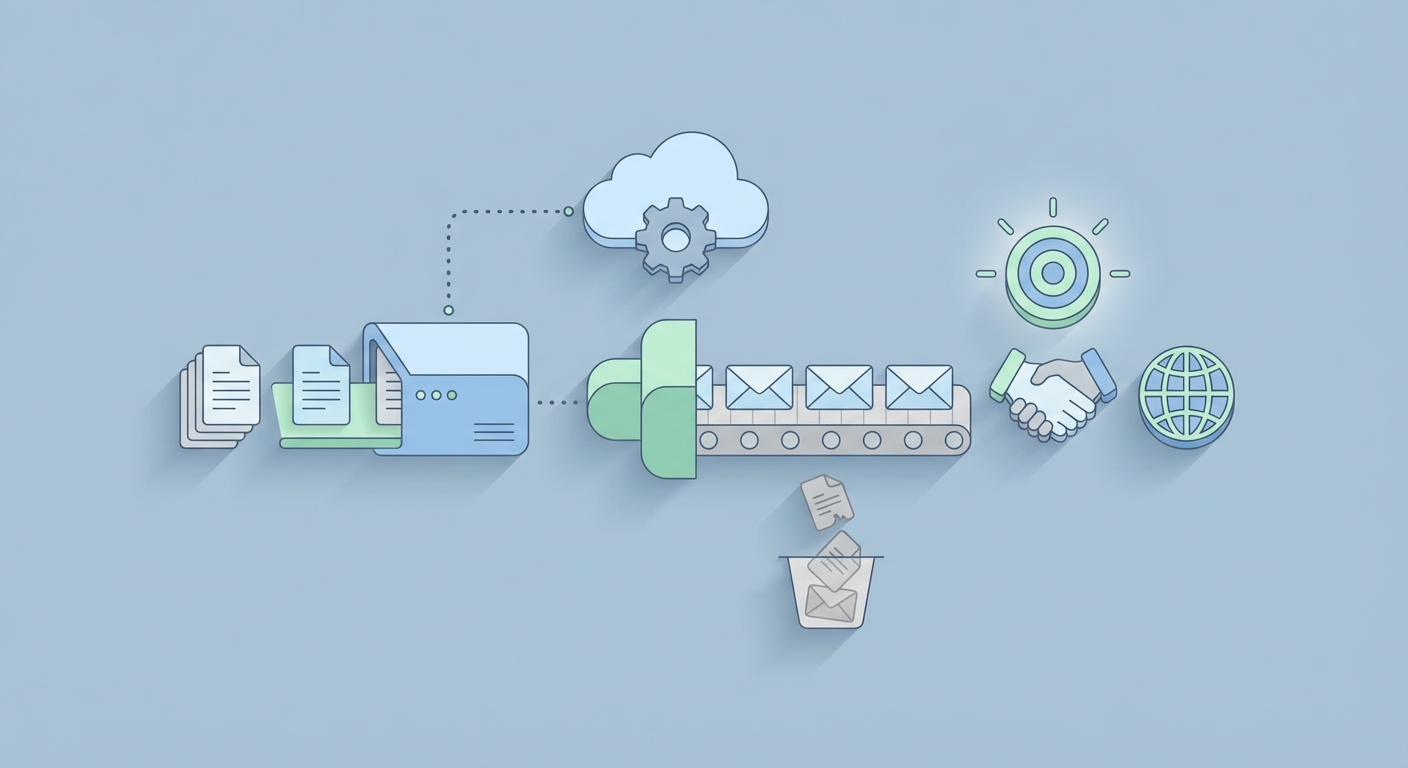
Let's be honest about proposals for a second.
You find a great freelance gig on Upwork. Perfect fit—right skills, right budget, right client. You crack your knuckles, open a blank document, and spend 45 minutes crafting a thoughtful, personalized proposal. You attach a relevant case study. You proofread twice. You hit submit.
Then you do it again. And again. And by the fifth one, you're copying and pasting the same opener, swapping out the client's name, and praying something sticks.
This is Proposal Purgatory, and nearly every freelancer lives there.
The math is brutal. If you spend 30-45 minutes per proposal and send 5-10 per day, you're burning 2.5 to 7.5 hours daily on unpaid work. Most of those proposals vanish into the void. Win rates on platforms like Upwork hover around 5-10% for solid freelancers, which means for every 20 proposals, you might land one or two gigs. That's a lot of wasted afternoons.
But here's what makes this particularly frustrating: most of the work is repetitive. You're pulling the same skills from your profile. You're referencing the same portfolio pieces. You're restructuring the same value propositions. The customization—the part that actually matters—is maybe 20% of the effort. The other 80% is mechanical grunt work.
This is a textbook automation problem. And the freelancers who figure that out first are going to eat everyone else's lunch.
What Proposal Automation Actually Looks Like
I'm not talking about spamming "Dear Sir/Madam, I am expert in your requirement" to 200 job postings. That's not automation—that's a reputation suicide mission.
Real proposal automation means building an intelligent system that:
- Monitors job boards for relevant postings matching your skills
- Extracts and analyzes job details, client history, and budget
- Selects the right template and relevant case studies from your portfolio
- Generates a genuinely personalized proposal that reads like you wrote it (because your AI was trained on how you write)
- Exports a professional PDF ready for submission
- Queues it for your review before you hit send
The key word there is review. The best automation systems don't remove you from the process—they remove the drudgery and let you focus on the 20% that matters: making sure the proposal actually resonates with this specific client.
When done right, you go from sending 5 mediocre proposals per day to reviewing and approving 20-30 good ones. Your win rate goes up because each proposal is better matched. Your volume goes up because you're not starting from scratch every time. And you get your afternoons back.
The data backs this up. Proposify's research shows that personalized proposals with relevant case studies convert at roughly 30% higher rates than generic ones. And freelancers who respond within the first hour of a job posting are significantly more likely to get hired—something that's nearly impossible to do manually if you're, you know, actually working on client projects.
The Architecture: How This Thing Works Under the Hood
Let me walk you through what a proposal automation agent actually looks like, component by component. This isn't theoretical—this is a buildable system.
The pipeline has five stages:
| Stage | What Happens | Key Tech |
|---|---|---|
| Discovery | Find and filter relevant jobs | RSS feeds, APIs, web monitoring |
| Extraction | Pull job details, budget, client info | Parsing, structured data extraction |
| Matching | Select best template + case studies | Semantic search, embeddings |
| Generation | Write personalized proposal | LLM with your voice/style |
| Export | Create professional PDF, queue for review | Templating engine, PDF generation |
Here's how to build each piece.
Stage 1: Job Discovery
You need a way to continuously monitor job postings without manually refreshing Upwork every 10 minutes.
Options, ranked by reliability:
- Platform APIs: Upwork and Freelancer have partner APIs. They're limited, but if you can get access, this is the cleanest approach.
- RSS/Email Parsing: Set up job alerts on platforms, then parse the incoming emails or RSS feeds programmatically.
- Web Monitoring: Tools that watch specific pages for changes and trigger workflows.
The important part is filtering. You don't want every job—you want jobs that match your skills, budget range, and client quality standards. Set up filters for:
- Keywords (e.g., "Python," "dashboard," "data visualization")
- Budget minimums (skip the $50 "build me an app" posts)
- Client history (prefer clients with high hire rates and good reviews)
- Posting recency (prioritize jobs posted within the last 2 hours)
This filtering alone saves massive time. Instead of scrolling through 100 irrelevant listings, you get a curated feed of 10-15 qualified opportunities.
Stage 2: Data Extraction
Once you've identified a promising job, you need to extract structured data from it. Not just the description—everything useful:
{
  "title": "Build Python Dashboard for Sales Analytics",
  "description": "We need an interactive dashboard that...",
  "budget": "$2,000 - $5,000",
  "skills_required": ["Python", "Dash", "PostgreSQL"],
  "client_hire_rate": "85%",
  "client_reviews": 4.8,
  "client_spend_total": "$45,000",
  "posting_age_hours": 1.2
}
This structured data becomes the input for everything downstream. The client's total spend tells you they're serious. The hire rate tells you they actually follow through. The skills list tells you which parts of your portfolio to highlight.
Stage 3: Matching Templates and Case Studies
This is where the magic starts. You need two databases:
A template library — 5-10 proposal templates organized by project type. Web development proposals look different from data analysis proposals. Each template has smart placeholders:
<h1>Proposal for {{job_title}}</h1>
<p>{{personalized_intro}}</p>
<h2>Why I'm the Right Fit</h2>
<p>{{skills_match_section}}</p>
<h2>Relevant Work</h2>
{{case_studies}}
<h2>Approach & Timeline</h2>
<p>{{methodology}}</p>
A case study database — 20-50 past projects stored with rich metadata: skills used, industry, metrics achieved, and full descriptions. Something like this:
{
  "title": "E-Commerce Analytics Dashboard",
  "skills": ["Python", "Dash", "PostgreSQL", "Plotly"],
  "industry": "Retail",
  "metrics": "Reduced reporting time by 60%, saved client 15 hrs/week",
  "description": "Built an interactive sales analytics dashboard...",
  "thumbnail": "ecom_dashboard.png"
}
The matching step uses semantic search to find the 2-3 case studies most relevant to the current job. You embed all your case study descriptions as vectors, then compare them against the job description. The closest matches get pulled into the proposal.
This is dramatically more effective than manually picking case studies because the semantic matching catches relevance you might miss. A job asking for "business intelligence reporting" correctly matches your "data analytics dashboard" case study even though they share zero keywords.
Stage 4: Personalized Generation
Here's where your AI agent earns its keep. Taking the job details, matched template, and relevant case studies, it generates a proposal that sounds like you wrote it, not like a robot regurgitated a form letter.
The prompt engineering matters enormously here. A bad prompt gives you generic slop. A good prompt gives you something indistinguishable from your best manual proposals.
Here's a framework that works:
You are writing a freelance proposal as [Your Name], a [your specialty]
with [X years] experience.

Your writing style is: [direct, confident, specific about deliverables,
light humor, always includes a concrete first step].

JOB DETAILS:
{{job_description}}

CLIENT CONTEXT:
- Budget: {{budget}}
- Hire rate: {{hire_rate}}
- Total spent: {{total_spend}}

RELEVANT CASE STUDIES:
{{matched_case_studies}}

Write a proposal that:
1. Opens with a specific observation about their project (not generic flattery)
2. Identifies their core pain point in one sentence
3. Proposes a concrete approach with 3-4 steps
4. References the most relevant case study with a specific metric
5. Ends with a clear next step (e.g., "Want to do a 15-min call this week?")

Keep it under 300 words. No filler. No "Dear Hiring Manager."
The output should be a proposal that would take you 30-40 minutes to write manually, generated in about 15 seconds.
Stage 5: Export and Review
The final step renders the proposal into a professional PDF using your brand template—logo, colors, formatting, the works. Libraries like WeasyPrint or ReportLab handle this cleanly:
from jinja2 import Template
from weasyprint import HTML

# Merge generated content with your branded template
with open("branded_template.html") as f:
    template = Template(f.read())

rendered = template.render(
    job_title=job["title"],
    personalized_intro=generated_intro,
    case_studies=matched_cases,
    methodology=generated_approach,
    your_name="Your Name",
    your_logo="logo.png"
)

HTML(string=rendered).write_pdf(f"proposals/{job['title']}_proposal.pdf")
The proposal lands in your review queue. You spend 2-3 minutes scanning it, tweaking a sentence or two if needed, and approving it for submission. That's your 20% contribution—the human judgment that makes sure nothing weird slipped through.
Building This with OpenClaw
Now, everything I just described sounds like a lot of infrastructure to set up. And if you were stitching together seven different Python libraries, managing API keys for three services, and debugging Playwright selectors every time Upwork updates their CSS—it would be.
This is exactly the kind of agent workflow that OpenClaw was built for.
OpenClaw is a platform on Claw Mart designed for building AI agents like this—multi-step workflows that combine data extraction, AI generation, semantic search, and document output into a single deployable pipeline. Instead of gluing together LangChain + FAISS + Jinja2 + WeasyPrint + cron jobs and hoping nothing breaks at 3 AM, you build the agent visually, test it, and deploy it.
Here's what the workflow looks like in OpenClaw:
- Job Monitor Node → Watches your configured sources (RSS feeds, email alerts, API endpoints) and fires when new matching jobs appear
- Extraction Node → Parses the job posting into structured data (title, description, budget, skills, client info)
- Filter Node → Applies your criteria: minimum budget, required skills overlap, client quality thresholds. Jobs that don't pass get dropped.
- Case Study Retrieval Node → Searches your embedded case study database (OpenClaw handles the vector storage) and returns the top 3 matches
- Proposal Generation Node → Takes structured job data + matched case studies + your writing style prompt and generates the personalized proposal text
- Template Render Node → Merges generated text into your branded HTML/PDF template
- Review Queue → Sends the finished proposal to your dashboard (or Slack, email, whatever) for quick review before submission
The whole thing runs on a schedule—every 30 minutes, every hour, whatever cadence you set. You wake up, open your review queue, scan 15 proposals over coffee, approve the good ones, tweak any that need it, and submit. What used to take your entire morning now takes 20 minutes.
The semantic search piece is particularly valuable here. OpenClaw's built-in vector storage means you upload your case studies once, and the retrieval just works. No managing a separate Pinecone instance. No writing embedding pipeline code. You add a new case study, it gets indexed automatically, and it starts appearing in relevant proposals.
If you want to browse what other agents and tools are available for freelancers—proposal-related or otherwise—Claw Mart has a growing directory of automation templates and agent configurations you can use as starting points.
The Numbers: Why This Actually Moves the Needle
Let's do the math on a real scenario.
Before automation:
- 5 proposals/day × 30 min each = 2.5 hours/day
- Win rate: 8% (industry average for decent freelancers)
- Wins per week: ~2.8
- Time spent on proposals per week: 12.5 hours
After automation with OpenClaw:
- 25 proposals/day × 3 min review each = 1.25 hours/day
- Win rate: 11% (higher because of better personalization + faster response time)
- Wins per week: ~13.75
- Time spent on proposals per week: 6.25 hours
That's a 5x increase in wins while spending half the time. Even if my win rate assumptions are conservative, the volume increase alone changes the game.
And there's a compounding effect. More wins means more completed projects. More completed projects means more case studies in your database. More case studies means better matching. Better matching means higher win rates. It's a flywheel.
Best Practices (So You Don't Get Banned or Look Like a Robot)
A few hard-earned rules:
1. Always review before submitting. Automation that submits without human review will eventually send something embarrassing. A proposal that references the wrong technology or misreads the client's needs doesn't just lose that bid—it damages your reputation.
2. Respect platform terms. Upwork explicitly prohibits automated submission bots. The smart approach is automating everything up to submission—discovery, writing, formatting—and doing the actual submit click yourself. This is both ethical and pragmatic. Getting banned from Upwork isn't worth the time savings.
3. Rate-limit everything. If you're pulling job data from any platform, keep requests slow and infrequent. One to two requests per minute maximum. Use delays that vary randomly (3-8 seconds between actions). Behave like a human, not a bot.
4. Track your metrics. Log every proposal: job title, client, date sent, whether you got a response, whether you won. After 100 proposals, you'll have real data on which templates, which case study pairings, and which types of jobs convert best. Then optimize.
5. Keep your case study database fresh. Every completed project should get added within a week. Stale portfolios lead to stale proposals.
6. Personalization isn't optional. The whole point of using AI here is to make better proposals, not just more of them. If your generated proposals read like templates, your prompt engineering needs work. Iterate on your prompts until the output genuinely sounds like your best writing.
Getting Started This Week
You don't need to build the full pipeline on day one. Here's a realistic progression:
Week 1: Set up your case study database. Write detailed descriptions for your 20 best projects. Include metrics, skills used, and client context. This is the foundation everything else builds on.
Week 2: Build your template library. Write 5 proposal templates for your most common project types. Include placeholders for personalization. Test them manually—send a few proposals using the templates to make sure they convert.
Week 3: Set up the automation pipeline in OpenClaw. Connect your job monitoring sources, configure your filters, wire up the generation and templating nodes. Run it in "draft mode"—generating proposals but not sending them—so you can evaluate quality.
Week 4: Go live. Start your daily review-and-submit routine. Track everything. Optimize prompts and templates based on what converts.
By month two, you should have a system that consistently produces proposals you're proud of, at a volume you could never sustain manually.
The freelancers who figure out this workflow aren't just saving time. They're operating at a completely different scale than their competition. While everyone else is stuck in Proposal Purgatory, writing one bid at a time, you've got a machine feeding you qualified opportunities and professionally packaged proposals every morning.
The tools exist. The approach works. The only question is whether you build it now or keep spending your afternoons copying and pasting.
Head to Claw Mart and check out OpenClaw to start building your proposal agent today. Your future self—the one with a full client roster and free afternoons—will thank you.
Recommended for this post
Automate end-to-end recruitment from sourcing to interview-ready candidates with AI.
 Victoria
Three-level OODA strategy, five-phase Ralph execution, and a recursive feedback engine. Your agent gets faster — this makes it get better.
 JerryRunsOps
The skill every OpenClaw user needs. Gives your agent persistent memory across sessions — daily logs, long-term recall, and structured knowledge that survives restarts. Less than a coffee.