Client Onboarding Automator: Streamline Intake Forms, Contracts, and Kickoffs for Agencies
Streamline intake forms, contracts, and kickoffs for agencies. Scale to $50k/month.
Most agencies hit a ceiling around $15-20k/month, and it's almost never because they can't find clients.
It's because every new client that comes through the door creates a cascading shitstorm of manual work: intake forms get half-filled out, contracts sit in someone's inbox for a week, kickoff calls get scheduled and rescheduled, and by the time you actually start doing the work you were hired for, the client's already annoyed and you've burned 6-8 hours of unbillable time.
Multiply that by 5-10 new clients a month and you've got a full-time job that produces exactly zero revenue.
I've watched agencies try to solve this by hiring operations people, buying project management tools, building Notion templates. All of those help a little. None of them fix the core problem: client onboarding is a sequential, multi-step, multi-party process that's deeply annoying for humans to manage but almost trivially easy for an AI agent to handle.
So let's build the thing.
What "Client Onboarding" Actually Means (And Why It Breaks)
Before we automate anything, let's be honest about what's happening in most agencies when a new client signs on:
Step 1: Intake. You send a Google Form or Typeform. The client fills out half of it, skips the important questions, and writes "see attached" with no attachment. You follow up. They respond three days later.
Step 2: Contract. You send a proposal or SOW via DocuSign or PandaDoc. The client's "legal team" (their spouse) wants to change the payment terms. Two rounds of edits. Another week gone.
Step 3: Payment. You invoice or set up a subscription. The client asks if they can pay by check. You die a little inside. Eventually Stripe gets involved.
Step 4: Kickoff. You schedule a call. The client no-shows. You reschedule. On the call, you ask questions that were already in the intake form because they didn't fill it out properly.
Step 5: Setup. You need access to their accounts, brand assets, login credentials, existing analytics. You send a list. They send half of it. You follow up for three weeks.
The total elapsed time from "yes, let's work together" to "we are actually doing the work" is typically 2-4 weeks. During that time, buyer's remorse is festering, your team is context-switching, and you're spending hours on work that looks identical for every single client.
This is the automation target. Not the creative work. Not the strategy. The boring, sequential, "did you get that thing I sent you" stuff that eats your life.
The Architecture: What We're Building
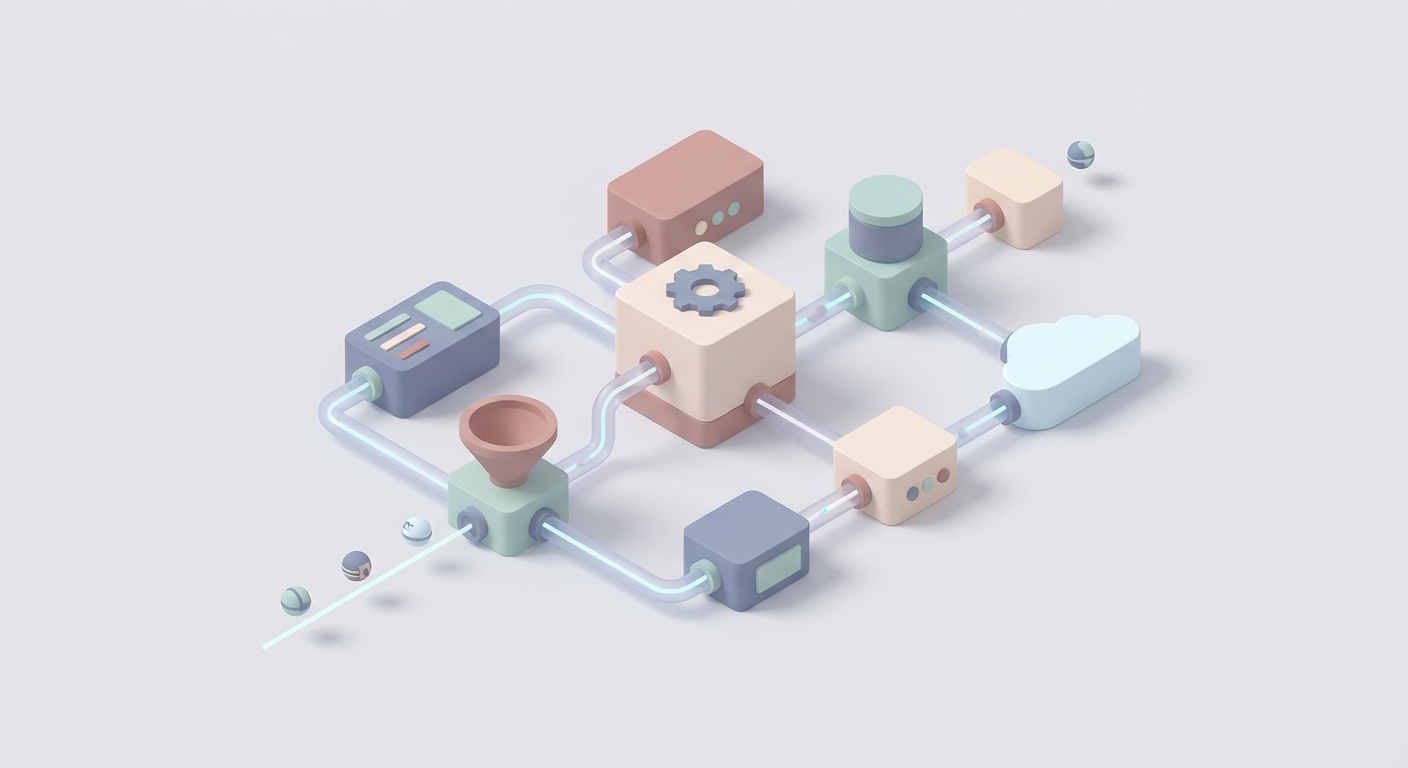
Here's the system at a high level:
Trigger (Deal Won in CRM)
    → AI Agent generates + sends intake form
    → Responses validated by AI, follow-ups sent automatically
    → Contract generated from template with intake data
    → Sent for e-signature
    → On signature: payment link triggered
    → On payment: kickoff scheduled automatically
    → Pre-kickoff packet assembled (asset requests, access checklists)
    → Post-kickoff: project workspace created, tasks assigned
Every step is conditional. Every step has fallback logic. The AI agent handles the weird edge cases—incomplete forms, questions about the contract, missing assets—that normally require a human to intervene.
The stack:
- Orchestration: n8n (self-hosted) or Make.com (hosted). I prefer n8n because it's open source, you can self-host for pennies, and the webhook handling is cleaner.
- AI Layer: OpenAI GPT-4o via API (for parsing, generating, and decision-making).
- Forms: Tally (free, clean, has webhooks) or Typeform.
- Contracts: PandaDoc API (programmatic document generation + e-signatures).
- Payments: Stripe (obviously).
- Scheduling: Cal.com (open source, API-first).
- Communication: Slack (for internal), email via Resend or SendGrid.
- CRM: HubSpot free tier or Pipedrive.
- Project Management: Linear, Asana, or Notion API.
Total cost to run: ~$100-200/month plus API usage. Maybe $300 if you're processing 20+ clients/month.
Building It: Step by Step
Phase 1: The Intelligent Intake
The intake form is where most onboarding processes quietly die. Not because the form is bad, but because the follow-up is bad.
Here's what the automation does:
1. Trigger on deal close. When a deal moves to "Won" in your CRM, a webhook fires to n8n.
2. AI generates a customized intake form. This is where it gets interesting. Instead of sending the same generic form to every client, the AI agent looks at the deal data (service type, industry, package tier) and generates a tailored intake form.
// n8n Function Node: Generate intake questions
const dealData = $input.first().json;

const prompt = `You are an onboarding specialist for a ${dealData.service_type} agency.
Generate a JSON array of intake questions for a new client in the ${dealData.industry} industry
who purchased the ${dealData.package} package.

Include:
- Business basics (name, URL, team contacts)
- Service-specific questions (for ${dealData.service_type})
- Access/credential requirements
- Goals and KPIs they care about
- Timeline expectations

Return valid JSON array with objects containing:
{question: string, type: "text"|"url"|"email"|"textarea"|"select", required: boolean, options?: string[]}

Only return the JSON. No commentary.`;

const response = await this.helpers.httpRequest({
  method: 'POST',
  url: 'https://api.openai.com/v1/chat/completions',
  headers: {
    'Authorization': `Bearer ${$credentials.openAiApi.apiKey}`,
    'Content-Type': 'application/json',
  },
  body: {
    model: 'gpt-4o',
    messages: [{ role: 'user', content: prompt }],
    temperature: 0.3,
  },
});

const questions = JSON.parse(response.choices[0].message.content);
return [{ json: { questions, dealData } }];
3. Create the form programmatically. Use the Tally API (or Typeform's Create API) to build the form, then send the link to the client via email.
4. AI validates responses. When the form is submitted, the webhook hits n8n again. Now the AI agent reviews the responses:
// n8n Function Node: Validate intake responses
const responses = $input.first().json.responses;
const dealData = $input.first().json.dealData;

const prompt = `Review these client intake form responses for a ${dealData.service_type} engagement.

Responses:
${JSON.stringify(responses, null, 2)}

Check for:
1. Missing or incomplete answers (especially required fields)
2. Answers that seem copy-pasted or nonsensical
3. Missing URLs, credentials, or access information we'll need
4. Any red flags or misaligned expectations vs the ${dealData.package} package

Return JSON:
{
  "status": "complete" | "needs_followup",
  "missing_items": [{"field": string, "issue": string, "followup_message": string}],
  "red_flags": [string],
  "summary": string
}`;

// ... API call same pattern as above
If the status is needs_followup, the agent automatically sends a friendly email asking for the specific missing items. No human intervention needed. If there are red flags (like expectations that don't match the package), it alerts the account manager in Slack.
This alone saves 2-4 hours per client and eliminates the "I'm still waiting on their intake form" bottleneck.
Phase 2: Contract Generation and Signing
Once the intake is validated, the agent generates the contract.
1. Template selection. Based on the deal data (service type, package, payment terms), the agent selects the right PandaDoc template.
2. Variable injection. Client name, company, scope of work, pricing, payment schedule, start date—all pulled from the CRM deal and intake form responses, injected via the PandaDoc API.
// n8n HTTP Request Node: Create PandaDoc document
const pandadocPayload = {
  name: `${dealData.company_name} - ${dealData.service_type} Agreement`,
  template_uuid: templateMap[dealData.package], // Map packages to templates
  recipients: [
    {
      email: dealData.client_email,
      first_name: dealData.client_first_name,
      last_name: dealData.client_last_name,
      role: 'Client',
    }
  ],
  tokens: [
    { name: 'client.company', value: dealData.company_name },
    { name: 'project.scope', value: intakeSummary.scope },
    { name: 'project.price', value: dealData.deal_value },
    { name: 'project.start_date', value: calculateStartDate(dealData) },
    { name: 'payment.schedule', value: dealData.payment_terms },
  ],
  pricing_tables: [{
    name: 'Services',
    sections: [{
      title: dealData.package,
      default: true,
      rows: generateLineItems(dealData),
    }]
  }]
};
3. Auto-send for signature. The document gets created and sent in one API call. The client gets an email with the signing link.
4. Webhook on signature. PandaDoc fires a webhook when the contract is signed. This triggers Phase 3 immediately—no human checking "did they sign yet?"
Phase 3: Payment + Scheduling Cascade
The moment the contract is signed, two things happen simultaneously:
Payment: A Stripe payment link (or invoice) is generated and sent. For retainers, a subscription is created. The code is straightforward:
// Create Stripe checkout session
const session = await stripe.checkout.sessions.create({
  customer_email: dealData.client_email,
  line_items: [{
    price: stripePriceMap[dealData.package],
    quantity: 1,
  }],
  mode: dealData.payment_terms === 'monthly' ? 'subscription' : 'payment',
  success_url: `${baseUrl}/onboarding/payment-success?client=${dealData.id}`,
  metadata: {
    deal_id: dealData.id,
    client_company: dealData.company_name,
  }
});
Scheduling: A Cal.com booking link is generated with pre-configured availability and sent to the client. The kickoff call agenda is auto-generated by the AI based on the intake responses:
const agendaPrompt = `Based on these intake responses, generate a focused 30-minute
kickoff call agenda for a ${dealData.service_type} engagement:

${JSON.stringify(intakeResponses, null, 2)}

Focus on: confirming goals, clarifying any ambiguous responses,
aligning on communication preferences, and setting first-week expectations.
Keep it to 4-6 agenda items max.`;
The agenda gets attached to the calendar invite automatically. Your team walks into the kickoff already knowing everything. The client feels like you've done your homework. Because the robot did.
Phase 4: Workspace Setup
On payment confirmation (Stripe webhook), the final phase triggers:
- Project created in Linear/Asana via API with templated tasks for the service type.
- Slack channel created (if you do client channels) with the client invited.
- Asset request email sent with a specific checklist of what you need (logos, brand guidelines, account access), generated from the intake data.
- Welcome packet sent—a Notion page or PDF with: who their team is, communication expectations, what happens in week 1, how to reach you.
- Internal notification in Slack: "🎉 [Company] is fully onboarded. Kickoff call: [date]. Project board: [link]."
Total time from contract signature to fully set up project: under 10 minutes, with zero human involvement.
The AI Agent Layer: Handling the Messy Middle
The automation above handles the happy path. But onboarding is messy. Clients ghost on forms. They have questions about the contract. They want to change the payment terms after signing.
This is where the AI agent earns its keep.
Set up a dedicated email address (e.g., onboarding@youragency.com) that's monitored by n8n. Every incoming email gets routed through GPT-4o with context about where that client is in the onboarding flow:
const classificationPrompt = `You are an onboarding assistant for a marketing agency.

Client: ${clientData.company_name}
Current onboarding stage: ${clientData.stage}
Outstanding items: ${JSON.stringify(clientData.pending_items)}

They sent this email:
"${incomingEmail.body}"

Classify the intent and draft a response:
{
  "intent": "question_about_contract" | "request_change" | "providing_missing_info" |
            "scheduling_issue" | "escalation_needed" | "other",
  "can_auto_respond": boolean,
  "draft_response": string,
  "internal_alert": string | null,
  "update_stage": string | null
}

Be helpful, professional, concise. If the request requires human judgment
(scope changes, discounts, legal questions), set can_auto_respond to false
and write an internal alert for the account manager.`;
If can_auto_respond is true, the agent sends the response. If not, it drafts the response and pings the account manager in Slack with context. The account manager approves, edits, or takes over.
In practice, 70-80% of onboarding communications can be handled automatically. The remaining 20-30% get routed to humans with full context, so even the manual responses take a fraction of the time.
Scaling This to $50k/month
There are two ways to make money with this system:
Path 1: Use It Internally
If you're running an agency, this system lets you onboard 3-5x more clients without hiring operations staff. The math is simple:
- Before: 6-8 hours of ops time per client × $50/hour = $300-400 in ops cost per client
- After: ~30 minutes of human oversight per client = ~$25 in ops cost per client
If you're onboarding 15-20 clients/month, you just saved $4,000-7,500/month in ops costs (or freed up that capacity for billable work). More importantly, you eliminated the bottleneck that was capping your growth.
Path 2: Sell It as a Service
This is the more interesting path. Build it once, sell it to other agencies. Here's the business model:
Offer: "Done-for-you client onboarding automation."
- Setup fee: $3,000-5,000 (covers building the custom flow, integrating with their tools, testing)
- Monthly retainer: $500-1,500/month (monitoring, maintenance, iterations, AI API costs)
You need 10-15 agency clients at $1,000/month average to hit $50k in monthly recurring revenue including setup fees.
Where to find clients: Agency owner communities (Agency Analytics, DigitalMarketer, r/agency), LinkedIn content targeting agency founders, partnerships with CRM and project management tool reps. Agency owners talk to each other constantly. Land three and referrals handle the rest.
The build is highly reusable. About 80% of the workflow is identical across agencies. You customize the intake questions, contract templates, and tool integrations per client. A new implementation should take 15-20 hours after you've built the first two or three.
The Pricing Lever
Here's why this is a good business: the value is obvious and quantifiable. If an agency owner is spending 30 hours/month on onboarding tasks (or paying someone $4-5k/month to do it), your $1,000/month retainer is a no-brainer. You don't have to convince them it's valuable. They feel the pain every single day.
What to Build First
Don't try to build the entire system in a week. Here's the order:
Week 1: Intake form automation. Webhook from CRM → AI-generated form → validation → follow-up emails. This alone is valuable and testable.
Week 2: Contract generation. PandaDoc API integration with template variables. Auto-send on intake completion.
Week 3: Payment + scheduling cascade. Stripe + Cal.com triggered by signature webhook.
Week 4: Workspace setup + AI email agent. The polish that makes the whole thing feel magical.
Week 5-6: Test with real clients. Fix the edge cases. Document everything.
Then start selling it.
Next Steps
- Set up n8n. Self-host on a $5/month Railway or Render instance, or use n8n Cloud ($20/month). Either works.
- Map your current onboarding process. Write down every single step, every email, every "waiting on client" moment. That's your automation spec.
- Build the intake flow first. It's the highest-ROI piece and the easiest to test.
- Get an OpenAI API key and start with GPT-4o-mini for the simple classification and validation tasks. Upgrade to GPT-4o for contract generation and email handling where quality matters more.
- Join the Claw Mart community if you want implementation help, pre-built templates, or to connect with others building agency automation systems.
The agencies that figure out onboarding automation in 2026 are going to eat the ones that don't. The tools are all here. The AI is good enough. The only thing left is building the damn thing.
Recommended for this post

Get 500K TikTok views in a week — without filming a single video

The skill every OpenClaw user needs. Gives your agent persistent memory across sessions — daily logs, long-term recall, and structured knowledge that survives restarts. Less than a coffee.
Coordinate multiple AI agents on complex, multi-step workflows. Break large tasks into parallel sub-tasks, manage dependencies, and aggregate results — without losing context or dropping threads.