Automate Property Showing Scheduling: Build an AI Agent That Coordinates Tours
Automate Property Showing Scheduling: Build an AI Agent That Coordinates Tours
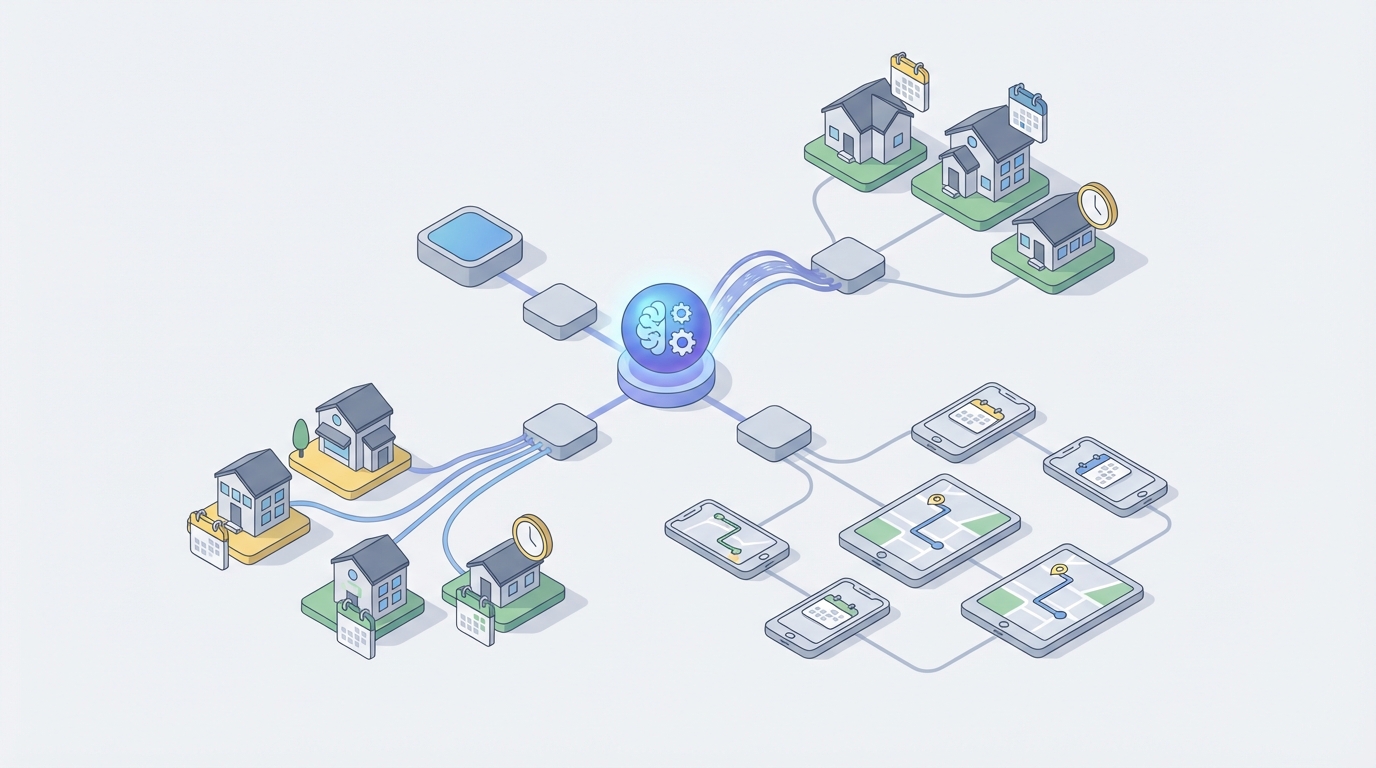
Every real estate agent I've talked to says some version of the same thing: "I didn't get into this business to play phone tag." And yet, that's exactly what a huge chunk of the job has become—especially when it comes to scheduling property showings.
The numbers back this up. Agents spend 11 to 14 hours per week on administrative tasks, and showing coordination consistently ranks in the top three time wasters. A ShowingTime study found that the average showing request takes 3.2 communication attempts to confirm. In competitive markets, listing agents report blowing 2 to 4 hours per day just managing showing requests during peak season.
That's not a career. That's a call center.
The good news: about 70 to 80 percent of the showing scheduling workflow is mechanical enough to automate with an AI agent. The remaining 20 to 30 percent genuinely needs a human. This post walks through exactly how to build that automation using OpenClaw, what to automate, what to leave alone, and what kind of time and money you get back.
The Manual Workflow Today (And Why It's Brutal)
Let's map out what actually happens when a buyer wants to see a property. Every single time.
Step 1: Buyer inquiry. The buyer tells their agent they want to see a listing. This comes in via text, phone call, email, portal message—whatever. No standardization.
Step 2: Availability check. The buyer's agent contacts the listing agent. Phone, text, email, or MLS showing request feature. Often multiple channels simultaneously because nobody responds to just one.
Step 3: Seller coordination. The listing agent reaches out to the seller to confirm the requested time works. The seller needs to vacate the house, deal with pets, maybe tidy up. This often means texting both spouses separately.
Step 4: The back-and-forth. The proposed time doesn't work. New times get suggested. More messages. More waiting. The buyer's agent is trying to line up four showings in one afternoon, so one delay cascades into rescheduling everything.
Step 5: Confirmation and instructions. Once agreed, the listing agent sends confirmation to all parties. Lockbox codes or smart lock access gets shared. Special instructions go out ("Enter through the side door," "Don't let the cat out").
Step 6: Reminders. Ideally someone sends a reminder the day before and the morning of. In practice, this happens maybe half the time.
Step 7: Post-showing follow-up. Feedback requests go out manually. Response rates hover around 20 to 30 percent because agents are already buried in the next round of scheduling.
Now multiply this by 10 to 30 showings per week for an active listing, and you start to see why agents are drowning. This isn't complex work. It's repetitive coordination that follows predictable patterns—which makes it a perfect target for AI automation.
What Makes This So Painful
Beyond just the raw time cost, showing scheduling creates compounding problems:
Double-bookings. When you're juggling multiple text threads and email chains, conflicts happen constantly. Two buyer's agents show up at the same property at the same time. Awkward at best, deal-killing at worst.
No-shows. Without reliable confirmation and reminders, no-show rates run 15 to 25 percent. That's a seller who cleared out of their house, dealt with their dogs, and drove to a coffee shop for nothing.
Seller burnout. Sellers report feeling "kicked out of their house" 8 to 15 times per week during the first month of listing. Many start rejecting showing requests out of sheer exhaustion, which directly hurts their sale price and days on market.
Lost deals from delays. In hot markets, a showing request that takes 6 hours to confirm might mean the buyer moves on to another property. Speed matters, and manual coordination is slow by definition.
Agent relationship damage. When a buyer's agent can never get a timely response on showings, they start steering clients toward other listings. This is invisible revenue loss that never shows up in any report.
The financial cost is real too. If an agent earns $150,000 a year and spends 25 percent of their time on scheduling and related admin, that's $37,500 worth of time going to work that a well-built AI agent can handle.
What AI Can Handle Right Now
Not everything in showing scheduling needs artificial intelligence. Some of it just needs basic automation. But the combination of natural language understanding, calendar logic, and multi-party coordination is where an AI agent on OpenClaw genuinely shines.
Here's what falls cleanly into the "automate it" bucket:
Natural language request parsing. A buyer's agent texts: "Can we see 742 Evergreen Terrace tomorrow at 4 or Thursday morning?" An OpenClaw agent can parse that into structured data—property address, two proposed time slots, relative date references—without any rigid form or dropdown menu.
Availability matching. Cross-referencing the seller's approved showing windows, the listing agent's calendar, and any existing confirmed showings to instantly identify which proposed times work.
Proactive slot suggestion. When none of the proposed times work, the agent doesn't just say "no." It suggests the three nearest available slots, ranked by proximity to the original request.
Instant confirmation. When a request falls within the seller's pre-approved windows and no conflicts exist, confirmation goes out in seconds rather than hours. No human in the loop needed.
Multi-channel communication. The agent sends confirmation via the buyer agent's preferred channel (text, email) and the seller's preferred channel (maybe a different one) simultaneously.
Automated reminders. 24-hour and 2-hour reminders go out to all parties. This alone can cut no-show rates in half.
Smart lock code management. Generate unique, time-limited access codes for each showing. Revoke them automatically after the showing window closes.
Post-showing feedback collection. Personalized follow-up messages go out within an hour of the showing, with specific prompts rather than generic "How'd it go?" requests. This consistently improves response rates.
Conflict detection and rescheduling. When a cancellation happens, the agent automatically offers the freed slot to anyone on the waitlist for that property.
Step by Step: Building the Showing Scheduler on OpenClaw
Here's how to actually build this. I'm going to be specific because vague "just use AI" advice helps no one.
Step 1: Define the Seller Preference Schema
Before the agent can do anything, it needs to know each seller's rules. Build a structured input that captures:
property:
  address: "742 Evergreen Terrace"
  mls_id: "MLS12345"
  listing_agent: "agent@realty.com"

showing_preferences:
  approved_windows:
    - days: ["monday", "tuesday", "wednesday", "thursday", "friday"]
      start: "10:00"
      end: "14:00"
    - days: ["saturday"]
      start: "11:00"
      end: "15:00"
  blackout_dates: ["2026-07-04", "2026-07-05"]
  minimum_notice_hours: 4
  maximum_daily_showings: 6
  buffer_between_showings_minutes: 30
  requires_seller_approval: false
  special_instructions: "Enter through side door. Do not open back gate—dog in yard."

seller_contact:
  preferred_channel: "sms"
  phone: "+15551234567"
  notify_on: ["confirmation", "cancellation"]
This schema becomes the ruleset your OpenClaw agent operates against. When requires_seller_approval is false and the request falls within approved windows, the agent handles everything autonomously. When it's true, the agent handles all coordination but pings the seller for final sign-off before confirming.
Step 2: Build the Request Intake Agent
This is the core OpenClaw agent. It receives incoming showing requests from any channel and processes them. Here's the logic flow:
TRIGGER: Incoming message (email, SMS, or API call from MLS system)

STEP 1: Parse the request
  → Extract: property identifier, requested date/time(s), buyer agent info
  → Handle natural language: "tomorrow afternoon" → specific date + time range
  → Handle multiple options: "Tuesday at 2 or Wednesday at 10"

STEP 2: Look up property preferences
  → Pull the seller preference schema for the requested property
  → Load current showing calendar

STEP 3: Check availability for each proposed time
  → Is the time within an approved window?
  → Is minimum notice met?
  → Is there a conflict with an existing showing?
  → Is the daily showing limit reached?
  → Is there sufficient buffer between showings?

STEP 4: Decision routing
  IF at least one proposed time is available AND seller approval not required:
    → Confirm immediately
    → Send confirmation to buyer's agent + notification to seller
    → Generate smart lock code if applicable
    → Add to calendar
    → Schedule reminders (24h and 2h before)

  IF at least one proposed time is available AND seller approval required:
    → Send approval request to seller via preferred channel
    → Hold the slot for 2 hours
    → If approved: confirm (same as above)
    → If no response in 2 hours: follow up once, then release slot
    → If declined: suggest alternative times

  IF no proposed times work:
    → Generate 3 nearest available alternatives
    → Send to buyer's agent with explanation
    → Example: "The 2 PM slot on Tuesday is taken, but I have
      10:30 AM Tuesday, 1:00 PM Wednesday, or 11:00 AM Thursday
      available. Which works best?"

STEP 5: Log everything
  → Record request, response, confirmation, and all timestamps
  → Update CRM/MLS showing records
In OpenClaw, you'd build this as a multi-step agent with tool access to your calendar system, contact database, and smart lock API. The natural language parsing layer is where OpenClaw's LLM capabilities do the heavy lifting—turning unstructured text into structured showing requests without forcing agents to fill out forms.
Step 3: Connect Your Data Sources
The agent needs to talk to several systems. Set up these integrations:
Calendar integration. Google Calendar or Outlook via API. The agent reads existing events (to check conflicts) and writes new events (confirmed showings). If you're using ShowingTime, connect to their API as your source of truth instead.
Communication layer. Twilio or a similar service for SMS. SendGrid or your existing email system for email. The agent should be able to send and receive on both channels.
Smart lock integration. If the property uses August, Yale, SmartRent, or similar, connect via their API. The agent generates a unique code with a time window (showing time ± 15 minutes) and revokes it automatically after.
CRM integration. Push showing data into whatever CRM the brokerage uses—kvCORE, Follow Up Boss, whatever. This ensures the listing agent has full visibility without having to do any data entry.
OpenClaw handles the orchestration layer. Each of these external services becomes a tool the agent can call as needed. You configure them once, and the agent decides when to invoke each one based on the conversation flow.
Step 4: Build the Feedback Loop
After each showing, trigger a separate sub-agent focused on feedback collection:
TRIGGER: 60 minutes after showing end time

STEP 1: Send personalized feedback request to buyer's agent
  → "Hi [Agent Name], thanks for showing [Property Address] today.
     Quick question: how did your client feel about the property?
     Any concerns about price, condition, or layout?"

STEP 2: Parse response
  → Categorize: interested / not interested / needs follow-up
  → Extract specific concerns (price, condition, location, etc.)

STEP 3: Summarize for listing agent
  → "[Buyer Agent] showed the property at 2 PM. Their client liked
     the layout but felt the kitchen needed updating. Interest level:
     moderate. They may follow up with an offer if the price adjusts."

STEP 4: If no response after 24 hours
  → Send one gentle follow-up
  → After 48 hours, log as "no feedback received" and move on
This alone is worth the entire build. Feedback response rates jump from 20–30 percent to 50–60 percent when the request is timely, personalized, and easy to respond to conversationally rather than through a formal survey link.
Step 5: Set Up the Dashboard
The listing agent needs visibility into what the agent is doing. Build a simple dashboard (or use your existing CRM's reporting) that shows:
- Total showing requests this week
- Confirmed vs. declined vs. pending
- Average time from request to confirmation
- No-show rate
- Feedback summary (aggregated buyer sentiment)
- Any requests flagged for human review
This dashboard is how the agent stays in control without being in the loop for every routine request.
What Still Needs a Human
Let's be honest about the boundaries. AI shouldn't handle everything, and pretending otherwise sets you up for problems.
Unusual or sensitive requests. A buyer's agent asks to bring a film crew. Someone wants to show the property at 9 PM. A request comes in from someone who isn't a licensed agent. These are edge cases that need human judgment.
Emotional seller situations. Divorce sales. Estate sales. Sellers who are anxious or grieving. The AI should route these to the listing agent rather than sending a chipper confirmation text.
Relationship-critical interactions. When a top-producing buyer's agent in the area makes a request, some listing agents want to handle that personally. The system should let them flag VIP contacts for manual handling.
Legal and disclosure issues. The AI shouldn't be making judgment calls about whether to disclose something during showing coordination. If a property has active repairs, a recent incident, or any other disclosure issue, a human needs to manage the communication around showings.
Overriding the rules. Sometimes a seller says "no showings this week" but then a serious buyer appears. The decision to make an exception is inherently human.
The smart approach: configure the OpenClaw agent with clear escalation triggers. When it encounters something outside its ruleset, it doesn't guess—it flags it, notifies the listing agent, and holds the request until a human responds.
Expected Time and Cost Savings
Let's put real numbers on this.
Time savings per listing agent:
- Current time on showing coordination: 10 to 15 hours per week
- Time after automation: 2 to 4 hours per week (handling exceptions and human-required tasks)
- Net savings: 8 to 11 hours per week
Time savings per buyer's agent:
- Current time waiting for showing confirmations: 3 to 5 hours per week
- Time after automation: under 1 hour per week (most confirmations are instant)
- Net savings: 2 to 4 hours per week
Financial impact for a listing agent doing $200K/year:
- 10 hours/week saved × 50 weeks = 500 hours/year
- At an effective hourly rate of ~$100, that's $50,000 worth of time redirected to revenue-generating activities
Operational improvements:
- Confirmation time drops from hours to minutes (for pre-approved windows)
- No-show rates decrease by 40 to 50 percent with automated reminders
- Feedback response rates roughly double
- Double-booking incidents drop to near zero
- Seller satisfaction improves significantly (fewer disruptions, more predictability)
Cost of the automation:
Building this on OpenClaw with the necessary integrations (Twilio, calendar API, smart lock API, CRM) runs significantly less than hiring a virtual assistant to do the same work—and it operates 24/7 without breaks, missed messages, or timezone issues.
Where to Start
Don't try to build the whole system at once. Here's the sequence I'd recommend:
Week 1: Set up the seller preference schema for your active listings. Just getting sellers to define their approved windows and notification preferences is valuable even before automation.
Week 2: Build the core intake agent on OpenClaw. Start with email-based requests only. Parse, check availability, and send confirmation or alternatives.
Week 3: Add SMS as an intake channel. Connect the calendar integration so confirmed showings appear automatically.
Week 4: Add the automated reminder and feedback collection sub-agents.
Week 5+: Layer in smart lock integration, CRM syncing, and the reporting dashboard.
Each week gives you something functional that saves time immediately. You don't need to wait for the whole system to be perfect.
If you want pre-built agents and components for real estate workflows like this, check out Claw Mart—there are ready-made agents and templates specifically designed for property management and real estate coordination tasks. You can grab what's relevant and customize it for your brokerage's specific tools and processes rather than building every piece from scratch.
The showing scheduling problem isn't actually a technology problem. The technology to solve it exists right now. It's an implementation problem—and the agents and brokerages that implement it first get a genuine competitive advantage in responsiveness, seller satisfaction, and agent productivity.
Stop playing phone tag. Build the agent.
Looking for help building custom AI agents for your real estate workflow? The Clawsourcing team can design, build, and deploy showing schedulers and other real estate automation agents tailored to your brokerage's specific tools and processes. Reach out and let someone else handle the build while you get back to closing deals.