Automate OFAC Sanctions Screening for New Clients
Automate OFAC Sanctions Screening for New Clients
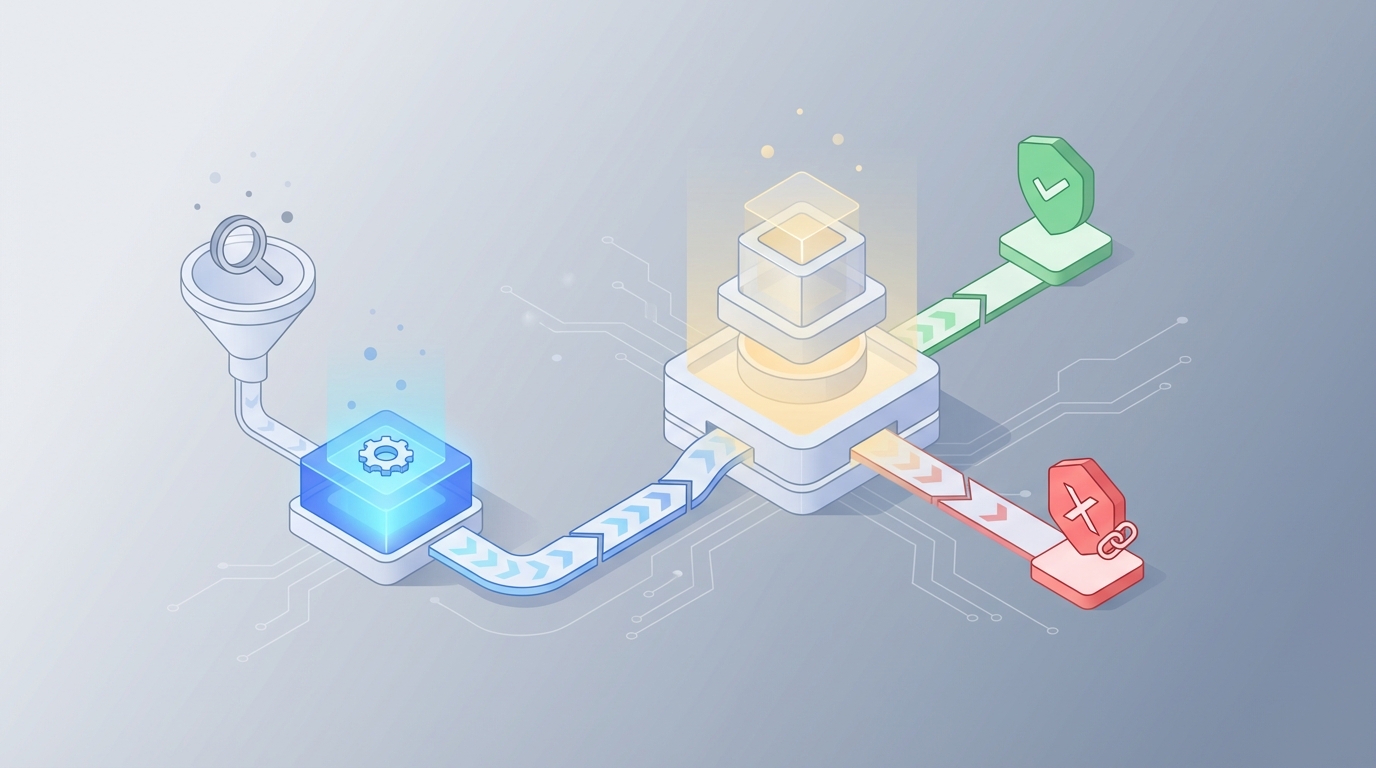
Every compliance team I've talked to in the last year has the same story: they're drowning in false positives. They hired smart people, gave them expensive tools, and those smart people spend 80% of their day clicking through alerts that aren't real matches, documenting why "Mohammad Khan" the dentist in New Jersey is not "Mohammed Khan" on the SDN list.
This is broken. Not because the people are bad at their jobs, but because the workflow is fundamentally a bad use of human cognition. You're paying $85k–$150k/year analysts to do pattern matching that a well-built AI agent can handle in seconds.
Let me walk you through exactly how to automate OFAC sanctions screening for new client onboarding using OpenClaw, what you can realistically hand off to the machine, and where you still need a human in the loop.
The Manual Workflow Today (And Why It's Killing You)
Here's what sanctions screening actually looks like at most firms doing client onboarding, whether you're a bank, fintech, payment processor, crypto platform, or professional services firm:
Step 1: Data Ingestion (2–5 minutes per client) Someone collects client data during onboarding—name, date of birth, address, nationality, passport or ID number, company registration for entities. This data comes in through forms, APIs, uploaded documents, or sometimes just email attachments that someone manually keys in.
Step 2: Automated Screening (seconds, but…) The name gets run against OFAC's SDN list, sometimes alongside EU/UK sanctions lists and 20–40 other watchlists. Most systems use fuzzy matching—Levenshtein distance, Soundex, Double Metaphone, token-based matching. The threshold is typically set at 75–85% similarity.
Step 3: Alert Generation (the floodgates open) Anything above that threshold generates an alert. And here's the problem: 92–98% of these alerts are false positives. That's not a typo. Industry data from ComplyAdvantage, LexisNexis, and multiple bank compliance surveys consistently land in that range. Arabic, Chinese, Russian, and Hispanic names are especially noisy because transliteration creates dozens of plausible spelling variants.
Step 4: Manual Review (this is where time dies) Each alert lands in a compliance analyst's queue. For each one, they:
- Pull additional identifiers (DOB, address, nationality, place of birth, passport number)
- Compare against the specific SDN entry's "AKA" list and remarks field
- Run secondary searches—Google, LexisNexis, World-Check, Dow Jones, local company registries, adverse media databases
- Document the disposition as "positive match," "false positive," or "true positive with exception" in the case management system
- For borderline cases, escalate to senior compliance or legal
- File a SAR if required, potentially block or reject the party
Step 5: Disposition and Documentation (5–45 minutes per alert) A simple false positive takes 5–12 minutes. A complex case with a common name and limited identifiers takes 20–45 minutes. The industry average is roughly 15–25 minutes per alert, according to ABA, Wolters Kluwer, and ComplyAdvantage benchmarks.
Step 6: Periodic Rescreening Oh, and you're not done. Existing clients need to be re-screened daily, weekly, or on trigger events. So the alert volume never stops.
What Makes This Painful
Let's put real numbers on the pain.
Volume and cost: A mid-sized fintech with 500k–2M customers can generate 5,000–30,000 alerts per month. A Tier 1 bank? Hundreds of thousands. Baringa Partners found in 2023 that large global banks spend $10–25 million annually just on sanctions screening operations. That's not the software. That's the people sitting there clicking through false positives.
Onboarding delays: A 2026 ComplyAdvantage survey found 54% of compliance professionals said screening delays slow customer onboarding. You're losing customers because your compliance queue is backed up with noise.
Analyst burnout: When 95% of what you review all day is nothing, you get tired. You get sloppy. The actual true positive that shows up at 4:47 PM on a Friday gets the same glazed-over attention as the 200 false positives that preceded it. This is a real regulatory risk.
Inconsistency: Different analysts make different calls on the same alert. One person's "clear false positive" is another person's "needs escalation." This inconsistency is exactly what regulators flag during exams.
Data quality nightmares: Transliteration issues, missing dates of birth, incomplete addresses. The matching algorithms go haywire when the input data is messy, which it almost always is.
What AI Can Actually Handle Right Now
I'm not going to tell you AI solves everything. It doesn't. But it solves the right things—the high-volume, pattern-heavy, data-enrichment-intensive parts of this workflow that humans shouldn't be doing.
Here's what an AI agent built on OpenClaw can reliably automate today:
Advanced entity resolution: Instead of dumb fuzzy matching, OpenClaw agents can use contextual understanding to evaluate whether "Mohammed Khan" in your onboarding pipeline is likely the same "Mohammed Khan" on the SDN list. Not just string similarity—actual contextual signals like geography, date of birth proximity, associated entities, and known aliases.
Automated data enrichment: The agent pulls additional identifiers from multiple sources—public records, company registries, open-source databases—to build a richer profile before making a match determination. This is exactly what your analysts do manually, except the agent does it in seconds instead of 15 minutes.
Intelligent alert scoring: Rather than a binary "alert or no alert," OpenClaw agents can score each hit on a confidence spectrum. A 97% confidence false positive gets auto-closed with a documented rationale. A 40% confidence ambiguous match gets routed to a human with all the enrichment data pre-assembled.
Auto-closure of low-risk false positives: This is the big one. If the agent can demonstrate, with a clear audit trail, that a match is clearly false based on non-overlapping identifiers (different DOB, different country, different gender), it can close the alert automatically. Many firms using AI-enhanced screening report 60–85% reduction in alerts requiring human review.
Adverse media screening at scale: The agent can scan news sources, regulatory databases, and public records for negative information about the client, feeding that context into the overall risk assessment.
How to Build This with OpenClaw: Step by Step
Here's a practical implementation path. This isn't theoretical—this is how you'd actually set it up.
Step 1: Define Your Data Sources and Screening Lists
First, configure your agent's reference data. At minimum, you need:
- OFAC SDN list (XML/CSV feed, updated daily by Treasury)
- OFAC Consolidated Non-SDN list
- EU Consolidated Sanctions List
- UK HMT Sanctions List
- UN Security Council Consolidated List
OpenClaw lets you set up data connectors to ingest these lists and keep them current. You can also add commercial data sources if you have subscriptions.
Agent Configuration:
- Screening Lists: OFAC SDN, OFAC Non-SDN, EU Consolidated, UK HMT, UNSC
- Update Frequency: Daily (OFAC), Weekly (others)
- Matching Threshold: Generate alert at 70% similarity (lower than traditional to catch more, let AI filter)
- Auto-Close Threshold: 95%+ confidence false positive with 2+ non-overlapping identifiers
Step 2: Build the Screening Agent Workflow
In OpenClaw, you'll create an agent that follows this sequence:
Trigger: New client record enters your onboarding system (via API webhook, CRM integration, or manual upload).
Action 1 — Data Normalization: The agent standardizes the client's name across common transliteration variants, parses the name into components (given name, family name, patronymic where applicable), and normalizes dates and addresses.
Action 2 — Multi-List Screening: Run the normalized name and variants against all configured sanctions lists. Use both string-matching and semantic matching. Flag anything above the 70% threshold.
Action 3 — Enrichment: For each potential match, the agent pulls additional context:
- Compare DOB (exact match, partial match, or no data)
- Compare nationality and country of residence
- Compare associated entities or corporate affiliations
- Check the SDN entry's "remarks" field for distinguishing information
- Pull publicly available information about the client
Action 4 — Confidence Scoring and Disposition:
If (no matches above 70%):
    → Auto-clear, log result, proceed with onboarding

If (match above 70% BUT 2+ non-overlapping hard identifiers):
    → Auto-close as false positive, generate audit documentation, proceed

If (match above 70% AND insufficient distinguishing data):
    → Route to human review queue with pre-assembled enrichment package

If (match above 90% AND corroborating identifiers):
    → Flag as potential true positive, escalate immediately, hold onboarding
Action 5 — Documentation: Every decision—automated or escalated—gets logged with the full reasoning chain. This is critical for regulatory exams. OpenClaw agents generate explainable audit trails, not black-box scores.
Step 3: Configure the Human Review Interface
For alerts that require human judgment, the agent doesn't just dump a raw alert. It delivers a pre-built case file that includes:
- The client's submitted data side-by-side with the SDN entry
- All enrichment data gathered
- The agent's confidence assessment and reasoning
- Highlighted areas of ambiguity (e.g., "DOB not available on SDN entry; names are a 78% match; address is in a different country")
- Recommended disposition with supporting evidence
This turns a 15–25 minute investigation into a 2–5 minute review-and-confirm. The analyst isn't investigating from scratch—they're reviewing the agent's work and applying judgment on the genuinely ambiguous cases.
Step 4: Set Up Ongoing Monitoring
Configure the agent to re-screen your entire client base whenever sanctions lists update. When OFAC publishes new SDN entries (which happens frequently—sometimes multiple times per week), the agent automatically runs the new entries against your existing client database and only surfaces genuine potential matches.
Step 5: Test, Validate, Tune
Before going live, run your agent against historical data:
- Take your last 1,000 manually reviewed alerts
- Run them through the OpenClaw agent
- Compare the agent's dispositions against your analysts' decisions
- Measure concordance rate, false negative rate, and false positive reduction
You want to see the agent agreeing with human analysts on clear false positives (these should be auto-closed) and correctly escalating the genuinely ambiguous cases. Tune your thresholds until you're confident.
You can find pre-built compliance screening agents and components on Claw Mart that accelerate this process significantly—templates for OFAC screening workflows, sanctions list connectors, and enrichment modules that other compliance teams have already built and validated.
What Still Needs a Human
Let me be direct about the boundaries. Regulators—the Fed, OCC, FinCEN, OFAC itself—have stated they accept AI for triage and initial screening provided there is appropriate human oversight, testing, and explainability. Here's what you can't fully automate:
Ambiguous matches with thin data. When someone shares a name with an SDN entry and you can't find enough distinguishing information to confidently clear them, a human needs to make the call.
Complex corporate structures. OFAC's 50% rule means you need to assess whether a sanctioned person or entity controls the client through layered ownership. This requires judgment about corporate structures that AI can map but not always interpret correctly.
Risk appetite decisions. Some firms have zero tolerance for any residual uncertainty. Others accept certain low-risk matches. This is a business and legal judgment, not a data processing task.
Licensing and exception questions. OFAC issues specific licenses and humanitarian exceptions that require nuanced legal interpretation.
Politically exposed persons (PEPs) in ambiguous contexts. The overlap between sanctions screening and PEP assessment often requires human judgment about risk tolerance.
The goal isn't to remove humans from sanctions compliance. The goal is to make sure humans spend their time on the 5–10% of cases that actually require human judgment, rather than the 90–95% that don't.
Expected Time and Cost Savings
Based on real-world benchmarks from organizations that have implemented AI-enhanced screening:
Alert volume reduction: 60–85% fewer alerts requiring human review. If you currently generate 10,000 alerts/month, you're looking at 1,500–4,000 that need analyst attention.
Time per remaining alert: Down from 15–25 minutes to 2–5 minutes, because the agent pre-assembles the case file. The International Compliance Association found that organizations using AI-enhanced screening processed alerts 3.2× faster than traditional rules-based systems.
Staffing impact: Real examples exist of teams going from 18 analysts to 6 after implementing ML-based entity resolution. Your mileage varies based on volume, but a 50–70% reduction in screening headcount is realistic for the alert review function.
Onboarding speed: New clients that would have waited hours or days for manual screening clearance can be processed in minutes for the vast majority of cases. You stop losing customers to friction.
Consistency: An AI agent makes the same call every time on the same data. No more Friday-at-4:47-PM fatigue errors. No more analyst-to-analyst inconsistency that regulators love to flag.
Rough math: If you have 5 analysts spending 70% of their time on false positive review at a fully loaded cost of $120k each, that's $420k/year on false positives. Cut that by 70% and you're saving ~$294k annually—before you account for faster onboarding, reduced regulatory risk, and lower turnover from analyst burnout.
Next Steps
If you're running sanctions screening manually or with a rules-based system that's generating more noise than signal, here's what to do:
- Audit your current alert volumes and false positive rates. You need a baseline. Pull the numbers for the last 90 days.
- Browse Claw Mart for pre-built OFAC screening components. Other compliance teams have already built and validated agents for this exact workflow. No need to start from zero.
- Build a pilot agent on OpenClaw targeting your highest-volume, lowest-complexity alert type (usually individual name screening against the SDN list).
- Run it in shadow mode against your manual process for 30 days. Compare results.
- Go live with auto-closure for the highest-confidence false positives first, then expand.
Or skip straight to the end: submit a Clawsourcing request on Claw Mart and let an experienced OpenClaw builder design and configure your sanctions screening agent for you. You describe the workflow, your data sources, and your risk tolerance—they build the agent, test it against your historical data, and hand you a working system.
Your compliance team has better things to do than review 10,000 false positives a month. Let the machine handle the noise so your people can focus on the cases that actually matter.
Recommended for this post
Your Notion expert that builds databases, automates workflows, and connects your knowledge base.
 SpookyJuice.ai
Your Linear expert that automates issue tracking, builds workflows, and streamlines project management.
SpookyJuice.ai
Your orchestrator that coordinates agent swarms with task decomposition and consensus protocols -- agents working together.
SpookyJuice.ai