Automate Invoice and Payment Follow-Up for Accounts Receivable
Automate Invoice and Payment Follow-Up for Accounts Receivable
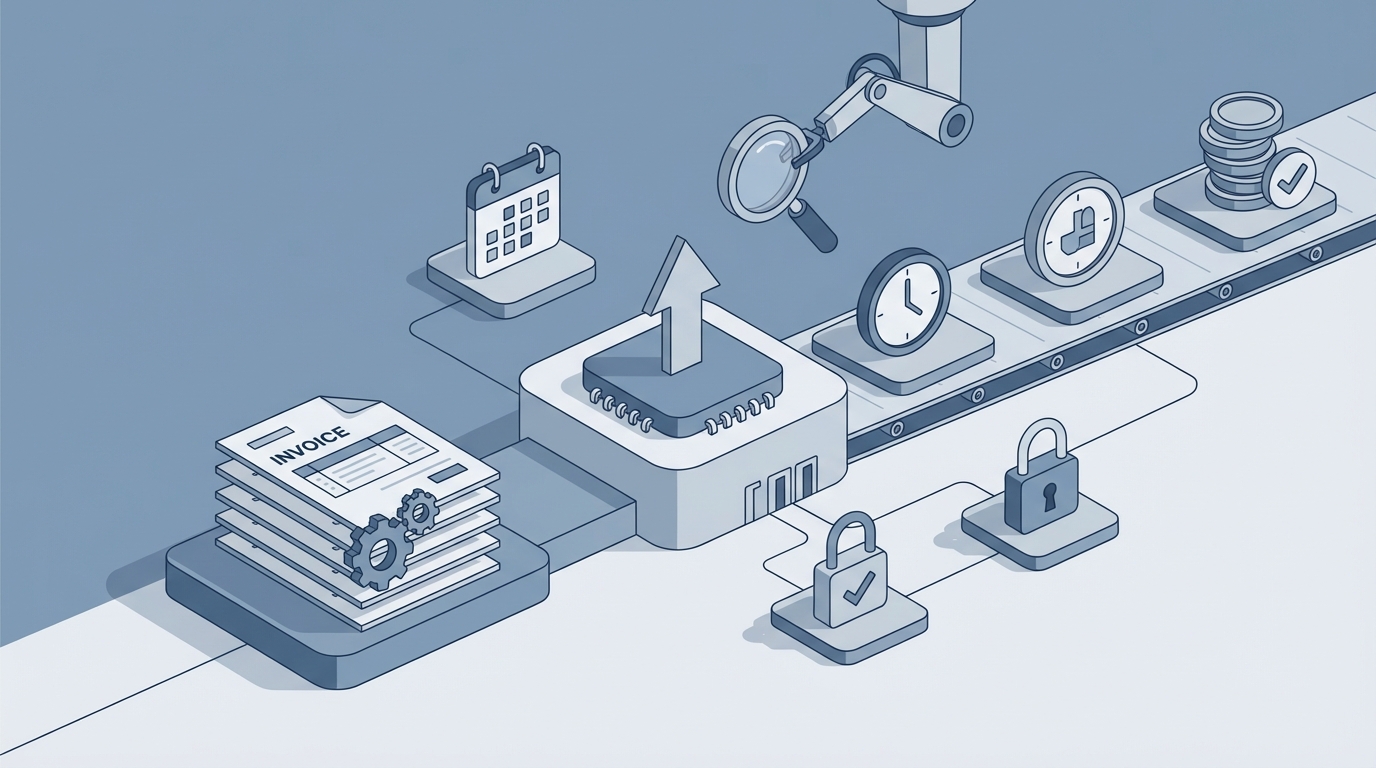
Every accounts receivable team I've ever talked to has the same problem: they spend most of their week doing work that feels like it should be automated, but somehow isn't. Sending the same reminder emails. Checking the same aging reports. Copying notes between their accounting system, their CRM, and a spreadsheet that someone built in 2019 and no one wants to touch.
The result? AR professionals spend an average of 21 hours per week on low-value chasing activities, according to a 2023 Institute of Finance & Management survey. Twenty-one hours. That's more than half the work week spent on tasks that are repetitive, predictable, and—critically—automatable with today's AI.
This post walks through exactly how to automate invoice and payment follow-up using an AI agent built on OpenClaw. Not the vague "AI will transform your business" pitch. The actual workflow, step by step, including what the AI handles, what still needs a human, and what kind of time and cost savings you can realistically expect.
The Manual Workflow Today (And Why It's So Expensive)
Let's be honest about what AR follow-up actually looks like in most companies. Here's the typical process for a mid-sized business handling a few hundred to a few thousand invoices per month:
Step 1: Invoice creation and delivery. Someone generates the invoice in QuickBooks, Xero, NetSuite, or whatever accounting system you use. They attach a PDF, compose an email, and send it. Sometimes this is batched weekly. Sometimes it's ad hoc.
Step 2: Due date tracking. Once a week (if you're disciplined) someone pulls an aging report. They scan it to identify which invoices are coming due, which are 7 days past due, 30 days, 60 days, and so on. This often involves cross-referencing with email to see if someone already followed up.
Step 3: Reminder scheduling and sending. The AR person drafts emails—or, more likely, copies and pastes from templates—at set intervals. Three days before due. Seven days past due. Fourteen days. Thirty. Sixty. Each one requires looking up the contact, checking the invoice details, and making sure the tone is appropriate for the situation.
Step 4: Customer contact. Emails are the baseline, but many overdue invoices eventually require phone calls. Each call means looking up the account history, reviewing any previous notes about disputes or payment promises, and spending 5-15 minutes on the phone. Then documenting the call.
Step 5: Dispute handling. Somewhere between 20-30% of overdue invoices involve disputes. The customer says the amount is wrong, or they never received the goods, or the pricing doesn't match the contract. The AR person now has to track down the sales team, the delivery records, or the original agreement. This can take days.
Step 6: Negotiation and resolution. Payment plans, early-pay discounts, partial credits. These require human judgment about the relationship, the amount at stake, and the likelihood of getting paid.
Step 7: Documentation. Log everything. Update the invoice status. Add notes to the CRM. Update the spreadsheet. Tell your manager.
Step 8: Cash application. When payments actually come in, someone has to match them to the right invoices. This is still surprisingly manual at many companies, especially when customers pay multiple invoices with a single check or ACH transfer and don't include remittance details.
For a company with three full-time AR staff managing around 1,200 open invoices monthly, those staff members typically spend about 70% of their time on these repetitive follow-up tasks. That's roughly 250+ hours per month of largely mechanical work.
What Makes This Painful
The time cost is obvious, but it's not even the biggest problem.
Inconsistency kills cash flow. When your AR person is sick, on vacation, or just slammed, follow-ups slip. Invoices that should have gotten a reminder at 7 days don't get one until 21. By then the customer has moved on and your invoice is at the bottom of their payment queue. The average Days Sales Outstanding in the U.S. sits between 55 and 65 days. Best-in-class companies get it under 40. That gap represents real money sitting in someone else's bank account.
Data lives everywhere. Invoice details are in your accounting system. Communication history is in email. Dispute notes are in a spreadsheet or CRM. Payment promises are in someone's head. When a new AR person takes over an account, they're starting from scratch.
Disputes become black holes. A customer emails saying "the invoice amount doesn't match our PO." Now your AR person has to find the PO, compare it to the invoice, check with sales, and respond. This might take 30 minutes or three days, depending on internal responsiveness. Meanwhile, the invoice just sits there.
Good customers get annoyed. Sending a blunt "your invoice is overdue" email to a customer who has paid on time for three years and happens to be two days late this once is a great way to damage a relationship. But when you're manually processing hundreds of invoices, you don't have time to personalize every touch.
It doesn't scale. If your invoice volume doubles, your AR headcount needs to roughly double. There's no leverage in the current process.
Late payments cost U.S. small businesses an estimated $3 trillion annually in tied-up cash. That's not a typo. Three trillion dollars.
What AI Can Handle Right Now
Here's where OpenClaw comes in. Not everything in the AR workflow needs AI, and not everything should be fully automated. But a significant chunk of it—I'd estimate 70-80% of the routine touches—can be handled by an AI agent that integrates with your existing accounting and communication tools.
Here's what an OpenClaw-built agent can do today:
Intelligent invoice prioritization. Instead of reviewing every line on an aging report, your AI agent scores each invoice by risk. It looks at the customer's payment history, the invoice amount, their segment, and behavioral signals (like whether they opened the last reminder email). High-risk invoices surface to a human. Low-risk ones get handled automatically. This alone can cut your manual review time by half or more.
Context-aware automated reminders. This is not just "send a template email on day 7." An OpenClaw agent can generate personalized follow-up messages that reference the specific invoice, the customer's history, and any previous interactions. A customer who always pays on day 35? They get a gentle nudge. A customer who's 60 days overdue with no response? They get a firmer message with escalation language. The tone, timing, and channel (email, SMS, or portal notification) all adapt based on what's worked before.
Dispute detection and routing. When a customer replies to a reminder with "this amount is wrong" or "we never received the shipment," the agent can classify the dispute type using natural language processing, pull the relevant documents (PO, delivery confirmation, contract terms), and either resolve it automatically or route it to the right person with all the context attached. No more hunting through email threads.
Payment prediction. Based on historical data, the agent can forecast which invoices are likely to be paid late and by how many days. This lets you proactively adjust your cash flow planning and focus human effort where it's most needed.
Automated logging. Every action the agent takes—every email sent, every response received, every status change—gets logged in your accounting system and CRM automatically. No more "did anyone follow up on the Johnson account?"
Cash application assistance. The agent can match incoming payments to open invoices with high accuracy, flagging only ambiguous cases for human review.
Step by Step: Building the Automation on OpenClaw
Here's how to actually set this up. I'm assuming you have an accounting system (QuickBooks, Xero, NetSuite, etc.) and use email for customer communication.
Step 1: Connect Your Data Sources
Your OpenClaw agent needs access to your invoice data, customer records, and communication history. This typically means connecting to:
- Your accounting system's API (for invoices, payments, aging data, and customer details)
- Your email system (for sending and receiving follow-up messages)
- Your CRM, if you use one (for account notes and relationship context)
OpenClaw supports integrations with major accounting platforms and email providers. You're essentially giving the agent the same access your AR team has today.
Step 2: Define Your Follow-Up Cadence and Rules
Before the AI can do anything useful, you need to codify your current follow-up logic. This might look like:
Reminder Schedule:
- 3 days before due: Friendly reminder with invoice attached
- 1 day after due: "Just checking in" follow-up
- 7 days past due: Firmer reminder, request for payment date
- 14 days past due: Escalation warning, offer to discuss
- 30 days past due: Final notice before escalation
- 45+ days past due: Route to human for collections decision

Adjustments:
- If customer has paid on time for 6+ consecutive invoices: delay first reminder to 3 days past due
- If invoice amount > $10,000: copy account manager on all communications after 14 days
- If customer has open dispute: pause automated reminders, route to dispute workflow
You configure these rules in OpenClaw, and the agent follows them. The key difference from a simple rules engine is that the agent can also learn from outcomes. If customers in a certain segment respond better to Tuesday morning emails, the agent adjusts.
Step 3: Set Up Message Generation
This is where generative AI earns its keep. Rather than static templates, your OpenClaw agent generates messages that are contextually appropriate. You provide tone guidelines and examples, and the agent produces variations.
Here's a simplified example of how you might configure a follow-up prompt in OpenClaw:
Context for Agent:
- Customer: {customer_name}
- Invoice: {invoice_number}, Amount: {amount}, Due: {due_date}
- Days overdue: {days_overdue}
- Payment history: {avg_days_to_pay}, {on_time_percentage}
- Previous follow-ups: {follow_up_history}
- Open disputes: {dispute_status}

Instructions:
Generate a follow-up email that:
1. References the specific invoice number and amount
2. Matches tone to the severity level (friendly for <7 days, firm for >30 days)
3. Accounts for the customer's payment history (long-time good payers get benefit of the doubt)
4. If there's a previous follow-up with no response, acknowledge that
5. Include a clear call to action (pay, confirm payment date, or contact us)
6. Keep it under 150 words
7. Never threaten legal action (that requires human approval)
The agent generates the email, and—depending on your comfort level—either sends it automatically or queues it for a quick human review before sending.
Step 4: Build the Dispute Workflow
When the agent receives a reply that indicates a dispute, it should:
- Classify the dispute type (pricing, delivery, quality, duplicate invoice, etc.)
- Pull relevant supporting documents from your systems
- If it's a straightforward resolution (e.g., customer says "I already paid this" and you can see the payment), resolve it automatically and notify the customer
- If it requires investigation, create a ticket with all context and assign it to the appropriate person
You configure this workflow in OpenClaw by mapping dispute categories to resolution paths. Over time, the agent gets better at classification and can handle more dispute types without human intervention.
Step 5: Set Up Dashboards and Escalation Alerts
Your AR team shouldn't have to check in on the agent constantly. Set up:
- A daily summary of actions taken (emails sent, disputes flagged, payments received)
- Real-time alerts for high-priority escalations (large overdue amounts, key accounts, disputes that need immediate attention)
- Weekly analytics showing DSO trends, collection rates by segment, and agent performance metrics
Step 6: Start with a Pilot
Don't automate everything on day one. Start with your lowest-risk, highest-volume segment. Maybe it's invoices under $5,000 for customers with good payment history. Let the agent handle follow-ups for that segment for 30 days while your AR team monitors the results. Expand from there.
What Still Needs a Human
I want to be clear about this because overpromising is how automation projects fail.
Complex or high-value disputes need human judgment. If a strategic customer is disputing a $200,000 invoice and the relationship is worth millions in annual revenue, a human needs to manage that conversation. The AI can prepare all the context and documentation, but the decision-making and relationship management should stay with a person.
Escalation decisions require business judgment. When do you offer extended payment terms? When do you write off a bad debt? When do you involve legal? These decisions have strategic and reputational implications that an AI agent shouldn't make unilaterally.
First-time or unusual situations deserve human attention. A new customer's first late payment, a macroeconomic event affecting an entire industry, potential fraud signals—these all need someone with judgment and context that goes beyond invoice data.
The final step before collections or legal action should always involve a human review. The consequences of sending a customer to collections are significant enough that you want a person confirming that decision.
The right model is human-in-the-loop: the AI handles the routine 70-80%, and humans focus on the 20-30% that actually requires their expertise and judgment.
Expected Time and Cost Savings
Based on real-world results from companies that have implemented AI-driven AR automation (aggregated from HighRadius, Esker, and Versapay case studies):
- Manual effort reduction: 70-80%. If your AR team currently spends 250 hours per month on follow-up, expect to cut that to 50-75 hours. Those freed-up hours go to dispute resolution, relationship management, and cash flow strategy.
- DSO improvement: 10-25 days. Moving from 65 to 45-50 days of DSO on a company doing $10M in annual revenue means roughly $400K-$700K in additional available cash at any given time.
- Headcount efficiency: 30-50%. Not necessarily layoffs—more like handling 2-3x the invoice volume without adding staff.
- Dispute resolution time: 40-60% faster. Because the AI pre-gathers context and documents, humans can resolve disputes in one interaction instead of three.
- Consistency: near-100%. No more missed follow-ups because someone was out sick. Every invoice gets the right touch at the right time.
A European logistics company using AR automation reduced overdue invoices by 62% and cut collection calls by 75% while maintaining customer satisfaction scores. That's the kind of result that's achievable with a well-configured system.
Next Steps
If you're spending more than a few hours a week on invoice follow-up—or if your DSO is higher than you'd like—this is one of the highest-ROI automation opportunities available right now.
You can browse pre-built AR automation agents on the Claw Mart marketplace, where independent developers have already built and tested agents for common accounting integrations. These agents are ready to connect to your systems and can be customized for your specific follow-up cadence and business rules.
If you need something more tailored to your workflow—specific integrations, custom dispute logic, or industry-specific requirements—you can post a Clawsourcing request and have an experienced OpenClaw developer build it for you. Describe what you need, set your budget, and get matched with a builder who knows the AR space.
Either way, the technology is ready now. The only question is how many more weeks you want your team spending 21 hours chasing invoices that an AI agent could handle while they sleep.