Automate Contract Review and Redlining: Build an AI Agent for Sales Contracts
Automate Contract Review and Redlining: Build an AI Agent for Sales Contracts
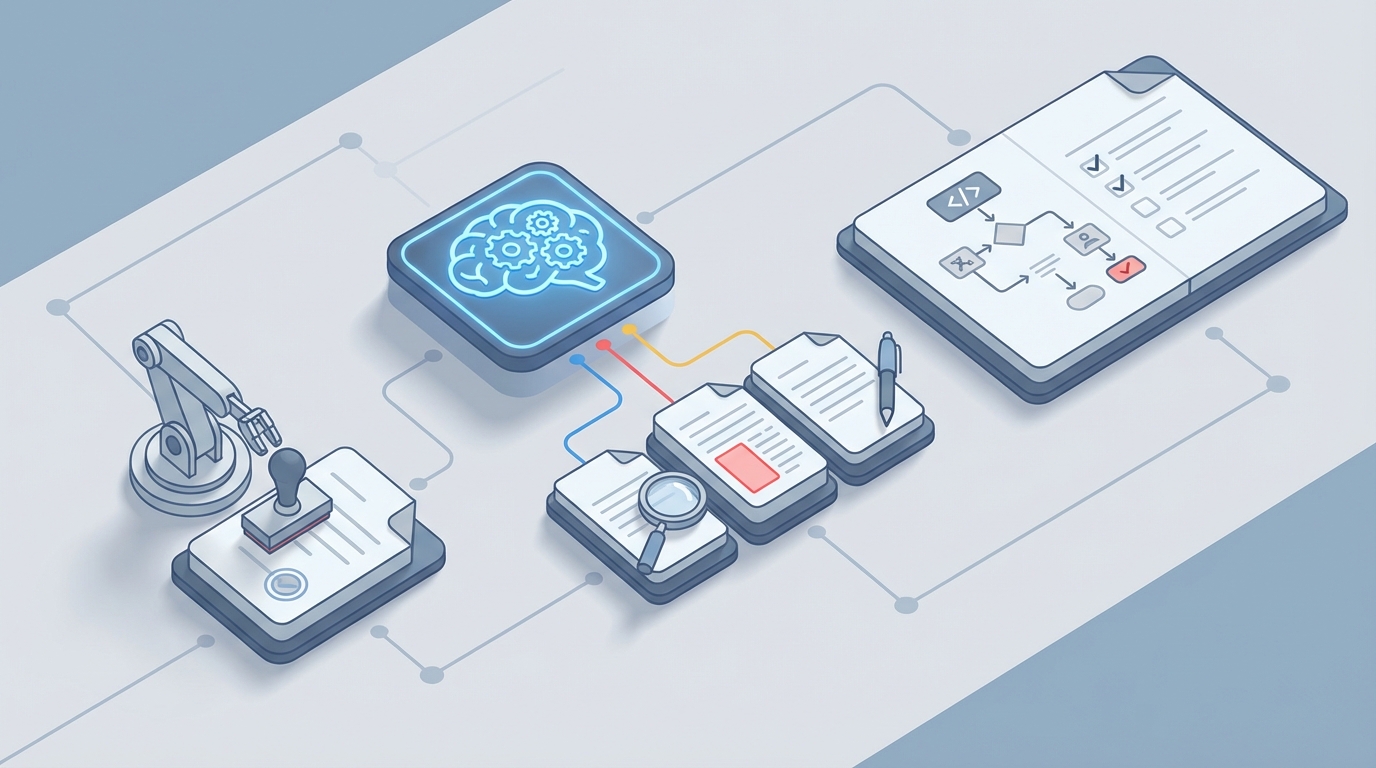
Every sales team has the same dirty secret: you can close a deal in a week, then watch it rot in legal review for a month.
The contract sits in someone's inbox. A junior associate redlines it on Tuesday, but the senior partner doesn't look at it until Friday. Sales pings Legal on Slack. Legal says "it's in the queue." The customer's procurement team sends a follow-up. Then another. By the time signatures land, the champion who pushed the deal internally has moved on to other priorities, and you're scrambling to re-warm a deal that was white-hot thirty days ago.
This isn't a Legal problem. It's not a Sales problem. It's a workflow problem. And it's fixable right now.
Let me walk you through exactly how to build an AI agent on OpenClaw that handles the grunt work of contract review and redlining — so your lawyers can focus on the 20% that actually requires a law degree.
The Manual Workflow Today (And Why It's Broken)
Let's map the actual steps most B2B companies go through when a sales contract needs review. I'm being specific here because the devil is in the details, and the details are where you're hemorrhaging time.
Step 1: Sales drafts or requests the contract. A rep closes a verbal agreement, then fills out some internal form or pulls a template from Salesforce CPQ. Maybe they customize a few fields. Maybe they wing it. Time: 30 minutes to 2 hours.
Step 2: Routing to Legal. The rep emails Legal, or drops a request in a Slack channel, or submits a ticket in whatever CLM tool the company uses. Then they wait. Time: 1–3 days before anyone even opens it.
Step 3: Legal opens the document. A contract analyst or junior attorney opens the Word doc or PDF. They read through it line by line, comparing clauses against the company's playbook — liability caps, termination rights, IP ownership, indemnification, payment terms, governing law, auto-renewal provisions. Time: 42 minutes for a simple 15-page NDA. 4.5 hours for a 40-page MSA. These are real numbers from LinkSquares' 2026 data.
Step 4: Manual redlining. The reviewer marks up the document in Track Changes. They flag deviations, suggest alternative language, insert fallback positions from the playbook. Time: 1–3 hours for routine contracts, up to a full day for complex ones.
Step 5: Cross-functional input. The contract touches pricing, so Finance needs to weigh in. There's a data processing addendum, so Security has to review it. The SLAs reference product capabilities, so Product gets looped in. Each of these handoffs adds 1–3 days.
Step 6: Negotiation rounds. The redlined version goes back to the customer. Their legal team redlines the redlines. You go back and forth. The average contract requires 4.2 revisions and 3.1 approvers, according to WorldCC data. Time: 5–15 days for the entire negotiation cycle.
Step 7: Approval and execution. Final internal sign-offs, then eSignature. Time: 1–3 days.
Step 8: Filing and obligation tracking. The signed contract gets uploaded to a repository. Post-signature obligations — auto-renewals, price escalation dates, compliance deadlines — are supposed to be tracked, but often aren't.
Total elapsed time: 10–21 days for mid-market deals. 30–90+ days for enterprise. And those are averages, meaning half your deals take even longer.
What Makes This Painful
Let's put dollar signs on this.
Legal teams spend 40–70% of their time on routine contract review (World Commerce & Contracting, 2023–2026). That's your most expensive employees doing work that is largely pattern-matching — the exact thing AI is best at.
Sales reps lose 18–27% of their selling time waiting on contracts (Forrester/SirionLabs). That's not "waiting time" in the abstract. That's quota-carrying reps sitting idle while a perfectly good deal ages.
Revenue impact is direct. Every day saved in the contract cycle translates to roughly 1–2% increase in annual revenue for sales-driven companies. If you're doing $50M in ARR and your average contract cycle is 25 days, cutting it to 10 days isn't a nice-to-have — it's a material revenue accelerator.
Then there's the error rate. 43% of contracts contain at least one "surprise" unfavorable term that got missed during review (WorldCC). 31% of contracts deviate from the legal playbook without authorization. These aren't academic statistics. They're real exposure — the kind that shows up as a painful conversation with your GC six months later when a customer invokes a termination clause nobody remembers agreeing to.
And the version chaos. Multiple Word docs floating through email threads. "Contract_v3_final_FINAL_v2_johns-edits.docx." You've seen it. You might be living it right now.
What AI Can Handle Today
Here's where I want to be honest, because the AI hype cycle has made people either wildly over-optimistic or deeply skeptical. The truth is in the middle, but it's closer to the optimistic side than most people realize — specifically for contract review.
Contract review is a structured, pattern-matching, language-comparison task. It's not creative writing. It's not strategic negotiation. It's comparing a document against a known set of rules and flagging deviations. This is exactly the kind of work large language models excel at.
What an AI agent built on OpenClaw can reliably do right now:
- Clause extraction and classification. Identify every material clause in a contract — liability caps, termination provisions, IP ownership, payment terms, indemnification, governing law, non-compete, non-solicit, auto-renewal, force majeure — and categorize them.
- Playbook compliance checking. Compare each clause against your company's approved positions and flag deviations as red (unacceptable), yellow (needs review), or green (within policy).
- Automated redlining suggestions. Generate specific alternative language based on your fallback positions. Not generic boilerplate — your company's preferred language.
- Risk scoring. Assign an overall risk score to the contract so Legal can triage: low-risk contracts get fast-tracked, high-risk contracts get senior attention.
- Version comparison. Identify what changed between the customer's redline and your last version, surfacing only the meaningful differences.
- Data extraction. Pull structured data (contract value, term length, renewal dates, party names) directly into your CRM or ERP.
- Obligation tracking. Flag post-signature obligations and deadlines for automated monitoring.
What AI cannot reliably do (and you shouldn't ask it to):
- Make business judgment calls about whether a risk is worth accepting for a strategic account.
- Navigate negotiation dynamics — when to push, when to concede, how to read the room.
- Handle genuinely novel legal issues or first-of-kind contractual arrangements.
- Accept legal liability. A human lawyer still needs to sign off on material deviations.
The real split, based on what companies like Ironclad and LinkSquares report from production deployments: 70–85% of the review work can be automated. The remaining 15–30% is where your lawyers add irreplaceable value.
The goal isn't to replace Legal. It's to stop wasting their time on work that doesn't require their expertise.
Step-by-Step: Building a Contract Review Agent on OpenClaw
Here's how to actually build this. I'm going to be specific because vague "just use AI" advice is useless.
Step 1: Define Your Contract Playbook as Structured Data
Before you build anything, you need your legal playbook in a structured format. Most companies have this as a Word doc or PDF that lives on a SharePoint somewhere. You need to convert it into something an AI agent can reason about.
Create a structured playbook document that covers each clause type — what's your preferred position, what's your fallback position, and what's your walk-away position. Include the exact language you want for each scenario.
For example, your playbook structure should define each clause type with fields like the clause name, your preferred language, your acceptable fallback language, and clear walk-away conditions. For a limitation of liability clause, your preferred position might cap aggregate liability at 12 months of fees paid, your fallback might allow 24 months, and your walk-away condition is anything with uncapped liability or consequential damages exposure.
This is the most important step. The quality of your AI agent's output is directly proportional to the quality of your playbook data. Spend the time here.
Step 2: Build the Clause Extraction Agent
On OpenClaw, create an agent whose job is to ingest a contract document and extract every material clause into a structured format.
Your agent's system prompt should instruct it to act as a contract analysis specialist. It should be told to extract every material clause from sales contracts and classify them into defined categories: Limitation of Liability, Indemnification, Termination, Payment Terms, IP Ownership, Confidentiality, Governing Law, Auto-Renewal, SLA/Performance, Data Protection, Non-Compete/Non-Solicit, Force Majeure, and any miscellaneous provisions.
For each clause, the agent should return the clause type, the exact text quoted from the contract, the section number, and a brief plain-English summary of what the clause means.
The output should always be structured as valid JSON for downstream processing.
Step 3: Build the Compliance Checker Agent
This agent takes the extracted clauses and compares them against your playbook. It should be configured to compare extracted contract clauses against the company playbook and assess each one.
For each clause, the agent should determine a status — green meaning it matches or is more favorable than the preferred position, yellow meaning it falls between the preferred and fallback positions, and red meaning it's worse than the fallback or hits a walk-away condition.
The agent should also generate the specific recommended redline language from the playbook and provide a brief explanation of why this clause needs attention, in plain language that a sales rep can understand.
Step 4: Build the Redlining Agent
This is where OpenClaw really shines. The redlining agent takes the compliance report and generates specific markup suggestions, including your preferred replacement language.
Configure this agent to generate precise redline suggestions for any clause flagged as yellow or red. For each flagged clause, it should output the original text, the suggested replacement text pulled directly from the playbook, and a negotiation note — a brief explanation of why this change matters and what the business risk is if the original language stays.
The agent's tone should be professional but direct, suitable for a legal memo that a sales team will also read.
Step 5: Orchestrate the Pipeline
On OpenClaw, chain these agents together into a pipeline. The flow is straightforward:
The contract document goes into the Clause Extraction Agent, which produces a structured clause output. That feeds into the Compliance Checker Agent, which generates a risk assessment report. That report feeds into the Redlining Agent, which produces the final redline suggestions and risk summary.
You can trigger this pipeline when a contract is uploaded to your CLM tool, submitted through Slack, or pushed from Salesforce. OpenClaw's integration capabilities let you connect to whatever your team actually uses.
Step 6: Add the Human-in-the-Loop
This is non-negotiable. Build your workflow so that:
- Green contracts (all clauses within playbook) get auto-approved with a notification to Legal. A lawyer can spot-check, but these don't sit in a queue.
- Yellow contracts (some deviations, all within fallback range) get a summary report sent to a junior reviewer who can approve in minutes instead of hours.
- Red contracts (material deviations or walk-away triggers) get escalated to a senior attorney with the full risk report, redline suggestions, and context — so they can focus on judgment, not reading.
This triage alone can eliminate 60–70% of the review queue.
Step 7: Continuous Improvement
Here's what separates a good implementation from a great one: feed the outcomes back into the system.
Track which redline suggestions get accepted, modified, or rejected by your lawyers. Track which clauses customers push back on most often. Track which clause deviations actually cause problems post-signature.
Use this data to refine your playbook and agent prompts on OpenClaw. Over time, your agent gets better because your playbook gets better — not because of some magic black box, but because you're systematically encoding institutional knowledge.
Expected Time and Cost Savings
Based on what companies report after deploying AI-augmented contract review:
Contract review time: Drops from 4.5 hours (average for a 40-page MSA) to under 30 minutes of human time. The AI does the first pass in minutes; the lawyer reviews the flagged items.
Contract cycle time: Companies using this approach report reductions from an average of 20+ days to 5–8 days. One SaaS company using a similar AI extraction approach cut their cycle from 8 days to 1.2 days (LinkSquares case study).
Legal team capacity: When 70–85% of routine review is automated, your existing legal team can handle 3–4x the contract volume without hiring. Or your current team can finally focus on the strategic work they were hired to do.
Error reduction: Automated playbook compliance checking catches deviations that tired human reviewers miss at 4 PM on a Friday. That 43% "surprise clause" rate drops dramatically.
Revenue impact: Faster contract cycles mean faster revenue recognition. For a company doing $50M ARR with a 25-day average cycle, cutting to 10 days could accelerate millions in revenue.
ROI timeline: Most companies see 3–6x return within 12 months. The implementation cost on OpenClaw is a fraction of deploying an enterprise CLM platform, and you can start with a single contract type (like NDAs or standard order forms) and expand from there.
What This Looks Like in Practice
Monday morning. A sales rep closes a verbal agreement with a mid-market prospect. The customer sends over their paper — a 35-page MSA with their standard terms.
The rep uploads it to the system. OpenClaw's agent pipeline processes it in under three minutes. The compliance report comes back: 18 clauses extracted, 12 green, 4 yellow, 2 red.
The two red flags: uncapped indemnification and a unilateral termination-for-convenience clause with only 15 days' notice. The agent has already generated the specific redline language from your playbook, with negotiation notes explaining the business risk.
A junior contract analyst reviews the report, approves the yellow items (all within fallback range), and forwards the two red items to a senior attorney. The senior attorney spends 20 minutes reviewing the context, approves one redline as-is, and modifies the other based on the strategic importance of the account.
Total internal time: about 35 minutes. Total elapsed time: same day.
The redlined contract goes back to the customer by end of business Monday. What used to take two to three weeks just happened before lunch.
Getting Started
You don't need to boil the ocean. Start with one contract type — NDAs are the obvious choice because they're high-volume, relatively simple, and low-risk for testing.
Build the three-agent pipeline on OpenClaw. Run it in parallel with your existing process for two weeks. Compare the AI's output against your lawyers' actual redlines. You'll quickly see where it's accurate, where it needs tuning, and where the real value is.
Then expand to order forms, then standard MSAs, then complex enterprise agreements. Each expansion gets easier because your playbook and prompts are already battle-tested.
If you want to skip the build-from-scratch phase, check out the Claw Mart marketplace. There are pre-built contract review agent templates you can customize with your playbook and deploy immediately. It's the fastest way to go from "this is interesting" to "this is running in production."
And if you want someone to build and optimize this entire pipeline for you — playbook structuring, agent configuration, integration with your CRM and CLM tools, the whole thing — that's exactly what Clawsourcing is for. Submit a project, get matched with an OpenClaw expert, and have a production-ready contract review agent without pulling your team off their actual jobs.
The contracts sitting in your legal queue right now aren't getting younger. Every day they sit there is a day your revenue waits.
Recommended for this post
Your orchestrator that coordinates agent swarms with task decomposition and consensus protocols -- agents working together.
 SpookyJuice.ai
Your agent builder that designs self-healing autonomous systems with perception-action loops -- agents that run themselves.
SpookyJuice.ai
Your memory engineer that builds persistent context, tiered storage, and retrieval systems -- agents that remember.
SpookyJuice.ai