AI System Administrator: Provision Servers and Manage Access Rights
Replace Your System Administrator with an AI System Administrator Agent
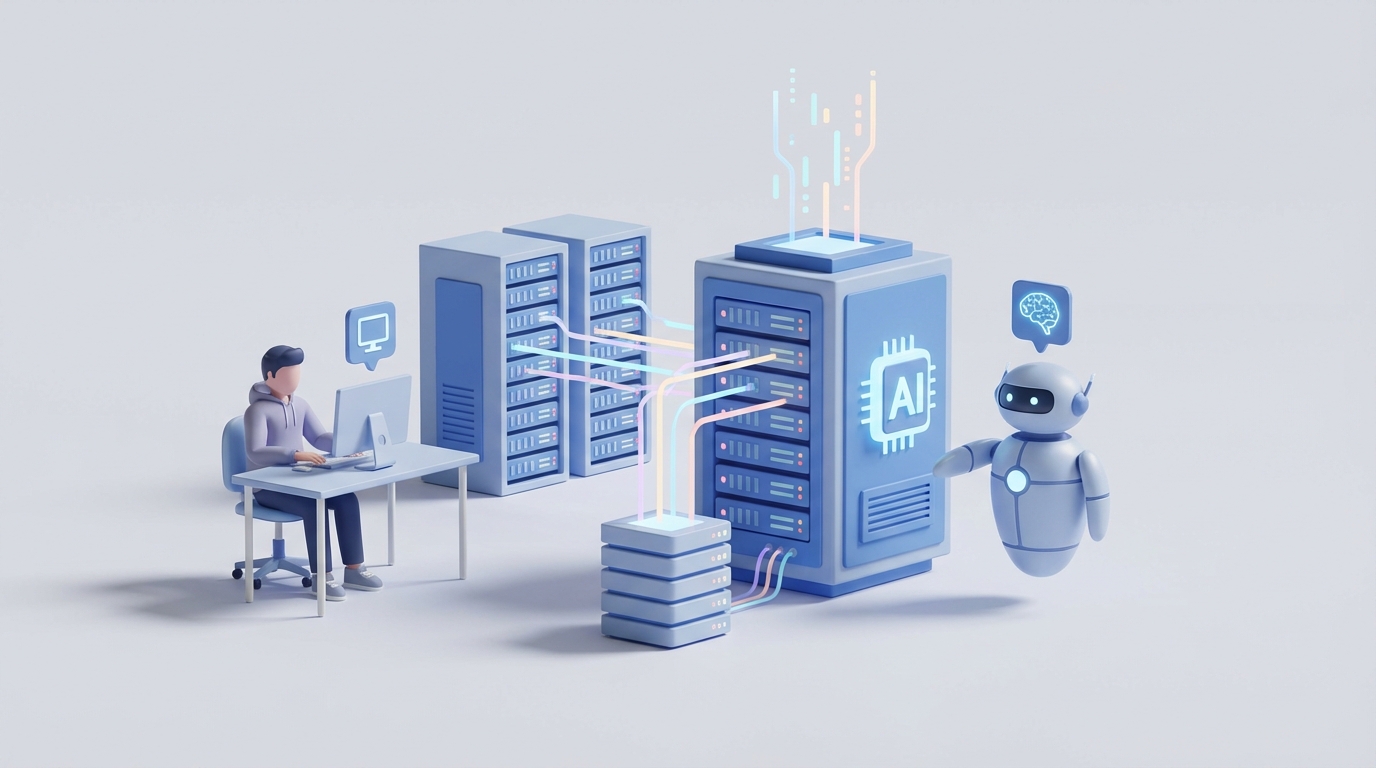
Let's get the uncomfortable part out of the way first: your system administrator is spending somewhere between 40-60% of their time doing work that an AI agent can handle today. Not in some speculative future. Right now.
I'm not saying sysadmins are useless — far from it. I'm saying that paying someone $100k+ a year to sift through false-positive alerts, run patch cycles, and reset passwords is a spectacular waste of human talent. The strategic work they do? Irreplaceable. The repetitive grind that eats most of their day? That's what we're here to talk about.
This post walks through exactly what a system administrator does, what it actually costs you, which tasks an AI agent built on OpenClaw can take over, what still requires a human brain, and how to build the thing. No hand-waving. No "imagine a world where..." Just the practical path from here to there.
What a System Administrator Actually Does All Day
If you've never been a sysadmin, you probably think they spend their time doing something vaguely technical and important. If you have been one, you know the truth: most of the job is janitorial.
Here's the real breakdown of a typical sysadmin's week:
The reactive firefighting (40-60% of their time):
- Triaging monitoring alerts from tools like Nagios, Prometheus, Datadog, or Splunk — and roughly 70% of those alerts are noise (Gartner's number, not mine)
- Troubleshooting tickets from users who can't print, can't connect to VPN, or locked themselves out of their accounts
- Diagnosing why that one server is running at 98% CPU at 3 AM on a Tuesday
- Responding to security incidents — phishing attempts, suspicious login patterns, ransomware scares
The proactive maintenance (30-40%):
- Running patch cycles across hundreds of servers and endpoints — weekly or monthly, depending on your risk tolerance and sanity level
- Managing backups, verifying backup integrity, and praying the restore process actually works when you need it
- Provisioning and deprovisioning user accounts in Active Directory or LDAP
- Updating firewall rules, rotating certificates, running vulnerability scans with Nessus or Qualys
- Writing Bash, Python, or PowerShell scripts to automate the stuff they're tired of doing manually
The strategic work (10-20%):
- Capacity planning — figuring out whether you need more cloud resources before your app falls over during peak traffic
- Evaluating new tools and architectures (should we move to Kubernetes? Do we need a new backup solution?)
- Disaster recovery planning and testing
- Compliance work — PCI-DSS, HIPAA, SOC 2 audits, all the acronyms that keep regulated industries up at night
- Documentation that inevitably falls behind
Notice the ratio. The highest-value work gets the smallest slice of time. That's the core problem we're solving.
The Real Cost of This Hire
Let's talk money, because this is where the math gets uncomfortable.
The Bureau of Labor Statistics puts the 2023 median salary for Network and Computer Systems Administrators at $99,700. But median doesn't tell the full story.
| Experience Level | Base Salary (US, 2026) | Total Comp (with bonuses/stock) |
|---|---|---|
| Junior (0-2 years) | $65k-$85k | $70k-$95k |
| Mid-level (3-7 years) | $90k-$120k | $100k-$150k |
| Senior (8+ years) | $130k-$170k | $160k-$250k+ |
Now multiply by 1.25-1.5x for the actual cost to your company — benefits, payroll taxes, equipment, training, conference budgets, tool licenses. A mid-level sysadmin with a $110k salary actually costs you $137k-$165k per year.
And that assumes you can keep them. On-call burnout drives roughly 30% turnover in IT operations roles (per Robert Half's 2026 IT survey). Every time someone leaves, you're eating 3-6 months of recruiting, onboarding, and knowledge transfer costs.
Then there's the opportunity cost. Your $150k/year senior sysadmin is spending 20-30% of their time running patch cycles. That's $30k-$45k worth of salary going toward work that a well-configured agent can handle.
If you're outsourcing to a Managed Service Provider instead, you're looking at $100-$200 per user per month. For a 200-person company, that's $240k-$480k annually — often for mediocre service with rigid SLAs.
The point isn't that humans are too expensive. It's that humans doing agent-appropriate work is too expensive.
What an AI Agent Can Handle Right Now
Here's where I need to be precise, because the AI hype cycle has trained everyone to be skeptical (rightfully so). I'm not talking about AGI managing your entire infrastructure. I'm talking about narrow, well-scoped agents handling specific categories of work with 80-95% accuracy — the kind of accuracy that, for many tasks, matches or exceeds what a tired human does at 2 AM during an on-call shift.
Current AIOps tools already automate 30-50% of sysadmin tasks (Gartner's 2026 Magic Quadrant data). With OpenClaw, you can build agents that own these workflows end-to-end:
Monitoring and Alert Management An OpenClaw agent can ingest metrics from Prometheus, CloudWatch, or Datadog, apply anomaly detection, correlate related alerts, suppress noise, and escalate only what matters. PagerDuty's own AI reduces alert volume by 50%. An OpenClaw agent integrated with your monitoring stack can do the same while also providing root-cause analysis in plain English.
Patch Management Automated vulnerability scanning, patch prioritization based on CVSS scores and your environment's exposure, staged rollouts, and automated rollback if health checks fail. Microsoft Intune and Ansible Tower already do pieces of this. An OpenClaw agent orchestrates the full lifecycle.
Ticket Triage and Resolution ServiceNow's Virtual Agent resolves 20-40% of tickets without human intervention. An OpenClaw agent connected to your ticketing system can classify incoming requests, handle password resets, provision standard user accounts, walk users through common fixes via chat, and escalate edge cases with full context attached.
Backup Verification Intelligent scheduling, anomaly detection in backup jobs (sudden size changes, failed checksums), automated test restores, and compliance reporting. The agent doesn't just run backups — it validates that they're actually usable.
Security Operations Threat detection using UEBA (User Entity Behavior Analytics), automated response to known attack patterns (isolate compromised endpoints, block suspicious IPs), and continuous compliance scanning. Companies like Darktrace and SentinelOne have proven this works at scale.
Capacity Planning Predictive forecasting based on historical usage patterns, cost optimization recommendations (right-sizing instances, spot instance opportunities), and automated scaling policies.
User Provisioning Self-service portals for standard access requests, automated onboarding/offboarding workflows tied to HR systems, and periodic access reviews with anomaly flagging.
What Still Needs a Human
Here's where I keep my credibility: AI agents have real limitations, and pretending otherwise helps no one.
You still need humans for:
- Novel incident response. When something breaks in a way that's never broken before — a zero-day exploit, an unprecedented cascading failure, a vendor's API changing without notice — you need a human who can reason creatively under pressure.
- Architecture decisions. Should you migrate to Kubernetes? Which cloud provider makes sense for your compliance requirements? These are strategic decisions that require business context AI doesn't have.
- Hardware. Somebody has to physically swap a failed drive, rack a new server, or run cable. Robots exist for some of this, but let's stay in reality.
- Vendor negotiations. Renewing your VMware license? Evaluating a new monitoring tool? This requires human judgment and human relationships.
- Regulatory and legal judgment calls. When a compliance audit surfaces a gray area, or when a data recovery situation involves legal implications, humans decide.
- Reviewing AI-generated code and configurations. GitHub Copilot can generate a Bash script. Someone still needs to review it before it runs in production. AI agents hallucinate. In a sysadmin context, a hallucinated command can take down production.
- Insider threat investigations. The nuance required to distinguish between a legitimate access pattern and a malicious insider is still beyond current AI capabilities in many edge cases.
The honest framing: an OpenClaw agent doesn't replace your sysadmin. It replaces the 40-60% of your sysadmin's time spent on work that's beneath their skill level, freeing them for the 10-20% strategic work that actually moves your infrastructure forward — or letting a smaller team manage a larger environment.
How to Build a SysAdmin Agent with OpenClaw
Here's the practical part. I'll walk through building a monitoring and incident response agent, since that's where most sysadmin time disappears.
Step 1: Define Your Agent's Scope
Don't try to boil the ocean. Start with one high-impact workflow. For most teams, that's alert management and basic incident response.
Your agent's job: ingest alerts from your monitoring stack, deduplicate and correlate them, determine severity, attempt automated remediation for known issues, and escalate to humans with full context when it can't resolve something.
Step 2: Connect Your Data Sources
OpenClaw agents need access to the same information your sysadmin uses. Set up integrations with:
# openclaw-agent-config.yaml
agent:
  name: sysadmin-sentinel
  description: "Monitors infrastructure alerts, performs triage, and executes automated remediation"

integrations:
  monitoring:
    - type: prometheus
      endpoint: https://prometheus.internal:9090
      query_interval: 30s
    - type: cloudwatch
      region: us-east-1
      namespaces: ["AWS/EC2", "AWS/RDS", "AWS/ELB"]

  ticketing:
    - type: jira
      project: OPS
      auto_create: true

  communication:
    - type: slack
      channel: "#ops-alerts"
      escalation_channel: "#ops-critical"

  runbooks:
    - type: knowledge_base
      source: confluence
      space: "SysAdmin-Runbooks"
Step 3: Build Your Decision Logic
This is where OpenClaw shines. Instead of writing rigid if-then rules, you define the agent's decision-making framework and let it reason through situations:
from openclaw import Agent, Tool, Workflow

sysadmin_agent = Agent(
    name="sysadmin-sentinel",
    system_prompt="""You are an infrastructure operations agent. Your responsibilities:

    1. Analyze incoming alerts and determine if they represent real issues or noise
    2. Correlate related alerts to identify root causes
    3. For known issues matching runbook procedures, execute automated remediation
    4. For unknown issues, gather diagnostic data and escalate with full context
    5. NEVER execute destructive commands (rm -rf, DROP DATABASE, etc.) without human approval
    6. NEVER modify firewall rules or security groups without human approval
    7. Log every action you take with timestamp and reasoning

    When in doubt, escalate. A false escalation is better than an unhandled outage."""
)

# Define available tools
restart_service = Tool(
    name="restart_service",
    description="Restart a systemd service on a target host",
    command="ssh {host} 'sudo systemctl restart {service}'",
    requires_approval=False,  # safe operation
    max_retries=2
)

scale_instances = Tool(
    name="scale_asg",
    description="Adjust Auto Scaling Group desired capacity",
    command="aws autoscaling set-desired-capacity --auto-scaling-group-name {asg_name} --desired-capacity {count}",
    requires_approval=True,  # costs money, needs human sign-off
)

clear_disk_space = Tool(
    name="clear_disk_space",
    description="Remove old logs and temp files to free disk space",
    command="ssh {host} 'sudo find /var/log -name \"*.gz\" -mtime +30 -delete && sudo apt clean'",
    requires_approval=False,
    safety_check="disk_usage_above_85_percent"
)
Step 4: Define Escalation Policies
This is critical. Your agent needs crystal-clear guardrails:
escalation_policy = {
    "severity_1": {
        "description": "Production down, revenue impact",
        "action": "page_oncall_immediately",
        "channel": "#ops-critical",
        "auto_remediate": False,  # humans handle P1s
        "gather_diagnostics": True
    },
    "severity_2": {
        "description": "Degraded performance, no full outage",
        "action": "attempt_auto_remediation",
        "fallback": "notify_oncall_slack",
        "timeout": 300  # 5 min to self-resolve before escalating
    },
    "severity_3": {
        "description": "Non-critical alert, informational",
        "action": "log_and_create_ticket",
        "auto_remediate": True,
        "notify": False
    }
}
Step 5: Train on Your Runbooks
The biggest advantage of an OpenClaw agent over generic AIOps tools: it learns your specific environment. Feed it your runbooks, past incident reports, and tribal knowledge:
from openclaw import KnowledgeBase

kb = KnowledgeBase()

# Import existing documentation
kb.ingest_confluence(space="SysAdmin-Runbooks")
kb.ingest_directory("./incident-postmortems/")
kb.ingest_directory("./architecture-docs/")

# Add specific remediation procedures
kb.add_procedure(
    trigger="disk_usage > 90%",
    steps=[
        "Check which directories are consuming space: du -sh /*",
        "Clear old log files: find /var/log -name '*.gz' -mtime +30 -delete",
        "Clear package cache: apt clean or yum clean all",
        "If still above 85%, check for large core dumps in /var/crash",
        "If still above 85%, escalate — may need volume expansion"
    ],
    tags=["disk", "storage", "common"]
)

sysadmin_agent.attach_knowledge_base(kb)
Step 6: Deploy and Monitor the Monitor
Start in shadow mode. The agent processes every alert and recommends actions, but doesn't execute anything. Your human sysadmin reviews its recommendations for 2-4 weeks. Track accuracy:
# Shadow mode deployment
sysadmin_agent.deploy(
    mode="shadow",  # recommend only, no execution
    metrics={
        "track_accuracy": True,
        "compare_to": "human_decisions",
        "report_weekly": True,
        "dashboard": "grafana"
    }
)
Once accuracy stabilizes above 90% for a given task category, graduate that category to autonomous mode. Keep high-risk actions (security changes, scaling decisions, anything touching production databases) in approval-required mode permanently.
Step 7: Iterate
After the first month, you'll know exactly where the agent excels and where it struggles. Common patterns:
- Excels at: Alert deduplication, log analysis, service restarts, disk cleanup, SSL cert expiration monitoring, user provisioning
- Struggles with: Multi-service cascading failures, issues requiring business context ("is this deploy expected?"), anything involving physical hardware
Expand the agent's scope incrementally. Add patch management next, then backup verification, then security scanning. Each workflow follows the same pattern: define scope, connect data, build logic, set guardrails, shadow mode, graduate.
The ROI Math
Let's make this concrete. Say you have a mid-level sysadmin costing $140k/year fully loaded, managing 150 servers and 300 endpoints.
An OpenClaw agent handling monitoring, patching, ticket triage, and user provisioning takes over roughly 40-50% of their workload. That's $56k-$70k in recaptured productivity — either redeployed to strategic work or absorbed so you don't need to hire a second sysadmin as you scale.
Real-world benchmarks support this. Netflix reduced MTTR by 50% with AI-driven anomaly detection. IBM's Watson AIOps automates 50% of mainframe operations at clients like Delta Airlines. Cisco cut data center downtime by 60% with predictive analytics. These aren't startups playing with toys — they're enterprises running critical infrastructure.
The typical ROI for AIOps implementations is 3-5x (Forrester), primarily through reduced outages and reclaimed human hours.
The Honest Assessment
An OpenClaw sysadmin agent won't handle everything. It won't negotiate your cloud contract. It won't design your disaster recovery architecture. It won't physically replace a failed NIC. And it will occasionally get things wrong — every AI system does.
But it will handle the 3 AM disk-full alert without waking anyone up. It will triage 200 Monday-morning tickets before your team opens their laptops. It will run patch cycles across your fleet without forgetting that one server in the corner that always gets skipped. And it will do all of this consistently, without burnout, without PTO, and without handing in a resignation letter because on-call rotations finally broke them.
The 45% of enterprises already using AIOps (Enterprise Strategy Group, 2026) aren't doing it because it's trendy. They're doing it because the math works.
Next Steps
Option 1: Build it yourself. Everything I described above is achievable with OpenClaw. Start with one workflow — alert management is the highest-impact starting point — run it in shadow mode for a month, and expand from there.
Option 2: Let us build it for you. If you'd rather skip the learning curve and have an OpenClaw sysadmin agent deployed and tuned for your specific environment, that's exactly what Clawsourcing does. We'll audit your current sysadmin workflows, identify the highest-ROI automation targets, build and deploy the agent, and run it in shadow mode until you're confident in its decisions.
Either way, the goal is the same: stop paying humans to do what machines handle better, so your humans can do what machines can't.