Research Analyst AI: Gather Data, Analyze Trends, Generate Reports
Replace Your Research Analyst with an AI Research Analyst Agent
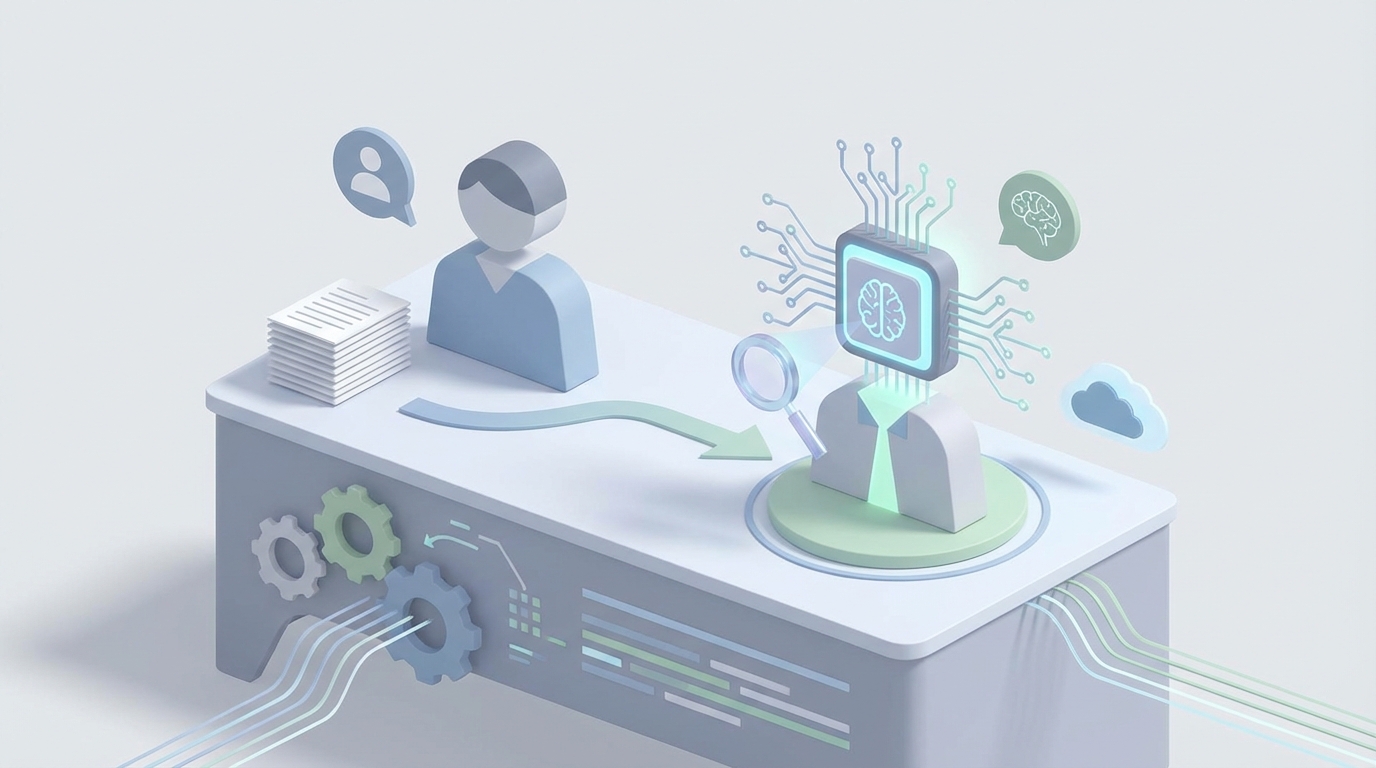
Most research analysts spend their days doing something that sounds impressive — "analyzing data and generating insights" — but actually involves an unglamorous grind of copying numbers between spreadsheets, reformatting tables from PDFs, and scanning hundreds of news articles for the three that actually matter.
I'm not saying the role isn't valuable. It is. But when you break down what a research analyst actually does hour by hour, a huge chunk of the work is mechanical. It's the kind of work that AI handles well today — not in some theoretical future, but right now.
So let's talk about what it would look like to replace (or at least dramatically augment) a research analyst with an AI agent built on OpenClaw. I'll cover what the role actually involves, what it costs you, what AI can handle today, what still needs a human, and how to build the thing.
What a Research Analyst Actually Does All Day
Job descriptions make this role sound like a strategic mastermind. Reality is more mundane. Here's a realistic breakdown of where the hours go:
Data collection and cleaning (30-40% of time). This is the big one. Pulling data from databases, APIs, public filings, news sources, and industry reports. Then formatting it, deduplicating it, handling missing values, normalizing inconsistent entries. Harvard Business Review has noted that data cleaning alone can consume up to 80% of total analysis time. It's the most tedious part of the job and the part most analysts quietly resent.
Building and updating models (20-30%). Spreadsheet work, mostly. Financial models, forecasting templates, sensitivity analyses. In finance, this means DCF models, comps, and scenario planning. In market research, it's trend projections and sizing models. Lots of iterative tweaking.
Report writing and visualization (15-25%). Drafting narratives, making charts in Tableau or PowerPoint, formatting decks that executives will skim for thirty seconds. Then revisions. Then more revisions. Analysts on Reddit and Glassdoor consistently cite "revision hell" as a top complaint.
Research and monitoring (15-20%). Scanning news feeds, tracking competitors, reading earnings transcripts, monitoring economic indicators. This is the part that sounds intellectual and often is — but it's also a firehose of information where 95% of what you read doesn't matter.
Meetings and presentations (10-15%). Presenting findings, answering stakeholder questions, collaborating with other teams.
The pattern is obvious: the majority of time goes to mechanical data work and formatting, not to the strategic thinking that supposedly justifies the role.
The Real Cost of This Hire
Let's talk numbers, because this is where the conversation gets real.
For a market research analyst in the US, the median salary is around $74,680 (BLS, May 2023). Total compensation including bonuses lands between $85,000 and $110,000. Entry-level runs $55,000 to $70,000; senior roles push past $110,000.
For a financial or equity research analyst, the numbers jump significantly. Median is closer to $99,890, with total comp ranging from $120,000 to $200,000. Senior analysts at major firms can clear $150,000 to $300,000+, especially with bonuses that run 20-100% of base salary in finance. NYC and SF premiums add another 20-50%.
But salary is never the full picture. Add 30-50% for benefits, payroll taxes, equipment, software licenses, and overhead. A $130,000 salary becomes $170,000 to $200,000 in true cost to the company.
Then factor in the hidden costs:
- Recruiting and onboarding: 3-6 months to hire, another 3-6 months to full productivity.
- Training: Industry knowledge, proprietary tools, internal processes.
- Turnover: Research analyst roles have high burnout rates. Tight deadlines during earnings seasons, 60+ hour weeks, and repetitive work push many analysts out within 2-3 years. Then you start the cycle over.
- Tool fragmentation: You're paying for Bloomberg terminals ($20,000+/year per seat), FactSet, Tableau licenses, survey platforms — and your analyst is spending time just switching between them.
You're looking at $150,000 to $250,000+ per year in fully loaded cost for a single analyst who spends a third of their time copying and pasting data.
That's the real calculus here.
What AI Handles Right Now (Not Someday — Now)
Let's be specific about what an AI agent can do today, because the gap between hype and reality matters.
Data Collection: ~80% Automatable
An OpenClaw agent can pull data from APIs, scrape public sources, aggregate news feeds, and monitor filings — continuously and without fatigue. The things that eat an analyst's morning (finding the right data sources, pulling the latest numbers, cross-referencing multiple databases) are exactly the kind of structured, repeatable tasks that AI agents execute reliably.
Where humans still add value: accessing niche proprietary databases, navigating paywalled sources that require institutional relationships, and making judgment calls about data source quality.
Data Cleaning: ~75% Automatable
Deduplication, normalization, format standardization, handling missing values — these are well-solved problems. An OpenClaw agent can process raw datasets, apply cleaning rules, flag anomalies, and output analysis-ready data.
Where humans still matter: domain-specific anomaly detection. Sometimes a data point looks wrong but is actually a meaningful outlier. That requires context an AI might not have.
Analysis and Modeling: ~60% Automatable
Basic regressions, trend analysis, sentiment analysis, correlation studies, and even predictive modeling — AI handles these well. An OpenClaw agent can run standard analyses and surface patterns across datasets that would take a human hours to spot.
Where humans still win: custom financial models with complex assumptions, creative scenario planning, and the intuitive "this doesn't smell right" judgment that comes from years of domain experience.
Report Writing: ~70% Automatable
First drafts of research reports, data summaries, chart generation, and even narrative construction — AI does this at a quality level that's genuinely useful. Not perfect, but a solid 80% draft that a human can refine.
Where humans are essential: executive-level persuasive narratives, client-specific tailoring, and the storytelling that turns data into decisions.
Monitoring: ~85% Automatable
Continuous scanning of news sources, alert generation, trend detection, competitor tracking — this is arguably where AI provides the biggest ROI. An agent that monitors 24/7 and surfaces only what matters is worth more than a human who skims for a few hours a day.
Where humans still matter: interpreting the geopolitical or contextual significance of events. AI can tell you a tariff was announced; a human understands the second-order effects on supply chains.
The net of all this: Gartner estimated in 2026 that AI has automated 30-50% of routine analyst tasks. With a well-built agent, you can push that closer to 60-70% for a typical research workflow.
What Still Needs a Human (Let's Be Honest)
I don't want to sell you a fantasy. Here's what AI agents genuinely struggle with today:
Strategic judgment. An AI can tell you that a competitor's revenue grew 15% last quarter. It can't tell you whether that growth is sustainable based on a conversation you had with a supplier at a conference. High-stakes "what should we do about this" decisions still need human judgment.
Relationship-dependent research. Expert interviews, proprietary survey design, and building the source networks that give you information before it's public — these are human skills.
Regulatory compliance. In financial research especially, there are real legal constraints. The SEC has clear guidelines about AI-generated investment advice requiring human oversight. You can't just let an agent publish equity research reports unsupervised.
Novel analysis. When you need a framework that doesn't exist yet — a new way of looking at a market, a creative analytical approach — that's still human territory.
Stakeholder communication. Presenting to a skeptical board, navigating internal politics about whose numbers are right, building trust with clients — empathy and rapport aren't automatable.
The smart play isn't full replacement. It's building an AI agent that handles the 60-70% of mechanical work so your human analysts (or you) can focus on the 30-40% that actually requires a brain.
How to Build a Research Analyst Agent with OpenClaw
Here's where we get practical. OpenClaw gives you the building blocks to construct an AI research analyst agent that handles data collection, cleaning, analysis, monitoring, and report drafting — all orchestrated through a single platform.
Step 1: Define Your Research Workflow
Before you touch any tools, map out your current process. Be specific:
- What data sources do you pull from? (Public filings, news APIs, internal databases, web sources)
- What does your cleaning process look like? (Deduplication rules, normalization standards, validation checks)
- What analyses do you run regularly? (Trend analysis, competitive benchmarking, financial modeling)
- What outputs do you produce? (Weekly reports, dashboards, ad-hoc analyses)
Write this down as a literal checklist. Your agent is only as good as your workflow definition.
Step 2: Set Up Data Collection Agents
In OpenClaw, you'll create specialized agents for each data source. Here's how the architecture looks:
agent: research_data_collector
description: Collects and aggregates data from defined sources

tools:
  - web_scraper:
      targets:
        - sec_edgar_filings
        - competitor_websites
        - industry_news_feeds
      schedule: daily

  - api_connector:
      endpoints:
        - financial_data_api
        - news_aggregator_api
        - economic_indicators_api
      authentication: env_variables

  - document_parser:
      file_types: [pdf, xlsx, csv]
      extraction_rules: structured_tables

output:
  format: structured_json
  destination: data_warehouse
  validation: schema_check
Each tool within the agent handles a specific source type. The web scraper monitors public filings and news. The API connector pulls structured data from financial feeds. The document parser handles the PDFs and spreadsheets that inevitably show up in any research workflow.
Step 3: Build the Cleaning and Processing Layer
agent: research_data_processor
description: Cleans, normalizes, and validates collected data

triggers:
  - on_new_data: research_data_collector

steps:
  - deduplicate:
      method: fuzzy_match
      threshold: 0.92

  - normalize:
      date_format: ISO_8601
      currency: USD
      units: standardized

  - validate:
      rules:
        - no_null_required_fields
        - value_range_checks
        - cross_source_consistency
      on_failure: flag_for_review

  - enrich:
      add_metadata: true
      calculate_derived_fields: true

output:
  format: clean_dataset
  destination: analysis_ready_store
The key here is the on_failure: flag_for_review setting. When the agent encounters something it can't confidently clean — an anomaly, a conflict between sources — it flags it for human review rather than guessing. This is how you build trust in the system.
Step 4: Configure the Analysis Engine
agent: research_analyst_engine
description: Runs analytical workflows on clean data

capabilities:
  - trend_analysis:
      lookback_periods: [30d, 90d, 1y, 3y]
      metrics: [revenue, market_share, sentiment, volume]

  - competitive_benchmarking:
      peer_group: defined_competitors
      dimensions: [financial, product, market_position]

  - sentiment_analysis:
      sources: [news, social, earnings_calls]
      model: openclaw_nlp_v3

  - anomaly_detection:
      method: statistical_deviation
      alert_threshold: 2_sigma

  - forecasting:
      models: [linear_regression, time_series]
      confidence_intervals: true

output:
  insights: prioritized_by_significance
  visualizations: auto_generated_charts
  alerts: real_time_notifications
This agent runs your standard analytical workflows automatically. When new clean data arrives, it runs trend analysis, benchmarks against competitors, analyzes sentiment, and flags anything unusual. All prioritized by statistical significance so you're not drowning in noise.
Step 5: Set Up Report Generation
agent: research_report_generator
description: Produces draft reports and summaries

triggers:
  - scheduled: weekly_friday_0800
  - on_demand: manual_trigger
  - event_based: significant_anomaly_detected

templates:
  - weekly_market_summary:
      sections: [overview, key_metrics, trends, risks, recommendations]
      length: 2000_words
      tone: analytical_professional

  - competitor_update:
      sections: [changes, implications, action_items]
      length: 1000_words

  - alert_brief:
      sections: [what_happened, why_it_matters, suggested_response]
      length: 500_words

output:
  format: [markdown, pdf, slides]
  review_status: draft_pending_human_review
  distribution: stakeholder_list
Notice review_status: draft_pending_human_review. The agent produces drafts, not final outputs. A human reviews, edits, and approves before anything goes to stakeholders. This is both a quality measure and a regulatory necessity in many industries.
Step 6: Orchestrate the Full Pipeline
pipeline: ai_research_analyst
description: End-to-end research analyst workflow

agents:
  1: research_data_collector    # Gather
  2: research_data_processor    # Clean
  3: research_analyst_engine    # Analyze
  4: research_report_generator  # Report

monitoring:
  dashboard: real_time_agent_status
  alerts: failures_and_anomalies
  logs: full_audit_trail

human_touchpoints:
  - data_anomaly_review
  - report_approval
  - strategic_interpretation
  - quarterly_agent_tuning
The full pipeline runs autonomously for routine work. Humans plug in at defined touchpoints — reviewing flagged anomalies, approving reports, adding strategic interpretation, and periodically tuning the agent's parameters based on changing needs.
Step 7: Iterate and Expand
Start narrow. Pick one research workflow — maybe your weekly competitive monitoring report — and build an agent for just that. Get it working, measure the time savings, and then expand to the next workflow. Trying to automate everything at once is how these projects fail.
Track these metrics:
- Hours saved per week
- Error rate compared to manual process
- Time from data collection to actionable insight
- Number of human interventions required
The Real-World Math
Let's say you're paying a research analyst $130,000 fully loaded. They spend roughly 60% of their time on tasks that an OpenClaw agent can handle (data collection, cleaning, routine analysis, first-draft reports, monitoring). That's ~$78,000 worth of work per year that an AI agent can absorb.
You're not necessarily eliminating the role — though you could for simpler research functions. More likely, you're turning one analyst into someone who operates at 2-3x capacity because they're spending their time on the strategic work that actually moves the needle.
Or you're a small company that couldn't afford a dedicated research analyst at all, and now you can have research capabilities that were previously out of reach.
The companies already doing this aren't small startups. Morgan Stanley's "Debrief" tool summarizes earnings calls for 15,000+ wealth managers and analysts, cutting research time by 30%. Goldman Sachs runs an AI system that scans 5,000+ sources for market insights, automating 20-30% of equity research prep. AlphaSense, used by 80% of S&P 100 firms, has cut research time by 70% in case studies.
These companies built custom solutions with enormous budgets. OpenClaw lets you build similar capabilities without a seven-figure infrastructure investment.
Next Steps
You have two options:
Build it yourself. Sign up for OpenClaw, start with one research workflow, and follow the architecture above. You'll need a few days to set up the initial pipeline and a few weeks to tune it. The investment is mostly time, and the payoff compounds as you expand to more workflows.
Have us build it for you. If you'd rather skip the learning curve and get a production-ready research analyst agent built by people who do this all day, check out Clawsourcing. We'll scope your research workflows, build the agent pipeline, and hand you a system that's already tuned to your data sources and output requirements.
Either way, the underlying reality is the same: a huge portion of research analyst work is structured, repeatable, and ready for automation today. Not perfectly, not for everything, but enough to fundamentally change the economics of how research gets done.
The analysts who thrive going forward won't be the ones who are fastest at copying data into spreadsheets. They'll be the ones who know how to direct AI agents and focus their human judgment where it actually matters.
Recommended for this post
Expert Web Research
Skill
Research any topic like a senior analyst — 15+ targeted queries, tiered source hierarchy, bias controls, and a structured recommendation with explicit confidence levels. Not a search wrapper. An actual research methodology.
 James
JamesGive it a company name. Get back pricing, positioning, and weaknesses.
Deep market research in 15 minutes - your AI analyst
 CaptainRecap