Stop Manual QA: AI Tester Agent Finds Bugs Before Production
Replace Your QA Tester with an AI QA Tester Agent
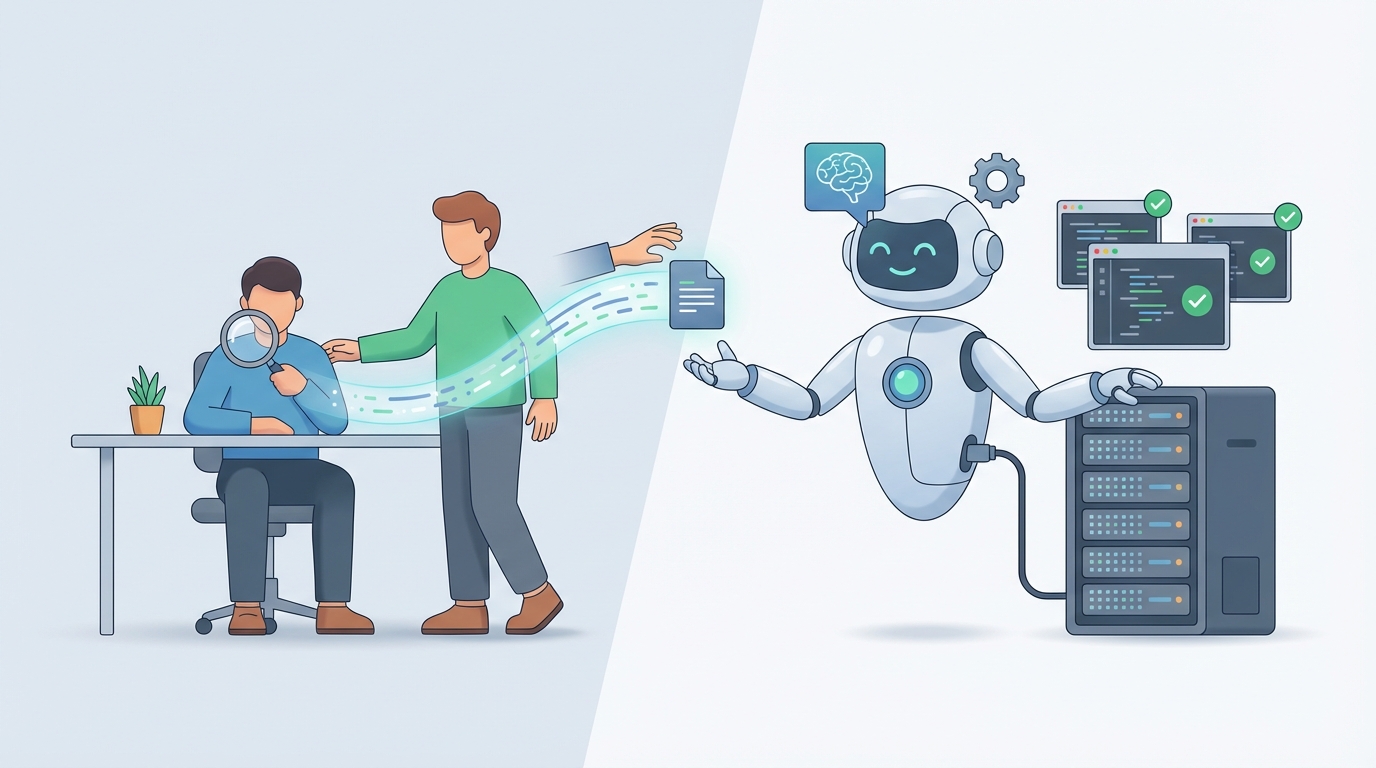
Let's be honest about what's happening in QA right now.
You have a team of testers clicking through the same flows every sprint, logging bugs in Jira with screenshots they had to manually crop, and rewriting Selenium scripts every time a developer moves a button three pixels to the left. Meanwhile, your release cycle is accelerating, your test matrix is expanding across devices and browsers, and your QA budget isn't growing to match.
The math doesn't work anymore. And the solution isn't hiring another tester—it's building an AI QA agent that handles the repetitive 70% so your human testers can focus on the work that actually requires a brain.
This isn't a hypothetical. Companies like Google, Netflix, and Microsoft have already cut manual testing workloads by 30-50% using AI-driven QA. The difference is they built custom internal tools with massive engineering teams. You can build something comparable on OpenClaw in a weekend.
Let me walk you through exactly what that looks like.
What a QA Tester Actually Does All Day
Before we replace anything, we need to understand what we're replacing. Most people outside of QA think testers just "find bugs." The actual breakdown of a QA tester's week looks more like this:
Test execution (40-60% of time): Running manual tests—clicking through user flows, filling out forms, testing edge cases across browsers and devices. This includes exploratory testing, regression testing, and smoke testing after each deployment. It's the bulk of the work and it's brutally repetitive.
Defect management (20-30%): When they find a bug, they don't just say "it's broken." They document exact reproduction steps, capture screenshots or screen recordings, note the browser/OS/device, identify severity, and file it in whatever bug tracker the team uses. Then they go back and forth with developers who can't reproduce it on their machine.
Test planning and design (10-20%): Reading through requirements, user stories, and specs to figure out what needs testing. Writing test cases. Prioritizing based on risk. Updating test plans when requirements change (which is always).
Reporting and communication (10-15%): Generating test reports, updating dashboards, presenting pass/fail metrics in standups, and flagging blockers to PMs. This is the "translate testing into business language" part of the job.
Maintenance and environment work (5-10%): Keeping automated test scripts from breaking, updating test data, configuring test environments, and waiting for builds to deploy. The "hurry up and wait" tax.
The tools they're swimming in: Selenium, Cypress, Playwright for browser automation. Postman for API testing. Jira or Azure DevOps for bug tracking. TestRail or Zephyr for test management. BrowserStack or Sauce Labs for cross-browser testing. And probably a handful of internal scripts held together with duct tape.
Here's what matters for our purposes: roughly 60-70% of these tasks are pattern-based, repetitive, and don't require human judgment. That's the target.
The Real Cost of a QA Tester
Salary is the number everyone looks at, but it's never the full story.
Direct compensation (US market, 2026):
- Junior QA (0-2 years): $55,000–$75,000
- Mid-level QA (3-5 years): $75,000–$100,000
- Senior QA/SDET (5+ years): $100,000–$140,000+
But that's just base salary. The actual cost to your company:
- Benefits and taxes add 20-40% on top. A $90,000 salary becomes $110,000–$125,000 in total cost.
- Recruiting costs: 15-25% of first-year salary for agency hires. Internal recruiting still costs time.
- Onboarding and ramp-up: 2-3 months before a new QA tester is fully productive. During that time, they're consuming senior team members' attention.
- Tooling and infrastructure: Licenses for testing tools, cloud environments, device labs. Easily $500–$2,000/month per tester.
- Turnover: QA has notoriously high burnout. When someone leaves, you eat the recruiting and onboarding cost all over again.
Conservative estimate for one mid-level QA tester: $110,000–$140,000/year all-in.
Even if you offshore (India-based QA teams run $10,000–$30,000/year per tester), you're trading cost savings for timezone friction, communication overhead, and often lower context on your product.
An AI QA agent running on OpenClaw costs a fraction of this. Not zero—you'll spend on API calls, compute, and setup time—but we're talking about an order of magnitude less for the tasks it can handle.
What an AI QA Agent Can Handle Right Now
I want to be specific here because vague "AI will do everything" claims are useless. Here's what an OpenClaw-based QA agent can realistically do today, broken into concrete tasks:
Test Case Generation from Requirements
Feed the agent a user story or product requirement document and it generates test cases—including happy paths, edge cases, and boundary conditions. This isn't theoretical. NLP parsing of requirements into structured test cases is a solved problem for well-written specs.
What it replaces: 2-4 hours of manual test case writing per feature. The agent does it in seconds and catches edge cases humans typically miss on the first pass (empty strings, special characters, timezone boundaries, etc.).
Regression Test Execution and Monitoring
The agent can trigger and monitor automated test suites on every deployment. More importantly, it can analyze failure patterns—distinguishing between genuine regressions, flaky tests, and environment issues—without a human triaging each red build.
What it replaces: The daily chore of babysitting CI/CD test runs and manually investigating failures. Teams report this eats 1-2 hours per day per tester.
Automated Bug Reporting
When the agent detects a failure, it can automatically generate a bug report with reproduction steps, environment details, relevant logs, and severity classification. It files the ticket directly in your bug tracker via API.
What it replaces: The 15-30 minutes per bug that manual documentation takes. Over a sprint with 20+ bugs, that's a full day of work.
Visual Regression Detection
Using screenshot comparison and visual diff analysis, the agent flags UI changes that weren't intentional—broken layouts, missing elements, styling regressions. Tools like Applitools pioneered this; OpenClaw lets you build it into your own workflow without vendor lock-in.
What it replaces: The painstaking process of eyeballing every page across multiple browsers and screen sizes. Trivago cut their visual bug detection time from days to minutes using a similar approach.
API Test Generation and Validation
Point the agent at your API documentation (OpenAPI/Swagger specs) and it generates comprehensive API tests—checking status codes, response schemas, error handling, rate limiting, and data validation.
What it replaces: Manual Postman collection building and maintenance. For a mid-sized API with 50+ endpoints, this saves days of initial setup.
Test Report Summarization
The agent digests raw test results and produces human-readable summaries: what passed, what failed, what's new, what's risky, and what needs attention before release. It can post these directly to Slack or your standup doc.
What it replaces: The reporting busywork that eats 30-60 minutes every day and adds no value beyond communication.
What Still Needs a Human
Here's where I refuse to oversell this. Some QA work requires human judgment, creativity, and contextual understanding that AI can't replicate well enough to trust:
Exploratory testing. The art of poking at software with no script, following hunches, and finding the bugs that nobody thought to write a test case for. This requires product intuition and creative thinking. AI can generate test cases from patterns it's seen before, but it can't think laterally about how a confused user might misuse a feature.
Usability and UX evaluation. "Does this feel right?" is a human question. AI can tell you a button exists and is clickable. It can't tell you that the flow feels confusing or that the error message will frustrate users.
Complex business logic validation. When your domain has nuanced rules—financial calculations, healthcare compliance, legal requirements—a human with domain expertise needs to verify the logic. AI can help generate test data, but the "is this correct?" judgment call requires context AI doesn't have.
Root cause analysis for novel bugs. AI is great at pattern matching against known failure modes. It's poor at debugging a never-before-seen issue that requires understanding system architecture, reading code, and forming hypotheses.
Stakeholder communication. Telling a PM "we shouldn't ship this" and explaining why in a way that balances risk, timeline, and business impact? That's a human conversation.
Strategic test planning. Deciding what not to test is as important as what to test. Prioritizing based on business risk, user impact, and team capacity requires judgment that AI doesn't have.
The honest split: AI handles 60-70% of the work. Humans handle the remaining 30-40% that actually should require a senior person's attention. This means you don't eliminate QA—you make one senior QA person as effective as a team of three or four by offloading the grunt work to an AI agent.
How to Build a QA Tester Agent on OpenClaw
Here's the practical part. I'll walk through the architecture of a QA agent on OpenClaw that handles test generation, execution monitoring, and bug reporting.
Step 1: Define the Agent's Core Workflows
Your QA agent needs three primary workflows:
- Ingest → Generate: Take in requirements (Jira tickets, PRs, docs) and output test cases.
- Monitor → Triage: Watch CI/CD pipeline results and classify failures.
- Detect → Report: Find issues and file structured bug reports.
In OpenClaw, you'd set these up as separate agent workflows that share context through a common knowledge base (your product's test history, known flaky tests, environment configs).
Step 2: Connect Your Data Sources
The agent needs access to:
- Your project management tool (Jira, Linear, etc.) for requirements and bug filing
- Your CI/CD pipeline (GitHub Actions, GitLab CI, Jenkins) for test results
- Your codebase (via Git) for understanding what changed in each PR
- Your test management tool or test case repository
OpenClaw's integration layer lets you wire these up as data sources. Here's a simplified configuration:
agent:
  name: qa-tester-agent
  description: Automated QA testing agent for regression, test generation, and bug reporting

data_sources:
  - type: jira
    config:
      base_url: "https://yourcompany.atlassian.net"
      project_key: "PROJ"
      auth: "${JIRA_API_TOKEN}"

  - type: github
    config:
      repo: "yourcompany/main-app"
      events: ["pull_request", "push"]
      auth: "${GITHUB_TOKEN}"

  - type: ci_pipeline
    config:
      provider: "github_actions"
      repo: "yourcompany/main-app"
      auth: "${GITHUB_TOKEN}"

workflows:
  - name: test_case_generation
    trigger: jira_ticket_moved_to_ready
    steps:
      - parse_requirements
      - generate_test_cases
      - submit_for_review

  - name: regression_monitor
    trigger: ci_pipeline_complete
    steps:
      - collect_results
      - classify_failures
      - report_summary

  - name: bug_reporter
    trigger: test_failure_detected
    steps:
      - gather_context
      - generate_bug_report
      - file_in_jira
Step 3: Build the Test Generation Workflow
This is where the agent earns its keep. When a Jira ticket moves to "Ready for QA," the agent:
- Reads the ticket description, acceptance criteria, and linked design docs
- Pulls the relevant code diff from the associated PR
- Generates test cases covering happy path, edge cases, and regression scenarios
- Formats them in your team's test case template
- Posts them as a comment on the ticket for human review
# OpenClaw test generation workflow

def generate_test_cases(context):
    ticket = context.data_sources.jira.get_ticket(context.trigger.ticket_id)

    pr_diff = context.data_sources.github.get_pr_diff(
        ticket.linked_pr_number
    )

    prompt = f"""
    Based on the following user story and code changes, generate comprehensive
    test cases. Include:
    - Happy path scenarios
    - Edge cases (empty inputs, boundary values, special characters)
    - Negative test cases (invalid data, unauthorized access)
    - Regression scenarios for affected components

    User Story:
    {ticket.description}

    Acceptance Criteria:
    {ticket.acceptance_criteria}

    Code Changes:
    {pr_diff.summary}

    Modified Files:
    {pr_diff.files_changed}

    Format each test case as:
    - ID: TC-[number]
    - Title: [descriptive title]
    - Preconditions: [setup needed]
    - Steps: [numbered steps]
    - Expected Result: [what should happen]
    - Priority: [high/medium/low]
    """

    test_cases = context.agent.generate(prompt)

    # Post to Jira as structured comment
    context.data_sources.jira.add_comment(
        ticket_id=context.trigger.ticket_id,
        body=format_test_cases(test_cases),
        label="ai-generated-tests"
    )

    return test_cases
Step 4: Build the Failure Triage Workflow
This one saves the most daily time. After every CI/CD run:
# OpenClaw failure triage workflow

def classify_failures(context):
    pipeline_results = context.data_sources.ci_pipeline.get_latest_results()

    failed_tests = [t for t in pipeline_results.tests if t.status == "failed"]

    if not failed_tests:
        context.notify.slack(
            channel="#qa-reports",
            message=f"✅ All {len(pipeline_results.tests)} tests passed on build {pipeline_results.build_id}"
        )
        return

    # Pull historical data for flakiness detection
    test_history = context.knowledge_base.query(
        "test_results",
        test_ids=[t.id for t in failed_tests],
        lookback_days=30
    )

    classifications = []
    for test in failed_tests:
        history = test_history.get(test.id, {})

        prompt = f"""
        Classify this test failure:

        Test: {test.name}
        Error: {test.error_message}
        Stack Trace: {test.stack_trace[:500]}

        Last 30 days: {history.get('pass_rate', 'N/A')}% pass rate
        Last failed: {history.get('last_failure_date', 'never')}
        Recent code changes: {test.related_commits}

        Classify as one of:
        1. GENUINE_REGRESSION - New bug introduced by recent changes
        2. FLAKY - Intermittent failure, likely timing/environment
        3. ENVIRONMENT - Infrastructure or config issue
        4. KNOWN_ISSUE - Matches an existing open bug

        Provide confidence level (high/medium/low) and reasoning.
        """

        classification = context.agent.generate(prompt)
        classifications.append({
            "test": test,
            "classification": classification
        })

    # Only create bug reports for genuine regressions
    regressions = [c for c in classifications if c["classification"].type == "GENUINE_REGRESSION"]

    for regression in regressions:
        context.workflows.trigger("bug_reporter", test_failure=regression)

    # Generate summary report
    summary = generate_triage_summary(classifications, pipeline_results)
    context.notify.slack(channel="#qa-reports", message=summary)
Step 5: Build the Bug Reporter Workflow
When the triage workflow identifies a genuine regression:
# OpenClaw bug reporting workflow

def generate_bug_report(context):
    failure = context.trigger.test_failure
    test = failure["test"]

    # Gather additional context
    recent_commits = context.data_sources.github.get_recent_commits(
        since=test.last_passed_date,
        paths=test.related_files
    )

    logs = context.data_sources.ci_pipeline.get_logs(
        build_id=test.build_id,
        job_name=test.job_name
    )

    prompt = f"""
    Generate a bug report for this test failure:

    Test Name: {test.name}
    Test File: {test.file_path}
    Error: {test.error_message}
    Stack Trace: {test.stack_trace}

    Relevant Logs:
    {logs.tail(50)}

    Commits since last pass:
    {format_commits(recent_commits)}

    Environment: {test.environment}
    Browser/Platform: {test.platform}

    Write a bug report with:
    - Clear title (prefix with [AI-QA])
    - Summary of the issue
    - Steps to reproduce (derived from the test steps)
    - Expected vs actual behavior
    - Environment details
    - Suspected root cause (based on recent commits)
    - Severity: Critical/High/Medium/Low
    - Suggested assignee (based on commit authors)
    """

    bug_report = context.agent.generate(prompt)

    # File in Jira
    ticket = context.data_sources.jira.create_ticket(
        project="PROJ",
        type="Bug",
        title=bug_report.title,
        description=bug_report.body,
        severity=bug_report.severity,
        labels=["ai-detected", "regression"],
        assignee=bug_report.suggested_assignee
    )

    # Link to the failing PR
    if test.pr_number:
        context.data_sources.github.add_pr_comment(
            pr_number=test.pr_number,
            body=f"🐛 AI QA Agent detected a regression. Bug filed: {ticket.url}"
        )

    return ticket
Step 6: Add the Feedback Loop
This is what separates a useful agent from a toy. You need a mechanism for human QA to flag when the agent gets it wrong—when a "genuine regression" was actually flaky, or when generated test cases missed something obvious.
# Feedback collection for continuous improvement

def handle_feedback(context):
    feedback = context.trigger.feedback  # From Jira comment or Slack reaction

    context.knowledge_base.store({
        "type": "agent_feedback",
        "original_classification": feedback.original,
        "corrected_classification": feedback.corrected,
        "test_id": feedback.test_id,
        "reason": feedback.reason,
        "timestamp": feedback.timestamp
    })

    # Agent learns from corrections over time
    # Flakiness scores, false positive patterns, and team preferences
    # all improve with accumulated feedback
This feedback loop is critical. Without it, your team will stop trusting the agent within two weeks. With it, the agent gets meaningfully better every sprint.
The Realistic Outcome
Here's what you should expect after running this for a month:
Time saved: 15-25 hours per week across your QA team. That's mostly from automated triage, test generation, and bug reporting. Not zero human involvement—but dramatically less.
Cost impact: If you're spending $120,000/year on a mid-level tester whose time is 60% repetitive work, you're recovering roughly $72,000 in productive capacity. The OpenClaw agent costs a fraction of that to run.
Quality improvement: Faster feedback loops mean bugs are caught earlier. Consistent, tireless regression monitoring means fewer things slip through to production. And your human testers, freed from grunt work, can focus on the exploratory and strategic testing that actually prevents the expensive bugs.
What won't happen: The agent won't replace your entire QA team. It won't catch every bug. It will occasionally file a false positive or miss something a human would catch. That's fine. The goal isn't perfection—it's leverage.
What to Do Next
You've got two paths:
Build it yourself. Sign up for OpenClaw, start with the test generation workflow (it delivers value fastest), and expand from there. The configuration above is a real starting point, not pseudocode. You can have a basic version running in a day and a production-grade setup within a couple of weeks.
Have us build it. If you'd rather skip the setup and get a QA agent customized to your stack, tools, and workflows, that's exactly what Clawsourcing does. We'll build, deploy, and tune the agent for your team. You focus on shipping product; we'll make sure the AI is catching what it should.
Either way, the era of paying six figures for someone to click the same buttons every sprint is ending. The question isn't whether AI will handle your QA grunt work—it's whether you'll be the team that sets it up now or the team that's still manually triaging flaky tests six months from now.