Stop Chasing Updates: AI Project Coordinator Agent
Replace Your Project Coordinator with an AI Project Coordinator Agent
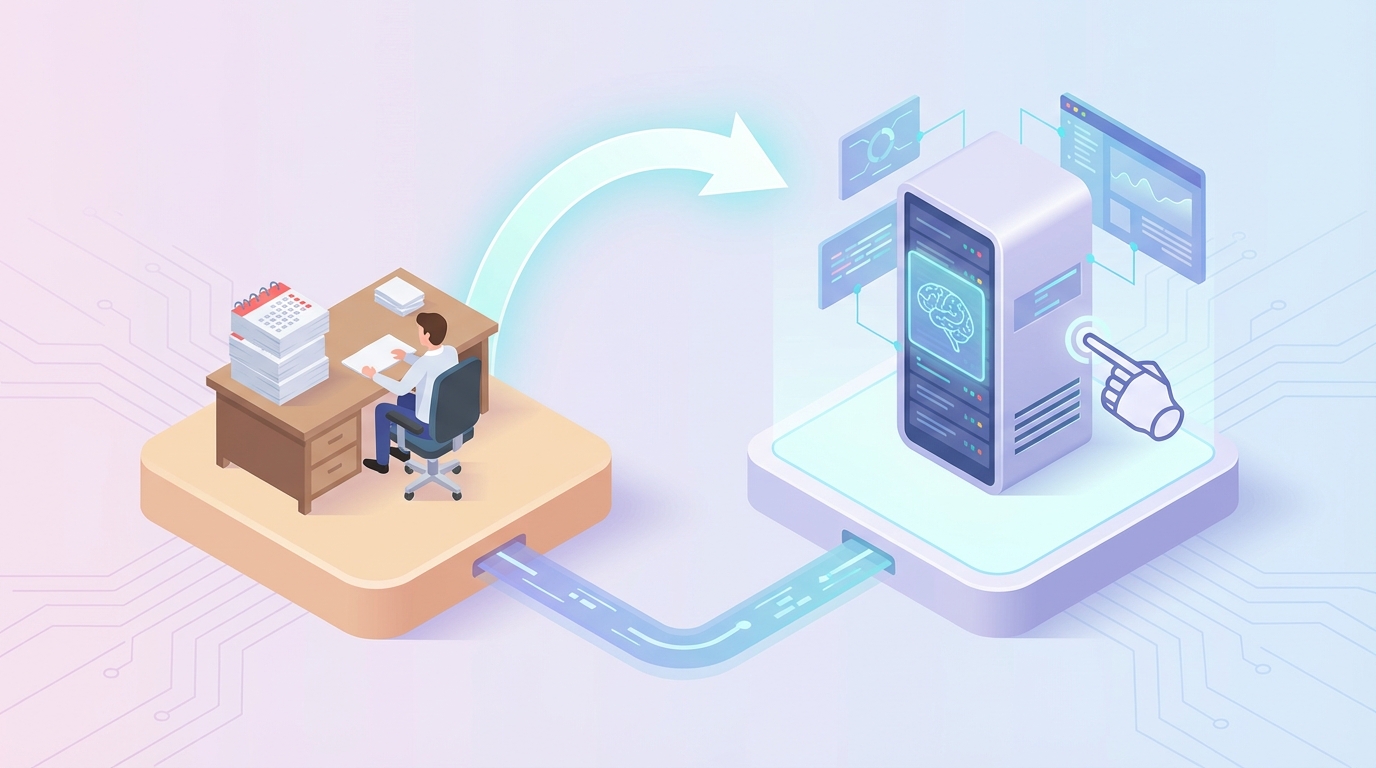
Let me be real with you: your project coordinator spends half their day doing work that a well-built AI agent could handle in seconds.
I'm not saying this to be dismissive of the role. Project coordinators are genuinely important — they're the connective tissue of any functioning team. But here's the thing. A massive chunk of what they do every day is mechanical. Sending reminder emails. Updating status fields. Pulling together reports from three different tools. Scheduling meetings across five calendars. Copying data from Slack into Jira into a Google Sheet into a weekly email.
That's not strategic work. That's plumbing. And AI is very, very good at plumbing.
So let's talk about what it actually looks like to replace — or more accurately, automate away — the bulk of the project coordinator function using an AI agent built on OpenClaw.
What a Project Coordinator Actually Does All Day
If you've never been a project coordinator, you might think the job is mostly "keeping things organized." That's true in the same way that a surgeon's job is mostly "fixing people." The detail matters.
Here's what a typical PC's day actually looks like:
Morning (8:00–10:00): Triage emails and Slack messages from overnight. Flag anything urgent. Respond to five or six "quick questions" that each require checking a different tool. Update the project tracker with yesterday's progress based on what people said in standup.
Mid-morning (10:00–12:00): Attend one or two meetings. Take notes. Afterward, distribute action items, update the project plan, and send follow-ups to three people who owe deliverables.
Afternoon (1:00–3:30): Build or update the weekly status report. This involves pulling data from Jira (or Asana, or Monday, or whatever), cross-referencing it with budget spreadsheets, writing a summary for leadership, and formatting it so it doesn't look like garbage. Chase down two team members who haven't updated their tasks. Resolve a scheduling conflict for Thursday's review meeting.
Late afternoon (3:30–5:00): Handle procurement paperwork. Update the risk register. Prep materials for tomorrow's stakeholder check-in. Respond to another dozen Slack messages.
The breakdown by time, based on industry surveys from Wrike and Atlassian, looks roughly like this:
- Administrative and repetitive tasks: 40–50%
- Status reporting and meetings: 25–35%
- Communication and follow-ups: 15–20%
- Actual strategic coordination: Maybe 10%
That last number is the problem. Your project coordinator — someone you're paying a real salary to — spends roughly 90% of their time on tasks that don't require human judgment. They know it, too. Sixty percent of project coordinators report feeling overwhelmed by low-value work, according to Asana's 2026 Anatomy of Work report.
The Real Cost of This Hire
Let's talk money, because this is where the math gets interesting.
A mid-level project coordinator in the US (3–5 years of experience) earns between $55,000 and $75,000 in base salary. But that's not what they cost you. Once you add benefits, payroll taxes, equipment, software licenses, and the 20–30% overhead markup that SHRM recommends using for total cost calculations, you're looking at:
| Level | Base Salary | True Cost to Employer |
|---|---|---|
| Entry-level (0–2 yrs) | $45K–$60K | $60K–$80K |
| Mid-level (3–5 yrs) | $55K–$75K | $75K–$100K |
| Senior (5+ yrs) | $70K–$95K | $95K–$130K |
In tech hubs like San Francisco or New York, add another 20–30% on top.
Now factor in the costs nobody talks about:
- Training: It takes 2–4 months for a new PC to fully understand your workflows, tools, and team dynamics. During that time, they're operating at maybe 50% effectiveness.
- Turnover: The average tenure for a project coordinator is around 2 years. Every time someone leaves, you eat recruiting costs ($5K–$15K), lost productivity during the gap, and the training cycle again.
- Tool costs: Your PC needs licenses for your PM software, communication tools, reporting platforms, and probably three or four other things. That's $200–$500/month in SaaS costs per person.
All in, a mid-level project coordinator costs you roughly $80K–$110K per year when everything is included. And remember — about 90% of their time goes to work that doesn't require a human brain.
That's $72K–$99K per year in labor cost dedicated to tasks an AI agent can do.
What AI Can Actually Handle Right Now
I'm not going to pretend AI can do everything a project coordinator does. It can't. But the list of what it can do is substantial and growing fast. Here's a realistic breakdown:
Tasks AI handles well today
Scheduling and calendar management. This is essentially a solved problem. An AI agent on OpenClaw can monitor team calendars, propose meeting times, resolve conflicts, send invites, and reschedule when things shift. It handles 90%+ of scheduling scenarios without human intervention. The remaining 10% — like navigating an executive's unstated preference for no meetings before 10 AM — requires a human nudge, but only occasionally.
Status report generation. This is where you save the most time. An OpenClaw agent can pull data from Jira, Asana, Monday.com, or whatever your team uses. It can cross-reference task completion against milestones, flag what's behind schedule, calculate budget burn rate from your spreadsheets, and compile all of it into a formatted weekly report. What takes a human 2–3 hours takes the agent 30 seconds.
Email and message triage. The agent can monitor incoming communications, categorize them by urgency and topic, draft responses to routine inquiries, and escalate anything that needs human attention. It can also summarize long email threads so you don't have to read 47 messages to understand a decision.
Task tracking and follow-ups. This is the "nagging" part of coordination, and AI is perfect for it. The agent monitors task due dates, sends automated reminders to assignees, updates statuses based on linked activity (commits, document edits, Slack confirmations), and flags blockers before they become problems.
Meeting notes and action items. The agent can process meeting transcripts (or sit in via integration), extract action items, assign them to the right people in your PM tool, and send a summary to all attendees. No more "Can someone send the notes from yesterday's call?"
Risk flagging. By monitoring project velocity, budget trends, and communication patterns, an AI agent can flag potential risks — like a workstream that's consistently slipping or a team member who hasn't updated their tasks in a week. It's pattern recognition, and AI is better at it than humans because it never stops watching.
Tasks AI handles partially
Resource allocation. AI can forecast resource needs based on historical data and current project plans. It can suggest optimal assignments. But final decisions about who works on what often involve political and interpersonal factors that AI can't navigate.
Routine communication. For standard updates — "Here's this week's progress," "Reminder: deliverable due Friday," "The meeting has been moved to 3 PM" — AI handles it perfectly. For anything requiring tone sensitivity or relationship context, a human should still be in the loop.
Tasks that still need a human
Let's be honest about what AI can't do:
- Conflict resolution. When two team leads disagree about priorities, an AI agent isn't going to mediate that.
- Stakeholder relationship management. The nuance of reading a room, knowing when a client is frustrated versus just direct, adjusting your communication style — that's human territory.
- Creative problem-solving for novel situations. When something goes sideways in a way nobody anticipated, you need someone who can think laterally and make judgment calls.
- Ethical and political decisions. Who gets pulled off a project? How do you communicate a delay to a difficult executive? These require empathy and organizational awareness.
- Team morale and motivation. An AI can tell you that someone seems disengaged based on their output patterns. It can't take them out for coffee and figure out what's going on.
My honest estimate: a well-built AI agent can handle 50–60% of a project coordinator's workload. The other 40–50% still needs a person — but that person can now focus entirely on the high-value stuff instead of drowning in admin.
How to Build One With OpenClaw
Here's the practical part. OpenClaw gives you the infrastructure to build an AI agent that handles the automatable portion of project coordination. Let me walk through what this looks like.
Step 1: Define Your Agent's Scope
Before you touch any tools, write down exactly which tasks you want your agent to handle. Be specific. Not "manage the project" but:
- Monitor Jira board X for overdue tasks and send Slack reminders to assignees
- Generate a weekly status report every Friday at 2 PM from Jira + Google Sheets data
- Triage incoming emails to the project inbox and draft responses for routine requests
- Schedule recurring meetings and resolve conflicts automatically
- Summarize daily standup notes and post them in the #project-updates channel
This becomes your agent's job description.
Step 2: Set Up Your OpenClaw Agent
In OpenClaw, you'll create a new agent and configure its core behavior. Here's what the configuration flow looks like:
agent:
  name: "Project Coordinator Agent"
  role: "Automate project coordination tasks for [Project Name]"

  capabilities:
    - schedule_management
    - task_monitoring
    - report_generation
    - communication_triage
    - meeting_summarization

  integrations:
    - jira:
        instance: "yourcompany.atlassian.net"
        project_key: "PROJ"
        access: read_write
    - slack:
        workspace: "yourcompany"
        channels: ["#project-updates", "#project-team"]
    - google_calendar:
        calendars: ["team-calendar@yourcompany.com"]
    - google_sheets:
        spreadsheet_id: "your-budget-tracker-id"
    - email:
        inbox: "project-inbox@yourcompany.com"

  behaviors:
    task_reminders:
      trigger: "daily at 9:00 AM"
      action: "Check for tasks due within 48 hours, send Slack DM to assignee"

    weekly_report:
      trigger: "every Friday at 2:00 PM"
      action: "Pull Jira metrics + budget data, generate status report, post to #project-updates and email to stakeholder list"

    email_triage:
      trigger: "on new email to project inbox"
      action: "Classify by urgency (high/medium/low), draft response for low/medium, flag high for human review"

    meeting_summary:
      trigger: "on meeting transcript available"
      action: "Extract action items, create Jira tickets, send summary to attendees"
Step 3: Build the Reporting Logic
The status report is where you'll get the most visible value. Here's how you'd configure the reporting workflow in OpenClaw:
# Weekly Status Report Workflow

def generate_weekly_report():
    # Pull task data from Jira
    tasks = openclaw.integrations.jira.get_tasks(
        project="PROJ",
        date_range="last_7_days"
    )

    completed = [t for t in tasks if t.status == "Done"]
    in_progress = [t for t in tasks if t.status == "In Progress"]
    blocked = [t for t in tasks if t.status == "Blocked"]
    overdue = [t for t in tasks if t.is_overdue()]

    # Pull budget data from Google Sheets
    budget = openclaw.integrations.sheets.get_range(
        spreadsheet_id="your-budget-tracker-id",
        range="Budget!A1:F50"
    )

    burn_rate = calculate_burn_rate(budget)
    forecast = project_budget_completion(budget, tasks)

    # Generate the report using OpenClaw's language model
    report = openclaw.generate(
        template="weekly_status_report",
        context={
            "completed_tasks": completed,
            "in_progress_tasks": in_progress,
            "blocked_items": blocked,
            "overdue_items": overdue,
            "budget_burn_rate": burn_rate,
            "budget_forecast": forecast,
            "risks": identify_risks(tasks, budget)
        },
        tone="professional, concise",
        format="markdown"
    )

    # Distribute
    openclaw.integrations.slack.post(
        channel="#project-updates",
        message=report
    )
    openclaw.integrations.email.send(
        to=stakeholder_list,
        subject=f"Weekly Status Report - {current_date()}",
        body=report
    )
Step 4: Configure the Communication Layer
Set up your agent to handle the daily communication grind:
# Email Triage Workflow

def triage_email(email):
    classification = openclaw.classify(
        content=email.body,
        categories={
            "high": "Urgent issues, executive requests, blockers, budget approvals",
            "medium": "Status questions, meeting requests, vendor follow-ups",
            "low": "FYI emails, newsletters, routine confirmations"
        }
    )

    if classification == "high":
        # Escalate to human
        openclaw.integrations.slack.dm(
            user="project.manager",
            message=f"🚨 High-priority email from {email.sender}: {email.subject}\n\nSummary: {openclaw.summarize(email.body)}"
        )

    elif classification in ["medium", "low"]:
        # Draft and queue response
        draft = openclaw.generate(
            prompt=f"Draft a professional response to this email: {email.body}",
            context={
                "project_status": get_current_status(),
                "sender_history": get_sender_context(email.sender)
            },
            tone="helpful, professional"
        )

        # Queue for human review (optional) or auto-send
        openclaw.integrations.email.draft(
            reply_to=email.id,
            body=draft,
            auto_send=(classification == "low")  # Auto-send only low-priority
        )
Step 5: Set Up the Task Monitoring Loop
# Daily Task Monitoring

def daily_task_check():
    tasks = openclaw.integrations.jira.get_tasks(
        project="PROJ",
        status=["In Progress", "To Do"]
    )

    for task in tasks:
        days_until_due = task.days_until_due()

        if days_until_due <= 0:
            # Overdue - escalate
            openclaw.integrations.slack.dm(
                user=task.assignee,
                message=f"⚠️ **{task.key}** is overdue by {abs(days_until_due)} day(s): *{task.summary}*\nPlease update status or flag if blocked."
            )
            openclaw.integrations.slack.dm(
                user="project.manager",
                message=f"Overdue task: {task.key} ({task.assignee}) - {abs(days_until_due)} days past due"
            )

        elif days_until_due <= 2:
            # Due soon - gentle reminder
            openclaw.integrations.slack.dm(
                user=task.assignee,
                message=f"📋 Reminder: **{task.key}** is due in {days_until_due} day(s): *{task.summary}*"
            )

        # Check for stale tasks (no update in 5+ days)
        if task.days_since_update() >= 5:
            openclaw.integrations.slack.dm(
                user=task.assignee,
                message=f"👋 Hey — **{task.key}** hasn't been updated in {task.days_since_update()} days. Is everything on track?"
            )
Step 6: Test With a Single Project, Then Scale
Don't roll this out across your entire organization on day one. Start with one project. Run the AI agent alongside your existing coordinator for two weeks. Compare output quality, speed, and any gaps. Adjust the agent's behaviors based on what you find.
Common things you'll need to tune:
- Reminder frequency. Too many nudges and people start ignoring them. Start conservative.
- Report format. Your stakeholders have preferences. Iterate on the template.
- Escalation thresholds. What counts as "high priority" will be different for every team.
- Tone. The agent's communication style matters more than you'd think. People respond poorly to messages that feel robotic.
After two weeks of parallel running, you'll have a clear picture of what the agent handles cleanly and where you still need a human touch.
The Real Outcome
Let me set realistic expectations, because overpromising is the fastest way to get burned with AI projects.
A well-built OpenClaw project coordinator agent will:
- Save 20–30 hours per week of human PC time on admin, reporting, and communication tasks
- Reduce scheduling conflicts by 80–90% through automated calendar management
- Cut status report preparation time from hours to seconds
- Eliminate 90%+ of "reminder" work through automated task monitoring
- Operate 24/7 across time zones without fatigue, vacation, or sick days
It will not:
- Replace the need for human judgment on complex decisions
- Handle sensitive personnel or political situations
- Build genuine relationships with stakeholders
- Solve novel problems it hasn't been configured for
The net effect isn't "fire your project coordinator." It's more like: one senior person can now effectively coordinate 3–5 projects instead of 1–2, because the AI agent handles the operational load. Or your existing PC can shift entirely into a more strategic project management role where they're adding real value instead of copying data between spreadsheets.
At $80K–$110K per year per coordinator, even partially automating the role pays for itself almost immediately.
Next Steps
You've got two options:
Option 1: Build it yourself. Everything I've described above is doable on OpenClaw. If you've got someone technical on your team who can dedicate a week or two to setup and configuration, you can have a working agent running on a real project within that timeframe. Start with the status report automation — it's the highest-value, lowest-complexity starting point.
Option 2: Have us build it. If you don't have the bandwidth or technical chops to build this yourself, that's literally what Clawsourcing exists for. We'll scope your workflows, build the agent, integrate it with your tools, test it, and hand it off running. You get a production-ready AI project coordinator configured for your specific team, tools, and processes — without pulling your own engineers off their actual work.
Either way, the math on this one is pretty clear. The question isn't whether to automate project coordination. It's whether you do it this quarter or next.
Recommended for this post
Coordinate multiple AI agents as a team
 Charles Howard
Claude Code Mastery
Skill
The complete skill for turning Claude Code into your AI engineering partner, not just a code generator.
 Clarence Maker
Coordinate multiple agents working in parallel. Divide and conquer complex tasks with parallel execution.
 Just Dan