AI Medical Receptionist: Handle Calls, Scheduling & Patient Check-ins
Replace Your Medical Receptionist with an AI Medical Receptionist Agent
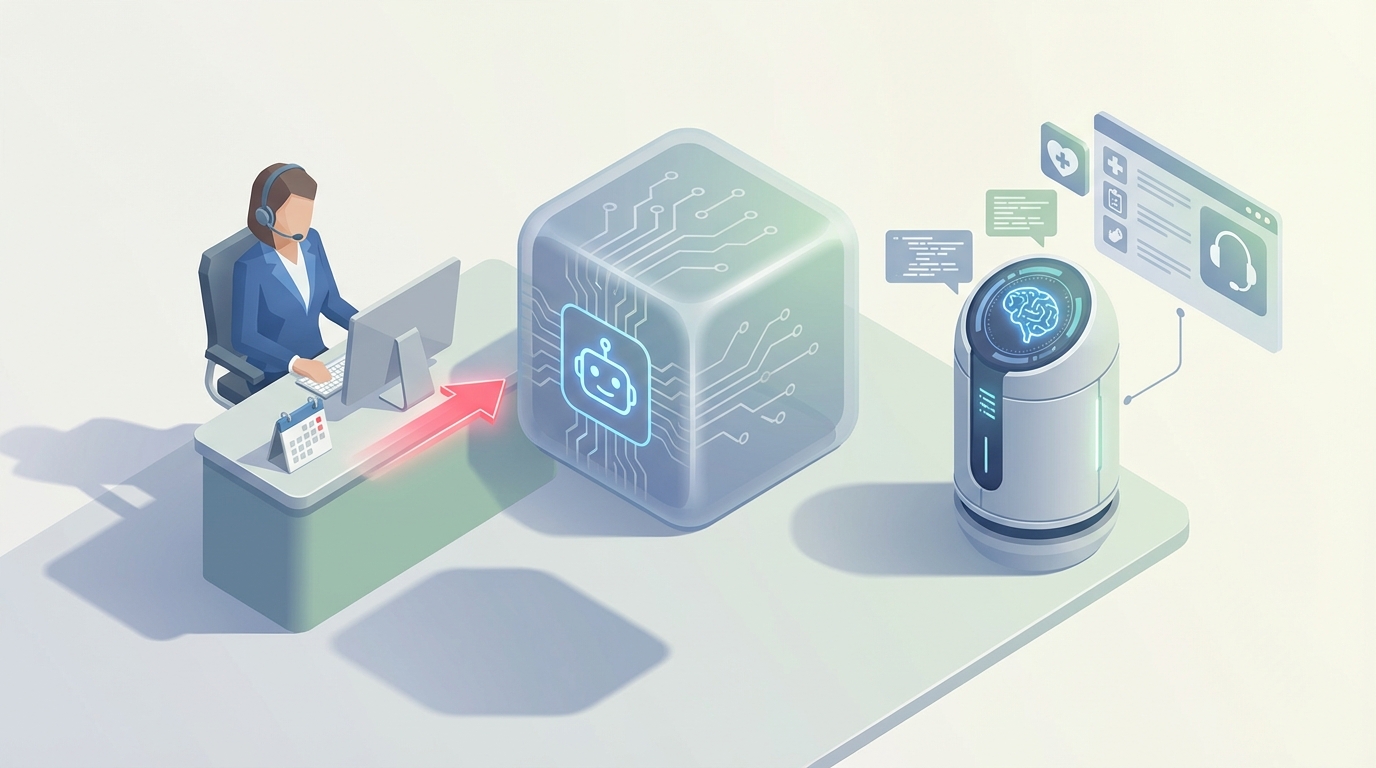
Let's be honest about what a medical receptionist actually does all day, because if you're going to replace parts of this role with AI, you need to understand the real job — not the sanitized job description.
A medical receptionist is a human router. They sit at the intersection of patients, providers, insurance companies, and administrative systems, and they spend their entire day context-switching between all of them. Answer a call, check in a patient, verify insurance, answer another call, reschedule an appointment, process a copay, answer another call, fax a referral, answer another call.
That's not an exaggeration. A busy practice handles 50 to 100 phone calls per day through the front desk. Most of those calls are the same five questions asked slightly differently: "Do you take my insurance?" "Can I reschedule my appointment?" "What are your hours?" "I need a refill." "Where do I send this form?"
The receptionist answers those questions while simultaneously checking in the patient standing in front of them, updating the EHR, and trying not to let anyone wait on hold too long. It's an incredibly demanding job that we systematically undervalue and then wonder why turnover hits 50% in some practices.
So here's the question: which parts of this job can an AI agent handle today, which parts still need a human, and how do you actually build one?
What This Role Actually Costs You
Before we get into the AI side, let's talk real numbers, because the sticker price on a medical receptionist salary is misleading.
The median annual salary is around $38,270 according to the BLS. Entry-level runs $30,000 to $35,000. Experienced receptionists in urban markets or hospital systems can pull $45,000 to $50,000 or more.
But salary is never the full cost. Once you add health insurance, payroll taxes, workers' comp, PTO, and the overhead of training (which is significant in healthcare due to HIPAA, EHR systems, and practice-specific protocols), you're looking at $50,000 to $70,000 per year per receptionist. That's the 30 to 50 percent markup that most practice managers know about but rarely say out loud.
Now factor in turnover. AMN Healthcare data shows receptionist turnover in medical practices is brutal. Every time someone leaves, you're spending $3,000 to $5,000 on recruiting, another 4 to 8 weeks on training, and eating the productivity loss in between. If you're replacing one person per year, that's another $5,000 to $10,000 in hidden costs.
For a two-receptionist practice, you might be spending $120,000 to $150,000 per year on front desk staff, all-in.
An AI agent doesn't replace all of that spend. But it can carve out a significant chunk by handling the repetitive, high-volume tasks that eat up 60 to 70 percent of a receptionist's day — and do it 24/7 without burnout, call-outs, or hold music.
What AI Can Actually Handle Right Now
I'm not going to pretend AI can do everything a receptionist does. It can't. But here's what it handles well today, specifically when you build it right on a platform like OpenClaw.
Inbound call answering and routing. This is the biggest win. A voice AI agent built on OpenClaw can answer every call on the first ring, 24 hours a day. It can greet patients, understand their intent (scheduling, billing question, prescription refill, urgent issue), and either resolve the request directly or route to the right person. No hold times. No voicemail black holes. No "please call back during business hours."
Cleveland Clinic reduced receptionist call volume by 25% with AI handling routine inquiries. Kaiser Permanente saved over a million staff hours annually. You don't need to be a massive health system to get similar results — you just need the right agent.
Appointment scheduling, rescheduling, and cancellation. This is the second biggest time sink, and it's almost entirely automatable. An OpenClaw agent can connect to your scheduling system, check provider availability, book appointments based on patient preferences, and send confirmation via text or email. It handles the back-and-forth that takes a human receptionist 3 to 5 minutes per call in about 30 seconds.
It also handles rescheduling and cancellation, which is huge for reducing no-shows (currently running 20 to 30 percent in most practices). Automated reminders via SMS or email with one-tap rescheduling links can cut no-show rates by 30 to 50 percent.
Answering FAQs. Hours, location, accepted insurance plans, new patient paperwork, what to bring to your first appointment, parking information — all of this is static or semi-static information that an AI agent handles flawlessly. You load it into your OpenClaw knowledge base once, update it when things change, and never answer "What time do you close?" again.
Insurance verification (partial). This is where it gets nuanced. An AI agent can collect insurance information from patients, cross-reference it against known plan databases, and flag potential issues before the visit. Full real-time eligibility checks still require API integrations with payer systems, and accuracy sits around 60 to 70 percent for edge cases. But even partial automation here saves significant time.
Patient intake and pre-visit forms. An OpenClaw agent can send digital intake forms before appointments, collect responses, and pre-populate fields in your EHR. Phreesia does this with kiosks and cuts check-in time by 50%. You can build the same workflow as a conversational agent — and patients can complete it from their phone at home the night before.
Prescription refill requests. Patient calls, identifies themselves, names the medication. The agent logs the request and routes it to the provider for approval. No receptionist needed in the loop.
After-hours coverage. This might be the most underrated use case. Most practices go to voicemail after 5 PM. An AI agent doesn't. It can handle scheduling, answer questions, collect messages for urgent issues, and make your practice feel available when your competitors' phones are ringing into the void.
What Still Needs a Human
Here's where I'm going to be straight with you, because overselling AI is how you end up with angry patients and liability problems.
Emotional and distressed patients. When someone calls in tears because they just got a bad diagnosis, or an elderly patient is confused and scared, you need a human. AI can detect sentiment and escalate, but it cannot provide genuine empathy. Deloitte research shows 70% of patients still prefer interacting with humans for anything emotionally charged.
Complex scheduling conflicts. AI handles straightforward bookings well. But when a patient needs to coordinate across three specialists, has transportation constraints, requires a translator, and has limited availability — that's a puzzle that still benefits from human judgment and flexibility.
Clinical triage. An AI agent can ask symptom-screening questions and route based on protocols (e.g., "chest pain" goes straight to a nurse line). But making actual triage decisions carries clinical liability. Use AI as a first filter, not a decision-maker.
Dispute resolution and billing complaints. Angry patient convinced they were double-billed? Insurance claim denied for the third time? These require negotiation, judgment, and sometimes just a human who can say "I understand, let me look into this for you" and mean it.
Physical tasks. Handing someone a clipboard, scanning an insurance card, accepting a cash payment, assisting a patient in a wheelchair to the exam room. Robots exist, but you're not putting one at your front desk anytime soon.
HIPAA-sensitive judgment calls. "Can I give my husband's test results to his sister who's calling?" That requires understanding context, verifying authorization, and making a judgment call that carries legal weight. AI should not be making these decisions autonomously.
The right model is hybrid: AI handles the first line — the repetitive, high-volume, predictable interactions — and humans handle the exceptions, the edge cases, and the moments that require genuine human connection.
How to Build a Medical Receptionist Agent with OpenClaw
Here's how you'd actually set this up. OpenClaw lets you build AI agents that can handle voice, text, and chat interactions with the tool integrations needed for a medical practice.
Step 1: Define your workflows. Map out the top 10 reasons patients contact your front desk. For most practices, it looks like this:
- Schedule an appointment
- Reschedule or cancel
- Ask about hours/location/directions
- Check if you accept their insurance
- Request a prescription refill
- Ask about a bill or payment
- Request medical records
- New patient registration
- Urgent symptom reporting
- "Other" (route to human)
Each of these becomes a workflow in OpenClaw.
Step 2: Build your knowledge base. Load everything your receptionist currently knows into OpenClaw's knowledge base:
- Provider bios, specialties, and availability
- Accepted insurance plans (with plan-specific notes)
- Office hours (including holiday schedules)
- New patient procedures and required documents
- Billing policies and payment options
- Location details, parking, accessibility info
- Common post-visit instructions
This is your agent's brain. The more complete and current you keep it, the better it performs.
Step 3: Connect your tools. This is where OpenClaw shines. You integrate with:
- Your scheduling system (via API or calendar integration) so the agent can check real-time availability and book directly
- Your EHR for patient lookup and record updates
- Your phone system for voice AI handling of inbound calls
- SMS/email for reminders, confirmations, and follow-ups
- Payment processing for copay collection
Step 4: Set up escalation rules. This is critical. Define exactly when and how the agent hands off to a human:
- Patient expresses distress or anger (sentiment detection)
- Clinical symptoms mentioned that match your urgent protocol list
- Patient requests to speak with a person (always honor this immediately)
- Insurance verification fails or returns ambiguous results
- Any HIPAA-sensitive request (records release, third-party inquiries)
- Three failed attempts to resolve the patient's request
Your escalation path should include warm transfers (the agent briefs the human on context so the patient doesn't have to repeat themselves) and fallback to voicemail with guaranteed callback windows.
Step 5: Train and test with real scenarios. Before you go live, run your agent through actual call transcripts and front-desk interactions from the past month. Use OpenClaw's testing tools to verify:
- Does it correctly identify intent?
- Does it book appointments accurately?
- Does it escalate when it should?
- Does it handle edge cases gracefully (e.g., patient gives wrong date of birth, asks about a provider who left the practice)?
Test with staff first. Then soft-launch with a percentage of after-hours calls. Expand from there.
Step 6: Monitor and iterate. Track these metrics weekly:
- Call resolution rate (what percentage resolved without human intervention)
- Escalation rate (should decrease over time as you refine)
- Patient satisfaction (post-interaction surveys)
- Scheduling accuracy (booked appointments that stick)
- Average handling time vs. human baseline
Most practices see 60 to 70 percent of routine interactions handled fully by the agent within the first month, climbing to 80 percent or higher as you tune the system based on real data.
The Math
Let's say your AI agent handles 60% of your front desk's current workload. That doesn't mean you fire your receptionist. It might mean:
- You go from two receptionists to one, saving $50,000 to $70,000 per year
- Your remaining receptionist focuses on complex cases, patient relationships, and in-person care — the work that actually requires a human and that they probably prefer doing
- You offer 24/7 phone coverage without paying for after-hours staff or answering services (which typically run $1,000 to $3,000 per month)
- Your no-show rate drops 30 to 50 percent, which directly increases revenue
- Your patient satisfaction scores go up because nobody sits on hold for 8 minutes anymore
The ROI isn't theoretical. Kaiser Permanente, Cleveland Clinic, and thousands of smaller practices using platforms like Luma Health and Phreesia are already proving it out. The difference with OpenClaw is you can build it yourself, customized to your practice, without being locked into a vendor's one-size-fits-all solution.
Next Steps
If you want to build this yourself, start with OpenClaw. Map your workflows, build your knowledge base, connect your scheduling system, and go live with after-hours calls first. You'll learn fast what works and what needs tuning.
If you'd rather have someone build it for you — handle the workflow mapping, integrations, testing, and deployment so you can focus on running your practice — that's exactly what Clawsourcing does. We build production-ready AI agents on OpenClaw for medical practices, handle the technical setup, and make sure it actually works before we hand it over.
Either way, the front desk bottleneck is a solved problem. The only question is how long you keep paying for it.