AI Import/Export Coordinator: Automate Customs & Shipping Docs
Replace Your Import/Export Coordinator with an AI Import/Export Coordinator Agent
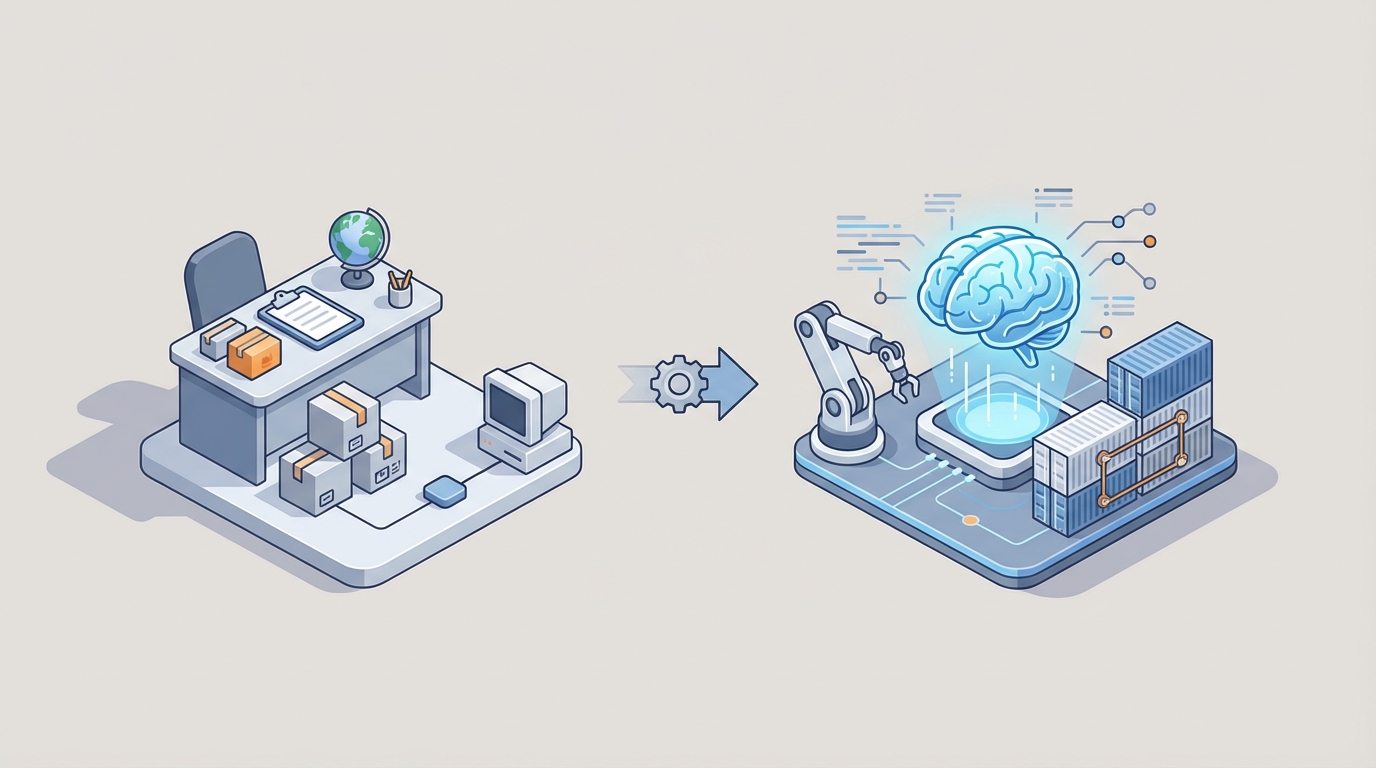
Most import/export coordinators spend their days doing work that looks important but is fundamentally mechanical. They open emails, extract shipment details, type those details into another system, cross-reference HS codes against a classification database, generate a commercial invoice, attach it to a bill of lading, email a freight forwarder, wait for a response, follow up, update a tracking spreadsheet, and repeat. Hundreds of times a month.
This isn't a knock on the people doing the job. It's a knock on the fact that we're still asking humans to do it at all.
An AI agent built on OpenClaw can handle the bulk of import/export coordination today — not in some vague "future of work" sense, but right now, with current technology. Let me walk through exactly what that looks like, what it costs compared to the human alternative, and how to actually build one.
What an Import/Export Coordinator Actually Does All Day
Job descriptions make this role sound strategic. The reality is more mundane. Based on aggregated data from Indeed, LinkedIn, and Glassdoor postings from 2023-2026, here's where the time actually goes:
Documentation management eats 35-45% of their day. This means preparing commercial invoices, bills of lading, packing lists, certificates of origin, export licenses, and verifying Incoterms. Most of this is pulling data from one system, reformatting it, and putting it into another system. When there's an error — a wrong HS code, a typo in a consignee address — the document gets kicked back and the cycle restarts. The World Customs Organization estimates that paperwork errors cause 20-30% of all shipment delays.
Compliance and regulatory checks take another 20-25%. This means classifying goods with the correct HS codes, checking against sanctions lists (OFAC, EU consolidated list), verifying tariff rates, and confirming trade agreement eligibility. For companies shipping diverse product catalogs, this is a constant research exercise. Get it wrong and you're looking at $10,000+ per violation in fines — and that's on the mild end.
Shipment coordination is 20-25%. Booking with freight forwarders, confirming with carriers, tracking containers across ocean, air, and ground. Tools like CargoWise or Flexport help, but someone still has to be the human in the loop interpreting delays, rebooking, and communicating changes.
The remaining 15-20% is communication and follow-ups. Emails to customs brokers. Calls with suppliers in different time zones. Updating the ERP. Chasing people who haven't responded. Surveys from Supply Chain Dive consistently show that "chasing emails" is the single biggest frustration coordinators report.
If you squint at this list, you'll notice something: the vast majority of these tasks are rule-based data transformations and lookups. They feel complex because the regulatory landscape is complex. But the actual cognitive work — the decision-making that requires genuine human judgment — is a small fraction of the total.
The Real Cost of This Hire
Let's talk money, because this is where the math gets interesting.
A mid-level import/export coordinator in the US commands $52,000-$72,000 in base salary. In high-cost markets like New York or the Bay Area, add 20%. Total compensation including benefits and employer taxes runs $70,000-$110,000 per year for a mid-level hire.
But the sticker price understates the true cost:
Training ramp-up: New coordinators need 2-4 months to learn your product catalog, your customs broker relationships, your preferred carriers, and your internal systems. During that period, they're operating at maybe 50% efficiency while being paid 100% salary.
Turnover: The Bureau of Labor Statistics puts logistics role turnover at 15-25% annually. Every time someone leaves, you're eating recruiting costs ($5,000-$15,000), plus the ramp-up period again. Institutional knowledge about your specific trade lanes, your broker quirks, your product classifications — it walks out the door.
Error costs: A single misclassified HS code can trigger a customs hold. Demurrage charges for a container sitting at port run $150-$300 per day. One bad shipment can cost more than a month of salary.
Scaling costs are linear. Shipping volume doubles during peak season? You either hire more coordinators (and deal with the lag) or your existing team burns out, error rates spike, and shipments get delayed.
Add it all up and a single import/export coordinator costs your company $85,000-$130,000 per year when you account for the full picture. Two of them and you're past a quarter million.
An OpenClaw agent costs a fraction of that and doesn't take PTO during Chinese New Year when you need it most.
What AI Handles Right Now
Let's be specific. Here are the tasks an OpenClaw agent can take over today, along with realistic accuracy expectations:
Document Generation and Data Extraction
This is the highest-value automation target because it's where coordinators spend the most time and where errors are most common.
An OpenClaw agent can ingest incoming emails, PDFs, and scanned documents, extract structured data (shipper details, consignee info, product descriptions, quantities, values), and auto-generate compliant export documentation. Modern OCR plus large language model processing hits 90%+ accuracy on standard trade documents — and that accuracy improves as the agent learns your specific document formats.
In OpenClaw, you'd set up a workflow where incoming shipment requests trigger document generation:
Trigger: New shipment request received (email or ERP webhook)
→ Extract: Parse shipment details (origin, destination, product, quantity, value, Incoterms)
→ Classify: Match products to HS codes using trained classification model
→ Generate: Create commercial invoice, packing list, and BOL draft
→ Validate: Cross-check against compliance rules and flag exceptions
→ Route: Send completed docs for review or directly to broker/forwarder
The key insight here is that OpenClaw agents don't just fill in templates. They understand context. If a shipment is going to a country with specific certificate of origin requirements under a trade agreement, the agent knows to generate that document. If the Incoterms are DDP, it knows the duty calculation needs to be included.
HS Code Classification
This is where companies like E2open have proven AI works at scale. Their systems auto-classify 90% of SKUs correctly. OpenClaw gives you the same capability without the enterprise price tag.
You train the agent on your product catalog with historical classification data. For standard consumer and industrial goods, AI classification hits 85-95% accuracy. For novel or dual-use items, it flags for human review — which is exactly the right behavior.
Agent: HS Code Classifier
Input: Product description, material composition, intended use, country of origin
Process:
  1. Match against historical classifications for similar products
  2. Cross-reference with HTS/TARIC database
  3. Apply rules of origin for applicable trade agreements
  4. Confidence scoring — above 90% → auto-classify; below → flag for review
Output: Suggested HS code with confidence score and reasoning
Compliance Screening
Every shipment needs to be screened against denied party lists, sanctions, and embargo restrictions. This is tedious, critical, and perfectly suited for automation.
An OpenClaw agent can screen every transaction against OFAC's SDN list, the EU consolidated list, the BIS Entity List, and others — in real time, every time, without the human tendency to rubber-stamp screenings when the queue is long and the day is late.
It can also monitor for regulatory changes. When US-China tariff rates shift (which has happened with dizzying frequency), the agent updates its rules and recalculates duty estimates automatically. No retraining a human. No hoping they read the Federal Register notice.
Shipment Tracking and Proactive Alerts
Instead of a coordinator manually checking carrier portals and updating spreadsheets, an OpenClaw agent integrates with carrier APIs and tracking services to maintain real-time visibility. More importantly, it does predictive alerting.
If a vessel is running behind schedule and the downstream truck booking needs adjustment, the agent identifies this before a human would and either adjusts automatically or escalates with a specific recommendation.
Agent: Shipment Monitor
Integrations: Carrier APIs, port congestion data, weather feeds
Logic:
  - Poll tracking data every [interval]
  - Compare current status against planned milestones
  - If ETA deviation > threshold:
      → Calculate downstream impact (connecting transport, warehouse slots)
      → Draft rebooking recommendation
      → Notify stakeholder with options and cost implications
  - Update ERP/TMS automatically
Invoice Matching and Payment Processing
Freight invoices are notorious for discrepancies. An OpenClaw agent can match invoices against purchase orders and rate agreements, flag discrepancies, and auto-approve within tolerance thresholds. Companies using AI for invoice reconciliation (like those on Taulia's platform) report 60-70% straight-through processing rates.
What Still Needs a Human
I'm not going to pretend AI handles everything. It doesn't, and overselling this would be dishonest. Here's what you still need people for:
Exception handling and dispute resolution. When a shipment gets held at customs for an unusual reason, when a broker is being difficult, when you need to appeal a classification ruling — these situations require judgment, relationship capital, and sometimes the ability to pick up the phone and be persuasive. AI can prepare the documentation for an appeal. It can't argue your case at the port.
Complex regulatory interpretation. Dual-use goods, novel products that don't fit neatly into existing HS categories, new free trade agreements where the rules of origin are still being interpreted — these need a human expert. The AI can narrow down the options and present its reasoning, but the final call on a genuinely ambiguous classification should be human.
Strategic decisions during disruptions. When the Red Sea shipping crisis forces rerouting around the Cape of Good Hope, someone needs to make cost-benefit decisions about air freight alternatives, inventory buffering, and customer communication. AI can model the scenarios. Humans make the call.
Relationship management. Building trust with customs authorities, developing preferred carrier relationships, negotiating better rates based on volume commitments — this is human work.
The goal isn't to eliminate human involvement in trade operations. It's to eliminate human involvement in the 60-70% of tasks that are mechanical, repetitive, and error-prone. Your human coordinator becomes a trade operations manager overseeing AI agents instead of a data entry specialist who occasionally makes strategic decisions.
How to Build This with OpenClaw
Here's the practical implementation path. This isn't theoretical — these are the steps to actually get an AI import/export coordinator agent running.
Step 1: Map Your Current Workflows
Before you build anything, document exactly how shipments flow through your organization today. Every email template, every spreadsheet, every manual step. You're looking for the repeatable patterns — and every trade operation has them, even if they feel chaotic.
Specifically identify:
- Document types you generate (invoices, BOLs, packing lists, certificates)
- Systems you use (ERP, TMS, email, carrier portals)
- Decision points (where does someone make a judgment call vs. follow a rule?)
- Data sources (where does shipment information originate?)
Step 2: Set Up Your OpenClaw Agent Architecture
OpenClaw lets you build modular agents that handle specific functions and communicate with each other. For import/export coordination, you want a multi-agent setup:
Document Agent — Handles all document generation, extraction, and validation. Connects to your email inbox and ERP via API integrations.
Compliance Agent — Runs screening against sanctions lists, classifies HS codes, checks trade agreement eligibility, and monitors regulatory changes.
Logistics Agent — Manages shipment booking, tracking, and carrier communication. Integrates with freight forwarder and carrier APIs.
Communication Agent — Drafts and sends routine correspondence to brokers, forwarders, and internal teams. Handles status update requests.
Orchestrator Agent — Coordinates the other agents, manages the overall shipment lifecycle, and escalates exceptions to human reviewers.
OpenClaw Agent Configuration:

orchestrator:
  role: "Import/Export Coordination Manager"
  sub_agents:
    - document_agent:
        capabilities: [doc_generation, ocr_extraction, template_management]
        integrations: [email, erp_api, cloud_storage]
        escalation_threshold: confidence < 0.85

    - compliance_agent:
        capabilities: [hs_classification, sanctions_screening, tariff_calculation]
        data_sources: [hts_database, ofac_sdn, eu_consolidated_list, trade_agreements]
        escalation_threshold: confidence < 0.90

    - logistics_agent:
        capabilities: [booking, tracking, eta_prediction, rebooking]
        integrations: [carrier_apis, port_data, weather_feeds]
        alert_rules: [eta_deviation > 24h, cost_deviation > 10%]

    - communication_agent:
        capabilities: [email_drafting, status_updates, query_response]
        tone: professional
        languages: [en, zh, es, de]
        approval_required: [new_contacts, dispute_responses]

  escalation_rules:
    - route_to: human_reviewer
      when: [compliance_flag, low_confidence, high_value_shipment, new_trade_lane]
Step 3: Feed It Your Historical Data
The agent gets dramatically better when it learns from your specific trade patterns. Upload your historical shipment data, past classifications, document templates, and carrier performance records into OpenClaw. This is what transforms a generic agent into one that knows your business.
Your product catalog with historical HS code classifications is gold. Your most common trade lanes with typical transit times and costs. Your preferred carriers by lane. Your broker contact information and communication preferences. All of this becomes the agent's operational knowledge base.
Step 4: Start with a Single Trade Lane
Don't try to automate everything at once. Pick your highest-volume, most standardized trade lane — probably the one where your coordinator spends the most time on repetitive work. Run the agent in parallel with your human process for 2-4 weeks.
Compare: document accuracy, processing time, error rates, and exceptions flagged. In the experience of companies like Kuehne+Nagel, which saw 25% faster customs clearances with AI, and DHL, which cut coordinator manual work by 50% in their Asia-Pacific pilot, the results speak for themselves quickly.
Step 5: Expand and Optimize
Once your first trade lane is running smoothly, add more. Each new lane requires less setup time because the agent has learned your patterns. Within 3-6 months, most companies can have their primary trade lanes automated, with human coordinators shifted to exception handling and strategic work.
The Math
Let's be conservative. Say your AI agent handles 60% of what a coordinator does (the low end of McKinsey's 2026 estimate of 40-60% for routine supply chain tasks). That doesn't mean you fire 60% of your coordinators. It means:
- A team of 3 coordinators can handle the volume that previously required 5-6
- Error rates drop because machines don't mistype consignee addresses at 4:30 PM on a Friday
- Compliance risk decreases because screening happens every time, automatically, without shortcuts
- Peak season scaling happens instantly — the agent doesn't need overtime pay
- Your remaining coordinators focus on the high-value work they were hired for but never had time to do
Against an annual cost of $85,000-$130,000 per coordinator (fully loaded), an OpenClaw implementation pays for itself within the first quarter for most mid-size importers/exporters.
Next Steps
You have two options:
Build it yourself. Everything I've described above is achievable on OpenClaw. Start with the workflow mapping, set up your first agent, and iterate. The platform is designed for exactly this kind of operational AI — agents that do real work in real business processes, not chatbots that summarize articles.
Have us build it for you. If you'd rather skip the learning curve and get a production-ready AI import/export coordinator agent built by people who've done this before, that's what Clawsourcing is for. We'll map your workflows, build and configure the agents, integrate with your existing systems, and train your team to manage it. You go from "this sounds interesting" to "this is running my trade operations" in weeks instead of months.
Either way, the coordinators who thrive in the next few years won't be the ones who are best at filling out commercial invoices. They'll be the ones who are best at managing AI agents that fill out commercial invoices. The mechanical work is going away. The question is whether you automate it proactively or wait until your competitors do it first and you're left explaining why your shipments are slower and more expensive.