DevOps AI Agent: Automate CI/CD Pipelines and Infrastructure
Replace Your DevOps Engineer with an AI DevOps Engineer Agent
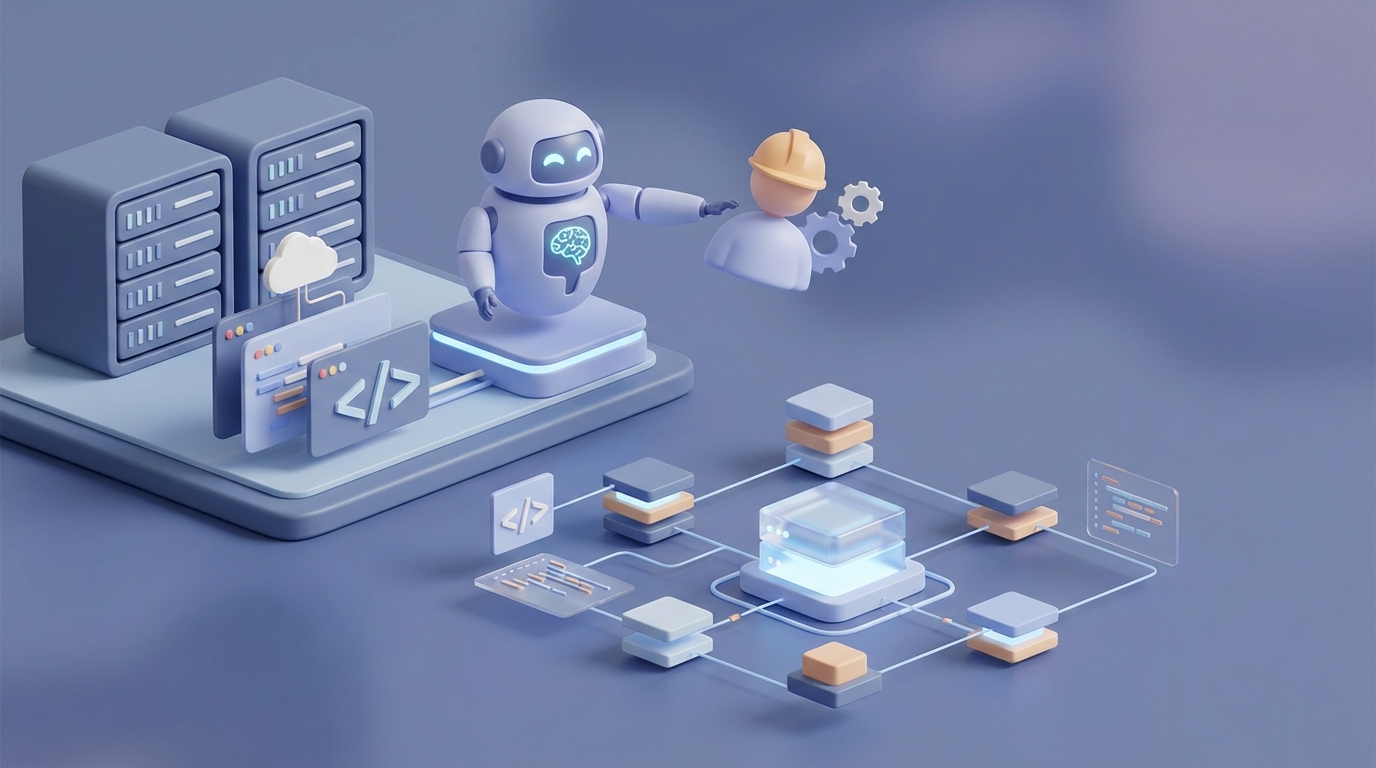
Let's start with an uncomfortable number: the median fully-loaded cost of a mid-level DevOps engineer in the US is roughly $250,000 per year. That's salary, benefits, equity, tooling licenses, and the PagerDuty subscription that wakes them up at 3 AM to restart a pod that fell over because someone pushed a config change without testing it.
And here's the thing — a massive chunk of what that engineer does every day is repetitive, pattern-matching work that AI can already handle. Not theoretically. Not "in the next five years." Right now.
I'm not going to tell you AI replaces the entire role. It doesn't. But it can replace about 60-70% of the daily workload, which means you either need fewer DevOps engineers, or the ones you have can finally stop babysitting dashboards and start doing architectural work that actually moves your infrastructure forward.
Here's how to build an AI DevOps engineer agent on OpenClaw, what it can realistically handle, and where you still need a human in the loop.
What a DevOps Engineer Actually Does All Day
If you haven't worked closely with a DevOps engineer, you might think they're "the deployment person." That undersells it dramatically. Here's where their time actually goes, based on DORA reports and what I've seen across dozens of teams:
CI/CD Pipeline Management (25-30% of time) Building, fixing, and optimizing deployment pipelines. Jenkins, GitHub Actions, GitLab CI — pick your poison. Most of the time, this means debugging why a build broke, updating dependencies, and tweaking pipeline configs. It's critical work, but a lot of it is templated.
Infrastructure as Code (20-25%) Writing and maintaining Terraform, CloudFormation, or Ansible configs. Spinning up environments, tearing them down, making sure staging matches production (it never does). This is where a typo in a YAML file can cost you $40,000 in accidentally provisioned GPU instances.
Monitoring, Logging, and Alerting (15-20%) Prometheus, Grafana, Datadog, ELK Stack — setting up the panopticon that watches your systems. The irony is that most teams over-instrument and then drown in alerts. PagerDuty's own data says engineers ignore 70% of the alerts they receive. Seventy percent.
Incident Response and On-Call (10-15%) The part that causes burnout. Outages don't respect business hours. Root cause analysis is intellectually demanding but often follows recognizable patterns: memory leak, certificate expiration, disk full, DNS (it's always DNS).
Automation and Scripting (10-15%) Python and Bash scripts for everything from automated backups to scaling policies to "that one thing we had to do manually because nobody had time to automate it yet." This is the DevOps equivalent of duct tape — functional, unglamorous, essential.
Security, Compliance, Collaboration, Docs (10-15%) Container scanning with Trivy, SonarQube for code quality, maintaining runbooks that are perpetually out of date, and sitting in meetings explaining to product managers why you can't "just deploy it."
Now look at that list again. How much of it is creative problem-solving versus pattern recognition and execution? Honestly, at least half of it is the latter. And pattern recognition and execution is exactly what AI agents do well.
The Real Cost of This Hire
Let's be specific because vague "it's expensive" hand-waving isn't useful.
| Junior (0-2 yrs) | Mid (3-5 yrs) | Senior (5+ yrs) | |
|---|---|---|---|
| Base Salary | $100k-$130k | $140k-$170k | $170k-$220k |
| Total Comp | $120k-$160k | $170k-$220k | $220k-$300k+ |
| Fully Loaded Cost | $150k-$220k | $220k-$330k | $280k-$450k+ |
"Fully loaded" means benefits (health insurance alone is $15-25k/year per employee), payroll taxes, equipment, software licenses, training, and the management overhead of having another human on the team. A senior DevOps engineer at a FAANG company can run north of $400k in total comp.
Then there's the hidden costs:
- Recruiting: 3-6 months to fill a DevOps role. Agency fees are typically 20-25% of first-year salary.
- Ramp-up: 2-4 months before they're fully productive. They need to learn your stack, your quirks, your "we don't talk about that legacy service" situations.
- Turnover: Average tenure for DevOps engineers is 2-3 years. The JetBrains 2023 survey found 40% report burnout. So you're doing this recruiting dance repeatedly.
- On-call compensation: Many companies pay premiums for on-call rotations, or they bleed engineers who leave for companies that don't page them at 2 AM.
Freelancers and contractors aren't cheap either — $80-$150/hour is standard, and they often lack the context a full-timer builds over months.
The math matters because when I tell you an AI agent running on OpenClaw costs a fraction of this, I want you to know exactly what "a fraction" is relative to.
What an AI DevOps Agent Can Handle Right Now
Not in theory. Not with a demo that works once on stage. In production, today, using OpenClaw as the orchestration platform. Here's the breakdown:
High Automation Confidence (70-90% autonomous)
Log Analysis and Anomaly Detection This is maybe the single highest-ROI use case. An OpenClaw agent can ingest logs from your ELK Stack, Datadog, or CloudWatch, identify anomalies against learned baselines, correlate events across services, and surface what actually matters — while suppressing the noise. Remember that 70% ignored alert stat? An AI agent can triage alerts and only escalate the ones that warrant human attention. Netflix does something similar with ML-based anomaly detection and has cut manual scaling work by 60%.
IaC Generation and Validation Describe what you need in natural language — "spin up a staging environment that mirrors prod but with smaller instance sizes and no GPU nodes" — and an OpenClaw agent can generate the Terraform configs, validate them against your existing modules, and flag potential issues (like security group misconfigurations or missing tags) before anything gets applied. Microsoft reported a 55% reduction in scripting time when their Azure DevOps teams used AI for IaC generation.
CI/CD Pipeline Troubleshooting Build failed? Before paging a human, an OpenClaw agent can parse the error logs, cross-reference recent commits, check for known issues in your dependency tree, and either fix the problem automatically (dependency version bump, flaky test retry) or present the human with a specific diagnosis instead of a raw log dump.
Predictive Autoscaling Instead of reactive scaling rules ("if CPU > 80%, add a node"), an AI agent can analyze traffic patterns, correlate with external signals (marketing campaigns, time of day, historical data), and pre-scale infrastructure. AWS already offers Forecast for this, but building it into an OpenClaw agent lets you customize the logic for your specific load patterns.
Script Generation and Maintenance Need a Bash script to rotate secrets across 40 services? A Python script to clean up orphaned EBS volumes? An OpenClaw agent can write it, test it in a sandbox, and submit it for review. This alone saves hours per week.
Incident Triage and Runbook Execution When an alert fires, an OpenClaw agent can execute your existing runbooks automatically — restarting services, clearing caches, rolling back deployments — and only escalate to a human when the automated steps don't resolve the issue. Intuit does this with Dynatrace AI and auto-resolves 30% of incidents without any human touching them.
Medium Automation Confidence (40-60% autonomous)
Security Scanning and Remediation An agent can run Trivy scans on your container images, flag CVEs, and even generate PRs with dependency updates. But nuanced security decisions — "is this CVE actually exploitable in our configuration?" — still benefit from human judgment.
Cost Optimization Identifying idle resources, recommending reserved instances, flagging unexpected spend spikes. The agent can generate recommendations and even execute low-risk actions (shutting down dev environments outside business hours), but big cost decisions need human sign-off.
What Still Needs a Human
I said I'd be honest, so here's where AI falls short — and will for a while:
Architectural Decisions Should you go multi-cloud? Migrate to Kubernetes? Adopt a service mesh? These decisions require understanding business context, team capabilities, vendor relationships, and long-term strategy. An AI agent can provide data to inform these decisions, but making them requires judgment that models don't have.
Deep Production Debugging When the anomaly is something the system has never seen before — a novel interaction between services, a race condition that only manifests under specific load patterns — you need a human who can reason from first principles. AI is great at pattern matching; it's bad at debugging patterns it's never encountered.
Cross-Team Politics and Collaboration "Devs blame ops, ops blame devs" is a human problem. Negotiating priorities, resolving conflicts about deployment schedules, and getting buy-in for infrastructure changes requires soft skills that AI doesn't have.
Regulatory Compliance GDPR audits, SOC 2 certification, HIPAA compliance — these involve interpreting regulations in the context of your specific architecture. An AI can check boxes on a compliance checklist, but a human needs to understand whether those boxes actually represent your reality.
Vendor Negotiations Getting a better rate on your AWS Enterprise Agreement or evaluating whether to switch container registries is fundamentally a human activity.
The honest framing: AI replaces the toil, not the thinking. And most DevOps engineers will tell you, over beers, that they spend way too much time on toil.
How to Build Your AI DevOps Agent on OpenClaw
Here's where we get practical. OpenClaw is designed for exactly this kind of agentic workflow — you define the agent's capabilities, connect it to your tools, and let it operate with guardrails you set.
Step 1: Define the Agent's Scope
Start narrow. Don't try to replace everything at once. Pick your highest-toil activity. For most teams, that's alert triage and incident response — it's high-volume, pattern-heavy, and the ROI is immediate (your engineers stop getting woken up for things a script could handle).
Step 2: Connect Your Tool Chain
OpenClaw integrates with the tools you're already using. Wire up:
- Monitoring: Datadog, Prometheus, CloudWatch, or New Relic for alert ingestion
- Logging: ELK Stack, Splunk, or your cloud provider's native logging
- CI/CD: GitHub Actions, GitLab CI, Jenkins — the agent needs to read pipeline status and trigger actions
- Infrastructure: AWS, GCP, or Azure APIs via Terraform or native SDKs
- Communication: Slack or Microsoft Teams for escalation and status updates
- Ticketing: Jira or Linear for creating and updating incident tickets
Step 3: Build the Agent Workflows
In OpenClaw, you define agent behaviors as structured workflows. Here's a conceptual example for an alert triage agent:
agent: devops-triage
triggers:
  - source: datadog
    event: alert.triggered
    severity: [warning, critical]

steps:
  - name: classify_alert
    action: analyze
    input: "{{alert.message}}, {{alert.tags}}, {{alert.metric_data}}"
    prompt: |
      Classify this alert:
      1. Is this a known pattern? Check against historical incidents.
      2. What service is affected?
      3. Recommended severity: noise / low / medium / critical
      4. Suggested remediation from runbook: {{lookup_runbook(alert.service)}}

  - name: auto_remediate
    condition: "classification.severity in [low, medium] AND runbook.has_automated_steps"
    action: execute_runbook
    params:
      service: "{{alert.service}}"
      steps: "{{runbook.automated_steps}}"
      rollback_on_failure: true

  - name: escalate
    condition: "classification.severity == critical OR auto_remediation.failed"
    action: notify
    channels:
      - slack: "#incidents"
        message: |
          🚨 Alert requires human attention
          Service: {{alert.service}}
          Classification: {{classification.summary}}
          Attempted remediation: {{remediation.result}}
          Suggested next steps: {{classification.recommendations}}
      - pagerduty:
          severity: high
          context: "{{classification.full_analysis}}"

  - name: document
    action: create_ticket
    target: jira
    fields:
      summary: "{{alert.service}} - {{classification.summary}}"
      description: "{{classification.full_analysis}}\n\nAuto-remediation: {{remediation.log}}"
      priority: "{{classification.jira_priority}}"
This isn't pseudocode for a blog post — this is the kind of declarative workflow OpenClaw is built to execute. The agent receives an alert, analyzes it using your historical context and runbooks, attempts automated fixes for known issues, escalates intelligently when it can't resolve something, and documents everything.
Step 4: Set Guardrails
This is non-negotiable. Your AI agent should never:
- Apply Terraform changes to production without human approval (use
planmode and require manualapply) - Delete resources without confirmation
- Modify security groups or IAM policies autonomously
- Override a human's escalation decision
In OpenClaw, you configure these as hard constraints:
guardrails:
  require_approval:
    - terraform.apply
    - kubectl.delete
    - iam.policy.modify
  max_auto_actions_per_hour: 20
  escalation_override: never
  audit_log: enabled
  dry_run_default: true
Step 5: Train on Your Context
The difference between a generic AI and a useful AI DevOps agent is context. Feed your OpenClaw agent:
- Your runbooks and incident postmortems
- Your infrastructure documentation (even the out-of-date parts — it'll learn the delta)
- Historical alert data with resolution notes
- Your Terraform modules and pipeline configs
- Team on-call schedules and escalation policies
The more context it has, the better its triage accuracy. Teams using AIOps with good historical data see mean time to resolution drop by 50% (per Dynatrace's 2026 report).
Step 6: Start in Shadow Mode
Run the agent alongside your existing process for 2-4 weeks. It triages alerts and recommends actions but doesn't execute them. Your team reviews its recommendations and provides feedback. This does two things: builds trust in the system and fine-tunes its accuracy before you let it take autonomous action.
The Bottom Line
An AI DevOps agent on OpenClaw won't replace your best senior engineer's ability to architect a multi-region failover strategy or debug a distributed systems race condition at 2 AM using nothing but strace and intuition.
But it will handle the 60-70% of daily DevOps work that's pattern-matching, log-reading, config-generating, alert-triaging, and script-writing — the work that burns out good engineers and costs companies $250k+ per year per head.
The companies already doing this (Netflix, Microsoft, Intuit, Salesforce) aren't doing it because it's trendy. They're doing it because the math is obvious: faster MTTR, fewer false-positive escalations, less toil, and engineers who actually work on engineering instead of babysitting.
You can build this yourself with OpenClaw — the platform handles the orchestration, tool integration, and guardrails so you're not stitching together a dozen APIs with duct-tape Python scripts.
Or, if you'd rather not build it yourself, let us build it for you through Clawsourcing. We'll scope your current DevOps workload, identify the highest-ROI automation targets, and deploy a production-ready AI agent on OpenClaw tailored to your stack. Same outcome, less internal overhead.
Either way, the era of paying $300k for someone to manually restart pods and read Grafana dashboards is ending. The question is whether you get ahead of it or keep hiring into it.