AI Data Analyst: Automate Reports, Dashboards, and Insights
Replace Your Data Analyst with an AI Data Analyst Agent
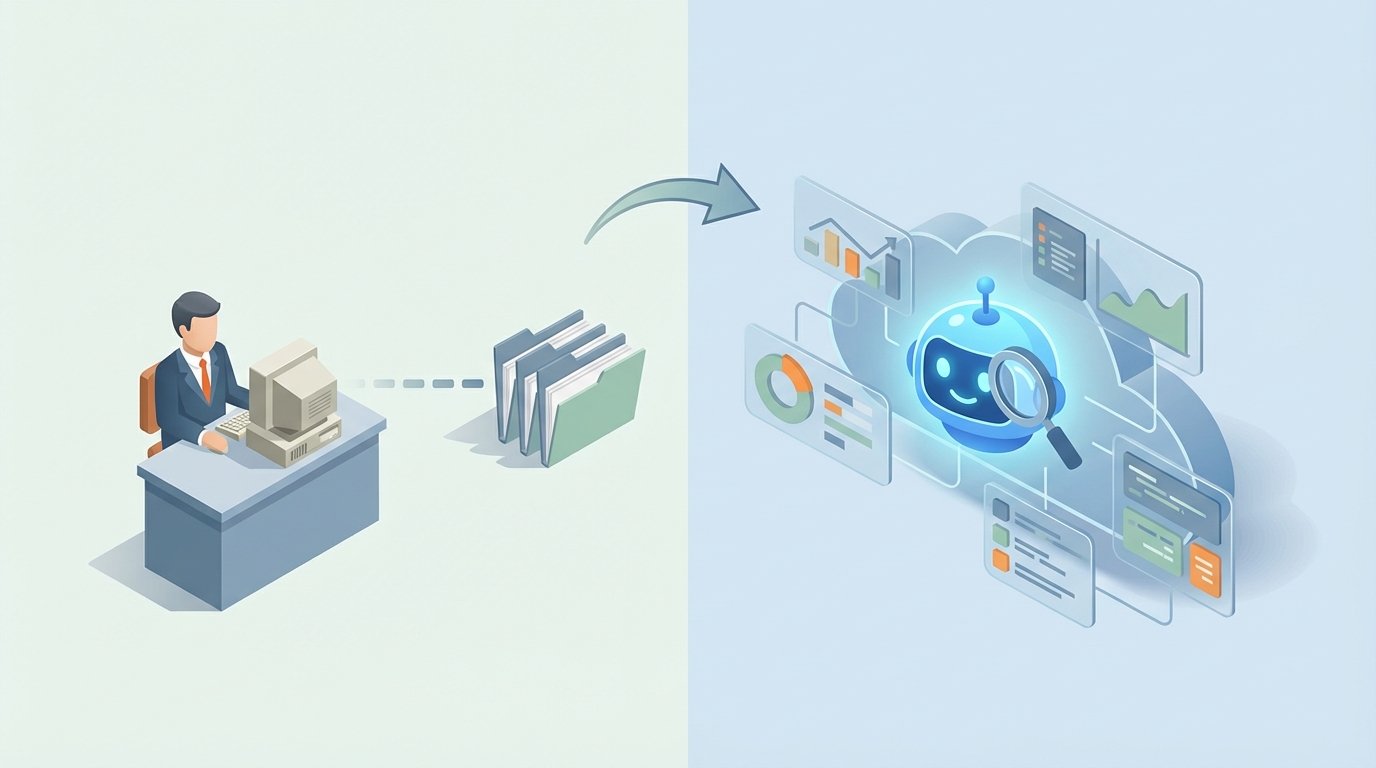
Let's get the uncomfortable part out of the way first: most of what a data analyst does every day can be automated right now. Not in some hypothetical future. Not with some bleeding-edge research tool. Right now, with an AI agent built on OpenClaw.
I'm not saying data analysts are useless. I'm saying the job description — the actual hour-by-hour breakdown of what they do — is roughly 60-70% repetitive work that an AI agent handles faster, cheaper, and without calling in sick. The remaining 30-40% is genuinely valuable human thinking. The problem is you're paying a $120K salary (plus benefits, plus management overhead, plus the three months it takes them to ramp up on your data) for someone who spends most of their day doing things a well-built agent does in seconds.
Here's how to think about this clearly, and how to actually build the replacement.
What a Data Analyst Actually Does All Day
Forget the job postings that say things like "drive data-informed decisions" and "leverage analytics to unlock business value." Here's what the actual day looks like, based on time-use surveys from Anaconda, O'Reilly, and what every honest DA will tell you over a beer:
Data cleaning and wrangling: 4-5 hours per day. This is the dirty secret. The majority of an analyst's time goes to pulling data from different sources (SQL databases, APIs, CSVs someone emailed them, a Google Sheet that marketing swears is "up to date"), then wrestling it into a usable format. Handling missing values. Deduplicating records. Fixing date formats. Converting currencies. Merging tables that don't quite line up. It's tedious, repetitive, and absolutely critical — garbage in, garbage out. Per the old analyst truism, 80% of the work is getting the data ready. The other 20% is complaining about the data not being ready.
Querying and exploration: 1-2 hours. Writing SQL queries, running Python or R scripts, doing exploratory data analysis to figure out what's actually in the data before doing anything useful with it.
Visualization and reporting: 1-1.5 hours. Building dashboards in Tableau, Power BI, or Google Data Studio. Updating weekly/monthly reports. Generating the charts that end up in the slide deck for the exec meeting nobody wants to attend.
Meetings, emails, ad-hoc requests: 1-2 hours. "Hey, can you pull the conversion numbers for Q3?" "Why did revenue dip last Tuesday?" "Can you make that chart but with different colors?" This is the constant stream of one-off requests that fragments their focus and eats the rest of the day.
Actual analysis and insight generation: 30-60 minutes. The thing you actually hired them for — finding patterns, generating hypotheses, connecting data to business decisions — gets maybe an hour on a good day. Often less.
This isn't a knock on data analysts. It's a knock on the workflow. The valuable work is being crowded out by the mechanical work. An AI agent flips that ratio.
The Real Cost of a Data Analyst
Let's do the math, because this is a business decision and business decisions run on numbers.
Base salary: A mid-level data analyst (3-5 years experience) in the US runs $85,000 to $115,000. In a tech hub like San Francisco or New York, push that to $110,000-$150,000.
Total compensation: Add bonuses and you're at $95,000-$140,000 depending on the company.
Actual cost to company: Now add the 30-50% overhead that everyone forgets — health insurance, 401(k) match, payroll taxes, equipment, software licenses (Tableau alone is $70/user/month), office space or remote stipends. A mid-level DA costs the company $130,000-$180,000 per year, fully loaded.
But wait, there's more: Factor in recruiting costs ($15,000-$25,000 through an agency or months of your team's time), onboarding and ramp-up (2-3 months before they're productive, during which they're learning your data, your systems, your naming conventions), and turnover (average DA tenure is 2-3 years, then you start the cycle over).
The real number: Over a three-year period, one mid-level data analyst costs you roughly $450,000-$600,000 when you include recruiting, ramp-up, and replacement cycles. And that analyst is spending most of their time on work an AI agent does better.
An OpenClaw agent costs a fraction of that. Not a small fraction. A tiny fraction.
What an AI Agent Handles Right Now
This isn't speculative. These are tasks that AI handles today with high reliability, and that OpenClaw is specifically designed to orchestrate as agent workflows.
Data Cleaning and Preparation (Automation Level: 70-80%)
This is the biggest time savings. An OpenClaw agent can:
- Detect and handle missing values using configurable strategies (mean/median imputation, forward-fill, drop, or flag for review)
- Identify and remove duplicates across multiple keys
- Standardize date formats, currency conversions, and string normalization
- Detect outliers using statistical methods (IQR, z-score) and flag or handle them
- Merge datasets from multiple sources with fuzzy matching on join keys
What used to take a DA three hours in a Jupyter notebook, an agent does in seconds. And it does it the same way every time — no "oh, I forgot to handle the null values in the region column" on a Friday afternoon.
SQL and Query Generation (Automation Level: 85%+)
Natural language to SQL is one of the most mature AI capabilities, and OpenClaw lets you build agents that sit on top of your database schema and respond to plain-English questions. "What were the top 10 customers by revenue last quarter?" becomes a perfectly optimized SQL query, executed, and returned as a formatted result.
Here's what a basic OpenClaw agent configuration looks like for this:
agent:
  name: data-query-agent
  description: Natural language SQL query agent for analytics database

  tools:
    - name: sql_executor
      type: database
      connection: postgresql://analytics_db:5432/warehouse
      schema_context: true
      read_only: true

    - name: result_formatter
      type: formatter
      output_formats: [table, csv, json]

  instructions: |
    You are a data analyst agent. When the user asks a question:
    1. Examine the database schema to identify relevant tables
    2. Write an optimized SQL query to answer the question
    3. Execute the query
    4. Format the results clearly
    5. Provide a brief interpretation of what the data shows

    Always use read-only queries. Never modify data.
    If a query would return more than 10,000 rows, summarize instead.
    Flag any data quality issues you notice.
That's a functional agent. It understands your schema, writes SQL, runs it, and explains the results. Your marketing VP can ask it questions directly instead of filing a ticket with the data team.
Visualization and Reporting (Automation Level: Medium-High)
An OpenClaw agent can generate charts, build recurring reports, and even produce narrative summaries of what the data shows. Here's an extended agent configuration that adds visualization:
agent:
  name: reporting-agent
  description: Automated reporting with visualization

  tools:
    - name: sql_executor
      type: database
      connection: postgresql://analytics_db:5432/warehouse
      schema_context: true
      read_only: true

    - name: chart_generator
      type: visualization
      library: matplotlib
      output_formats: [png, svg, interactive_html]
      style: company_brand_theme

    - name: report_builder
      type: document
      templates: [weekly_summary, monthly_deep_dive, executive_brief]
      output_formats: [pdf, html, slack_message]

    - name: scheduler
      type: cron
      schedules:
        - name: weekly_report
          cron: "0 8 * * MON"
          action: generate_weekly_summary
        - name: monthly_report
          cron: "0 8 1 * *"
          action: generate_monthly_deep_dive

  instructions: |
    Generate reports based on templates. For each report:
    1. Pull the relevant data for the time period
    2. Calculate KPIs and compare to previous period
    3. Generate appropriate visualizations (bar charts for comparisons,
       line charts for trends, tables for detailed breakdowns)
    4. Write a narrative summary highlighting key changes
    5. Flag any anomalies or significant deviations
    6. Distribute via configured channels (email, Slack, dashboard)
Every Monday at 8 AM, your stakeholders get a formatted report with charts, KPIs, period-over-period comparisons, and a plain-English summary of what changed. No analyst needed for the routine stuff.
Anomaly Detection and Alerting (Automation Level: High)
Instead of a DA manually checking dashboards, an OpenClaw agent monitors your data continuously:
agent:
  name: anomaly-watchdog
  description: Real-time data anomaly detection and alerting

  tools:
    - name: sql_executor
      type: database
      connection: postgresql://analytics_db:5432/warehouse
      read_only: true

    - name: anomaly_detector
      type: analysis
      methods: [z_score, iqr, rolling_average_deviation]
      sensitivity: medium

    - name: alerter
      type: notification
      channels: [slack, email]
      escalation_rules:
        - severity: low → slack_channel
        - severity: medium → slack_channel + email_team
        - severity: high → slack_channel + email_team + page_oncall

  instructions: |
    Monitor key metrics every hour:
    - Revenue (compared to same hour/day last week)
    - Conversion rate (rolling 24h average)
    - Error rates (absolute threshold and trend)
    - User signups (compared to 7-day average)

    When an anomaly is detected:
    1. Classify severity based on magnitude and business impact
    2. Run diagnostic queries to identify potential cause
    3. Generate a brief report with the anomaly, context, and possible explanations
    4. Send alert to appropriate channel based on severity
This replaces the "stare at the dashboard and hope you notice something weird" approach. The agent catches the revenue dip at 2 AM on a Saturday. Your analyst does not.
Ad-Hoc Questions (Automation Level: High)
Remember those constant one-off Slack messages? "What was our churn rate in EMEA last month?" "How many users signed up through the partner channel?" An OpenClaw agent handles these instantly via a Slack integration or web interface. No waiting in the DA's queue. No context-switching for the DA. The answer comes back in seconds with the SQL used (for verification) and a brief interpretation.
What Still Needs a Human
Here's where I'm honest with you, because if I just said "AI replaces everything" I'd be lying, and you'd find out the hard way.
Strategic interpretation. The agent can tell you that churn increased 15% in Q3. It cannot tell you that the increase correlates with your competitor's new pricing tier launch and that you should respond with a retention campaign targeting mid-tier accounts. That requires business context, competitive awareness, and judgment that AI doesn't have.
Causal inference and hypothesis generation. AI is excellent at finding correlations and patterns. It's bad at distinguishing correlation from causation and worse at generating creative hypotheses about why something is happening. "Sales dropped" → "here are 12 things that also changed" is AI territory. "Sales dropped because the new onboarding flow confused enterprise buyers" requires a human who understands the product and the customer.
Stakeholder communication. Generating a report is one thing. Sitting in a room with the VP of Sales and explaining why their team's numbers are down, navigating politics, reading the room, knowing which data points to emphasize and which to save for later — that's human work. AI can prepare the materials. A human needs to deliver them.
Edge cases in data quality. The agent handles 80% of data cleaning automatically. The remaining 20% is the hard stuff — domain-specific logic like "this looks like a duplicate but it's actually two different subsidiaries of the same company" or "this negative value in the revenue column is a legitimate refund, not an error." These edge cases require someone who understands the business.
Ethical review and bias detection. When your analysis affects decisions about people — hiring, lending, pricing — a human needs to review the methodology for fairness, bias, and ethical implications. AI will optimize for whatever metric you give it without questioning whether the metric is the right one.
The honest summary: You don't need a data analyst to clean data, write SQL, build standard dashboards, or generate recurring reports. You might still need a human for strategic thinking, stakeholder management, and the weird edge cases. That human might be a senior analyst or a data-savvy business leader — not someone spending 5 hours a day on data wrangling.
How to Build Your AI Data Analyst with OpenClaw
Here's the practical, step-by-step approach. I'm going to assume you have a database with your business data and some basic technical comfort (or a developer on the team).
Step 1: Map Your Analyst's Current Workflow
Before building anything, document what your analyst (or would-be analyst) actually does. List every recurring report, every regular query, every dashboard. Categorize them:
- Fully automatable: Weekly reports, standard KPI dashboards, data cleaning pipelines, common ad-hoc queries
- Partially automatable: Exploratory analysis (AI does the first pass, human reviews), anomaly investigation
- Human-required: Strategy presentations, cross-functional projects, novel analysis
This gives you your agent's scope.
Step 2: Set Up Your OpenClaw Environment
Connect OpenClaw to your data sources. This typically means:
data_sources:
  - name: primary_warehouse
    type: postgresql
    connection_string: ${WAREHOUSE_CONNECTION_STRING}
    access: read_only

  - name: google_analytics
    type: api
    connector: google_analytics_v4
    credentials: ${GA_CREDENTIALS}

  - name: salesforce
    type: api
    connector: salesforce_rest
    credentials: ${SF_CREDENTIALS}

  - name: spreadsheets
    type: google_sheets
    credentials: ${GSHEETS_CREDENTIALS}
    sheets: [marketing_budget, quarterly_targets]
Read-only access is important. Your agent should never be able to modify production data.
Step 3: Build Specialized Agents (Not One Monolith)
Don't try to build one mega-agent that does everything. Build focused agents that each do one thing well:
- Query Agent: Handles natural language to SQL for ad-hoc questions
- Reporting Agent: Generates scheduled reports and dashboards
- Cleaning Agent: Processes incoming data, flags quality issues
- Anomaly Agent: Monitors metrics and alerts on deviations
- Exploration Agent: Runs initial EDA on new datasets, summarizes findings
OpenClaw lets you orchestrate these as a multi-agent system where agents can hand off to each other. The anomaly agent detects something weird, hands it to the query agent for investigation, which hands the results to the reporting agent for a formatted alert. This mirrors how a good analyst thinks through problems — but it happens in seconds.
Step 4: Give It Your Business Context
This is the step most people skip, and it's why their AI tools produce garbage. Your agent needs to understand your business:
context:
  business_glossary:
    - term: "active user"
      definition: "User who performed at least one core action in the last 30 days"
    - term: "churn"
      definition: "Paid subscriber who cancels or doesn't renew. Excludes trial users."
    - term: "MRR"
      definition: "Monthly Recurring Revenue. Sum of all active subscription values, normalized to monthly."

  data_dictionary:
    tables:
      - name: users
        description: "All registered users. One row per user."
        key_columns:
          - name: user_id (primary key)
          - name: created_at (registration date, UTC)
          - name: plan_type (free, basic, pro, enterprise)
          - name: status (active, churned, suspended)
        notes: "Historical data starts Jan 2021. Users before that were migrated and have created_at = 2021-01-01."

  reporting_conventions:
    fiscal_year_start: February
    default_currency: USD
    timezone: America/New_York
    week_starts_on: Monday
This context is what separates a generic AI tool from your data analyst agent. It knows that "active user" means something specific in your business. It knows your fiscal year starts in February. It knows about the data migration quirk. Feed it everything your analyst would need during their first month ramping up.
Step 5: Test with Real Questions
Don't trust it blindly. Run your agent against real questions that you already know the answers to. Take last month's reports and see if the agent produces the same numbers. Ask it the ad-hoc questions your team asked last week and compare. This validation phase is critical — you're building trust in the system.
Test queries to validate:
✓ "What was our MRR last month?" → Should match finance report
✓ "Top 10 customers by lifetime value" → Should match account team's list
✓ "Week-over-week signup trend for Q3" → Should match growth dashboard
✓ "Which product had the highest return rate in October?" → Should match ops report
Fix discrepancies. Usually they're in the business context (the agent defined "active user" differently than you do) or in the data connections (it's hitting the staging database instead of production).
Step 6: Deploy and Iterate
Start with the low-risk stuff: recurring reports, ad-hoc queries via Slack, data quality monitoring. Let people use it alongside existing processes for a few weeks. As confidence builds, expand the scope. Within a month, most teams find the agent handles 50-70% of what they used to need a human analyst for.
The Math That Matters
A mid-level data analyst: $140,000-$180,000/year fully loaded, 2-3 months to ramp, handles maybe 5-8 ad-hoc requests per day with turnaround times measured in hours.
An OpenClaw agent: fraction of the cost, zero ramp time once configured, handles unlimited concurrent requests with turnaround times measured in seconds, works at 2 AM on Saturdays, never quits to take a job at a competitor.
The right move for most companies isn't "fire all analysts." It's "build an agent that handles the 60-70% mechanical work, then either redeploy your analyst to the strategic work they were hired to do (and never get time for), or don't backfill that open analyst role and let the agent handle it."
Either way, you end up with faster insights, lower costs, and a data function that scales without linearly scaling headcount.
Next Steps
If you're technical and want to build this yourself: Start with OpenClaw. Set up the query agent first — it delivers value fastest. Connect it to your database, give it your business context, deploy it in Slack, and let your team start asking questions. You'll have a working AI data analyst within a week.
If you'd rather have someone build it for you: That's what Clawsourcing is for. We'll audit your current data workflows, identify what to automate, build and configure the agents, and hand you a system that works. No learning curve, no trial and error. Just a working AI data analyst tuned to your business.
The data analyst role isn't disappearing. But the job description is changing fast, and the companies that figure this out first get a structural advantage — faster decisions, lower costs, and analysts (if they keep them) who actually spend their time on analysis.
That's the whole point.
Recommended for this post

Stock Analysis Pro
Skill
8-dimension stock scoring, portfolio tracking, trend detection, and rumor scanning — zero API keys required
 Axiom
Axiom
Train an AI agent to become a Data Analyst Agent expert.