Automate Workflow Design with an AI Automation Engineer Agent
Replace Your Automation Engineer with an AI Automation Engineer Agent
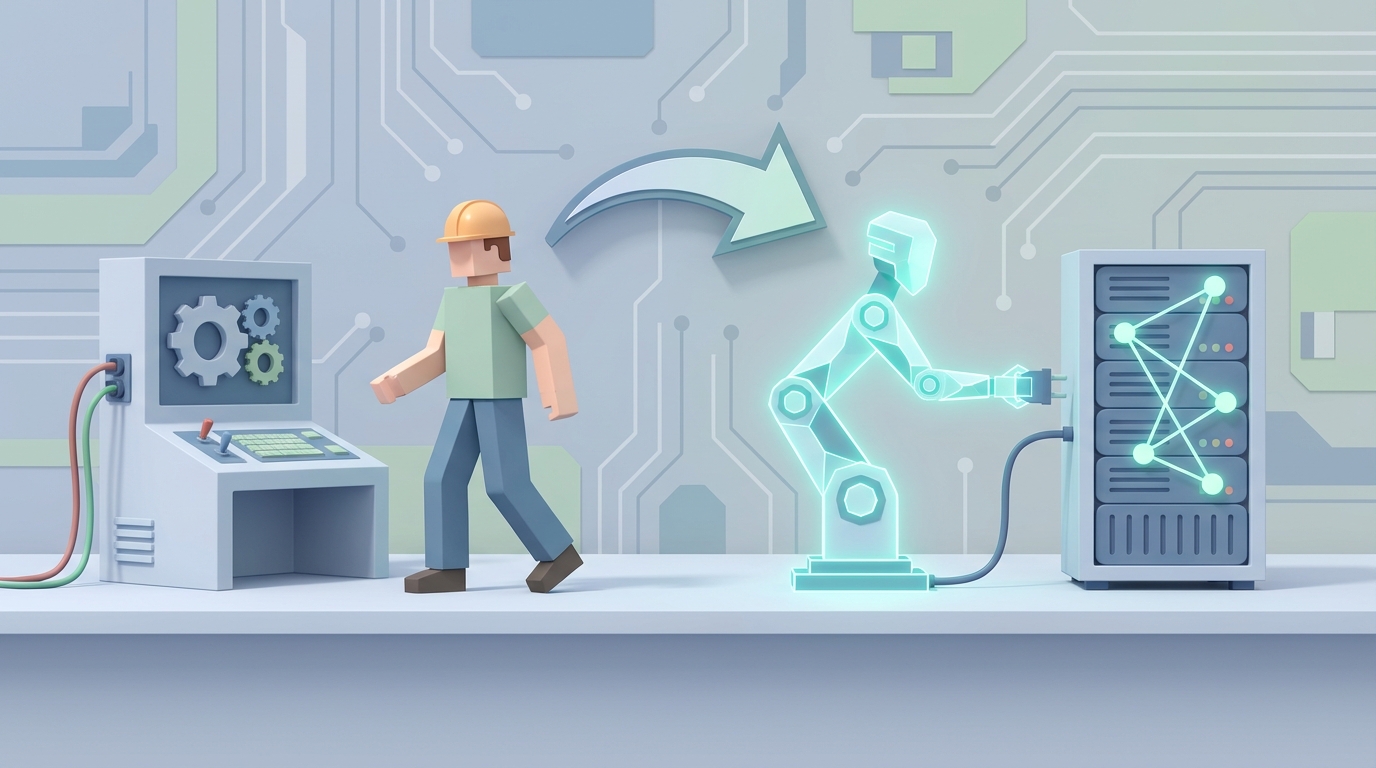
Let's start with what an automation engineer actually does, because the job title makes it sound like they spend all day building elegant systems that run themselves. The reality is messier.
An automation engineer writes scripts — a lot of scripts — then spends most of their time fixing those scripts when they break. They build test frameworks, wire them into CI/CD pipelines, debug flaky tests at 2 PM on a Tuesday when the build goes red for no apparent reason, set up test environments, manage test data, analyze logs, generate reports, sit in standups, explain to product managers why the regression suite takes 90 minutes, and then go home and do it again tomorrow.
The split looks something like this: 40-50% coding and debugging, 20-30% meetings and collaboration, 20% analysis and reporting, and whatever's left goes to learning new tools or fighting with infrastructure.
It's important, skilled work. But a surprising amount of it is repetitive, pattern-based, and exactly the kind of thing AI handles well right now.
What You're Actually Paying For
Let's talk numbers, because this is where the conversation gets real.
A mid-level automation engineer in the US runs $110k-$140k in base salary. Senior? $140k-$180k, and if they're in a tech hub or have FAANG experience, you're looking at total comp north of $200k with stock and bonuses.
But salary isn't your actual cost. Add 30-50% for benefits, payroll taxes, equipment, office space (if applicable), and software licenses. That $130k mid-level engineer costs you closer to $175k-$195k all-in.
Then there's the hidden stuff:
- Recruiting costs: Agency fees run 15-25% of first-year salary. Internal recruiting still costs time and money.
- Ramp-up time: It takes 2-4 months before a new automation engineer is fully productive. They need to learn your codebase, your frameworks, your deployment pipeline, your team's conventions.
- Turnover: The average tenure for a QA automation engineer is about 2-3 years. Then you start over.
- Training: Tools change. Frameworks evolve. You're paying for them to stay current, whether that's conference tickets, courses, or just the hours they spend learning Playwright because you decided Selenium wasn't cutting it anymore.
The fully loaded, amortized cost of one mid-level automation engineer is somewhere around $180k-$220k per year in the US. In Europe, you're looking at $80k-$130k equivalent. India or Southeast Asia brings it down to $20k-$40k, but you're trading off timezone overlap, communication overhead, and often retention.
That's a significant line item for what often amounts to maintaining scripts that test whether a button still works after someone changed a CSS class.
What AI Handles Right Now — No Hype
I want to be specific here because the AI conversation is plagued by vaporware demos and "imagine if" scenarios. Here's what actually works today when you build an AI automation engineer agent on OpenClaw:
Test script generation from requirements. Give an OpenClaw agent a user story or a set of acceptance criteria, and it generates working test scripts. Not pseudocode. Not "here's a rough outline." Actual Selenium, Playwright, or Cypress scripts with proper selectors, assertions, and error handling. It does this by combining your codebase context (which you feed in through OpenClaw's knowledge base) with the testing patterns it's learned from millions of test files.
Test maintenance and self-healing. This is the big one. Remember that 30-50% of time automation engineers spend on maintenance? When a UI element changes — a button ID gets renamed, a class gets refactored, a page layout shifts — an OpenClaw agent can detect the broken selector, find the new one, update the test, validate it passes, and commit the fix. The World Quality Report 2023 found that 70% of engineers cite flaky and broken tests as their number one pain point. This is where AI delivers the most immediate ROI.
Log analysis and failure triaging. When a test suite runs 1,000 tests and 47 fail, someone has to figure out which failures are real bugs, which are environmental flakes, and which are test issues. An OpenClaw agent can parse the logs, cross-reference against recent code changes, check historical failure patterns, and categorize failures with 80-85% accuracy. That turns a two-hour triage session into a 15-minute review.
Test data generation. Creating realistic test data that covers edge cases without violating compliance rules (GDPR, HIPAA, etc.) is tedious and error-prone. An OpenClaw agent generates synthetic data sets that match your schema constraints, cover boundary conditions, and stay compliant — in seconds instead of hours.
API test creation from specs. If you have OpenAPI/Swagger specs (and you should), an OpenClaw agent can generate comprehensive API test suites automatically. It reads the spec, creates positive and negative test cases, handles auth flows, and validates response schemas. This isn't theoretical — it works reliably today.
Visual regression detection. By integrating visual testing capabilities into your OpenClaw agent workflow, you can catch layout shifts, font changes, color discrepancies, and responsive design breaks across browsers and viewports automatically.
CI/CD pipeline monitoring and optimization. An OpenClaw agent can watch your build pipeline, identify bottlenecks, suggest parallelization strategies, and even reconfigure test ordering to fail faster (running the most failure-prone tests first).
Here's a concrete example of what this looks like in practice. Say your team pushes a frontend change that renames several component IDs. Without AI, your automation engineer comes in the next morning, sees 23 failed tests, spends 2-3 hours tracking down the renamed selectors, updates the scripts, reruns the suite, finds two more they missed, fixes those, and finally gets a green build by lunch.
With an OpenClaw agent, the failure is detected in the CI/CD run, the agent identifies the selector changes within minutes, generates the fixes, runs the updated tests in a sandbox, confirms they pass, opens a PR with a clear diff and explanation, and pings your team in Slack. Total human time: 5 minutes to review and approve the PR.
That's not a hypothetical. That's a workflow you can build today.
What Still Needs a Human
Here's where I have to be honest, because overselling AI is how you end up with a broken automation pipeline and no one who knows how to fix it.
Business logic and edge case design. AI doesn't understand your business. It can generate tests from specs, but it can't look at your payment flow and think, "Wait, what happens if a user applies two promo codes while their cart has a subscription item and a one-time purchase, and they're in a state with different tax rules?" That kind of creative, domain-aware test design still requires a human who understands the product.
Architecture and strategy decisions. Should you use Playwright or Cypress? Should your framework use Page Object Model or a different pattern? Should you test at the API layer or the UI layer for a specific feature? These are judgment calls that depend on team capabilities, product roadmap, infrastructure constraints, and organizational priorities. AI can inform these decisions with data, but it can't make them.
Root cause debugging for novel issues. When something breaks in a way that hasn't broken before — a race condition in a distributed system, a subtle memory leak, an interaction between two features that were never tested together — you need a human who can reason about systems holistically. AI is good at pattern matching against known failure modes. It's bad at diagnosing genuinely new problems.
Exploratory testing. The whole point of exploratory testing is that you don't know what you're looking for. You're poking at the application with human intuition, trying weird combinations, following hunches. AI can't replicate this because it requires the kind of open-ended creativity and contextual judgment that current models lack.
Security and compliance testing. Penetration testing, threat modeling, and compliance validation involve adversarial thinking and deep understanding of regulatory requirements. AI can assist (scanning for known vulnerability patterns, checking configurations), but you wouldn't trust it to sign off on SOC 2 compliance alone.
Stakeholder communication. Explaining test results to a product manager, negotiating automation priorities with engineering leads, and advocating for quality in sprint planning — these are human skills that matter and aren't going away.
The honest framing is this: an AI automation engineer agent handles 60-70% of the repetitive, pattern-based work that consumes most of a human engineer's day. The remaining 30-40% — the strategic, creative, and interpersonal work — still needs a person. But that person can now cover three to five times more ground because they're not spending half their day updating selectors and triaging flaky tests.
How to Build One With OpenClaw
Here's the practical part. Building an AI automation engineer agent on OpenClaw involves setting up a core agent with the right tools, knowledge, and workflows. Let me walk through it.
Step 1: Define your agent's scope.
Don't try to replace everything at once. Pick the highest-ROI tasks first. For most teams, that's test maintenance (self-healing selectors, updating tests for UI changes) and failure triaging. These are high-volume, pattern-based, and immediately valuable.
Step 2: Set up your OpenClaw agent with the right context.
Your agent needs to understand your codebase, your test framework, and your conventions. In OpenClaw, you do this by configuring the agent's knowledge base:
agent:
  name: automation-engineer
  description: "Maintains and generates automated tests, triages failures, and manages test infrastructure."

  knowledge:
    repositories:
      - url: "https://github.com/your-org/your-app"
        paths:
          - "tests/"
          - "src/components/"
          - "cypress.config.js"
      - url: "https://github.com/your-org/test-utils"

    documents:
      - "docs/testing-conventions.md"
      - "docs/ci-cd-pipeline.md"
      - "docs/test-data-guidelines.md"
This gives the agent context about your specific setup — your component structure, your test patterns, your configuration. Without this, it's just generating generic code. With it, it generates code that fits your project.
Step 3: Configure the tools your agent can use.
An OpenClaw agent isn't just a chatbot. It can execute actions. For an automation engineer agent, you'll want:
  tools:
    - name: github
      actions: [read_files, create_pr, comment_on_pr, read_ci_status]

    - name: terminal
      actions: [run_command]
      allowed_commands:
        - "npx cypress run"
        - "npx playwright test"
        - "npm test"
        - "docker compose up"

    - name: slack
      actions: [send_message, read_channel]
      channels: ["#qa-automation", "#ci-cd-alerts"]

    - name: jira
      actions: [create_issue, update_issue, read_issue]
Step 4: Define workflows (this is where it gets powerful).
Workflows are the sequences of actions your agent takes in response to triggers. Here's an example for the self-healing test workflow:
  workflows:
    - name: self-heal-broken-tests
      trigger:
        type: webhook
        source: github_actions
        condition: "ci_status == 'failure' AND failure_type == 'test'"

      steps:
        - action: analyze_failure_logs
          description: "Parse CI logs to identify which tests failed and why"

        - action: categorize_failures
          description: "Classify each failure as: selector_change, api_change, timing_issue, real_bug, or unknown"

        - action: auto_fix
          condition: "category in ['selector_change', 'timing_issue']"
          description: "Generate fixes for selector changes and timing issues"

        - action: validate_fixes
          description: "Run fixed tests in isolation to confirm they pass"

        - action: create_pr
          condition: "all_fixes_validated == true"
          description: "Open PR with fixes, clear commit messages, and linked CI failure"

        - action: notify_team
          channel: "#qa-automation"
          description: "Post summary of failures, fixes, and any issues needing human review"

        - action: create_bug_ticket
          condition: "category == 'real_bug'"
          description: "File Jira ticket with reproduction steps and relevant logs"
Step 5: Build the test generation workflow.
This is for generating new tests when features are added:
    - name: generate-tests-from-pr
      trigger:
        type: github_pr
        condition: "pr_label contains 'needs-tests'"

      steps:
        - action: analyze_pr_changes
          description: "Read the PR diff and understand what changed"

        - action: identify_test_needs
          description: "Determine which types of tests are needed (unit, integration, e2e)"

        - action: generate_tests
          description: "Write tests following project conventions from knowledge base"

        - action: run_generated_tests
          description: "Execute new tests against the PR branch"

        - action: submit_test_pr
          description: "Open a linked PR with the generated tests for human review"
Step 6: Set up the monitoring and reporting workflow.
    - name: daily-test-health-report
      trigger:
        type: schedule
        cron: "0 9 * * 1-5"  # 9 AM weekdays

      steps:
        - action: collect_metrics
          sources: ["github_actions", "test_results_db"]
          metrics: ["pass_rate", "flaky_tests", "avg_runtime", "coverage_delta"]

        - action: generate_report
          description: "Create summary with trends, top flaky tests, and recommendations"

        - action: post_report
          channel: "#qa-automation"
Step 7: Iterate and expand.
Start with the self-healing workflow. Let it run for two weeks. Review its PRs, check its accuracy, tune its behavior. Then add test generation. Then add reporting. Each workflow compounds the value.
The key principle with OpenClaw agents is that you're not building a monolithic system. You're composing small, focused workflows that each handle a specific piece of the automation engineer's job. When one workflow produces an output (like "this is a real bug"), it can trigger another workflow (like "file a detailed bug ticket"). Over time, you build a system that handles the bulk of day-to-day automation work.
The Math
Let's be conservative. Say your AI automation engineer agent handles 50% of what a human automation engineer does (the maintenance, triaging, and routine test generation). That's roughly equivalent to a half-headcount savings.
For a mid-level US engineer at $180k fully loaded cost, that's $90k per year in recovered capacity. Either you redirect that engineer to higher-value strategic work (which makes your testing actually better), or across a team of three automation engineers, you potentially avoid hiring a fourth.
OpenClaw's costs will vary based on usage, but even at significant scale, you're looking at a fraction of a single engineer's salary. The ROI math works even under pessimistic assumptions.
And unlike a hire, the agent doesn't need two months to ramp up, doesn't take PTO, doesn't leave after two years for a 20% raise at another company, and gets better over time as you refine its workflows and knowledge base.
Next Steps
If you want to build this yourself, start with OpenClaw and the self-healing test workflow I outlined above. It's the fastest path to measurable value. Get comfortable with the agent framework, then layer on test generation and reporting.
If you'd rather not build it yourself — or if you want a production-grade agent up and running in days instead of weeks — hire us to build it through Clawsourcing. We've done this for teams ranging from 5-person startups to enterprise QA orgs, and we'll configure an agent tailored to your stack, your frameworks, and your workflows.
Either way, the automation engineer role isn't disappearing. But what that role looks like is changing fast. The engineers who thrive will be the ones directing AI agents, not the ones manually updating CSS selectors at 2 PM on a Tuesday.
Recommended for this post
GitHub Autopilot
Skill
Autonomous PR reviews, bug triage, code generation, and sprint management. Your agent becomes a senior engineer who never sleeps and never misses a CI failure.
AI Cofounder
Persona
A full-stack AI cofounder that runs sales, marketing, engineering, finance, and operations — not just answers questions. Half the price of competing personas, twice the operational depth.
Three-level OODA strategy, five-phase Ralph execution, and a recursive feedback engine. Your agent gets faster — this makes it get better.
 JerryRunsOps