AI Agent for Circle: Automate Community Management, Member Engagement, and Content Curation
Automate Community Management, Member Engagement, and Content Curation
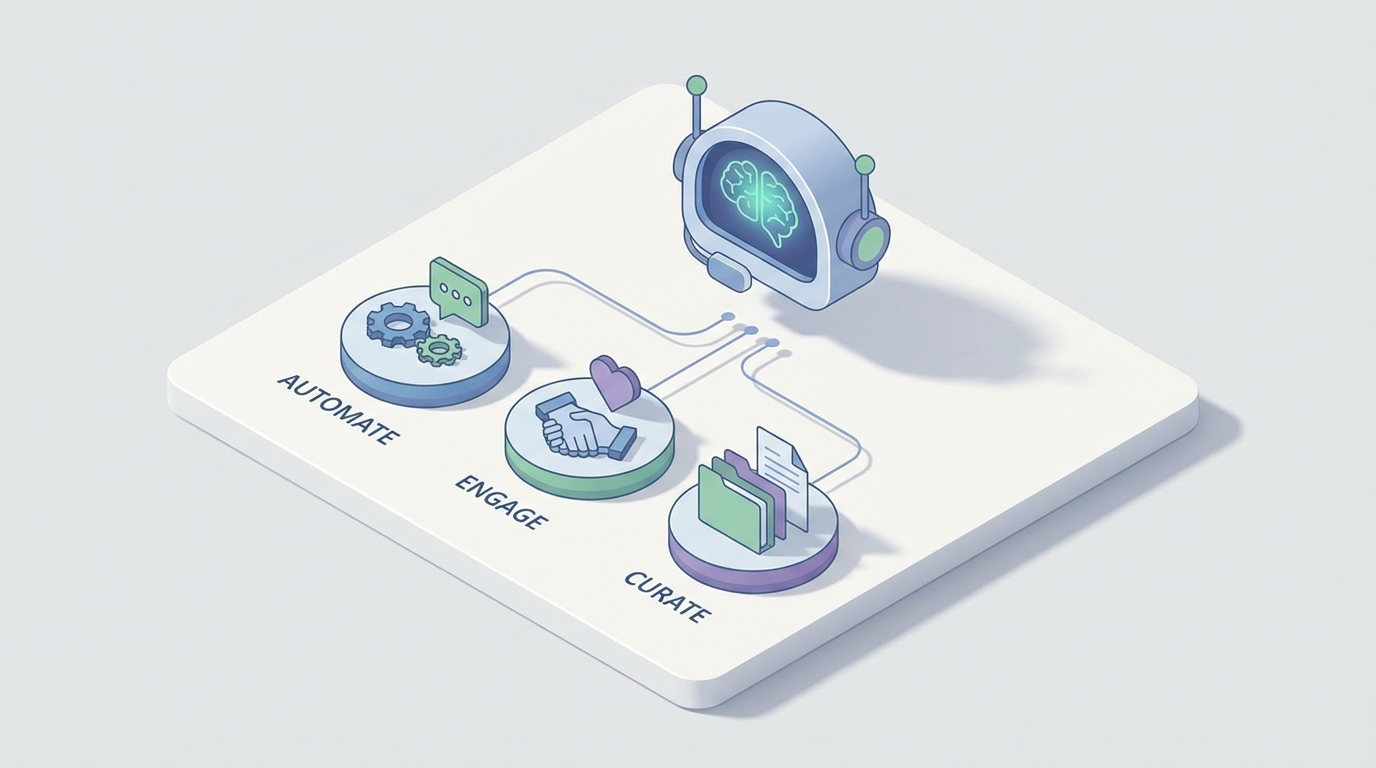
Most community platforms promise engagement. What they actually deliver is a notification bell and a prayer.
Circle is the exception in a lot of ways — it's genuinely good software. The spaces model makes sense, the built-in LMS is solid, and the fact that you can run courses, events, chat, and discussions in one place puts it leagues ahead of the Frankenstein stack most creators cobble together. But there's one area where Circle falls flat on its face: automation and intelligence.
Circle's native automations are essentially glorified if-then rules. New member joins → add tag. Member gets tag → add to space. That's about the ceiling. There's no behavioral logic, no external data awareness, no AI anything. If you want to do something like "detect when a paying member hasn't engaged in three weeks and send them a personalized nudge based on their interests," you're looking at a Zapier spaghetti diagram, a prayer to the integration gods, and a monthly bill that makes you question your life choices.
This is exactly where a custom AI agent changes the game — not Circle's built-in features, but a real agent that connects to Circle's API, processes community data intelligently, and takes autonomous action. And the most practical way to build one right now is with OpenClaw.
Let me walk through what this actually looks like.
What Circle's API Actually Gives You to Work With
Before we talk about what to build, let's be honest about the raw materials. Circle has a REST API (documented at developers.circle.so) plus webhook support. Here's what you can actually do:
You can:
- Create, update, retrieve, and delete members
- Manage tags and custom profile fields
- Create posts, comments, and reactions in Spaces
- Retrieve space information and content
- Manage events
- Listen for real-time events via webhooks (new member, new post, member joined space, payment events)
You cannot:
- Create new Spaces programmatically
- Access deep analytics data
- Trigger Circle's native automations
- Do bulk operations efficiently
- Control UI or branding
The API is serviceable but not comprehensive. It lags behind the product itself, so some newer features aren't exposed yet. Rate limits exist but aren't well documented, which means you need to build defensively.
This is actually fine. The API gives you enough surface area to build something genuinely powerful — you just need a brain sitting on top of it. That brain is your AI agent.
The Architecture: How This Actually Works
Here's the practical setup when you build a Circle AI agent through OpenClaw:
Circle Webhooks → OpenClaw Ingestion Layer → Vector Database (community content)
                                            → LLM Reasoning Layer
                                            → Actions via Circle API + External Tools
Let me break this down:
1. Webhook Listener: Circle fires webhooks when things happen — new members, new posts, space joins, payment events. OpenClaw receives these in real-time and processes them through your agent's logic.
2. Content Ingestion & Vectorization: Every post, comment, course lesson, and event description gets ingested into a vector database. This gives your agent semantic understanding of your entire community's knowledge base. When someone asks a question that was answered six months ago in a different Space, your agent knows.
3. LLM Reasoning: This is where OpenClaw's agent framework earns its keep. Rather than simple if-then rules, you have an actual reasoning layer that can evaluate context, make decisions, and chain multiple actions together. It's not pattern matching — it's comprehension.
4. Action Execution: The agent acts back through Circle's API — posting responses, tagging members, sending DMs, creating events — and can also trigger actions in external systems (Stripe, your CRM, email tools, Slack) via function calling.
The key insight: Circle becomes one node in a larger intelligent system, not the entire system itself.
Five Workflows That Actually Matter
Let me skip the theoretical and get to specific workflows you can implement. These are the ones that move metrics, not the ones that sound cool in a pitch deck.
1. Intelligent Member Onboarding That Adapts
Circle's native onboarding is linear: join → get added to spaces → maybe receive a welcome email. It's the same experience whether you're a complete beginner or someone with ten years of experience who just needs the advanced material.
With an OpenClaw agent:
When a new member joins (webhook fires), your agent can:
- Pull their profile data and any custom fields they filled out during signup
- Cross-reference with Stripe to understand their payment tier
- Check if they exist in your CRM and pull historical data
- Analyze their stated goals/interests from the onboarding form
- Generate a personalized welcome message that points them to the three most relevant spaces, threads, and course modules for their specific situation
- Tag them appropriately for future behavioral triggers
- Schedule a check-in for 72 hours later
# OpenClaw agent workflow: Personalized Onboarding
def handle_new_member(webhook_data):
    member = circle_api.get_member(webhook_data['member_id'])
    stripe_data = stripe_api.get_customer(member['email'])

    # Build member context
    context = {
        'name': member['name'],
        'plan': stripe_data['subscription']['plan'],
        'interests': member['custom_fields']['interests'],
        'experience_level': member['custom_fields']['experience'],
        'goals': member['custom_fields']['goals']
    }

    # Agent reasons about best onboarding path
    onboarding_plan = openclaw_agent.reason(
        prompt="Given this member's profile, recommend the 3 most relevant "
               "Spaces, 2 existing threads they should read, and 1 course "
               "module to start with. Explain why each is relevant to their "
               "stated goals.",
        context=context,
        community_knowledge=vector_db.query(context['interests']),
        available_spaces=circle_api.get_spaces()
    )

    # Execute personalized welcome
    circle_api.send_dm(
        member_id=member['id'],
        message=onboarding_plan.formatted_welcome
    )

    # Apply smart tags
    for tag in onboarding_plan.recommended_tags:
        circle_api.add_tag(member['id'], tag)

    # Schedule follow-up
    openclaw_agent.schedule(
        action='check_engagement',
        member_id=member['id'],
        delay_hours=72
    )
This isn't hypothetical complexity for its own sake. Communities that personalize onboarding see dramatically higher 30-day retention. The difference between "Welcome! Check out the community!" and "Hey Sarah, since you mentioned you're launching a course on nutrition coaching, here's the thread where Maria shared her launch strategy last month — she went from 0 to 200 students" is the difference between a member who churns in week two and one who becomes a power user.
2. Proactive Re-Engagement Based on Behavior
This is the workflow Circle literally cannot do natively, and it's arguably the most valuable one.
Your OpenClaw agent monitors engagement patterns continuously. It tracks:
- Last post/comment date per member
- Frequency trends (was posting daily, now silent for a week)
- Content consumption patterns (viewing but not participating)
- Which spaces they're active in vs. ignoring
When the agent detects disengagement — and this is the important part — it doesn't just send a generic "We miss you!" email. It reasons about why the member might have disengaged and what would actually bring them back.
# OpenClaw agent: Behavioral re-engagement
def daily_engagement_scan():
    members = circle_api.get_all_members()

    for member in members:
        activity = circle_api.get_member_activity(member['id'])
        engagement_score = calculate_engagement_trend(activity)

        if engagement_score.trend == 'declining':
            # What were they interested in?
            interests = vector_db.get_member_interests(member['id'])

            # What's new and relevant to them?
            relevant_content = vector_db.query(
                interests,
                filter={'created_after': member['last_active']}
            )

            # Reason about the best re-engagement approach
            nudge = openclaw_agent.reason(
                prompt="This member was previously active in discussions "
                       "about {topics}. They haven't engaged in {days} days. "
                       "Here's new content that matches their interests. "
                       "Craft a brief, natural DM that references specific "
                       "content they'd find valuable. Don't be needy.",
                context={
                    'member': member,
                    'activity_history': activity,
                    'relevant_new_content': relevant_content,
                    'days_inactive': engagement_score.days_since_active
                }
            )

            circle_api.send_dm(member['id'], nudge.message)
The "don't be needy" part of the prompt matters more than you think. Nobody wants to receive "We noticed you haven't been around! 😢" What they want is "Hey, David just posted a breakdown of his cold email sequence that got a 34% reply rate — figured you'd want to see it given your question last month about outbound."
That's the difference between an automation and an agent.
3. Semantic Search and Knowledge Retrieval
One of the most common complaints about Circle is that search is weak. Finding old discussions is, to put it politely, painful. This is devastating for communities that have years of accumulated knowledge locked in threads nobody can find.
Your OpenClaw agent solves this by maintaining a vector database of all community content. When members ask questions, the agent can:
- Search semantically (understanding meaning, not just keywords)
- Surface relevant threads, course content, and event recordings
- Synthesize answers from multiple sources
- Post a response that cites specific community threads with links
You can implement this as a bot that monitors a dedicated "Ask the Community" space, or have it respond contextually when it detects a question in any space.
# OpenClaw agent: Knowledge retrieval
def handle_new_post(webhook_data):
    post = circle_api.get_post(webhook_data['post_id'])

    # Is this a question?
    is_question = openclaw_agent.classify(
        text=post['body'],
        categories=['question', 'discussion', 'announcement', 'showcase']
    )

    if is_question.category == 'question':
        # Search community knowledge base
        relevant_content = vector_db.semantic_search(
            query=post['body'],
            top_k=5,
            min_relevance=0.78
        )

        if relevant_content:
            answer = openclaw_agent.reason(
                prompt="A member asked this question. Here are relevant "
                       "past discussions and resources. Synthesize a helpful "
                       "response that references specific threads. Include "
                       "links. If the existing content doesn't fully answer "
                       "the question, say so and suggest who might be able "
                       "to help based on their expertise.",
                context={
                    'question': post['body'],
                    'relevant_threads': relevant_content,
                    'member_directory': circle_api.get_members(tagged='expert')
                }
            )

            circle_api.create_comment(
                post_id=post['id'],
                body=answer.response
            )
This single workflow can reduce redundant questions by 40-60% in most communities. It also surfaces the brilliant stuff that's buried on page 47 of a space nobody scrolls through anymore.
4. Intelligent Moderation at Scale
Manual moderation works fine until you hit about 1,000 active members. After that, it becomes a full-time job that burns out your community managers and still lets stuff slip through.
An OpenClaw agent handles moderation with nuance that keyword filters can't touch:
- Spam detection that understands context (someone mentioning their product in a relevant discussion vs. someone carpet-bombing promotional links)
- Toxicity detection that goes beyond profanity lists to catch passive aggression, gatekeeping, and hostile tone
- Policy enforcement that knows your specific community rules and can explain to members why something was flagged
- Escalation routing that sends edge cases to human moderators with full context and a recommended action
# OpenClaw agent: Contextual moderation
def moderate_post(webhook_data):
    post = circle_api.get_post(webhook_data['post_id'])
    member = circle_api.get_member(post['author_id'])

    moderation_result = openclaw_agent.reason(
        prompt="Evaluate this post against our community guidelines. "
               "Consider the member's history, the space context, and "
               "whether any issues are clear violations vs. borderline. "
               "Classify as: approved, flag_for_review, auto_hide, or warn.",
        context={
            'post': post,
            'member_history': circle_api.get_member_activity(member['id']),
            'space_rules': get_space_rules(post['space_id']),
            'community_guidelines': COMMUNITY_GUIDELINES
        }
    )

    if moderation_result.action == 'auto_hide':
        circle_api.hide_post(post['id'])
        circle_api.send_dm(
            member['id'],
            moderation_result.explanation_to_member
        )
    elif moderation_result.action == 'flag_for_review':
        notify_moderators(post, moderation_result.reason)
The critical thing here is that the agent doesn't just flag — it explains. When a post gets hidden, the member receives a message that references the specific guideline and explains why. This reduces "why was my post removed?!" complaints by an enormous margin.
5. Community Health Dashboard and Sentiment Analysis
Circle's built-in analytics tell you surface-level numbers: member count, posts per day, active members. They don't tell you whether your community is healthy.
Your OpenClaw agent can generate weekly reports that include:
- Sentiment trends: Are conversations getting more positive or negative? Are specific topics generating friction?
- Emerging themes: What are members increasingly talking about? What new needs are surfacing?
- Engagement quality: Distinguishing between "lots of posts" and "lots of meaningful conversations"
- At-risk members: Who is likely to churn based on behavioral patterns?
- Content gaps: What questions keep coming up that don't have good answers yet?
- Member connection mapping: Who are the super-connectors? Who is isolated?
This is the kind of intelligence that community managers dream about and spreadsheets can never deliver. The agent processes every post, comment, and interaction through a semantic lens and surfaces patterns that humans would take weeks to identify manually.
Why OpenClaw Instead of Duct-Taping It Yourself
You could build this from scratch. Set up your own webhook receivers, spin up a vector database, wire up LLM calls, build the action layer, handle retries and rate limits and error states. You'd need a backend engineer for a few weeks minimum, and then you'd need to maintain it forever.
OpenClaw gives you the agent framework, the reasoning layer, the function-calling infrastructure, and the integration scaffolding. You focus on the logic — what your agent should do — and OpenClaw handles the plumbing of making it actually work reliably at scale.
The difference is significant. Building from scratch, you're spending 80% of your time on infrastructure and 20% on the actual intelligence. With OpenClaw, those numbers flip.
The Compound Effect
Here's what happens when you run these workflows together for 90 days:
- New members get personalized onboarding → higher activation
- Questions get answered instantly from community knowledge → higher perceived value
- Disengaging members get relevant nudges → lower churn
- Moderation happens in real-time at scale → better community culture
- You have actual intelligence about community health → better strategic decisions
Each workflow reinforces the others. Better onboarding leads to more engagement, which creates more content for the knowledge base, which makes the community more valuable, which reduces churn. It's a flywheel, and the AI agent is the motor.
Most communities running on Circle are leaving enormous value on the table because they're constrained by the platform's native automation capabilities. A custom AI agent built with OpenClaw doesn't replace Circle — it makes Circle dramatically more powerful.
What To Do Next
If you're running a Circle community and spending more than a few hours a week on manual engagement, moderation, or member management, you're the exact use case for this.
The team at Claw Mart builds these integrations through our Clawsourcing program. You tell us what your community needs, we build the OpenClaw agent, connect it to your Circle workspace, and hand you the keys. No Zapier spaghetti. No six-month development timeline. Just an intelligent agent that makes your community run the way you always wished it would.
Start with one workflow. The re-engagement system or the knowledge base bot are usually the highest-ROI starting points. See the results. Then expand.
Your community has years of accumulated knowledge and thousands of member interactions. Right now, that data is just sitting there. Put it to work.
Recommended for this post
Your SEO specialist that builds content strategies, optimizes pages, and tracks rankings -- own the search results.
 SpookyJuice.ai
Your Claude API expert that optimizes prompts, manages tokens, and builds production AI applications.
SpookyJuice.ai
Scott — Autonomous Prospect Research Agent
Prospect Research Agent
Finds ICP-qualified leads from YC, Product Hunt, IndieHackers, and Twitter. Qualifies every one. Automatically.
 Marco
Marco