AI Agent for Apple Notes: Automate Note Organization, Reminder Extraction, and Content Sync
Automate Note Organization, Reminder Extraction, and Content Sync
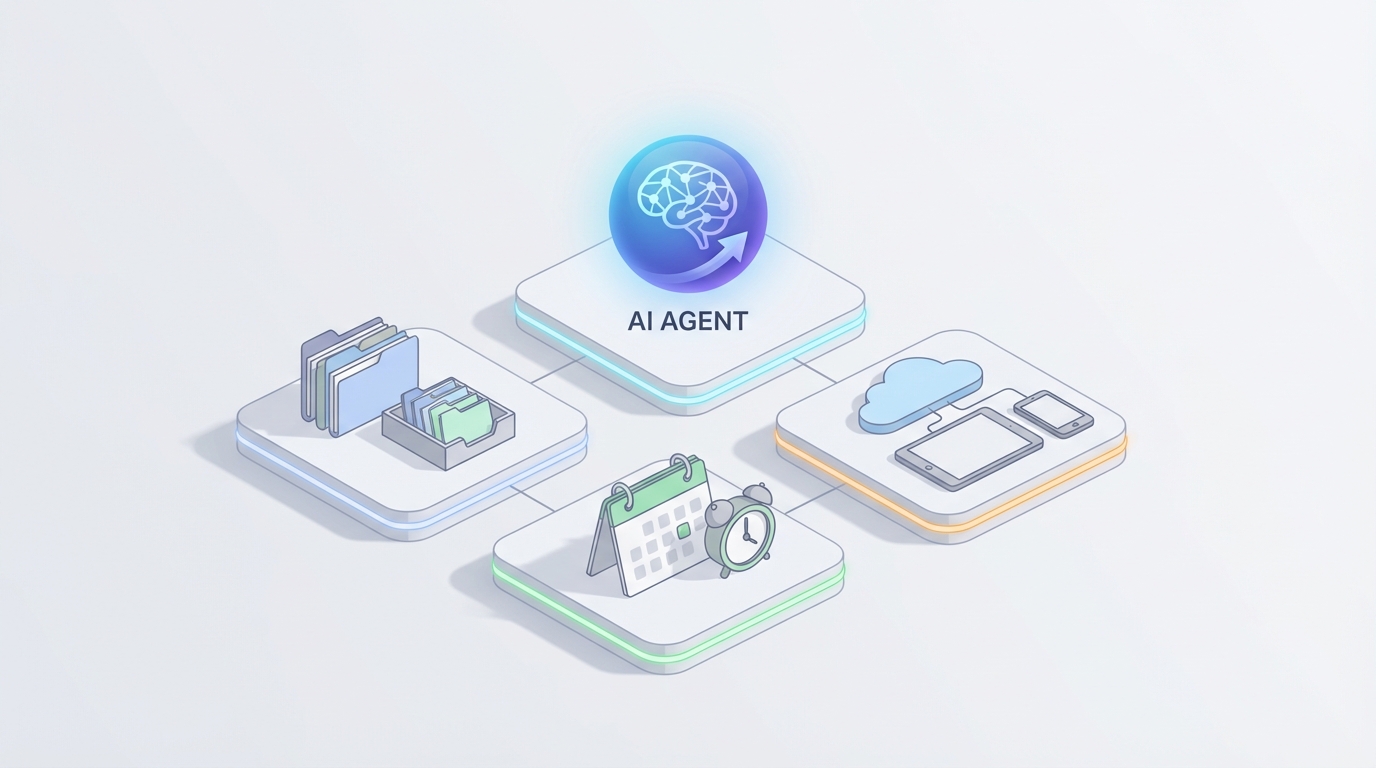
Apple Notes is one of those tools that quietly runs half the operations at small agencies, consultancies, and creative shops. Meeting notes go in there. Client folders live in there. That random PDF from the vendor call three weeks ago? It's in there somewhere, buried under forty other notes tagged with increasingly creative hashtags.
The problem isn't capture. Apple Notes is genuinely excellent at capture. The problem is everything that happens after capture: organizing, extracting action items, syncing information to other tools, and actually using the knowledge you've accumulated. Apple Notes gives you a bucket. What you need is a system.
That's exactly what a custom AI agent built on OpenClaw can do — turn Apple Notes from a passive storage layer into an active, intelligent knowledge base that organizes itself, pulls out what matters, and connects to the rest of your workflow. No migration to Notion. No learning a new tool. Just your existing notes, working harder.
Let me walk through what this looks like in practice.
Why Apple Notes Needs an External Brain
If you're running a Mac-heavy team — a design agency, a small law practice, a real estate brokerage, a marketing consultancy — Apple Notes is probably already embedded in your daily workflow. It syncs instantly across devices. It handles images, PDFs, scans, and handwriting. The search is genuinely impressive (OCR on scanned documents, handwriting recognition, text inside images). And it's free.
But here's where it falls apart:
No structured data. You can't add custom fields, create database views, or query your notes like "show me all active projects with budgets over $50k." Notes are blobs of text, not records.
No real automation. Shortcuts can create and append to notes, but there are no content-based triggers, no "when this note changes, do this" reliability, and no way to connect to Slack, email, or your CRM without duct-tape workarounds.
No cross-note intelligence. You can search for a keyword, but you can't ask "what have we decided about pricing across all client meetings this quarter?" or "are there contradictions between our brand guidelines note and the last three campaign briefs?"
No proactive behavior. Notes just sit there. Nobody nudges you about the follow-up you wrote down on Tuesday. Nobody flags that two notes from different team members contain conflicting information about the same client.
Apple Intelligence (iOS 18.1+) adds some surface-level features — note summarization, writing cleanup tools — but it stays firmly inside Apple's sandbox. No team memory. No external integrations. No persistent agent behavior. No learning your specific business vocabulary over time.
What you actually need is an agent that sits on top of Apple Notes, understands its contents, and does things with that understanding. That's where OpenClaw comes in.
The Architecture: OpenClaw + Apple Notes
Let's be honest about the technical landscape first. Apple does not provide a public REST API for Notes. This is one of the most frustrating aspects of building on Apple's ecosystem. What you do have:
- Shortcuts actions: Create Note, Append to Note, Find Notes, Show Note, Get Note Link
- AppleScript on macOS (more powerful, but Mac-only and clunky)
- URL schemes (
notes://) for basic deep linking - Export paths: PDF export, copy-paste, and Share Sheet integrations
None of these are ideal for a real-time integration. But they're sufficient when you design the system correctly.
Here's the architecture pattern that works:
Layer 1: Note Ingestion Pipeline
The agent needs access to your note content. There are a few approaches, and the right one depends on your setup:
Option A: Scheduled AppleScript Export (Mac-only)
A background script runs on a schedule (every 15–30 minutes), exports note contents to a local directory or synced folder, and the OpenClaw agent processes the changes.
tell application "Notes"
    set allNotes to every note of default account
    repeat with aNote in allNotes
        set noteTitle to name of aNote
        set noteBody to body of aNote
        set noteID to id of aNote
        set modDate to modification date of aNote
        -- Export to JSON or markdown file
    end repeat
end tell
This gives you the raw HTML body of each note, which you can then parse, chunk, and index.
Option B: Shortcuts-Based Sync
Build a Shortcut that runs on a schedule (using Automations) or is triggered manually. It uses "Find Notes" filtered by modification date, grabs the content, and sends it to an OpenClaw webhook endpoint via a "Get Contents of URL" action.
Find Notes where Modification Date is in the last 1 hour
Repeat with each note:
    Get Name of note → title
    Get Body of note → content
    Get Contents of URL (POST to your OpenClaw webhook)
        URL: https://your-openclaw-endpoint.com/ingest
        Body: {"title": title, "content": content, "modified": timestamp}
End Repeat
Option C: Shared Folder / Export Watcher
For teams, you can establish a convention: notes that need agent processing get exported (as PDF or text) to a shared iCloud Drive or Dropbox folder. The OpenClaw agent watches this folder and processes new files. Less elegant, more reliable.
In practice, most teams I'd recommend start with Option B for simplicity and move to Option A if they need more granular control. The key insight is that you don't need real-time sync. A 15-to-30-minute polling interval handles 95% of business use cases.
Layer 2: OpenClaw Agent Processing
Once note content reaches OpenClaw, the agent does the heavy lifting. This is where the actual intelligence lives.
Indexing and Embedding: Each note gets chunked, embedded, and stored in a vector database. OpenClaw handles this natively — you define your knowledge base, point it at the ingestion stream, and the platform manages chunking strategy, embedding updates, and retrieval.
Entity Extraction: The agent parses each note for structured entities — people, companies, dates, dollar amounts, action items, decisions. This is where unstructured meeting notes become queryable data.
Tag Suggestion and Application: Based on content analysis, the agent suggests (or automatically applies) tags using your team's taxonomy. If you use a system like #Client-Acme #Status-Active #Meeting #Q3, the agent learns that pattern and applies it consistently — even when individual team members forget.
Relationship Mapping: The agent builds a knowledge graph across your notes. It knows that "Sarah" mentioned in the Monday meeting note is the same Sarah who's the lead on the Acme project, and that the budget figure in Tuesday's note contradicts what was agreed to in last month's planning note.
Layer 3: Action and Output
This is where it gets genuinely useful. The agent doesn't just understand your notes — it acts on them.
Five Workflows That Actually Matter
1. Automatic Meeting Note Processing
You take rough meeting notes in Apple Notes (as most people do — bullet points, half-sentences, random tangents). The agent picks them up on the next sync cycle and:
- Extracts a structured summary: attendees, decisions made, open questions
- Pulls out action items with owners and implied deadlines
- Creates follow-up reminders (pushed back to Apple Reminders via Shortcuts, or to your task manager via API)
- Tags the note with relevant client/project tags
- Updates your "living document" note for that client with the new information
The output gets appended back to the original note or written to a new "processed" note in a designated folder. You open Apple Notes an hour after your meeting and find a clean, structured brief waiting for you.
OpenClaw configuration for this workflow:
You define the agent's instructions to include your specific meeting note format, your team's tag taxonomy, and your action item conventions. The agent uses tool calls to write back to Notes (via the Shortcuts webhook or AppleScript bridge) and to create reminders.
2. Cross-Note Research and Synthesis
This is the killer feature that Apple Notes will never have natively.
You ask the agent: "What has Client X said about their budget constraints across all our meeting notes?"
The agent searches across your entire note corpus using semantic search (not just keyword matching), pulls relevant passages from multiple notes spanning multiple months, and synthesizes a coherent answer with citations back to specific notes.
Or: "Summarize everything we know about competitor Y based on our research notes and client feedback."
Or: "Are there any contradictions between our current brand guidelines and what we've been telling clients in recent briefs?"
This is where the vector database and knowledge graph built in Layer 2 pay off. You're not searching for a string — you're querying a body of knowledge.
3. Proactive Follow-Up Detection
The agent scans notes for implied commitments and deadlines that never made it into a formal task manager. Things like:
- "We should circle back on this next week"
- "John will send the updated proposal by Friday"
- "Need to revisit the pricing model before Q4"
It flags these, creates a digest (daily or weekly), and optionally creates reminders or tasks. This catches the 80% of action items that fall through the cracks because nobody bothered to open Reminders and type them in.
4. Intelligent Tagging and Organization
Most Apple Notes users start with good intentions around tags and folders. Six months later, their system is a mess. Inconsistent tags. Notes in the wrong folders. Duplicate information across notes that should have been consolidated.
The agent continuously monitors for:
- Notes missing tags that should have them (based on content analysis)
- Inconsistent tag usage (
#client-acmevs#Acmevs#acme-project) - Notes that belong in a different folder based on their content
- Duplicate or near-duplicate notes that should be merged
- Stale notes that haven't been touched in months and might need archiving
It generates an "organization report" on a schedule, or (if you grant it write access) makes the changes automatically.
5. External System Bridging
This is where the agent connects Apple Notes to the rest of your stack:
- Note tagged #slack-update → Agent extracts a summary and posts it to a designated Slack channel via webhook
- Note tagged #proposal → Agent extracts key terms (scope, budget, timeline) and creates a draft row in your Airtable pipeline
- New note in "Client Meetings" folder → Agent updates the client's record in your CRM with meeting date and summary
- Note containing invoice details → Agent extracts amounts and sends them to your bookkeeping tool
Each of these bridges is configured in OpenClaw as a tool the agent can invoke. You define the trigger conditions (tag-based, folder-based, content-based) and the output format. The agent handles the translation between unstructured note content and structured API payloads.
Implementation: Getting Started
Here's the practical path from "I have a bunch of Apple Notes" to "I have an intelligent system":
Week 1: Ingestion Setup
- Build the Shortcuts automation (or AppleScript) to export notes on a schedule
- Set up the OpenClaw agent with a webhook endpoint to receive note data
- Configure the knowledge base and let the initial indexing run
- Test with search queries to verify the agent understands your content
Week 2: Core Workflows
- Define your tag taxonomy and organization rules
- Configure the meeting note processing workflow
- Set up the follow-up detection logic
- Test the write-back path (agent → Shortcuts → Apple Notes)
Week 3: Integration and Polish
- Add external system bridges (Slack, CRM, task manager)
- Set up the daily/weekly digest
- Train the agent on your specific business vocabulary and conventions
- Establish the feedback loop (correct the agent when it miscategorizes, and it learns)
Week 4: Team Rollout
- Share the Shortcuts automations with your team
- Document the tag conventions and folder structure
- Set up shared agent access so team members can query the collective knowledge base
- Monitor and refine
The total investment is modest. You're not migrating platforms. You're not learning a new tool. You're augmenting the tool your team already uses every day with a layer of intelligence that handles the tedious organizational work and surfaces the insights that are currently buried.
What This Isn't
I want to be clear about the boundaries. This approach is not a replacement for a proper project management system if you need Gantt charts and resource allocation. It's not a replacement for a CRM if you're managing thousands of contacts. And it doesn't solve Apple Notes' fundamental collaboration limitations — if half your team is on Windows, you still have a problem.
What it does solve is the gap between "I captured information" and "I can actually use that information." For teams that are already committed to Apple Notes (and let's be honest, many of them aren't switching), this is the highest-leverage improvement available.
It also doesn't require you to trust a third-party app with direct access to your iCloud account. The ingestion pipeline is under your control. You decide what gets exported, when, and where it goes. The agent works with copies of your content, not with your live Notes database.
The Compliance Question
If you're in a regulated industry (healthcare, legal, finance), you need to think carefully about what note content gets processed by an external agent. Apple Notes offers end-to-end encryption for locked notes, but the moment you export that content for agent processing, you're operating outside that encryption boundary.
The practical approach: use folder-based or tag-based filtering in your ingestion pipeline. Notes in the "Confidential" folder or tagged #privileged don't get exported. Everything else flows through the agent. This gives you the intelligence benefits for 80–90% of your notes while maintaining appropriate boundaries for sensitive content.
OpenClaw's infrastructure handles data processing with appropriate security controls, but you should always evaluate this against your specific compliance requirements.
Next Steps
If you're sitting on a mountain of Apple Notes and wishing they were smarter, there are two ways to move forward:
Build it yourself using OpenClaw. The platform gives you the agent framework, knowledge base management, tool integration layer, and the ability to define custom workflows. The Apple Notes integration patterns described above are well-tested, and the OpenClaw documentation walks through the webhook and tool configuration in detail.
Have someone build it for you. If you want a production-ready Apple Notes AI agent configured for your specific workflows, taxonomy, and integrations — without spending weeks on setup — check out Clawsourcing. The team will scope your use case, build the ingestion pipeline, configure the agent, and hand you a working system.
Either way, stop treating your notes as a write-only medium. The information is already there. It just needs an agent smart enough to do something with it.
Recommended for this post
Your SEO specialist that builds content strategies, optimizes pages, and tracks rankings -- own the search results.
 SpookyJuice.ai
Your Claude API expert that optimizes prompts, manages tokens, and builds production AI applications.
SpookyJuice.ai
Scott — Autonomous Prospect Research Agent
Prospect Research Agent
Finds ICP-qualified leads from YC, Product Hunt, IndieHackers, and Twitter. Qualifies every one. Automatically.
 Marco
Marco