AI Administrative Assistant: Calendar, Email, and Task Management
Replace Your Administrative Assistant with an AI Administrative Assistant Agent
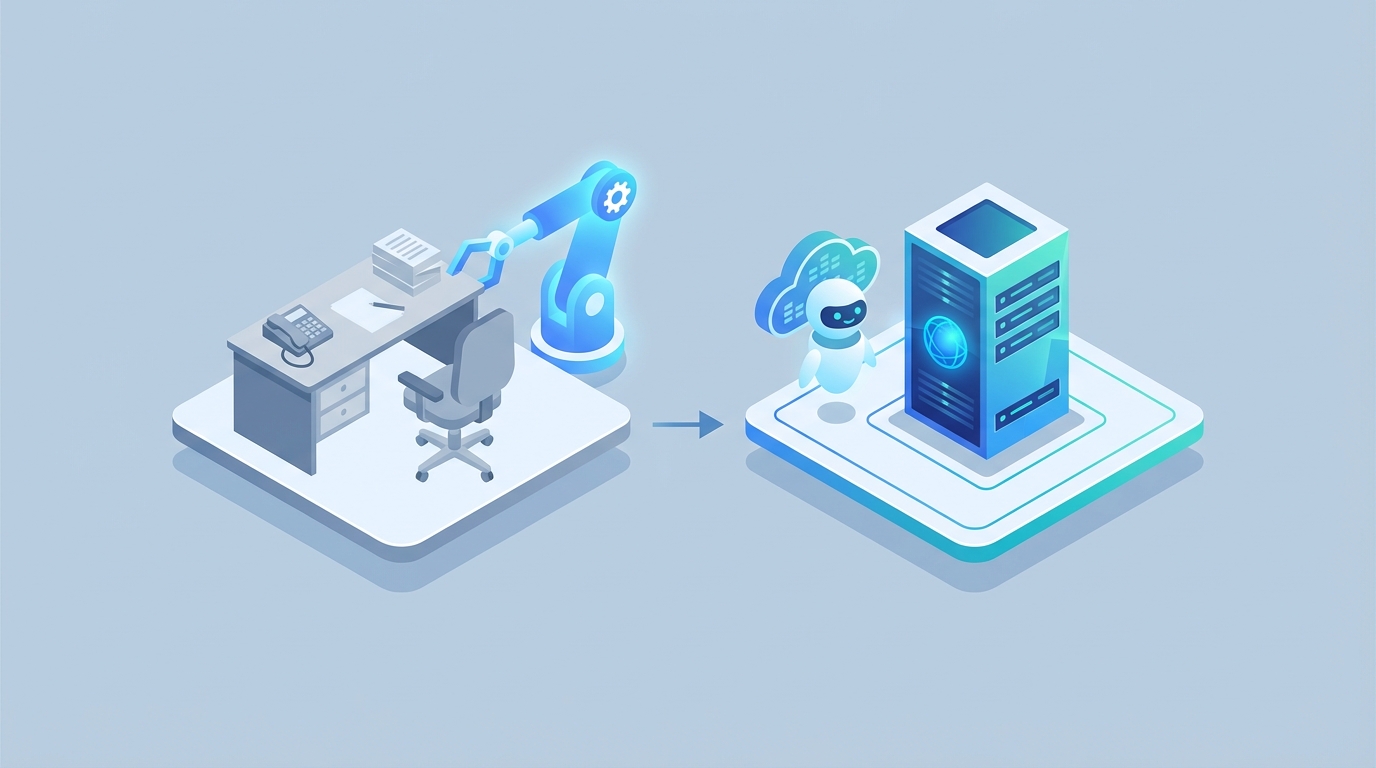
Let's be honest about what an administrative assistant actually does all day, because if you don't understand the job, you can't automate it.
The typical admin isn't just "answering phones." They're the operational glue holding together an executive's entire work life — and often a team's or department's. They're managing 50-200 emails a day, playing calendar Tetris across four time zones, chasing down expense reports, booking travel that inevitably changes twice, formatting presentations at 6 PM, ordering office supplies nobody notices until they're gone, taking meeting notes that nobody reads (but everyone needs), and handling the hundred small fires that pop up between 9 AM and 5 PM.
Here's the rough breakdown of where time actually goes, based on workplace studies from Asana and Robert Half:
- Email and communication management: 25-35% of their day. Filtering, responding, prioritizing, drafting on behalf of someone else.
- Scheduling and calendar coordination: 20-30%. The back-and-forth alone on a single meeting with five attendees can eat 20 minutes.
- Data entry and reporting: 15-20%. Spreadsheets, CRM updates, pulling numbers into slide decks.
- Routine admin (filing, supplies, office logistics): 10-15%.
- Everything else: Travel, research, event coordination, ad-hoc requests from whoever happens to walk by their desk.
Most of this is repetitive. Most of this follows patterns. And most of this is exactly the kind of work AI agents handle well right now — not in some speculative future, but today.
The Real Cost of This Hire
Before we talk about automation, let's talk about what this role actually costs you. Because it's not just the salary number on the offer letter.
The median salary for an administrative assistant in the US is around $43,000-$52,000 depending on whether you're pulling from BLS or Glassdoor data. In a major metro area — New York, San Francisco, Seattle — you're looking at $55,000-$65,000 for someone competent. Executive assistants supporting C-suite? $70,000-$100,000+.
But salary is only part of the picture. The Society for Human Resource Management (SHRM) pegs total employer cost at 1.25x to 1.5x the base salary once you factor in:
- Benefits: Health insurance, 401(k) matching, PTO
- Payroll taxes: FICA, unemployment insurance
- Training and onboarding: Usually 2-4 weeks of reduced productivity while they learn your systems, your executive's preferences, your company's quirks
- Turnover: Average admin tenure is 2-3 years. Every departure costs you 50-75% of annual salary in recruiting, onboarding, and lost productivity
So that $55,000 admin actually costs you $70,000-$82,000 per year, all-in. And every time they leave, you eat another $30,000-$40,000 in transition costs.
Now, I'm not saying admins don't provide value. Many are worth every penny. I'm saying you should understand exactly what you're paying for so you can make an informed decision about which pieces of that work could be handled by an AI agent at a fraction of the cost.
What AI Handles Right Now (and How to Build It on OpenClaw)
Based on Gartner's 2026 estimates, AI can currently automate 40-60% of typical administrative tasks. Not in theory — in practice, with tools that exist today. The companies already doing this are seeing real results:
- Shopify cut scheduling time by 50% using AI calendar management.
- Siemens piloted AI virtual assistants across 300,000 employees and reduced admin workload by 30%.
- Buffer replaced a part-time admin role entirely with AI automation, saving $30,000 per year.
Here's where an AI administrative assistant agent built on OpenClaw can handle the workload today:
Email Triage and Response
This is the single biggest time sink, and it's the most automatable. An OpenClaw agent can:
- Sort incoming emails by priority (urgent, needs response, FYI, spam)
- Draft responses based on context and previous communication patterns
- Summarize long email threads into bullet points
- Flag emails that require human judgment and route them accordingly
In OpenClaw, you'd set this up by connecting your email provider and defining classification rules:
agent: email_triage_assistant
triggers:
  - type: email_received
    source: gmail
    account: "{{executive_email}}"

steps:
  - classify:
      categories:
        - urgent_response_needed
        - standard_response
        - informational_only
        - spam_or_irrelevant
      context: "Previous 30 days of email history, executive preferences"

  - action:
      if: urgent_response_needed
      then:
        - draft_response:
            tone: "professional, concise, matches executive voice"
            max_length: 150_words
        - notify:
            channel: slack
            message: "Urgent email from {{sender}} — draft ready for review"

      if: standard_response
      then:
        - draft_response:
            tone: "professional, friendly"
            auto_send: false
        - queue_for_review:
            batch: "daily_email_review"

      if: informational_only
      then:
        - summarize:
            format: bullet_points
        - file:
            label: "FYI - {{date}}"

      if: spam_or_irrelevant
      then:
        - archive: true
The key is the context window. OpenClaw lets you feed the agent historical communication data so it learns your executive's voice, their relationships, and their priorities. After a week of corrections, the drafts get noticeably better. After a month, you're approving 80%+ without edits.
Scheduling and Calendar Management
Calendar coordination is pure pattern matching with constraints — exactly what AI agents excel at. An OpenClaw scheduling agent can:
- Parse meeting requests from emails, Slack messages, or direct input
- Check availability across multiple calendars
- Propose time slots that respect preferences (no meetings before 10 AM, buffer time between calls, lunch blocks)
- Handle the back-and-forth negotiation via email
- Automatically adjust for time zones
- Reschedule when conflicts arise
agent: calendar_coordinator
triggers:
  - type: message_received
    sources: [email, slack, web_form]
    intent: meeting_request

steps:
  - extract:
      fields:
        - participants
        - duration_estimate
        - priority_level
        - topic
        - preferred_timeframe

  - check_availability:
      calendars: ["{{exec_calendar}}", "{{team_calendar}}"]
      constraints:
        - no_meetings_before: "10:00 AM"
        - no_meetings_after: "4:30 PM"
        - buffer_between_meetings: 15_minutes
        - protected_blocks: ["lunch_12-1", "deep_work_wed_pm"]
        - max_meetings_per_day: 6

  - propose_slots:
      count: 3
      optimize_for: "minimal_context_switching"
      send_to: "{{requester_email}}"
      format: "inline_poll"

  - on_confirmation:
      - create_event:
          include: [calendar_link, agenda_template, prep_notes]
      - notify:
          channel: slack
          message: "Meeting booked: {{topic}} with {{participants}} at {{time}}"
This eliminates the 20-30% of admin time spent on scheduling. No more eight-email chains to find a time that works for five people.
Data Entry, Reporting, and Document Management
The tedious stuff. Expense reports, CRM updates, weekly status decks, meeting minutes. An OpenClaw agent handles this by:
- Extracting data from receipts, invoices, and forms (OCR + structured parsing)
- Auto-populating spreadsheets and CRM fields
- Generating weekly/monthly reports from connected data sources
- Transcribing and summarizing meetings into structured notes
- Organizing files with consistent naming conventions and folder structures
agent: reporting_assistant
triggers:
  - type: scheduled
    cron: "0 8 * * MON"  # Every Monday at 8 AM

steps:
  - gather_data:
      sources:
        - google_sheets: "{{sales_tracker}}"
        - crm: "{{hubspot_deals_pipeline}}"
        - calendar: "{{last_week_meetings}}"

  - generate_report:
      template: "weekly_executive_summary"
      sections:
        - key_metrics_vs_targets
        - meetings_held_and_outcomes
        - action_items_outstanding
        - upcoming_week_priorities

  - deliver:
      - email:
          to: "{{executive}}"
          subject: "Weekly Summary — {{week_of}}"
      - save:
          location: "Google Drive/Reports/Weekly/{{date}}"
Travel and Expense Management
This one's partial automation — the agent handles research, booking within parameters, and expense categorization, but complex itineraries with tight connections or VIP preferences still benefit from human review.
agent: travel_assistant
triggers:
  - type: message_received
    intent: travel_request

steps:
  - extract_requirements:
      fields: [destination, dates, budget, preferences, purpose]

  - research_options:
      flights:
        preferred_airlines: ["{{exec_preferences.airlines}}"]
        class: "{{exec_preferences.cabin_class}}"
        max_layovers: 1
      hotels:
        preferred_chains: ["{{exec_preferences.hotels}}"]
        proximity_to: "{{meeting_location}}"

  - present_options:
      format: comparison_table
      send_to: "{{executive}}"
      await_approval: true

  - on_approval:
      - book: true
      - create_itinerary:
          include: [confirmation_numbers, addresses, local_time_zones, weather]
      - add_to_calendar: true
      - save_receipts:
          location: "Expenses/{{trip_name}}"
Research and Information Gathering
Need background on a company before a meeting? A summary of a 40-page report? Competitive intel for a presentation? An OpenClaw agent can pull, synthesize, and format this in minutes instead of hours.
agent: research_assistant
triggers:
  - type: message_received
    intent: research_request

steps:
  - parse_request:
      fields: [topic, depth, format, deadline]

  - research:
      sources:
        - web_search
        - internal_documents: "{{company_knowledge_base}}"
        - connected_tools: [crm, project_management]
      depth: "{{requested_depth}}"

  - synthesize:
      format: "{{requested_format}}"  # bullets, memo, slide_notes
      max_length: "{{appropriate_for_format}}"
      cite_sources: true

  - deliver:
      channel: "{{preferred_channel}}"
What Still Needs a Human
Here's where I refuse to blow smoke. An AI admin agent is not a complete replacement for every function a human admin performs. If someone tells you otherwise, they're selling you something (or they've never actually worked with an executive who has complex needs).
Things that still need a human:
-
Confidential judgment calls. When the CEO's calendar conflict involves a board member who's about to be asked to resign, no AI should be making that scheduling decision. Organizational politics, sensitive HR situations, and confidential communications require human judgment and discretion.
-
Relationship management. A great executive assistant knows that when they email Sarah at the partner firm, they should ask about her kid's soccer tournament. That institutional knowledge and emotional intelligence — the stuff that makes business relationships actually work — isn't something an AI replicates well.
-
Physical tasks. Picking up dry cleaning, setting up a conference room, greeting visitors, handling mail. If your admin role includes significant on-site, physical responsibilities, you still need a person.
-
Crisis management. When the flight gets canceled at 11 PM and there's a board meeting at 8 AM tomorrow in a different city, you need someone who can make rapid judgment calls, negotiate with airlines on the phone, and handle the stress of a dynamic, ambiguous situation.
-
Tone and nuance in high-stakes communication. AI can draft a perfectly grammatical email. It still struggles with the difference between "firm but diplomatic" and "accidentally aggressive" when dealing with a difficult client.
-
Accountability. When something goes wrong — and it will — you need a human in the loop who can catch errors, take responsibility, and course-correct. AI hallucinations are real. An agent that confidently books the wrong flight or sends an email with fabricated information is worse than no agent at all.
The honest move is a hybrid approach: let the OpenClaw agent handle the 40-60% of tasks that are repetitive, pattern-based, and low-risk. Keep a human (possibly part-time, possibly shared across executives) for the judgment-heavy, relationship-driven, high-stakes work. You end up spending less, getting faster execution on routine tasks, and actually using your human admin's skills where they matter most.
How to Build Your AI Admin Agent on OpenClaw
Here's the practical path to getting this running:
Step 1: Audit the current workload. Have your admin (or yourself, if you're the one drowning) track tasks for two weeks. Categorize everything into: repetitive/pattern-based, judgment-required, and physical/in-person. Be honest about which bucket each task falls into.
Step 2: Start with the highest-volume, lowest-risk task. For most people, that's email triage or scheduling. Don't try to automate everything at once. Pick one agent, build it on OpenClaw, and run it alongside your existing process for two weeks.
Step 3: Connect your tools. OpenClaw integrates with Google Workspace, Microsoft 365, Slack, popular CRMs, and project management tools. The agent is only as good as the systems it can access. Set up the integrations, define permissions (especially around sensitive data — this is non-negotiable), and configure the data sources.
Step 4: Train with your data. Feed the agent examples of good email responses, preferred scheduling patterns, report formats your executive actually likes. The more context you provide upfront, the fewer corrections you'll make later.
Step 5: Set up human-in-the-loop checkpoints. For the first month, nothing goes out without approval. After that, you can loosen the reins on categories where accuracy is consistently high (usually email sorting and calendar management first) and keep tighter review on things like outbound communication and travel booking.
Step 6: Expand incrementally. Once email triage is running smoothly, add the scheduling agent. Then reporting. Then travel. Each new agent builds on the integrations and context you've already established.
Step 7: Measure the ROI. Track time saved per week, error rates, and cost. Compare against your baseline. Companies doing this consistently report 2-5x time savings on automated tasks, per McKinsey's 2026 digital workplace data.
The Math
Let's make this concrete. Say your current admin costs you $75,000/year all-in (salary, benefits, taxes — a mid-level admin in a metro area). They spend roughly:
- 30% on email = $22,500/year
- 25% on scheduling = $18,750/year
- 17% on data entry/reporting = $12,750/year
- 13% on routine admin = $9,750/year
- 15% on judgment-heavy/physical tasks = $11,250/year
An OpenClaw agent suite can handle the first four categories — about $63,750 worth of work — for a fraction of that cost. Even if you keep a part-time human for the rest ($20,000-$25,000/year), you're looking at significant net savings while actually getting faster execution on the automated tasks.
The ROI isn't theoretical. Buffer documented $30,000 in annual savings from a much simpler automation stack. With a purpose-built agent system on OpenClaw, the numbers get better.
Next Steps
You have two options:
Option 1: Build it yourself. Sign up for OpenClaw, start with the email triage agent template, connect your tools, and iterate. The platform is designed to be technical-but-accessible — you don't need to be an engineer, but you should be comfortable configuring workflows and debugging when things don't work perfectly on the first try (they won't).
Option 2: Hire us to build it. If you'd rather have this built, tested, and deployed for you — with the human-in-the-loop checkpoints already configured and the agent trained on your specific workflows — that's exactly what Clawsourcing does. We'll audit your admin workload, build the agent suite, run it alongside your existing process, and hand it off when it's performing. No six-month consulting engagement. Just a working system.
Either way, the technology is here now. The question isn't whether AI can handle administrative work — it's whether you're going to keep paying $75,000 a year for someone to sort emails and play calendar Tetris, or redirect that budget (and that person's talent) toward work that actually requires a human brain.
Recommended for this post
Your personal AI assistant for general life tasks, appointments, forms & daily automation.
 Victoria