Scaling OpenClaw with Multiple Persistent Sessions
Scaling OpenClaw with Multiple Persistent Sessions
Let's talk about the moment your AI agent setup goes from "cool demo" to "absolute nightmare."
You've got one agent running a browser session. It logs in, navigates to a dashboard, scrapes some data, maybe fills out a form. Works great. You feel like a genius. Then you need ten agents doing this simultaneously. Then fifty. Then you realize each Chromium instance is eating 300MB of RAM, sessions are dying mid-workflow, and every time your server hiccups, all your agents lose their login state and start thrashing like confused toddlers in a ball pit.
This is the persistent sessions wall, and almost everyone building production-grade AI agents hits it eventually. I've been deep in this problem for a while, and I want to walk through exactly how to scale OpenClaw with multiple persistent sessions — the architecture, the practical implementation, the gotchas, and the stuff nobody tells you until you've already wasted a weekend debugging memory leaks.
Why Persistent Sessions Are the Real Bottleneck
Here's what most AI agent tutorials skip over: the browser session problem.
When your agent needs to interact with the web — logging into services, navigating multi-step workflows, maintaining shopping carts, managing dashboards — it needs a browser. And that browser needs state. Cookies, localStorage, session tokens, open tabs, form data halfway through a checkout flow. All of it.
Without persistence, every single agent run starts from zero. Your agent logs into a platform, gets through two-factor auth, navigates three pages deep into a workflow... and then the session drops. Now it has to do all of that again. Multiply this by the number of agents you're running and you're burning tokens, burning time, and burning through rate limits on whatever services you're hitting.
The typical DIY approach looks something like this:
- Spin up Playwright or Puppeteer
- Manually serialize cookies to a JSON file
- Pray that restoring those cookies actually works
- Realize localStorage wasn't captured
- Add a Redis layer for session metadata
- Watch Chromium leak memory over 4 hours
- Build a restart/recovery system
- Realize you've just spent three weeks building a worse version of what already exists
This is where OpenClaw changes the game. Instead of duct-taping session management onto a browser automation library, you get persistent, resumable browser sessions as a first-class primitive — self-hosted, open source, and designed specifically for AI agent workloads.
The Architecture: How OpenClaw Handles Persistent Sessions
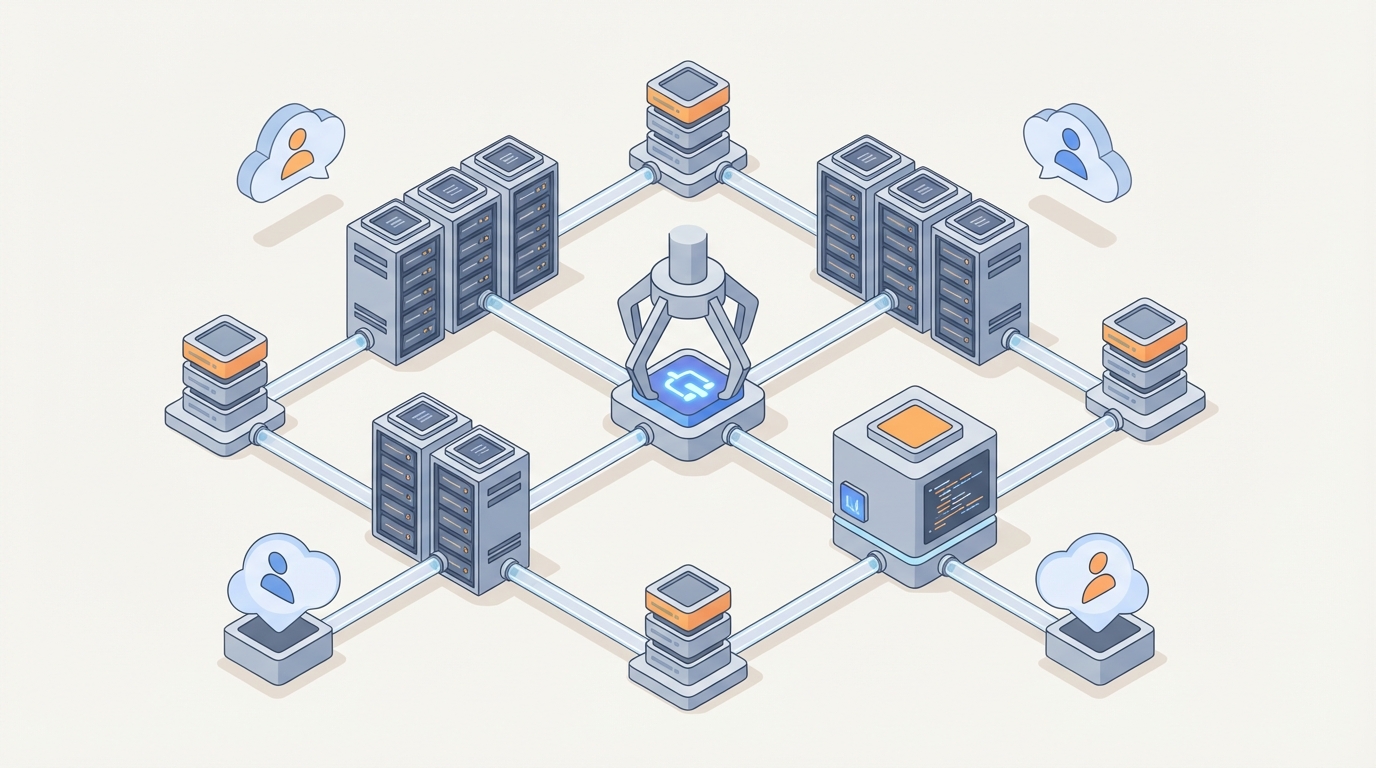
OpenClaw uses a controller-worker architecture that separates session management from session execution. This is the key insight that makes scaling actually work.
The Controller manages session lifecycle — creation, persistence, recovery, and routing. It maintains a registry of all active and hibernated sessions, each identified by a stable session ID.
Workers are the processes that actually run browser contexts. A single worker can manage multiple browser contexts, and contexts can be "hibernated" (serialized to storage) when not actively in use, then rehydrated on demand.
This means you're not running 50 Chromium instances simultaneously just because you have 50 sessions. You might have 50 persistent sessions but only 10 active browser contexts at any given time, with the rest hibernated to disk or object storage.
Here's what the basic setup looks like:
# docker-compose.yml for OpenClaw multi-session setup
version: '3.8'
services:
  openclaw-controller:
    image: openclaw/controller:latest
    ports:
      - "8100:8100"
    environment:
      - OPENCLAW_MAX_WORKERS=4
      - OPENCLAW_SESSION_STORAGE=redis
      - OPENCLAW_HIBERNATE_AFTER=300  # seconds of inactivity
      - REDIS_URL=redis://redis:6379
    volumes:
      - session-data:/var/openclaw/sessions
    depends_on:
      - redis

  openclaw-worker:
    image: openclaw/worker:latest
    deploy:
      replicas: 4
    environment:
      - CONTROLLER_URL=http://openclaw-controller:8100
      - MAX_CONTEXTS_PER_WORKER=8
      - BROWSER_MEMORY_LIMIT=512m
    shm_size: '2gb'

  redis:
    image: redis:7-alpine
    volumes:
      - redis-data:/data

volumes:
  session-data:
  redis-data:
A few things to note here:
OPENCLAW_HIBERNATE_AFTER=300means any session idle for 5 minutes gets serialized and the browser context is freed. This is how you support 200 sessions on hardware that can only run 30 browsers simultaneously.shm_size: '2gb'is critical. Chromium uses/dev/shmfor shared memory, and Docker's default of 64MB will cause crashes. I cannot tell you how many hours people waste debugging this one.- The worker replicas give you horizontal scaling. Four workers with 8 contexts each = 32 concurrent active sessions.
Getting Started Without the Yak Shaving
Before we go deeper into scaling patterns, let me save you some time. If you're new to OpenClaw or you want to skip the initial configuration rabbit hole, Felix's OpenClaw Starter Pack is genuinely the fastest way to get a working multi-session setup running. Felix put together pre-configured templates, working examples, and the kind of "here's exactly what to do" documentation that the official docs sometimes lack for edge cases. I started with it and had persistent sessions running in under an hour instead of the half-day it took me the first time I set everything up from scratch.
It's especially useful if you're integrating with agent frameworks like LangGraph, because Felix includes working graph definitions that properly thread session IDs through the state machine — which is the part most people get wrong on their first attempt.
Connecting Agents to Persistent Sessions
Here's where it gets practical. The core interaction pattern with OpenClaw is simple: you create a session, get back a session ID, and then pass that session ID to your agent on every subsequent run.
from openclaw import OpenClawClient

# Initialize the client
client = OpenClawClient(controller_url="http://localhost:8100")

# Create a new persistent session
session = client.create_session(
    profile="default",
    proxy="socks5://proxy:1080",  # optional
    viewport={"width": 1920, "height": 1080},
    tags=["data-collection", "client-a"]  # metadata for management
)

print(f"Session ID: {session.id}")  # e.g., "ses_7xKp2mNq"

# Later — could be minutes, hours, or days later — resume it
session = client.resume_session("ses_7xKp2mNq")

# Get the browser context for automation
page = session.get_active_page()
print(page.url)  # Still on whatever page the agent left off
print(page.cookies())  # All cookies preserved
The magic here is resume_session. Behind the scenes, OpenClaw checks if the session is currently active on a worker. If it is, you get routed directly to it. If it's been hibernated, OpenClaw rehydrates it — restoring the full browser context including cookies, localStorage, sessionStorage, and the page navigation history.
Integrating with LangGraph
Most production agent systems aren't just a single script. They're state machines or directed graphs with branching logic, retries, and human-in-the-loop steps. LangGraph is the most common orchestration framework I see people using with OpenClaw, so here's a working pattern:
from langgraph.graph import StateGraph, END
from typing import TypedDict
from openclaw import OpenClawClient

class AgentState(TypedDict):
    session_id: str
    task: str
    current_step: str
    results: list
    error: str | None

client = OpenClawClient(controller_url="http://localhost:8100")

def initialize_session(state: AgentState) -> AgentState:
    """Create or resume a persistent browser session."""
    if state.get("session_id"):
        session = client.resume_session(state["session_id"])
    else:
        session = client.create_session(profile="agent-worker")
        state["session_id"] = session.id

    state["current_step"] = "navigate"
    return state

def navigate_and_act(state: AgentState) -> AgentState:
    """Use the persistent session to perform browser actions."""
    session = client.resume_session(state["session_id"])
    page = session.get_active_page()

    # Your agent logic here — this is where you'd call your LLM
    # to decide what to do based on the current page state
    try:
        page.goto("https://example.com/dashboard")
        page.wait_for_selector("#data-table", timeout=10000)

        data = page.evaluate("""
            () => {
                const rows = document.querySelectorAll('#data-table tr');
                return Array.from(rows).map(r => r.textContent);
            }
        """)

        state["results"].append(data)
        state["current_step"] = "complete"
        state["error"] = None
    except Exception as e:
        state["error"] = str(e)
        state["current_step"] = "retry"

    # Session persists automatically — no manual save needed
    return state

def should_retry(state: AgentState) -> str:
    if state["current_step"] == "complete":
        return "done"
    if state["error"] and len(state["results"]) < 3:
        return "retry"
    return "done"

# Build the graph
workflow = StateGraph(AgentState)
workflow.add_node("init", initialize_session)
workflow.add_node("act", navigate_and_act)
workflow.set_entry_point("init")
workflow.add_edge("init", "act")
workflow.add_conditional_edges("act", should_retry, {
    "retry": "act",
    "done": END
})

app = workflow.compile()

# Run it — the session_id survives across invocations
result = app.invoke({
    "session_id": "",  # Empty = create new
    "task": "collect dashboard data",
    "current_step": "init",
    "results": [],
    "error": None
})

# Store result["session_id"] in your database
# Next time, pass it back to resume exactly where you left off
The critical pattern here: the session ID is part of the agent state. It gets persisted with your LangGraph checkpointer, which means if the entire orchestration server restarts, the graph can resume and the browser session comes back with it.
Scaling Patterns That Actually Work
Once you've got the basics running, here are the patterns I've seen work for real multi-session deployments:
Pattern 1: Session Pool with Tags
Instead of creating sessions on-demand, pre-create a pool and check them out:
# Create a pool of 20 sessions at startup
pool_sessions = []
for i in range(20):
    s = client.create_session(
        profile="worker",
        tags=["pool", "available"]
    )
    pool_sessions.append(s.id)

# When an agent needs a session
def checkout_session():
    available = client.list_sessions(tags=["pool", "available"])
    if available:
        session = available[0]
        client.update_session_tags(session.id, ["pool", "in-use"])
        return session.id
    return None

# When done
def release_session(session_id):
    client.update_session_tags(session_id, ["pool", "available"])
This avoids the overhead of session creation during peak load and gives you predictable resource usage.
Pattern 2: Tiered Hibernation
Not all sessions are equal. Some are accessed every minute, others once a day:
# Configure different hibernation tiers
client.configure_hibernation({
    "hot": {
        "max_idle_seconds": 600,
        "storage": "memory",  # Fastest resume, most RAM
    },
    "warm": {
        "max_idle_seconds": 3600,
        "storage": "redis",  # Medium resume time
    },
    "cold": {
        "max_idle_seconds": 86400,
        "storage": "disk",  # Slowest resume, cheapest
    }
})

# Assign tiers based on access patterns
session = client.create_session(
    profile="monitoring",
    hibernation_tier="hot"  # This session gets checked frequently
)
Pattern 3: Health Monitoring
Sessions can go bad — pages can crash, memory can leak, cookies can expire. Build health checks:
import schedule

def health_check_sessions():
    active = client.list_sessions(tags=["production"])
    for session_info in active:
        try:
            session = client.resume_session(session_info.id)
            page = session.get_active_page()

            # Check if the session is still authenticated
            auth_status = page.evaluate("() => document.cookie.includes('session_token')")

            if not auth_status:
                client.update_session_tags(session_info.id, ["needs-reauth"])

            # Check memory usage
            metrics = session.get_metrics()
            if metrics.memory_mb > 400:
                # Restart the browser context but preserve cookies
                session.recycle()

        except Exception as e:
            client.update_session_tags(session_info.id, ["unhealthy", str(e)])

schedule.every(5).minutes.do(health_check_sessions)
Resource Planning: Real Numbers
Let me give you actual numbers from running this, because the theoretical stuff only gets you so far:
| Setup | Active Sessions | Hibernated Sessions | RAM Usage | CPU (avg) |
|---|---|---|---|---|
| 1 worker, small VPS (4GB) | 6-8 | 50+ | ~3.2GB | 15% |
| 4 workers, medium (16GB) | 25-32 | 200+ | ~14GB | 25% |
| 8 workers, large (32GB) | 50-64 | 500+ | ~28GB | 30% |
| K8s cluster, auto-scaling | 100+ | 1000+ | Variable | Variable |
The key insight: hibernated sessions cost almost nothing. The expensive part is active browser contexts. So the ratio of "total sessions" to "concurrently active sessions" is the number that determines your hardware needs.
If you have 200 sessions but only 20 are active at any given time, you need hardware for 20, not 200.
Common Mistakes I See People Make
1. Not setting shm_size in Docker. I mentioned this above but I'm mentioning it again because I see it cause problems literally every week. Chromium will crash silently or produce corrupted screenshots without enough shared memory.
2. Skipping proxy rotation for persistent sessions. A persistent session with the same IP address and the same browser fingerprint for days is a giant "I'm a bot" signal. Rotate proxies at the session level, not the request level.
3. Not handling session expiry. Just because OpenClaw preserves your cookies doesn't mean the server you're talking to won't expire them. Build re-authentication into your agent logic as a fallback path, not an afterthought.
4. Running everything on one machine for "simplicity." The controller-worker split exists for a reason. Even if you're starting small, run the controller and at least one worker as separate processes. It makes horizontal scaling later actually possible instead of requiring a rewrite.
5. Ignoring the hibernation lifecycle. If you resume a session, do your work, and then just... leave the connection open, you're wasting resources. Let sessions hibernate aggressively. Resume is fast — usually under 2 seconds for Redis-backed hibernation. That's fine for most agent workflows.
Where to Go From Here
If you're currently running into any of the problems I described at the top — sessions dying, memory blowing up, agents losing login state — the path forward is pretty clear:
-
Get OpenClaw running locally. Again, Felix's OpenClaw Starter Pack is the shortest path from zero to working persistent sessions. It's especially valuable if you're integrating with LangGraph or similar frameworks because the starter templates handle the session ID threading that's easy to mess up.
-
Start with a single-worker setup. Get one agent maintaining a persistent session across restarts. Verify that cookies, localStorage, and page state all survive hibernation and resumption. This is your proof of concept.
-
Add session pooling and health checks. Once single-session persistence works, build the pool management and monitoring layer. This is where you go from "it works on my machine" to "it works in production."
-
Scale workers horizontally. Add workers as your concurrent session count grows. Use the tiered hibernation pattern to keep costs sane.
-
Monitor memory and recycle aggressively. Chromium leaks memory. It's not a question of if, it's a question of when. Session recycling (restart the browser context, preserve the state) should be automated, not manual.
The persistent sessions problem is one of those things that sounds simple ("just save the cookies!") but has incredible depth once you're dealing with real-world scale. OpenClaw was built specifically for this use case, and it shows in the architecture decisions — the hibernation tiers, the controller-worker split, the session-ID-as-primitive approach.
Stop rebuilding this from scratch on top of raw Playwright. Life's too short, and your agents have work to do.