How to Run Multiple AI Agents Simultaneously in OpenClaw
How to Run Multiple AI Agents Simultaneously in OpenClaw
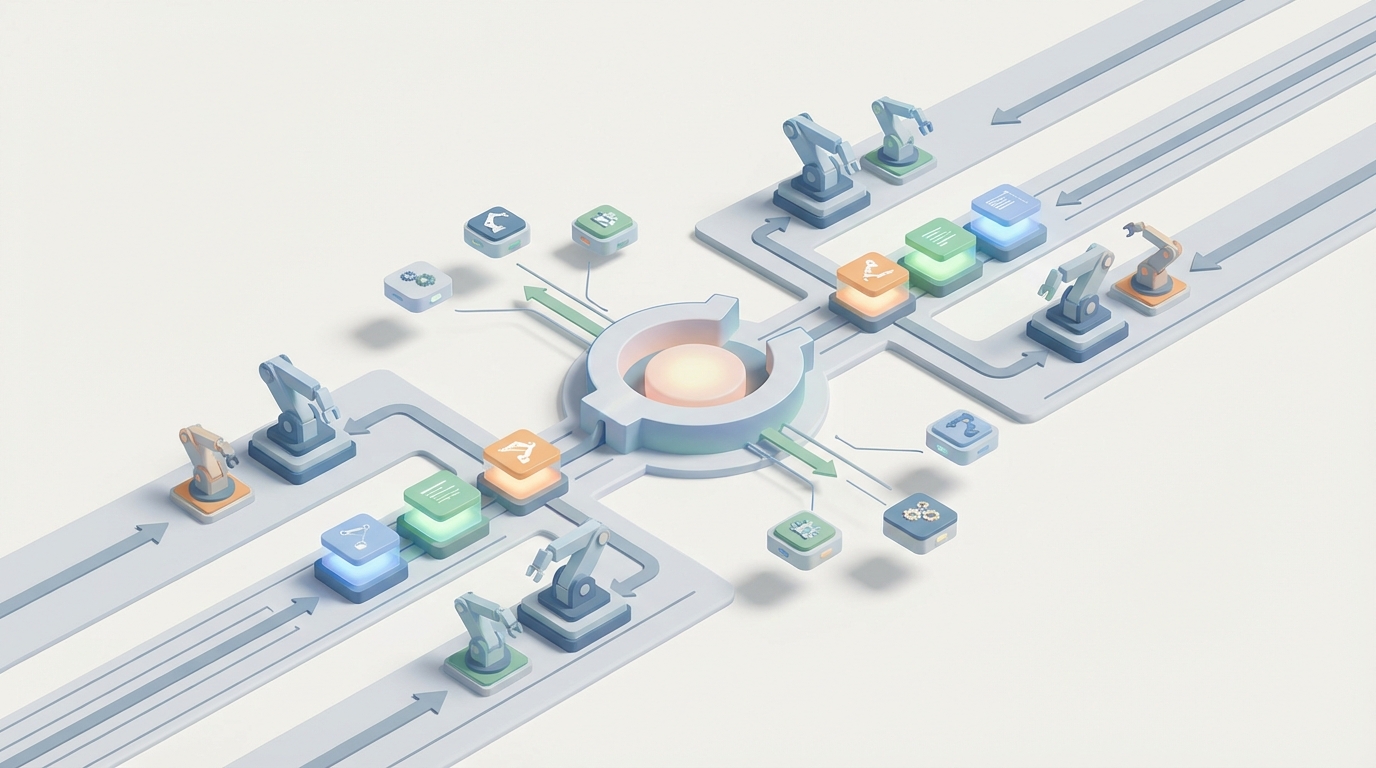
Most people building with AI agents hit the same wall: one agent works great, two agents kind of work, and three agents turn into a dumpster fire of looping conversations, exploding token costs, and agents that forget what they were supposed to be doing in the first place.
I've been there. You set up a researcher agent, a writer agent, and an editor agent, expecting this beautiful assembly line of automated brilliance. Instead, the researcher starts rewriting the writer's output, the editor loops back to the researcher seventeen times, and you've burned through your entire token budget producing a single paragraph about why synergy matters.
The good news: running multiple AI agents simultaneously doesn't have to be a nightmare. You just need the right platform, the right architecture, and a healthy respect for the things that go wrong. OpenClaw handles the hard orchestration stuff so you can focus on actually building things that work.
Let's get into it.
Why Most Multi-Agent Setups Fail
Before we talk about how to do this right, let's be honest about why it usually goes wrong. Understanding the failure modes saves you weeks of frustration.
Problem 1: Agents talking in circles. Without explicit control flow, Agent A asks Agent B for clarification, Agent B asks Agent A, and they politely loop forever like two people trying to let each other through a doorway.
Problem 2: Context bloat. Every message between agents gets appended to the conversation history. With four agents chatting, you hit context limits fast. Once the context window fills up, agents start "forgetting" their instructions, their roles, and sometimes reality itself.
Problem 3: Role drift. You tell Agent A it's a researcher. By turn 8, it's rewriting conclusions, offering editorial opinions, and basically doing everyone else's job poorly instead of its own job well.
Problem 4: Cost explosion. Each agent interaction is an API call. A simple four-agent workflow can easily generate 10-20x the token usage of a single well-prompted agent. If you're not managing this, your bill will let you know.
Problem 5: Debugging is a black hole. When the output is wrong, good luck figuring out which agent went off the rails and why. Without observability, you're reading through hundreds of messages trying to find where things went sideways.
OpenClaw was built with these exact problems in mind. It gives you the orchestration layer, the state management, and the guardrails to run multiple agents without everything collapsing. Let me show you how.
The Architecture That Actually Works
After a lot of trial, error, and deleted repos, the architecture that works best for multi-agent systems is what I call the supervisor-worker pattern. One agent acts as a router and coordinator. The worker agents are specialists that do one thing well. Communication is structured, not freeform.
Here's the mental model:
Supervisor Agent
├── Research Agent (searches, gathers data)
├── Writer Agent (produces drafts)
├── Editor Agent (reviews, improves)
└── Output Agent (formats final deliverable)
The supervisor decides which agent runs next, passes relevant context (not the entire conversation history), and enforces turn limits. Worker agents receive a focused task, complete it, and return structured output. No chitchat. No philosophical debates between your agents about the nature of good writing.
In OpenClaw, this pattern is a first-class citizen. You define your agents, wire up the workflow, and let the platform handle the orchestration, state management, and handoffs.
Setting Up Your First Multi-Agent Workflow in OpenClaw
If you haven't already set up OpenClaw, the fastest way to get running is Felix's OpenClaw Starter Pack. It includes preconfigured agent templates, workflow examples, and the boilerplate you'd otherwise spend a weekend writing yourself. I recommend it as your starting point because it eliminates the setup friction that kills most projects before they start.
Once you're set up, here's how to build a multi-agent content production pipeline. I'm using this as the example because it's practical, immediately useful, and demonstrates all the key patterns you'll need for any multi-agent system.
Step 1: Define Your Agents
Each agent gets a focused role, a clear system prompt, and constrained output. The key word here is constrained. You want your agents doing less, not more.
from openclaw import Agent, Workflow, Supervisor

# Research Agent - finds and summarizes information
research_agent = Agent(
    name="researcher",
    role="Research Specialist",
    instructions="""You are a research agent. Your ONLY job is to:
    1. Take the given topic
    2. Identify 5-7 key facts, statistics, or insights
    3. Return them as structured JSON

    Do NOT write prose. Do NOT offer opinions.
    Do NOT suggest edits. Return facts only.""",
    output_format="json",
    max_tokens=800
)

# Writer Agent - produces draft content
writer_agent = Agent(
    name="writer",
    role="Content Writer",
    instructions="""You are a writing agent. Your ONLY job is to:
    1. Take the research data provided
    2. Write a clear, engaging draft
    3. Return the draft as markdown

    Do NOT conduct additional research.
    Do NOT edit or revise. Write the first draft only.""",
    output_format="markdown",
    max_tokens=2000
)

# Editor Agent - reviews and improves
editor_agent = Agent(
    name="editor",
    role="Content Editor",
    instructions="""You are an editing agent. Your ONLY job is to:
    1. Take the draft provided
    2. Fix clarity, grammar, flow, and structure
    3. Return the improved version

    Do NOT add new research. Do NOT rewrite from scratch.
    Make targeted improvements only.""",
    output_format="markdown",
    max_tokens=2000
)
A few things to notice here:
Explicit constraints matter more than instructions. Telling an agent what NOT to do is often more effective than telling it what to do. Without "Do NOT conduct additional research," the editor will happily start Googling and go completely off-task.
max_tokens is your budget enforcer. Setting this per agent prevents any single agent from going on a 4,000-token tangent. In OpenClaw, this is enforced at the platform level, so even if the underlying model tries to ramble, it gets cut off gracefully.
Structured output formats prevent chaos. When agents communicate in JSON or structured markdown instead of freeform text, the next agent in the chain gets clean input. This single change eliminates most role-drift problems.
Step 2: Build the Supervisor
The supervisor is the brains of the operation. It decides what runs, in what order, and handles the handoffs.
supervisor = Supervisor(
    name="content_pipeline_supervisor",
    agents=[research_agent, writer_agent, editor_agent],
    strategy="sequential",  # or "dynamic" for adaptive routing
    max_cycles=1,  # prevent looping - each agent runs once
    context_mode="handoff"  # only pass relevant output, not full history
)
Let's talk about those parameters because they're doing heavy lifting:
strategy="sequential" means the agents run in the order you defined them. Research → Writer → Editor. Simple, predictable, debuggable. OpenClaw also supports "dynamic" mode where the supervisor uses its own reasoning to decide which agent to invoke next, but start with sequential. You can get fancy later.
max_cycles=1 is your anti-loop protection. This means each agent gets invoked exactly once per run. No "let me send this back to the researcher for one more pass" that turns into twelve more passes. If you need revision cycles, set this to 2 or 3 with explicit exit conditions.
context_mode="handoff" is the single most important setting for multi-agent systems. Instead of passing the entire conversation history to each agent (which causes context bloat and role drift), OpenClaw only passes the output of the previous agent as input to the next one. Each agent gets a clean, focused context window. This is what keeps your agents sane and your token costs manageable.
Step 3: Run the Workflow
workflow = Workflow(
    supervisor=supervisor,
    input_data={"topic": "The impact of remote work on urban real estate markets"},
    trace=True  # enable observability
)

result = workflow.run()

# Access individual agent outputs
print(result.agent_outputs["researcher"])  # raw research data
print(result.agent_outputs["writer"])      # first draft
print(result.agent_outputs["editor"])      # final polished version

# Access workflow metadata
print(result.total_tokens)    # total tokens used across all agents
print(result.execution_time)  # wall clock time
print(result.trace_log)       # full trace for debugging
Setting trace=True gives you full observability into the workflow. You can see exactly what each agent received as input, what it produced as output, how many tokens it consumed, and how long it took. When something goes wrong — and it will — this trace log is your best friend.
Scaling to More Complex Workflows
The content pipeline above is a clean three-agent chain. But real-world use cases often need branching, parallel execution, and conditional logic. OpenClaw handles these too.
Parallel Execution
Say you want to research multiple subtopics simultaneously:
parallel_research = Supervisor(
    name="parallel_researcher",
    agents=[research_agent_1, research_agent_2, research_agent_3],
    strategy="parallel",
    merge_strategy="concatenate"  # combine outputs for next stage
)
Running agents in parallel cuts your wall-clock time significantly. OpenClaw manages the concurrent execution and merges the outputs based on your merge_strategy. Options include concatenate, summarize (runs a merge agent), or structured (combines JSON outputs into a single object).
Conditional Routing
Sometimes you want the supervisor to make decisions based on intermediate results:
supervisor = Supervisor(
    name="smart_pipeline",
    agents=[research_agent, writer_agent, fact_checker, editor_agent],
    strategy="dynamic",
    routing_rules={
        "after_writer": {
            "condition": "if output contains statistics or claims",
            "route_to": "fact_checker",
            "else": "editor"
        }
    },
    max_cycles=2
)
Dynamic routing lets the supervisor skip agents that aren't needed or invoke additional agents when the situation calls for it. The routing_rules give you explicit control over the logic so the supervisor isn't just freestyling.
Managing Costs (Because Your Token Bill Is Real)
Let's talk money. Multi-agent systems are inherently more expensive than single-agent setups. Here's how to keep costs under control in OpenClaw:
Set token budgets per workflow:
workflow = Workflow(
    supervisor=supervisor,
    input_data={"topic": "your topic here"},
    token_budget=5000,  # hard cap for entire workflow
    budget_strategy="proportional"  # allocate budget across agents by weight
)
Use cheaper models for simpler tasks. Not every agent needs your most powerful model. The research agent might need strong reasoning, but the formatting agent can run on something lighter:
research_agent = Agent(
    name="researcher",
    model="openclaw-pro",  # stronger model for complex reasoning
    # ...
)

formatter_agent = Agent(
    name="formatter",
    model="openclaw-lite",  # cheaper model for simple formatting
    # ...
)
Monitor with built-in analytics. OpenClaw tracks token usage per agent, per workflow, and over time. Check these numbers regularly. If one agent is consistently burning 60% of your budget, it probably needs a tighter prompt or a lower max_tokens setting.
Debugging When Things Go Wrong
Things will go wrong. An agent will produce garbage, or the workflow will stall, or the output won't match what you expected. Here's the debugging workflow I use:
1. Check the trace log first.
for step in result.trace_log:
    print(f"Agent: {step.agent_name}")
    print(f"Input: {step.input_preview}")
    print(f"Output: {step.output_preview}")
    print(f"Tokens: {step.tokens_used}")
    print("---")
Nine times out of ten, the problem is obvious from the trace. An agent received bad input, or it ignored its instructions, or it produced output in the wrong format.
2. Test agents in isolation. Before running the full workflow, test each agent individually:
# Test the research agent alone
test_result = research_agent.run(
    input_data={"topic": "remote work and real estate"}
)
print(test_result.output)
If an agent works fine in isolation but fails in the workflow, the problem is in the handoff — probably the output format of the previous agent doesn't match what this agent expects.
3. Add validation between agents. OpenClaw lets you add validation steps:
supervisor = Supervisor(
    # ...
    validators={
        "after_researcher": {
            "type": "json_schema",
            "schema": research_output_schema,
            "on_fail": "retry"  # or "skip" or "halt"
        }
    }
)
This catches malformed outputs before they cascade through the rest of the pipeline.
Practical Tips from Actual Usage
Here's what I've learned from building multi-agent systems that actually run in production:
Start with two agents, not six. Get a two-agent pipeline working perfectly before adding more. Every agent you add multiplies the debugging surface area.
Name your agents clearly in trace logs. When you're reading through traces at 11pm trying to figure out what broke, "research_agent_v2" is a lot more helpful than "agent_3."
Version your prompts. Agent instructions are code. Treat them like code. Version them, track changes, and test before deploying.
Set hard limits on everything. Max tokens, max cycles, token budgets, timeout limits. An unconstrained multi-agent system will find creative ways to waste your money and your time.
Use the handoff context mode. I mentioned this above but it bears repeating. Passing full conversation history between agents is the number one cause of role drift, context bloat, and unexpected behavior. Handoff mode keeps each agent focused.
Getting Started Today
If you're ready to build your first multi-agent workflow, here's the path of least resistance:
-
Grab Felix's OpenClaw Starter Pack. It includes ready-to-run multi-agent templates, including a content pipeline similar to what we built above, a research-and-analysis workflow, and a code-review pipeline. It saves you the cold-start problem of staring at a blank file.
-
Start with the sequential supervisor pattern. Get comfortable with the basics before trying dynamic routing or parallel execution.
-
Enable tracing from day one. You will need it. Don't wait until something breaks to wish you had logging.
-
Set budgets immediately. Token budgets, cycle limits, timeout limits. Future you will be grateful.
-
Iterate on prompts, not architecture. Most multi-agent problems are prompt problems, not architecture problems. If an agent isn't doing its job, fix its instructions before restructuring your entire workflow.
Multi-agent AI systems are genuinely powerful when built correctly. The key insight is that the orchestration layer matters more than the individual agents. A mediocre agent in a well-designed workflow will outperform a brilliant agent in a chaotic one. OpenClaw gives you that orchestration layer so you can focus on the agents themselves and the actual problems you're trying to solve.
Now go build something.