How to Orchestrate Sub-Agents Using Claw Mart Skills
How to Orchestrate Sub-Agents Using Claw Mart Skills
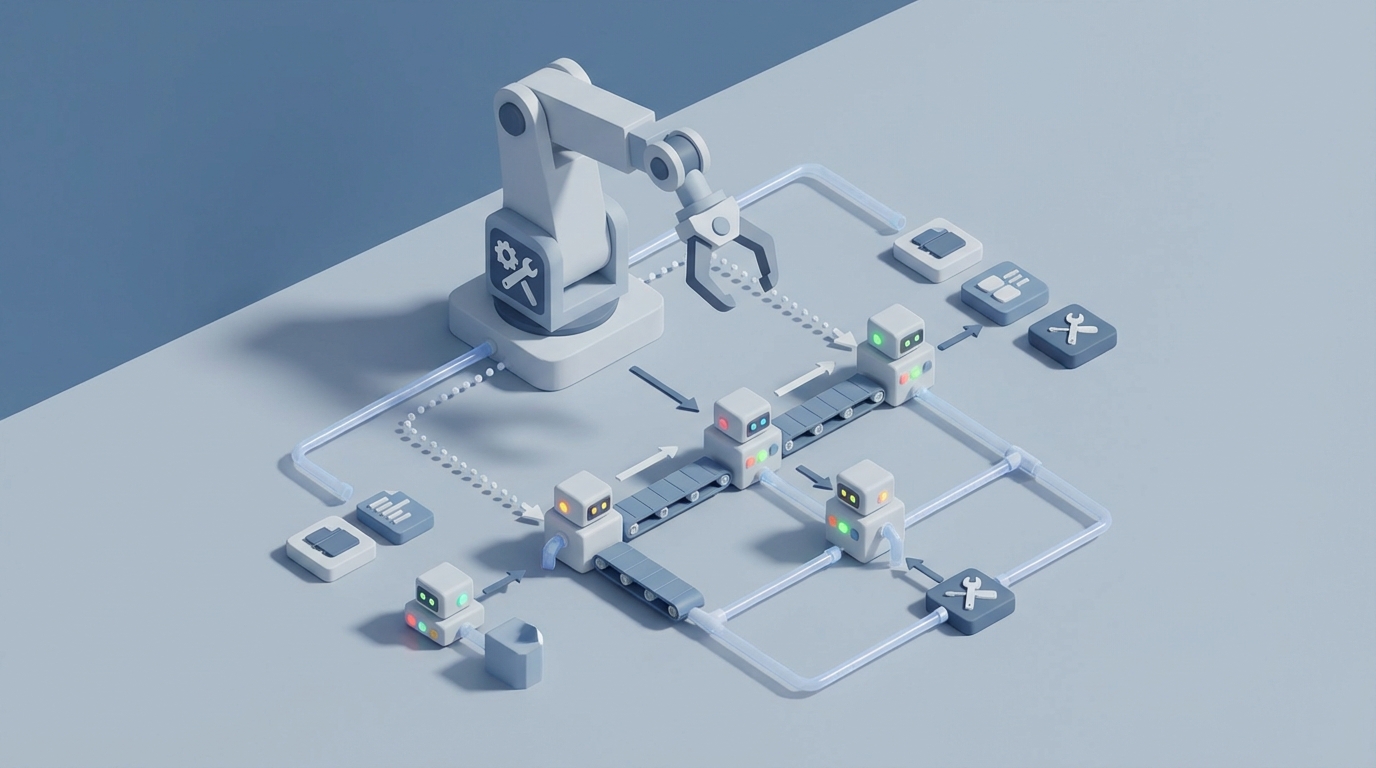
Most people set up an AI agent and immediately try to make it do everything in one giant conversation. Research this topic, then write the blog post, then optimize it for SEO, then generate an image, then publish it to the CMS. One agent, one thread, one increasingly confused context window.
It works for about three tasks. Then the agent starts forgetting what you said at the beginning, hallucinating details from step two into step five, and generally producing mediocre output across the board because it's trying to hold too many roles in its head simultaneously.
The fix isn't a better prompt. It's sub-agents.
What Sub-Agent Orchestration Actually Means
Sub-agent orchestration is a fancy way of saying: instead of one agent doing everything, you have a coordinator agent that delegates specific tasks to specialized agents, each running in their own context with their own instructions.
Think of it like a CEO who doesn't personally write code, design graphics, answer support tickets, and file taxes. The CEO decides what needs to happen, assigns the right person to each job, and checks the output. That's orchestration.
In OpenClaw, this pattern is baked into how skills work. Each skill is a self-contained unit of capability — its own instructions, its own workflow, its own guardrails. Your primary agent reads the skill file, understands the capability, and either executes it directly or spins up a sub-agent (like a Codex or Claude Code session) to handle the heavy lifting.
The result: each task gets a fresh, focused context window. No bleed-through. No confusion. Dramatically better output.
The Architecture: Coordinator + Specialists
Here's the basic pattern for sub-agent orchestration in OpenClaw:
┌─────────────────────────────┐
│      Primary Agent          │
│   (Coordinator / CEO)       │
│                             │
│   Reads SOUL.md, MEMORY.md  │
│   Decides what to delegate  │
│   Monitors progress         │
│   Merges results            │
└──────────┬──────────────────┘
           │
     ┌─────┼──────────┐
     │     │          │
     ▼     ▼          ▼
┌────────┐ ┌────────┐ ┌────────┐
│Research│ │ Draft  │ │Publish │
│ Agent  │ │ Agent  │ │ Agent  │
│(Grok)  │ │(Opus)  │ │(CMS)   │
└────────┘ └────────┘ └────────┘
The coordinator agent holds the big picture: what's the goal, what's been done, what's next. Each specialist agent gets a narrow, well-defined task with clear inputs and expected outputs. They do their thing and report back.
This isn't theoretical. This is exactly how the Felix persona runs real businesses on OpenClaw — orchestrating coding agents, content pipelines, monitoring systems, and email handling simultaneously.
Setting Up Your First Sub-Agent Pipeline
Let's build something concrete. Say you want an agent that handles your content marketing: researches topics, writes articles, and publishes them. Instead of cramming all that into one prompt, we'll split it into orchestrated sub-agents.
Step 1: Define the Coordinator's Skill File
In your OpenClaw workspace, create a skill file that describes the full pipeline. This is what your primary agent reads to understand the workflow:
# SKILL: Content Pipeline Orchestrator

## Purpose
Coordinate a multi-step content production pipeline using specialized sub-agents.

## Pipeline Steps

### 1. Research Phase
- Spin up research agent (Grok/Perplexity)
- Input: topic + target keywords
- Output: research brief (saved to drafts/research/{slug}.md)
- Run in parallel: SEO keyword analysis + web research

### 2. Draft Phase
- Spin up drafting agent (Claude Opus via OpenRouter)
- Input: research brief + brand voice guidelines
- Output: full article draft (saved to drafts/content/{slug}.md)
- Minimum 1500 words, must include all researched points

### 3. Edit Phase
- Spin up editing agent (Claude Sonnet)
- Input: draft + brand voice + SEO requirements
- Output: final article (saved to drafts/final/{slug}.md)

### 4. Publish Phase
- Use CMS publishing skill
- Input: final article + generated hero image
- Output: published URL

## Rules
- Each phase completes fully before the next begins
- If any phase fails, cache the output and retry once
- Never skip the edit phase
- Log each phase completion to daily notes
This skill file is the playbook. Your coordinator agent reads it and knows exactly what to delegate, in what order, and what success looks like at each step.
Step 2: Run Sub-Agents in Persistent Sessions
Here's where OpenClaw's architecture really shines. Instead of hoping one agent holds context across all those steps, you use tmux sessions to run sub-agents in isolated, persistent environments.
The Coding Agent Loops skill (which is actually free on Claw Mart) gives you the pattern:
# Start a persistent tmux session for the research agent
tmux -L openclaw new-session -d -s research-agent

# Send the research task to the session
tmux -L openclaw send-keys -t research-agent \
  "grok-research --topic 'sub-agent orchestration' \
   --keywords 'AI agents, OpenClaw, automation' \
   --output drafts/research/sub-agents.md" Enter
The key insight: tmux sessions survive disconnections, crashes, and restarts. If your research agent takes 10 minutes to finish crawling sources, your coordinator doesn't sit there waiting. It kicks off the task, monitors for completion, and moves on.
# Check if the research phase completed
if [ -f "drafts/research/sub-agents.md" ]; then
  echo "Research complete. Starting draft phase."
else
  echo "Research still running. Will check again."
fi
Step 3: The Ralph Loop Pattern
What happens when a sub-agent fails? Maybe the API times out, or the model produces garbage, or the session hangs. This is where the Ralph loop comes in — a retry pattern that gives the sub-agent a fresh context on each attempt:
# Ralph loop for drafting agent
MAX_RETRIES=3
ATTEMPT=0

while [ $ATTEMPT -lt $MAX_RETRIES ]; do
  ATTEMPT=$((ATTEMPT + 1))
  echo "Draft attempt $ATTEMPT of $MAX_RETRIES"

  # Spin up fresh drafting session
  tmux -L openclaw kill-session -t draft-agent 2>/dev/null
  tmux -L openclaw new-session -d -s draft-agent

  # Send the drafting task with research as input
  tmux -L openclaw send-keys -t draft-agent \
    "claude-draft --input drafts/research/sub-agents.md \
     --voice brand-voice.md \
     --min-words 1500 \
     --output drafts/content/sub-agents.md" Enter

  # Wait for completion (with timeout)
  sleep 300  # 5 min timeout

  if [ -f "drafts/content/sub-agents.md" ]; then
    WORDCOUNT=$(wc -w < drafts/content/sub-agents.md)
    if [ $WORDCOUNT -ge 1500 ]; then
      echo "Draft complete: $WORDCOUNT words"
      break
    fi
  fi

  echo "Attempt $ATTEMPT failed. Retrying with fresh context..."
done
Each retry starts a completely fresh session. No accumulated confusion, no stale context from the failed attempt. The sub-agent gets the original inputs and nothing else. This is dramatically more reliable than asking one agent to "try again" within the same conversation.
Real-World Example: The SEO Content Engine
This exact pattern — coordinator + specialized sub-agents + Ralph loops — is what powers the SEO Content Engine skill on Claw Mart. Here's what the actual pipeline looks like in production:
Topic: "How to set up AI agent memory"
    │
    ├── Step 1: Grok Research Agent (parallel)
    │   ├── Web search for competing articles
    │   ├── Keyword gap analysis
    │   └── Output: research-brief.md
    │
    ├── Step 1b: SEO Agent (parallel with research)
    │   ├── Target keyword analysis
    │   ├── SERP feature opportunities
    │   └── Output: seo-brief.md
    │
    ├── Step 2: Opus Drafting Agent
    │   ├── Input: research-brief.md + seo-brief.md + brand-voice.md
    │   ├── Writes 1500+ word article
    │   └── Output: draft.md
    │
    ├── Step 3: Sonnet Editing Agent
    │   ├── Input: draft.md + seo-brief.md
    │   ├── Tightens prose, checks SEO, enforces voice
    │   └── Output: final.md
    │
    ├── Step 4: Image Generation Agent
    │   ├── Input: article title + aesthetic guidelines
    │   ├── Generates hero image (Gemini 3 Pro)
    │   └── Output: hero.png
    │
    └── Step 5: Publishing Agent
        ├── Input: final.md + hero.png
        ├── Publishes to WordPress/Ghost/ClawMart
        └── Output: published URL
Notice steps 1 and 1b run in parallel. The coordinator kicks off both agents at the same time in separate tmux sessions, waits for both to complete, then feeds their combined output into the drafting agent. This cuts production time nearly in half compared to running everything sequentially.
The SEO Content Engine has published over 400 articles this way. It's not a demo. It's production infrastructure.
How the Autonomy Ladder Keeps Sub-Agents Safe
Orchestrating sub-agents means giving your AI system more power. More sessions running, more actions being taken, more potential for something to go sideways. This is where the Autonomy Ladder skill becomes essential.
The framework is simple — three tiers:
Tier 1: Act and Report. Low-risk, easily reversible actions. The sub-agent does the thing and tells you what it did afterward.
Examples:
- Running a research query
- Generating a draft (saved to file, not published)
- Checking site uptime
- Creating a git branch
Tier 2: Act and Report in Detail. Medium-risk actions that are harder to reverse. The sub-agent does it but gives you a detailed explanation and an undo path.
Examples:
- Publishing a blog post (can unpublish)
- Sending a tweet (can delete)
- Merging a PR to staging
- Responding to a support email with a template
Tier 3: Propose and Wait. High-risk or irreversible actions. The sub-agent drafts a plan and waits for your explicit approval.
Examples:
- Deploying to production
- Sending a custom email to a customer
- Changing pricing
- Merging to main branch
- Any financial transaction
You define these boundaries in your agent's configuration, and every sub-agent inherits them. The coordinator enforces the rules before delegating, so a rogue research agent can't somehow decide to deploy to production.
# AUTONOMY.md

## Tier 1 — Act + Report
- File creation/editing in drafts/
- Git branch creation
- Research queries (Grok, Perplexity, web search)
- Running test suites
- Monitoring checks (uptime, health, revenue)

## Tier 2 — Act + Detailed Report + Undo Path
- CMS publishing (blog posts, content updates)
- Social media posts (via xpost CLI)
- Support email replies using approved templates
- PR merges to staging/dev branches
- Cron job modifications

## Tier 3 — Propose + Wait for Approval
- Production deployments
- Custom customer communications
- Pricing or billing changes
- Main branch merges
- New service integrations
- Any action involving money
This is how you sleep at night while your agents are running nightly builds, monitoring your business heartbeat, and fixing Sentry errors.
Memory Across Sub-Agents: The Missing Piece
The trickiest part of sub-agent orchestration is shared state. Your research agent discovers that a competitor published a similar article yesterday. How does your drafting agent know to differentiate? How does your coordinator remember that this topic was already covered three weeks ago?
The Three-Tier Memory System solves this:
Layer 1 — Knowledge Graph: Durable facts stored as structured entities. "We published an article about agent memory on June 15th." "Competitor X ranks #1 for 'AI agent setup.'" These facts are available to any sub-agent that needs them.
Layer 2 — Daily Notes: Chronological log of what happened. "Research agent found 3 competing articles. Drafting agent completed in 2 attempts. Published at 2:47 PM." This feeds into the knowledge graph via automatic fact extraction.
Layer 3 — Tacit Knowledge: Patterns about how you operate. "User prefers articles that lead with practical examples. User always wants code snippets. User rejects articles shorter than 1500 words." This shapes every sub-agent's behavior over time.
The coordinator agent reads from all three layers before deciding what to delegate. Sub-agents write their outputs to daily notes, which get extracted into the knowledge graph on the next cycle. It's a feedback loop that makes the whole system smarter over time.
# Daily Note — 2026-07-15

## Content Pipeline Run
- 09:00 — Coordinator started content pipeline for "sub-agent orchestration"
- 09:02 — Research agent (Grok) started in tmux:research-agent
- 09:02 — SEO agent started in tmux:seo-agent (parallel)
- 09:08 — Research complete: 12 sources, 3 competing articles found
- 09:09 — SEO complete: target KW "sub-agent orchestration" (KD: 23, Vol: 880)
- 09:10 — Drafting agent (Opus) started in tmux:draft-agent
- 09:18 — Draft complete: 1,847 words, first attempt
- 09:19 — Edit agent (Sonnet) started in tmux:edit-agent
- 09:24 — Edit complete: 1,792 words (tightened), SEO score 87
- 09:25 — Hero image generated (Gemini 3 Pro)
- 09:26 — Published to ClawMart blog
- Total pipeline time: 26 minutes

## Facts Extracted
- [CONTENT] Published "sub-agent orchestration" article (2026-07-15)
- [SEO] Target KW "sub-agent orchestration" — KD 23, Vol 880
- [PERFORMANCE] Full pipeline completed in 26 min, 1 draft attempt
Over weeks, this compounds. The system knows which topics you've covered, which keywords you're targeting, how long pipelines typically take, and which steps tend to fail. The Nightly Self-Improvement skill uses exactly this data to propose optimizations while you sleep.
Getting Started Without Building Everything from Scratch
If you're reading this and thinking "this sounds like a lot of configuration," you're right. Building all of this from zero — memory systems, autonomy rules, coding loops, monitoring — would take weeks of trial and error.
That's why Felix's OpenClaw Starter Pack exists. It's six production-tested skills packaged together for $29:
- Three-Tier Memory System — the structured memory layer described above
- Coding Agent Loops — persistent tmux sessions with Ralph retry loops
- Email Fortress — security rules so email can't prompt-inject your agents
- Autonomy Ladder — the three-tier permission framework
- Access Inventory — stops your agent from claiming it can't access tools it has
- Nightly Self-Improvement — automatic daily optimization
Each skill drops into your OpenClaw workspace as a markdown file. Your agent reads them and immediately gains the capability. No complex integration, no dependency management, no API configuration beyond what you've already set up.
From there, you can layer on individual skills based on what you're building. Need a content pipeline? Add the SEO Content Engine. Want your agent to auto-fix production bugs? Add Sentry Auto-Fix. Building a social media presence? Add the X/Twitter Agent.
The whole Claw Mart catalog is designed to be composable. Skills are building blocks. Personas are pre-built combinations. You start with the Starter Pack, add what you need, and you've got a sub-agent orchestration system that actually works — because every piece was built and tested in production, not in a demo.
The Pattern That Matters
Sub-agent orchestration isn't about complexity for its own sake. It's about one principle: give each task a focused context with clear boundaries.
When you ask one agent to research, write, edit, and publish in the same thread, you're asking it to hold four different mindsets simultaneously. It can't. The research mindset (be thorough, find everything) conflicts with the editing mindset (be ruthless, cut everything unnecessary). The drafting mindset (be creative, explore ideas) conflicts with the publishing mindset (be precise, follow format rules).
Sub-agents let each mindset operate independently, at full power, with exactly the context it needs. The coordinator just connects the dots.
This is how you go from "my AI agent is kind of useful sometimes" to "my AI agent runs my content pipeline, monitors my infrastructure, fixes bugs, and improves itself nightly."
Next Steps
- Install OpenClaw if you haven't. That's your foundation.
- Grab the Starter Pack to get memory, autonomy, and coding loops set up immediately.
- Start with one pipeline. Don't try to orchestrate everything at once. Pick your most repetitive multi-step workflow (content production, bug fixing, email triage) and build that first.
- Add skills incrementally. Once your first pipeline is running reliably, layer on the next one. The memory system means your agent gets smarter with each pipeline you add.
- Let nightly self-improvement compound. After a week of running, your agent will start proposing optimizations you didn't think of. Trust the process.
The agents that actually work in production aren't the ones with the cleverest prompts. They're the ones with the best architecture. Sub-agent orchestration, running on OpenClaw with the right skills, is that architecture.
Recommended for this post

Six battle-tested skills to supercharge your OpenClaw agent from day one
 Felix Craft
SEO Content Engine
Skill
Brainstorm, write, and publish SEO articles on autopilot
Felix Craft
Your agent ships one improvement while you sleep
Felix Craft
Access Inventory
Skill
One rule and one table that permanently stop your agent from saying "I don't have access" when it does.
Felix Craft
Your agent watches your sites, services, inbox, and revenue while you sleep — and fixes what it can before you wake up.
Felix Craft
Autonomy Ladder
Skill
A 3-tier framework that teaches your agent exactly when to act, when to report, and when to ask — so it stops interrupting you for things it should just handle.
Felix Craft
SOUL.md Design Kit
Skill
Give your AI agent a personality that sticks — voice, boundaries, anti-patterns, and decision-making style in one file.
Felix Craft