OpenClaw vs Zapier: When to Use Local AI Agents
OpenClaw vs Zapier: When to Use Local AI Agents
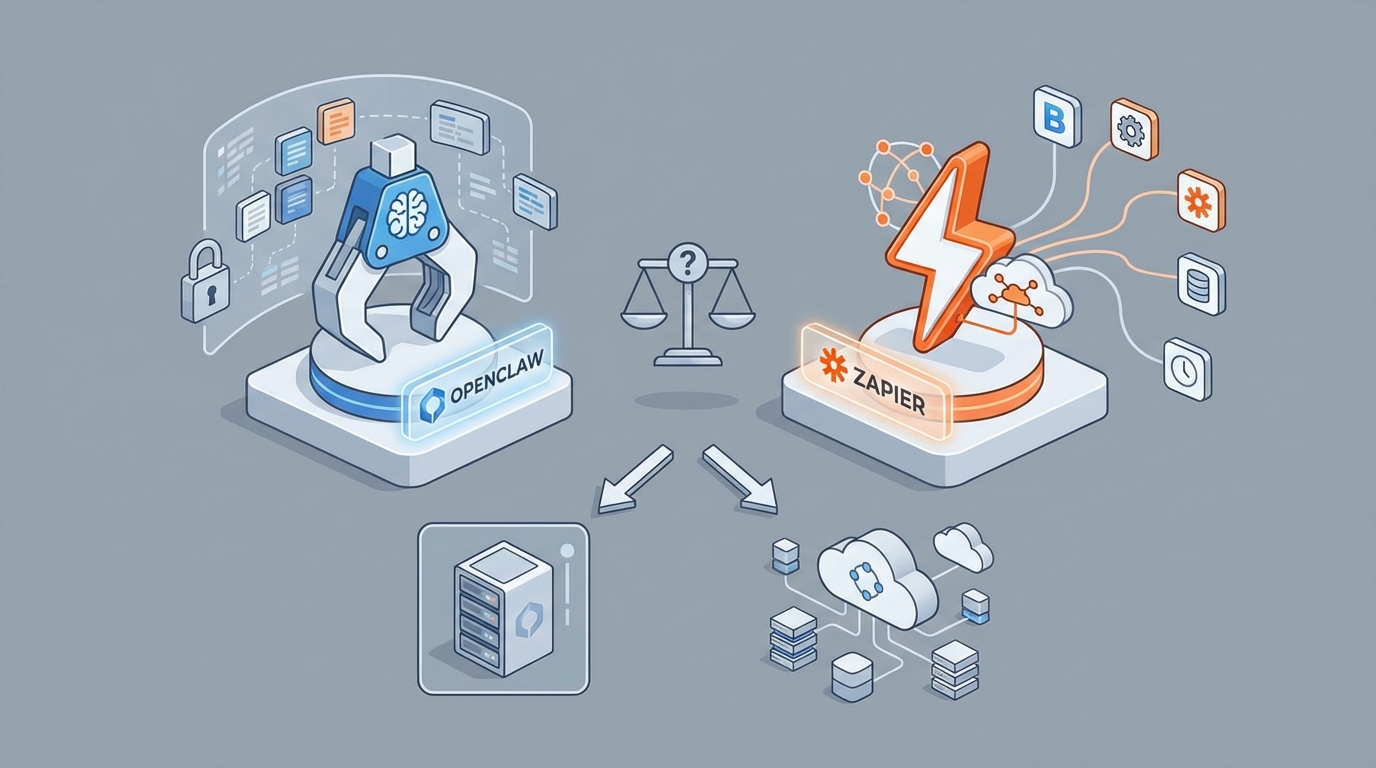
Let's cut to it: Zapier is excellent until it isn't.
If you're connecting Slack to Google Sheets or firing off an email when a form gets submitted, Zapier is the right call. It's polished, reliable, and you can set it up in ten minutes while eating a sandwich. No one should feel bad about using it for straightforward SaaS-to-SaaS workflows.
But here's the thing — the moment you need to automate something that doesn't have a clean API, or you want an AI agent that actually controls a browser the way a human would, or you're staring at a Zapier bill that's quietly ballooned to $200/month for what feels like not that much... that's when you need to have a different conversation.
That conversation is about OpenClaw.
I've been running both for the past few months, and I have strong opinions about when each one makes sense. This post is going to lay out the real tradeoffs — not the marketing page version, the "I actually use this stuff every day" version — and help you figure out which tool (or combination) fits your actual life.
What OpenClaw Actually Is (No Buzzwords)
OpenClaw is an open-source framework that lets AI agents control a real browser. Click buttons, fill forms, scroll pages, extract data, navigate multi-step workflows — all the stuff a human does with a mouse and keyboard, but driven by an LLM making decisions about what to do next.
Under the hood, it uses Playwright (the browser automation engine from Microsoft) combined with a lightweight interface that translates what the agent "sees" on screen into actions. Instead of relying on brittle CSS selectors like traditional scraping tools, OpenClaw uses semantic understanding — the accessibility tree, visual context, and the LLM's reasoning — to figure out what to interact with.
It's self-hosted. You run it on your own machine or a VPS. You plug in whatever LLM you want. And you pay nothing for the framework itself.
Think of it this way: Zapier connects apps through their front doors (APIs). OpenClaw walks in through the same door you do (the browser).
The Real Comparison: Where Each One Wins
I'm not going to pretend this is a fair fight across all categories. These tools have fundamentally different philosophies. Here's an honest breakdown:
Zapier Wins When...
- You need pre-built integrations. Zapier has 7,000+ native connectors. You want to connect HubSpot to Mailchimp? It's three clicks. OpenClaw has approximately zero native integrations — you build everything.
- Reliability is non-negotiable. Zapier's infrastructure handles retries, error logging, scheduling, and monitoring out of the box. It just works about 95% of the time. That's genuinely impressive.
- Your team isn't technical. The visual builder is legitimately good. Non-engineers can build useful automations without writing code.
- You need it working in 20 minutes. Speed of development for common workflows is unbeatable.
OpenClaw Wins When...
- There's no API (or the API is garbage). This is the big one. LinkedIn, legacy internal tools, government portals, competitor websites, old CRMs with no integration layer — OpenClaw doesn't care. If it renders in a browser, it can be automated.
- You're tired of paying per task. Zapier's pricing model means your bill scales linearly with usage. OpenClaw is free. Your only cost is LLM API calls, which run roughly 5-20× cheaper than equivalent Zapier tasks.
- You want full control. Custom logic, custom error handling, custom retry strategies, the ability to chain complex multi-step browser workflows with conditional branching — all yours.
- You need AI agents that actually do things in the real world, not just pass data between APIs.
The Hybrid Approach (What Most Smart People Are Doing)
Here's what I've landed on, and what I see a lot of people in the self-hosted and AI agent communities converging toward:
Use Zapier (or n8n if you want self-hosted API automation) for structured, API-first workflows. The boring stuff. Form submission triggers email. New row in Airtable creates a task in Asana. These are solved problems.
Use OpenClaw for the "last mile" browser tasks — the automations that would be impossible or prohibitively expensive with Zapier because they require navigating actual web interfaces.
I'd estimate that for most power users, about 20% of their Zaps account for 80% of their bill, and a good chunk of those are candidates for OpenClaw replacement.
What This Looks Like in Practice
Let me give you three real examples that illustrate when OpenClaw is the clear winner.
Example 1: LinkedIn Research Without the LinkedIn API
The LinkedIn API is famously locked down. Zapier's LinkedIn integration is limited to basic triggers. But what if you need to visit 50 company pages, extract their recent posts, employee counts, and about sections, then dump it all into a structured spreadsheet?
With OpenClaw, this is a straightforward agent task:
from openclaw import Claw

async def scrape_linkedin_companies(companies: list[str]):
    async with Claw() as claw:
        results = []
        for company in companies:
            # Navigate to the company page
            await claw.goto(f"https://linkedin.com/company/{company}")

            # Extract structured data using semantic understanding
            data = await claw.extract({
                "company_name": "string",
                "employee_count": "string",
                "about": "string",
                "recent_posts": [{
                    "content": "string",
                    "likes": "number",
                    "date": "string"
                }]
            })
            results.append(data)

        return results
The extract() method is genuinely one of OpenClaw's best features. You define a JSON schema of what you want, and the agent figures out where that data lives on the page. No CSS selectors to maintain, no breaking when LinkedIn tweaks their layout for the 400th time.
Try doing this in Zapier. You can't. Full stop.
Example 2: Filling Out Forms on Legacy Internal Tools
Every company has that one internal tool — the procurement system from 2009, the compliance portal that only works in Chrome, the vendor onboarding form that takes 15 minutes of manual data entry per submission.
These tools don't have APIs. They barely have working CSS. But they have a browser interface, which means OpenClaw can handle them:
from openclaw import Claw

async def submit_vendor_form(vendor_data: dict):
    async with Claw() as claw:
        await claw.goto("https://internal.company.com/vendor-onboarding")

        # Login (OpenClaw handles cookie/session persistence)
        await claw.act("Log in with username 'admin' and password from env")

        # Fill the form using natural language instructions
        await claw.act(f"""
            Fill out the vendor onboarding form with:
            - Company Name: {vendor_data['name']}
            - Tax ID: {vendor_data['tax_id']}
            - Address: {vendor_data['address']}
            - Primary Contact: {vendor_data['contact']}
            Then click Submit and wait for confirmation.
        """)

        # Verify submission
        confirmation = await claw.extract({
            "confirmation_number": "string",
            "status": "string"
        })

        return confirmation
Notice the act() method — you're giving the agent natural language instructions, and it figures out the DOM interactions. This is dramatically more maintainable than hardcoded selectors, and it's what makes OpenClaw genuinely different from raw Playwright scripts.
Example 3: Multi-Step Research + Action Workflows
This is where things get interesting. Imagine you want an agent that:
- Searches Google for recent news about a company
- Visits the top 3 results and extracts key information
- Summarizes the findings
- Opens your CRM and updates the company's notes field
That's a workflow that spans multiple sites, requires reading comprehension, and ends with a browser-based action. Zapier could maybe handle pieces of this with their AI add-ons, but you'd be duct-taping together 6+ Zaps and paying through the nose for AI credits.
With OpenClaw integrated into a LangGraph workflow:
from langgraph.graph import StateGraph
from openclaw import Claw

async def research_company(state):
    async with Claw() as claw:
        await claw.goto(f"https://google.com/search?q={state['company']}+news+2026")

        links = await claw.extract({
            "results": [{
                "title": "string",
                "url": "string",
                "snippet": "string"
            }]
        })

        summaries = []
        for result in links["results"][:3]:
            await claw.goto(result["url"])
            content = await claw.extract({
                "main_content": "string",
                "date": "string",
                "key_points": ["string"]
            })
            summaries.append(content)

        state["research"] = summaries
        return state

async def update_crm(state):
    async with Claw() as claw:
        await claw.goto("https://app.yourcrm.com")
        await claw.act(f"""
            Search for company '{state['company']}'.
            Open their profile.
            Add a new note with this research summary:
            {state['summary']}
        """)
    return state

# Wire it up with LangGraph for stateful orchestration
graph = StateGraph(...)
graph.add_node("research", research_company)
graph.add_node("summarize", generate_summary)
graph.add_node("update_crm", update_crm)
# ... edges, conditionals, human-in-the-loop, etc.
This is the kind of agent workflow that gets people genuinely excited in the LangGraph and CrewAI communities right now. It's not hypothetical — people are running these in production.
The Honest Pain Points (Because I Promised No BS)
OpenClaw is not perfect. Here's what you should know before going all-in:
Reliability is improving but not Zapier-level yet. Complex flows with Claude 3.5 Sonnet hit about 60-70% success rate on the first try. With retry logic and self-healing loops, you can push that to 85-90%. But it's not the 95%+ you get with Zapier's API-based approach. For business-critical workflows, you need robust error handling.
Debugging is painful. When an agent gets stuck in a loop or clicks the wrong button, your debugging experience is essentially watching a screen recording of a confused robot. It's getting better — the community is building better logging and replay tools — but it's not Zapier's clean execution history.
Documentation could be stronger. This is a common open-source complaint. The core concepts are well-documented, but edge cases, advanced patterns, and troubleshooting guides are still catching up. The Discord community fills a lot of these gaps, but you'll need some patience.
Authentication is the hardest part. Handling cookies, OAuth flows, 2FA, and CAPTCHAs across different sites requires real thought. OpenClaw has solutions for most of these (persistent browser contexts, manual auth-then-save-session patterns), but it's not "just works" easy.
You need engineering resources. If nobody on your team can write Python, OpenClaw isn't the right choice today. Period.
The Cost Math
Let's get specific because this matters.
Zapier Professional Plan: $49/month for 2,000 tasks. If you're a power user running 10,000+ tasks/month, you're looking at $200-400/month easily. AI actions cost extra on top.
OpenClaw: $0 for the framework. Your costs are:
- VPS hosting: ~$10-20/month (a basic DigitalOcean or Railway instance handles it)
- LLM API costs: Varies wildly, but a typical browser automation task using Claude 3.5 Sonnet costs $0.01-0.05 in API calls. Even at 10,000 tasks/month, you're looking at $100-500 depending on complexity.
For most people migrating their expensive Zaps, the savings are real: typically 5-10× cheaper at scale. The tradeoff is your time setting things up.
Getting Started Without the Headache
This is where I'll be direct: the fastest way to go from "interested in OpenClaw" to "actually running useful agents" is to start with a solid template instead of building from scratch.
Felix's OpenClaw Starter Pack is what I recommend to anyone starting out. It bundles pre-configured agent templates for the most common use cases — data extraction, form filling, multi-step workflows — along with the boilerplate for authentication handling, error recovery, and LLM integration that would otherwise take you a weekend to figure out on your own.
It's specifically designed to solve the "okay I installed OpenClaw, now what?" problem. The documentation gap I mentioned earlier? The starter pack fills most of it with working examples you can actually modify for your specific workflows. If you're evaluating whether OpenClaw can replace parts of your Zapier setup, this is the fastest way to find out.
My Recommended Migration Path
If you're currently on Zapier and considering a move, here's the approach I'd take:
Step 1: Audit your Zaps. Categorize them into "has a clean API" (keep on Zapier or move to n8n) vs. "requires browser interaction or has no good API" (OpenClaw candidates).
Step 2: Pick your most expensive or most frustrating Zap as the first migration target. Something that hits rate limits, costs too many tasks, or does something hacky.
Step 3: Set up OpenClaw locally with the starter pack. Get one workflow running reliably before trying to migrate everything.
Step 4: Run both systems in parallel for a week. Compare results. Build confidence.
Step 5: Gradually move workflows over, starting with the ones where OpenClaw's browser control gives you capabilities you literally can't get from Zapier.
Don't try to replace all 50 Zaps at once. That's how you end up frustrated and back on Zapier by Thursday.
Where This Is All Heading
The community sentiment I keep seeing on Hacker News and r/SelfHosted captures it perfectly:
"Zapier for things that should exist. OpenClaw for things that shouldn't have to exist."
Most of the annoying manual work in your day involves a browser. Copying data between tabs, filling out the same form for the 50th time, checking a dashboard and sending a summary, researching companies across six different websites. These aren't API problems. They're browser problems. And they're exactly what OpenClaw was built to solve.
The AI agent space is moving incredibly fast. Six months from now, the reliability numbers will be better, the templates will be more polished, and the "should I self-host my automation?" question will be even more one-sided from a cost perspective. Getting familiar with these tools now puts you ahead of that curve.
Start with one workflow. Get it working. See how it feels. That's always the right first step.