How to Organize Agent Memory with the PARA Method in OpenClaw
How to Organize Agent Memory with the PARA Method in OpenClaw
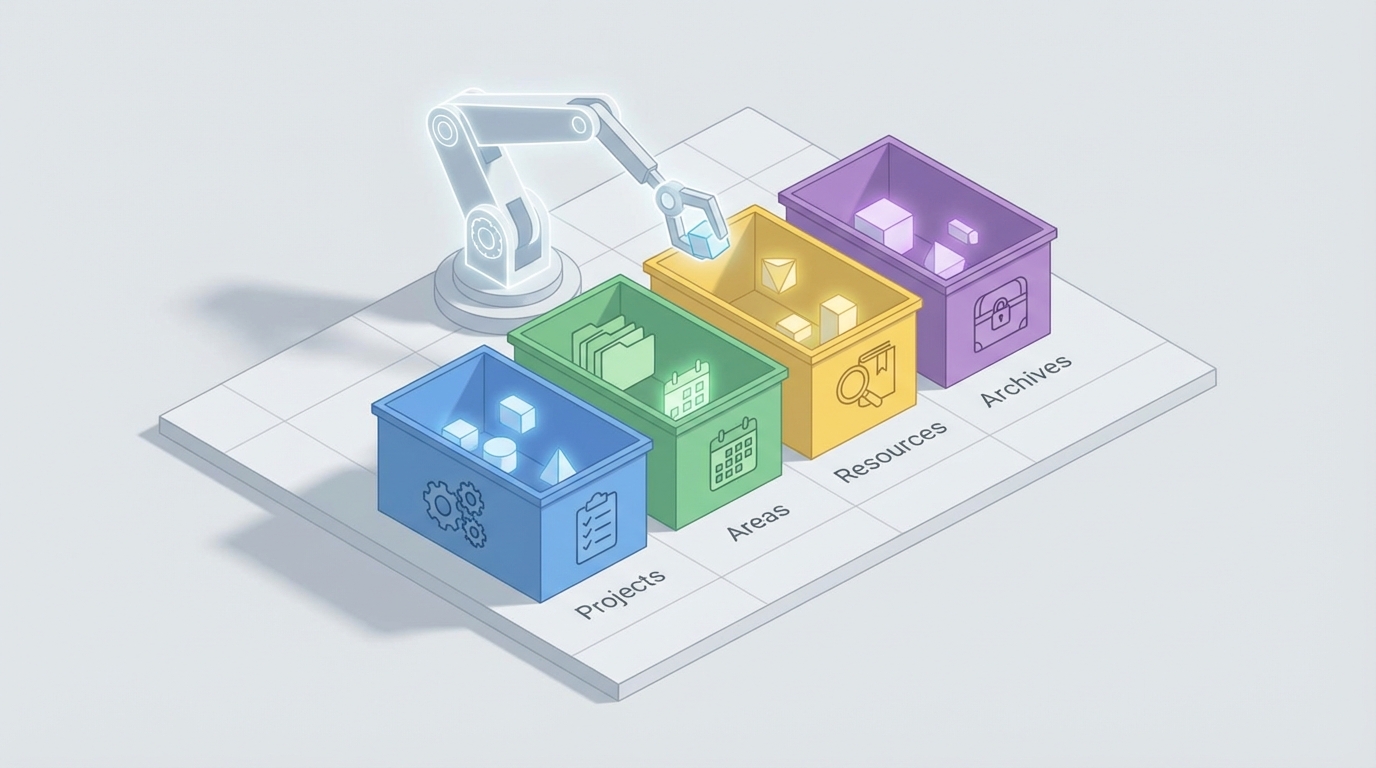
Let me be straightforward with you: most people who try to organize their AI agent's memory end up with a disaster. Not because the PARA method is bad — it's actually brilliant for this — but because they implement it wrong. They throw a vague system prompt at their agent, tell it to "organize things into Projects, Areas, Resources, and Archives," and then act surprised when the whole thing collapses into an incoherent mess after a few hundred interactions.
I've been there. I spent weeks trying to get my OpenClaw agents to maintain a clean, usable memory structure before I figured out what actually works. This post is everything I learned, laid out so you can skip the painful part and go straight to having an agent memory system that doesn't make you want to scream.
Why PARA Works for Agent Memory (When Nothing Else Does)
If you're not familiar, PARA is Tiago Forte's organizational framework. It stands for:
- Projects — Active things with a deadline or clear outcome
- Areas — Ongoing responsibilities you maintain over time
- Resources — Topics you're interested in or reference material
- Archives — Inactive stuff from the other three categories
For human note-taking in Obsidian or Notion, PARA is great. For AI agent memory in OpenClaw, it's arguably essential — but only if you adapt it properly.
Here's why: agents accumulate context fast. Every conversation, every task, every piece of research your agent does generates memory artifacts. Without structure, your agent's memory becomes a flat pile of vectors in a database. Retrieval gets noisy. The agent starts pulling irrelevant context into conversations. Responses degrade. You end up with an agent that technically "remembers everything" but functionally remembers nothing useful.
PARA gives your agent a framework for deciding what matters right now. Projects and Areas get prioritized in retrieval. Resources get pulled in when relevant. Archives stay out of the way until explicitly needed. This hierarchy is what separates an agent that feels sharp and focused from one that feels scattered and confused.
The Core Problem: Agents Are Terrible at Subjective Categorization
Before we get into the implementation, you need to understand the fundamental challenge. The single biggest failure point when applying PARA to agent memory is this: the boundary between categories is subjective, context-dependent, and changes over time.
"Learn Spanish" — is that a Project or an Area? If you're preparing for a trip to Madrid next month, it's a Project. If you're maintaining language skills indefinitely, it's an Area. Your agent doesn't inherently know which one you mean. And if you ask it to classify the same item on two different days with slightly different context, you'll get two different answers.
This isn't a theoretical problem. It's the thing that breaks every naive PARA implementation. People build a classification prompt, run it for a week, and then discover that their agent has put the same topic in three different categories, created duplicates everywhere, and turned Archives into a junk drawer because it wasn't confident enough to put things in active categories.
The solution isn't a better prompt. It's a better system. And that's where OpenClaw's architecture actually shines.
Setting Up PARA Memory in OpenClaw: The Right Way
OpenClaw gives you the building blocks to create structured, persistent agent memory with real schema enforcement. Here's how to set up PARA properly.
Step 1: Define Your Categories with Strict Schemas
The first thing you need to do is stop treating PARA categories as vibes. Define them as explicit schemas with clear rules your agent can follow deterministically.
In your OpenClaw skill configuration, set up memory categories like this:
memory:
  categories:
    projects:
      description: "Active initiatives with a specific outcome and deadline"
      required_fields:
        - name
        - desired_outcome
        - deadline
        - status  # active, paused, completed
      rules:
        - "Must have a clear definition of done"
        - "Must have a deadline or target date, even if approximate"
        - "If no deadline exists, classify as Area instead"

    areas:
      description: "Ongoing responsibilities maintained over time with no end date"
      required_fields:
        - name
        - standard_to_maintain
        - review_frequency
      rules:
        - "No deadline or end date"
        - "Has a standard or level to maintain"
        - "Examples: health, finances, professional development"

    resources:
      description: "Topics of interest or reference material"
      required_fields:
        - name
        - topic_tags
        - source
      rules:
        - "Not actionable on its own"
        - "Useful as reference when working on Projects or Areas"
        - "Includes bookmarks, articles, research, templates"

    archives:
      description: "Inactive items from other categories"
      required_fields:
        - name
        - original_category
        - archived_date
        - archive_reason
      rules:
        - "Only items that were previously in Projects, Areas, or Resources"
        - "Must record why it was archived"
        - "Never archive automatically — require confirmation"
The key insight here is the required_fields and rules. By forcing your agent to fill in a deadline for Projects and reject items without one, you eliminate 80% of the "is this a Project or an Area?" confusion. The agent doesn't have to make a subjective judgment call. It follows a decision tree: Does it have a deadline? Yes → Project. No → Area. Done.
Step 2: Build a Classification Skill with Few-Shot Examples
Generic prompts produce generic (bad) results. You need a dedicated classification skill in OpenClaw that includes examples specific to your use case.
skills:
  para_classifier:
    description: "Classifies incoming information into PARA categories"
    model_config:
      temperature: 0  # Deterministic output — critical for consistency

    system_prompt: |
      You are a memory classification agent. Your job is to categorize
      incoming information into exactly one PARA category based on strict rules.

      DECISION PROCESS:
      1. Does this item have a specific outcome AND a deadline? → PROJECT
      2. Is this an ongoing responsibility with a standard to maintain? → AREA
      3. Is this reference material or a topic of interest? → RESOURCE
      4. Is this a previously active item that is no longer relevant? → ARCHIVE

      EXAMPLES:
      - "Finish Q1 report by March 15" → PROJECT (clear outcome + deadline)
      - "Maintain inbox zero" → AREA (ongoing standard, no end date)
      - "Article about vector database optimization" → RESOURCE (reference)
      - "Q4 2026 report (completed)" → ARCHIVE (was a project, now done)

      AMBIGUOUS CASES:
      - "Learn Spanish" with no deadline → AREA
      - "Learn Spanish for Madrid trip in June" → PROJECT
      - When uncertain, ask the user. Do not guess.

    output_format:
      type: structured
      schema:
        category: "projects | areas | resources | archives"
        confidence: "float 0-1"
        reasoning: "string — brief explanation of why this category"
        needs_clarification: "boolean"
        clarification_question: "string | null"
Two things matter here. First, temperature: 0. This is non-negotiable. Any randomness in classification means the same input gets different categories on different days, which destroys your entire system. Second, the needs_clarification field. Instead of forcing the agent to always pick a category, you give it an escape hatch to ask you. This is how you build a human-in-the-loop system that doesn't suck — the agent handles the easy 90% automatically and only bothers you with genuinely ambiguous items.
Step 3: Implement Tiered Retrieval
This is where PARA really pays off for agent performance. Instead of searching all memories equally, you weight retrieval based on category:
retrieval:
  strategy: tiered_para

  tiers:
    - category: projects
      weight: 1.0
      max_results: 10
      filter: "status = 'active'"
      description: "Always check active projects first"

    - category: areas
      weight: 0.8
      max_results: 8
      description: "Check ongoing areas for relevant context"

    - category: resources
      weight: 0.5
      max_results: 5
      description: "Pull reference material when semantically relevant"

    - category: archives
      weight: 0.1
      max_results: 3
      filter: "archived_date > 90_days_ago"
      description: "Only search recent archives, low priority"
This is the payoff for all the setup work. When your agent needs to respond to a query, it doesn't waste tokens pulling archived projects from six months ago. It focuses on active projects, checks relevant areas, grabs reference material if it's a good semantic match, and mostly ignores the archives. Your agent's responses get sharper because the context window isn't polluted with irrelevant memories.
Step 4: Build the Lifecycle Automation
Items shouldn't stay in one category forever. Projects finish. Areas become irrelevant. Resources get stale. You need lifecycle management:
skills:
  para_lifecycle:
    description: "Manages transitions between PARA categories"
    triggers:
      - schedule: "weekly"  # Review once a week
      - event: "project_completed"
      - event: "user_command_review"

    actions:
      review_projects:
        prompt: |
          Review all active projects. For each one:
          1. Is the deadline past? If completed, move to ARCHIVE.
          2. Is the deadline past and NOT completed? Flag for user review.
          3. Has there been no activity in 30 days? Flag as potentially stale.

      review_areas:
        prompt: |
          Review all areas. For each one:
          1. Has the standard been met consistently for 90+ days
             with no user interaction? Consider if still relevant.
          2. Has a new project been created that overlaps?
             Link them.

      review_resources:
        prompt: |
          Review all resources. For each one:
          1. Has it been referenced in the last 90 days? Keep active.
          2. Not referenced in 90+ days? Move to ARCHIVE.
This is the part most people skip, and it's why their PARA systems rot. Without active lifecycle management, your Projects list grows forever, your Areas accumulate cruft, and your Resources become a hoarding pile. The weekly review skill keeps things clean automatically.
Step 5: Add Correction Feedback That Actually Learns
Here's what separates a system that works from one that keeps working. When you correct a classification, that correction needs to feed back into the system:
skills:
  para_feedback:
    description: "Learns from user corrections to improve classification"

    on_correction:
      actions:
        - store_correction:
            fields:
              original_category: "what the agent chose"
              corrected_category: "what the user chose"
              item_content: "the item in question"
              user_reasoning: "why the user corrected it (if provided)"

        - update_few_shot_examples:
            description: "Add this correction as a new few-shot example
                         in the classifier prompt"
            max_examples: 20  # Keep the best 20 corrections as examples

        - log_pattern:
            description: "Track common misclassification patterns"
Every time you correct the agent, it gets a new few-shot example. After a dozen corrections, the classifier is tuned to your mental model of what goes where. This is the human-in-the-loop approach that actually works — minimal effort from you, maximum learning for the agent.
Common Mistakes to Avoid
Don't use high temperature for classification. I said it above but it bears repeating. Temperature above 0 for categorization is chaos.
Don't skip the required fields. The whole point of strict schemas is eliminating ambiguity. If you make fields optional, you're back to vibes-based classification.
Don't archive automatically without confirmation. Agents love to archive things to avoid making hard categorization decisions. Require explicit confirmation before anything moves to Archives.
Don't try to classify everything retroactively. If you have 500 existing memories, don't run them all through the classifier at once. You'll burn tokens and get inconsistent results. Classify new items going forward and migrate old ones gradually.
Don't ignore the weekly review. A PARA system without maintenance is just a filing cabinet nobody opens. The lifecycle skill is what keeps it alive.
Getting Started Without the Setup Pain
Look, the configuration above works. I use a version of it daily. But I'm not going to pretend it's quick to set up from scratch. There are a lot of moving pieces — the classifier skill, the lifecycle manager, the feedback loop, the tiered retrieval config — and getting them all working together correctly takes real time.
If you don't want to build all of this from zero, Felix's OpenClaw Starter Pack on Claw Mart includes a pre-built version of this PARA memory system along with other agent skills that work out of the box. It's $29 and it'll save you a solid weekend of configuration and debugging. Felix has clearly spent time on the edge cases — the ambiguous classification handling, the lifecycle automation, the feedback loop — and it's all pre-wired. I'd especially recommend it if this is your first serious OpenClaw project and you want to see how a well-structured skill pack fits together before building your own.
What to Do Next
Start simple. Get the classifier skill running with strict schemas and temperature: 0. Let it handle your agent's memory for a week. Correct it when it's wrong. Watch the few-shot examples accumulate and the accuracy improve.
Then add tiered retrieval. Notice how much sharper your agent's responses get when it's not dragging irrelevant archived context into every conversation.
Then add the lifecycle manager. Let it do weekly reviews. Watch your PARA structure stay clean instead of slowly decaying.
The PARA method isn't magic. It's a simple framework that gives your agent a decision process for organizing information instead of just dumping everything into a flat vector store and hoping semantic search figures it out. The structure is what makes it work. The strict schemas are what keep it consistent. And the feedback loop is what makes it get better over time instead of worse.
Build the system right once, and your agent's memory becomes an actual asset instead of an ever-growing liability. That's the whole point.