What is the OpenClaw Gateway? Architecture Deep Dive
What is the OpenClaw Gateway? Architecture Deep Dive
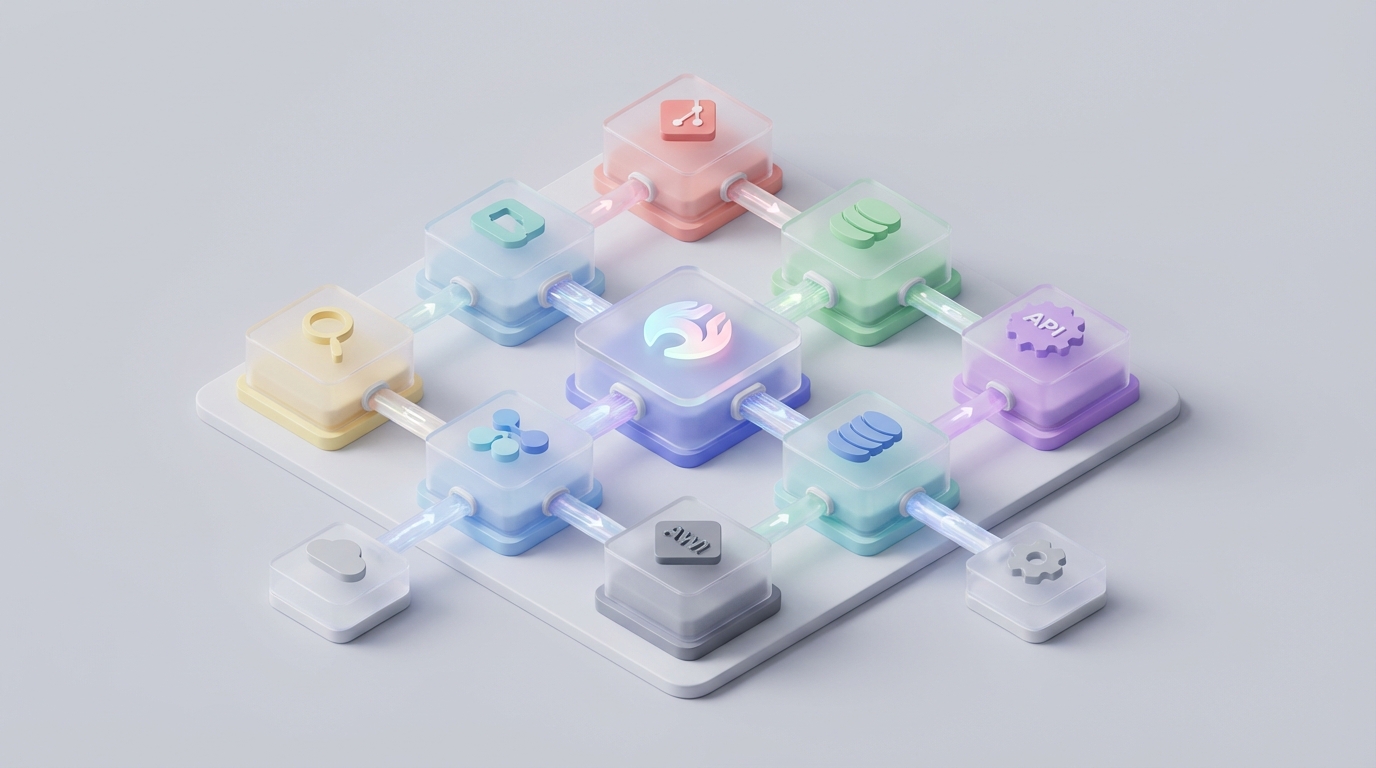
Most people hear "gateway" and think of API proxies or load balancers. That's not what the OpenClaw Gateway is. Or rather, that's maybe 15% of what it is. The rest is the part nobody explains well, and it's the part that actually matters when you're building agents that need to reliably call tools, talk to multiple models, and not fall apart the second something unexpected happens.
I've spent months building with OpenClaw, and the Gateway was the piece that took me the longest to actually understand. Not because the documentation is bad — it's fine — but because the architecture is doing something different from what most people expect when they see the word "gateway." Once it clicked, everything about how OpenClaw handles agent workflows started making a lot more sense.
So let's break this down properly.
The Problem the Gateway Actually Solves
Here's the scenario that breaks most agent setups: you've got an agent that needs to call a tool, get a response, decide what to do next, maybe call another tool, and eventually return something useful to the user. Simple in theory. A nightmare in practice.
The typical failure modes are:
Tool calling breaks silently. Your agent sends a function call in one format, the model returns it in a slightly different format, and your orchestration layer either throws an error or — worse — silently drops the tool call and the agent hallucinates a response instead. If you've ever had an agent confidently give you made-up data when it was supposed to query a database, you know this pain.
Latency compounds. Every hop between your agent and a model adds time. In a single-turn chatbot, an extra 300ms is nothing. In a multi-step agent workflow where five or six LLM calls happen sequentially, those milliseconds add up to seconds, and your users leave.
Retries cascade into failures. You hit a rate limit on step three of a seven-step workflow. Your retry logic fires, but the retry doesn't have the right context. The agent gets confused. The whole run fails. You've wasted tokens on the first two steps and have nothing to show for it.
You can't see what happened. After a failed run, you want to know: which step broke? What did the model actually return? Was it a malformed tool call or a timeout? Without good tracing, you're debugging with print() statements like it's 2005.
These aren't hypothetical problems. These are the daily reality of anyone building agents with raw API calls or even with popular frameworks that bolt on gateway functionality as an afterthought.
The OpenClaw Gateway is purpose-built to handle all of this at the infrastructure level, so your agent code can stay clean and focused on logic rather than plumbing.
The Architecture, Layer by Layer
Think of the OpenClaw Gateway as three layers stacked on top of each other. Each layer does one thing well, and they compose together to give you a system that's way more resilient than the sum of its parts.
Layer 1: The Normalization Layer
This is the bottom of the stack, and it's arguably the most important piece. The Normalization Layer takes every model interaction — whether you're hitting an OpenAI-compatible endpoint, a local model, or any other supported provider — and standardizes it into a consistent internal format.
This matters enormously for tool calling. If you've ever tried to use function calling across different model providers, you know the pain. OpenAI uses one format. Other providers use slightly different variations. Some models return tool calls as structured JSON, others embed them in the text and hope for the best. The Normalization Layer handles all of this translation so your agent code only ever deals with one format.
Here's what that looks like in practice:
# openclaw-gateway.yaml
gateway:
  normalization:
    tool_call_format: "openclaw_standard_v2"
    strict_validation: true
    fallback_parsing: true

  providers:
    - name: "primary"
      type: "openai_compatible"
      endpoint: "${PRIMARY_MODEL_ENDPOINT}"
      api_key: "${PRIMARY_API_KEY}"

    - name: "fallback"
      type: "openai_compatible"
      endpoint: "${FALLBACK_MODEL_ENDPOINT}"
      api_key: "${FALLBACK_API_KEY}"
The strict_validation: true flag is the one that saves you from the silent failure problem. When this is on, the Gateway validates every tool call response against the schema you defined. If the model returns something malformed, instead of passing garbage downstream, the Gateway can either retry the call with a corrective prompt or surface a clean error that your agent can handle gracefully.
The fallback_parsing: true flag handles the case where a model embeds a tool call in natural language instead of structured output. The Gateway will attempt to extract the structured data. It's not magic — it won't work on completely garbled output — but it catches the 80% case where the model returned the right information in the wrong format.
Layer 2: The Resilience Layer
This is the middle of the stack, and it handles everything related to keeping your agent runs alive when the infrastructure gets flaky.
The big features here:
Intelligent retry with context preservation. When a request fails (rate limit, timeout, transient error), the Gateway doesn't just blindly retry the raw HTTP request. It retries with the full agent context intact, so the model gets the same conversation history and tool definitions. This sounds obvious, but most retry mechanisms operate at the HTTP level and lose context.
gateway:
  resilience:
    retry:
      max_attempts: 3
      backoff: "exponential_with_jitter"
      initial_delay_ms: 500
      max_delay_ms: 10000
      preserve_context: true

    fallback:
      enabled: true
      strategy: "priority_chain"
      # Falls through providers in order
      chain: ["primary", "fallback"]

    circuit_breaker:
      enabled: true
      failure_threshold: 5
      reset_timeout_seconds: 30
Provider fallback chains. If your primary model provider goes down, the Gateway automatically routes to your fallback. The key here is that it does this at the Gateway level, not in your agent code. Your agent doesn't know or care which provider served the response. It just gets a normalized result back.
Circuit breaking. If a provider is consistently failing, the Gateway stops sending it traffic for a configurable period instead of burning through your retry budget on a dead endpoint. This is borrowed from microservices architecture and it works just as well for LLM infrastructure.
Layer 3: The Observability Layer
This is the top of the stack, and it's what makes debugging possible.
Every request that flows through the Gateway gets tagged with trace metadata: a run ID, a step number, timing information, token counts, and the full request/response payloads (with optional redaction for sensitive data).
gateway:
  observability:
    tracing:
      enabled: true
      propagate_headers: true
      capture_payloads: true
      redact_patterns:
        - "ssn"
        - "credit_card"
        - "password"

    metrics:
      latency_histogram: true
      token_usage: true
      error_rates: true
      cost_tracking: true
The propagate_headers: true flag is the one that solves the "I can't trace which agent step made which call" problem. When your OpenClaw agent sends a trace ID with its request, the Gateway propagates that through to the model provider and back, so you get an end-to-end trace of the entire agent run.
In the OpenClaw dashboard, this shows up as a waterfall view of your agent run: each step, how long it took, what it cost, what the model returned, and whether any retries or fallbacks fired. It's the difference between "something broke" and "step 4 timed out after 12 seconds on the primary provider, fell back to the secondary, got a malformed tool call, retried with corrective prompting, and succeeded on the second attempt in 3.2 seconds."
How It All Fits Together in an Agent Workflow
Let me walk through a concrete example. Say you're building an agent that takes a user question, searches a knowledge base, evaluates the results, and generates a response with citations.
from openclaw import Agent, Tool, Gateway

# Gateway is configured via YAML or environment variables
# Your agent code doesn't manage infrastructure

search_tool = Tool(
    name="knowledge_search",
    description="Search the internal knowledge base",
    parameters={
        "query": {"type": "string", "description": "Search query"},
        "max_results": {"type": "integer", "default": 5}
    },
    handler=search_knowledge_base  # your function
)

citation_tool = Tool(
    name="format_citations",
    description="Format source documents into citations",
    parameters={
        "documents": {"type": "array", "items": {"type": "object"}}
    },
    handler=format_citations  # your function
)

agent = Agent(
    name="research_assistant",
    tools=[search_tool, citation_tool],
    system_prompt="""You are a research assistant. When asked a question:
    1. Search the knowledge base for relevant information
    2. Format any sources as proper citations
    3. Provide a clear answer with citations included

    Always search before answering. Never make up information.""",
)

response = agent.run("What were the key findings from the Q3 market analysis?")
Notice what's not in this code: there's no retry logic, no provider selection, no format handling for tool calls, no tracing setup. All of that lives in the Gateway configuration. Your agent code is purely logic: what tools exist, what the agent should do, and what the user asked.
When this runs, here's what happens behind the scenes:
- The agent sends the user message to the Gateway.
- The Gateway routes it to the primary provider with the full tool definitions.
- The model returns a
knowledge_searchtool call. - The Gateway validates the tool call against the schema (Normalization Layer).
- The agent executes the search and returns results.
- The model gets the results, decides to call
format_citations. - The Gateway validates again.
- The agent formats the citations.
- The model generates the final response with citations.
- The entire run — all six LLM interactions — is traced and visible in the dashboard.
If step 3 fails because of a rate limit? The Resilience Layer handles it. If the model returns a mangled tool call at step 4? The Normalization Layer either fixes it or surfaces a clean error. If you want to know why a run took 18 seconds instead of the usual 6? The Observability Layer shows you exactly where the time went.
The Part Most People Get Wrong
The biggest mistake I see people make with the OpenClaw Gateway is treating it like a proxy they need to configure and forget. It's not. It's an active part of your agent architecture, and the configuration choices you make directly impact agent behavior.
A few specific things to get right:
Turn on strict validation from day one. I know it's tempting to leave strict_validation: false so things "just work." Don't. Strict validation catches problems early. Running without it means your agent silently swallows malformed tool calls and produces bad output that you won't catch until a user complains.
Set up your fallback chain thoughtfully. Don't just add a fallback model for the sake of it. Your fallback should be capable of the same tool calling patterns as your primary. If your primary is a large model that handles complex multi-tool workflows and your fallback is a tiny model that can barely do single tool calls, the fallback will "succeed" in the worst way — by returning plausible-looking garbage.
Use trace IDs from your application layer. The Gateway can generate its own trace IDs, but it's much more useful to pass in your own from whatever triggered the agent run (a user request ID, a webhook ID, a cron job ID). This lets you correlate agent behavior with the broader system.
response = agent.run(
    "What were the key findings from the Q3 market analysis?",
    metadata={
        "trace_id": request.id,
        "user_id": current_user.id,
        "source": "web_app"
    }
)
Getting Started Without the Headache
You can absolutely set all of this up from scratch. Read the docs, write your Gateway config, define your tools, wire up the providers, configure the tracing. It'll take you a weekend or two to get it right, especially the tool calling normalization edge cases.
Or you can skip that part. Felix's OpenClaw Starter Pack on Claw Mart includes pre-configured Gateway settings, a set of battle-tested skills, and sensible defaults for the resilience and observability layers. It's $29 and it saved me probably eight hours of trial-and-error on configuration alone. The Gateway config it ships with has strict validation on, proper retry settings, and tracing already wired up — basically all the stuff I just told you to do manually. If you want to get to the "building actual agent logic" part without spending your weekend tweaking YAML files, it's the move.
Where to Go From Here
Once you have the Gateway running and your first agent working, the next things to explore:
-
Custom normalization rules. If you're working with models that have unusual tool calling behavior, you can write custom normalizers that plug into the Normalization Layer. This is advanced, but it's how you support non-standard models without waiting for official support.
-
Cost budgets. The Gateway's cost tracking isn't just for reporting — you can set per-run or per-agent budgets that kill a run if it exceeds a token or dollar threshold. Essential for preventing runaway agent loops from burning through your API credits.
-
Multi-gateway setups. For production systems, you can run multiple Gateway instances with different configurations — one optimized for low-latency simple queries, another for high-reliability complex workflows. Route between them based on the task.
-
The OpenClaw skill marketplace. Once you've built tools and agent configs that work well, you can share or sell them. But that's a post for another day.
The Gateway isn't the sexiest part of OpenClaw. It's infrastructure. It's plumbing. But it's the plumbing that determines whether your agents are reliable or flaky, debuggable or opaque, fast or sluggish. Get it right early, and everything you build on top of it works better.
Stop fighting your infrastructure. Configure the Gateway properly, lean on the Normalization Layer for tool calling sanity, let the Resilience Layer handle the chaos of real-world API providers, and use the Observability Layer to actually understand what your agents are doing. That's the foundation. Everything else is just agent logic — and that's the fun part.