Understanding OpenClaw Channels and Multi-Platform Control
Understanding OpenClaw Channels and Multi-Platform Control
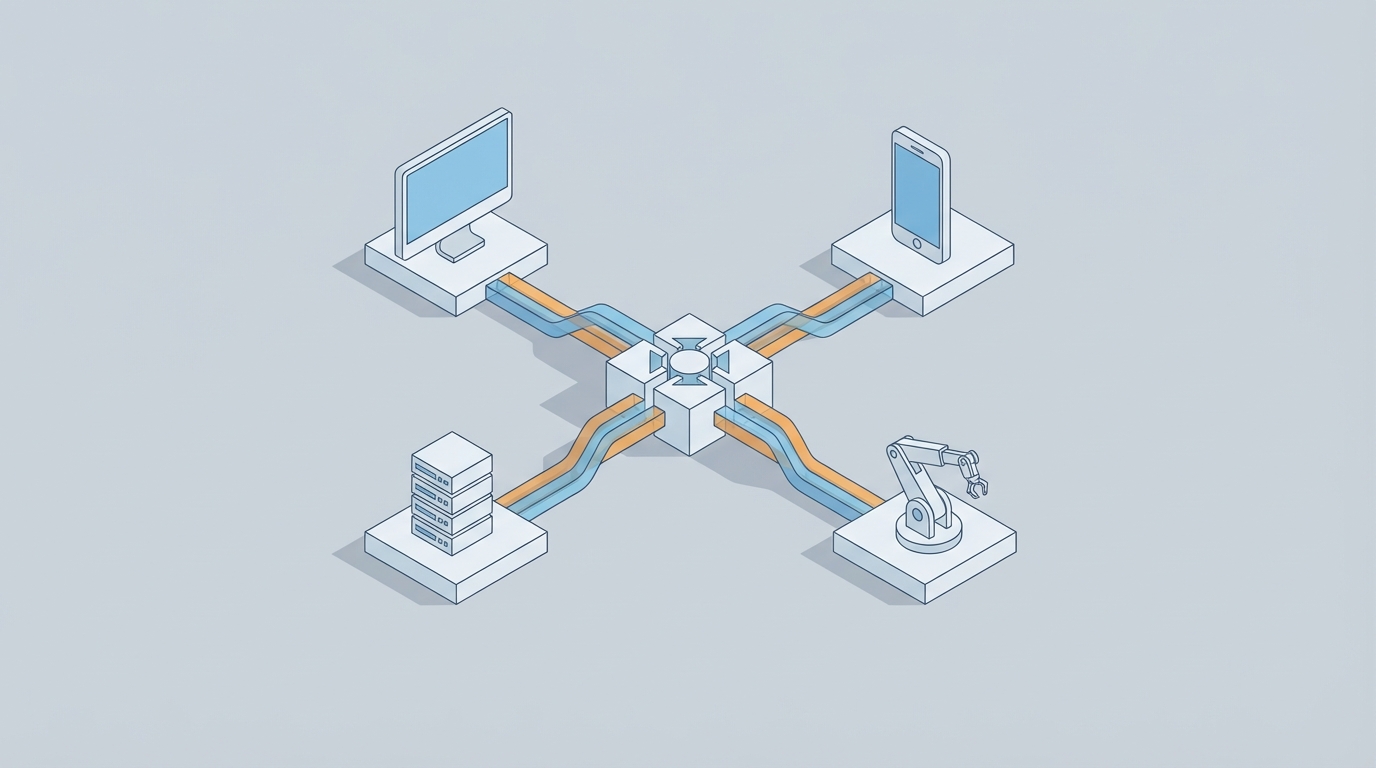
Let's cut to the chase: if you've been building with OpenClaw and you're confused about channels, you're not alone. It's the single concept that trips up almost every new builder, and honestly, the documentation doesn't do it justice. But once channels click, everything else in OpenClaw starts making sense — multi-platform deployment, agent coordination, state management, all of it.
I've been building with OpenClaw for months now, and channels are the thing I wish someone had explained to me on day one instead of letting me flail around for two weeks. So that's what this post is: the explanation I needed when I started.
The Problem Channels Actually Solve
Here's the scenario that brings most people to OpenClaw in the first place: you want an AI agent that actually does things across multiple platforms. Not a chatbot that sits in one window. Not a toy demo. A real, useful agent that can take action in Slack, respond to events from a webhook, pull data from an API, post updates somewhere else, and keep its brain intact through all of it.
The moment you try to wire that up yourself — even with a solid LLM underneath — you slam into a wall of problems:
- Messages come in from different sources in different formats. A Slack message looks nothing like a webhook payload looks nothing like a scheduled cron trigger.
- Your agent needs to respond back through the right platform. If someone asks a question in Slack, the answer needs to go to Slack, not to your Discord server.
- State gets obliterated. The agent forgets what it was doing the moment a new message arrives from a different source.
- You end up writing a rats' nest of if/else routing logic that becomes unmaintainable within a week.
This is what channels solve. They're OpenClaw's abstraction for managing the flow of information into, through, and out of your agent — across any number of platforms, simultaneously, without losing coherence.
What a Channel Actually Is
Think of a channel as a named, typed pipeline that connects your agent to a specific source or destination of information. Every channel has three properties that matter:
- A direction — inbound (receiving data), outbound (sending data), or bidirectional
- A platform binding — what external service or protocol it's connected to
- A message schema — what the data looks like when it flows through
Here's a minimal channel definition in an OpenClaw config:
channels:
  slack-support:
    direction: bidirectional
    platform: slack
    workspace: your-workspace
    channel_id: C04XXXXXX
    schema: conversation

  webhook-orders:
    direction: inbound
    platform: webhook
    endpoint: /incoming/orders
    schema: structured

  email-notifications:
    direction: outbound
    platform: email
    from: agent@yourdomain.com
    schema: freeform
That's it. Three channels. Your agent can now receive messages from Slack and webhooks, and send emails. OpenClaw handles the actual platform integration, authentication, message normalization, and delivery. You just declare what you want.
The Part Everyone Gets Wrong: Channel Routing
Defining channels is easy. The part that causes confusion is routing — telling your agent how to decide which channel to use for what, and how information from one channel should influence behavior on another.
Most people start with something like this, which looks reasonable but falls apart immediately:
routing:
  default: auto
The auto routing mode tells OpenClaw to let the LLM figure out where to send responses. And the LLM will absolutely make a mess of it. It'll try to respond to a webhook event by sending a Slack message. It'll email someone when it should be posting to a channel. It'll get confused about which conversation is which.
Sound familiar? This is the same class of problem that plagues every multi-agent and multi-platform setup, regardless of framework. The agent goes off the rails because it has no explicit rules about message flow.
Here's what you should do instead:
routing:
  rules:
    - when:
        source: slack-support
      respond_via: slack-support
      context_scope: per-thread

    - when:
        source: webhook-orders
      respond_via: email-notifications
      context_scope: per-event
      notify: slack-support

    - fallback:
        respond_via: slack-support
        alert: true
Now you've got explicit routing. Messages from Slack get responded to in Slack (scoped per-thread, so conversations don't bleed into each other). Webhook events trigger email notifications and optionally ping Slack. And if something unexpected comes in, there's a fallback with an alert so you know about it.
This is the single biggest improvement you can make to any OpenClaw setup. Explicit routing rules eliminate an entire category of agent misbehavior. The LLM doesn't have to guess where to send things, which means it can focus its reasoning on what to say rather than where to say it.
Context Scoping: The Secret Weapon
Did you notice the context_scope property in the routing rules above? That's doing more heavy lifting than it looks like.
One of the most common complaints in AI agent development — and I've seen this constantly in forums, Discord servers, developer communities, everywhere — is that agents "forget" what they're doing. They lose context. A conversation that was going perfectly well suddenly derails because the agent got confused by a message from a different thread or a different platform entirely.
OpenClaw's context scoping solves this at the channel level. You have several options:
per-thread— Each conversation thread gets its own isolated context. Perfect for support channels where multiple conversations happen simultaneously.per-event— Each incoming event is treated independently. Good for webhook-driven workflows where each payload is a standalone unit of work.per-user— Context follows the user across messages, even across channels. Useful when the same person might reach out via Slack and email.global— One shared context across everything. Only use this for simple, single-purpose agents.shared(group_name)— Multiple channels share a named context pool. This is the advanced one, and it's powerful.
Here's where it gets interesting. Say you want your agent to know about order events (from webhooks) when it's responding to customer questions (in Slack). But you don't want unrelated Slack threads contaminating each other. You'd set it up like this:
routing:
  rules:
    - when:
        source: slack-support
      respond_via: slack-support
      context_scope:
        primary: per-thread
        include:
          - shared(order-events)

    - when:
        source: webhook-orders
      respond_via: email-notifications
      context_scope:
        primary: per-event
        publish_to:
          - shared(order-events)
Now webhook events publish their data to a shared context called order-events, and Slack threads can read from that shared context while maintaining their own per-thread isolation. Your support agent can say, "Yes, I see that order #4521 was placed 10 minutes ago — let me check on that" without any manual wiring.
This pattern — isolated primary contexts with selective shared data — is what makes multi-platform agents actually usable. Without it, you're either drowning the agent in irrelevant context (which burns tokens and causes confusion) or starving it of information it needs.
Skills and Channel Interaction
Channels define the plumbing. Skills define the capabilities. But the interaction between them is where real power shows up.
An OpenClaw skill can declare which channels it's allowed to interact with:
skills:
  order-lookup:
    description: "Look up order status and details"
    allowed_channels:
      read: [webhook-orders, slack-support]
      write: [slack-support, email-notifications]
    parameters:
      order_id:
        type: string
        required: true
This means the order-lookup skill can read context from order webhooks and Slack, but can only write responses to Slack and email. It can't, for example, accidentally trigger another webhook or post to a channel it shouldn't have access to.
This is a guardrail pattern, and it's essential. Without channel-level permissions on skills, your agent is one hallucinated tool call away from sending a customer email to your internal Slack channel, or posting debug information somewhere public. I've seen this happen with other frameworks, and it's not fun to clean up.
Putting It All Together: A Real Setup
Let me walk through a complete, realistic OpenClaw configuration for a customer support agent that handles inquiries via Slack, processes order events via webhooks, and sends email follow-ups.
agent:
  name: support-agent
  model: default
  temperature: 0.3
  max_iterations: 10

channels:
  slack-support:
    direction: bidirectional
    platform: slack
    workspace: acme-co
    channel_id: C04SUPPORT
    schema: conversation

  slack-internal:
    direction: outbound
    platform: slack
    workspace: acme-co
    channel_id: C04INTERNAL
    schema: conversation

  webhook-orders:
    direction: inbound
    platform: webhook
    endpoint: /incoming/orders
    schema: structured
    auth: hmac-sha256

  webhook-shipping:
    direction: inbound
    platform: webhook
    endpoint: /incoming/shipping
    schema: structured
    auth: hmac-sha256

  email-customers:
    direction: outbound
    platform: email
    from: support@acme.com
    schema: freeform

routing:
  rules:
    - when:
        source: slack-support
      respond_via: slack-support
      context_scope:
        primary: per-thread
        include: [shared(orders), shared(shipping)]

    - when:
        source: webhook-orders
      respond_via: email-customers
      context_scope:
        primary: per-event
        publish_to: [shared(orders)]
      also_notify: slack-internal

    - when:
        source: webhook-shipping
      respond_via: email-customers
      context_scope:
        primary: per-event
        publish_to: [shared(shipping)]
      also_notify: slack-internal

    - fallback:
        respond_via: slack-internal
        alert: true

skills:
  order-lookup:
    description: "Look up order details by order ID or customer email"
    allowed_channels:
      read: [webhook-orders, slack-support]
      write: [slack-support, email-customers]
    parameters:
      query:
        type: string
        required: true

  shipping-status:
    description: "Check shipping status and tracking information"
    allowed_channels:
      read: [webhook-shipping, slack-support]
      write: [slack-support, email-customers]
    parameters:
      order_id:
        type: string
        required: true

  escalate:
    description: "Escalate an issue to the internal team"
    allowed_channels:
      read: [slack-support]
      write: [slack-internal]
    parameters:
      reason:
        type: string
        required: true
      priority:
        type: enum
        values: [low, medium, high, critical]
        required: true

  compose-followup:
    description: "Draft and send a follow-up email to a customer"
    allowed_channels:
      read: [slack-support, webhook-orders, webhook-shipping]
      write: [email-customers]
    parameters:
      customer_email:
        type: string
        required: true
      subject:
        type: string
        required: true
      tone:
        type: enum
        values: [professional, friendly, apologetic]
        default: professional
That's a production-grade setup. Six channels, four skills, explicit routing, context scoping with shared pools, channel-level permissions on every skill, and a fallback with alerts. The agent can handle simultaneous Slack conversations, process incoming order and shipping events, send targeted emails, and escalate to your internal team — all without any of those information streams contaminating each other.
The Cost and Debugging Story
Two more things worth mentioning because they're real problems that channels help mitigate.
Cost: Because context scoping keeps each interaction's context tight and relevant, you're not stuffing the LLM's context window with every message from every platform on every turn. I've seen people cut their token usage by 40-60% just by moving from global context to per-thread with selective shared contexts. That adds up fast when you're processing hundreds of events per day.
Debugging: When something goes wrong (and it will), channels give you a clear audit trail. Every message has a channel source, a routing rule that matched it, and a context scope. Instead of digging through a wall of undifferentiated logs trying to figure out why your agent sent the wrong response, you can trace exactly: this message came in on webhook-orders, matched routing rule 2, was processed with per-event scope, published to shared(orders), and triggered a response on email-customers. That's a debuggable system.
My Honest Recommendation for Getting Started
Here's the thing — building all of this from scratch is totally doable, but there's a real learning curve. The channel definitions are straightforward. The routing rules take some iteration. The context scoping requires you to think carefully about your information architecture. And the skill-channel permissions need testing to get right.
If you want to skip the first few weeks of trial and error, Felix's OpenClaw Starter Pack is genuinely worth the $29. It includes pre-configured skills with channel bindings already set up, sensible routing templates for common use cases (support, notifications, multi-platform coordination), and context scoping patterns that actually work in production. I spent way too long figuring out the shared context pattern on my own before discovering that Felix had already nailed it. If you don't want to set all of this up manually, the starter pack on Claw Mart gets you to a working multi-channel agent in an afternoon instead of a week.
Whether you build from scratch or start with a template, the key insight is the same: channels are not just an integration layer. They're your agent's information architecture. Get them right, and everything downstream — routing, context, skills, debugging, cost — gets dramatically easier. Get them wrong, and you'll spend all your time fighting the same "agent went off the rails" problems that plague every other framework.
Start with explicit routing rules. Use per-thread or per-event scoping as your default. Add shared contexts only when you have a specific reason to. Lock down skill permissions from day one. And don't use auto routing unless you enjoy chaos.
That's it. Go build something.