Meeting Notes Agent: Auto Summarize Zoom & Google Meet
Meeting Notes Agent: Auto Summarize Zoom & Google Meet
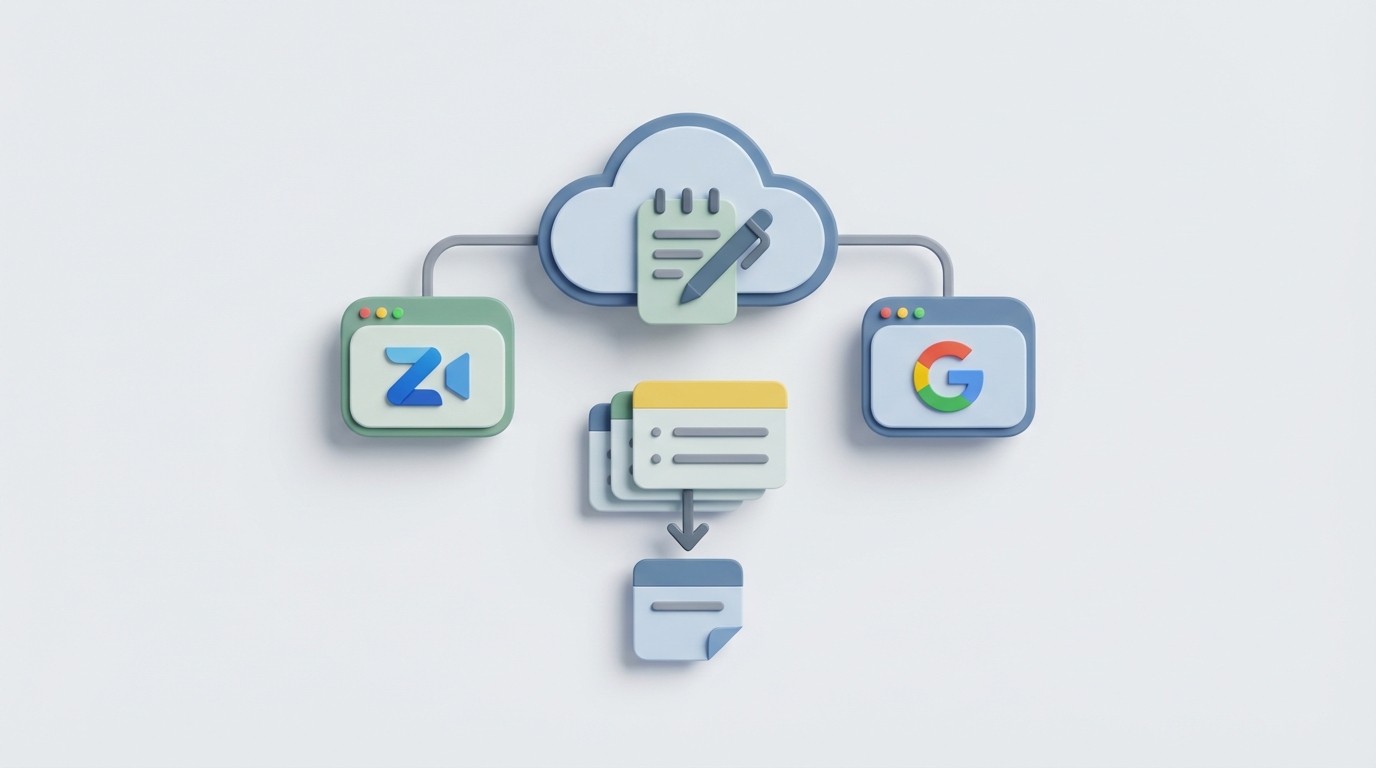
Every week, you sit through five, six, maybe ten meetings. You nod along, scribble half-legible notes, then walk away and immediately forget who agreed to do what. Three days later, someone on Slack asks "didn't we already decide this?" and nobody can point to the actual decision. The meeting happened. The memory didn't stick.
This is the problem that a thousand SaaS tools claim to solve — Otter, Fireflies, Grain, tl;dv, Notion AI — and honestly, most of them are fine. They'll give you a transcript and a fluffy paragraph summary that reads like a book report. But if what you actually need is structured action items with owners, decisions logged with context, and a system that remembers what happened across weeks of meetings — not just the last one — those tools fall short fast.
So let's build something better. Let's build a Meeting Notes Agent with OpenClaw that automatically joins your Zoom or Google Meet calls, transcribes them, identifies speakers, extracts real structured data (action items, decisions, open questions, risks), and feeds everything into your existing workflow. No fluff. No $30/month/seat SaaS. Your agent, your data, your rules.
I'll walk through the full architecture, give you actual code, and show you how to get this running in an afternoon.
Why an Agent Instead of a Simple Script
Before we get into it, a fair question: why build an agent for this instead of just piping audio through Whisper and slapping a prompt on top?
Because the simple approach breaks down almost immediately in practice. Here's what goes wrong:
Problem 1: Transcription alone is useless. A wall of text with no speaker labels, no structure, and no understanding of what matters is barely better than not taking notes at all. You still have to read the whole thing to find the one decision that affects your sprint.
Problem 2: One-shot summarization hallucinates. If you dump a 45-minute transcript into an LLM and say "summarize this," it will confidently produce action items that nobody actually agreed to. It'll assign tasks to the wrong people. It'll miss the most important thing that was said quietly at minute 38.
Problem 3: Meetings don't exist in isolation. The standup on Tuesday references the planning session on Monday which references the retro from last Friday. A simple script has zero memory. Your agent needs to know the project context to produce notes that are actually useful.
An agent architecture lets you chain together specialized steps — transcription, diarization, extraction, memory retrieval, structured output — where each step can be validated, retried, and improved independently. That's where OpenClaw comes in.
The Architecture (Big Picture)
Here's what we're building:
Audio Input (Zoom/Meet recording or live stream)
    │
    ▼
┌─────────────────────┐
│  Transcription Node  │  (WhisperX or Deepgram)
│  + Speaker Diarize   │
└─────────┬───────────┘
          │
          ▼
┌─────────────────────┐
│  Context Retrieval   │  (Pull relevant past meeting memory)
│  from OpenClaw       │
│  Memory Store        │
└─────────┬───────────┘
          │
          ▼
┌─────────────────────┐
│  Extraction Agent    │  (Structured output: actions, decisions,
│  (OpenClaw Agent)    │   questions, risks, owners, deadlines)
└─────────┬───────────┘
          │
          ▼
┌─────────────────────┐
│  Output & Sync       │  (Notion, Linear, Slack, Jira — wherever
│                      │   your team actually works)
└─────────────────────┘
Four nodes. Each one does one thing well. OpenClaw orchestrates the entire flow as an agent pipeline, which means you get built-in retry logic, validation, memory persistence, and the ability to swap out any individual component without rewriting everything else.
Step 1: Getting the Audio
You have two paths here depending on your setup.
Path A: Zoom Cloud Recordings (Easiest)
If you're on a Zoom paid plan, you already have cloud recordings. Zoom stores them and gives you an API to pull them down. This is the lowest-friction starting point.
import requests

def download_zoom_recording(meeting_id: str, access_token: str) -> str:
    """Download the audio file from a Zoom cloud recording."""
    headers = {"Authorization": f"Bearer {access_token}"}

    # Get recording details
    resp = requests.get(
        f"https://api.zoom.us/v2/meetings/{meeting_id}/recordings",
        headers=headers
    )
    resp.raise_for_status()

    # Find the audio-only file
    recordings = resp.json().get("recording_files", [])
    audio_file = next(
        (r for r in recordings if r["file_type"] == "M4A"),
        None
    )

    if not audio_file:
        raise ValueError("No audio recording found for this meeting.")

    # Download it
    download_url = audio_file["download_url"] + f"?access_token={access_token}"
    audio_resp = requests.get(download_url)

    output_path = f"/tmp/{meeting_id}.m4a"
    with open(output_path, "wb") as f:
        f.write(audio_resp.content)

    return output_path
Path B: Google Meet via Calendar Bot
Google Meet doesn't give you recordings as easily unless you're on Google Workspace Business Standard or higher. The workaround most people use: a bot that joins the call via a headless browser (using Puppeteer or Playwright), records the system audio, and saves it locally.
There are open-source tools for this — recall.ai has an API, or you can roll your own with playwright + pulseaudio on a Linux box. I won't go deep on this because it's a whole separate rabbit hole, but the key point is: however you get the audio file, the rest of the pipeline is identical.
For getting started, just use Zoom cloud recordings. It takes five minutes.
Step 2: Transcription + Speaker Diarization
This is where most DIY solutions fall apart. Vanilla Whisper gives you great transcription but zero speaker labels. In a six-person product meeting, you need to know that it was Sarah from engineering who committed to the API refactor, not Dave from marketing.
We'll use WhisperX, which bolts on pyannote speaker diarization:
import whisperx

def transcribe_with_speakers(audio_path: str) -> list[dict]:
    """Transcribe audio and identify speakers."""
    device = "cuda"  # use "cpu" if no GPU, but it'll be slow

    # Step 1: Transcribe
    model = whisperx.load_model("large-v3", device, compute_type="float16")
    audio = whisperx.load_audio(audio_path)
    result = model.transcribe(audio, batch_size=16)

    # Step 2: Align timestamps
    model_a, metadata = whisperx.load_align_model(
        language_code=result["language"], device=device
    )
    result = whisperx.align(
        result["segments"], model_a, metadata, audio, device,
        return_char_alignments=False
    )

    # Step 3: Diarize (who spoke when)
    diarize_model = whisperx.DiarizationPipeline(
        use_auth_token="YOUR_HF_TOKEN",  # pyannote requires HF access
        device=device
    )
    diarize_segments = diarize_model(audio)
    result = whisperx.assign_word_speakers(diarize_segments, result)

    # Clean output: list of {speaker, text, start, end}
    segments = []
    for seg in result["segments"]:
        segments.append({
            "speaker": seg.get("speaker", "UNKNOWN"),
            "text": seg["text"].strip(),
            "start": round(seg["start"], 1),
            "end": round(seg["end"], 1),
        })

    return segments
This gives you output like:
[
    {"speaker": "SPEAKER_00", "text": "Okay let's talk about the API migration timeline.", "start": 12.3, "end": 15.8},
    {"speaker": "SPEAKER_01", "text": "I can have the new endpoints ready by Friday if we freeze the schema today.", "start": 16.1, "end": 21.4},
    {"speaker": "SPEAKER_02", "text": "That works. Let's lock it in.", "start": 22.0, "end": 23.5}
]
Pro tip: SPEAKER_00, SPEAKER_01 etc. are anonymous labels. You can map them to real names by either (a) having each person say their name at the start of the call, or (b) maintaining a voice embedding database. Option (a) is simpler and works surprisingly well — just add a prompt to your extraction agent that says "map speaker labels to names mentioned in introductions."
Step 3: The Extraction Agent (This Is the Core)
Here's where OpenClaw earns its keep. We're going to define an agent that takes the diarized transcript, retrieves relevant context from past meetings, and produces structured output — not a paragraph, but actual typed data you can pipe directly into project management tools.
from openclaw import Agent, MemoryStore, StructuredOutput
from pydantic import BaseModel, Field

# Define exactly what we want out of every meeting
class ActionItem(BaseModel):
    description: str = Field(..., description="What needs to be done")
    owner: str = Field(..., description="Person responsible")
    deadline: str | None = Field(None, description="Due date if mentioned")
    priority: str = Field(default="medium", description="high/medium/low")

class Decision(BaseModel):
    description: str = Field(..., description="What was decided")
    made_by: str = Field(..., description="Who made or confirmed the decision")
    context: str = Field(..., description="Why this decision was made")

class MeetingNotes(BaseModel):
    summary: str = Field(..., description="2-3 sentence executive summary")
    action_items: list[ActionItem]
    decisions: list[Decision]
    open_questions: list[str] = Field(default_factory=list)
    risks_flagged: list[str] = Field(default_factory=list)
    follow_up_needed: list[str] = Field(default_factory=list)

# Initialize OpenClaw memory for cross-meeting context
memory = MemoryStore(
    store_type="persistent",
    namespace="project-meetings",
)

# Build the agent
meeting_agent = Agent(
    name="meeting-notes-extractor",
    instructions="""You are a meeting notes agent. Your job is to analyze
    meeting transcripts and extract structured, actionable information.

    Rules:
    - Only extract action items that were EXPLICITLY agreed to. Do not infer.
    - Always attribute statements to the correct speaker.
    - If a deadline was mentioned, include it. If not, leave it null.
    - Flag anything that contradicts previous meeting decisions as a risk.
    - Be concise. Nobody reads long meeting notes.
    - When speaker labels (SPEAKER_00 etc) are used, map them to real names
      based on context clues in the transcript (introductions, addressing
      by name, etc.)
    """,
    memory=memory,
    output_schema=MeetingNotes,
)
Now let's wire it together to actually run:
def process_meeting(audio_path: str, meeting_title: str = "Untitled Meeting") -> MeetingNotes:
    """Full pipeline: audio → structured meeting notes."""

    # 1. Transcribe with speakers
    transcript_segments = transcribe_with_speakers(audio_path)

    # Format transcript for the agent
    formatted_transcript = "\n".join(
        f"[{seg['start']}s] {seg['speaker']}: {seg['text']}"
        for seg in transcript_segments
    )

    # 2. Retrieve context from past meetings in this project
    past_context = memory.retrieve(
        query=f"Previous decisions and action items for project related to: {meeting_title}",
        top_k=5,
    )

    # 3. Run the extraction agent
    result = meeting_agent.run(
        input_data={
            "transcript": formatted_transcript,
            "meeting_title": meeting_title,
            "past_context": past_context,
        },
        prompt=f"""Analyze this meeting transcript and extract structured notes.

        Meeting: {meeting_title}

        Previous context from past meetings:
        {past_context}

        Current transcript:
        {formatted_transcript}

        Extract: summary, action items (with owners and deadlines), decisions,
        open questions, and any risks. Flag contradictions with past decisions."""
    )

    # 4. Store this meeting's output in memory for future reference
    memory.store(
        content=result.model_dump_json(),
        metadata={
            "meeting_title": meeting_title,
            "type": "meeting_notes",
        }
    )

    return result
When you run this on an actual meeting recording, you get back something like:
{
    "summary": "Team agreed to freeze the API schema today and have new endpoints ready by Friday. Design review pushed to next week pending Sarah's mockups.",
    "action_items": [
        {
            "description": "Complete new API endpoints for v2 migration",
            "owner": "James",
            "deadline": "Friday",
            "priority": "high"
        },
        {
            "description": "Finalize dashboard mockups for design review",
            "owner": "Sarah",
            "deadline": "Next Wednesday",
            "priority": "medium"
        }
    ],
    "decisions": [
        {
            "description": "API schema is frozen as of today — no more changes to field names or types",
            "made_by": "Dave (confirmed by James)",
            "context": "Needed to unblock frontend development which has been waiting two weeks"
        }
    ],
    "open_questions": [
        "Do we need a separate staging environment for the v2 API, or can we use feature flags?"
    ],
    "risks_flagged": [
        "Friday deadline for API endpoints is aggressive given that James also has on-call duty this week"
    ],
    "follow_up_needed": [
        "Schedule design review for next Thursday once Sarah's mockups are done"
    ]
}
That's useful output. Not a paragraph. Not a vague summary. Actual structured data with names, dates, and context that you can pipe directly into Linear, Jira, Notion, or wherever your team tracks work.
Step 4: Syncing Output to Your Tools
The structured output makes this part trivial. Here's a quick example pushing action items to Notion:
from notion_client import Client

notion = Client(auth="your-notion-integration-token")
DATABASE_ID = "your-meeting-notes-database-id"

def sync_to_notion(notes: MeetingNotes, meeting_title: str):
    """Push structured meeting notes to a Notion database."""

    # Create the meeting notes page
    page = notion.pages.create(
        parent={"database_id": DATABASE_ID},
        properties={
            "Title": {"title": [{"text": {"content": meeting_title}}]},
            "Summary": {"rich_text": [{"text": {"content": notes.summary}}]},
        },
        children=[
            # Action Items section
            {"heading_2": {"rich_text": [{"text": {"content": "Action Items"}}]}},
            *[
                {
                    "to_do": {
                        "rich_text": [{"text": {"content":
                            f"{item.description} → {item.owner}"
                            + (f" (due: {item.deadline})" if item.deadline else "")
                        }}],
                        "checked": False,
                    }
                }
                for item in notes.action_items
            ],
            # Decisions section
            {"heading_2": {"rich_text": [{"text": {"content": "Decisions"}}]}},
            *[
                {
                    "paragraph": {"rich_text": [{"text": {"content":
                        f"✅ {d.description} — {d.made_by} ({d.context})"
                    }}]}
                }
                for d in notes.decisions
            ],
        ]
    )
    return page["id"]
You can do the same thing with the Slack API (post a summary to a channel), Linear (create issues from action items), or literally any tool with an API. The structured Pydantic output means you're working with clean data, not parsing prose.
The Memory Piece (Why This Gets Better Over Time)
Here's what makes this approach fundamentally different from Otter or Fireflies: the OpenClaw memory store persists across meetings.
After three weeks of running this agent on your weekly standups, it knows:
- That "the migration" refers to the v2 API migration decided on March 3rd
- That James consistently gets assigned backend tasks
- That the design review has been pushed back twice already (and will flag this as a risk)
- That "what Sarah mentioned last time" refers to the caching concern from the March 10th meeting
This is context that no one-shot summarizer can ever provide. It's the difference between a tool and a teammate.
The memory retrieval in step 3 of our pipeline is doing the heavy lifting here. Every time you process a new meeting, the agent queries past meeting notes for relevant context, uses that to inform its extraction, and then stores the new notes back into memory. It's a compounding loop.
Getting Started Without the Yak Shaving
I know what you're thinking: "this is cool but I don't want to spend a weekend setting up WhisperX, pyannote auth tokens, Notion integrations, and debugging CUDA drivers."
Fair. That's exactly what Felix's OpenClaw Starter Pack is for. It's a pre-configured bundle that gives you the OpenClaw foundation with sensible defaults so you can skip the infrastructure yak-shaving and go straight to building your agent logic. If you're the type who'd rather start building on day one instead of spending day one on setup, grab the starter pack and save yourself the headache.
Automation: Making It Truly Hands-Free
The last piece is triggering this automatically so you don't have to manually run a script after every call. Two approaches:
Option A: Zoom Webhook
Zoom fires a recording.completed webhook when a cloud recording is ready. Set up a simple endpoint:
from fastapi import FastAPI, Request

app = FastAPI()

@app.post("/webhook/zoom")
async def handle_zoom_recording(request: Request):
    payload = await request.json()

    if payload.get("event") == "recording.completed":
        meeting_id = payload["payload"]["object"]["id"]
        meeting_topic = payload["payload"]["object"]["topic"]

        # Download and process
        audio_path = download_zoom_recording(meeting_id, access_token="...")
        notes = process_meeting(audio_path, meeting_title=meeting_topic)
        sync_to_notion(notes, meeting_topic)

        return {"status": "processed"}

    return {"status": "ignored"}
Deploy this to Railway, Fly.io, or any $5/month server. Now every Zoom recording automatically becomes structured, searchable meeting notes in Notion within minutes of the call ending.
Option B: Polling / Cron
If webhooks feel like overkill, just run a cron job every hour that checks for new recordings and processes any it hasn't seen yet. Less elegant, equally effective.
What This Costs to Run
Let's be real about it:
- WhisperX (local, GPU): Free if you have a GPU. A 1-hour meeting takes about 3-5 minutes to transcribe on an RTX 3080.
- WhisperX (cloud, via Replicate/Modal): ~$0.10-0.30 per hour of audio.
- OpenClaw agent inference: Depends on your LLM backend. Running locally with Llama 3.1 8B is free but slower. Using a hosted model through OpenClaw's integrations is fast and typically costs a few cents per meeting.
- Memory storage: Negligible — we're talking kilobytes of text per meeting.
Total cost for most teams: effectively $0-5/month versus $15-30/seat/month for commercial tools. And you own your data.
Common Gotchas and How to Fix Them
"The agent keeps inventing action items that nobody agreed to."
Tighten your agent instructions. The key phrase in the system prompt is "only extract action items that were EXPLICITLY agreed to." You can also add a validation step where the agent scores its own confidence on each item and drops anything below a threshold.
"Speaker labels are wrong — it thinks one person said everything."
This is usually an audio quality issue. Ensure you're feeding in audio where speakers aren't constantly talking over each other (easier said than done). Using a higher-quality diarization model in pyannote (3.1+) helps significantly. Also, stereo audio with separate channels per speaker (some Zoom configs support this) eliminates the problem entirely.
"Memory retrieval is pulling irrelevant past meetings."
Namespace your memory by project or team. Don't dump every meeting from every team into one memory store. Use metadata filtering in your retrieval queries so the weekly marketing sync doesn't pollute context for the engineering standup.
Where to Go Next
Once you have the basic pipeline running, here's what to build next:
-
Pre-meeting briefings. Before a recurring meeting, have the agent generate a "here's what we said we'd do last time" briefing. Hold people accountable without being the annoying person who does it manually.
-
Cross-meeting search. "When did we decide to use PostgreSQL instead of MongoDB?" Query your memory store and get the exact meeting, date, and who made the call.
-
Trend detection. After a month of data, have an agent analyze patterns: "This blocker has been mentioned in 4 consecutive standups without resolution" or "Sprint commitments are consistently 30% over capacity."
-
Meeting scoring. Rate each meeting on whether it produced decisions and action items or was just a status update that should have been an async message. Use data to kill bad meetings.
The foundation is the pipeline we built above. Everything else is just adding more agent logic on top of the same structured data.
The Bottom Line
Most meeting notes tools give you a transcript and a fluffy summary. That's table stakes. What actually matters — structured action items with owners, decisions with context, risks flagged against previous commitments, and memory that compounds over time — requires an agent architecture.
OpenClaw gives you the framework to build exactly that. Start with Felix's OpenClaw Starter Pack to skip the setup pain, wire up the four-node pipeline above, point it at your Zoom recordings, and within a day you'll have a meeting notes system that's better than anything charging $30/seat/month.
Your meetings might still be boring. But at least now you'll remember what happened in them.