How to Automate User Offboarding and Access Revocation with AI
How to Automate User Offboarding and Access Revocation with AI
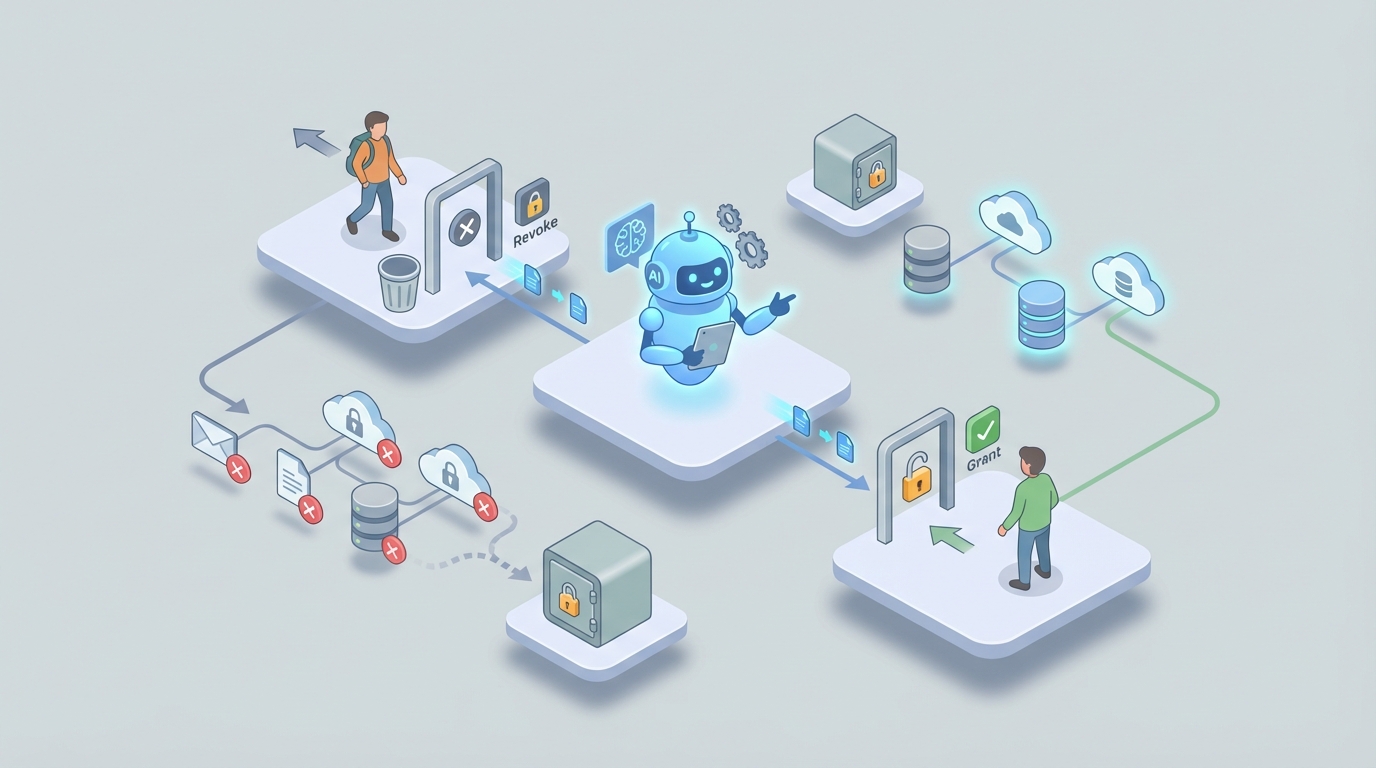
Every company eventually fires or loses someone who had access to everything. And every company handles it roughly the same way: a panicked Slack message to IT, a spreadsheet someone dug out of Google Drive, and three weeks later, the discovery that the departed employee's GitHub credentials still work fine.
This is not a theoretical problem. It's a very expensive, very common one. And it's one of the clearest use cases for AI agents that actually do something useful rather than just summarize your emails.
Let's walk through exactly how user offboarding works today, why it's broken, and how to build an AI-powered offboarding system using OpenClaw that handles the grunt work while keeping humans in the loop where it matters.
The Manual Offboarding Workflow (And Why It Takes Forever)
Here's what actually happens when someone leaves a company of any real size. Not the idealized version from your HRIS vendor's marketing site—the real version.
Step 1: Someone tells IT. A manager sends an email, or files a Jira ticket, or mentions it in a Slack channel. Sometimes this happens the day the employee leaves. Sometimes it happens a week later. Sometimes it happens when someone notices the ex-employee is still commenting in Confluence.
Step 2: IT figures out what the person had access to. This is the brutal part. The average enterprise uses over 110 SaaS applications, according to Okta's 2023 State of IAM report. Your IAM system knows about maybe 40 of them. The rest? Shadow IT. Personal signups with corporate email. API keys stored in environment variables. SSH keys on servers that haven't been audited since 2021. Someone has to manually hunt all of this down.
Step 3: Accounts get disabled, one by one. Active Directory or Entra ID. Okta. Google Workspace. Salesforce. Slack. GitHub. AWS. Figma. Notion. HubSpot. The list goes on. Some of these are connected via SCIM. Many are not. For the ones that aren't, someone is clicking through admin consoles.
Step 4: Data gets transferred (maybe). Who owns the departed employee's Google Drive files? Their Salesforce pipeline? Their GitHub repositories? Someone needs to reassign all of it. This involves judgment calls and usually several back-and-forth conversations with the departing person's manager.
Step 5: Assets get collected. Laptops, security keys, badges, phones. This is a logistics problem that often involves shipping labels and FedEx tracking and follow-up emails that go unanswered.
Step 6: Compliance gets checked. Is this person under a litigation hold? Do GDPR or CCPA deletion requirements apply? Are there industry-specific retention rules? Someone from legal or compliance needs to weigh in, and that someone is usually busy with other things.
Step 7: Everything gets audited. Did we actually revoke everything? Prove it. Generate the logs. File the report.
Total time per offboarding: 4 to 20 hours of IT and HR time, spread across 3 to 7 days for standard employees. For high-privilege users—engineers, executives, system admins—SailPoint case studies show it can take up to 9 days.
Multiply that by turnover. A 500-person company with 15% annual turnover is offboarding 75 people a year. At the low end, that's 300 hours of skilled labor spent on what is fundamentally a checklist execution problem.
Why This Is Painful (Beyond Just the Hours)
The time cost is bad. The downstream consequences are worse.
Security exposure is real and quantifiable. BeyondTrust's 2023 report found that 62% of organizations had experienced a security incident tied to former employee access. Verizon's DBIR consistently flags orphaned accounts as a major breach vector. When you take 7 days to revoke access, that's 7 days of unnecessary risk from someone who has zero reason to protect your data anymore.
Orphaned accounts compound. Identity analytics consistently show that 15-35% of accounts in large enterprises belong to people who no longer work there. Each one is an attack surface. Each one is a potential compliance violation.
The financial stakes are enormous. The Ponemon Institute estimated the average cost of an insider threat incident at $15.4 million in 2023. Not every orphaned account becomes a $15 million problem. But some do. And the expected value math gets ugly fast.
IT teams are buried. Gartner data shows IT teams spend 15-25% of their time on access management. That's your most expensive, hardest-to-hire people doing work that is largely mechanical. Every hour they spend clicking through admin consoles is an hour they're not spending on infrastructure, security architecture, or anything that actually moves the business forward.
The fundamental issue: offboarding is a high-stakes process executed with low-reliability methods. It's important enough to warrant serious investment but repetitive enough that humans inevitably cut corners. This is exactly the profile of work that AI agents handle well.
What AI Can Actually Handle Right Now
Let's be specific about this. Not "AI will transform identity management" hand-waving. Here's what an AI agent built on OpenClaw can reliably do today for offboarding workflows:
Trigger detection and ticket creation. An OpenClaw agent can monitor your HRIS (Workday, BambooHR, Rippling, whatever you use) for termination events and automatically initiate the offboarding workflow. No waiting for someone to remember to file a ticket. The moment HR marks someone as terminated, the process begins.
Identity graph construction. This is where AI adds the most value over traditional rule-based automation. An OpenClaw agent can query across your IAM platform, SaaS admin APIs, cloud provider consoles, and even crawl audit logs to build a comprehensive map of every account, permission, API key, and access token associated with the departing user. It catches the shadow IT that SCIM provisioning misses entirely.
Risk-based prioritization and auto-revocation. Not all access is equal. An OpenClaw agent can score each account by risk level—AWS root access gets revoked immediately, a Canva account can wait—and auto-revoke low-risk access while flagging high-risk items for human review.
Anomaly detection post-offboarding. After revocation, the agent monitors for signs that the terminated user is still accessing systems. New logins, API calls from their old tokens, anything that suggests incomplete revocation.
Data transfer recommendations. Based on usage patterns (who accessed which files, who collaborated on which repos), the agent can suggest logical ownership transfers rather than dumping everything on the manager.
Audit trail and compliance reporting. Automatic generation of timestamped revocation logs, compliance documentation, and exception reports.
Step-by-Step: Building the Offboarding Agent with OpenClaw
Here's how to actually build this. We'll assume you have a reasonably standard stack: an HRIS, an IAM platform (Okta, Entra ID, or similar), and a collection of SaaS tools.
Step 1: Define the Trigger
Your OpenClaw agent needs to know when someone is leaving. The cleanest trigger is a webhook from your HRIS. Most modern HR platforms support this.
In OpenClaw, you'd configure this as an event listener:
trigger:
  type: webhook
  source: workday
  event: employee_termination
  payload:
    - employee_id
    - termination_date
    - termination_type  # voluntary, involuntary, contractor_end
    - manager_id
    - department
The termination_type matters because it changes the workflow. An involuntary termination needs immediate access revocation. A voluntary departure with a two-week notice period allows for orderly transition.
Step 2: Build the Identity Discovery Agent
This is where OpenClaw's agent capabilities shine. Rather than relying solely on what your IAM system knows about, you build an agent that actively discovers accounts.
agent:
  name: identity_discovery
  description: "Find all accounts and access for departing user"
  tools:
    - okta_admin_api
    - google_workspace_admin
    - aws_iam_api
    - github_org_api
    - slack_admin_api
    - salesforce_admin_api
    - azure_ad_graph
    - audit_log_scanner
  instructions: |
    Given an employee ID and email, discover ALL accounts and
    permissions this user has across connected systems. Check:
    1. Primary IAM (Okta/Entra) for all assigned applications
    2. Each connected SaaS admin API for direct accounts
    3. Cloud provider IAM for roles, keys, and service accounts
    4. Audit logs for systems accessed in the last 90 days
       that aren't in the IAM directory
    5. Code repositories for SSH keys and deploy keys
    6. API gateway logs for active tokens

    Return a complete inventory with risk scores.
The key difference between this and a traditional SCIM-based approach: the agent doesn't just check the systems it knows about. It uses audit logs and access patterns to find accounts in systems that were never properly integrated with your IAM platform. The shadow IT problem doesn't stump it.
Step 3: Configure Risk-Based Revocation Rules
Not everything needs human approval. Define tiers:
revocation_policy:
  auto_revoke:  # No human needed
    - category: collaboration_tools
      examples: [slack, notion, figma, miro, canva]
      delay: immediate
    - category: email
      action: disable_login_forward_to_manager
      delay: immediate

  auto_revoke_with_notification:  # Revoke but tell someone
    - category: crm
      examples: [salesforce, hubspot]
      action: disable_and_reassign_records
      notify: manager
      delay: immediate

  require_approval:  # Human must approve
    - category: cloud_infrastructure
      examples: [aws_iam, gcp_iam, azure_rbac]
      approver: security_team
      sla: 4_hours
    - category: source_code
      examples: [github, gitlab, bitbucket]
      approver: engineering_lead
      sla: 4_hours
    - category: financial_systems
      examples: [stripe, netsuite, bill_com]
      approver: finance_lead
      sla: 4_hours
This gives you speed where it's safe and oversight where it matters.
Step 4: Data Transfer Workflow
The agent handles the recommendation and logistics:
agent:
  name: data_transfer
  tools:
    - google_drive_api
    - github_api
    - salesforce_api
    - notion_api
  instructions: |
    For each data asset owned by the departing user:
    1. Identify the most logical new owner based on:
       - Collaboration frequency (who edited/viewed most)
       - Team structure (direct team members first)
       - Manager as fallback
    2. Present recommendations to the manager for approval
    3. Execute approved transfers
    4. Archive anything with no clear owner (retain per policy)
Step 5: Compliance Check
Before finalizing anything, the agent checks for holds:
agent:
  name: compliance_check
  tools:
    - legal_hold_database
    - compliance_api
  instructions: |
    Before completing offboarding for any user:
    1. Check legal hold database for active holds
    2. Verify data retention requirements by department
    3. Check GDPR/CCPA deletion request queue
    4. If any holds exist, flag for legal review and
       PAUSE data deletion (revocation can continue)
    5. Log all compliance decisions with timestamps
Step 6: Post-Offboarding Monitoring
The job isn't done when accounts are disabled. Set up ongoing monitoring:
agent:
  name: offboarding_monitor
  trigger:
    type: scheduled
    frequency: daily
    duration: 90_days_post_termination
  instructions: |
    For each recently offboarded user:
    1. Scan authentication logs across all systems
    2. Check for new API calls from previously associated tokens
    3. Monitor for account reactivation attempts
    4. Alert security team on any positive findings
Step 7: Wrap It All in an Orchestrator
The master workflow ties everything together:
workflow:
  name: automated_offboarding
  steps:
    - trigger: hris_termination_event
    - run: identity_discovery
    - run: compliance_check
    - run: risk_based_revocation  # auto where safe, queue approvals
    - run: data_transfer_recommendations
    - await: manager_approval_on_transfers
    - run: execute_transfers
    - run: generate_audit_report
    - run: notify_stakeholders
    - schedule: offboarding_monitor
You can find pre-built offboarding workflow templates and the individual tool connectors on Claw Mart, which saves you from building every integration from scratch. The marketplace has community-built agents for most major SaaS admin APIs, so you're assembling more than writing from zero.
What Still Needs a Human
Being honest about limitations matters more than overpromising. Here's what you should not fully automate, even when the technology could theoretically handle it:
Legal holds and regulatory decisions. The agent can check for holds and flag them. A human needs to make the call on what gets preserved, deleted, or modified. The liability is too high and the context too nuanced.
Executive and for-cause terminations. These often involve coordinated timing (disable access at exactly 2pm when the meeting starts), legal sensitivity, and communication protocols that require human judgment.
Knowledge transfer conversations. An AI can move files around. It cannot extract the institutional knowledge in someone's head, understand the context behind key client relationships, or handle the interpersonal dynamics of a departure.
Final approval on high-privilege revocations. When you're removing someone's root access to production infrastructure, a human should sign off. The blast radius of an error is too high.
Anything involving a dispute. If the departing employee contests something, or if there's ambiguity about what they own versus what the company owns, that's a human conversation.
Expected Time and Cost Savings
Based on the benchmarks from the research and what organizations implementing similar workflows report:
| Metric | Before Automation | With OpenClaw Agent |
|---|---|---|
| Time to revoke standard access | 3–7 days | < 4 hours |
| IT hours per offboarding | 4–20 hours | 30–60 minutes (review + approvals) |
| Orphaned account rate | 15–35% | < 3% |
| Shadow IT accounts caught | ~40% | 85–95% |
| Compliance report generation | 2–4 hours manual | Automatic |
For a 500-person company with 75 departures per year, you're looking at saving roughly 300–1,400 hours of IT time annually. At a loaded cost of $75–150/hour for IT staff, that's $22,500 to $210,000 per year in direct labor savings alone—before you factor in reduced breach risk, fewer audit findings, and less compliance exposure.
The more meaningful number: you go from 7 days of unnecessary security exposure per departure to less than 4 hours. Over 75 departures per year, that's roughly 500 person-days of risk eliminated.
Where to Start
You don't have to build the entire system at once. The highest-impact starting point:
- Connect your HRIS to OpenClaw so termination events trigger automatically. This alone eliminates the "nobody told IT" problem.
- Build the identity discovery agent to map accounts across your environment. Even before you automate revocation, knowing what exists is transformative.
- Automate low-risk revocations (collaboration tools, email) while keeping human approval for everything else.
- Expand gradually as you build confidence in the system's accuracy.
Browse Claw Mart for pre-built connectors and offboarding workflow templates. Most of the individual pieces—HRIS webhooks, Okta admin API tools, Google Workspace integrations—already exist as community-built components. You're assembling a pipeline, not inventing one.
If you want help designing or building this for your organization, Clawsource it. Post the project on Claw Mart's marketplace, scope it with an experienced OpenClaw builder, and get a working offboarding agent deployed in weeks instead of months. The builders on the platform have done this before, and the difference between a good implementation and a mediocre one is almost entirely in how well the identity discovery and edge cases are handled.
Your ex-employees' access shouldn't outlast their goodbye Slack message. Fix it.