How to Automate Shipping Notification Workflows with AI
How to Automate Shipping Notification Workflows with AI
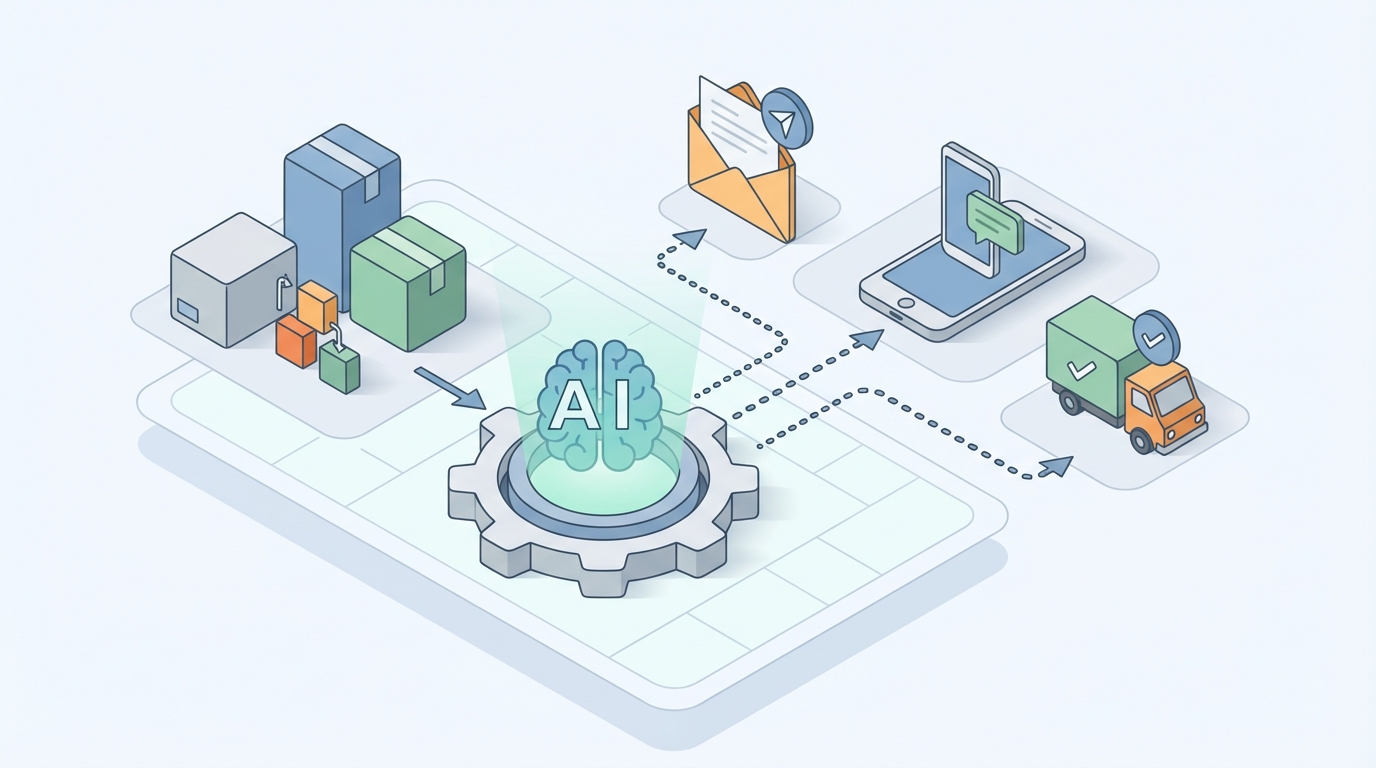
Every e-commerce merchant I've talked to this year has the same complaint: shipping notifications shouldn't be this hard. You've got Shopify talking to ShipStation talking to Klaviyo talking to the carrier API, and somehow a customer still emails you asking where their package is. You built a Rube Goldberg machine of Zapier automations and webhook triggers, and it works — until it doesn't. Then you're spending your Tuesday night manually copying tracking numbers into emails like it's 2014.
Here's the thing: most of the shipping notification workflow is pure data plumbing. It's moving structured information from point A to point B, making decisions based on simple logic, and generating messages that follow a predictable pattern. That's exactly the kind of work an AI agent excels at.
This is a practical guide to automating your shipping notification workflow using an AI agent built on OpenClaw. No theory. No "imagine the possibilities." Just the specific steps, the real tradeoffs, and what you can expect when you stop doing this by hand.
The Manual Workflow Today (and Why It's Bleeding You Dry)
Let's map out what actually happens between "order placed" and "customer knows where their stuff is." Even if you're using shipping software, the real workflow typically looks like this:
Step 1: Order Sync (2–5 minutes per batch, plus troubleshooting) Orders come in from your store and need to land in your shipping platform. Shopify's native integration handles this decently, but if you sell on multiple channels — Amazon, your own site, wholesale — you're reconciling data from multiple sources. When sync fails (and it will), you're manually importing CSVs or copy-pasting order details.
Step 2: Address Verification (15–25 minutes per 100 orders) Customers are shockingly bad at entering their own addresses. "Apt" vs "Apt." vs "#" vs nothing at all. USPS can't deliver to "123 Main St Apartment" if the apartment number is buried in the address line 1 field. Most merchants either eat the returned packages or manually spot-check addresses before printing labels.
Step 3: Carrier Selection (5–15 minutes per batch) If you're rate shopping across USPS, UPS, and FedEx — which you should be — someone needs to decide which carrier gets which package. Weight, dimensions, destination zone, delivery speed, cost. ShipStation helps here, but the rules need constant updating, and edge cases (oversized items, Alaska/Hawaii, international) still get handled manually.
Step 4: Label Creation and Manifest (10–20 minutes) Print labels, match them to orders, apply them to packages. When the API hiccups or the thermal printer jams (it always jams), this becomes a hands-on task.
Step 5: Tracking Number Distribution (5–10 minutes, or just hoping the automation works) Once labels exist, tracking numbers need to flow back to the customer. This usually means: shipping platform updates order status → webhook fires → email/SMS platform sends notification. When it works, it's invisible. When it breaks, your customer gets nothing and you get a "where's my order" email 48 hours later.
Step 6: In-Transit Monitoring (ongoing, 30–60 minutes daily) Packages get stuck. Carriers miss scans. Weather delays happen. Someone needs to watch for anomalies and proactively reach out before the customer does. Most merchants don't do this at all — they react to complaints instead.
Step 7: Exception Handling (30–90 minutes daily) Return to sender. Wrong address. Damaged in transit. Customer wants to change delivery date. Each exception is a mini-project requiring investigation, carrier communication, customer outreach, and often a re-ship.
Step 8: "Where's My Order?" Responses (the black hole) Route's research found that merchants receive about 18 tracking inquiries per 100 orders. If you're doing 200 orders a day, that's 36 customer service interactions — just about tracking. At 3–5 minutes each, that's up to 3 hours of someone's day answering the same question.
Total time for a merchant doing 100–200 orders/day: 4–8 hours of labor, daily.
At $20/hour for a shipping coordinator, that's $29,000–$58,000 per year. For a business doing $2–5M in revenue, shipping operations is quietly one of your biggest labor line items.
What Makes This Painful (Beyond the Time)
The time cost is obvious. The hidden costs are worse:
Error rates compound. Manual shipping processes carry a 2–4% error rate according to a 2026 Parcel Pending study. Wrong address, wrong carrier, wrong service level. Those errors drive 15–22% of all returns. Returns cost you the original shipping, the return shipping, repackaging labor, and often a refund or replacement. On a $50 AOV with a 3% error rate across 50,000 annual orders, you're looking at $75,000+ in preventable losses.
Late notifications destroy trust. A customer who gets proactive delay notifications stays loyal. A customer who discovers their package is stuck only after checking tracking themselves — and then has to contact you — doesn't come back. The data on this is unambiguous: proactive shipping communication increases repeat purchase rates by 20–40% depending on the vertical.
Scaling hits a wall. Almost every merchant I've spoken to describes the same inflection point: somewhere between 150 and 300 orders per day, the manual process breaks. You can't just "hire another person" fast enough. The institutional knowledge of how your shipping exceptions work lives in one person's head, and when they're sick, everything falls apart.
Notification quality suffers. When you're drowning in volume, notifications become generic. "Your order has shipped." Cool. What carrier? When will it arrive? What if I'm not home? Personalized, genuinely helpful notifications require effort that overloaded teams can't provide.
What AI Can Handle Right Now (With OpenClaw)
Here's where it gets practical. An AI agent built on OpenClaw can take over the data-heavy, pattern-driven parts of this workflow today. Not in theory — today.
OpenClaw lets you build agents that connect to your existing tools via API, process data intelligently, make rule-based decisions with the flexibility to handle edge cases, and generate human-quality communications. Here's what that looks like mapped against the workflow above:
Address Verification and Correction An OpenClaw agent can intercept every new order, run the address against USPS/UPS/FedEx validation APIs, identify issues (missing apartment numbers, invalid ZIP codes, misspelled city names), and either auto-correct obvious errors or flag ambiguous cases for human review. Instead of you eyeballing 200 addresses, you review 5–10 flagged exceptions.
Intelligent Carrier Selection Feed your OpenClaw agent your rate tables, carrier performance data, and business rules (e.g., "never ship fragile items via FedEx Ground to Zone 8," "use USPS Priority for anything under 1 lb to residential addresses"). The agent evaluates each order against these rules in real-time, selects the optimal carrier, and logs the reasoning. When your rules need updating, you tell the agent in plain language — no code changes required.
Proactive Tracking Monitoring Your OpenClaw agent can poll carrier tracking APIs on a schedule (or receive webhooks), detect anomalies — package hasn't moved in 24 hours, delivery attempt failed, package rerouted — and take action. That action can be: send the customer a proactive notification, escalate to your support team, or initiate a re-ship workflow automatically.
Dynamic Notification Generation This is where OpenClaw genuinely shines. Instead of static email templates with a tracking number dropped in, your agent generates contextually relevant notifications:
- "Hey Sarah — your red sneakers just left our warehouse in Phoenix and are heading to you via USPS Priority Mail. Expected delivery: Thursday by 8 PM. Here's your tracking link."
- "Quick heads up — your order hit a weather delay in Memphis. We're now estimating delivery on Friday instead of Thursday. No action needed on your end; we're watching it."
- "Your package was delivered today at 2:34 PM and left at your front door. Here's the carrier's delivery photo."
Each message is generated based on real data — the actual product names, the actual carrier events, the actual revised ETA. Personalized at scale, without someone writing individual emails.
Automated WISMO (Where Is My Order?) Responses Connect your OpenClaw agent to your support inbox or help desk. When a customer asks about their order, the agent pulls the current tracking status, generates a helpful response with specific details, and either sends it directly or drafts it for agent approval. This alone can eliminate 60–80% of your shipping-related support tickets.
Step-by-Step: Building the Automation on OpenClaw
Here's a concrete implementation plan. Adjust based on your stack, but the architecture applies broadly.
Step 1: Map Your Data Sources
Your OpenClaw agent needs to connect to:
- Your e-commerce platform (Shopify, WooCommerce, etc.) for order data
- Your shipping platform (ShipStation, Shippo, EasyShip) for label/tracking data
- Carrier APIs (USPS, UPS, FedEx, DHL) for real-time tracking events
- Your notification platform (Klaviyo, SendGrid, Postmark, or direct SMTP/SMS)
- Your help desk (Gorgias, Zendesk, Freshdesk) for WISMO automation
OpenClaw supports API connections natively. For each integration, you define the data schema — what fields come in, what fields go out.
Step 2: Define Your Agent's Decision Logic
In OpenClaw, you configure your agent with a combination of explicit rules and flexible instruction sets. Think of it as giving a very capable new hire their onboarding document:
SHIPPING NOTIFICATION AGENT — DECISION RULES

Address Verification:
- Run all new orders through USPS Address Validation API
- Auto-correct: minor typos, missing ZIP+4, standardized abbreviations
- Flag for human review: PO boxes for carriers that don't deliver to PO boxes,
  addresses with multiple valid matches, international addresses missing postal codes
- Rejection threshold: if confidence score < 70%, hold order and notify team

Carrier Selection:
- Default: USPS Priority Mail for packages under 1 lb
- FedEx Ground for packages 1–10 lb, Zones 1–5
- UPS Ground for packages 1–10 lb, Zones 6–8
- Override: all orders marked "fragile" use FedEx Home Delivery with signature
- Override: all international orders route to EasyShip for customs handling
- Rate shop if multiple valid options; choose cheapest within same delivery window

Notification Triggers:
- Label created → Send "order shipped" notification (email + SMS)
- First carrier scan → Send "on the way" update (email only)
- Out for delivery → Send "arriving today" (SMS only)
- Delivered → Send "delivered" confirmation (email + SMS)
- Exception (no scan in 24h) → Send proactive delay notice (email)
- Exception (failed delivery attempt) → Send "we tried to deliver" + options (email + SMS)
Step 3: Build the Notification Templates (With Dynamic Generation)
Rather than rigid templates, you give your OpenClaw agent a style guide and let it generate notifications using live data:
NOTIFICATION STYLE GUIDE

Tone: Friendly, direct, helpful. Not corporate. Not cutesy.
Length: 2-4 sentences max for SMS. 3-6 sentences for email.
Always include: specific product name(s), carrier name, expected delivery date, tracking link.
Never include: generic filler ("We appreciate your business!"), upsells in shipping notifications.
For delays: lead with the updated ETA, then explain briefly, then reassure.
For delivery confirmation: include any available delivery proof (photo, signature).
The agent takes the live order data — products, carrier, tracking events, ETA — and generates the message on the fly. Every notification is accurate, specific, and sounds like a human wrote it.
Step 4: Set Up the Monitoring Loop
Your OpenClaw agent runs a continuous monitoring process:
- Every 2 hours, poll tracking APIs for all in-transit packages
- Compare current status against expected status (based on carrier SLAs and historical data)
- If a package is behind schedule: generate and send proactive notification
- If a package shows a delivery exception: route to exception handling sub-workflow
- Log all events and agent decisions for audit trail
For higher-volume operations, use carrier webhooks instead of polling to get real-time updates.
Step 5: Connect the WISMO Automation
Route incoming support messages tagged with shipping/tracking/delivery keywords to your OpenClaw agent:
- Agent extracts order number or customer email from the message
- Pulls current tracking data from carrier API
- Generates a specific, helpful response: "Hi Marcus — I just checked on your order #4892. It's currently in transit with UPS and is scheduled for delivery tomorrow (Wednesday) by end of day. Here's your tracking link: [link]. Let me know if you need anything else."
- For straightforward status checks: auto-send the response
- For complex issues (lost package, damaged, etc.): draft the response and escalate to a human agent with full context attached
Step 6: Test With a Small Batch and Iterate
Don't flip the switch on your entire operation. Start with one channel (e.g., Shopify domestic orders only), run the OpenClaw agent in "shadow mode" where it generates notifications but you approve them before sending, and compare its outputs against what you'd have done manually. Most merchants find they're comfortable going fully autonomous within 1–2 weeks.
What Still Needs a Human
AI automation isn't about removing humans. It's about removing humans from the work that doesn't require human judgment. Here's what should stay in human hands:
- High-value order review. A $2,000 jewelry order deserves a human checking the address, packaging, and carrier selection. Your OpenClaw agent can flag these automatically based on order value thresholds.
- Complex escalations. Customer whose wedding gift arrived broken? That needs empathy, judgment, and probably an exception to your standard replacement policy. The agent prepares the context; the human makes the call.
- Strategic shipping decisions. When to upgrade a frustrated customer to overnight shipping at your expense to save the relationship? When to switch carriers because FedEx Ground has been underperforming in the Southeast? These are business decisions, not automation tasks.
- Brand voice evolution. Your OpenClaw agent follows your style guide, but updating that style guide — deciding how your brand communicates during a crisis, a sale, a holiday season — requires human creative direction.
- Legal and compliance. Hazardous materials, international sanctions, age-restricted products. The rules here are too consequential and too variable for full automation. Use the agent to flag and prepare; let a human approve.
Expected Time and Cost Savings
Here's what realistic results look like, based on the workflows above:
| Metric | Before Automation | After OpenClaw Agent | Improvement |
|---|---|---|---|
| Daily shipping operations labor | 4–8 hours | 1–2 hours | 60–75% reduction |
| Address-related shipping errors | 2–4% of orders | 0.3–0.8% of orders | ~80% reduction |
| WISMO support tickets | 18 per 100 orders | 4–6 per 100 orders | 65–75% reduction |
| Average notification relevance/personalization | Generic templates | Dynamic, order-specific | Significant quality increase |
| Time to detect shipping anomaly | 24–72 hours (reactive) | 2–4 hours (proactive) | Dramatically faster |
| Annual labor cost (200 orders/day) | $40,000–$58,000 | $10,000–$18,000 | $30,000–$40,000 saved |
The ROI math is straightforward: if you're spending $40K+ annually on shipping operations labor and the tooling costs a fraction of that, automation pays for itself in weeks, not months.
And that's just the direct cost savings. The indirect benefits — higher customer satisfaction, fewer returns from shipping errors, better repeat purchase rates from proactive communication — compound over time.
Where to Start
If you're reading this and thinking "okay, I want to build this," here's your next move:
- Audit your current workflow. Time yourself (or your team) for one full day. How many minutes go into each step listed above? Where are the bottlenecks?
- Pick your highest-pain point. For most merchants, it's either WISMO responses or proactive tracking notifications. Start there.
- Build your first agent on OpenClaw. Start narrow — one channel, one notification type, shadow mode. Get it right, then expand.
- Keep humans on the exceptions. Let the agent handle the 80% that's repetitive. Your team focuses on the 20% that actually needs their brain.
If you want to skip the build-it-yourself phase, the Claw Mart marketplace has pre-built shipping notification agents and workflow templates you can deploy and customize for your stack. It's the fastest path from "reading this blog post" to "my shipping notifications run themselves."
The businesses that win at e-commerce in 2026 aren't the ones with the best products or the lowest prices. They're the ones that execute operationally — that deliver the right package to the right place and keep the customer informed every step of the way. That's not a marketing advantage. That's an automation advantage.
Stop spending your afternoons copying tracking numbers. Build an agent and go work on something that actually grows your business.
Looking for a pre-built shipping notification agent? Browse the Claw Mart marketplace to find ready-to-deploy OpenClaw agents for e-commerce operations. Find your agent through Clawsourcing and get it customized to your exact workflow.