How to Automate Scope Creep Detection and Change Requests
How to Automate Scope Creep Detection and Change Requests
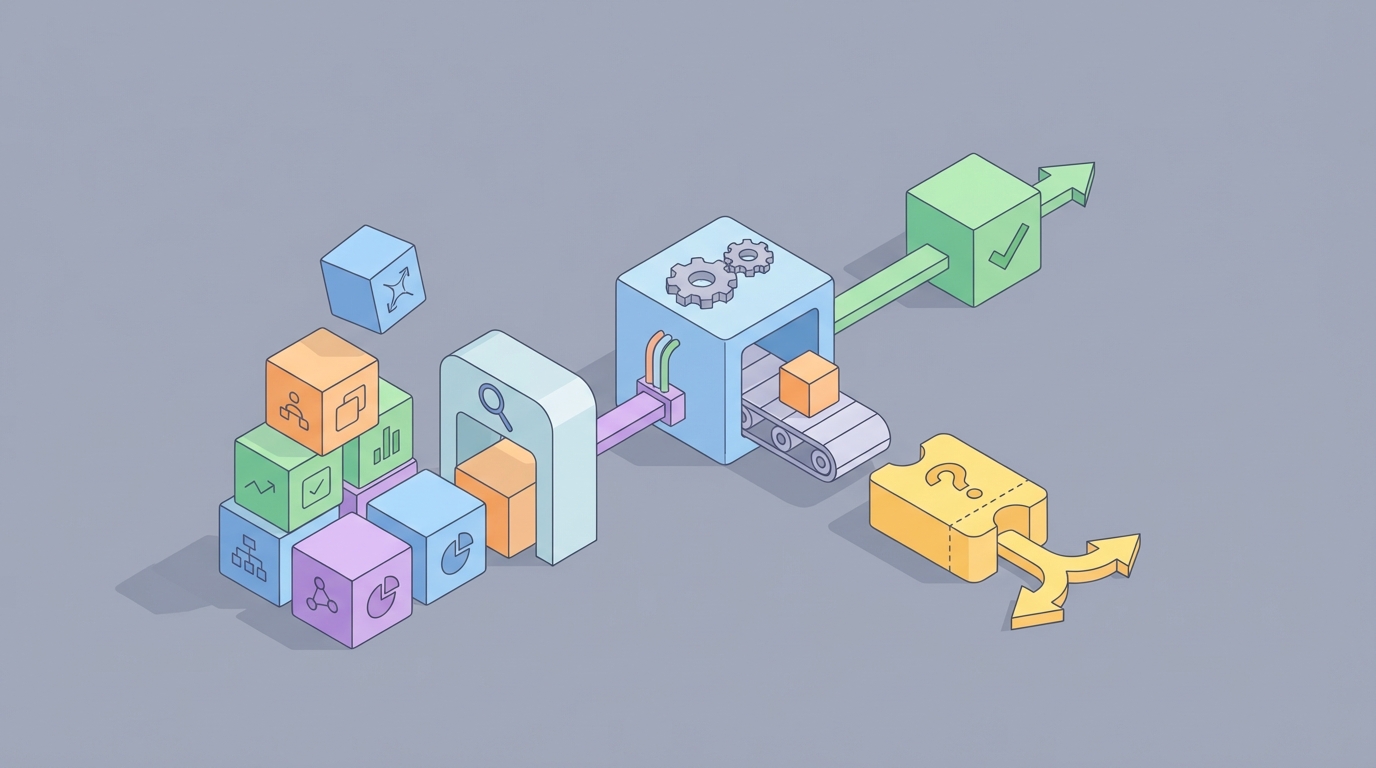
Every project manager has lived this nightmare: you're three months into a six-month project, the budget is 40% spent, and someone casually drops "oh, we also need it to handle multi-currency support" into a Slack thread. No change request. No impact analysis. Just a throwaway comment that, if unaddressed, will quietly blow up your timeline and budget.
This is scope creep. And it's not a rare occurrence — PMI's research shows roughly 50–52% of all projects experience it. It's the single most common reason projects go over budget, miss deadlines, or flat-out fail.
The frustrating part? Most teams don't catch scope creep until they're already bleeding money. The detection is manual, reactive, and painfully slow. But it doesn't have to be. You can build an AI agent on OpenClaw that monitors your project in real time, flags potential scope changes the moment they appear, and generates draft change requests automatically.
Here's exactly how.
The Manual Workflow Today (And Why It's Broken)
Let's be honest about what scope management actually looks like in most organizations. Here's the typical process:
Step 1: Baseline Establishment. Someone creates a Statement of Work, requirements document, or product backlog with acceptance criteria. This takes anywhere from 20–80 hours depending on project size. The output lives in some combination of Confluence, Google Docs, SharePoint, or — let's be real — someone's email.
Step 2: Change Request Logging. When new work surfaces, it's supposed to be submitted as a formal Change Request. In practice, maybe 30–40% of actual scope changes ever make it into a formal CR. The rest arrive as Slack messages, meeting side-comments, or "quick asks" that somehow take three sprints to deliver.
Step 3: Impact Analysis. The PM or BA manually maps the new request against the original scope baseline. This typically happens in Excel. They compare requirements, estimate overlap, and try to quantify what changes.
Step 4: Effort Estimation. Developers or team leads re-estimate the new work in hours or story points. This requires meetings, context-switching, and usually a round of back-and-forth.
Step 5: Variance Analysis. Compare actuals versus baseline using Earned Value Management, burndown charts, or budget trackers. Most teams do this weekly or biweekly at best.
Step 6: Governance Review. A Change Control Board or steering committee meets to approve or reject. Scheduling this meeting alone can take a week.
Step 7: Documentation & Contract Amendment. If approved, update the scope baseline, SOW, and contract. If it's a fixed-price engagement, get legal involved.
Step 8: Ongoing Monitoring. Regular status reports where the PM manually hunts for "stealth" scope creep — the small asks that never became formal CRs.
The time cost is staggering. On a mid-sized project (6–12 months), scope and variance analysis alone eats 8–20 hours per month of the PM's time. On large enterprise projects, scope management can consume 15–25% of the PM's total bandwidth. One financial services firm documented in PMI case studies found they were spending an average of $180,000 per project in unplanned effort due to undocumented scope creep — across 47 active projects simultaneously.
And here's the kicker: roughly 60% of organizations still use spreadsheets as their primary change control mechanism.
What Makes This So Painful
The manual process has five compounding problems:
Late detection. Most scope creep isn't formally recognized until you're 30–60% through the project. By then, the damage is done. You've already spent the money and burned the time.
Stealth creep. In agile environments especially, small requests slip through without formal change requests. "Can we just add..." and "while you're in there..." are the two most expensive phrases in project management. They never get logged, never get estimated, and never get approved. They just happen.
Ambiguous baselines. If the original requirements are vague — and they usually are — it's nearly impossible to objectively determine whether something is "in scope" or "out of scope." Every conversation becomes a negotiation instead of a comparison.
Tool fragmentation. Requirements live in Confluence. Tasks live in Jira. Budget lives in the ERP. Conversations happen in Slack, Teams, email, and Zoom. There is no single source of truth. The PM becomes a human integration layer, manually stitching together information from six different platforms.
Political avoidance. PMs often don't push back on scope changes from powerful stakeholders. Without automated, objective detection, it's easy to let things slide until the project is in crisis.
Geneca's research found that 75% of failed software projects cited poor requirements management and scope control as the root cause. This isn't a minor operational inefficiency. It's a primary failure mode.
What AI Can Handle Right Now
Let's separate hype from reality. Here's what an AI agent can genuinely do well today for scope creep detection:
Semantic comparison against baseline. An LLM can compare new user stories, emails, Slack messages, or meeting transcripts against your original SOW or requirements document. It can flag requests that diverge from the baseline and assign a confidence score. "This request has 78% semantic similarity to a previously rejected change request" is the kind of output that saves hours of manual analysis.
Anomaly detection on project metrics. AI can monitor velocity trends, story point inflation, task count growth, and time tracking drift. When the numbers start moving in the wrong direction, it flags it immediately — not at the next biweekly review.
Requirements quality scoring. Before the project even starts, AI can analyze your requirements for ambiguity, incompleteness, and duplication. Cleaner baselines mean clearer scope boundaries.
Change request impact prediction. Using historical data from past projects, AI can estimate the effort, risk, and timeline impact of a proposed change. Not perfectly, but well enough to give the PM a solid starting point instead of starting from scratch.
Stealth creep monitoring. This is the big one. AI can scan Slack channels, Teams conversations, meeting transcripts, and email threads for language patterns that historically precede scope changes. It catches the "can we just add" moments in real time.
Automated traceability. AI can maintain and update requirements traceability matrices automatically, linking new work items back to original requirements and flagging orphans.
What AI cannot do: make the business decision about whether a scope change is worth accepting. That requires understanding strategic priorities, stakeholder relationships, contractual implications, and technical debt trade-offs. Those are human calls. But AI can do all the detection, analysis, and documentation work that currently eats 8–20 hours per month — and do it in real time instead of after the fact.
Step by Step: Building the Agent on OpenClaw
Here's how to build a scope creep detection and change request agent using OpenClaw. This isn't theoretical — it's a practical architecture you can implement.
Step 1: Define Your Scope Baseline as a Knowledge Source
First, you need to give your agent something to compare against. Upload your scope baseline documents to OpenClaw as a knowledge source:
- Statement of Work (SOW)
- Requirements document or product backlog
- Acceptance criteria
- Any approved change requests (so the agent knows what's already been accepted)
Structure these as clean, parseable documents. If your SOW is a 47-page PDF with headers buried in formatting, clean it up first. The agent is only as good as the baseline it's comparing against.
In OpenClaw, you can configure the agent's system prompt to treat these documents as the authoritative scope definition:
You are a scope creep detection agent. Your primary knowledge base contains
the approved project scope documents. Any work request, task, conversation,
or requirement that falls outside these documents should be flagged as a
potential scope change. Assign a confidence score (0-100) indicating how
likely this is to represent scope creep versus legitimate in-scope work.
Step 2: Set Up Integration Triggers
Connect your OpenClaw agent to the tools where scope creep actually originates:
Jira/Linear/Asana — Trigger the agent whenever a new ticket is created or an existing ticket's description is significantly modified. The agent compares the ticket content against the baseline and flags potential scope expansion.
Slack/Teams — Monitor designated project channels for language patterns. Configure the agent to scan messages and flag ones that match scope-change indicators.
Meeting transcripts — If you're using tools that generate transcripts (Otter, Fireflies, Zoom AI), feed those transcripts to the agent after each meeting for scope-change extraction.
Email (via Zapier or Make) — Forward project-related emails to the agent for analysis.
The key architectural decision: your OpenClaw agent should function as a continuous monitor, not a tool you manually invoke. Set it up to receive inputs automatically and generate alerts proactively.
Step 3: Configure the Detection Logic
Your agent needs clear instructions for what to flag and how to categorize it. Here's a prompt structure that works:
When analyzing a new input (ticket, message, transcript, or email), perform
the following:

1. COMPARE the request against the approved scope baseline documents.
2. CLASSIFY as one of:
   - IN_SCOPE: Clearly within approved requirements
   - POTENTIAL_CREEP: Partially overlaps but extends beyond approved scope
   - OUT_OF_SCOPE: Clearly outside approved requirements
   - AMBIGUOUS: Cannot determine due to vague baseline requirements
3. For POTENTIAL_CREEP and OUT_OF_SCOPE items:
   - Cite the specific baseline requirement(s) this relates to
   - Explain why it falls outside scope
   - Estimate impact category: LOW / MEDIUM / HIGH
   - Generate a draft Change Request with: description, justification,
     affected requirements, estimated impact areas (timeline, budget,
     resources, risk)
4. For AMBIGUOUS items:
   - Flag the specific baseline requirement that needs clarification
   - Suggest clarifying questions
Step 4: Build the Change Request Generator
When the agent detects potential scope creep, it should automatically generate a draft Change Request. Configure a template output:
## Change Request Draft [Auto-Generated]

**Source:** [Slack message / Jira ticket / Meeting transcript]
**Detected on:** [timestamp]
**Confidence Score:** [0-100]

**Description:** [What is being requested]
**Related Baseline Requirements:** [Specific sections of SOW/requirements]
**Scope Impact:** [What this adds, modifies, or removes]

**Estimated Impact:**
- Timeline: [Based on historical data or agent analysis]
- Budget: [Estimated range if data available]
- Resources: [Additional skills or capacity needed]
- Risk: [New risks introduced]

**Recommendation:** [Submit for CCB review / Needs clarification /
Likely in-scope — verify with PM]
This draft goes to the PM for review, not directly to the Change Control Board. The human still makes the call. But instead of spending two hours writing up a change request from scratch, they're spending ten minutes reviewing and editing one.
Step 5: Set Up the Alerting Pipeline
Route the agent's outputs based on severity:
- IN_SCOPE items: Log silently for audit trail. No alert.
- AMBIGUOUS items: Send to PM via Slack/email for clarification. Low urgency.
- POTENTIAL_CREEP (LOW impact): Weekly digest to PM.
- POTENTIAL_CREEP (MEDIUM/HIGH impact): Immediate alert to PM with draft CR attached.
- OUT_OF_SCOPE: Immediate alert to PM and project sponsor.
You can configure these routing rules directly in OpenClaw and connect to your notification channels.
Step 6: Train and Refine Over Time
This is critical and often overlooked. After the first 2–4 weeks, review the agent's outputs:
- How many false positives? Adjust the confidence threshold.
- What's it missing? Add more context to the baseline documents or refine the detection prompt.
- Are certain channels noisier than others? Tune the monitoring sensitivity per source.
The agent gets meaningfully better once it has a few weeks of feedback. Early false positive rates might be 30–40%. After tuning, teams typically get that down to 10–15%, which is manageable and still far more efficient than manual detection.
If you want to skip the build-from-scratch process, check Claw Mart for pre-built scope management agent templates. Several have been published by PMs who've already gone through the tuning process and shared their configurations. It's a significant shortcut — you get a working starting point and customize from there instead of figuring out every prompt and integration from zero.
What Still Needs a Human
Let me be direct about what you should not try to automate:
Approval decisions. The agent flags and recommends. A human approves or rejects. Every time. Accountability for scope decisions cannot be delegated to AI.
Stakeholder negotiation. When the VP of Sales wants a feature added mid-project, no AI agent is going to have that conversation for you. But it can arm you with data: "This request will add an estimated 3 weeks and $45K based on similar changes in past projects."
Strategic trade-offs. Sometimes accepting scope creep is the right call — the business value justifies it, or the relationship matters more than the budget line item. AI doesn't understand organizational politics or strategic context.
Legal and contractual implications. Especially on fixed-price contracts, scope changes have legal dimensions that require human (and often legal counsel) review.
Technical debt decisions. Sometimes the fastest way to absorb a scope change is to take on technical debt. That's a judgment call with long-term consequences that AI can't evaluate.
The right mental model: AI handles detection and documentation (the 70% of scope management that's mechanical). Humans handle decision-making and negotiation (the 30% that's actually hard).
Expected Time and Cost Savings
Based on early adoption data from organizations using AI-assisted scope management:
Time reduction: Average monthly scope management effort drops from 15–20 hours to 4–7 hours per project. That's a 55–70% reduction in PM time spent on scope control.
Detection speed: Scope creep identified in hours or days instead of weeks or months. One consulting firm reported cutting average detection lag from 3–4 weeks to under 48 hours.
Change request quality: Auto-generated CRs are more consistent and complete than manually written ones, reducing CCB review cycles by an average of 40%.
Financial impact: If the average cost of undetected scope creep is $180K per project (per the financial services case study cited earlier), and early detection prevents even 30–40% of that waste, you're looking at $54K–$72K saved per project. On a portfolio of 20+ projects, the math gets very compelling very fast.
Setup cost: Building the initial agent on OpenClaw takes 8–15 hours including integration setup and baseline configuration. Ongoing tuning is 1–2 hours per week for the first month, then minimal after that. The ROI payback period is typically within the first month of operation.
Next Steps
If scope creep is costing your team time and money — and statistically, it almost certainly is — here's what to do:
-
Start with one project. Pick a mid-sized project with a clear SOW and active Slack/Jira channels. Don't try to roll this out across your whole portfolio on day one.
-
Build the agent on OpenClaw. Follow the architecture above or grab a pre-built template from Claw Mart to accelerate setup.
-
Run it in "shadow mode" for two weeks. Let the agent flag scope creep without taking any action. Compare its detections against what your PM catches manually. This builds trust and lets you calibrate.
-
Go live with alerts. Start routing detections to your PM and refine based on feedback.
-
Expand. Once it's working on one project, roll it out across your portfolio. The baseline setup gets faster each time.
The organizations that manage scope well aren't the ones with the most disciplined PMs (though that helps). They're the ones with systems that make scope creep visible the moment it happens, not three months later in a red-status report. An OpenClaw agent gives you that system.
Stop finding out about scope creep at the quarterly review. Start catching it in the Slack message where it was born.
Want to skip the build and get a working scope creep agent today? Browse Claw Mart for Clawsourced agent templates built by PMs who've already solved this. Find one that fits your stack, customize it, and deploy.