How to Automate Rollback Procedures After Failed Deployments with AI
How to Automate Rollback Procedures After Failed Deployments with AI
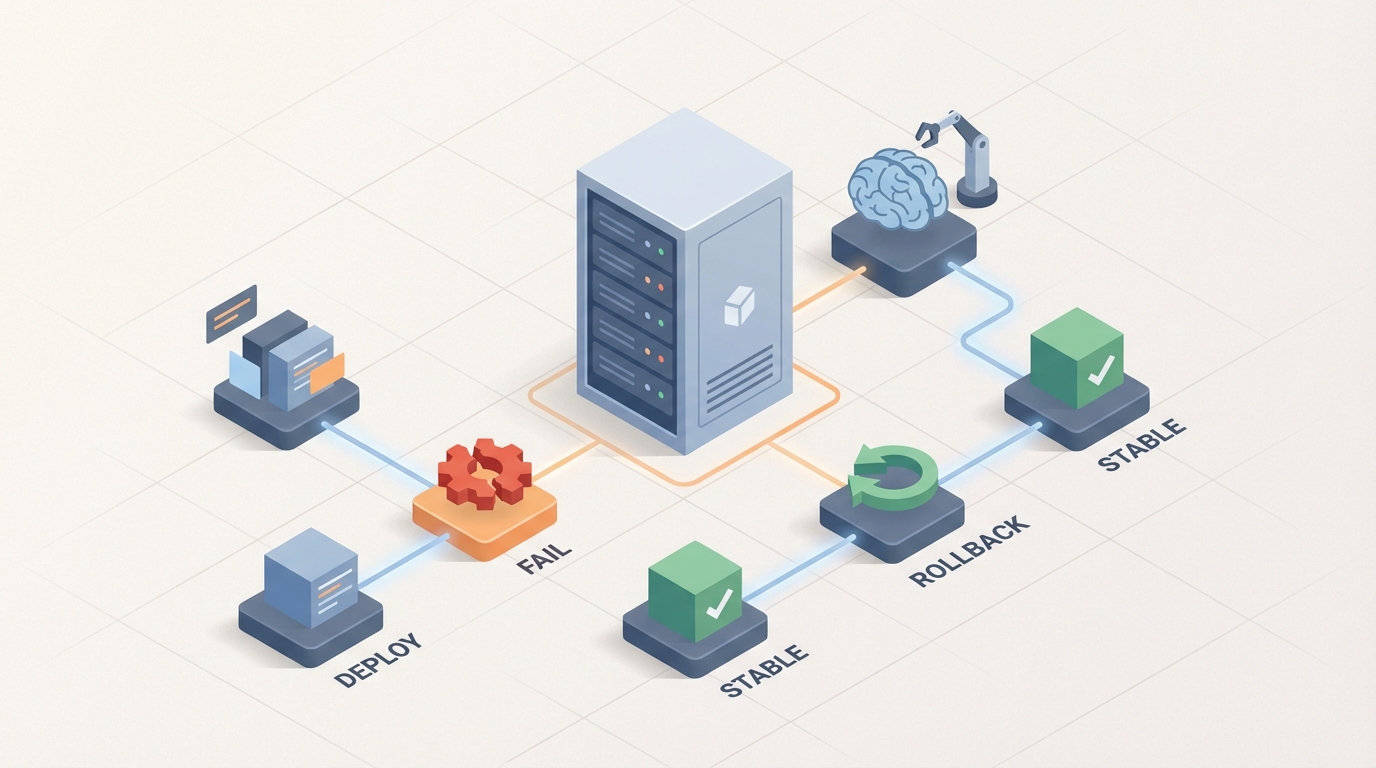
Every engineering team has lived through this: it's 2 AM, PagerDuty is screaming, your latest deploy just torched the checkout flow, and three people are on a Zoom call trying to figure out whether to roll back, hotfix, or pray. Forty-seven minutes later — which is the average according to a 2023 Harness survey — you've reverted the deployment. The site's back up. Everyone's exhausted. And you'll do it all again next month.
The brutal reality is that most rollback procedures in 2026 are still duct-taped together with monitoring alerts, Slack threads, and a human being who has to decide, under pressure, whether to push the button. This is insane. Not because the people are bad at their jobs, but because most of the decision-making in a rollback is pattern matching — exactly the kind of work AI agents excel at.
This post is a practical guide to automating rollback procedures using an AI agent built on OpenClaw. Not a theoretical overview. Not a pitch deck. An actual walkthrough of what the manual process looks like today, where the pain is, and how to wire up an agent that handles the bulk of it so your engineers can sleep.
The Manual Rollback Workflow Today
Let's be specific about what happens when a deployment goes sideways in a typical organization. Here are the steps, with realistic time estimates:
Step 1: Detection (5–20 minutes) A monitoring tool — Datadog, Prometheus, New Relic, whatever — fires an alert. Maybe it's an error rate spike. Maybe latency jumped. Maybe a health check started failing. The problem: alerts are noisy. Your team gets dozens per day. Someone has to look at this one and decide if it's real.
Step 2: Triage and Correlation (15–60 minutes) An engineer pulls up dashboards, checks recent deployments, correlates log entries with trace data, and tries to answer: "Is this because of the deploy we just pushed, or is it something else?" In a microservices architecture, this alone can take an hour because you're tracing failures across multiple services.
Step 3: Impact Assessment (10–30 minutes) How bad is this? Is it affecting 0.1% of users or 50%? Is it the payment flow or the settings page? This requires pulling business metrics, checking customer reports, and sometimes asking product managers what matters.
Step 4: The Rollback Decision (5–20 minutes) Should we roll back the entire deployment? Disable a feature flag? Push a hotfix? Roll back one service but not another? This is where experience matters, but it's also where analysis paralysis kills you.
Step 5: Approval (5–45 minutes) Many organizations, especially in finance, healthcare, and enterprise SaaS, require a change advisory board (CAB) or at least a manager's sign-off before touching production. At 2 AM, this means waking someone up and explaining the situation.
Step 6: Execution (2–10 minutes)
Someone runs kubectl rollout undo, triggers a pipeline in Argo CD, or clicks a button in Spinnaker. This is the easy part.
Step 7: Verification (10–30 minutes) Monitor post-rollback to confirm stability. Did the error rate drop? Are health checks passing? Did we introduce a new problem by rolling back?
Step 8: Post-Mortem (1–4 hours, later) Document what happened, why it happened, and what to change. Update runbooks. Create tickets.
Total time from alert to resolution: 47 minutes to 4+ hours. For large enterprises, Gartner estimates downtime costs average $5,600 per minute. A two-hour incident at that rate is $672,000. For a single bad deploy.
Why This Is So Painful
The time cost is obvious. But there are deeper problems:
Alert fatigue is real. Engineers ignore alerts because 80% of them are noise. When something actually breaks, the signal gets lost. PagerDuty's 2023 report found that alert fatigue directly correlates with slower response times.
Correlation is manual and error-prone. Connecting "error rate spiked at 14:32" to "service-auth v2.4.1 deployed at 14:28" sounds simple, but in a system with 50 microservices deploying independently, it's detective work. A 2026 Dynatrace study found that 71% of CIOs say their teams spend too much time on manual troubleshooting.
Microservice dependencies create cascading failures. Rolling back Service A might break Service B, which now depends on the new API contract that A introduced. Without a dependency graph and automated compatibility checks, you're guessing.
Fear of rollback is a thing. Some teams prefer deploying hotfixes because rollback can revert database migrations, lose state, or undo config changes that other services now depend on. So instead of a quick revert, they spend hours writing and testing a patch under pressure.
The approval bottleneck. Change advisory boards made sense in the era of monthly releases. When you deploy 50 times a day, requiring human approval for every rollback is a scaling problem.
Nobody updates the runbooks. Post-mortems generate action items. Those items go into a backlog. The backlog grows. The next incident hits, and the runbook is still wrong.
The DORA State of DevOps Report puts it clearly: elite performers have an MTTR under one hour and a change failure rate under 5%. Average teams sit at 1–24 hours MTTR with a 15–45% change failure rate. The gap between elite and average is almost entirely about automation.
What AI Can Handle Right Now
Here's what's actually feasible with current AI capabilities, not science fiction:
Anomaly detection and deployment correlation. An AI agent can watch your metrics streams in real time, detect anomalies, and correlate them with recent deployments automatically. It doesn't get alert fatigue. It doesn't need coffee. It can cross-reference the deploy timestamp from your CI/CD pipeline with the exact moment metrics deviated and tell you with high confidence: "This error rate spike started 90 seconds after service-auth v2.4.1 was deployed."
Automated canary analysis. Netflix open-sourced this with Kayenta years ago, but building and maintaining it is non-trivial. An AI agent can run statistical comparisons between your canary and baseline across hundreds of metrics simultaneously, scoring deployment health in real time.
Risk scoring before promotion. Before a deployment even reaches production, an agent can analyze the change — size of the diff, services affected, historical failure rate of similar changes, time of day, current system load — and assign a risk score.
Auto-rollback on clear failures. When error rates exceed a defined threshold, response times degrade past an SLA boundary, or health checks fail, the agent can trigger rollback immediately without waiting for a human.
Alert noise reduction. Group related alerts, suppress known false positives, and surface only the signal that matters. BigPanda and Moogsoft do this, but an AI agent built on OpenClaw can do it within the context of your specific system, trained on your alert history.
Dependency-aware rollback planning. Given a service dependency graph, an agent can determine not just whether to roll back, but what else needs to roll back with it to maintain compatibility.
Step-by-Step: Building an Automated Rollback Agent with OpenClaw
Here's how to actually build this. We're using OpenClaw as the AI platform because it's designed for exactly this kind of operational agent — one that connects to your existing tools, makes decisions based on your defined policies, and acts within guardrails you control.
Step 1: Define Your Data Sources
Your agent needs access to:
- Metrics pipeline (Prometheus, Datadog, or CloudWatch)
- Deployment events (Argo CD webhooks, GitHub Actions events, Spinnaker pipeline notifications)
- Log aggregation (Elasticsearch, Loki, Splunk)
- Distributed traces (Jaeger, Zipkin, or your APM tool)
- Service dependency map (from your service mesh or a manually maintained config)
- Feature flag system (LaunchDarkly, Unleash, Flagsmith)
In OpenClaw, you configure these as data connectors. Each connector pulls from your existing infrastructure — you don't need to migrate anything.
# openclaw-agent-config.yaml
data_sources:
  metrics:
    type: prometheus
    endpoint: "https://prometheus.internal:9090"
    queries:
      error_rate: 'sum(rate(http_requests_total{status=~"5.."}[5m])) / sum(rate(http_requests_total[5m]))'
      p99_latency: 'histogram_quantile(0.99, rate(http_request_duration_seconds_bucket[5m]))'
  deployments:
    type: argocd_webhook
    endpoint: "https://argocd.internal/api/v1/applications"
  logs:
    type: elasticsearch
    endpoint: "https://es.internal:9200"
    index_pattern: "app-logs-*"
  feature_flags:
    type: launchdarkly
    api_key: "${LD_API_KEY}"
Step 2: Define Your Rollback Policies
This is where you encode your team's decision-making into rules the agent can follow. Be explicit.
rollback_policies:
  auto_rollback:
    conditions:
      - metric: error_rate
        threshold: 0.05  # 5% error rate
        duration: "3m"   # sustained for 3 minutes
        comparison: "greater_than"
      - metric: p99_latency
        threshold: 2000  # 2 seconds
        duration: "5m"
        comparison: "greater_than"
      - health_check_failures: 3
        consecutive: true
    action: "rollback_immediate"
    notification: ["slack:#incidents", "pagerduty:oncall"]

  human_review:
    conditions:
      - metric: error_rate
        threshold: 0.02  # 2-5% error rate (ambiguous zone)
        upper_bound: 0.05
        duration: "5m"
    action: "notify_and_recommend"
    notification: ["slack:#incidents"]

  canary_analysis:
    enabled: true
    baseline_duration: "15m"
    comparison_metrics: ["error_rate", "p99_latency", "p50_latency", "cpu_usage", "memory_usage"]
    minimum_confidence: 0.95
    auto_promote_on_pass: true
    auto_rollback_on_fail: true
Step 3: Build the Correlation Engine
This is where OpenClaw's AI capabilities matter most. The agent needs to correlate anomalies with deployment events, not just fire alerts.
In OpenClaw, you define a reasoning chain that the agent follows when an anomaly is detected:
reasoning_chain:
  on_anomaly_detected:
    - step: "identify_recent_deployments"
      action: "query deployments within last 30 minutes"

    - step: "correlate_timing"
      action: "compare anomaly start time with deployment timestamps"
      confidence_threshold: 0.8

    - step: "check_affected_services"
      action: "trace error paths to identify affected services"

    - step: "check_dependency_graph"
      action: "identify downstream services that may need coordinated rollback"

    - step: "evaluate_business_impact"
      action: "cross-reference affected endpoints with traffic volume and revenue attribution"

    - step: "recommend_action"
      action: "select from [rollback, feature_flag_disable, hotfix_recommendation, no_action]"
      require_human_approval_if: "business_impact > high OR affected_services > 3"
Step 4: Configure the Execution Layer
The agent needs permission to actually do things, but with strict guardrails.
execution:
  allowed_actions:
    - type: "kubectl_rollout_undo"
      namespaces: ["production"]
      require_approval: false  # for auto-rollback conditions
      max_rollbacks_per_hour: 3

    - type: "argocd_sync_to_previous"
      applications: ["*"]
      require_approval: false

    - type: "feature_flag_disable"
      environments: ["production"]
      require_approval: false

    - type: "database_migration_rollback"
      require_approval: true  # always require human for DB changes

  guardrails:
    max_auto_rollbacks_per_day: 5
    cooldown_between_rollbacks: "10m"
    escalate_to_human_after: 2  # consecutive rollbacks
    never_auto_rollback:
      - "database-migration-service"
      - "billing-service"  # too critical, always human
Step 5: Set Up the Feedback Loop
This is what separates a good automation from a great one. The agent learns from outcomes.
feedback_loop:
  post_rollback:
    - verify_metrics_recovered: true
      timeout: "10m"
    - if_not_recovered:
        action: "escalate_to_human"
        message: "Rollback did not resolve the issue. Possible non-deployment root cause."
    - log_outcome:
        store: "openclaw_knowledge_base"
        include: ["deployment_details", "anomaly_metrics", "rollback_duration", "recovery_confirmed"]
    - auto_generate_postmortem_draft: true
After each incident, the agent stores the outcome in OpenClaw's knowledge base. Over time, this improves correlation accuracy and reduces false positives. The agent gets better at distinguishing "this metric pattern is caused by deployments" versus "this is normal Thursday afternoon traffic."
Step 6: Test Before You Trust
Don't deploy this straight to production with auto-rollback enabled. Start in observation mode:
- Run the agent for two weeks in "recommend only" mode — it detects, correlates, and recommends, but doesn't execute.
- Compare its recommendations against what your team actually did. Track accuracy.
- Enable auto-rollback for non-critical services first.
- Gradually expand scope as confidence builds.
You can find pre-built rollback agent templates and the connectors mentioned above on Claw Mart, which has a growing library of production-ready operational agents and components built for OpenClaw. Instead of wiring all of this from scratch, you can grab a deployment monitoring agent template, customize the policies to your stack, and be running in days instead of weeks.
What Still Needs a Human
Let's be honest about the limits. AI should not handle:
Business impact judgment calls. "Is a 2% error rate on the settings page worth rolling back, given that we're in the middle of a product launch?" This requires business context that no monitoring tool captures.
Stateful rollback decisions. Database migrations, data pipeline changes, anything involving state that can't be simply "undone" — these require human evaluation of data integrity risks.
Strategic tradeoffs. Rollback vs. hotfix vs. "accept the degradation for 30 minutes while we fix it" — these decisions depend on team capacity, release schedules, and customer commitments.
Compliance and regulatory decisions. In regulated industries, certain production changes require documented human approval. No AI agent should bypass that.
Updating the AI's own policies. The thresholds, guardrails, and escalation rules should be reviewed and updated by humans regularly based on system changes and incident history.
The goal isn't to remove humans from the loop. It's to remove humans from the boring, repetitive, time-pressured parts so they can focus on the parts that actually require judgment.
Expected Time and Cost Savings
Based on industry data and the architecture above, here's what's realistic:
| Metric | Manual Process | With OpenClaw Agent | Improvement |
|---|---|---|---|
| Time to detect anomaly | 5–20 min | < 1 min | 90%+ reduction |
| Time to correlate with deployment | 15–60 min | < 2 min | 95% reduction |
| Time to execute rollback | 10–30 min (including approval) | < 3 min (auto) or < 10 min (with human approval) | 70–90% reduction |
| Total MTTR | 47 min – 4 hours | 5–15 min | 70–85% reduction |
| False positive alert investigation | 3–5 hours/week per engineer | < 30 min/week | 85% reduction |
| Post-mortem documentation | 1–4 hours | Auto-generated draft in minutes | 75% reduction |
PagerDuty's data shows organizations using AIOps reduce MTTR by 38–53%. With a purpose-built agent on OpenClaw — one that handles the full detection-to-rollback chain rather than just one piece — you should be at the higher end of that range or beyond.
For a team experiencing even one significant deployment failure per month with two hours of downtime, at $5,600/minute, that's $672,000 in downtime costs. Cut MTTR by 75% and you're saving roughly $500,000 per incident. The agent pays for itself before lunch.
The less quantifiable but equally important savings: engineer burnout. On-call rotations become less terrifying when you know the agent handles the first 90% of the response automatically, and you only get paged when a genuinely novel situation requires your brain.
Next Steps
If you're serious about this, here's the concrete path:
-
Audit your current rollback process. Time each step in your last three incidents. Know your actual MTTR, not your hoped-for MTTR.
-
Define your rollback policies in writing. Before you automate anything, document the decision criteria your team already uses. What error rate triggers a rollback? What services are too critical for auto-rollback? Write it down.
-
Head to Claw Mart and grab the deployment rollback agent template for OpenClaw. It comes with pre-built connectors for Prometheus, Argo CD, and common observability stacks.
-
Run in observation mode for two weeks. Compare the agent's recommendations against your team's actual decisions.
-
Enable auto-rollback for low-risk services. Expand from there.
-
Review and refine monthly. Your system changes. Your policies should too.
The technology to automate 80% of rollback procedures exists today. The teams that implement it will deploy faster, recover faster, and burn out less. The ones that don't will keep waking people up at 2 AM to run kubectl rollout undo and wonder why their best engineers keep leaving.
Building operational AI agents for your infrastructure? Check out Claw Mart for production-ready agent templates, connectors, and components built on OpenClaw. Clawsource your way to better ops — browse what other teams have already built, customize it for your stack, and stop reinventing the wheel.