How to Automate On-Call Incident Documentation with AI
How to Automate On-Call Incident Documentation with AI
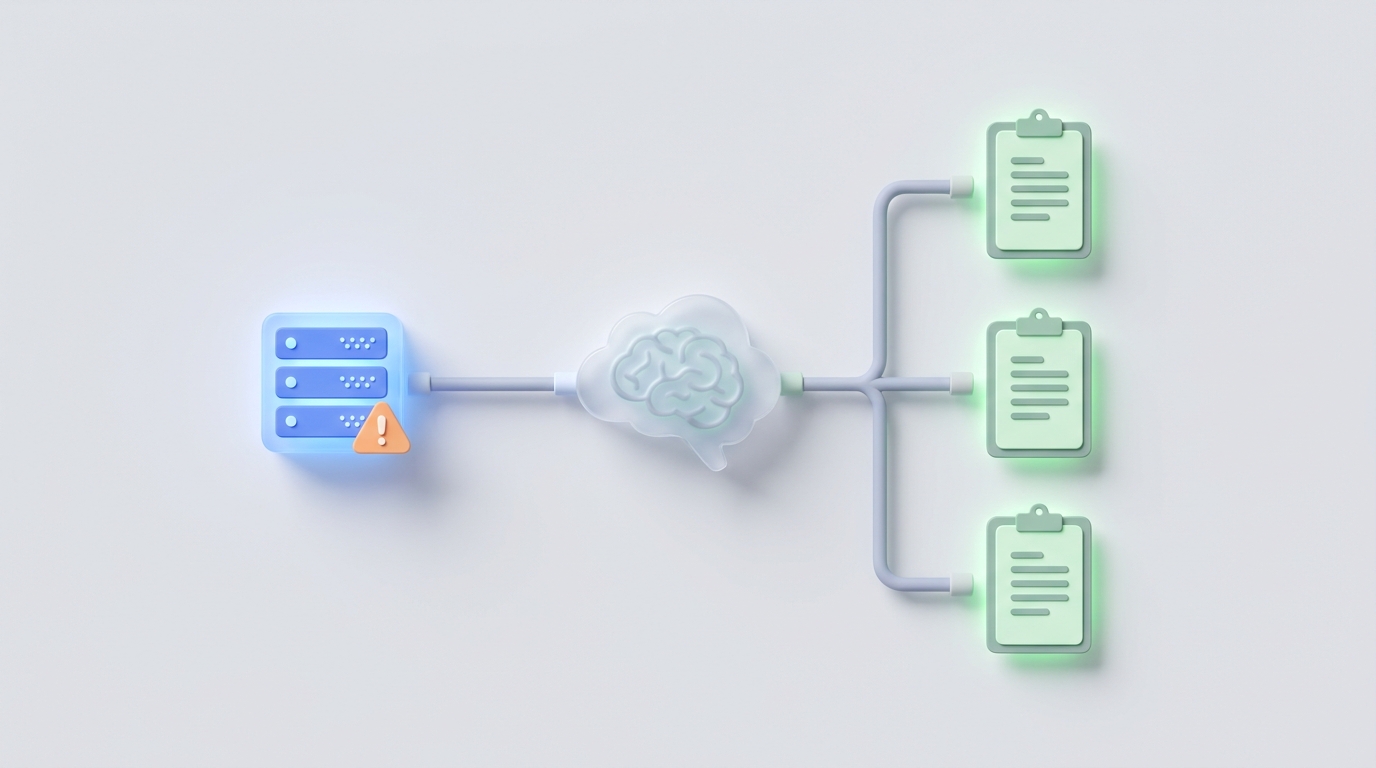
Every on-call engineer knows the drill. You get paged at 2 AM, spend 90 minutes firefighting a database connection pool exhaustion, finally get the system stable, and then — instead of going back to sleep — you stare at a blank Confluence page knowing you need to document everything that just happened before the details start fading.
The incident itself took 90 minutes. The postmortem documentation will take another six hours spread across the next three days. And half of it will be reconstructing a timeline you could barely track in real time.
This is one of the most obvious automation opportunities in modern engineering operations, and almost nobody has fully solved it yet. Let's fix that.
The Manual Workflow Nobody Likes
Here's what incident documentation actually looks like at most companies, step by step:
Step 1: Detection and acknowledgment (0–5 minutes) PagerDuty or Opsgenie fires. You acknowledge, join the Slack war room, and start triaging.
Step 2: Investigation and resolution (15 minutes to several hours) You're jumping between Datadog dashboards, CloudWatch logs, Grafana panels, database consoles, and Git blame. Slack messages are flying. Someone's sharing screenshots. Someone else is pasting log snippets. The actual fix might involve a config change, a rollback, or a hotfix deploy.
Step 3: Scattered data collection (1–3 hours, post-incident) Now you need to go back and find everything. The relevant Slack messages buried in 400 messages of noise. The specific Datadog dashboard that showed the spike. The CloudWatch log group with the actual error. The deploy that triggered it. The customer reports from the support team.
Step 4: Timeline construction (1–2 hours) You open a Google Doc or Confluence template and start building a chronological timeline by cross-referencing timestamps across six different systems. This is the most tedious part. You're essentially doing the job of a database join, manually, across tools that don't talk to each other.
Step 5: Impact assessment (30–60 minutes) How many users were affected? What was the revenue impact? Which SLAs were breached? This usually involves querying analytics tools, checking support ticket volume, and sometimes doing napkin math in a spreadsheet.
Step 6: Root cause analysis (1–2 hours) Write up the actual RCA. What broke, why it broke, what the contributing factors were, what the proximate cause was versus the underlying systemic issue.
Step 7: Action items and follow-ups (30–60 minutes) Create Jira tickets for preventive measures. Assign owners. Set due dates. Link them back to the postmortem.
Step 8: Cross-system updates (30–60 minutes) Update the incident ticket in ServiceNow or Jira Service Management. Post the summary to Slack. Update the status page. Email stakeholders. Update the internal wiki.
Step 9: Review and iteration (1–3 hours across multiple people) Send the draft to your manager, the incident commander, and maybe a principal engineer. Get feedback. Revise. Finalize.
Total time: 8–20 engineer hours per major incident.
If your team handles even 10 significant incidents per month, that's 80–200 engineer hours — essentially one full-time engineer doing nothing but incident paperwork. Multiply by average engineering compensation, and you're looking at $15,000–$40,000 per month in documentation costs alone.
Why This Hurts More Than You Think
The time cost is just the beginning. Here's what actually kills you:
Inconsistent quality. The postmortem written by your senior SRE at 10 AM on a Tuesday is a masterpiece. The one written by a junior backend engineer at 11 PM on a Friday after a four-hour outage reads like a fever dream. When documentation quality varies wildly, the entire system of organizational learning breaks down.
Knowledge decay. Every hour between resolution and documentation, you lose detail. By the time most postmortems get written (median: 3–5 days after the incident), critical context has evaporated. You remember what happened but not why you made certain decisions during response.
Repeat incidents. This is the expensive one. Gartner and Atlassian data suggest 40–60% of incidents at many organizations are recurring. A major reason: postmortems are too painful to write well, so the action items are vague, the root causes are superficial, and the same patterns keep showing up.
Engineer burnout and resentment. Nothing makes a good engineer update their LinkedIn faster than spending a quarter of their time on documentation busywork. The psychological tax is real — especially when the postmortem process feels more like accountability theater than genuine learning.
Delayed feedback loops. If it takes five days to produce a postmortem, the team has already moved on. The blameless retro feels disconnected. The action items feel like homework rather than urgent fixes. Speed of documentation directly correlates with speed of organizational learning.
What AI Can Actually Handle Right Now
Let's be honest about capabilities. AI in 2026 is not going to replace your incident response process. But it can eliminate roughly 70–85% of the documentation work — the mechanical, tedious collection-and-synthesis labor that nobody should be doing manually.
Here's what's realistic to automate today with an agent built on OpenClaw:
Timeline generation from Slack and tool data. This is the single highest-ROI automation. An OpenClaw agent can ingest a Slack incident channel, parse every message with timestamps, filter signal from noise (ignoring the "anyone else seeing this?" and "grabbing coffee, brb" messages), correlate with PagerDuty alerts and deployment events, and produce a clean chronological timeline. What takes a human 1–2 hours takes the agent about 30 seconds.
Log and metric summarization. Feed the agent relevant Datadog or CloudWatch log snippets and it can extract the key error patterns, identify when anomalies started and resolved, and summarize the technical narrative in a few paragraphs.
First draft postmortem generation. Given the timeline, the Slack context, the log summaries, and your postmortem template, an OpenClaw agent can produce a complete first draft — including the "what happened" section, impact summary, contributing factors, and even suggested action items based on patterns from previous incidents.
Tagging and categorization. Automatically classify incident type (infrastructure, deployment, third-party dependency, etc.), affected services, severity validation, and relevant teams.
Related incident discovery. If you've fed your historical postmortems into the system, the agent can surface similar past incidents — "This looks like the connection pool issue from March, which was caused by a similar deploy pattern."
Customer communication drafts. Generate status page updates and customer-facing communications with appropriate tone and detail level.
Cross-system updates. Populate fields across Jira, ServiceNow, Confluence, and Slack with consistent information from a single source of truth.
Step-by-Step: Building This with OpenClaw
Here's how to actually build an incident documentation agent on OpenClaw. This isn't theoretical — this is the architecture that works.
Step 1: Define Your Data Sources and Integrations
Map out every system that generates incident-relevant data:
- Slack (incident channels, war room threads)
- PagerDuty/Opsgenie (alert timelines, acknowledgment, escalation data)
- Observability (Datadog, CloudWatch, Grafana — dashboards and log groups)
- Deployment tools (GitHub Actions, ArgoCD, Jenkins — recent deploys)
- Ticketing (Jira, ServiceNow — incident tickets and related issues)
- Historical postmortems (Confluence, Notion, Google Docs)
In OpenClaw, you'll configure these as data connectors. The platform supports API-based integrations, so you're connecting each tool and defining what data the agent can pull.
Step 2: Build the Retrieval Layer for Historical Context
This is where the magic of institutional memory comes in. Take every postmortem your team has ever written and load them into OpenClaw's retrieval system. This gives your agent a knowledge base of past incidents — patterns, root causes, what worked, what didn't.
When a new incident occurs, the agent doesn't just document what happened. It can say: "This failure pattern is similar to INC-2847 from Q3, which was caused by connection pool exhaustion under sustained load after a deploy that increased query complexity."
That kind of cross-referencing used to require your most senior SRE's memory. Now it's automatic.
Step 3: Design the Agent Workflow
Here's the workflow your OpenClaw agent should follow:
TRIGGER: Incident channel created in Slack (or PagerDuty incident opened)

PHASE 1 — PASSIVE COLLECTION (during incident)
- Monitor Slack channel in real time
- Log all messages with timestamps and authors
- Track PagerDuty status changes
- Note deployment events from CI/CD
- Flag key moments (severity changes, escalations, mitigation attempts)

PHASE 2 — ACTIVE SYNTHESIS (post-resolution)
- Pull final alert data from PagerDuty
- Query relevant Datadog/CloudWatch metrics for the incident window
- Retrieve recent deploys from GitHub/CI system
- Search historical postmortems for similar patterns

PHASE 3 — DRAFT GENERATION
- Generate chronological timeline with citations
- Write "What Happened" narrative summary
- Assess impact (users affected, duration, SLA status)
- Identify contributing factors
- Suggest root cause hypotheses (ranked by confidence)
- Draft action items based on patterns from similar incidents
- Generate customer communication draft (if customer-facing)

PHASE 4 — DISTRIBUTION
- Post draft to incident Slack channel for review
- Create/update Jira ticket with structured data
- Pre-populate Confluence postmortem page
- Notify incident commander and relevant stakeholders

OUTPUT: Complete postmortem first draft, ready for human review
Step 4: Configure the Postmortem Template
Feed your existing postmortem template into OpenClaw so the agent produces output in exactly the format your team expects. A good template structure:
## Incident Summary
[Auto-generated: 2-3 sentence overview]

## Timeline
[Auto-generated: Chronological events with timestamps and sources]

## Impact
- Duration: [calculated from alert data]
- Users affected: [estimated from metrics]
- Revenue impact: [if calculable]
- SLAs breached: [checked against defined thresholds]

## Root Cause Analysis
### Proximate Cause
[AI hypothesis with supporting evidence — flagged for human review]

### Contributing Factors
[Auto-identified from timeline and historical patterns]

## What Went Well
[Extracted from Slack — fast response patterns, effective communication]

## What Could Be Improved
[Extracted from Slack — delays, confusion, missing runbooks]

## Action Items
| Action | Owner | Priority | Due Date | Related Past Incidents |
[AI-suggested, requires human assignment and prioritization]

## Related Past Incidents
[Retrieved from knowledge base with similarity reasoning]
Step 5: Set Up the Feedback Loop
This is what separates a toy from a tool. Every time a human edits the AI-generated draft, that edit becomes training signal. Over time, the agent learns your team's preferences: how you frame root causes, what level of technical detail you prefer, which action item patterns actually get completed versus ignored.
In OpenClaw, you set this up as a feedback mechanism — the agent tracks which sections get heavily edited (meaning it got them wrong) and which sections get accepted as-is (meaning it nailed them). After 20–30 incidents, the drafts get noticeably better.
Step 6: Add Guardrails
This matters more than people think. Configure your agent with clear boundaries:
- Never auto-publish customer-facing communications without human approval
- Flag uncertainty explicitly ("Low confidence — limited data available for this service")
- Redact sensitive data (PII, credentials, internal security details) before generating any external-facing content
- Escalate novel failures — if the agent can't find any similar historical incidents, it should say so clearly rather than hallucinate a root cause
What Still Needs a Human
Let's be clear about what AI can't do here, because overpromising is how you get engineers to distrust the whole system:
True root cause determination for complex failures. AI can suggest hypotheses and rank them by evidence. It cannot understand that the real root cause was "we chose this database architecture in 2021 because we were a 10-person startup and nobody had time to do it right, and now we've outgrown it." Organizational and architectural root causes require human judgment.
Business impact nuance. The agent can tell you 5,000 users were affected for 47 minutes. It cannot tell you that those 5,000 users included your largest enterprise customer during their quarterly close, which means this is actually a much bigger deal than the numbers suggest.
Action item prioritization and ownership. AI can suggest "add connection pool monitoring" and "implement circuit breakers." A human needs to decide which matters more, who owns it, and whether it's realistic given current priorities.
Tone and psychological safety. Blameless postmortems require careful framing. An AI might technically describe what happened accurately but frame it in a way that feels accusatory. The human review pass is essential for maintaining team culture.
Legal and compliance judgment. What goes in the internal postmortem versus the customer-facing summary versus the regulatory filing — that's a human call, every time.
The right mental model: AI generates the 80% draft. Humans provide the 20% that requires judgment, context, and wisdom. The human work shifts from "mechanical data collection" to "analysis and decision-making," which is where engineers should be spending their time anyway.
Expected Time and Cost Savings
Based on what early adopters are reporting (and these numbers are consistent across incident.io case studies, FireHydrant reports, and teams building custom solutions):
| Metric | Before Automation | After Automation | Improvement |
|---|---|---|---|
| Time to first draft | 3–5 days | < 1 hour | 95%+ reduction |
| Total documentation hours per incident | 8–20 hours | 1.5–3 hours | 75–85% reduction |
| Postmortem consistency score | Highly variable | Standardized baseline | Qualitative improvement |
| Repeat incident rate | 40–60% | 20–35% (better knowledge retrieval) | ~40% reduction |
| Engineer satisfaction with process | Low | Significantly higher | Qualitative improvement |
For a team handling 10 major incidents per month at $150/hour engineering cost:
- Before: 100–200 hours/month = $15,000–$30,000/month
- After: 15–30 hours/month = $2,250–$4,500/month
- Monthly savings: $12,750–$25,500
- Annual savings: $153,000–$306,000
And that's just the direct time savings. The reduction in repeat incidents — from better documentation leading to better follow-through on action items — is where the real ROI lives. A single prevented Sev1 incident can be worth $100K+ depending on your business.
The Honest Bottom Line
Automating incident documentation isn't about replacing engineers. It's about stopping the absurd practice of paying highly skilled people $150+/hour to copy-paste timestamps between Slack and Confluence.
The technology to do this well exists right now. The gap for most teams isn't capability — it's implementation. You need to connect your data sources, build the workflow, tune it to your team's standards, and actually trust the output enough to change your process from "write from scratch" to "review and edit."
OpenClaw gives you the platform to build exactly this kind of agent — one that connects to your actual tools, works with your actual templates, and gets better with your actual feedback over time.
If your team is spending more time writing about incidents than preventing the next one, that's the clearest possible signal that this work should be automated.
Need help building this? The Claw Mart marketplace has pre-built incident documentation agents and workflow templates you can deploy and customize. Or, if you want a solution tailored to your specific stack and processes, submit a Clawsourcing request — describe what you need, and the community will build it. No more spending engineering cycles on problems someone else has already solved.