How to Automate Multilingual Customer Support Replies with AI
How to Automate Multilingual Customer Support Replies with AI
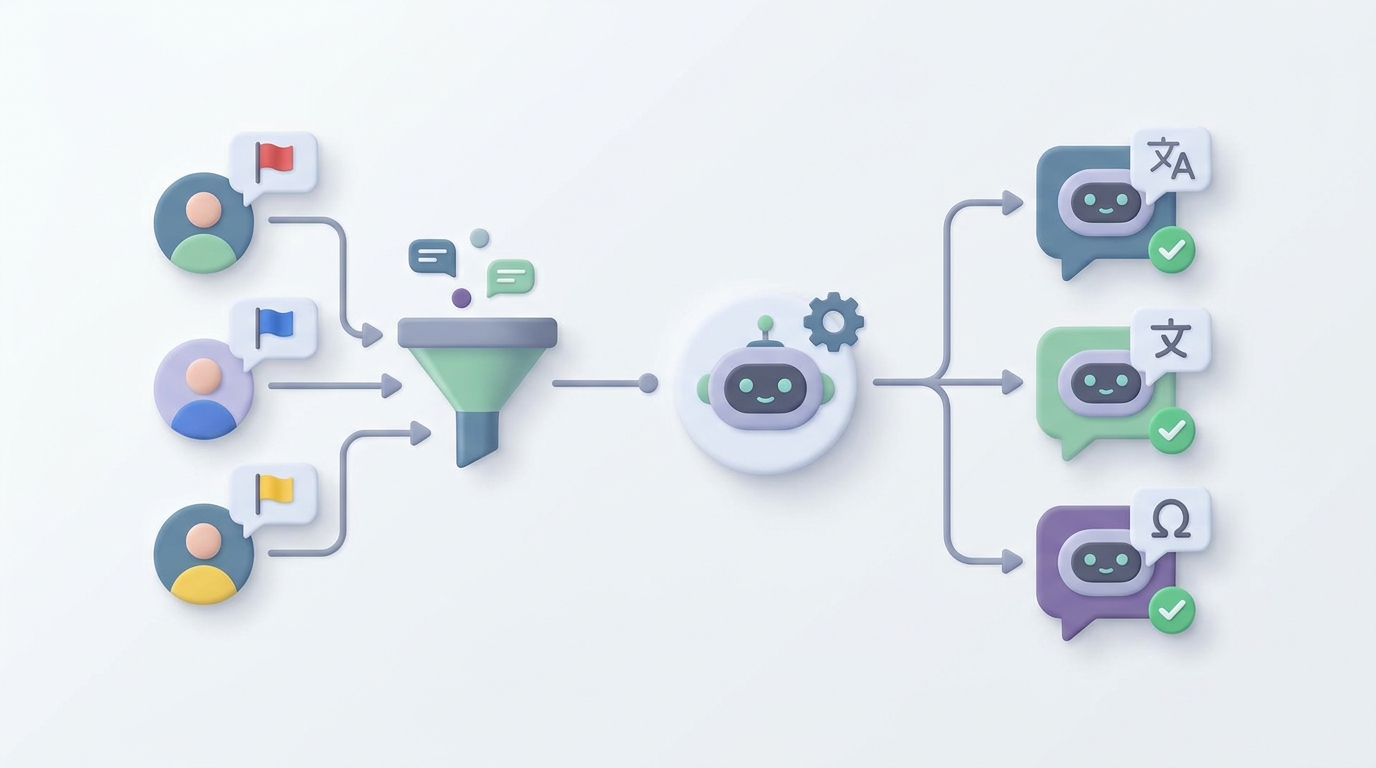
If your support team handles tickets in more than one language, you already know the drill: someone receives a message in Portuguese, pastes it into Google Translate, squints at the output, writes a reply in English, translates it back, second-guesses whether "we apologize for the inconvenience" sounds robotic in Portuguese (it does), and finally hits send twelve minutes later on what should have been a two-minute ticket.
Multiply that by every language your customers speak, and you've got a support operation that's slower, more expensive, and more error-prone than it needs to be. The good news: most of this workflow can be automated right now, today, without replacing your team or sacrificing quality. The key is knowing exactly which parts to hand to AI and which parts still need a human brain.
This guide walks through how to build a multilingual support automation using OpenClaw — step by step, no hype, just the practical reality of what works in 2026.
The Manual Workflow (and Why It's So Slow)
Let's map out what actually happens when a non-English ticket hits a typical support queue:
Step 1: Language Detection and Routing. A ticket arrives. Someone — or some basic system — figures out what language it's in. The ticket gets routed to a multilingual agent queue, or it sits in the general queue until a bilingual agent grabs it. If you don't have an agent who speaks that language? It sits longer.
Step 2: Translation. The agent copies the customer's message, pastes it into DeepL or Google Translate, reads the output, and tries to understand what the customer actually means. This sounds fast. In practice, agents report spending 30–45% of their time on translation activities alone rather than solving the actual problem.
Step 3: Context and Nuance Interpretation. The translated text often loses tone, idioms, and cultural context. "This is the third time I've contacted you" might come through fine. But sarcasm, frustration cues, and indirect complaints in languages like Japanese or Korean get flattened into neutral-sounding text. Agents frequently need to ask clarifying questions, which adds another round trip.
Step 4: Response Drafting and Translation. The agent writes a reply in English, then translates it back into the customer's language. Sometimes a second agent reviews the translation. Sometimes no one does, and the customer receives a response that reads like it was written by a robot pretending to be a person.
Step 5: Quality Check (Maybe). For high-value accounts, a senior agent or dedicated translator might review for brand voice and cultural appropriateness. For everyone else, the translation goes out as-is and you hope for the best.
Step 6: Follow-up Loop. The customer replies. Maybe in the same language, maybe in a different one. The whole process starts over.
According to Zendesk's benchmark data, multilingual tickets take 2.3 to 3.1 times longer to resolve than single-language ones. Forrester pegs the average cost per multilingual interaction at $22–$47, compared to $8–$15 for English-only tickets. And Unbabel's 2026 survey found agents spend an average of 18–35 hours per month purely on translation tasks.
That's not a support workflow. That's a tax on being a global business.
What Makes This Particularly Painful
The time cost is obvious. But the real damage is subtler:
You can't scale it. You can hire bilingual agents for Spanish and French. Maybe Mandarin. But the moment you need coverage for Thai, Turkish, Polish, and Vietnamese, you hit a wall. There aren't enough qualified multilingual support agents on the market, and the ones who exist are expensive.
Translation quality failures cause real churn. CSA Research's "Can't Read, Won't Buy" study found that companies lose 20–30% of potential revenue in non-native markets due to language barriers. A bad translation doesn't just confuse a customer — it signals that you don't care about their market.
Brand voice evaporates. Your English support might sound warm, competent, and on-brand. Your translated support sounds like a committee of algorithms agreed on the least offensive phrasing. Inconsistency across languages erodes trust.
Speed collapses. Customers in non-English markets expect sub-one-hour response times. They often wait 4–12 hours because the translation bottleneck adds friction at every step.
Your bilingual agents burn out. You hired them to solve problems. They spend a third of their day being translators. That's a waste of their skills and a fast track to turnover.
What AI Can Actually Handle Right Now
Let's be honest about what's realistic in 2026. AI isn't going to replace your support team for complex, emotional, or high-stakes conversations. But it can reliably handle a significant chunk of the multilingual workflow — and the chunk it handles well is exactly the chunk that's eating your team's time.
Here's what AI does well today:
- Language detection — 95%+ accuracy, essentially a solved problem.
- Real-time translation of straightforward queries — especially with domain-specific fine-tuning on your product vocabulary.
- Tier-1 responses — password resets, order tracking, basic FAQs, return policies — in 20–40+ languages.
- Sentiment analysis and priority routing — detecting frustration or urgency regardless of language.
- Draft generation — writing initial replies that a human can review and edit before sending.
- Knowledge base translation — keeping help articles updated across languages.
The highest-ROI use case, and the one you should start with, is AI drafts a reply, a human reviews it, and the AI learns from corrections. Companies using this model report 40–60% reduction in handle time and 30–50% cost savings. That's not a theoretical projection. That's what Shopify saw when they implemented this approach — a 52% cut in resolution time with improved CSAT in non-English markets.
Step by Step: Building Multilingual Support Automation with OpenClaw
Here's how to actually build this. We're using OpenClaw as the platform because it lets you wire together the full pipeline — language detection, translation, response generation, routing logic, and human handoff — in one place, without stitching together five different tools.
Step 1: Define Your Support Scope
Before you build anything, list out:
- Languages you need to support (start with your top 5–8 by ticket volume)
- Tier-1 query types (the repetitive stuff: order status, returns, password resets, pricing questions, basic troubleshooting)
- Escalation triggers (billing disputes, angry customers, anything legal, anything involving account security)
This scoping exercise determines what your AI agent handles autonomously versus what it drafts for human review versus what it routes straight to a person.
Step 2: Set Up Your OpenClaw Agent
In OpenClaw, create a new agent and configure it with your support context. This is where you feed it your product knowledge, brand voice guidelines, and support policies.
# OpenClaw Agent Configuration
agent:
  name: "multilingual-support-v1"
  description: "Handles Tier-1 multilingual customer support"

  context:
    knowledge_sources:
      - type: "knowledge_base"
        source: "your-help-center-url"
        sync: "daily"
      - type: "document"
        source: "support-policies.pdf"
      - type: "document"
        source: "brand-voice-guide.md"

  languages:
    supported: ["en", "es", "fr", "de", "pt", "ja", "ko", "zh"]
    default_response: "en"
    auto_detect: true

  behavior:
    tone: "friendly, competent, concise"
    max_response_length: 200
    always_include: "ticket reference number"
The knowledge_sources section is critical. OpenClaw indexes your help center, policy documents, and brand guidelines so the agent's responses are grounded in your actual information — not generic AI output.
Step 3: Build the Intake and Detection Pipeline
When a ticket comes in, the agent needs to:
- Detect the language
- Analyze sentiment and urgency
- Classify the query type
- Decide: auto-respond, draft for review, or escalate
Here's how that logic looks in OpenClaw:
# Intake Pipeline
pipeline:
  - step: "detect_language"
    action: "classify_language"
    output: "ticket.language"
    confidence_threshold: 0.90
    fallback: "route_to_human"

  - step: "analyze_sentiment"
    action: "sentiment_analysis"
    output: "ticket.sentiment"
    # Score: -1.0 (very negative) to 1.0 (very positive)

  - step: "classify_intent"
    action: "intent_classification"
    categories:
      - "order_status"
      - "return_request"
      - "password_reset"
      - "billing_question"
      - "technical_issue"
      - "complaint"
      - "other"
    output: "ticket.intent"

  - step: "route"
    rules:
      - if: "ticket.sentiment < -0.6"
        action: "escalate_to_human"
        tag: "frustrated_customer"
      - if: "ticket.intent == 'complaint'"
        action: "escalate_to_human"
        tag: "complaint"
      - if: "ticket.intent in ['order_status', 'return_request', 'password_reset']"
        action: "auto_respond"
      - if: "ticket.intent in ['billing_question', 'technical_issue']"
        action: "draft_for_review"
      - default:
        action: "draft_for_review"
Notice the routing rules. Anything with strong negative sentiment goes straight to a human. Complaints go to a human. Simple, repetitive queries get auto-responded. Everything else gets a draft that a human reviews before sending.
This isn't about removing humans. It's about making sure humans spend their time on the tickets that actually need them.
Step 4: Configure Response Generation
For auto-response queries, the agent generates a reply in the customer's detected language, pulling from your knowledge base:
# Response Generation
response:
  mode: "auto"  # or "draft" for human review

  process:
    - step: "retrieve_context"
      action: "search_knowledge_base"
      query: "ticket.content"
      language: "ticket.language"
      max_results: 3

    - step: "generate_reply"
      action: "compose_response"
      inputs:
        customer_message: "ticket.content"
        relevant_context: "retrieved_context"
        language: "ticket.language"
        tone: "agent.behavior.tone"

      constraints:
        - "respond in the same language as the customer"
        - "use knowledge base content only — do not fabricate information"
        - "if uncertain, say so and offer to connect with a specialist"
        - "include ticket reference number"
        - "match cultural communication norms for target language"

    - step: "quality_check"
      action: "validate_response"
      checks:
        - "factual_accuracy_against_knowledge_base"
        - "language_consistency"
        - "tone_alignment"
        - "no_hallucinated_information"
      on_fail: "route_to_human_review"
The constraints section is where you prevent the typical AI support failures. "Do not fabricate information" is non-negotiable. "If uncertain, say so" prevents the agent from confidently making things up. The quality check step catches responses that don't pass validation before they reach the customer.
Step 5: Integrate with Your Support Platform
OpenClaw connects to your existing support stack. Whether you're on Zendesk, Freshdesk, Intercom, or something else, you wire it in through the integrations layer:
# Integration
integrations:
  - platform: "zendesk"
    connection:
      api_key: "${ZENDESK_API_KEY}"
      subdomain: "your-company"

    triggers:
      - event: "new_ticket"
        action: "run_intake_pipeline"
      - event: "customer_reply"
        action: "run_intake_pipeline"

    actions:
      auto_respond:
        - "post_reply_as_internal_note"  # Start here for safety
        # Switch to "post_reply_as_public" after confidence is established
      draft_for_review:
        - "post_as_internal_note"
        - "assign_to_review_queue"
      escalate:
        - "assign_to_human_agent"
        - "add_ai_context_summary"
Important: Start by posting AI responses as internal notes, not public replies. Let your team review the output for a week or two. Once you're confident in the quality, flip the auto-respond tickets to public replies. This is how you build trust without risking your customer relationships.
Step 6: Build the Feedback Loop
This is the part most people skip, and it's the part that makes the difference between a mediocre automation and a great one.
# Feedback Loop
feedback:
  - trigger: "agent_edits_ai_draft"
    action: "log_correction"
    data:
      original: "ai_draft"
      edited: "agent_version"
      language: "ticket.language"
      intent: "ticket.intent"

  - trigger: "correction_logged"
    action: "fine_tune_agent"
    frequency: "weekly"
    min_samples: 50

  - trigger: "customer_rates_interaction"
    action: "log_satisfaction"
    correlate_with: "response_type"  # auto vs draft vs human
Every time an agent edits an AI draft, that correction feeds back into the system. Over time, the agent's responses get better in each language, for each type of query, in your specific brand voice. This is the "AI proposes, human corrects, model improves" loop that separates companies getting real value from AI and companies that deployed a chatbot and forgot about it.
What Still Needs a Human
Let me be direct about this because the "AI will handle everything" pitch is both wrong and dangerous for your business:
- Emotionally charged conversations. An angry customer who's been charged twice doesn't want to talk to a bot, no matter how good its Portuguese is. Empathy and de-escalation are still human skills.
- High-stakes issues. Anything involving money, legal liability, account security, or medical/health contexts. The cost of a wrong AI response here is orders of magnitude higher than the cost of a human agent.
- Ambiguous or novel problems. If the customer's issue doesn't map to your knowledge base, the AI will either hallucinate an answer or punt. A human can reason through novel situations.
- Cultural nuance at scale. AI can follow basic cultural communication norms. It cannot navigate the subtlety of, say, indirect complaint styles in Japanese business culture or the difference between formal and informal registers in Korean. For your most valuable customers and markets, human cultural adaptation still matters.
- Relationship building. Your VIP customers, your long-term accounts, the people who drive the most revenue — they should be talking to people.
The goal isn't to eliminate humans. The goal is to make sure humans are doing the work that actually requires human judgment, not spending their days as copy-paste translators.
Expected Results
Based on what companies running this model actually report (not vendor marketing numbers, but operational data from companies like Shopify, Booking.com, and similar):
| Metric | Before Automation | After AI-Augmented | Change |
|---|---|---|---|
| Avg. handle time (multilingual) | 18–25 min | 6–10 min | -55% |
| Cost per multilingual ticket | $22–$47 | $9–$18 | -58% |
| First response time (non-English) | 4–12 hours | Under 1 hour | -85% |
| Agent time spent translating | 18–35 hrs/month | 3–6 hrs/month | -80% |
| CSAT in non-English markets | Typically 10–15% below English | Within 3–5% of English | Significant improvement |
| Languages supported | 3–8 (agent-limited) | 20–40+ | Unlimited scale |
The biggest win isn't any single metric — it's breaking through the scalability wall. You go from "we can only support the languages we can hire for" to "we can support any language our customers speak" without a proportional increase in headcount.
Getting Started
Here's the realistic path:
-
Audit your current multilingual ticket volume. Which languages? Which query types? What percentage is Tier-1? Most companies find that 60–75% of their non-English tickets are straightforward queries that map cleanly to existing knowledge base articles.
-
Start with one language and one query type. Don't try to automate everything at once. Pick your highest-volume non-English language and your most common Tier-1 query. Build the OpenClaw agent for that specific use case. Get it working well.
-
Run in shadow mode first. AI generates responses as internal notes. Your team reviews them for a couple of weeks. Track accuracy. Fix issues.
-
Go live on auto-respond for the easy stuff. Once your team trusts the output, let the agent respond directly on Tier-1 queries. Keep human review for everything else.
-
Expand languages and query types gradually. Add one language or query type at a time. Use the feedback loop to improve quality continuously.
-
Measure relentlessly. Track handle time, cost per ticket, CSAT, and escalation rate by language. If a language or query type isn't performing, pull it back to human review and retrain.
You can browse pre-built multilingual support agents and templates on Claw Mart to accelerate the setup. Instead of building from scratch, you can find agents that already handle common support patterns across multiple languages and customize them for your business.
If you've built a multilingual support agent on OpenClaw that's working well for your business, consider listing it on Claw Mart. Other companies face the same language challenges you've solved, and Clawsourcing lets you turn that operational work into a product. List your agent, set your terms, and let other teams benefit from what you've already figured out.
Recommended for this post

Your Linear expert that automates issue tracking, builds workflows, and streamlines project management.
 SpookyJuice.ai
Your AI agent's guide to creating, editing, and automating PowerPoint presentations
 DMO Geek
Your negotiation specialist that handles objections, structures deals, and closes contracts -- win the deal.
SpookyJuice.ai