How to Automate Lead Source Attribution and Routing with AI
How to Automate Lead Source Attribution and Routing with AI
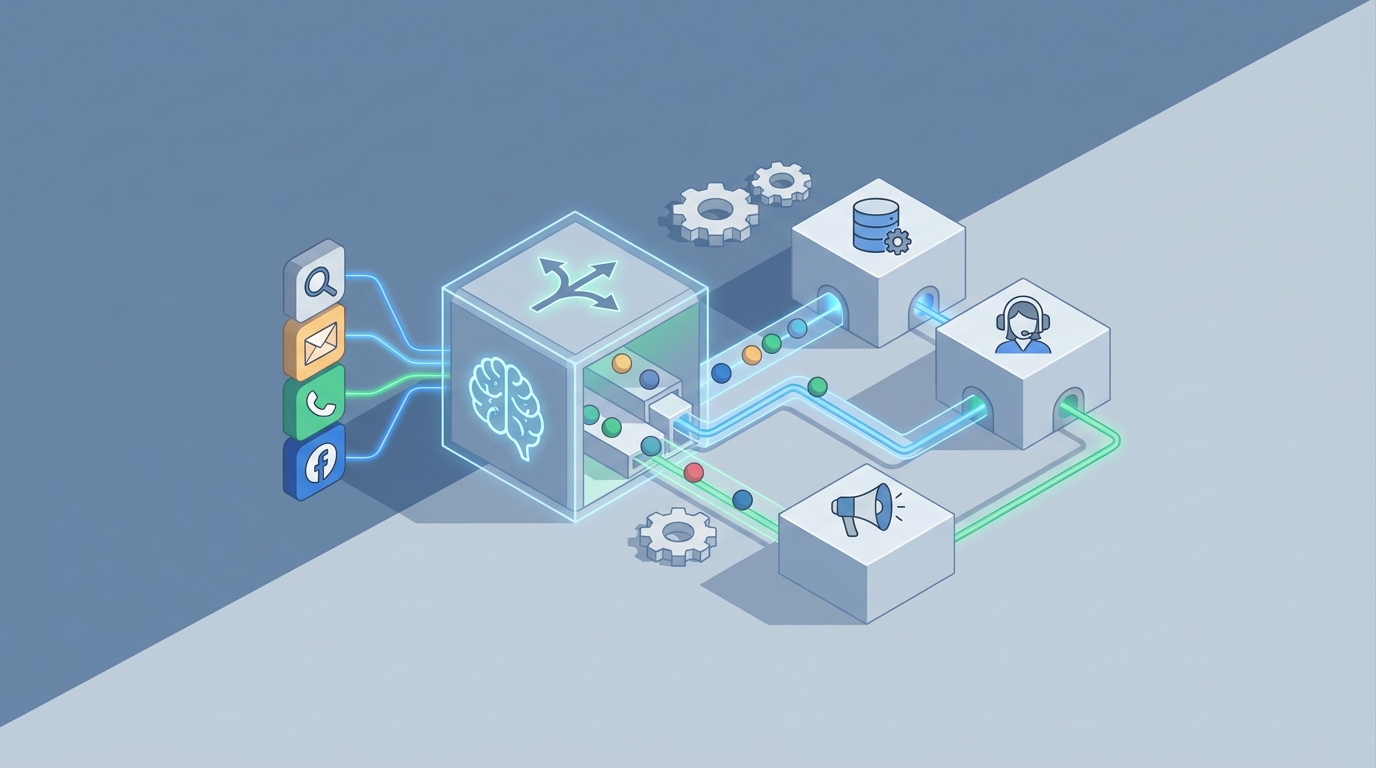
Every sales team has the same dirty secret: somewhere between a lead filling out a form and a rep actually calling them back, there's a black hole of manual work, spreadsheet jockeying, and Slack messages that reads "hey, is this one yours?" And in that black hole, deals die.
I'm not being dramatic. The data is clear. Respond to a lead within five minutes and you're 9–21x more likely to qualify them. The average B2B company takes 42–47 hours. That's not a gap—it's a canyon. And most of it isn't because reps are lazy. It's because the routing process between "lead arrives" and "rep gets notified" is a Rube Goldberg machine of manual steps that nobody has bothered to fix properly.
Let's fix it.
The Manual Workflow Today (And Why It's Quietly Bleeding You Dry)
Here's what lead routing actually looks like at most companies, even ones that consider themselves "automated":
Step 1: Lead Capture. A prospect fills out a form, signs up for a trial, downloads a whitepaper, or gets flagged by an intent data tool. The lead lands in your CRM—Salesforce, HubSpot, Dynamics, whatever. Maybe it lands in a spreadsheet first because someone hasn't finished building the integration yet.
Step 2: Manual Enrichment. An SDR or ops person opens the lead, notices half the fields are empty, and starts Googling. They check LinkedIn for the person's actual title. They pull up ZoomInfo or Clearbit for company size, industry, and revenue. They cross-reference against your ICP. This takes 3–8 minutes per lead when things go smoothly. When the data is messy or the company is obscure, it can take 15+ minutes.
Step 3: Qualification. Someone—usually an SDR or a sales ops person—eyeballs the lead and makes a judgment call. Does this look like a real buyer? Is this the right persona? Is the company big enough? Are they in a territory we serve? They might reference a loose BANT or MEDDIC framework, or they might just go with their gut. This step is where bias creeps in hard. Certain industries, company sizes, or job titles get systematically over- or under-valued based on whoever's doing the scoring that day.
Step 4: The Routing Decision. Now the fun part. The person doing the routing has to check:
- Territory rules (geography, industry vertical, company size tier)
- Round-robin order (who's "next" in the rotation)
- Rep availability (is someone on PTO? Overloaded? Just closed a huge deal and has bandwidth?)
- Account history (does anyone on the team already have a relationship with this company?)
- Specialization (is there a rep who's particularly good at selling to this vertical?)
Most companies have a partial answer to one or two of these in their CRM. The rest lives in someone's head.
Step 5: Assignment and Notification. The lead gets reassigned in the CRM. Maybe a Slack message goes out. Maybe an email. Maybe the rep just happens to notice it in their queue the next time they check. Sometimes nobody notices for hours or days.
Step 6: The Bounce-Back. About 20–35% of the time (per LeanData and Gartner estimates), the lead was routed wrong. Wrong territory. Wrong persona fit. Rep is too overloaded to take it. Now it goes back to ops, gets re-evaluated, and re-routed. Add another day or two.
Step 7: Dispute Resolution. "That's my account." "No, I talked to them at the conference." "They're in my territory but they signed up through my campaign." Sales managers spend real hours every week mediating these disputes.
Total time cost: SDRs and sales ops people report 4–15 hours per week on routing-related tasks. Average lead-to-acceptance time at most B2B companies is 24–48 hours. Complex environments? Five days or more. One LeanData case study found a mid-market SaaS company averaging 9.4 days from lead creation to sales acceptance. Nine. Days.
What Makes This Painful (Beyond the Obvious)
The time cost is bad enough. But the downstream effects are where it really hurts.
Dead leads. A lead that fills out a "request a demo" form is at peak buying intent at that exact moment. Every hour you wait, their interest decays. They fill out your competitor's form. They get distracted by other priorities. By the time your rep calls back two days later, they've already had a demo with someone else.
Inconsistent qualification. When humans score leads by gut feel, you get wildly inconsistent results. The same lead might be scored as "hot" by one SDR and "meh" by another, depending on their mood, workload, and personal biases. This means your pipeline data is unreliable, which means your forecasts are unreliable, which means your revenue planning is unreliable. It's a chain reaction.
Rep burnout and inequity. When routing isn't balanced by actual workload—factoring in deal complexity, pipeline stage, and current capacity—some reps drown while others coast. This creates resentment, turnover, and underperformance across the board.
Lost context. The best rep for a given lead isn't always the next one in the round-robin. It's the rep who closed three similar deals in that industry last quarter, or the one who already has a relationship with another buyer at the same company. Manual routing almost never accounts for this because nobody has the time to cross-reference all those factors in real time.
The numbers tell the story:
- Only 38% of marketing leads get properly routed to sales in a timely manner (Gartner, 2023–2026)
- 61% of sales teams say lead quality and routing is a top-three frustration (HubSpot)
- Companies with advanced routing see 27% higher conversion rates and 31% faster sales cycles (LeanData 2026)
- Automated routing improves revenue per lead by 15–25% (Forrester)
This isn't a minor optimization opportunity. It's one of the highest-ROI fixes in your entire revenue operation.
What AI Can Handle Right Now
Let's be honest about what's realistic. AI isn't going to replace your sales leadership's judgment on strategic account assignments or navigate the political minefield of territory disputes. But there's a massive chunk of this workflow that AI can handle better than humans—today, not in some theoretical future.
Here's what an AI agent built on OpenClaw can automate end-to-end:
Real-time data enrichment. The moment a lead enters your system, an OpenClaw agent can pull enrichment data from multiple sources simultaneously—firmographics, technographics, social profiles, intent signals—and populate your CRM fields in seconds instead of the 5–15 minutes a human takes per lead.
Predictive lead scoring. Instead of gut-feel qualification, an AI agent can score leads based on historical conversion data, behavioral signals, firmographic fit, and intent data. Not a static score based on rules someone wrote two years ago—a dynamic score that learns from your actual win/loss patterns and updates continuously.
Intelligent rep matching. This is where it gets interesting. An OpenClaw agent doesn't just do round-robin. It can factor in:
- Territory alignment
- Rep specialization and past win rates by industry/company size/persona
- Current pipeline load and deal stages
- Historical response time (which reps actually follow up fast?)
- Relationship mapping (does anyone on the team have existing connections at this account?)
The result: each lead goes to the rep most likely to close it, not just the next name on a list.
Instant routing and notification. Zero delay. Lead comes in, gets enriched, gets scored, gets matched, gets assigned, and the rep gets a notification with full context—all within seconds.
Automatic re-routing. If the assigned rep doesn't engage within your SLA window (say, 10 minutes), the agent automatically escalates or re-routes to a backup. No more leads rotting in someone's queue while they're in back-to-back meetings.
Continuous learning. The agent monitors outcomes—which leads converted, which didn't, which routing decisions led to better results—and adjusts its scoring and matching logic over time. Your routing gets smarter every week without anyone manually tuning rules.
Step-by-Step: Building the Automation with OpenClaw
Here's how to actually build this. I'll assume you're using Salesforce or HubSpot as your CRM, but the architecture applies regardless.
Step 1: Define Your Routing Logic as a Spec
Before you touch any technology, write down your routing rules in plain language. Every single one. Get them out of people's heads and into a document.
Example:
ROUTING RULES:
- Leads from companies with 500+ employees → Enterprise team
- Leads from companies with 50-499 employees → Mid-Market team
- Leads from companies with <50 employees → SMB team (or self-serve nurture)
- Within each team, assign to the rep with:
  1. Highest win rate in that industry (weighted 40%)
  2. Lowest current pipeline load (weighted 30%)
  3. Fastest average response time (weighted 20%)
  4. Territory alignment (weighted 10%)
- If assigned rep doesn't engage within 15 minutes, re-route to team lead
- Exception: If lead's company is already an open opportunity, route to the existing account owner
Don't worry about perfection. The point is to make implicit knowledge explicit so your OpenClaw agent has something to work with.
Step 2: Set Up Your Data Connections in OpenClaw
Your agent needs access to:
- Your CRM (Salesforce, HubSpot, etc.) via API for reading lead data and writing assignments
- Enrichment sources (ZoomInfo, Clearbit, Apollo, or similar) for filling in missing firmographic/technographic data
- Your notification system (Slack, email, or both) for alerting reps
- Historical deal data from your CRM for the predictive scoring and rep matching models
OpenClaw's integration layer lets you connect these as data sources your agent can read from and write to. You're essentially giving the agent the same access your ops team has today, just without the tab-switching and copy-pasting.
Step 3: Build the Agent Workflow
In OpenClaw, you'll define the agent's workflow as a series of steps. Here's the core logic:
TRIGGER: New lead created in CRM

STEP 1: ENRICH
- Pull company data from enrichment API
- Fill missing fields: industry, employee count, revenue, tech stack
- Validate email and phone

STEP 2: SCORE
- Calculate fit score based on ICP criteria (industry, size, role, tech stack)
- Calculate intent score based on behavioral signals (pages visited,
  content downloaded, form type)
- Calculate combined priority score
- If combined score < threshold → route to nurture sequence, STOP
- If combined score ≥ threshold → continue to routing

STEP 3: CHECK EXISTING ACCOUNTS
- Query CRM: does this company have an existing open opportunity?
- If YES → assign to existing opportunity owner, SKIP to Step 5
- If NO → continue

STEP 4: MATCH TO REP
- Pull list of eligible reps for this segment (enterprise/mid-market/SMB)
- For each rep, calculate match score:
    - Industry win rate (from closed-won data, last 12 months)
    - Current pipeline load (number and total value of active opportunities)
    - Average speed-to-lead (from historical engagement timestamps)
    - Territory alignment
- Assign to highest match score rep
- If tie → use round-robin as tiebreaker

STEP 5: ASSIGN AND NOTIFY
- Update lead owner in CRM
- Write routing rationale to CRM notes field
- Send Slack DM to assigned rep with lead summary:
    - Name, company, title, score, why they were matched
- Start SLA timer

STEP 6: MONITOR AND ESCALATE
- If rep hasn't logged activity on lead within 15 minutes:
    - Send reminder notification
- If still no activity at 30 minutes:
    - Re-route to backup rep or team lead
    - Log escalation event
This is the core agent. In OpenClaw, each of these steps maps to an agent action with defined inputs, outputs, and decision logic. You're not writing fragile if/then rules in your CRM's native workflow builder—you're building an intelligent agent that can handle edge cases, learn from outcomes, and adapt.
Step 4: Add the Feedback Loop
This is what separates "automation" from "AI." After the agent routes a lead, it needs to learn whether that routing decision was good.
Set up a feedback mechanism:
FEEDBACK LOOP:
- When a lead converts to opportunity → log: routing decision = POSITIVE
- When a lead goes stale (no activity for 14 days) → log: routing decision = NEGATIVE
- When a lead is manually re-routed by a human → log: routing decision = CORRECTED
    - Capture the reason for correction
- Weekly: recalculate rep match scores based on updated conversion data
- Monthly: flag any routing rules that are underperforming vs. historical baseline
Over time, this feedback loop means your routing gets meaningfully better every month. The agent starts to recognize patterns that no human would catch: "Leads from healthcare companies with 200–500 employees convert 3x better when assigned to Rep B vs. Rep A, even though they're both on the mid-market team." It adjusts accordingly.
Step 5: Test Before You Go Live
Don't flip the switch on day one. Run the agent in shadow mode first:
- Let the agent process every incoming lead and make its routing recommendation
- Compare the agent's recommendation to what your team actually does
- Track the delta for two weeks
- Review the cases where the agent and humans disagreed—who was right more often?
In most cases, you'll find the agent matches or beats human routing accuracy within the first week, and significantly outperforms it by week three as the feedback loop kicks in. Once you're confident, switch from shadow mode to live routing with human override capability.
Step 6: Monitor and Iterate
Build a simple dashboard (your CRM's native reporting works fine) that tracks:
- Average time from lead creation to rep engagement
- Lead-to-opportunity conversion rate by routing method (AI vs. manual override)
- Rep workload distribution (standard deviation across team)
- Escalation rate (how often leads need re-routing)
- Feedback loop accuracy (is the agent getting better over time?)
Review monthly. Adjust routing rules, scoring weights, and thresholds based on what the data shows.
What Still Needs a Human
AI doesn't solve everything, and pretending it does is how you build a system nobody trusts. Here's where human judgment remains essential:
Strategic account decisions. When a Fortune 500 company fills out a form, you probably don't want an algorithm deciding who gets it. Your VP of Sales or CRO should be making that call based on relationships, strategic importance, and team dynamics.
Territory philosophy. The overall structure of your territories—geographic vs. vertical vs. account-based—is a strategic decision that needs human leadership. The agent operates within the framework you set. It doesn't set the framework.
Tribal knowledge and relationships. "Oh, I know the CTO there—we were at the same company five years ago." AI is getting better at surfacing relationship data, but it still can't access the informal connections that live in people's heads. Build in an easy override mechanism so reps can claim leads they have genuine relationships with, and have the agent learn from these overrides.
Borderline qualification calls. When a lead is right on the edge of your ICP—maybe the company size is a bit small but the intent signals are through the roof—a human should make the final call. The agent can flag these as "review required" instead of auto-routing or auto-disqualifying.
Dispute resolution. When two reps both have legitimate claims to a lead, a human manager needs to make the call. The agent can provide data to inform the decision (historical context, current workload, conversion probability), but the final judgment is human.
Compliance and regulatory requirements. In regulated industries like financial services or healthcare, certain routing decisions may need human sign-off for compliance reasons. Build compliance checkpoints into your agent workflow where needed.
Expected Time and Cost Savings
Let's be specific about what you should expect.
Time savings:
- SDR/ops time on routing tasks: from 4–15 hours/week to under 1 hour/week (monitoring and exceptions only)
- Average lead-to-rep engagement time: from 24–48 hours to under 5 minutes
- Time spent on lead enrichment: effectively zero for the human team
- Time spent on re-routing misassigned leads: 70–80% reduction
Conversion impact:
- Based on industry benchmarks (LeanData, Forrester, Gartner), companies moving from manual to AI-driven routing typically see:
- 15–30% increase in lead-to-opportunity conversion
- 20–31% reduction in sales cycle length
- 15–25% improvement in revenue per lead
- Significant reduction in lead leakage (leads that fall through the cracks entirely)
Operational impact:
- Near-elimination of routing disputes (data-driven assignment removes most arguments)
- Better rep satisfaction (more equitable distribution, less administrative burden)
- More reliable pipeline data (consistent scoring → better forecasting)
A realistic implementation timeline:
- Week 1–2: Document routing rules, set up OpenClaw agent and data connections
- Week 3–4: Shadow mode testing, compare agent vs. human routing
- Week 5: Go live with human override capability
- Week 6–8: Monitor, tune, and let the feedback loop improve performance
- Ongoing: Monthly reviews, quarterly rule adjustments
You're not looking at a six-month enterprise deployment. This is a focused, high-impact project that starts delivering measurable results within a month.
Where to Start
If you're sitting there thinking "this sounds great, but I don't have the time or technical chops to build this myself"—that's exactly what Claw Mart's Clawsourcing exists for.
You can browse Claw Mart for pre-built lead routing agent templates on OpenClaw, or work with a Clawsourcing specialist to build a custom agent tailored to your specific CRM, routing rules, and tech stack. You don't need to figure out the API integrations, the scoring models, or the feedback loop architecture from scratch. Someone who's already built this for companies like yours can have you up and running in days instead of weeks.
The math on this is simple: if your team is spending even five hours a week on manual routing and you're losing 20% of leads to delays and misassignment, the ROI on fixing this is immediate and substantial. Stop letting leads die in the black hole. [Explore lead routing agents on Claw Mart →]
Recommended for this post

Your memory engineer that builds persistent context, tiered storage, and retrieval systems -- agents that remember.
 SpookyJuice.ai
Your Linear expert that automates issue tracking, builds workflows, and streamlines project management.
SpookyJuice.ai