How to Automate Knowledge Base Updates Using AI Agents
How to Automate Knowledge Base Updates Using AI Agents
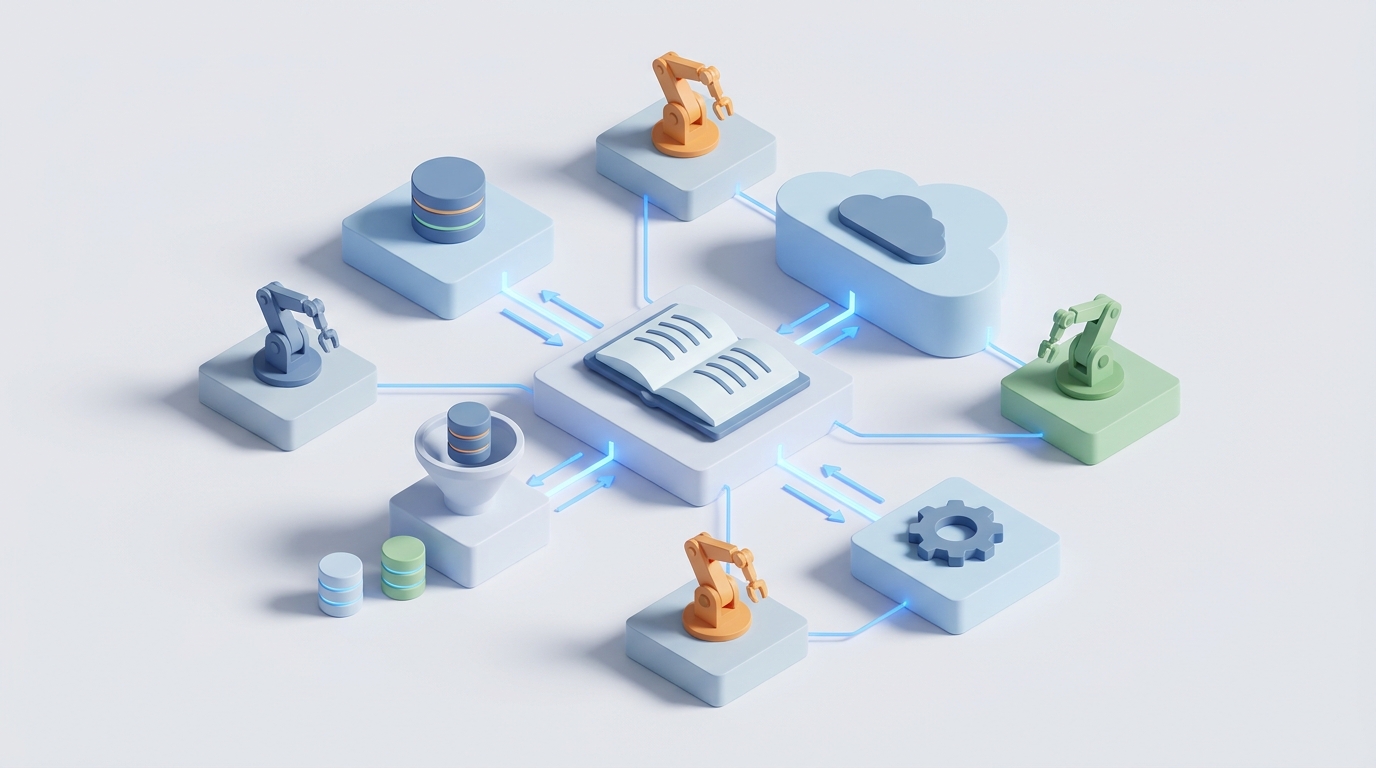
Your knowledge base is lying to your customers right now. Somewhere in your help center, there's an article that references a UI button you renamed three months ago, a pricing tier you sunset in Q1, or a workflow that quietly broke after your last deploy. You know it's there. You just don't know which article it is, and you don't have time to find it.
This is the default state of almost every company's knowledge base. Not because people are lazy, but because the manual process of keeping documentation current is genuinely, structurally broken. It doesn't scale with your product velocity, your team can't keep up, and the result is a slow erosion of trust every time a customer lands on a stale article and immediately opens a support ticket anyway.
The good news: this is one of the highest-leverage problems you can throw an AI agent at. Not a chatbot that sits on top of your bad docs. An agent that actually keeps the docs accurate in the first place.
Here's how to build that system using OpenClaw, step by step.
The Manual Workflow (And Why It's Broken by Design)
Let's be honest about what "updating the knowledge base" actually looks like at most companies. It's not a clean process. It's a chain of ad-hoc handoffs that usually goes something like this:
Step 1: Someone notices something is wrong. Maybe a support agent gets the same question three times in a week. Maybe a product manager remembers mid-standup that last sprint's feature shipped without doc updates. Maybe a customer tweets about it. The detection mechanism is basically vibes and happenstance.
Step 2: Someone gathers the information. That support agent pings the PM on Slack. The PM forwards a PRD from two months ago. An engineer shares a Loom video of the new flow. Release notes are scattered across Jira tickets, GitHub commits, and a Google Doc that three people edited simultaneously.
Step 3: Someone writes the draft. If you're lucky, you have a technical writer. If you're like most companies, it falls to whichever support agent or PM drew the short straw. They spend 2–8 hours wrestling with formatting, screenshots, and trying to write clearly about a feature they half-understand.
Step 4: Someone reviews it. The PM checks technical accuracy. The brand team checks tone. In regulated industries, legal and compliance weigh in. This step alone can take days or weeks. Reviewers are busy, the draft sits in someone's inbox, and the stale article stays live the entire time.
Step 5: Someone publishes it. Upload to Zendesk Guide or Confluence or Notion or wherever. Add tags. Update internal links. Maybe do some light SEO work. Maybe forget entirely and just hit publish.
Step 6: Repeat forever. Or more accurately, repeat when someone notices again. Most companies do "content audits" quarterly, which in practice means annually, which in practice means never.
A single medium-complexity article update takes 2–8 hours of human labor. Complex policy or troubleshooting docs can take 15–20 hours when you factor in the multi-stakeholder review cycle. A 2023 ServiceNow report found that 62% of organizations admit their knowledge base is "frequently outdated." Gartner and APQC research shows knowledge workers spend 15–25% of their time just searching for or recreating information that should already exist. Support teams burn up to 30% of their handling time looking for or verifying knowledge.
This isn't a people problem. It's an architecture problem. You're running a continuous process (product changes) with a batch system (quarterly audits and manual writes). The math will never work.
What Actually Hurts
The pain isn't abstract. It shows up in specific, measurable ways:
Support ticket volume stays stubbornly high. Your self-service deflection rate — the percentage of customers who solve their own problem via docs without opening a ticket — is probably somewhere between 15–25%. Companies with well-maintained, AI-augmented knowledge processes hit 35–45%. That gap represents real headcount costs.
Agents waste time verifying before answering. When agents don't trust the KB, they double-check with colleagues, dig through Slack history, or just wing it. This adds minutes to every interaction and introduces inconsistency.
Customers lose trust. Nothing says "this company doesn't have its act together" like landing on a help article with screenshots of a UI that no longer exists. Once a customer learns your docs are unreliable, they stop trying self-service entirely and go straight to support. You've trained them to create tickets.
Knowledge managers burn out. Many companies have 1–2 people whose entire job is chasing SMEs for updates, running content audits, and rewriting articles. It's Sisyphean work, and good knowledge managers are hard to retain because the job is structurally thankless.
The compounding cost is massive. Forrester estimates that poor knowledge management costs large enterprises millions annually in lost productivity. For mid-market companies, it's the equivalent of several full-time salaries being lit on fire maintaining a system that's still perpetually behind.
What AI Can Actually Handle Right Now
Let's be specific about what's realistic in 2026–2026, no hand-waving. There are parts of this workflow that AI agents handle well today, and parts where you still need humans. Understanding the boundary is everything.
AI handles these well:
-
Change detection. Monitoring release notes, GitHub commits, Jira tickets, changelog files, support ticket clusters, and meeting transcripts to flag "this probably means a KB article needs updating." This is pattern matching and topic modeling — exactly what language models are good at.
-
First draft generation. Taking a release note, a PRD, a support ticket thread, or a video transcript and producing a well-structured article draft. Not a perfect draft, but a solid 70–80% starting point that a human can review and polish in 15 minutes instead of writing from scratch in 4 hours.
-
Staleness detection. Comparing the content of an existing KB article against the current state of your product, recent support tickets, or updated policy documents to identify articles that are likely outdated. This is where AI goes from "nice to have" to genuinely transformative.
-
Auto-tagging, categorization, and linking. Semantic analysis to suggest tags, related articles, and internal cross-links. Tedious for humans, trivial for a model with access to your full article corpus.
-
Analytics-driven prioritization. Looking at search analytics, ticket volume by topic, and article engagement metrics to tell you which articles to update first. This turns your maintenance from "random audit" to "fix the most impactful thing first."
-
Multi-language translation and localization. Not perfect, but dramatically faster than manual translation workflows.
This is exactly the kind of multi-step, tool-using, decision-making workflow that OpenClaw is built for. You're not just prompting a model. You're orchestrating an agent that connects to your data sources, makes decisions about what needs attention, produces drafts, and routes work to humans when judgment is required.
How to Build This with OpenClaw: Step by Step
Here's the practical architecture. I'll walk through each component.
1. Set Up Your Data Sources as Agent Inputs
Your OpenClaw agent needs to watch the places where changes originate. At minimum, you want to connect:
- Your ticketing system (Zendesk, Freshdesk, Intercom, etc.) — to detect emerging topic clusters and recurring questions.
- Your product changelog (GitHub releases, Jira, Linear, or a dedicated changelog tool) — to catch feature changes at the source.
- Your existing KB platform (Confluence, Zendesk Guide, Notion, etc.) — so the agent knows what articles currently exist and what they say.
- Slack or Teams channels where product and support teams discuss changes (optional but high-signal).
In OpenClaw, you configure these as tool connections that your agent can query. The agent doesn't just passively receive data — it actively pulls context when it needs it.
2. Build the Change Detection Agent
This is your first agent workflow. It runs on a schedule (daily or triggered by events) and does the following:
- Pulls recent product releases, closed Jira tickets tagged as shipped, and merged PRs with user-facing changes.
- Pulls the last 7 days of support tickets and clusters them by topic using semantic similarity.
- Compares both sets against your existing KB articles.
- Produces a prioritized list: "These 5 articles are likely outdated. These 3 topics have no article but high ticket volume. Here's why, ranked by impact."
The output is a structured report — not just a wall of text, but a ranked list with links to the relevant tickets, releases, and existing articles. You can have OpenClaw push this to Slack, email, or directly into a project management tool as tasks.
3. Build the Drafting Agent
For each item flagged by the detection agent, a second agent (or a second step in the same workflow) generates a draft:
- It pulls all relevant context: the release note, related tickets, existing article content, and any linked PRDs or docs.
- It generates a draft article or article update, following your style guide and formatting conventions. You configure this in your OpenClaw agent's system prompt with specific instructions about tone, structure, screenshot placeholders, and terminology.
- It includes inline notes for the human reviewer: "This section references the new billing flow — please verify the screenshot matches the current UI" or "Compliance team should review this paragraph about data retention."
A good prompt configuration for the drafting agent in OpenClaw looks something like this:
You are a technical writer for [Company Name]. Your job is to draft knowledge base articles based on the source materials provided.

Rules:
- Write at an 8th-grade reading level
- Use numbered steps for procedures, bullet points for lists
- Include a "Before you begin" section for any article involving setup
- Flag any claim you're less than 90% confident about with [NEEDS REVIEW]
- Match the formatting conventions in the example articles provided
- Never invent features or capabilities not explicitly described in the source materials
- Include placeholder tags like [SCREENSHOT: description] where visuals are needed

Output format: Markdown with frontmatter including suggested title, tags, category, and related article IDs.
4. Build the Staleness Audit Agent
This one runs weekly or bi-weekly. It's separate from the change-detection agent because it's looking at the problem from the other direction — starting with existing articles and checking if they're still accurate:
- Iterates through your KB articles (or a prioritized subset based on traffic and last-updated date).
- For each article, pulls recent support tickets on the same topic and checks for contradictions or gaps.
- Checks against the current product state (via API calls, recent release notes, or a product state document you maintain).
- Flags articles with a confidence score: "This article is probably fine," "This article has minor drift," or "This article is significantly outdated."
The output is a maintenance queue, not a fire alarm. You want your knowledge manager spending their time on judgment calls, not detective work.
5. Human Review and Publish
This is where the human comes in, and it should be the only part that requires significant human time. Your OpenClaw agent has done the detection, gathering, drafting, and prioritization. The human reviewer:
- Checks the draft for accuracy (especially edge cases and nuance the agent might miss).
- Verifies compliance and legal requirements if applicable.
- Adds or approves screenshots.
- Makes tone and strategic edits.
- Hits publish.
What used to take 4–8 hours now takes 20–45 minutes. The human is editing and validating, not writing from scratch or hunting for what needs updating.
6. Close the Loop
After publishing, configure your OpenClaw agent to:
- Notify relevant Slack channels or email lists about the update.
- Mark the related tickets or tasks as resolved.
- Update its own internal tracking so the staleness audit knows this article was recently refreshed.
- Archive or redirect old versions if the article was significantly restructured.
What Still Needs a Human
I want to be direct about this because overpromising is how AI projects fail. Here's what you should not fully automate:
Accuracy validation on high-stakes content. If your KB includes anything related to legal obligations, financial advice, medical information, safety procedures, or regulatory compliance, a qualified human must review every publish. AI drafts are a starting point, not a final answer.
Strategic content decisions. What deserves to be documented in the first place? How deep should coverage go? When should you simplify at the cost of completeness? These are editorial judgment calls.
Handling ambiguity and edge cases. When a new feature interacts with three existing features in non-obvious ways, the AI doesn't know which edge cases matter to your users. Your senior support agents and PMs do.
Tone and brand nuance. AI-generated content tends toward generic and slightly flat. If your brand voice matters (it should), plan for a human pass on tone, especially for customer-facing articles.
The goal is a human-in-the-loop system, not a human-out-of-the-loop system. AI handles the 70–80% that's mechanical — detection, gathering, drafting, tagging, prioritizing. Humans handle the 20–30% that requires judgment, accountability, and expertise.
Expected Impact
Based on published benchmarks from companies using AI-augmented knowledge management (Guru, Glean, and custom implementations), and broader McKinsey and Forrester data on AI in knowledge work, here's what realistic results look like:
Time savings per article: From 4–8 hours down to 30–60 minutes for routine updates. Complex articles go from 15–20 hours to 3–5 hours.
Coverage and freshness: Companies using AI change-detection report 25–40% reduction in stale content within the first quarter. Instead of quarterly audits, you have continuous monitoring.
Self-service deflection: Forrester's 2026 data shows companies with AI-augmented knowledge processes see 18–22% higher deflection rates. If you're currently at 20% deflection, that's a realistic path to 35%+ — which translates directly to fewer tickets and lower support costs.
Knowledge manager leverage: Instead of 1 knowledge manager maintaining 200 articles poorly, you get 1 knowledge manager maintaining 500+ articles well, because the agent handles detection and drafting while the human focuses on review and strategy.
Speed to publish: The lag between product change and doc update drops from weeks to days or even hours for straightforward changes.
The compounding effect is the real story here. Stale content creates support tickets, which consume agent time, which delays KB updates, which creates more stale content. Breaking that cycle with automated detection and drafting creates a virtuous loop instead.
Getting Started
You don't need to build the entire system at once. Start with the highest-pain, lowest-risk piece:
Week 1: Set up a change-detection agent in OpenClaw that monitors your release notes and support ticket clusters. Have it produce a weekly "KB maintenance report" delivered to Slack. No automation of writing yet — just visibility into what's stale and what's missing. This alone will be eye-opening.
Week 2–3: Add the drafting agent for your most common article type (probably troubleshooting guides or feature overviews). Run it in "draft mode" where it produces suggestions that a human reviews before anything goes live. Calibrate your prompts based on the quality of early outputs.
Week 4+: Expand to the staleness audit agent and start automating the notification and routing workflows. By this point, you'll have a feel for where the agent is reliable and where you need tighter human oversight.
If you want pre-built agent templates for knowledge base automation rather than building from scratch, the Claw Mart marketplace has ready-to-deploy configurations for common KB platforms. You can browse what others have built, fork it, and customize for your stack — significantly faster than starting from zero.
The bottom line: your knowledge base doesn't need to be a graveyard of good intentions. With the right agent architecture, it becomes a living system that stays current by default. The technology is here. The ROI is clear. The only question is whether you keep throwing human hours at a structural problem or build the system that actually solves it.
Need help building this? Post your project on Clawsourcing and connect with experienced OpenClaw builders who've implemented these exact workflows. Describe your KB platform, your pain points, and your stack — and get matched with someone who can get you live in weeks, not months.