How to Automate Invoice Generation and Reconciliation with AI
How to Automate Invoice Generation and Reconciliation with AI
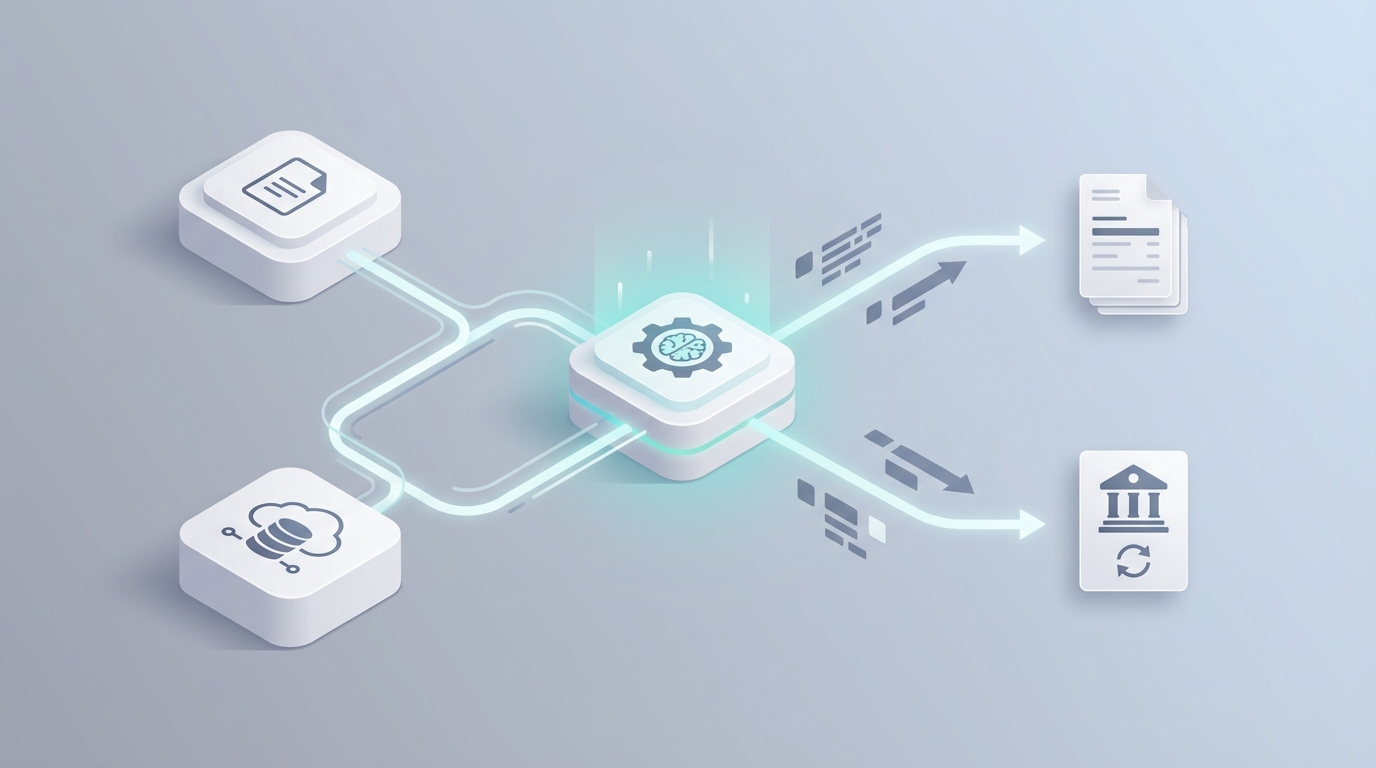
If you're running a business that processes more than a handful of invoices per month, you already know the drill. An invoice lands in someone's inbox. It gets forwarded. Someone keys the data into your accounting system. Someone else checks it against the purchase order. A manager approves it—eventually. Payment goes out late. The vendor emails asking where their money is. Rinse, repeat, lose your mind.
This isn't a technology problem in the traditional sense. The tools exist. What's been missing is a practical way to stitch them together without hiring a systems integrator or spending six months on implementation. That's where AI agents come in—and specifically, where building on OpenClaw changes the math entirely.
Let me walk you through exactly how to automate invoice generation and reconciliation using an AI agent, what it actually looks like in practice, and where you still need a human in the loop.
The Manual Invoice Workflow (And Why It's Eating Your Time)
Let's get specific about what "invoice processing" actually involves, because people tend to underestimate it. Here's the typical sequence:
Step 1: Receipt. An invoice arrives via email, a supplier portal, sometimes even postal mail. Format varies wildly—PDF attachments, scanned images, embedded in the email body, occasionally a photo someone took on their phone.
Step 2: Sorting and routing. Someone (usually an AP clerk or office manager) opens the email, identifies the vendor, figures out which department or project it belongs to, and forwards it to the right person. This takes 2–5 minutes per invoice if things go smoothly. If the invoice is ambiguous or from a new vendor, add another 10–15 minutes of detective work.
Step 3: Data entry. Vendor name, invoice number, date, line items, amounts, tax, payment terms—all of it gets manually keyed into your ERP or accounting system. QuickBooks, Xero, NetSuite, SAP, whatever. This alone takes 5–15 minutes for a simple invoice and 20–30 minutes for a complex one with multiple line items.
Step 4: Verification and matching. The invoice gets compared against the original purchase order (2-way match) or both the PO and the goods receipt note (3-way match). This is where things slow down. If there's a discrepancy—wrong quantity, different price, partial shipment—someone has to track down the information and resolve it.
Step 5: Approval. The invoice gets sent up the chain for approval. Often via email. Sometimes via a shared spreadsheet. The approver is busy, so it sits for a day or three.
Step 6: GL coding and posting. Someone assigns the correct general ledger code. This sounds trivial, but miscoding is one of the most common sources of financial reporting errors.
Step 7: Payment. ACH, wire, or (god forbid) a physical check gets cut.
Step 8: Reconciliation. Matching payments to invoices to bank statements. This is where month-end becomes a nightmare.
Step 9: Archiving. Filing everything away for audit and compliance purposes.
Total time for a single invoice, end to end? Five minutes on a very good day. Thirty to sixty minutes when there's an exception. And the full cycle from receipt to payment typically takes 3 to 14 business days.
If you're processing 1,000 invoices a month, that's one to several full-time employees doing nothing but shuffling paper around a system. At a cost of $15–$30 per invoice, you're burning $180,000 to $360,000 a year just to process invoices. That's before you count the errors.
What Makes This So Painful
The costs go well beyond labor hours. Here's what's actually happening beneath the surface:
Data entry errors run at 1–5%. That doesn't sound catastrophic until you realize a 2% error rate on $5 million in annual payables means $100,000 in potential misallocations, duplicate payments, or missed discrepancies. Every error creates downstream work—finding it, fixing it, documenting it.
Late payments destroy vendor relationships and cost real money. Most suppliers offer early payment discounts (typically 2% net 10). If your processing cycle takes 14 days, you're systematically missing those discounts. On $5 million in spend, that's $100,000 in lost savings per year. For many businesses, that number dwarfs the cost of the automation itself.
Duplicate payments happen more often than anyone wants to admit. Industry estimates put duplicate payment rates at 0.1–0.5% of total AP spend. On a large enough volume, that's tens or hundreds of thousands of dollars walking out the door.
Compliance risk accumulates silently. Missing documentation, inconsistent coding, lack of audit trails—these don't cause pain until an audit happens. Then they cause a lot of pain all at once.
Your AP team is doing work that makes them miserable. This is the part nobody talks about in ROI calculations but matters enormously. Talented people spending 40–60% of their time on repetitive data entry don't stay talented people for long. They leave, and you're back to recruiting and training.
According to Ardent Partners' 2026 research, 58% of AP leaders cite manual data entry as their top challenge. About two-thirds of organizations still process more than 25% of their invoices manually. The gap between leaders and laggards is widening fast.
What AI Can Actually Handle Today
Here's where I want to be precise, because there's a lot of hand-waving in this space. AI isn't magic. But for invoice processing specifically, it's remarkably good—because invoices are structured documents with predictable patterns. This is exactly the kind of problem AI agents crush.
Data extraction: Modern AI can pull vendor details, amounts, line items, dates, PO numbers, and tax information from PDFs, scanned documents, photos, and email bodies. First-pass accuracy on standard invoices is typically 85–97%. That's not a typo. The remaining edge cases are unusual layouts, handwritten notes, or genuinely ambiguous information.
Classification and GL coding: AI can learn your coding patterns and automatically assign the correct general ledger codes based on vendor, amount, description, and historical patterns. This is one of those tasks that seems like it requires human judgment until you realize humans are just pattern-matching too—and they're less consistent.
Three-way matching: Comparing invoice to PO to goods receipt is pure logic. AI handles it faster and more accurately than humans, flagging true discrepancies instead of burning time on false positives.
Anomaly and duplicate detection: Spotting duplicate invoices, unusual amounts, suspicious vendor patterns, or invoices that don't match expected ranges. AI is genuinely better than humans here because it can hold the entire dataset in context simultaneously.
Workflow routing: Determining which approver needs to see which invoice, escalating based on thresholds, sending reminders automatically.
Reconciliation: Matching payments to invoices to bank transactions. This is pattern-matching at scale—exactly what AI is built for.
With an AI agent built on OpenClaw, you can wire all of these capabilities together into a single automated pipeline. Not as separate tools you have to manually coordinate, but as one coherent workflow that handles the entire process from email receipt to bank reconciliation.
Step by Step: Building the Automation on OpenClaw
Here's how to actually build this. I'm going to walk through the architecture of an invoice processing agent using OpenClaw, then get into specifics.
Step 1: Set Up the Intake Layer
Your agent needs to receive invoices from all the places they come from. In OpenClaw, you configure input connectors:
# OpenClaw agent configuration - Intake
intake:
  sources:
    - type: email
      address: invoices@yourcompany.com
      filter: "has:attachment OR subject:invoice"
    - type: api
      endpoint: /invoices/upload
      formats: [pdf, png, jpg, xlsx]
    - type: supplier_portal
      connector: coupa  # or ariba, sap, etc.
      polling_interval: 15m
The agent monitors these sources continuously. Every incoming document gets timestamped, logged, and queued for processing. No human sorting required.
Step 2: Configure the Extraction Pipeline
This is where OpenClaw's document intelligence does the heavy lifting. The agent extracts structured data from unstructured documents:
# OpenClaw agent configuration - Extraction
extraction:
  model: openclaw-document-v3
  fields:
    - vendor_name
    - vendor_tax_id
    - invoice_number
    - invoice_date
    - due_date
    - payment_terms
    - line_items:
        - description
        - quantity
        - unit_price
        - amount
        - tax_rate
    - subtotal
    - tax_total
    - total_amount
    - currency
    - po_reference
  confidence_threshold: 0.92
  low_confidence_action: flag_for_review
That confidence_threshold parameter is important. When the agent is less than 92% confident about an extracted field, it flags it for human review rather than guessing. You can tune this up or down based on your risk tolerance. Start conservative (0.95), then dial it back as you build confidence in the system.
Step 3: Build the Matching and Validation Logic
Now the agent takes the extracted data and validates it against your existing systems:
# OpenClaw agent configuration - Validation
validation:
  duplicate_check:
    match_on: [vendor_name, invoice_number, total_amount]
    action_on_duplicate: reject_and_notify
  po_matching:
    type: three_way  # invoice vs PO vs goods receipt
    tolerance:
      amount: 0.02  # 2% tolerance for rounding
      quantity: 0    # exact match required
    source:
      erp: quickbooks  # or netsuite, sap, xero
      connection: ${ERP_API_KEY}
  gl_coding:
    model: openclaw-classifier-v2
    training_source: historical_invoices  # learns from your past coding
    fallback: manual_review
The three-way matching runs automatically. If the invoice matches a PO and receipt within tolerance, it proceeds. If not, the agent creates an exception ticket with the specific discrepancy identified—not just "this doesn't match" but "invoice shows 500 units at $12.50, PO shows 480 units at $12.00, goods receipt confirms 480 units received."
Step 4: Configure the Approval Workflow
# OpenClaw agent configuration - Approvals
approval:
  rules:
    - condition: total_amount < 5000
      auto_approve: true
      if_matched: true  # only auto-approve if PO match is clean
    - condition: total_amount >= 5000 AND total_amount < 25000
      approver: department_manager
      channel: slack  # or email, teams
      timeout: 48h
      escalation: finance_director
    - condition: total_amount >= 25000
      approver: [department_manager, cfo]
      require: all
      channel: email
      timeout: 24h
For invoices under $5,000 that match a PO cleanly, no human touches them. They flow straight through. For larger amounts, the agent sends an approval request via Slack or email with all the context attached—the invoice, the PO, the goods receipt, and its own analysis of whether everything checks out.
Step 5: Payment Execution and Reconciliation
# OpenClaw agent configuration - Payment
payment:
  scheduling:
    strategy: optimize_discounts  # prioritize early payment discounts
    fallback: due_date_minus_2  # pay 2 days before due date
  method:
    default: ach
    threshold_for_wire: 50000
  reconciliation:
    bank_feed: plaid  # or direct bank API
    matching_frequency: daily
    unmatched_action: flag_for_review
    report: weekly_summary
The agent schedules payments to capture early payment discounts whenever possible. It reconciles completed payments against bank transactions daily, and produces a weekly summary of what matched, what didn't, and what needs attention.
Step 6: Deploy and Monitor
Once your agent is configured, you deploy it on OpenClaw and monitor through the dashboard. The key metrics to watch:
- Straight-through processing rate (target: 70–85% in month one, 85–95% by month six)
- Average processing time per invoice
- Exception rate and types (this tells you where to tune)
- Confidence scores over time (should trend upward as the model learns your patterns)
You can find pre-built templates for this entire workflow on Claw Mart, which is OpenClaw's marketplace for agent components. Rather than building every piece from scratch, you can grab tested extraction models, validation rules, and ERP connectors that other users have already refined. It cuts setup time significantly—I'd estimate from weeks to days for a standard configuration.
What Still Needs a Human
I promised no hype, so here's the honest list of what AI agents can't reliably handle yet:
Complex disputes and exceptions. When a vendor ships the wrong product, bundles services in an unexpected way, or when contract terms are ambiguous, you need a human who understands the business context. AI can identify that there's a problem. It can't negotiate the resolution.
High-value or unusual transactions. Most companies—wisely—keep human approval in the loop above certain dollar thresholds. The specific number varies, but $5,000 to $50,000 is the typical range for auto-approval ceilings.
Vendor relationship management. When a key supplier is having cash flow issues and asks for early payment, or when you need to negotiate credit terms, that's a human conversation.
Regulatory judgment calls. Tax treatment in edge cases, industry-specific compliance requirements (especially in healthcare, government contracting, or financial services), and anything that requires interpreting legal intent rather than reading a document.
Fraud requiring business context. AI catches pattern-based fraud brilliantly—duplicates, round-number anomalies, velocity changes. But sophisticated fraud that looks exactly like a legitimate transaction requires someone who knows the business.
The rule of thumb: expect 70–90% straight-through processing on standard invoices. The remaining 10–30% route to humans, but with full context and analysis already done. Your AP team goes from doing data entry to doing exception management—which is a dramatically better use of their time and skills.
Expected Time and Cost Savings
Let's put real numbers on this, using conservative estimates.
Before automation (1,000 invoices/month):
- Average processing time: 15 minutes per invoice
- Total monthly labor: ~250 hours
- Cost per invoice: $20 (fully loaded labor cost)
- Monthly AP cost: $20,000
- Annual AP cost: $240,000
- Late payment discount losses: ~$50,000–$100,000/year
After automation with OpenClaw (same 1,000 invoices/month):
- Straight-through rate: 80%
- Human touches needed: ~200 invoices (exceptions only)
- Average human time per exception: 10 minutes
- Total monthly labor: ~33 hours
- Cost per invoice: $4–$6 (blended)
- Monthly AP cost: ~$5,000 + platform costs
- Annual AP cost: ~$80,000–$100,000
- Late payment discount losses: near zero (agent optimizes payment timing)
Net annual savings: $140,000–$210,000. For a mid-sized company processing 5,000+ invoices per month, multiply those savings accordingly. Enterprise-scale deployments routinely save seven figures.
Beyond the dollars, you're reducing error rates from 1–5% to under 0.5%, cutting processing time from days to hours, giving your team visibility into AP status at any moment, and maintaining a complete audit trail automatically.
Where to Start
If you're processing fewer than 100 invoices per month, a simpler tool like Bill.com or your ERP's built-in features might be enough. Don't over-engineer it.
If you're processing 200+ invoices per month and feeling the pain, here's what I'd recommend:
- Audit your current process. Track time per step for 50 invoices. Know your actual numbers before you automate.
- Start with extraction and matching. These deliver the most immediate value. Get your agent reading invoices and matching them to POs before you tackle the full pipeline.
- Browse Claw Mart for pre-built components. Don't reinvent the wheel on ERP connectors or extraction templates. The marketplace has battle-tested components for QuickBooks, NetSuite, Xero, and SAP integrations. Grab what fits, customize what doesn't.
- Set conservative confidence thresholds initially. Let the agent flag more for review at first. As you verify its accuracy over the first month, loosen the reins.
- Measure everything from day one. You need before-and-after data to justify expanding the automation.
The technology is ready. The ROI is clear. The only question is whether you keep paying $20 per invoice for manual processing or spend a few days setting up an agent that does it for $4.
Ready to stop burning money on manual invoice processing? Browse Claw Mart's finance and accounting agent templates to find pre-built components for your stack. Or if you want someone to handle the build for you, check out Clawsourcing—OpenClaw's done-with-you service where implementation specialists configure and deploy your invoice automation agent, tuned to your specific ERP, approval workflows, and vendor mix. You'll be live in days, not months.