How to Automate Equipment Maintenance Scheduling Based on Usage Logs
How to Automate Equipment Maintenance Scheduling Based on Usage Logs
Most construction crews handle equipment maintenance the same way they did twenty years ago: a mechanic walks around the machine, checks some fluids, writes something on a clipboard, and hopes nothing breaks before the next scheduled service. Meanwhile, the machine's own telematics system is screaming data into the void that nobody reads.
The result? Unplanned downtime that costs somewhere between $50,000 and $200,000 per machine per year. Technicians spending half their day just figuring out what's wrong. And a reactive maintenance culture where 60–80% of work happens after something has already failed.
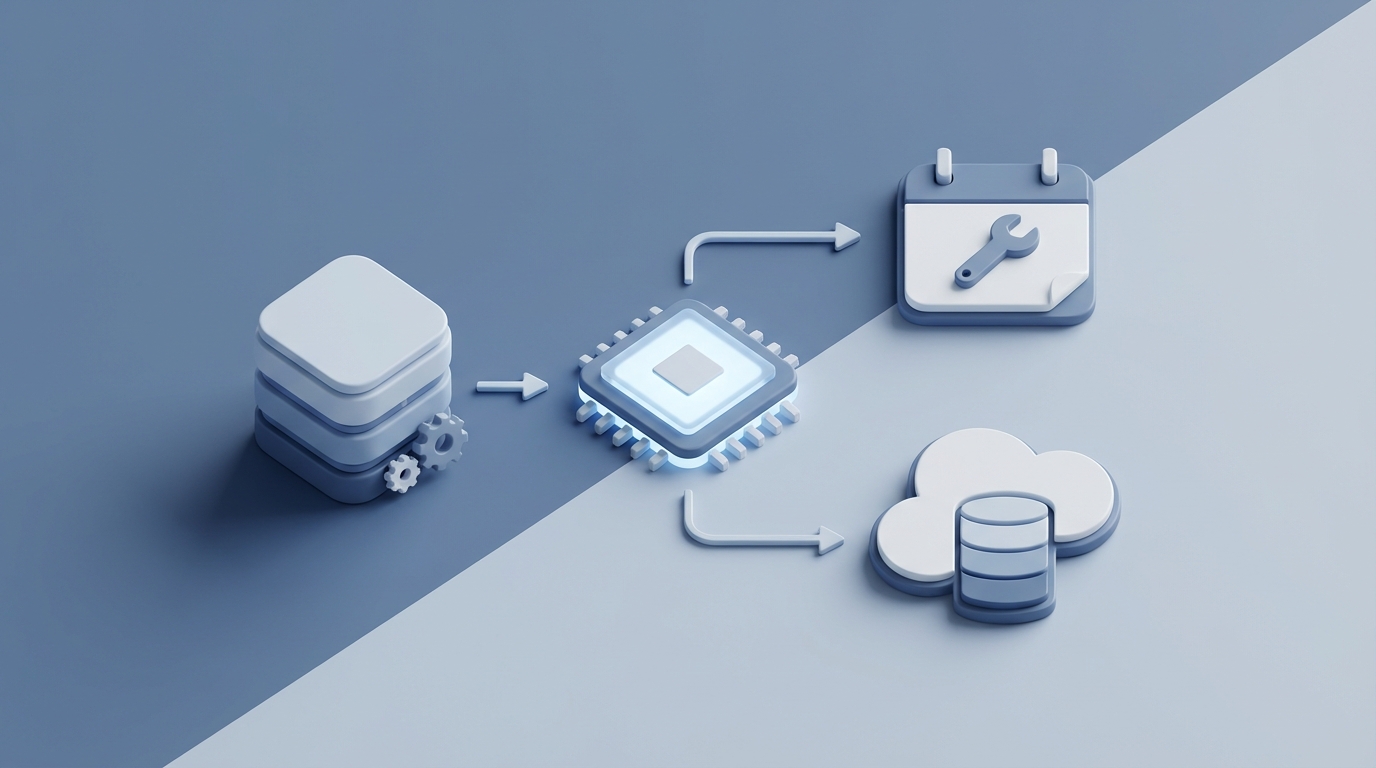
This is fixable. Not with some futuristic, decade-away technology — with tools that exist right now. Specifically, you can build an AI agent on OpenClaw that ingests your equipment usage logs, predicts what's about to fail, and automatically generates maintenance schedules that actually reflect how your machines are being used. Not how a generic OEM interval chart assumes they're being used.
Let me walk through exactly how this works.
The Manual Workflow Today (And Why It's Broken)
Here's what a typical equipment maintenance process looks like on a mid-size construction fleet — say 15 to 50 machines:
Step 1: Daily Operator Pre-Use Inspection (15–45 minutes per machine)
An operator does a walk-around before starting the machine each day. They're checking tracks or tires, hoses, fluid levels, buckets, looking for leaks or damage, and greasing anywhere from 20 to 60 fittings per machine. They log findings on a paper form or, if the company is slightly more progressive, a basic mobile app.
Multiply that by 30 machines across a fleet and you're looking at 7.5 to 22.5 hours of inspection time daily — much of it poorly documented.
Step 2: Scheduled Preventive Maintenance
Maintenance is scheduled at fixed hour intervals: 250, 500, 1,000, and 2,000 hours. Oil and filter changes, hydraulic fluid analysis, air filter replacement, belt and hose inspections, component measurements like track tension and cutting edge wear.
The problem is that these intervals are static. A dozer pushing rock in 110°F heat doesn't wear the same way as one grading topsoil in mild weather. But they get serviced on the same schedule.
Step 3: Condition Monitoring and Troubleshooting
When something seems off, a mechanic listens for abnormal sounds, feels for vibration, checks gauges, and pulls fault codes using OEM diagnostic tools — Cat ET, Deere Service ADVISOR, JPRO, whatever the brand requires. Oil samples get sent to a lab, and results come back in 3 to 14 days.
Technicians spend an average of 4 to 8 hours diagnosing major failures. That's time a skilled mechanic could have spent actually fixing something — if the diagnosis had been automated.
Step 4: Work Orders and Documentation
Someone creates a paper or CMMS work order, records parts used, hours spent, and notes. This gets filed into the equipment history, which is often incomplete, inconsistent, or just a mess of scanned PDFs nobody will ever search through.
Step 5: Parts and Inventory Management
Parts availability is checked manually against basic ERP data or physical inventory counts. When a part isn't stocked — which happens constantly in reactive environments — it's a rush order, with premium shipping costs and more downtime.
The entire cycle is slow, manual, and built on the assumption that humans will consistently follow through on every step, every day, for every machine. They don't.
What Makes This Painful
Let's be specific about the costs, because vague "it's expensive" statements don't drive decisions.
Unplanned downtime is the big one. When an excavator goes down on a critical-path activity, you're not just paying for the repair. You're paying for idle crews, delayed schedules, potential liquidated damages, and the cascade effect on every trade that was sequenced behind that work. The Construction Equipment Association and AEM found in 2023 that 68% of contractors named equipment downtime their top operational challenge. Not labor. Not materials. Downtime.
Diagnostic time waste is the silent killer. If your technicians are spending 30–50% of their time just figuring out what's wrong, you're paying master mechanic rates for detective work that a machine could do faster.
Missed or poorly timed maintenance means you're either servicing machines too early (wasting parts and labor) or too late (causing cascading damage). A hydraulic pump that needed a $2,000 rebuild at the right time becomes a $15,000 replacement plus downtime when it grenades because nobody caught the elevated iron count in the oil sample that sat in someone's inbox for a week.
Average equipment utilization on construction sites is only 40–60%, according to McKinsey. That means your million-dollar machines are sitting idle more than they're working — and a chunk of that idle time is unplanned maintenance.
The labor shortage makes everything worse. Experienced mechanics are retiring. New ones lack the pattern recognition that comes from decades of wrenching. You can't just hire your way out of this problem. The knowledge needs to be systematized.
What AI Can Handle Right Now
Here's where things get practical. Not theoretical. Not "in five years." Right now.
An AI agent built on OpenClaw can handle the following with high reliability:
Anomaly detection and predictive maintenance. OpenClaw agents can ingest telematics data — engine temperature, hydraulic pressure, fuel consumption, vibration patterns, RPM profiles — and detect anomalies that predict failure 30 to 180 days out. This isn't magic. It's pattern matching at scale, exactly what AI is best at. A human might notice that hydraulic pressure has been trending slightly lower over three weeks. An OpenClaw agent notices that and correlates it with increased cycle times, ambient temperature data, and the specific pump model's historical failure distribution across your fleet.
Fault code correlation and prioritization. Modern equipment throws fault codes constantly. Most are informational. Some are critical. The problem is figuring out which is which — especially when multiple codes fire simultaneously. An OpenClaw agent can correlate fault codes with usage patterns, operating conditions, and historical failure data to surface the top three most likely root causes with confidence scores. Instead of a technician spending four hours on diagnostics, they get a ranked list of what to check first.
Dynamic maintenance scheduling. Instead of rigid 500-hour intervals, OpenClaw can calculate optimal maintenance timing based on actual operating conditions. A machine running hard in dusty, hot conditions gets flagged for service earlier. One running light duty in clean conditions gets pushed later. This alone can reduce both over-maintenance waste and under-maintenance failures.
Parts forecasting and inventory optimization. Based on predicted maintenance needs across your fleet, an OpenClaw agent can forecast which parts you'll need and when, reducing rush orders and stockout situations.
Automated reporting and compliance. Daily and weekly maintenance reports, overdue service flags, inspection compliance tracking — all generated automatically from the data that's already flowing through your telematics systems.
Step-by-Step: Building the Automation on OpenClaw
Here's the practical build path. This assumes you have telematics on at least a portion of your fleet (Cat Product Link, JDLink, Komtrax, Samsara, or similar) and some form of maintenance records, even if it's just spreadsheets.
Step 1: Define Your Data Sources
Map out every data stream you have access to:
- Telematics feeds: Engine hours, fuel consumption, idle time, temperature, hydraulic pressure, fault codes, GPS location, operating modes.
- Maintenance records: Work orders (CMMS, Excel, or paper — digitize the paper), parts used, labor hours, failure descriptions.
- Oil analysis results: If you use Polaris Labs, WearCheck, or similar, get the historical data exported as CSVs.
- OEM service intervals: The manufacturer-recommended maintenance schedules for each machine model in your fleet.
In OpenClaw, you'll configure data connectors to ingest these streams. For telematics APIs, this typically means setting up authenticated connections to your provider's data platform. For historical records, you'll do a one-time bulk import.
Step 2: Build the Equipment Profile Agent
Create an OpenClaw agent that maintains a living profile for each piece of equipment. This profile includes:
- Machine make, model, serial number, and year
- Current engine hours and trend
- Operating environment classification (heavy/medium/light duty)
- Complete maintenance history
- Active fault codes and their history
- Oil analysis trends
- Component life tracking (undercarriage, GET, filters, fluids)
The agent continuously updates these profiles as new data flows in. Think of it as a digital twin of each machine's health status.
Step 3: Configure Predictive Rules and ML Models
This is where OpenClaw's platform does the heavy lifting. You'll set up two layers:
Rules-based alerts for known, deterministic triggers:
IF engine_oil_pressure < threshold_for_model
AND engine_hours_since_last_oil_change > 400
THEN flag_for_immediate_inspection(priority: HIGH)
IF hydraulic_temp_trend(30_days) = INCREASING
AND ambient_temp_trend(30_days) = STABLE_OR_DECREASING
THEN schedule_hydraulic_system_inspection(within: 7_days)
Pattern-based predictions that learn from your fleet's actual failure history:
OpenClaw's ML capabilities analyze the correlation between operating parameters and historical failures across your fleet. Over time, it learns patterns specific to your equipment, your operating conditions, and your maintenance practices. This is fundamentally different from a generic OEM interval because it's calibrated to reality.
Step 4: Build the Scheduling Engine
The scheduling agent takes predictions and converts them into actionable maintenance schedules. It factors in:
- Predicted failure windows: What needs attention and how urgently.
- Parts availability: Cross-references with your inventory (or your Claw Mart parts catalog if you're sourcing through the marketplace).
- Technician availability: Integrates with your workforce scheduling.
- Project schedules: Avoids pulling machines during critical-path activities when the maintenance can safely wait.
- Batching opportunities: Groups maintenance tasks on the same machine to minimize total downtime events.
The output is a dynamic maintenance calendar that updates daily as new data comes in. When a machine's operating conditions change — say it gets moved from a light grading job to heavy rock excavation — the schedule automatically adjusts.
Step 5: Set Up Notifications and Escalation
Configure the agent to push notifications through whatever channels your team actually uses — text, email, Slack, your CMMS, or a combination. Structure the alerts in tiers:
- Informational: "Unit 247 is trending toward hydraulic filter service in approximately 12 days based on current usage rate."
- Action required: "Unit 312 oil analysis shows elevated silicon and iron. Schedule inspection within 5 days. Top likely cause: air intake leak (78% confidence), abnormal wear on main bearings (15% confidence)."
- Critical: "Unit 105 engine coolant temperature has exceeded normal operating range 3 times in the past 48 hours. Immediate inspection required before next shift."
Step 6: Close the Loop
The most important step, and the one most people skip. Feed the results of every maintenance action back into the system. When a technician completes a work order, that data goes back into the equipment profile. When a predicted failure was accurate, the model gets reinforced. When it was a false positive, the model learns from that too.
This feedback loop is what turns a decent system into an excellent one over 6 to 12 months of operation.
What Still Needs a Human
Being honest about limitations matters more than overselling capabilities. Here's what you should not try to automate:
Final safety decisions. No AI should determine whether a machine is safe to return to service. A qualified person makes that call, period. The AI provides the data and recommendations. A human signs off.
Complex root cause analysis. When failures are novel, intermittent, or involve interactions between multiple systems that the model hasn't seen before, you need an experienced mechanic applying judgment. The AI can narrow the search space significantly, but it can't replace hands-on diagnostic skill for truly unusual failures.
Physical repair work. This one's obvious but worth stating. AI handles the information layer. Humans turn wrenches.
Risk-based operational decisions. "Do we repair this machine now or run it for another week because we'll miss a critical deadline otherwise?" That's a business decision that weighs risk tolerance, contract penalties, safety, and a dozen other factors that require human judgment and accountability.
Warranty and insurance claims. These require human documentation, context, and often negotiation. The AI can organize the supporting data, but a person manages the claim.
Expected Time and Cost Savings
Based on real deployments across fleets of varying sizes:
Diagnostic time reduction: 40–60%. When technicians get a prioritized, confidence-scored list of likely causes instead of starting from scratch, they fix things faster. John Deere customers have reported 25–30% reductions in diagnostic time with their AI analytics alone — and that's with a less customizable system than what you can build on OpenClaw.
Unplanned downtime reduction: 30–50%. Caterpillar's AI system (built on the former Uptake platform) showed 35% reduction in unplanned downtime for a large mining customer. You won't hit those numbers on day one, but within 6 to 12 months of the feedback loop running, 30% is a realistic target.
Maintenance cost reduction: 10–25%. This comes from two directions: avoiding catastrophic failures that cost 5–10x more than planned repairs, and eliminating unnecessary over-maintenance on machines that don't need it yet.
Technician productivity increase: 20–35%. Less time diagnosing, less time on paperwork, more time actually repairing equipment. Given the labor shortage, this is arguably the most valuable benefit — getting more output from the skilled people you already have.
Parts inventory optimization: 15–20% reduction in carrying costs. Better forecasting means fewer rush orders (which carry premium freight costs) and less dead stock sitting on shelves.
For a mid-size fleet of 30 machines, conservative estimates put the annual savings at $300,000 to $750,000 — primarily from avoided downtime and more efficient technician utilization.
Next Steps
If you're running a fleet and still scheduling maintenance off fixed hour intervals and paper logs, the gap between where you are and where you could be is massive — and it's costing you real money every week.
The build path I outlined above isn't theoretical. It's what contractors are implementing right now on OpenClaw, using data they already have from telematics systems that are already installed on their machines.
Start with the equipment you have the best data on. Build the profiles, configure the predictive rules, and let the system run alongside your existing process for 60 to 90 days. Compare its predictions against reality. Tune it. Then expand.
If you don't have the internal bandwidth to build this yourself — or you'd rather have someone who's done it before handle the implementation — post it as a Clawsourcing project on Claw Mart. There are builders on the platform who specialize in exactly this kind of OpenClaw agent build for construction and heavy equipment fleets. Scope the project, get matched with a builder, and get it running in weeks instead of months.
The machines are already generating the data. You just need something smart enough to read it.