How to Automate Customer Review Analysis and Reporting with AI
How to Automate Customer Review Analysis and Reporting with AI
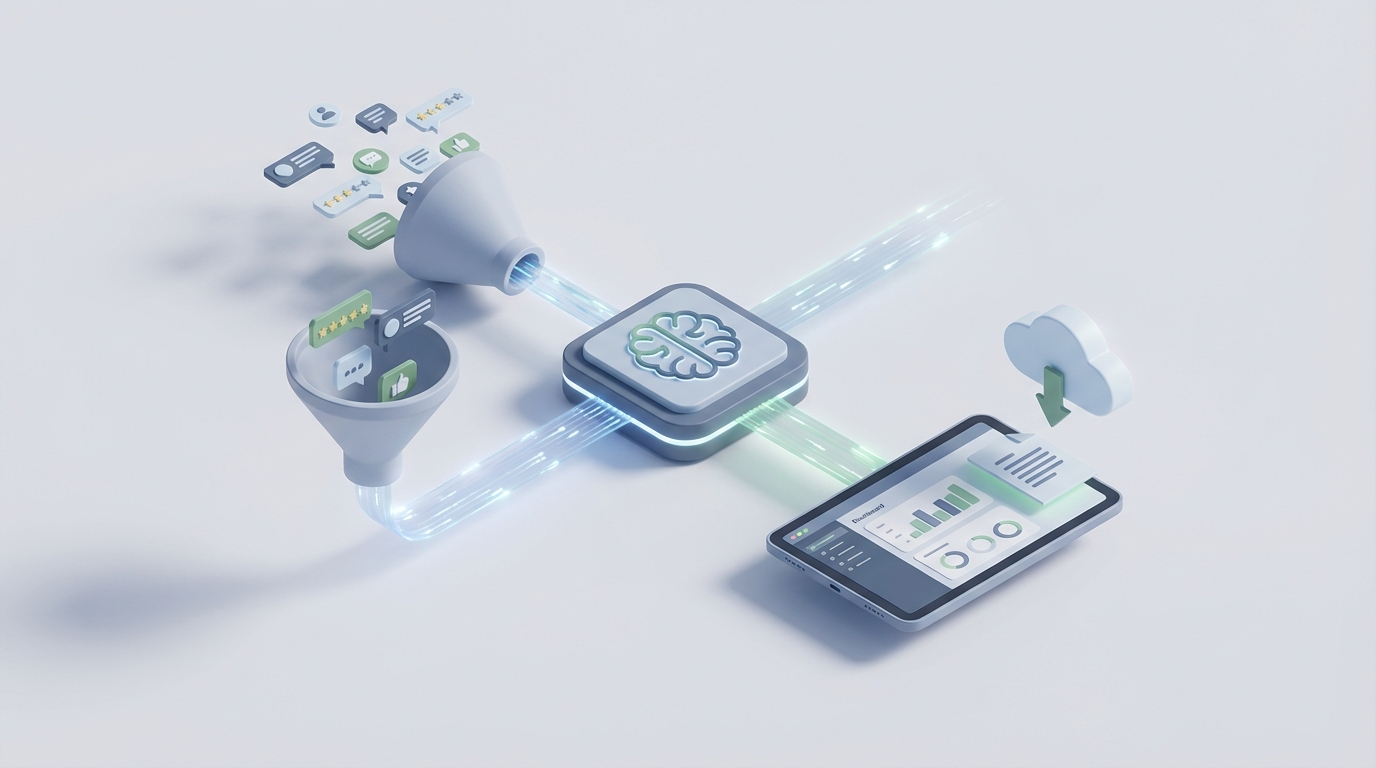
Most businesses treat customer reviews like a suggestion box nobody opens. They collect them, skim a few, maybe flag the angry ones, and move on. Then once a quarter, someone pulls together a report that tells leadership what everyone already knew three months ago.
This is a massive waste. Reviews are the most honest, unsolicited feedback loop you'll ever get — and most companies either ignore it or drown in it.
Here's the good news: you can automate 70–85% of the mechanical work involved in review analysis using an AI agent built on OpenClaw. Not some vague "AI-powered insights" dashboard. An actual working system that collects reviews, classifies them, identifies patterns, generates reports, and routes issues to the right people — while you focus on the parts that actually require a brain.
Let me walk you through exactly how.
The Manual Workflow (And Why It's Killing Your Team)
Let's get specific about what review analysis actually looks like when humans do it end to end. If you're a mid-size e-commerce brand getting 800–2,000 reviews per month across Amazon, your Shopify store, Google Business Profile, Trustpilot, and social media, here's the typical workflow:
Step 1: Collection (2–4 hours/week) Someone exports CSVs from Amazon Seller Central, downloads Trustpilot data, screenshots Instagram comments, copies Google reviews into a spreadsheet. Some companies use Zapier to pipe a few of these into a Google Sheet, but it's rarely comprehensive. There's always at least one platform that requires manual export.
Step 2: Reading and Tagging (8–15 hours/week) An analyst — or more likely, a marketing coordinator who got this added to their plate — reads each review and tags it. Sentiment: positive, negative, neutral, mixed. Topic: product quality, shipping, customer service, pricing, packaging, specific feature complaints. Severity: low, medium, high. Whether it needs a response. Whether it's actionable.
At 3–8 minutes per review for full tagging, 500 reviews takes roughly 25–65 hours. Most teams sample instead — reading maybe 20–30% — which means they're literally guessing about 70% of their customer feedback.
Step 3: Theme Identification (3–5 hours/week) Group similar complaints. Pull representative quotes. Try to spot if something new is emerging. "Are more people complaining about the zipper this month?" This is where pattern recognition matters, and it's where sampling-based approaches completely fall apart.
Step 4: Quantification and Reporting (3–6 hours/week) Count frequencies, calculate percentages, build charts, write summaries, prepare the deck for the product meeting. Segment by product line, customer type, time period. Format it so stakeholders actually read it.
Step 5: Response and Routing (4–8 hours/week) Draft replies to negative reviews. Forward product bugs to engineering. Send service complaints to the support lead. Follow up on anything that looks like a PR risk.
Total: 20–38 hours per week for a team of 2–3 people. For a company doing 2,000+ reviews per month, this is essentially a full-time job.
And here's the kicker — Forrester research shows that customer intelligence teams spend 30–50% of their time on collection and basic categorization. Not on generating insights. Not on making decisions. On copying, pasting, reading, and tagging.
What Makes This Painful (Beyond the Hours)
The time cost is obvious. The hidden costs are worse.
Inconsistency. Analyst A reads "this product is great for destroying my expectations" and tags it positive. Analyst B catches the sarcasm. Neither is wrong every time, but the data becomes unreliable. Mixed-sentiment reviews — "Love the product, hate the company" — get tagged differently depending on who's reading and what mood they're in.
Delayed insights. If your review analysis runs monthly or quarterly, you're finding out about problems weeks after they started. A defective batch ships in week one, complaints pile up in week two, and you don't see the pattern until week six. That's hundreds of unhappy customers and a review score that's already taken the hit.
Sampling bias. When you can only read 30% of reviews, which 30% do you pick? Most teams gravitate toward the extremes — the 1-star and 5-star reviews — and miss the 3-star reviews where customers explain exactly what would make the product better.
No scalability. Launch a new product? Enter a new market? Get featured on a popular blog? Your review volume spikes and your process breaks. You either hire more people or accept worse coverage.
Multi-platform fragmentation. Amazon reviews tell you different things than Trustpilot reviews. Google reviews skew toward service experience. Social media comments are informal and full of slang. Unifying these into a coherent picture manually is a spreadsheet nightmare.
What AI Can Handle Right Now
Let's be honest about capabilities. AI in 2026 isn't magic, but it's remarkably good at the specific tasks that eat up most of your review analysis time.
Sentiment classification: Fine-tuned language models hit 85–93% accuracy on clear cases. LLM-based approaches (the kind you can build on OpenClaw) handle nuance significantly better than older keyword-based tools. They can distinguish "not bad" (positive) from "not good" (negative) and handle most sarcasm when given proper instructions.
Topic extraction and categorization: An OpenClaw agent can automatically sort every review into categories like shipping, product quality, customer service, pricing, packaging, specific features, and more — including multiple topics per review. No pre-defined keyword lists. The model understands context.
Trend detection: When you process every review (not a sample), you can track topic frequency over time automatically. "Complaints about zipper durability increased 340% in the last two weeks" is the kind of insight that takes an AI agent seconds and a human team weeks to catch.
Volume summarization: "Here's what 1,847 reviews said this month" distilled into a structured report with percentages, representative quotes, and comparison to prior periods.
Categorization by type: Bug report, feature request, praise, complaint, question, fake/incentivized review signal. Each gets routed differently.
Draft response generation: For straightforward positive reviews and common complaint patterns, AI can draft contextually appropriate responses that a human reviews before sending.
Multi-language processing: Reviews in Spanish, German, French, or Japanese get analyzed with the same framework, no separate team needed.
This isn't theoretical. Companies using LLM-augmented review workflows are reporting 70–85% time savings on the mechanical work. A consumer electronics company documented going from 40 hours per month of analysis to 6 hours by automating categorization and having analysts only review outliers.
Step by Step: Building the Automation on OpenClaw
Here's how to actually build this. We're constructing an AI agent on OpenClaw that handles the full pipeline from review collection through reporting, with human checkpoints where they matter.
Step 1: Set Up Review Ingestion
Your agent needs a steady feed of reviews from every platform. On OpenClaw, you'll configure input connections:
- API integrations for platforms that support them (Amazon SP-API, Google My Business API, Trustpilot API, App Store Connect API)
- Webhook receivers for platforms you've connected via Zapier or Make.com (Yelp, social media, niche review sites)
- Scheduled CSV imports as a fallback for platforms with no API
The agent watches for new reviews on a schedule you define — every hour, every six hours, daily. Each review enters the pipeline as a structured object: source platform, date, rating, text, reviewer metadata (if available), product/location identifier.
The key design choice here: process every review, not a sample. When AI handles the volume, there's no reason to sample. You get complete coverage.
Step 2: Configure the Analysis Pipeline
This is where OpenClaw's agent architecture shines. You define a multi-step analysis workflow that each review passes through:
Sentiment Analysis Module:
Classify the sentiment of this customer review.

Categories: Positive, Negative, Neutral, Mixed
Confidence: High, Medium, Low

For Mixed sentiment, identify the positive and negative components separately.

Review: "{review_text}"

Return structured JSON:
{
  "overall_sentiment": "",
  "confidence": "",
  "positive_aspects": [],
  "negative_aspects": [],
  "emotional_intensity": "low/medium/high"
}
Topic Extraction Module:
Extract all topics discussed in this review. Use the following taxonomy, but add new topics if the review discusses something not covered:

Primary categories: Product Quality, Shipping/Delivery, Customer Service, Pricing/Value, Packaging, Ease of Use, Durability, Appearance/Design, Size/Fit, Competitor Comparison

For each topic, note the sentiment specific to that topic (which may differ from overall sentiment).

Review: "{review_text}"

Return structured JSON:
{
  "topics": [
    {
      "category": "",
      "sentiment": "",
      "detail": "",
      "quote": ""
    }
  ]
}
Classification Module:
Classify this review by type:
- Bug Report / Defect
- Feature Request
- Praise
- Complaint
- Question
- Comparison to Competitor
- Potential Fake/Incentivized (flag signals like overly generic language, review timing patterns, etc.)

Assign priority: Critical, High, Medium, Low
Critical = safety issue, legal risk, or viral potential

Review: "{review_text}"
You chain these modules in OpenClaw so each review passes through all three, and the outputs merge into a single enriched review record.
Step 3: Build the Routing Logic
Not every analyzed review needs the same next step. Configure conditional routing in your OpenClaw agent:
- Critical priority → Immediate Slack notification to the relevant team lead + auto-drafted response for human approval
- Bug reports → Forwarded to engineering channel with extracted details
- Feature requests → Added to a feature request tracker with frequency counts
- Negative + High confidence + No response yet → Queued in a response dashboard with a draft reply
- Low confidence sentiment → Flagged for human review (this is your quality control)
- Everything else → Flows into the aggregate dataset for reporting
This routing is where you get the most immediate operational value. Instead of a human reading 2,000 reviews to find the 15 that need urgent attention, the agent surfaces them in minutes.
Step 4: Automate Trend Detection and Reporting
Set up a scheduled reporting agent that runs weekly (or at whatever cadence you want):
Analyze all reviews from the past {time_period}.

Generate a report that includes:
1. Total review volume by platform and product
2. Overall sentiment distribution (compare to previous period)
3. Top 10 topics by frequency, with sentiment breakdown
4. Emerging topics (new or significantly increasing)
5. Declining topics (issues that may be resolving)
6. Critical/high-priority issues summary
7. Top 5 representative positive quotes
8. Top 5 representative negative quotes
9. Recommended actions based on patterns

Format as structured markdown suitable for stakeholder distribution.
The agent pulls from your enriched review database, runs the analysis, and outputs a formatted report. You can have it automatically posted to a Slack channel, emailed to stakeholders, or saved to a shared drive.
For more sophisticated trend detection, configure the agent to watch for anomalies: any topic that increases by more than 50% week-over-week triggers an alert. This is how you catch problems in real time instead of quarterly.
Step 5: Response Generation and Queue Management
For review responses, the agent generates drafts based on the analysis:
Draft a response to this customer review.

Context:
- Sentiment: {sentiment}
- Key topics: {topics}
- Priority: {priority}
- Product: {product_name}

Guidelines:
- Acknowledge specific points the customer raised
- Be genuine, not corporate
- If negative: apologize specifically, offer concrete next step
- If positive: thank specifically, don't be generic
- Keep under 100 words
- Never argue or get defensive
These drafts go into a queue where a human approves, edits, or rewrites. The goal isn't to remove humans from responses — customers can tell when they're talking to a bot, and they hate it. The goal is to cut the draft-from-scratch time so your team spends 30 seconds per response instead of 3 minutes.
What Still Needs a Human
Let's be real about the limits. AI agents are tools, not replacements for judgment. Here's what you should not automate away:
Strategic interpretation. The agent can tell you that 12% of reviews mention battery life negatively, up from 7% last quarter. It cannot tell you whether to prioritize a battery redesign over the three other product improvements competing for engineering time. That's a business decision involving cost, timeline, competitive positioning, and strategic priorities.
Nuance arbitration. The low-confidence reviews flagged by your agent need a human eye. Sarcasm, cultural references, passive-aggressive language, and genuinely ambiguous feedback require contextual understanding that even the best models get wrong 10–15% of the time.
Response tone for sensitive situations. A customer describing a safety issue with your product, someone who's had a terrible experience, or a review that could go viral — these need a human touch, full stop. The AI draft is a starting point; the final message needs empathy and judgment.
Root cause analysis. Reviews describe symptoms. "The app crashes when I try to checkout" is a symptom. The root cause might be a memory leak, a payment processor issue, or a device-specific bug. Your agent flags the pattern; your team investigates the cause.
Legal and reputation risk. Reviews containing potential defamation, privacy violations, or allegations that could create legal exposure need human (and sometimes legal) review. Your agent can flag these based on keywords and patterns, but the response is not something you automate.
Verifying review authenticity in complex cases. AI can flag signals of fake reviews — generic language, timing clusters, reviewer profile patterns — but the final call on whether to report or act on a suspected fake review campaign requires human investigation.
Expected Time and Cost Savings
Based on documented cases and the workflow described above, here's what you can realistically expect:
| Task | Before (Weekly) | After (Weekly) | Savings |
|---|---|---|---|
| Collection & ingestion | 2–4 hours | ~0 (automated) | 95%+ |
| Reading & tagging | 8–15 hours | 1–2 hours (low-confidence review only) | 85% |
| Theme identification | 3–5 hours | 0.5–1 hour (reviewing AI output) | 80% |
| Quantification & reporting | 3–6 hours | 0.5 hour (reviewing auto-generated report) | 85% |
| Response drafting & routing | 4–8 hours | 1–2 hours (editing AI drafts) | 70% |
| Total | 20–38 hours | 3–6 hours | ~80% |
For a team that's currently spending 30 hours per week on review analysis, that's 24 hours reclaimed — every week. Over a year, that's more than 1,200 hours redirected from copying, pasting, reading, and tagging toward actually making decisions based on what customers are telling you.
The real ROI isn't just time savings, though. It's the things you catch that you would have missed: the product defect you find in week one instead of week six, the emerging competitor comparison you spot before it becomes a trend, the feature request pattern that informs your next product cycle.
And unlike hiring more analysts, your OpenClaw agent scales linearly. Go from 1,000 reviews per month to 10,000? The agent handles it. Launch in three new countries with reviews in four languages? Same system, same accuracy.
Getting Started
You don't need to build the full system on day one. Start with the highest-value piece: automated sentiment and topic classification on your highest-volume review source. Get that running, validate the accuracy against manual tagging, tune the prompts, and expand from there.
If building AI agents for review analysis (or any other business workflow) sounds like what your team needs but you don't want to build from scratch, check out what's available on Claw Mart. There are pre-built agent templates and components for exactly this kind of workflow — review ingestion, multi-step analysis pipelines, reporting automation — that you can deploy and customize on OpenClaw without starting from zero.
And if you've already built something like this, or you've developed a specialized review analysis agent for a specific industry (restaurants, SaaS, healthcare, whatever), list it on Claw Mart through Clawsourcing. Other businesses are looking for exactly what you've built, and Clawsourcing lets you monetize the work you've already done. Head to Claw Mart's Clawsourcing page to learn more.
Your customers are already telling you what they want. The question is whether you're actually listening at scale.